


Free Overtime Pay Calculator

Calculate overtime pay instantly

Enter your hourly rate, regular hours, and overtime hours to instantly calculate regular pay, overtime pay, and total earnings — at 1.5× or 2× rate.

Used by hundreds of UK businesses
  • Free to use
  • No sign-up required
  • Time and a half, double time or your own rate
Timesheet softwareTimeTally splits each person's approved hours into regular and overtime, prices every rate, and sends it to Xero, QuickBooks or a CSV. £3 per employee a month.Overtime split and priced · £3 per employee

Your week

Paidan hour
forbasic hours,
plushours attime and a half
andhours atdouble time

Your pay for 48 hours

  1. Basic40h × £15.00£600.00
  2. Overtime at 1.5×6h × £22.50£135.00
  3. Overtime at 2×2h × £30.00£60.00
Regular pay
£600.00
Overtime pay
£195.00
Total pay
£795.00

£795.00 ÷ 48 hours = £16.56 an hour on average

See every hour of it

Need to track overtime automatically? See TimeTally timesheet software →

Try it free for 14 days

Then £3 per employee per month. No card needed.

Your week, hour by hour

Every hour of the week, priced

40 basic hours at £15.00 make £600.00. 6 at time and a half (£22.50 an hour) add £135.00 and 2 at double time (£30.00 an hour) add £60.00. That is £795.00 for 48 hours, or £16.56 an hour on average.

The week£795.00

  • Basic40h × £15.00£600.00
  • Overtime at 1.5×6h × £22.50£135.00
  • Overtime at 2×2h × £30.00£60.00

Each column is one hour, as tall as what it pays. The minimum wage is checked on the average across every hour in the pay reference period (a week here, up to a month for monthly pay), overtime included.

What the law says about overtime pay

Four numbers every overtime payslip has to pass

The multiplier is a contract choice. These four aren't. For the minimum wage at every age, use the minimum wage calculator.

  1. There is no legal overtime rate

    UK law sets no premium for overtime. Time and a half, double time or plain time: the rate is whatever the contract says. An employer doesn't have to pay for overtime at all, as long as the average pay for every hour worked stays at or above the minimum wage.

    GOV.UK: Overtime pay
  2. The minimum wage is an average

    The National Living Wage for workers aged 21 and over from 1 April 2026. It is checked on total pay divided by all the hours worked in the pay reference period (the week or month they're paid for, never more than 31 days), overtime included. A good basic rate can still fail it once unpaid hours are added.

    GOV.UK: Calculating the minimum wage
  3. Regular overtime counts in holiday pay

    Holiday pay for the first 4 of the 5.6 weeks of statutory leave includes overtime the worker does regularly, whether it is guaranteed, compulsory or voluntary. When pay varies, it is averaged over the last 52 weeks they were paid.

    GOV.UK: Holiday pay
  4. The average week is capped

    Overtime counts towards the 48-hour average week, taken over 17 weeks, unless the worker signs an opt-out. They can cancel it with at least 7 days' notice, or up to 3 months if their written agreement says so.

    GOV.UK: Maximum weekly working hours

England, Scotland and Wales. Checked against GOV.UK on 24 October 2026. A guide, not legal advice.

From the calculator to every payslip

Stop calculating manually — track hours automatically

This calculator gives you the numbers. TimeTally tracks hours, approvals, and overtime automatically — so you never need to calculate it manually again. From £3/employee/month.

Set once, for the whole team

Your overtime rule, written in once

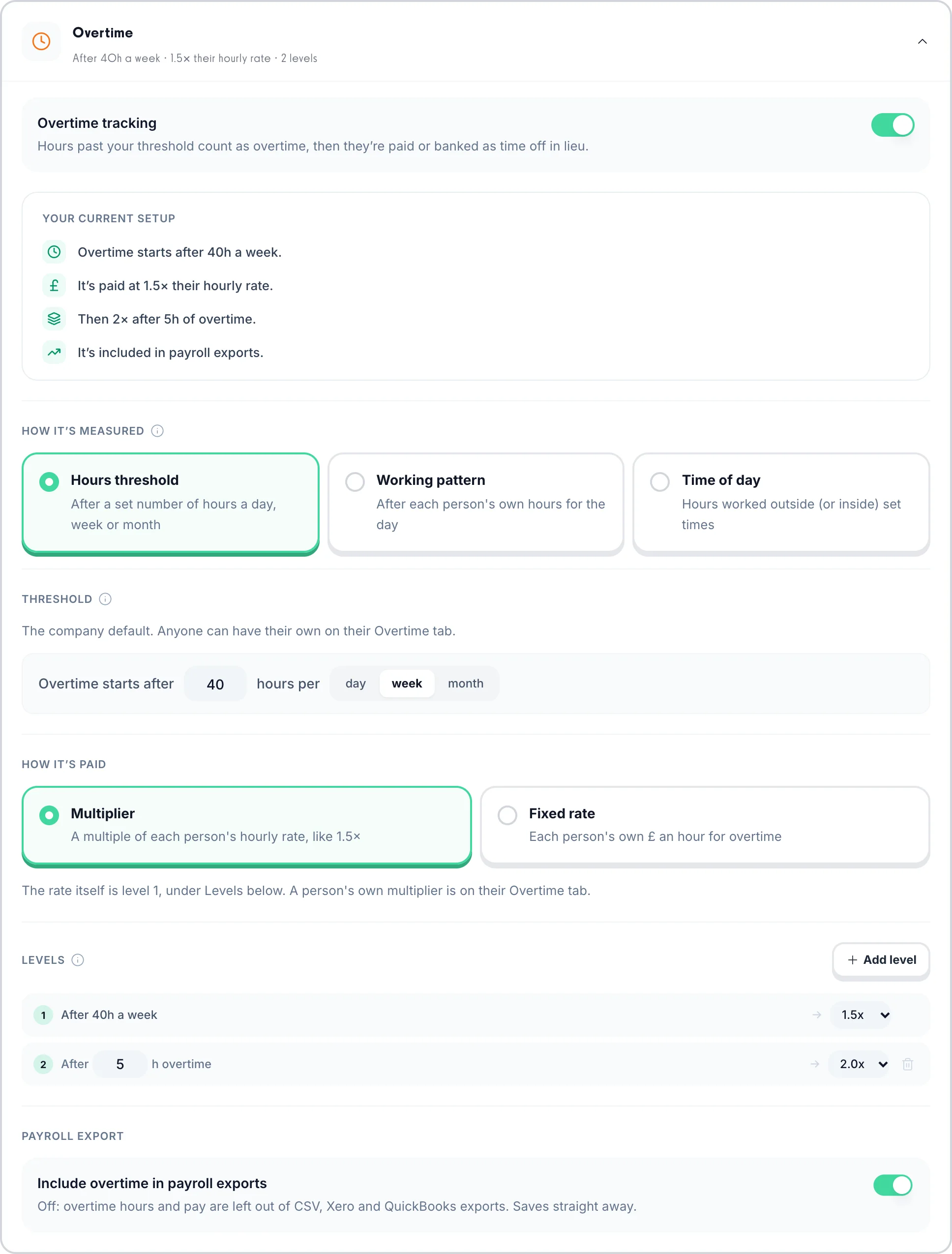
Overtime can start after a number of hours a day, a week or a month, after each person's own working pattern, or outside set times of day. Pay it at a multiple of each person's rate, like 1.5×, or at a fixed £ rate, add higher levels on top (double time after 45 hours, say), or bank it as time off in lieu instead.

  • A day, a week or a month
  • 1.5×, 2× or a fixed £ rate
  • More than one level
  • Or banked as TOIL
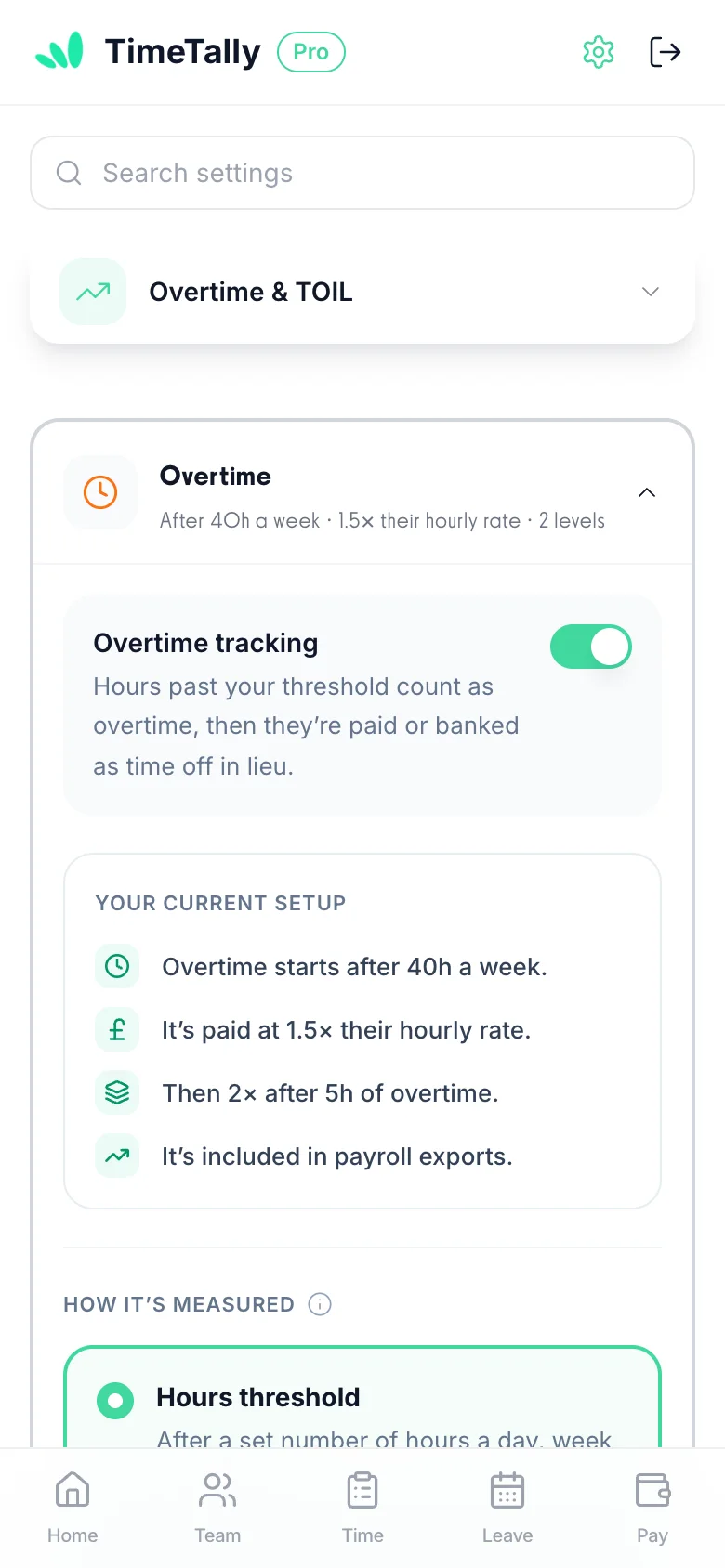
TimeTally's overtime settings: overtime starts after 40 hours a week, paid at 1.5× the hourly rate, then 2× after 5 hours of overtime, included in payroll exports
  1. Employees submit timesheets from anywhere

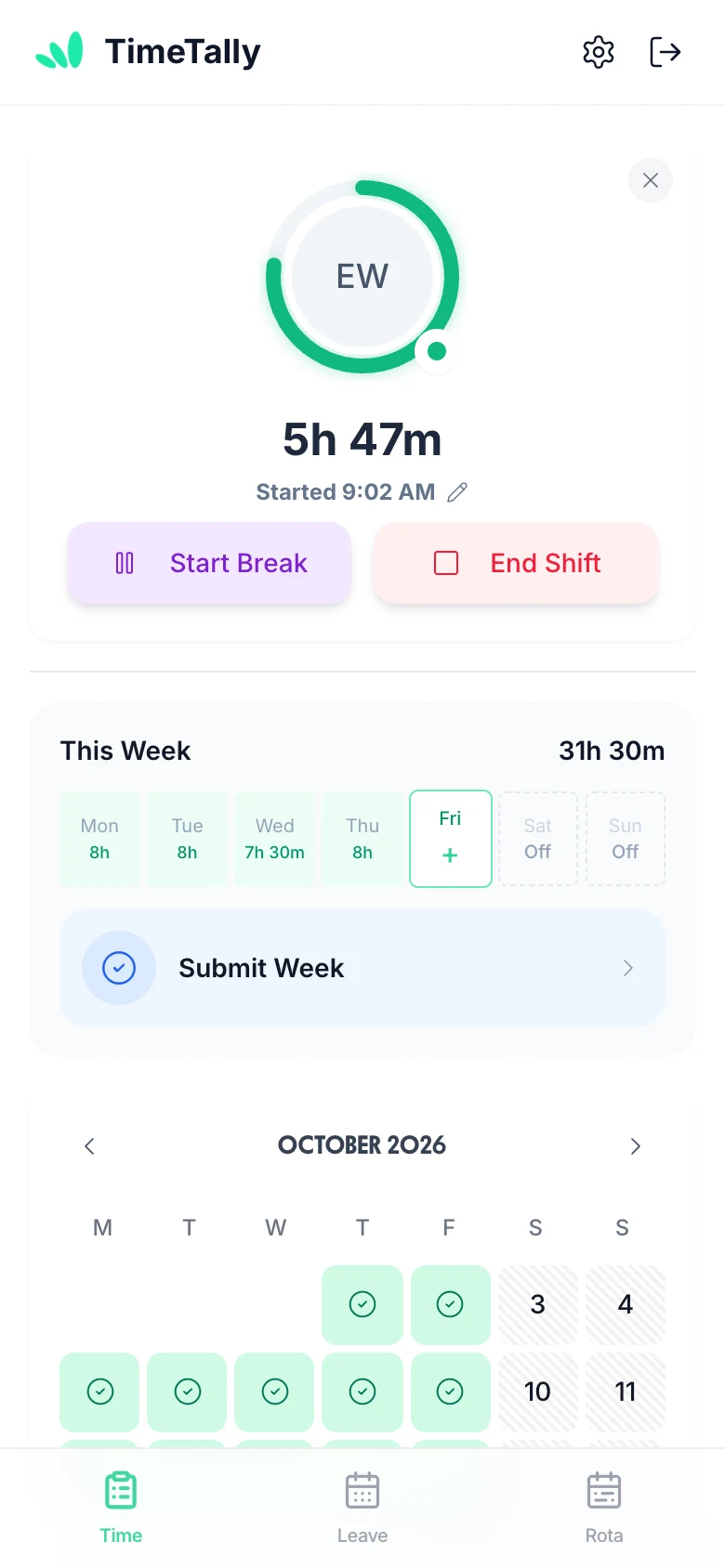
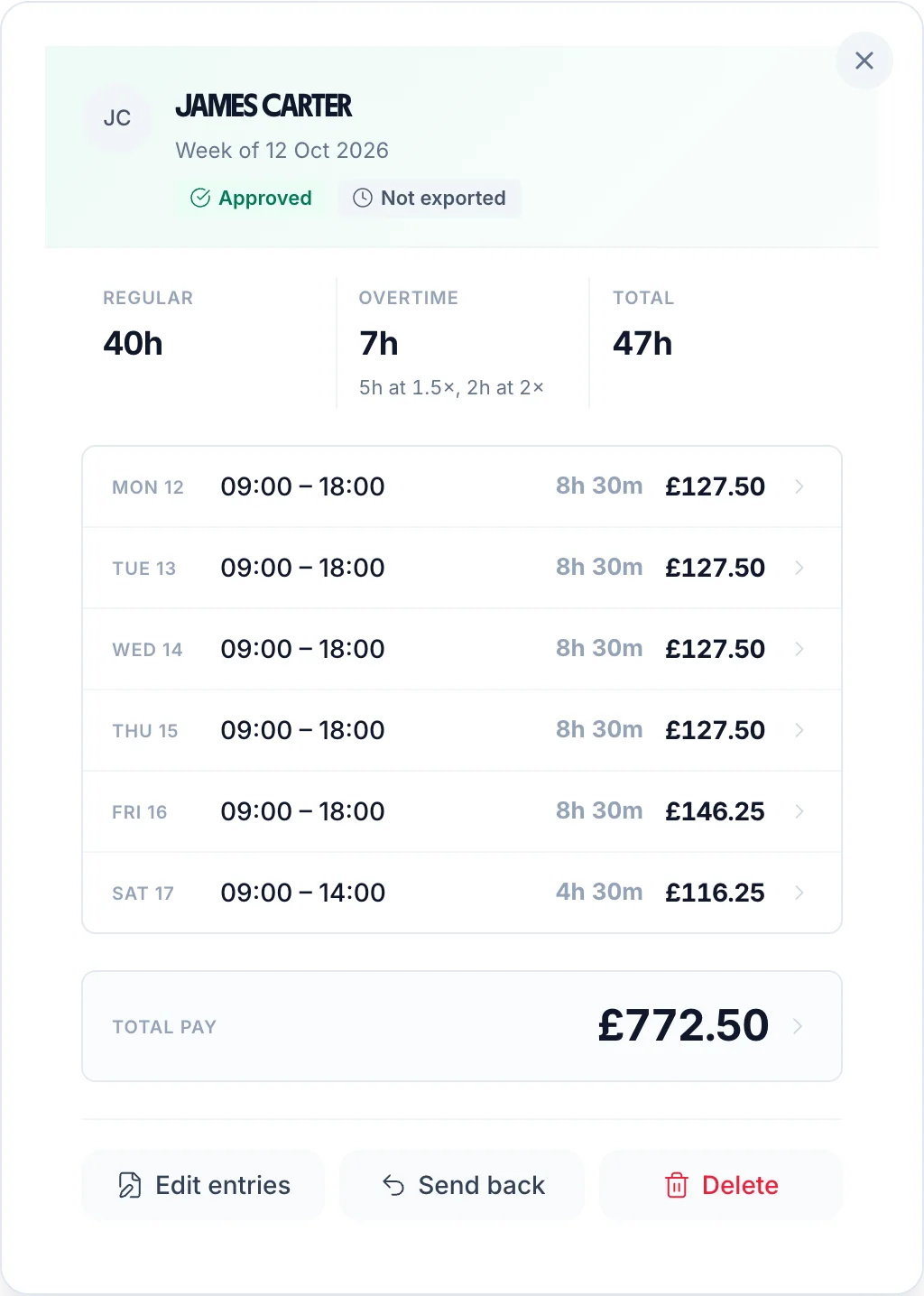
    Staff submit timesheets via the iPhone or Android app, or web. Clock in/out is tracked automatically. Regular and overtime hours are separated — no paper forms, no chasing.

    • Clock in/out
    • iOS, Android & web
    • Auto overtime
    • Email notifications
  2. Review and approve timesheets in one tap

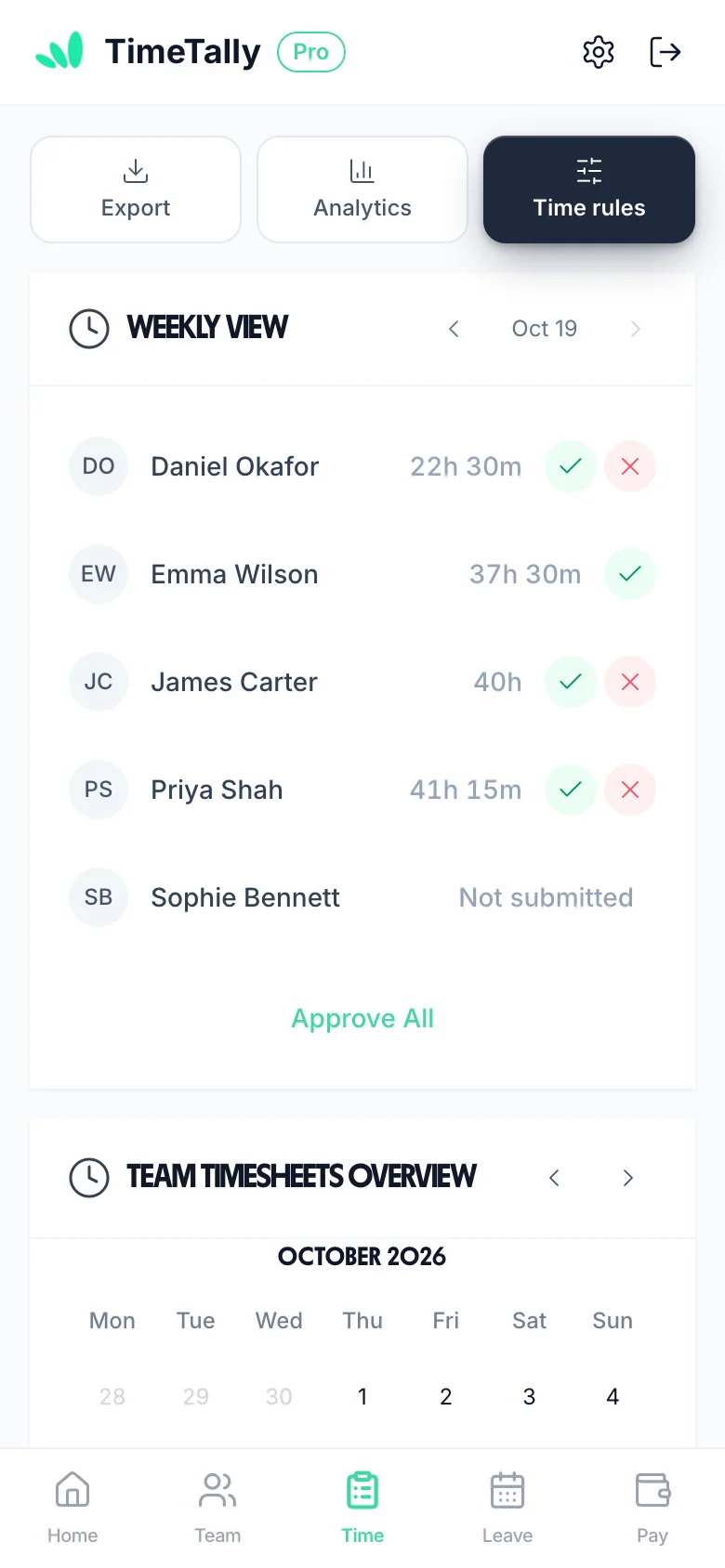
    All pending timesheets land in your dashboard. Approve or reject with a single tap. Every decision is timestamped — full audit trail for every timesheet.

    • All pending timesheets in one place
    • Approve or reject with one tap
    • Timestamped approval audit trail
    • Employee emailed automatically
  3. Pay calculated accurately from approved hours

    Pay is calculated directly from approved timesheets. Overtime rates applied automatically. Regular and overtime hours separated — no manual adjustments, no errors.

    • Auto overtime rates
    • Regular vs OT split
    • Clean audit trail
    • No manual entry
  4. Hours data flows straight to payroll

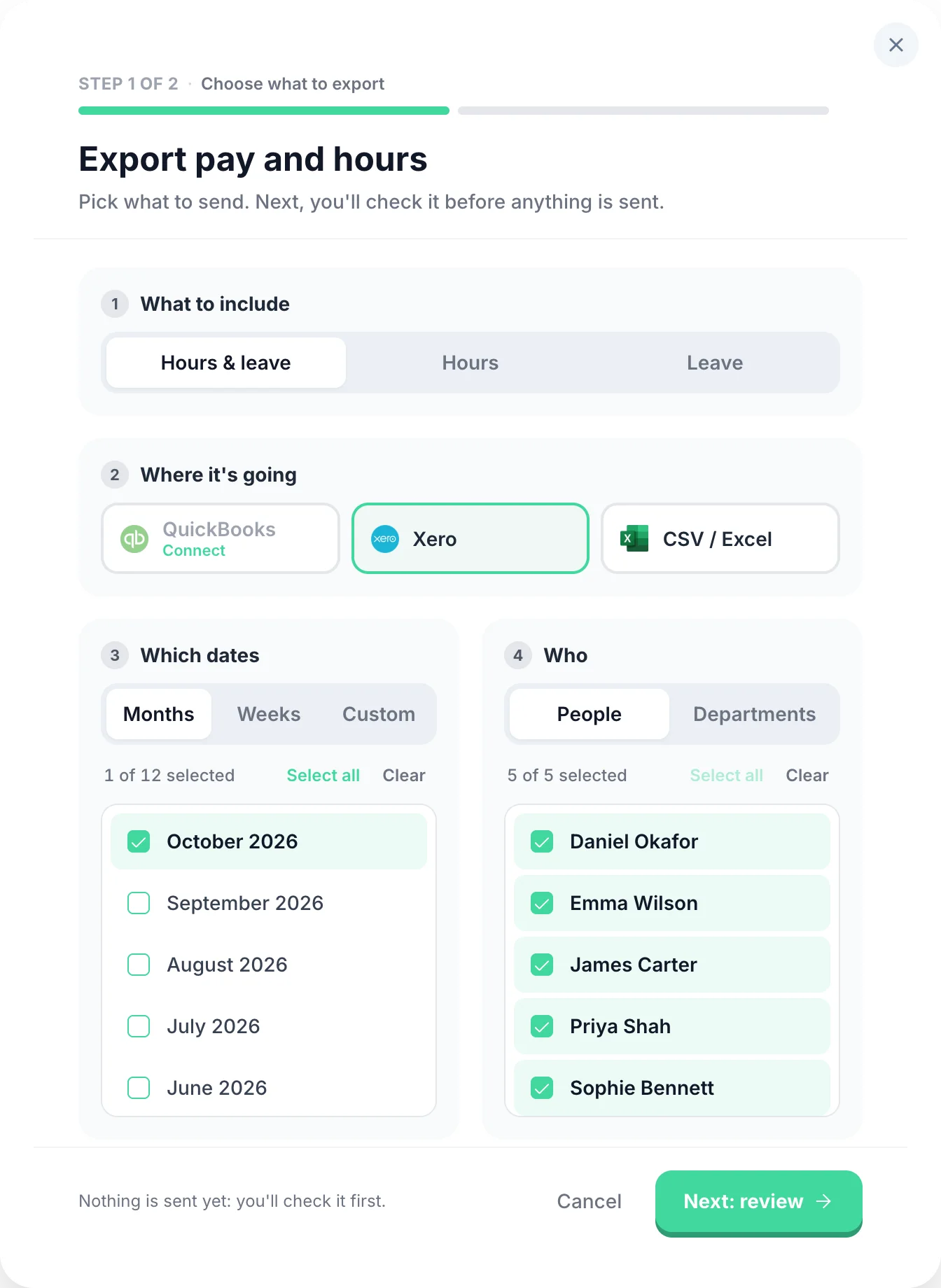
    Approved timesheets feed directly into your payroll export. Direct integration with Xero and QuickBooks — no manual data entry, no missed overtime.

    • Direct Xero & QuickBooks integration
    • CSV export for any payroll software
    • Approved hours included automatically
    • Clean audit trail for every entry

TimeTally does this for you

Select any feature for the detail.

  • Overtime that works itself out.

    Two triggers: threshold overtime kicks in once an employee exceeds a set number of hours per day or week. Time-of-day overtime pays a premium for hours worked in a specific window (e.g. after 6pm or before 6am), regardless of total hours. Two pay methods: a rate multiplier (e.g. 1.5×) or a fixed hourly rate for overtime hours. Stack multiple rules, build tiers, and configure each employee independently.

  • Know exactly where the hours went.

    Entirely optional — only enable it if you need it. When on, employees split their hours across projects when submitting (e.g. 3h on Client A, 4h on internal work). You can set project pay for the worker: an hourly rate on top of or instead of their usual rate, or a flat fee per entry (useful for callouts or site visits). Managers get a clear breakdown of where time is actually going.

  • Offer time off instead of overtime pay.

    An optional alternative to paying overtime — enable it only if you want to offer time off in lieu instead of (or alongside) extra pay. Set a TOIL conversion rate (e.g. 1h overtime = 1.5h leave) and overtime hours automatically accrue as a TOIL balance — no manual tracking. TOIL is kept separate from annual leave so it never eats into holiday entitlement. Employees book it the same way they book any other leave.

  • Approve a whole week from your phone.

    Managers approve or reject timesheets from any device — phone, tablet, or desktop. Rejections include a written reason so employees know exactly what needs fixing and can resubmit. Managers can see who has not submitted for the period, and are emailed as each timesheet comes in. Pay totals are calculated automatically from approved hours — no manual maths at payroll time.

  • Clock in, or fill in a form.

    Two submission modes — employees use whichever fits their workflow. Clock-in mode starts a live timer the moment they begin their shift. The timer runs in the background even if the app is closed, so no hours are lost. Form mode lets them enter start time, end time, and breaks at the end of the day or week. Both work on mobile and desktop.

  • Every hour costed at the right rate.

    Set each employee's own hourly rate and pay totals are calculated automatically from their approved hours. Scope managers to their department so they only ever see their own team's data. Want to keep salaries private? Hide pay rates and totals from managers entirely — they see hours, but never figures. Full control over who sees what.

  • Straight into Xero or QuickBooks.

    Send approved timesheets to payroll in a few taps. Export to CSV, Xero, or QuickBooks — filter by date range, employee, or department, and choose exactly which columns to include. You can combine timesheet and leave data in a single export so your payroll software gets everything it needs in one file.

Meet TimeTally

Stop doing this manually
for every employee

TimeTally automatically tracks, approves, and calculates overtime pay for your entire team. Explore all features or see how it works.

  • Automatic calculationsOvertime rates calculated automatically from approved timesheets. Regular hours, time and a half, and double time all tracked separately — no spreadsheets needed.
  • One-tap approvalsManagers approve or reject timesheets from any device, with a full audit trail of every decision timestamped and stored automatically.
  • Payroll-ready exportsApproved hours feed directly into Xero, QuickBooks, or CSV exports — so your payroll run is always accurate and on time.

See what we offer

£3/employee/month

No credit card required · Set up in minutes · Cancel anytime

See what we offer

Your staff get the free TimeTally app for iPhone and Android.

“TimeTally has been excellent for our business. The app is simple to use, reliable, and makes managing staff records straightforward. The system has saved us a significant amount of administration time. Highly recommended for any business looking for an easy-to-use workforce management solution.”

CLI ManchesterJordan Ingoe, CLI Manchester

Overtime Pay: Frequently Asked Questions

Everything you need to know about overtime pay in the UK. For related topics, try our holiday entitlement calculator or hourly rate calculator.

Is overtime pay compulsory in the UK?

No. UK law does not require employers to pay a premium rate for overtime. There is no statutory right to time-and-a-half or double time. Overtime pay is governed by what is stated in the employment contract. However, the total pay divided by total hours worked must never fall below the National Minimum Wage (£12.71/hour for workers aged 21+ from April 2026).

How do you calculate time and a half in the UK?

Multiply the employee's standard hourly rate by 1.5. For example, if an employee earns £15/hour, their time-and-a-half rate is £15 × 1.5 = £22.50/hour. For overtime hours, multiply the number of overtime hours by this rate to get the overtime pay.

What is double time pay?

Double time means the employee is paid twice their normal hourly rate for overtime hours. If an employee earns £15/hour normally, double time is £30/hour. Double time is typically reserved for bank holidays, Sundays, or extended overtime in sectors such as construction and healthcare.

How is overtime calculated for salaried employees?

Convert the annual salary to an hourly rate first: divide the annual salary by 52 (weeks), then divide by contracted weekly hours. For example, a £30,000 salary with 37.5 contracted hours gives £30,000 ÷ 52 ÷ 37.5 = £15.38/hour. Then apply the overtime multiplier to this rate.

Does overtime count towards holiday pay?

Yes — for workers who regularly work overtime. Following the Bear Scotland and Flowers cases, regular voluntary overtime must be included when calculating holiday pay for the first 4 weeks of statutory leave. Guaranteed and non-guaranteed overtime must also be included.

What is the maximum overtime an employee can work in the UK?

Under the Working Time Regulations 1998, workers cannot work more than an average of 48 hours per week (including overtime) over a 17-week reference period, unless they have signed a written opt-out agreement. Workers can withdraw their opt-out at any time by giving the notice period specified in the agreement (up to 3 months).

Can my employer make me work overtime?

Only if your employment contract includes a compulsory overtime clause. Your employer cannot force you to work overtime that is not in your contract. If overtime is voluntary, you have the right to refuse. Check your contract — it should state whether overtime is compulsory, the rate at which it is paid, and how much notice you will be given.

What is TOIL (Time Off In Lieu)?

TOIL is when an employer offers paid time off instead of overtime pay. For example, if you work 2 extra hours on a Saturday, you might receive 2 hours of paid time off to take later. TOIL is not a legal requirement — it is only available if your employment contract allows it. The rate at which TOIL accrues (e.g. 1:1 or 1.5:1) should be specified in your contract.

How do I calculate overtime for irregular hours workers?

For irregular hours workers, first calculate the hourly rate for the hours actually worked. If the contract specifies an overtime threshold (e.g. anything over 8 hours per day or 40 hours per week), count the hours above that threshold as overtime and apply the agreed multiplier. For zero-hours workers, overtime typically only applies if the contract specifies a minimum hours threshold.

Does overtime affect National Minimum Wage compliance?

Yes. Even if overtime is unpaid or paid at a reduced rate, the total pay divided by total hours (including overtime hours) must never fall below the National Minimum Wage. For workers aged 21+, the NMW is £12.71/hour from April 2026. If overtime brings the effective hourly rate below this, the employer is breaking the law and HMRC can impose back pay and penalties.

Still have a question? See all FAQs →

Book a Demo

Have overtime flagged and costed automatically

Set your thresholds once. TimeTally splits regular and overtime hours as timesheets come in and applies the right rate to each.

See overtime tracking

14-day free trial · No credit card needed · Cancel anytime