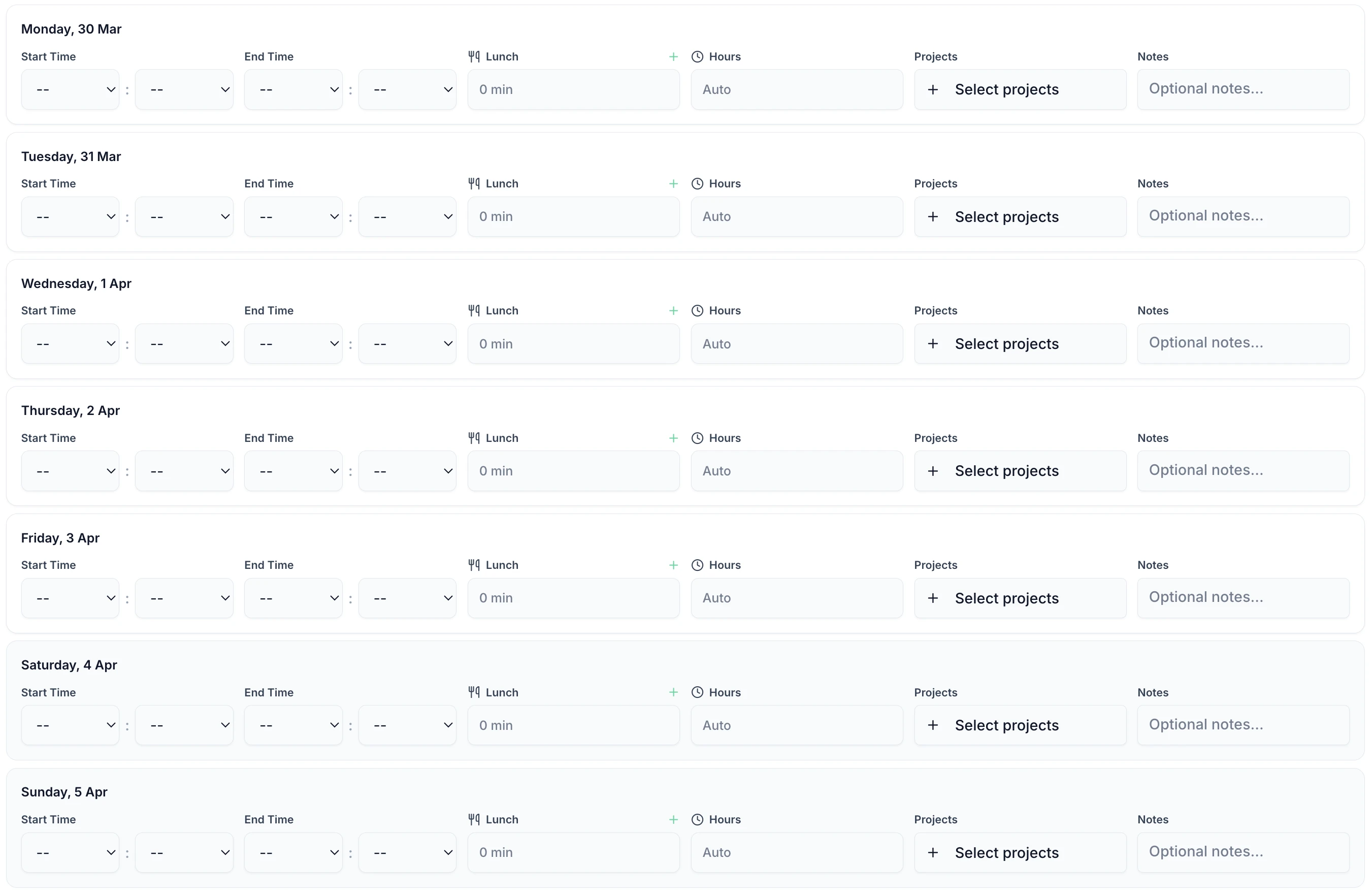
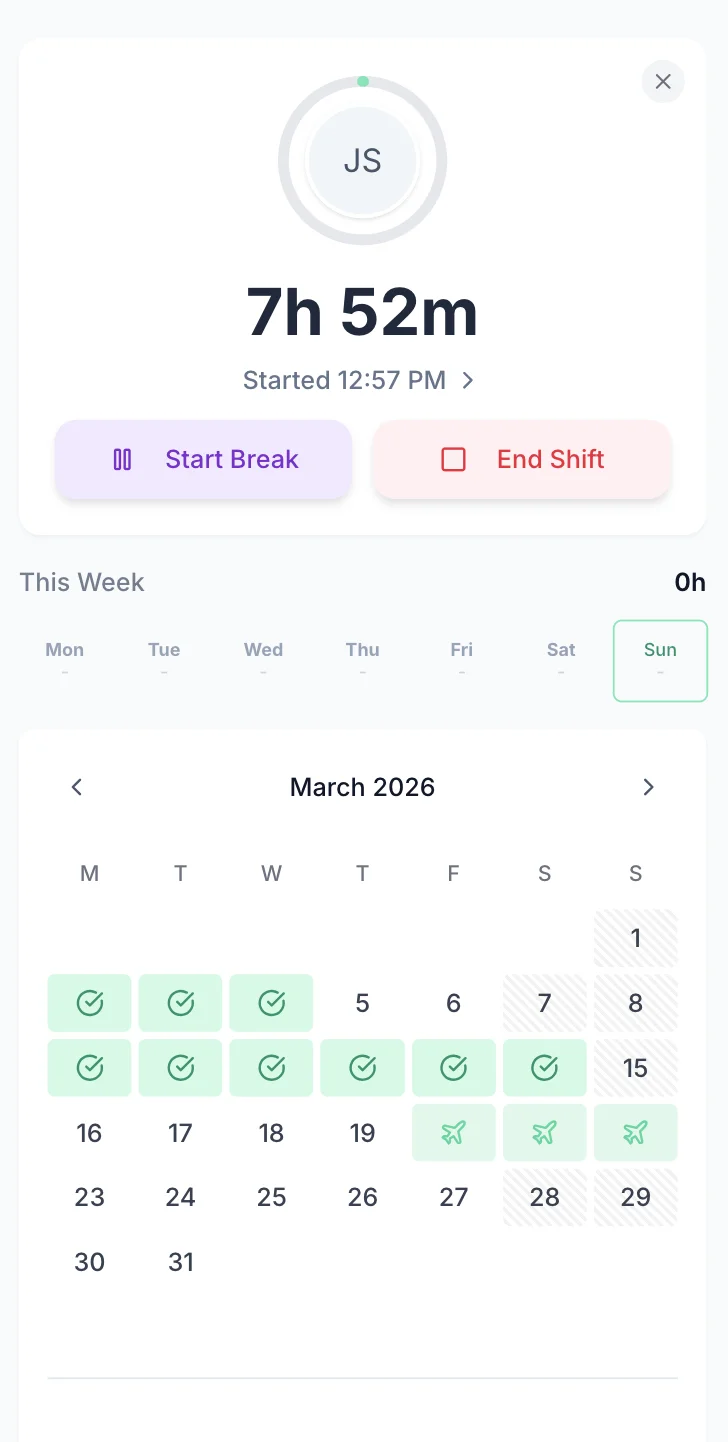

Charities face the same employment law obligations as any UK employer, but often manage them with spreadsheets and paper forms. TimeTally gives your paid staff a simple way to log hours by project from their phone, and gives you a clear record for payroll and funder reporting. Approved timesheets export straight to Xero, QuickBooks, or CSV. From £2 per employee per month.
Registered charities in England and Wales employ over 950,000 paid staff. Every one of those employees has the same statutory rights as workers in any other sector — and charities have the same legal obligations as any employer.
The Working Time Regulations 1998 apply to charity employees just as they do to any other sector. Paid staff cannot average more than 48 hours per week (over a 17-week reference period), must receive at least 11 consecutive hours of rest between working days, and are entitled to a 20-minute uninterrupted break for shifts over six hours. These are not guidelines — they are legal requirements, and HMRC can request records at any time.
Beyond employment law, the Charity Commission expects trustees to demonstrate proper financial stewardship. Staff costs are typically the largest single expense for any charity. Being able to show how staff time was allocated — which projects, which funding streams — is fundamental to the annual return and to satisfying independent examiners or auditors.
For grant-funded work, the picture is even clearer. Funders such as the National Lottery Community Fund, Arts Council England, and local authorities routinely require evidence of how grant money was spent on staff time. If your charity cannot produce accurate records of hours worked on a specific project, you may struggle to satisfy reporting requirements or secure future funding.
Many small charities still manage this with spreadsheets or paper forms. That works until it does not — a funder audit, a payroll dispute, or a trustee asking how much the youth programme actually cost in staff time. TimeTally does not solve every problem charities face, but it does give you a reliable, accessible record of paid staff hours by project. For charities looking for alternatives to spreadsheets, see our comparison with Excel.
TimeTally works for any charity or non-profit that needs to track paid staff hours and manage holiday requests.
Local charities, community groups, and neighbourhood organisations with paid coordinators
CICs, trading arms, and social enterprises with mixed revenue streams
Charities running multiple grant-funded projects with reporting requirements
Registered providers and housing charities with maintenance and support staff
Charity staff are busy delivering services, not filling in forms. TimeTally takes less than 60 seconds per day. Enter start time, end time, and breaks — assign hours to a project — done. Works on any phone or a shared office computer.

TimeTally is a straightforward timesheet and holiday management tool. Here is what it does and how it helps charities and non-profits.
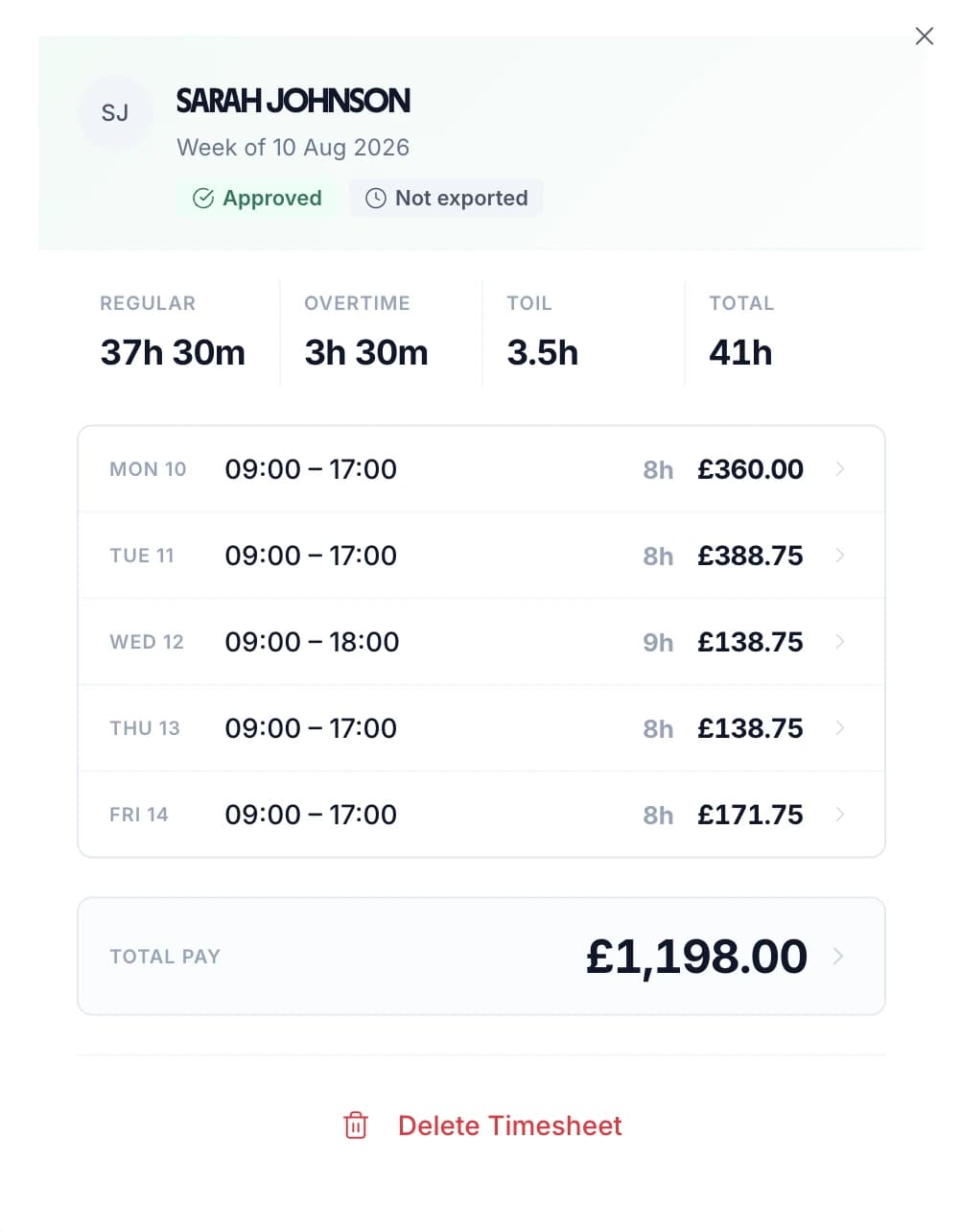
Paid staff enter their start and end times each day. This works for any pattern — standard office hours, irregular project work, weekend events, or split days. Total hours and overtime are calculated automatically based on each employee's rate and threshold.
Use TimeTally's project tracking to assign hours to specific grants, programmes, or funding streams. If a project worker splits their day between two grant-funded projects, they can allocate hours accordingly. This gives you the data you need when reporting to funders — though TimeTally does not generate funder reports itself.
Set an hourly rate and overtime rate for each employee. When timesheets are submitted, TimeTally calculates standard pay and overtime pay automatically. You can set daily or weekly overtime thresholds to match your charity's policies.
Track lunch breaks and rest breaks separately. Under UK law, workers are entitled to a 20-minute uninterrupted break for shifts over six hours. TimeTally records breaks and deducts them from total hours so payroll figures are accurate.
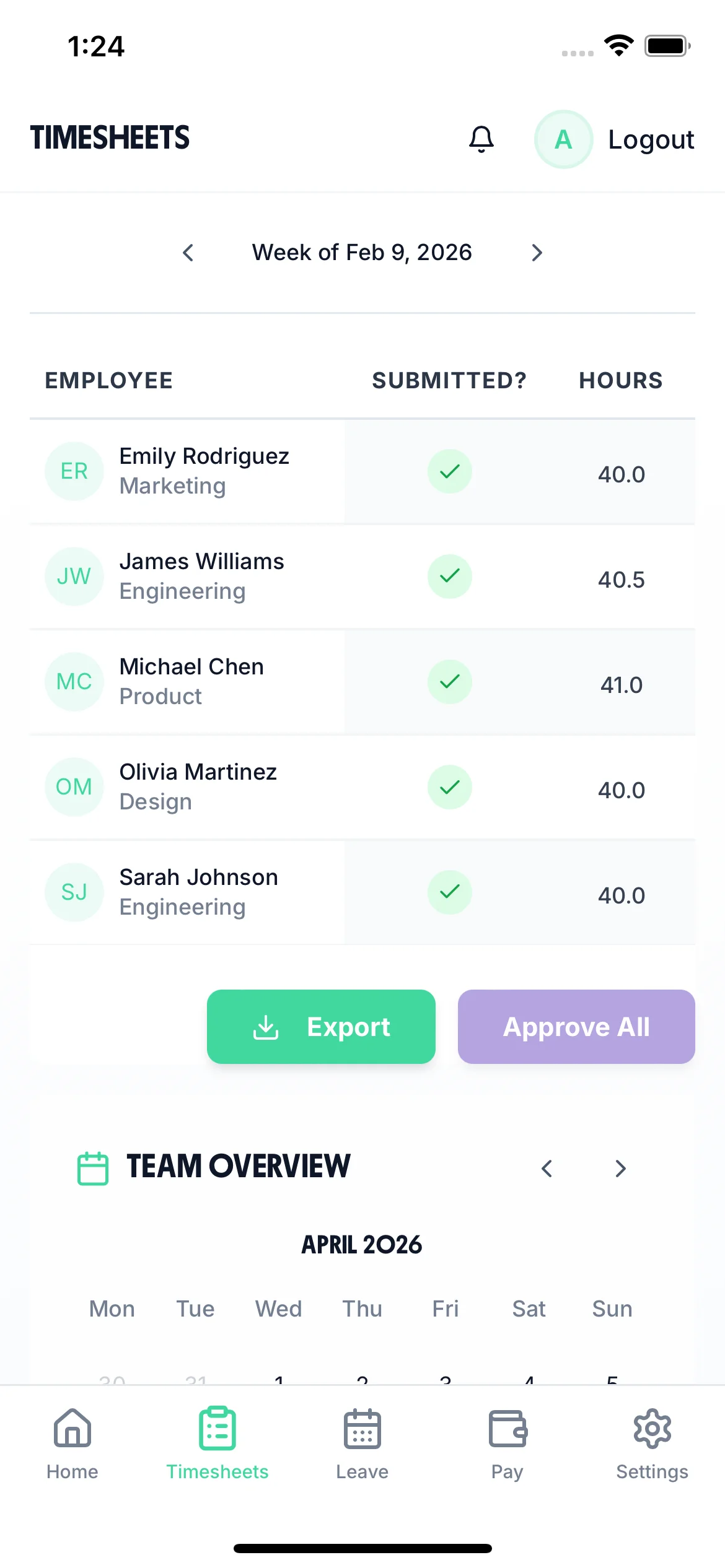
Export approved timesheets to Xero, QuickBooks, or CSV with one click. The export includes employee names, standard hours, overtime hours, pay amounts, and break deductions. No manual re-entry needed — a real time-saver for small finance teams.
TimeTally works in any mobile browser. Staff do not need to download an app or install anything on personal devices. They can bookmark the page or use a shared computer in the office. There is also a native iOS app for those who prefer it.
Managing holiday requests by email or WhatsApp works until someone double-books. TimeTally lets staff request time off from their phone. Managers see the team calendar and approve or decline with one tap. Remaining holiday entitlement is calculated automatically — including pro-rata for part-time staff and mid-year starters. See our dedicated charity leave management page for more detail.
Staff select dates and submit. Managers get a notification and can see who else is off before approving.
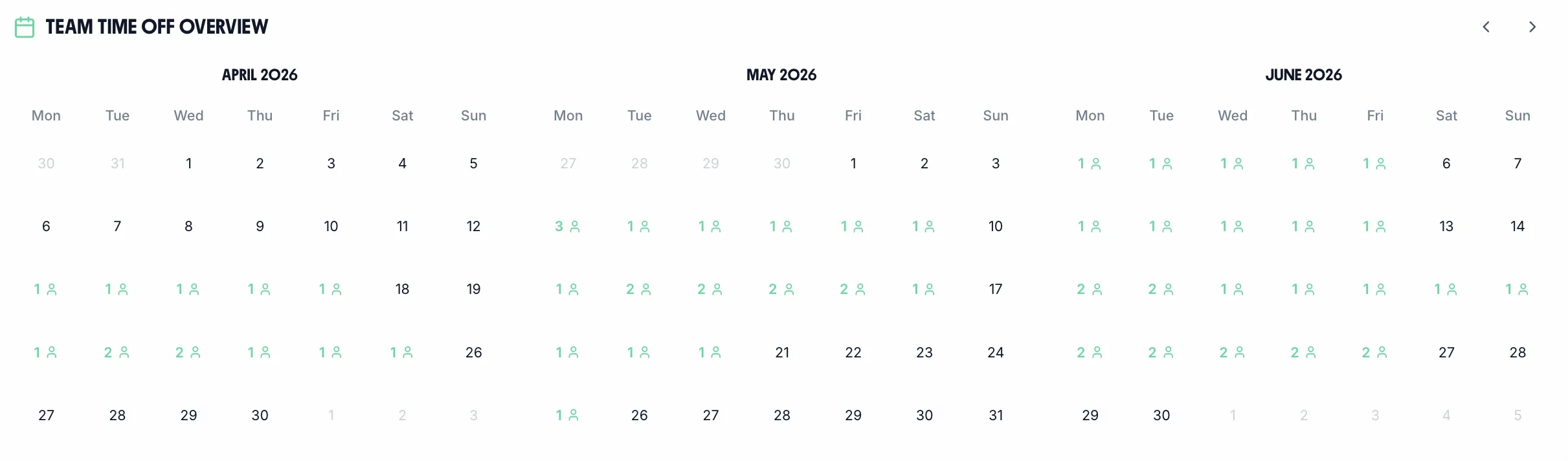
See your whole team's availability at a glance. Check for clashes before approving requests — essential when project delivery depends on specific staff.
Statutory holiday allowance (5.6 weeks) is calculated automatically, including pro-rata for part-time staff and mid-year starters. UK bank holidays are pre-loaded.
Create categories for annual leave, sick leave, compassionate leave, or any other type your organisation uses. Each with its own colour and allowance.

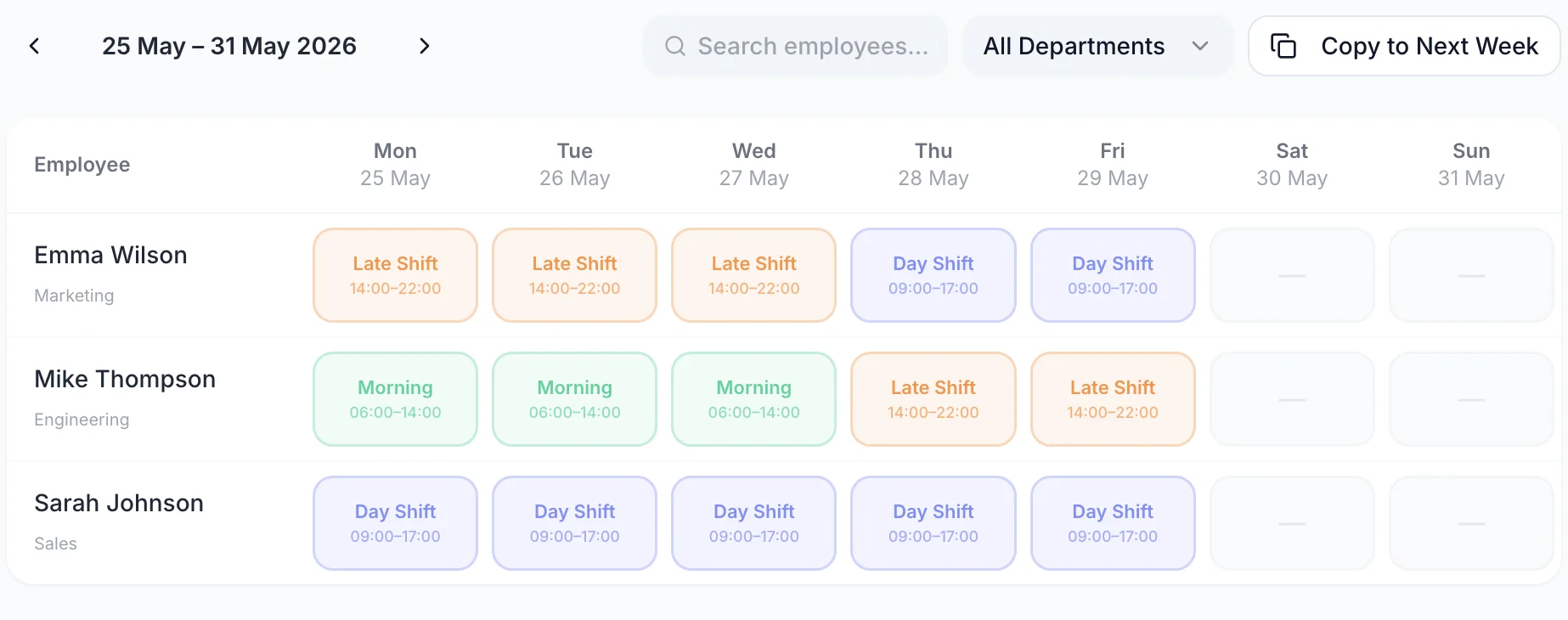
The team calendar gives managers a clear view of the entire team's status — submitted timesheets, approved holidays, and absences — all in one place. Plan project coverage, spot staffing gaps, and make informed decisions about approving leave.

TimeTally is a timesheet and holiday management tool. It does some things well, and there are things it does not do. Here is an honest summary so you can decide whether it fits your charity.
Charity status does not exempt you from employment law. Every paid member of staff has the same statutory rights as workers in the private sector. Accurate timesheet records are the foundation of meeting those obligations.
The distinction between a volunteer and an employee matters enormously. Under the Employment Rights Act 1996, an employee has a contract of employment and is entitled to the National Minimum Wage, paid holiday, rest breaks, and protection from unfair dismissal. A genuine volunteer has no contract and receives no payment beyond reasonable expenses.
Problems arise when the line blurs. If a "volunteer" has set hours, receives regular payments beyond expenses, or faces consequences for not turning up, HMRC and employment tribunals may reclassify them as workers or employees. This can result in back-payments of National Minimum Wage, holiday pay, and potential penalties. The Charity Commission's guidance is clear: charities must not use volunteer arrangements to avoid employment obligations.
TimeTally is designed for tracking paid staff hours. If you also want to record volunteer hours for your own records or annual reports, you can add them as employees in the system — but TimeTally does not distinguish between volunteer and employee accounts, and you should seek professional advice on the employment status of anyone working for your charity.
The Charity Commission requires all registered charities to keep proper accounting records under the Charities Act 2011. Charities with income over £250,000 must have their accounts audited or independently examined. Staff costs — including salaries, National Insurance, and pension contributions — must be reported accurately. Timesheets that record hours by project give your finance team and auditors a clear basis for allocating staff costs to restricted and unrestricted funds.
TimeTally records all hours worked, including overtime. This gives you the data you need to review the 48-hour weekly average and rest period requirements. Use our working hours calculator to check averages. You can export this data at any time if HMRC or the HSE request records. TimeTally does not actively monitor or alert for breaches — it provides the data, and compliance decisions remain with you.
When staff assign hours to specific projects in TimeTally, you build a record of how much paid time went into each grant-funded programme. You can export this data by project and date range. This is genuinely useful for compiling funder reports, even though TimeTally does not generate the reports themselves.
Accurate hours tracking ensures your effective hourly rate does not fall below the National Minimum Wage (£12.21/hour for workers aged 21+ from April 2025). This matters where staff work unpaid overtime or where incorrect break deductions could push the rate below the legal minimum.
All UK employees get 5.6 weeks statutory holiday (28 days for full-time). TimeTally calculates entitlement automatically, including pro-rata for part-time staff and mid-year starters, and tracks remaining allowance in real time. Many small charities still calculate this manually — getting it wrong risks underpaying holiday entitlement.
HMRC requires employers to keep records of hours worked for at least two years. TimeTally stores all timesheet data digitally with timestamps and approval records — a complete audit trail that you can export whenever needed.
Many funders now expect charities to include a proportion of overhead costs in grant applications. Timesheets that track hours by project give you the data to calculate what proportion of a staff member's time (and therefore salary cost) should be charged to each funding stream.
One price. Every feature. No surprises.
Billed monthly. Cancel anytime.
No credit card required
Yes. TimeTally has project tracking where you can create a project for each grant, programme, or funding stream. Staff assign their hours to the relevant project when submitting their timesheet. You can then export hours and costs by project and date range. This gives you the raw data for funder reports, though TimeTally does not generate the reports themselves.
No. TimeTally works in any mobile browser — no app download or installation needed. Staff can bookmark the page on their phone or use a shared computer. There is also a native iOS app on the App Store for those who prefer it.
Yes. Each employee has their own hourly rate and overtime rate. When timesheets are submitted, TimeTally calculates standard pay and overtime pay based on these rates. You can update rates at any time from the employee settings.
TimeTally calculates statutory holiday entitlement (5.6 weeks) automatically, including pro-rata for part-time staff. If someone works three days a week, their entitlement is calculated accordingly. Mid-year starters get a pro-rata calculation too. UK bank holidays are pre-loaded.
Yes. If a project worker spends the morning on a Lottery-funded programme and the afternoon on a local authority contract, they can create separate timesheet entries for each project. Reports then show exactly how many hours and how much cost went to each funding stream.
Legally, volunteers are not employees and are not entitled to the National Minimum Wage, paid holiday, or employment protections. The distinction matters because if HMRC decides someone classified as a volunteer is actually a worker, you could face back-payments and penalties. TimeTally is designed for tracking paid staff hours. You can add volunteers to the system for your own records, but the system does not distinguish between volunteer and employee accounts.
TimeTally records all hours worked, including overtime. This gives you accurate data to review the 48-hour weekly average, rest periods, and break entitlements. You can export records at any time for inspections. However, TimeTally does not actively monitor or alert for WTR breaches — it provides the data, and compliance decisions remain with you.
TimeTally exports to Xero, QuickBooks, and CSV/Excel. The export includes employee names, standard hours, overtime hours, pay amounts, and break deductions. Most payroll systems can import CSV files if a direct integration is not available.
Not directly. The Charity Commission annual return requires specific financial information that goes beyond timesheet data. However, TimeTally's timesheet records — particularly hours and costs by project — give your finance team and auditors clear data for allocating staff costs to restricted and unrestricted funds, which feeds into your annual accounts.
TimeTally uses Supabase (built on PostgreSQL) with row-level security, encrypted connections, and secure authentication. All data is stored in the cloud and accessible only to authorised users within your organisation.
Guides and tools for UK charities and non-profits
UK legal requirements for tracking staff hours
Read guideComplete guide to WTR compliance for UK employers
Read guideAffordable timesheet solutions for small organisations
Learn moreCalculate statutory holiday for part-time and mid-year starters
Use calculatorStreamline your timesheet review and approval workflow
Learn moreA step-by-step checklist for reviewing and approving timesheets
View resource