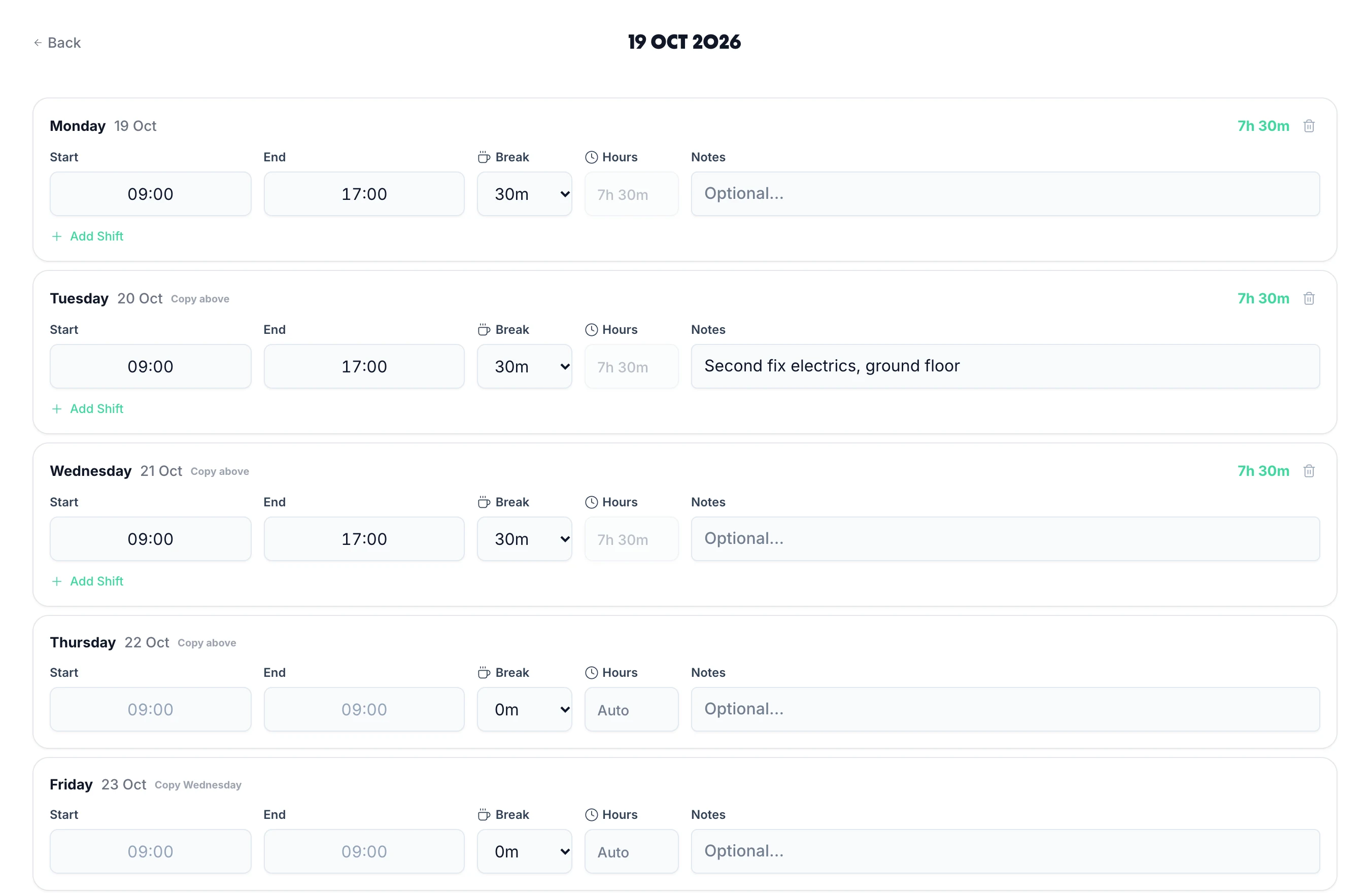
Rota Planning
Rota PlannerSchedule shifts and manage your teamTime & Attendance
Time TrackingTimesheets, clocking in, and moreView all features One plan · £3 per employee per month
UK timesheet software with staff rota scheduling and leave management built in — one system, one price.
Sound familiar?
Rotas in group chats, holidays in spreadsheets and timesheets on paper. TimeTally puts all three in one place, so the admin stops landing on you.
Start your free trialThe rota lives in a group chat, and someone always works from last week’s version.
Publish it once in TimeTally. Everyone sees their own shifts on their phone.
Holiday is tracked in a spreadsheet nobody quite trusts.
Staff request leave in the app. You approve it in one tap and balances update themselves.
Timesheets turn up late, on paper, with hours that don’t add up.
Staff clock in on their phone or fill in a quick form. You approve the week from anywhere.
Payroll day means typing everyone’s hours into another system.
Approved hours go to Xero, QuickBooks or Excel in one export. No re-typing.
TimeTally puts your rota , clock-ins and holidays in one place, so payroll is one export, not an afternoon of re-typing.
A week with TimeTally





See TimeTally in action
Build next week's rota, staff clock in against the shifts you assigned, and approved leave feeds straight back into the plan. One system, no re-keying between them.
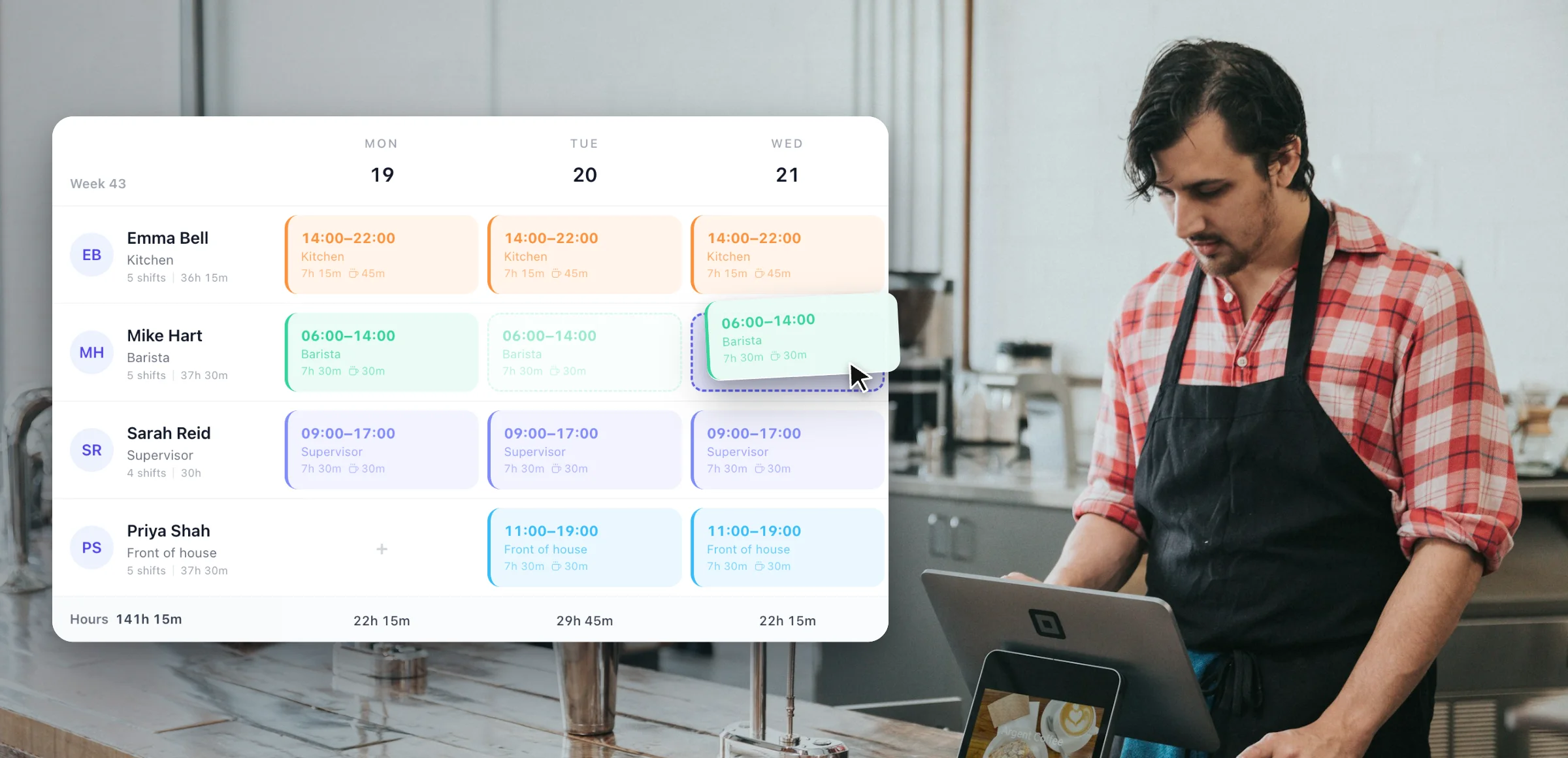





Click an empty cell to create a shift. Drag it to another day, or drop it on a different employee to reassign. Assign shifts across your whole team from one clear, organised view.
Explore rota softwareStaff rota management
Select any feature for the detail.
Click any empty cell to create a shift — no forms or menus. Drag to move a shift to a different day or time. Drop onto a different employee to reassign it instantly. Building a week's rota or making last-minute changes takes minutes, not half a morning.
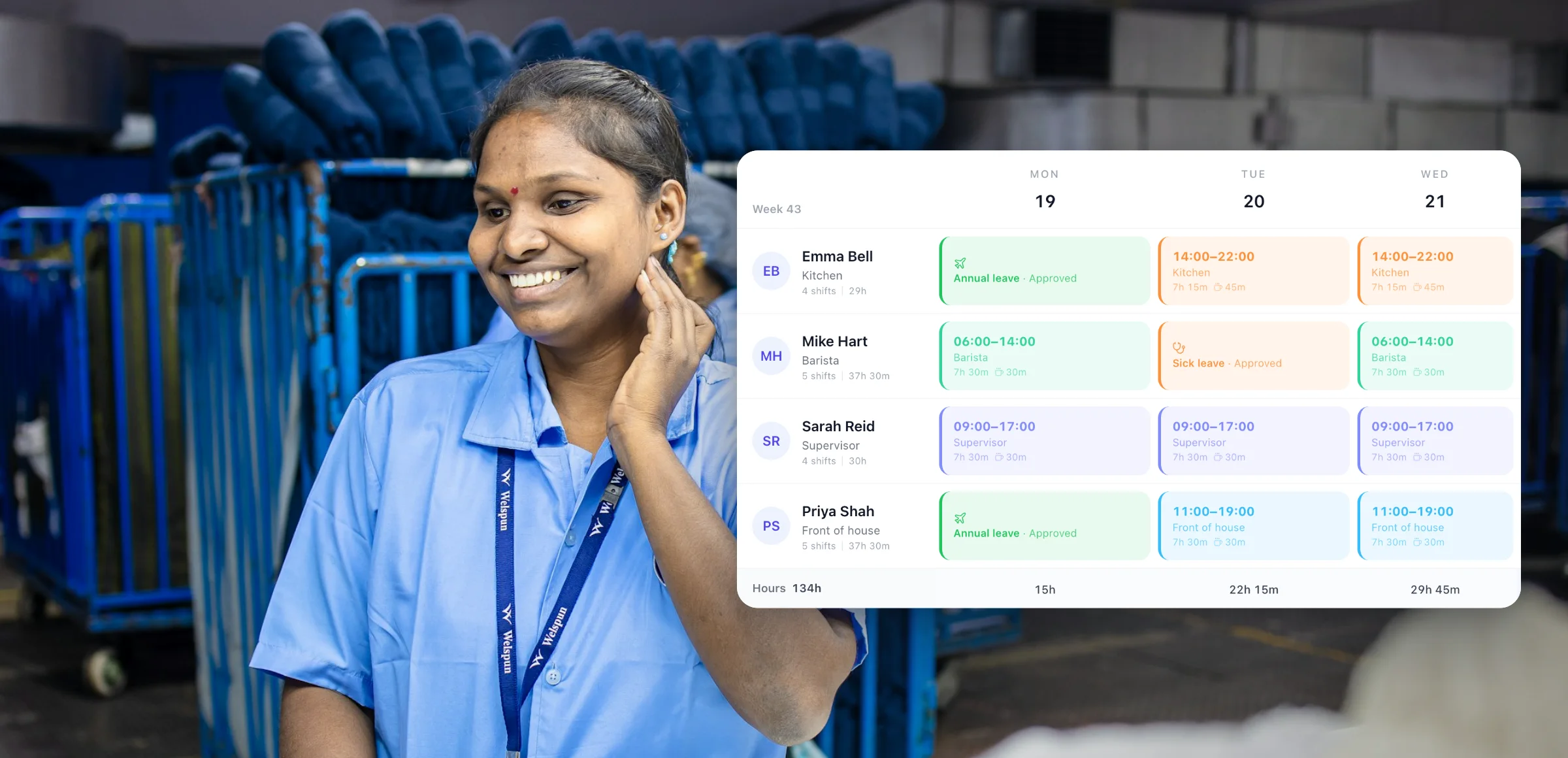
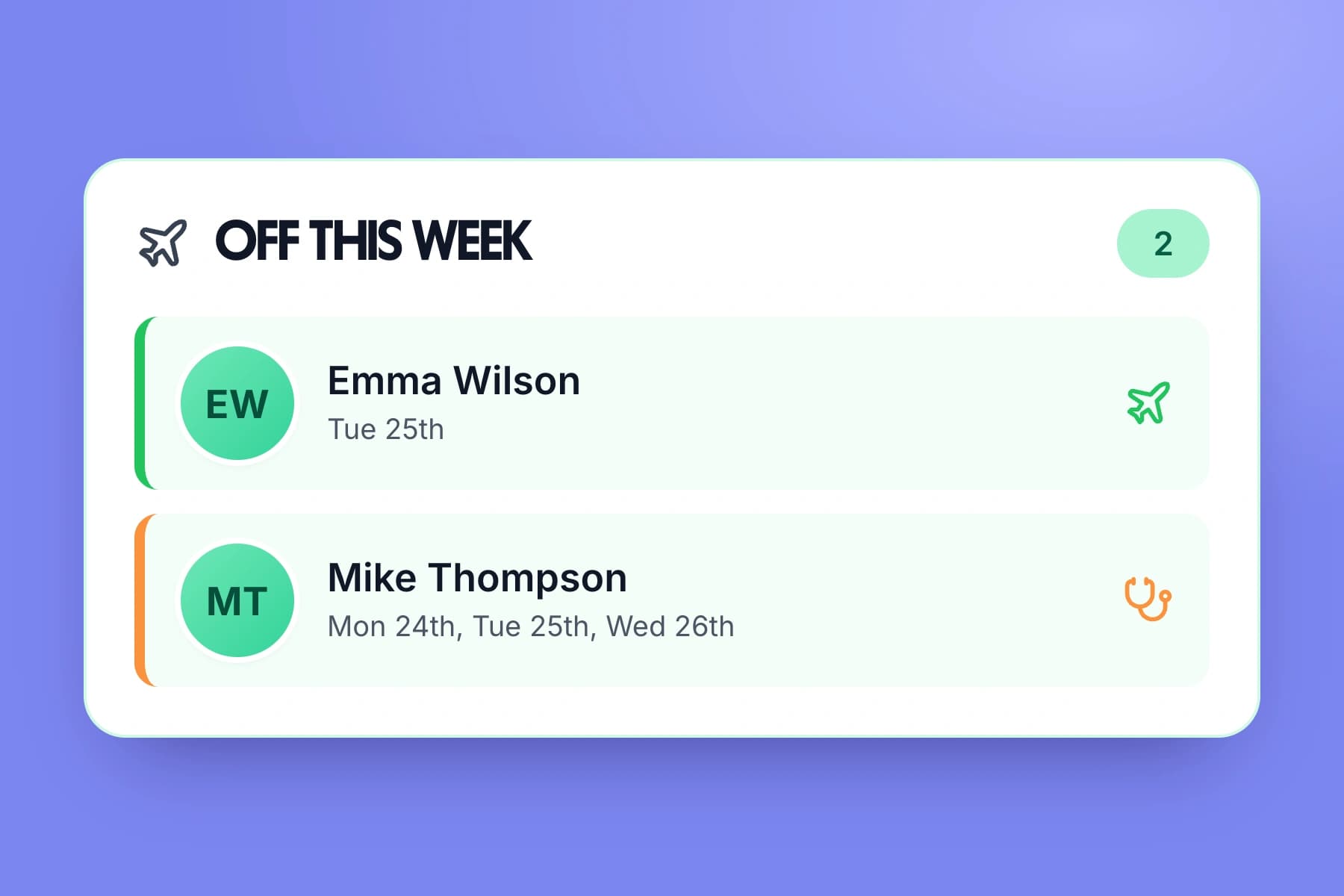
The rota shows confirmed annual leave, sick leave, and TOIL alongside shifts in the same view — no cross-referencing a separate system. See exactly who's available before you schedule them. Approved leave blocks are visible to all managers on the team, so nothing gets double-booked.
Publish a week and it goes live for the team. TimeTally then asks whether to email the staff affected — it is a prompt after publishing, not an automatic send, and it reaches everyone except those who have turned rota emails off in their own notification settings. Staff can view their upcoming shifts and full schedule in the app at any time, published or not.
Duplicate any previous week's rota as the starting point for the next — then just adjust for leave or cover. For predictable rotating patterns you can plan weeks or months ahead in one go. Consistent shift cycles go from hours of work to a few clicks.
Save your common shift types — e.g. 'Early 6am–2pm', 'Late 2pm–10pm', 'Night 10pm–6am' — and apply them in one click instead of re-entering times every week. Templates keep shift names and hours consistent across your rota and speed up the planning process significantly.
Employees request a shift swap with a specific colleague directly in the app — no manager involvement needed to initiate. Once the colleague accepts, the swap appears on the manager's rota to approve or reject in one tap. If approved, the rota updates automatically. No group chats, no manual edits.
Every day in the rota carries its own Hours and Cost row, updating as you build. Costs use each employee's hourly rate, and because roles carry an unpaid break that is deducted from paid hours, the figure you see is what you will actually pay — not gross hours. The same breakdown flows through to analytics, CSV export and print, so the rota, your reports and payroll all agree.
Run a rota per schedule and switch between them from one dropdown — useful when staff work across more than one venue. Each employee gets a default job role and can belong to several schedules at once, so they only appear where they actually work. Roles define the unpaid break that comes off paid hours, keeping costs consistent everywhere they are shown.
Toggle between a week view for building and adjusting shifts in detail, and a month view for seeing cover across the whole period at a glance. Spot thin weeks, clustered leave and patterns that only show up over a longer window — then drop back into the week to fix them.
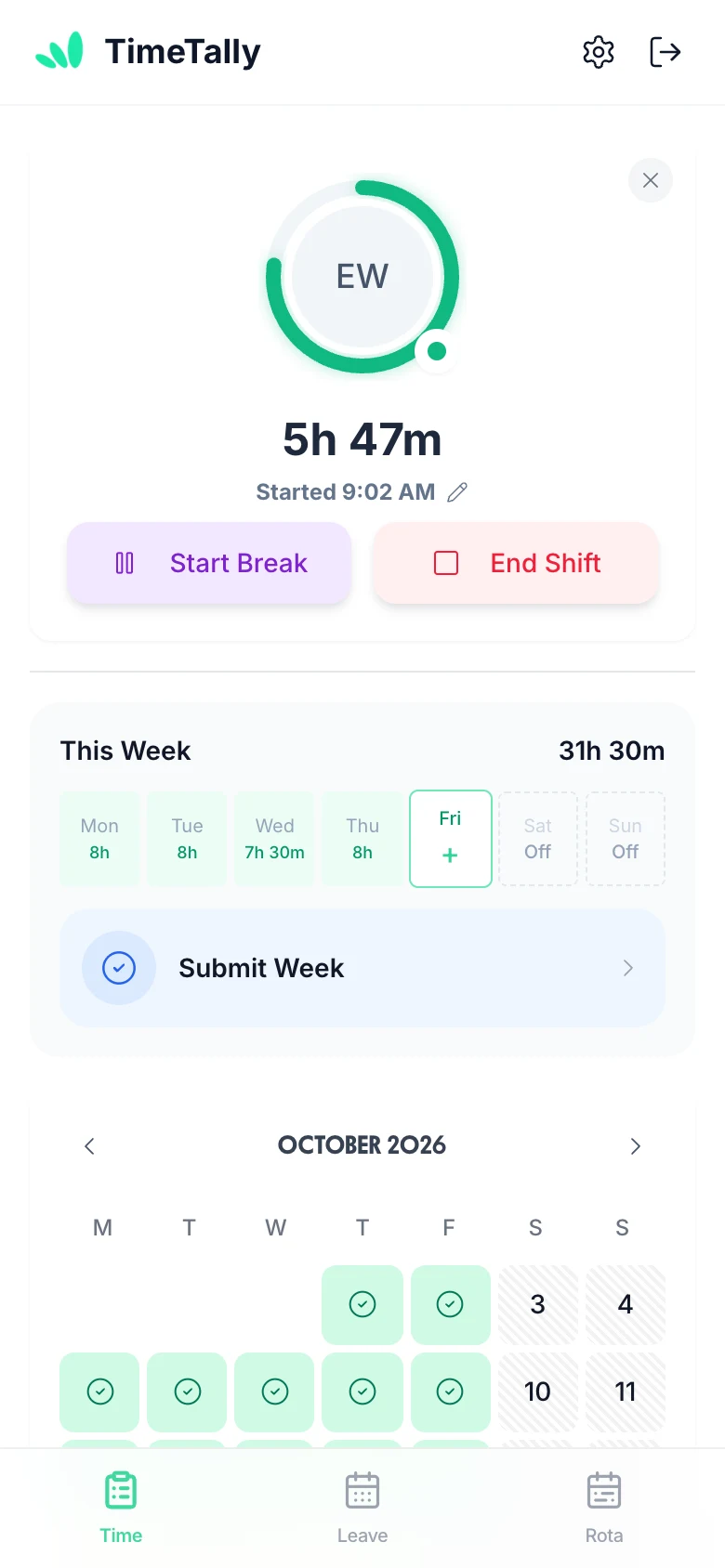
Employees submit timesheets in seconds. Managers approve with one click. Hours flow straight to payroll.
 ProjectTracking
 BreaksTracked
 NotesPer entry
Clock in & out
One-tap tracking from any device. Start and stop timers instantly, from the field or the office.
One-click approvals
Managers review and approve timesheets in seconds — with optional notes or rejection feedback.
Export to payroll
Send approved hours to Xero, QuickBooks, or Excel with one click. No manual re-entry.
Select any feature for the detail.
Overtime that works itself out.
Two triggers: threshold overtime kicks in once an employee exceeds a set number of hours per day or week. Time-of-day overtime pays a premium for hours worked in a specific window (e.g. after 6pm or before 6am), regardless of total hours. Two pay methods: a rate multiplier (e.g. 1.5×) or a fixed hourly rate for overtime hours. Stack multiple rules, build tiers, and configure each employee independently.
Know exactly where the hours went.
Entirely optional — only enable it if you need it. When on, employees split their hours across projects when submitting (e.g. 3h on Client A, 4h on internal work). You can set project pay for the worker: an hourly rate on top of or instead of their usual rate, or a flat fee per entry (useful for callouts or site visits). Managers get a clear breakdown of where time is actually going.
Offer time off instead of overtime pay.
An optional alternative to paying overtime — enable it only if you want to offer time off in lieu instead of (or alongside) extra pay. Set a TOIL conversion rate (e.g. 1h overtime = 1.5h leave) and overtime hours automatically accrue as a TOIL balance — no manual tracking. TOIL is kept separate from annual leave so it never eats into holiday entitlement. Employees book it the same way they book any other leave.
Approve a whole week from your phone.
Managers approve or reject timesheets from any device — phone, tablet, or desktop. Rejections include a written reason so employees know exactly what needs fixing and can resubmit. Managers can see who has not submitted for the period, and are emailed as each timesheet comes in. Pay totals are calculated automatically from approved hours — no manual maths at payroll time.
Clock in, or fill in a form.
Two submission modes — employees use whichever fits their workflow. Clock-in mode starts a live timer the moment they begin their shift. The timer runs in the background even if the app is closed, so no hours are lost. Form mode lets them enter start time, end time, and breaks at the end of the day or week. Both work on mobile and desktop.
Every hour costed at the right rate.
Set each employee's own hourly rate and pay totals are calculated automatically from their approved hours. Scope managers to their department so they only ever see their own team's data. Want to keep salaries private? Hide pay rates and totals from managers entirely — they see hours, but never figures. Full control over who sees what.
Straight into Xero or QuickBooks.
Send approved timesheets to payroll in a few taps. Export to CSV, Xero, or QuickBooks — filter by date range, employee, or department, and choose exactly which columns to include. You can combine timesheet and leave data in a single export so your payroll software gets everything it needs in one file.
Set up once and TimeTally does the maths. Pro-rata for part-timers, mid-year starters, multiple accrual types — all calculated automatically.
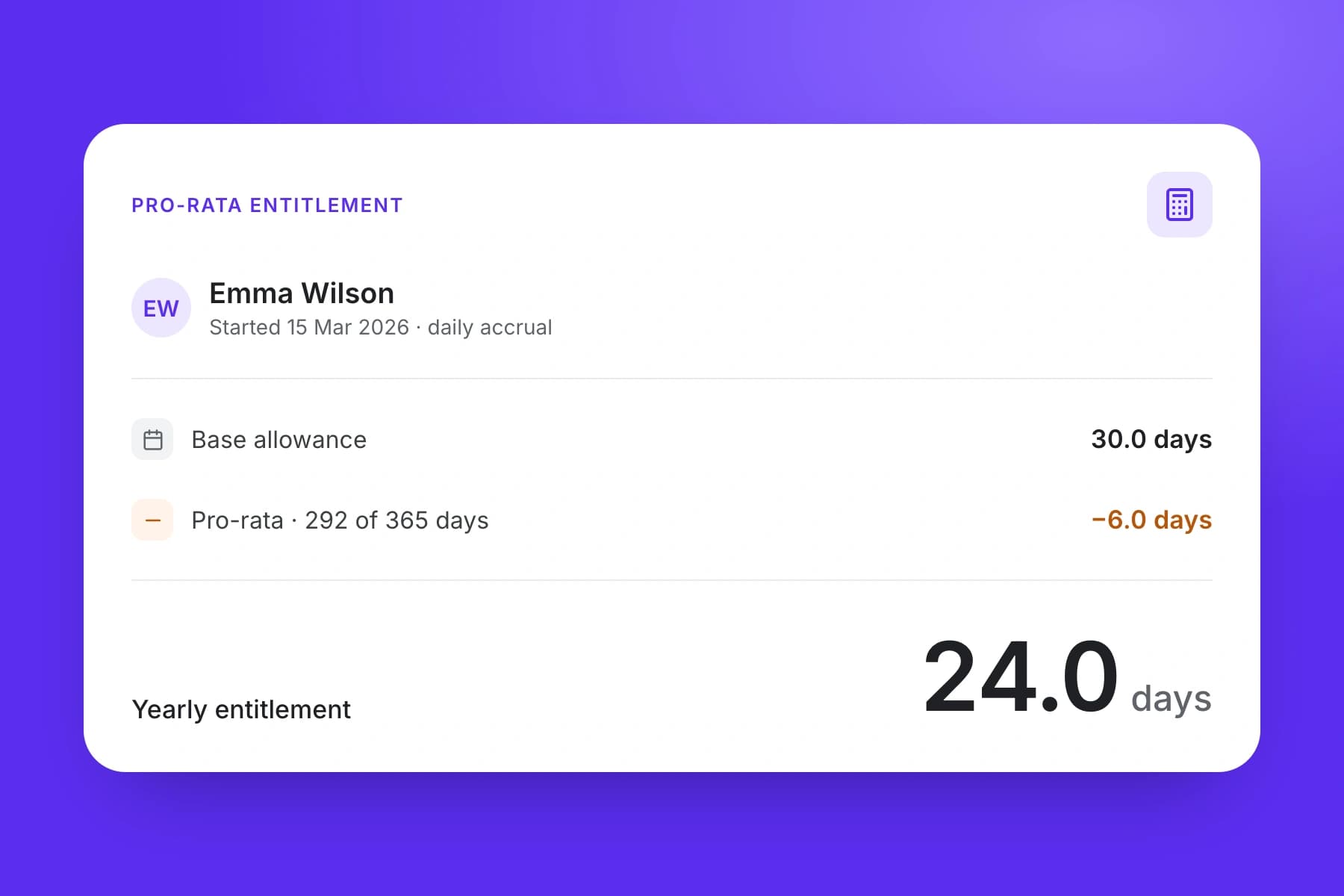
Set up once and TimeTally does the maths. Pro-rata for part-timers and mid-year starters, monthly accrual or upfront allocation, tracked in days, half-days or hours.
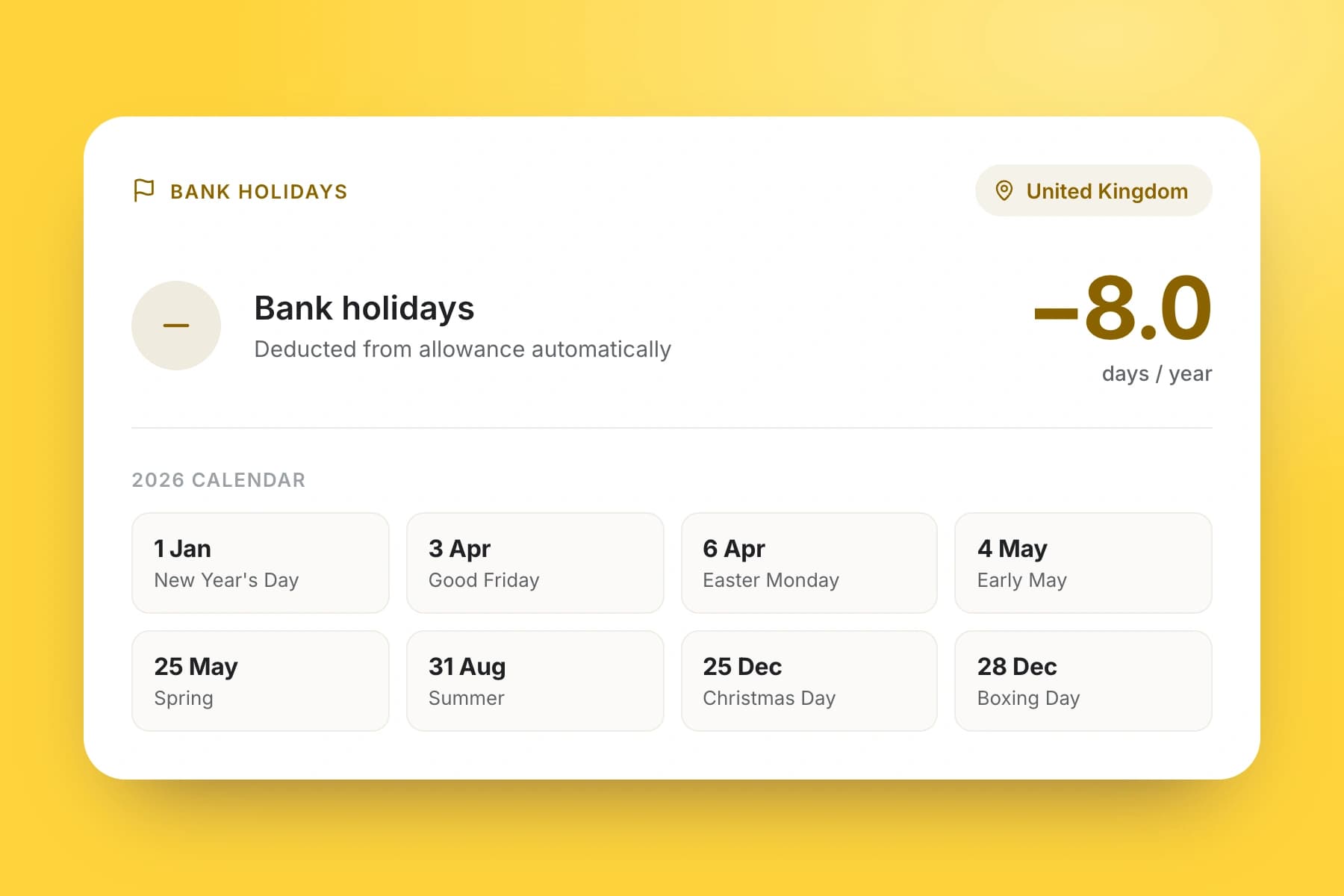
UK bank holidays are booked on the days each person normally works, paid on top of the allowance, out of it, or unpaid — set per person, without anyone touching a spreadsheet.
The team calendar shows approved leave across your whole organisation. Spot clashes before you approve — no more two people off at once. Block dates or set minimum staffing levels, with each leave type colour-coded.
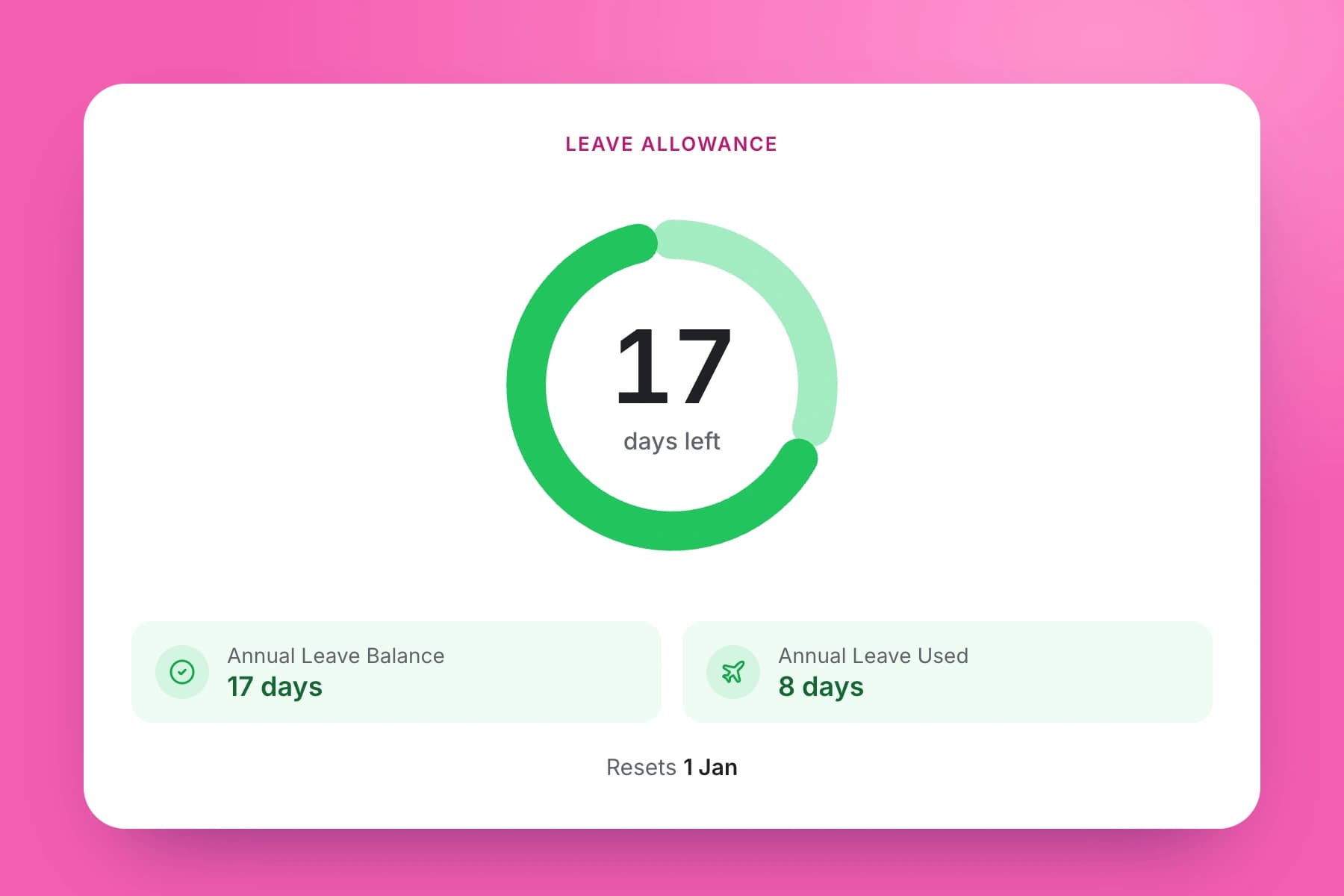
Employees see their remaining days instantly. Balances update the moment a request is approved — carryover with optional caps and expiry dates, and custom leave years, not just April to March.
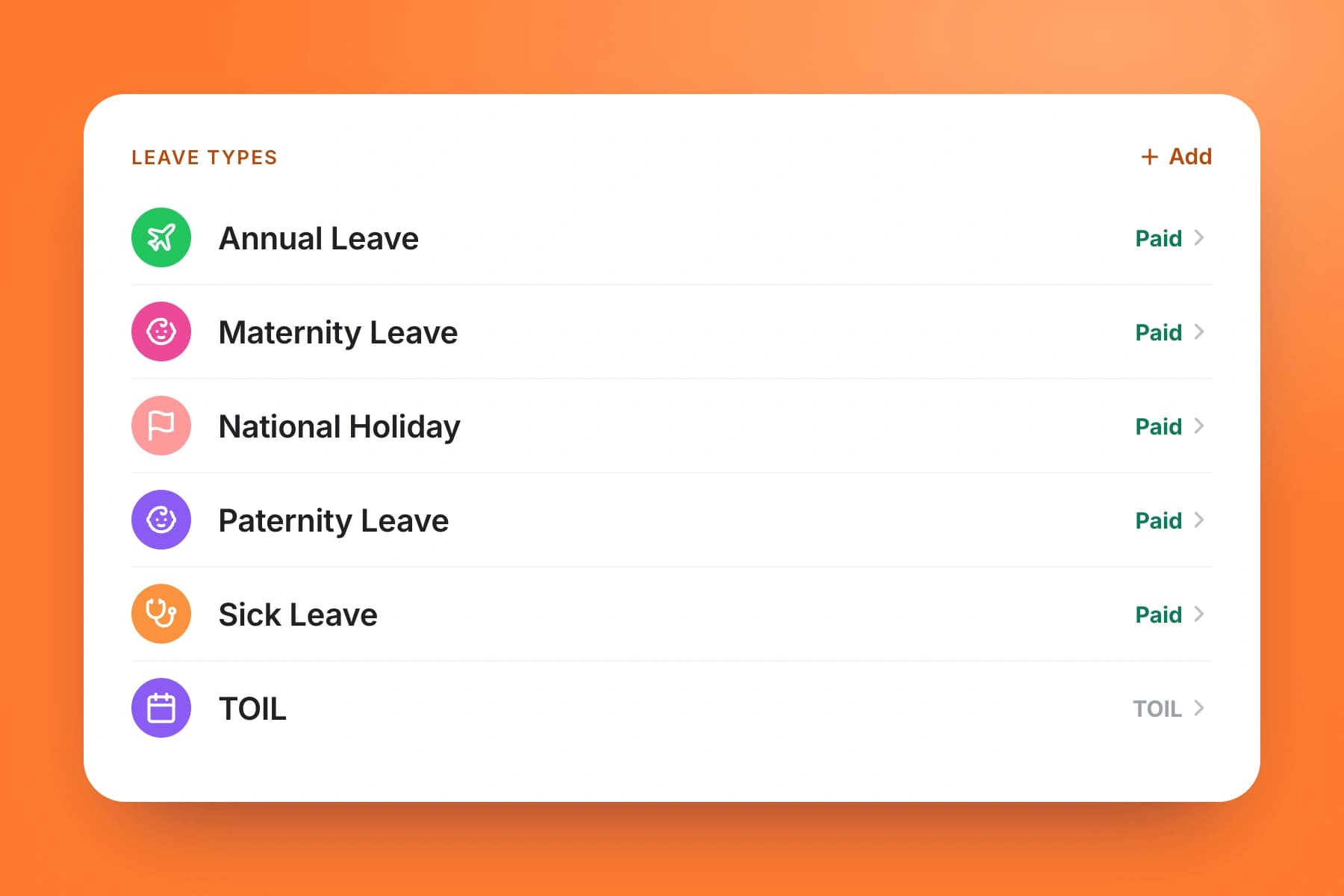
Annual leave, sick, parental, TOIL — or create your own. Each type has its own allowance, accrual rules, and approval flow.
Explore leave managementLeave tracking software
Select any feature for the detail.
Employees see their current balance and their projected future balance — accounting for leave already booked but not yet taken. Optionally let staff see who else in their department has booked time off, so they can plan around colleagues. Managers can manually adjust any employee's balance at any time — ideal when setting up mid-year from a previous system.
Pick the accrual method that fits each employee: upfront (full entitlement from day one), monthly accrual (earned gradually each month), daily accrual (builds day by day), or hours worked (earned per hour worked at a rate you set, 12.07% by default). All calculations are handled automatically — no spreadsheets needed.
TimeTally includes annual leave, sick leave, maternity, paternity, and compassionate leave as standard. Need something else? Create unlimited custom leave types with any name. For each type you control: whether it's paid or unpaid, whether it deducts from the annual leave balance or has its own separate pot, and which employees it applies to.
Decide exactly what happens at year end: toggle carryover on or off, set a maximum number of days that can carry, and optionally add an expiry date so carried-over days must be used within e.g. 3 months. You can also allow employees to book leave before they've earned it (negative balance), with an optional cap to limit exposure.
Set each employee's contracted hours per day of the week (or use a company default). TimeTally uses this to deduct the right amount of leave — a half-day Tuesday only costs half a Tuesday's hours — and to pay the correct amount for each day taken. Pro-rata entitlements for new starters and leavers are calculated automatically from their start date.
Employees can request leave in hours, half days, or full days from the app or website — no training required. Managers can book leave on behalf of any employee. National holidays auto-block for the country of your choice. Set a custom leave year start date (e.g. 7th April) and balances reset automatically. Easy to set up even when migrating from another system mid-year.
Managers can approve or reject any leave request in one tap. Rejections include an optional reason so employees know why. Employees can then resubmit an updated request without starting from scratch. Managers can also request changes before making a decision, and any booked leave can be deleted if plans change — all with a full audit trail.
Leave sits in the main team calendar alongside timesheets and rota shifts — one view of the whole business. If you use time tracking, overtime converts to TOIL automatically at a rate you define. Leave analytics give managers a clear picture of absence patterns, entitlement usage, and remaining balances across the whole team.
Getting started
Type in names and emails. Everyone gets an invite and sets up their own login on the free app or the web.
Click a cell to add a shift, copy last week, then publish. Staff see their shifts on their phone straight away.
Approve timesheets and leave in a tap, then export the hours to Xero, QuickBooks or Excel.
One price for the rota, timesheets and leave. GPS clock-in is £1 extra. No setup fees and no tiers.
iPhone and Android. Staff clock in, check their shifts and book leave on their own phone.
A real person replies within 24 hours, Monday to Friday. No ticket queues, no bots.
Try every feature with your own team. No card needed, and you can cancel any time.
Who it’s for
Whether it’s a ten-person café or a care group with several homes: if your people work rotas, TimeTally fits.
Care homesDay and night shifts on one rota, with holiday cover in view before you publish.TimeTally for care homes  HospitalitySplit shifts, swaps between staff and overtime worked out for you.TimeTally for hospitality ConstructionCrews clock in from site on their phone and every hour lands on the right project.TimeTally for construction RetailNext week’s rota in minutes, and holiday requests that don’t live in a notebook.TimeTally for retail
  HealthcareLong shifts, overtime and time off in lieu, approved from a phone.TimeTally for healthcare
  CleaningTeams spread across sites, with every hour ready for payroll.TimeTally for cleaning
  SecurityNight shifts and late-hours premiums worked out automatically.TimeTally for security
 Real reviews from TimeTally customers
TimeTally has been excellent for our business… The system has saved us a significant amount of administration time.
 Jordan IngoeCLI Manchester
Setup was dead simple and the team just got on with it. Got everyone up and running in an afternoon with no help needed. Does everything we need for timesheets and holidays without the faff.
Has completely changed how I handle timesheets. Used to dread it every week — now it takes me minutes. Really easy to get around and my staff picked it up straight away.
Started using it just for rotas but quickly realised it does loads more. The timesheets and leave management are great, and it even handles TOIL and overtime which I wasn't expecting. Use it for everything now.
One price per employee. GPS clock-in is £1 extra. No surprises.
Billed monthly. Cancel anytime.
Your staff get the free TimeTally app for iPhone and Android.
A real person replies within 24 hours. No ticket queues, no bots.
A UK company, ICO regulated. Your data encrypted and never sold.
No. TimeTally is built so you can use whichever features suit your business. If you only need timesheet tracking, that works on its own. If you want leave management but no rota, that's fine too. Most businesses start with one feature and add others as they grow. All three are included in the same plan — there's no extra charge for enabling rota or leave.
Yes — TimeTally offers a free trial so you can explore all features before committing. No credit card is required to get started. After your trial you can move onto a paid plan at £3/user/month. Get StartedStart your free trial →
Yes — TimeTally has iPhone and Android apps so employees can clock in, check their shifts, view leave balances, and submit requests from their phone. The apps are free on the App Store and Google Play. It also works fully in any mobile browser, so there's no requirement to download anything.
When you add an employee in TimeTally they receive an email invitation with a link to set up their account. The whole process takes seconds per person — just enter their name, email, and role. Once they accept the invite they can immediately start submitting timesheets, requesting leave, and viewing their rota.
Yes. TimeTally supports manager roles so you can give specific team members the ability to approve timesheets and leave requests, view team schedules, and manage rotas — without giving them full admin access to billing or company settings. You can have as many managers as you need.
TimeTally starts at £3 per user per month, which includes time tracking, leave management, and rota scheduling. There are no minimum seat requirements and no hidden fees. See full pricing →
TimeTally lets you export approved timesheet hours directly to Xero, QuickBooks, and Excel. This means once managers have approved the week's timesheets, you can send accurate hours to your payroll system in one click — no manual re-entry or copy-pasting required.
Yes. TimeTally supports pro-rata leave calculations for part-time employees and mid-year starters. You can set individual leave allowances per employee, configure monthly accrual or upfront allocation, and set carryover rules with optional expiry dates. Different employees can have different entitlements and leave year dates.
Yes — under the Working Time Regulations 1998, UK employers must keep adequate records of employees' working hours. HMRC can also request records to verify National Minimum Wage compliance. TimeTally stores all submitted and approved timesheet data automatically, creating a clear audit trail. Read the HMRC requirements guide →
Yes. The rota feature is designed for teams with changing weekly shifts — you can build rotas, assign shifts to employees, and publish them, then email staff their shifts in one click. Employees can clock in and out from their phone, and hours are captured against the right shift. This works well for hospitality, retail, healthcare, and other sectors with variable hours.
Book a call with our team to see how TimeTally can simplify your time and leave tracking.
Book a DemoHave a question? We'd love to hear from you.
Monday – Friday
9:00 AM – 5:00 PM GMT
Need help getting set up?
Our team can guide you through
Calculators, guides, and software for UK employers
Track annual leave allowances, bank holidays, and employee holidays in one place
Track sick leave, Bradford Factor scores, and all absence types automatically
Track holidays, sick leave, TOIL, and all absences in one place
Submit timesheets, approve hours, and export to payroll from any device
Build and share staff rotas, manage shift patterns, and assign cover
Create, publish, and manage staff rotas online — with leave and TOIL built in
Download a free weekly rota template for Excel or Google Sheets — no signup needed
GPS clock-in and clock-out for hourly workers and remote teams
Automatically accrue, track, and manage time off in lieu from overtime
Track overtime hours accurately and calculate pay or TOIL automatically
Simple leave management built for UK small businesses — from £3/employee/month
Manage team holidays, approve requests, and prevent clashes automatically
Digital leave requests with one-click manager approvals and instant notifications
Accurate time tracking for payroll, client billing, and compliance
Time Tracking, holidays, payroll export, and compliance tools
Everything you need to know about choosing timesheet software
Calculate UK statutory holiday entitlement instantly
Join hundreds of UK businesses already saving hours each week with TimeTally.
14-day free trial · No credit card needed · Cancel anytime