Spreadsheet time tracking have a 1-8% error rate according to industry research, and they leave no audit trail for HMRC. See why UK businesses switch to dedicated timesheet software that eliminates manual errors, meets Working Time Regulations record-keeping requirements, and exports payroll-ready data in one click.
No broken formulas. No version confusion. Just a clean form your employees fill in and managers approve.
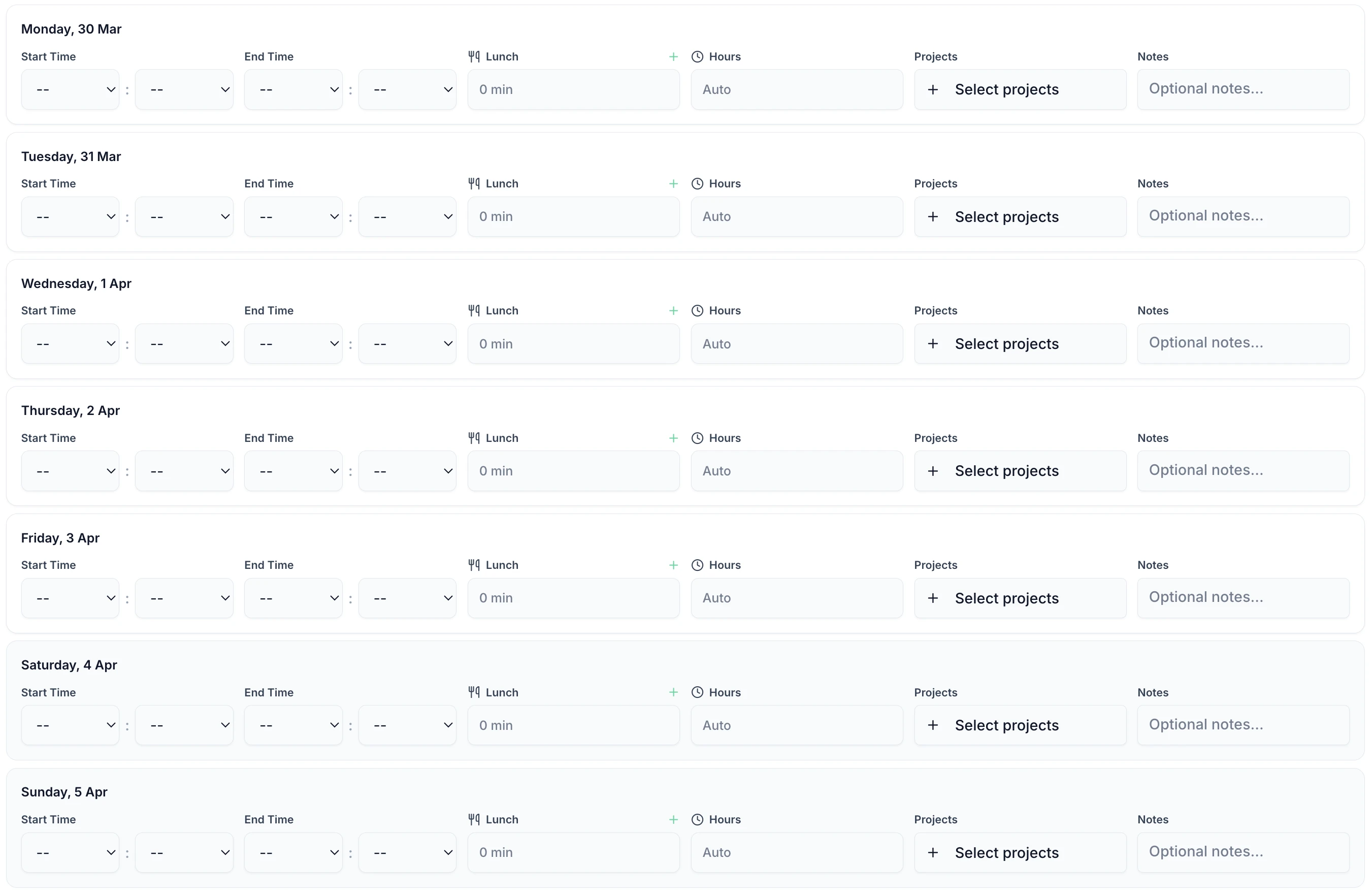
Date selection
Pick any date range
Project tracking
Track hours by project
Automatic totals
No formulas to break
Notes & details
Add context to entries
| Feature | TimeTally | Excel |
|---|---|---|
Automated calculations Automatic totals, overtime, and payroll vs manual formulas | ||
One-click approvals Built-in approval workflow vs email chains | ||
Mobile access Native mobile app vs unusable on mobile | ||
Payroll integration Direct export to Xero, QuickBooks vs manual copy-paste | ||
Audit trail HMRC-ready change history vs no edit tracking — critical for compliance | ||
Submission dashboard See who hasn't submitted at a glance vs manual chasing through emails | ||
Holiday management Integrated time off tracking vs separate spreadsheet | ||
UK compliance Working Time Regulations 1998 monitoring built-in vs manual tracking with no enforcement | ||
Data security Encrypted cloud storage vs unprotected files | ||
Version control Single source of truth vs file confusion | ||
Zero cost TimeTally is £3/employee; Excel is included with Office |
These are the real issues UK businesses face daily when managing timesheets in spreadsheets — and any one of them can cause payroll errors or HMRC compliance failures
"Timesheet_FINAL_v2_ACTUAL_FINAL.xlsx" — which version is the correct one? Excel creates version control nightmares.
One employee accidentally overwrites a formula and all calculations silently break. Industry data shows spreadsheet timesheets carry a 1-8% error rate — that's potentially hundreds of pounds in payroll mistakes each month.
Email spreadsheets back and forth with no record of who approved what, or when. If HMRC requests an audit trail of approved hours, spreadsheets cannot provide one — leaving your business exposed.
Employees can't submit from their phone. Managers can't approve on the go. TimeTally's mobile app works perfectly for construction, cleaning, and other field-based teams.
Sensitive payroll data sitting in unencrypted spreadsheets, often emailed without protection. No audit trail, no access controls, and a significant GDPR liability. One lost laptop or forwarded email and employee pay data is compromised.
Copy-pasting hours into payroll software every month. Tedious and error-prone.
With Excel, you manually copy hours into your payroll system every pay period. With TimeTally, one click sends approved timesheets directly to Xero or QuickBooks.
Connect to your payroll software and sync instantly
Overtime, deductions, and totals — no formulas to maintain
Export to CSV or Excel if your payroll provider isn't supported
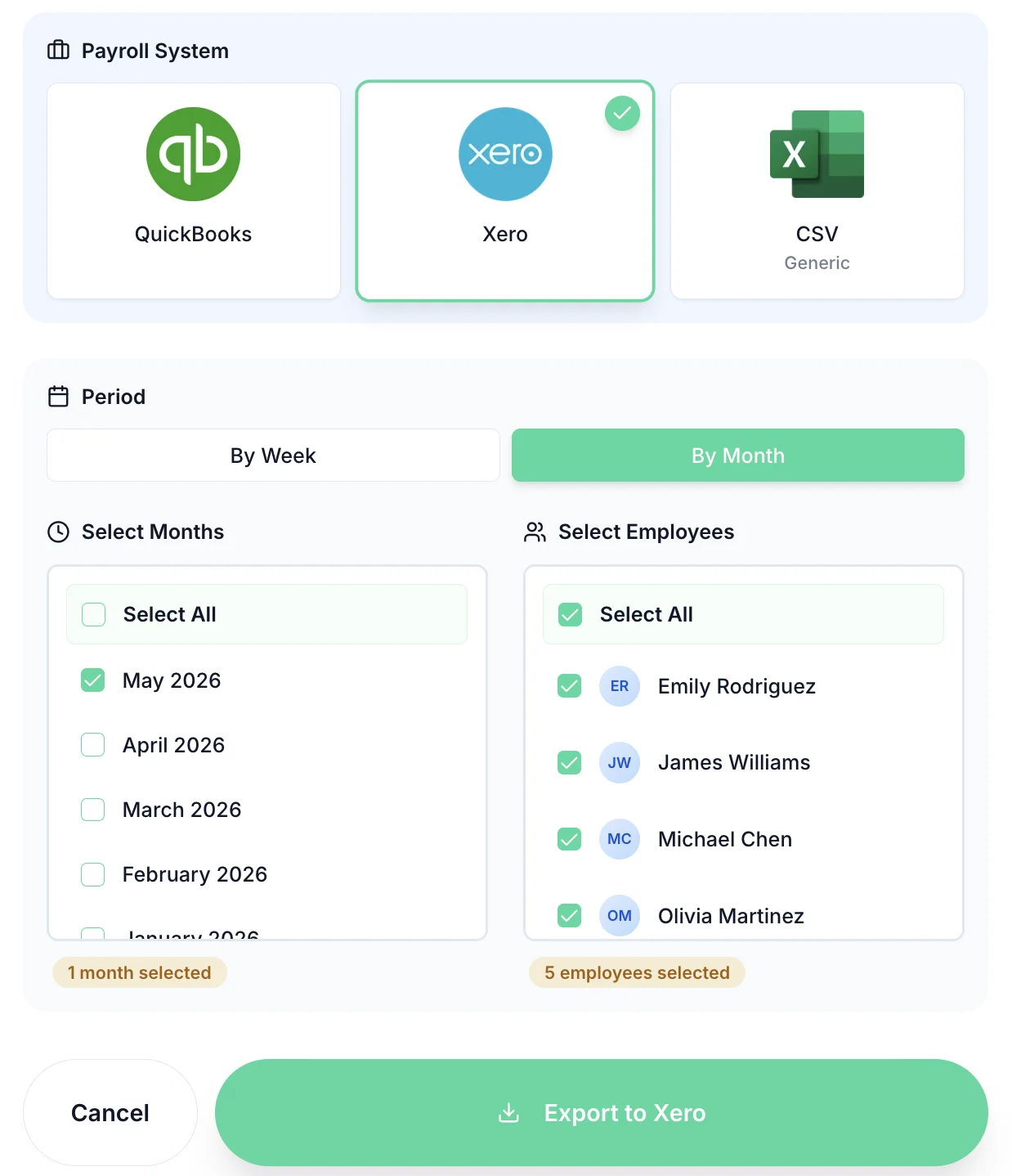
Export timesheets directly to your payroll software



Excel is "free" but the hidden costs add up fast — manual admin time, payroll errors averaging 1-8% of total payroll, and the risk of data loss from corrupted or overwritten files. Use our ROI calculator to see how much you could save by switching.
£3
per employee/month (incl. VAT)
£0?
Hidden costs below
Most businesses are fully set up within an hour. Want to see it first? Book a demo or explore how it works.
Create account in 2 minutes
Upload employee list from Excel
Set up approval workflows
Start using immediately
Expert guides to help you move beyond Excel spreadsheets
Yes. You can import employee data via CSV, including names, email addresses, pay rates, and working patterns. While individual timesheet history won't transfer (Excel format varies too much between businesses), all your employee details and settings import cleanly. Most clients are fully live within 30 minutes of signing up.
You won't need them. TimeTally handles all calculations automatically — totals, overtime, pro-rata holiday calculations, and payroll exports. No formulas to maintain or macros to debug. This eliminates the 1-8% error rate that spreadsheet-based timesheets typically introduce, and means you'll never lose data to a broken formula or corrupted file again.
Employees use TimeTally's mobile app or web interface. They simply enter their hours each day - it's actually easier than Excel. Managers approve with one click instead of checking spreadsheet cells.
Absolutely. Export any timesheet data to CSV or Excel anytime. But you'll likely find you don't need to — TimeTally's built-in reports and payroll exports give you everything Excel did, pre-formatted for HMRC requirements and UK payroll systems like Xero and QuickBooks. The exports include the complete audit trail that spreadsheets can never provide.
Better than Excel. TimeTally exports directly to Xero and QuickBooks in their required format — no more copy-pasting cells or fixing formatting errors. One click and your payroll data is ready, with approved hours, overtime, and deductions all calculated correctly. This also supports HMRC RTI (Real Time Information) requirements by ensuring accurate, auditable records flow into your payroll.
TimeTally handles standard UK overtime calculations automatically. For complex rules (shift premiums, bonuses, etc.), we can configure custom pay rules. Most Excel logic translates directly - we'll help you set it up during onboarding.
No, it's dramatically easier. If you can use Excel, TimeTally takes 10 minutes to learn. Employees find it simpler because there are no cells, formulas, or spreadsheet concepts - just 'enter your hours'. Most teams are fully comfortable within a week.
Yes, and far better than Excel. No more 'file is locked' messages or version conflicts. Everyone works in real-time with automatic conflict resolution. Changes are instant and there's a complete audit trail of who changed what and when — essential for HMRC compliance and resolving any payroll disputes.
Still have a question? See all FAQs
