

Timesheet Software for UK Schools & Education

TimeTally is online timesheet software for education. Support staff log their hours from a phone. School business managers approve the period and export it to payroll. Part-time TAs, term-time caretakers, office administrators, hourly-paid teachers and supply staff sit on one system, each on their own hours and their own rate. Digital timesheet software for education replaces the hand-signed paper claim slip that has to be chased round the site before payroll closes. Approved timesheets export to Xero, QuickBooks, or CSV. From £3 per staff member per month.

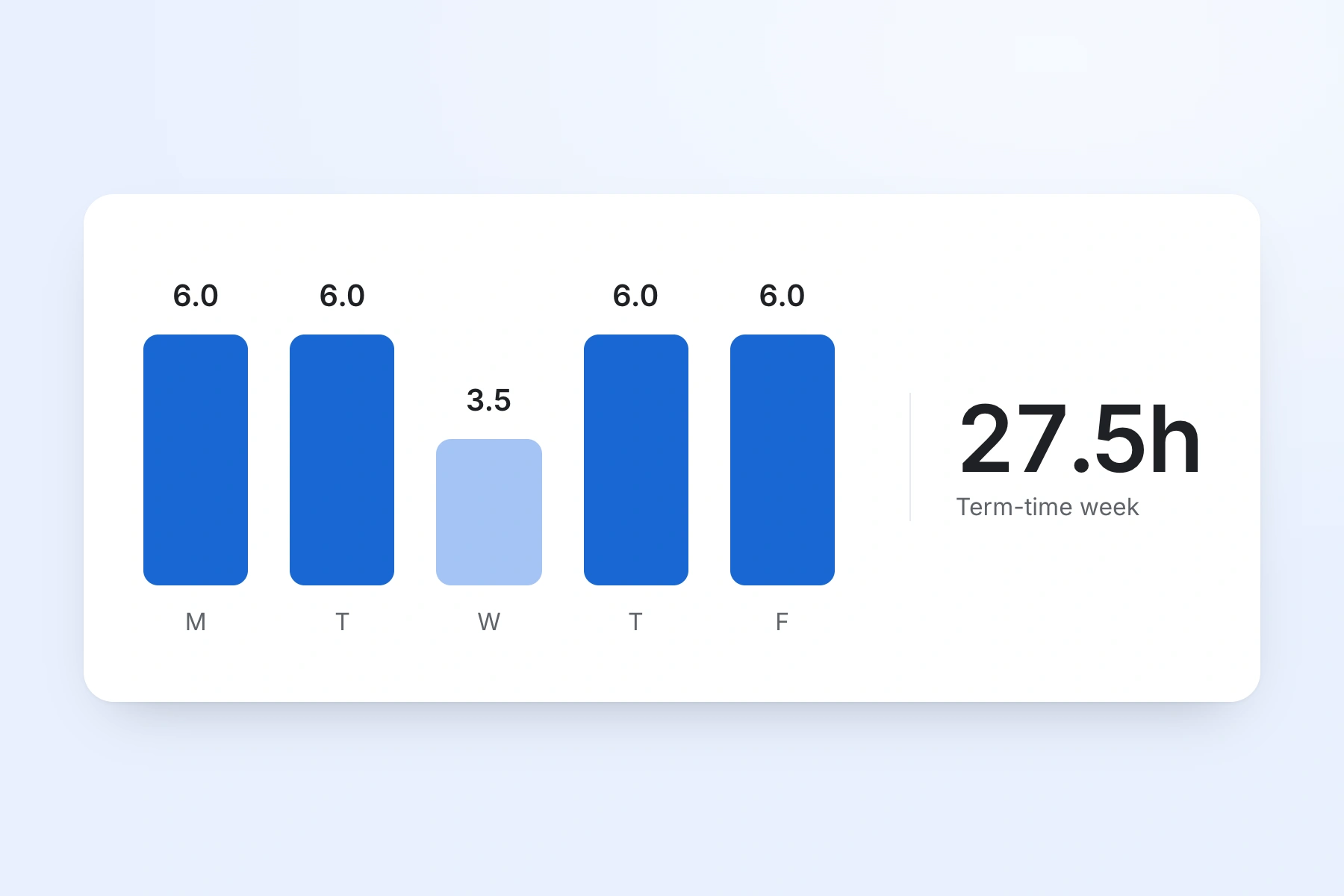
Weekly timesheet for school support staff showing hours, breaks and department
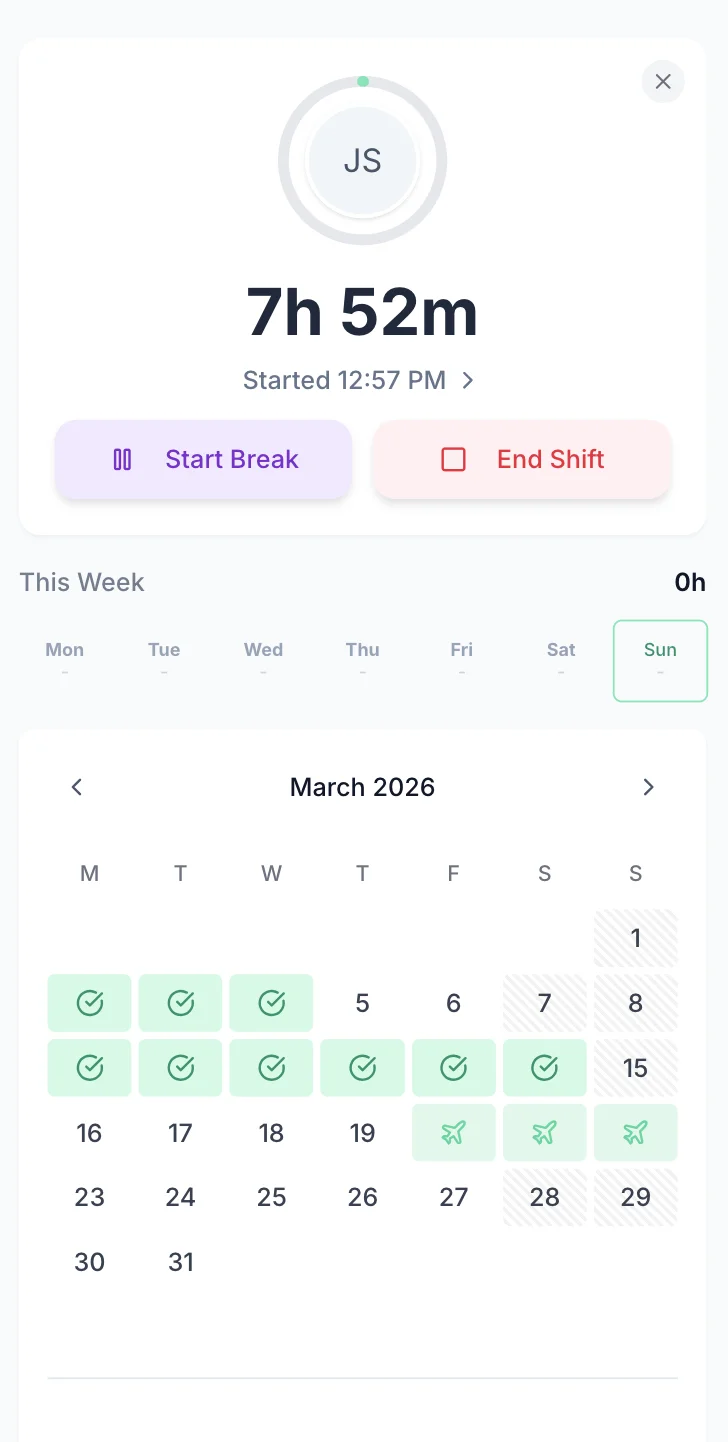
School support staff clocked in on their phone

The app is simple to use, reliable, and makes managing staff records straightforward. The system has saved us a significant amount of administration time.

CLI ManchesterJordan Ingoe, CLI Manchester

Simple Timesheets That Fit Around the School Day

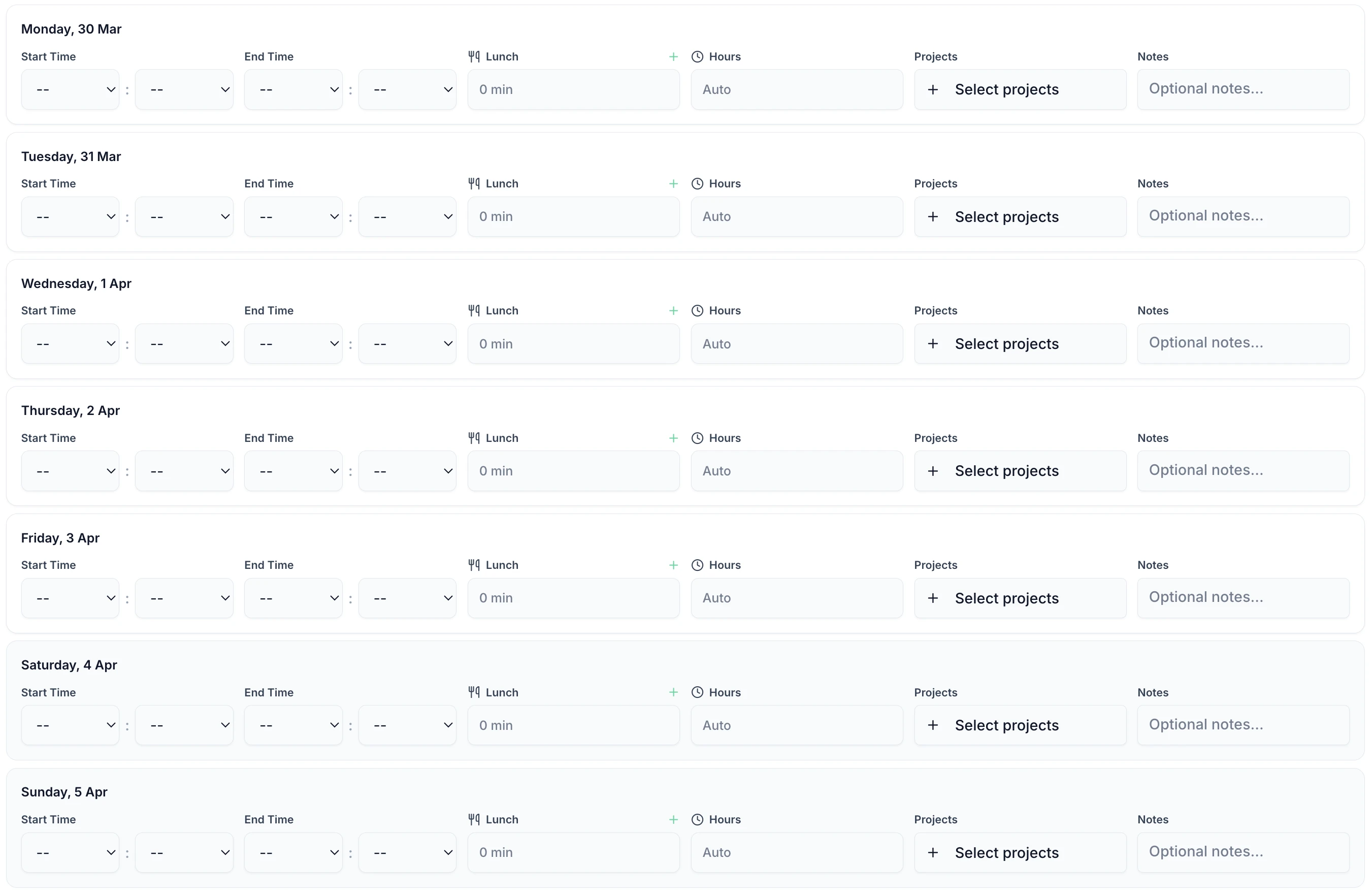
School support staff enter a start time, an end time and their breaks. It takes under a minute a day. It works in any phone browser and on a shared computer in the school office. The same short form covers online timesheet software for teachers on hourly contracts, a tutor logging a one-to-one session, and a TA finishing at half three. Online timesheets for education staff, on whatever device is to hand.

TimeTally timesheet entry screen showing hours and break tracking for school staff
  • The Whole School Week

    Every working day on one screen

  • Times or Total Hours

    Enter start and end, or just the total

  • Automatic Break Deduction

    Lunch duty and rest breaks come off the total

  • Department or Year Group

    Assign hours to a cost centre or funding stream

  • Notes on the Entry

    Add a note to a day — an after-school club, a trip, an open evening

  • Instant Calculations

    Hours and pay update as the entry is typed

What TimeTally Does for Schools

TimeTally is a straightforward timesheet and holiday management tool. Here is what it does and how it helps education providers — the short list of things education timesheet software has to get right in a school.

Hour Tracking for Support StaffHourly Rates & OvertimeDepartment & Project TrackingBreak TrackingPayroll ExportMobile Access — No App Download
  1. TAs, caretakers, admin staff, and other support workers enter their start and end times each day. This works for any pattern — mornings only, split shifts, term-time only, or year-round. Total hours and overtime are calculated automatically.

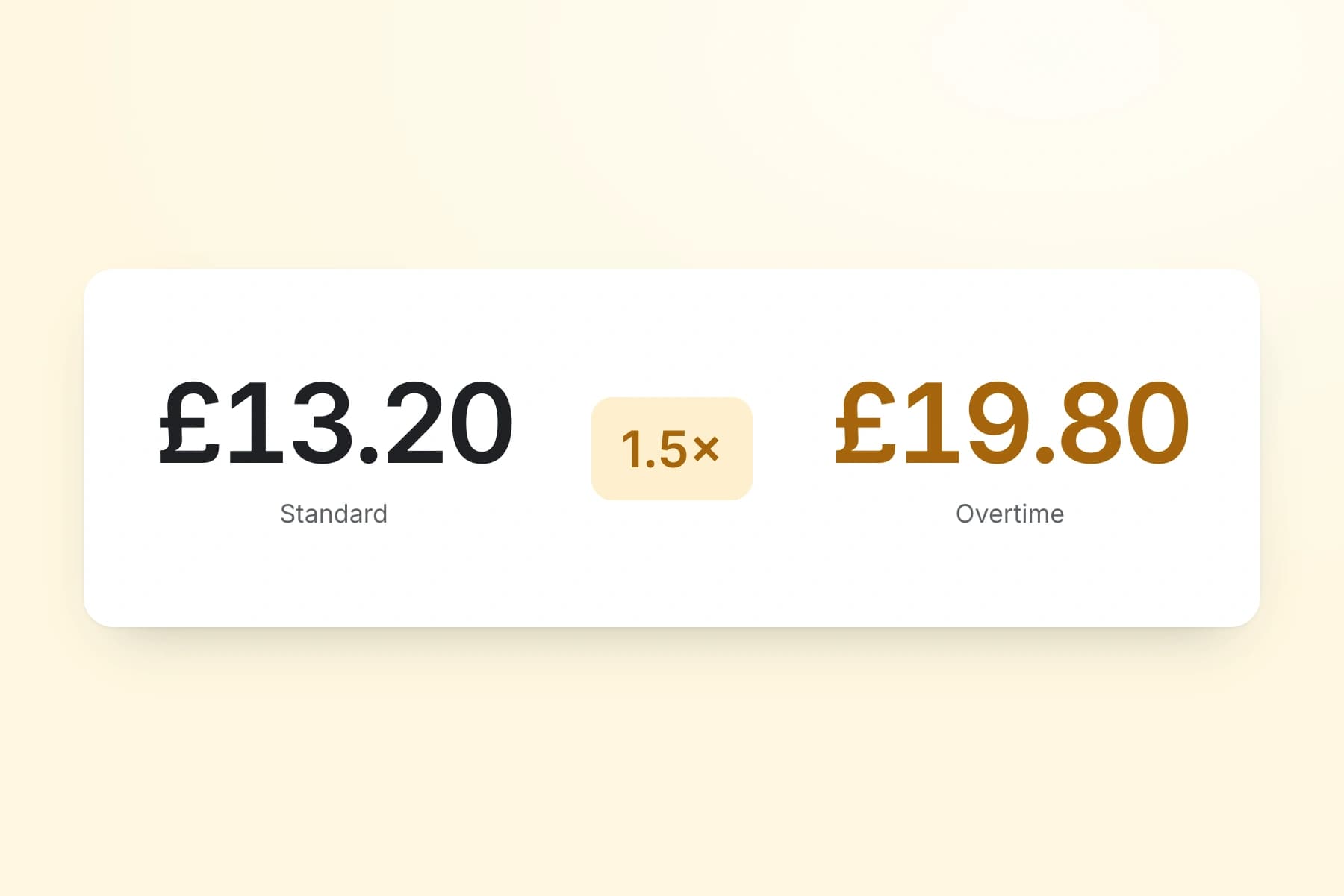
  2. Set an hourly rate and overtime rate for each staff member. When timesheets are submitted, TimeTally calculates standard pay and overtime pay automatically. You can set daily or weekly overtime thresholds to match your school's policies.

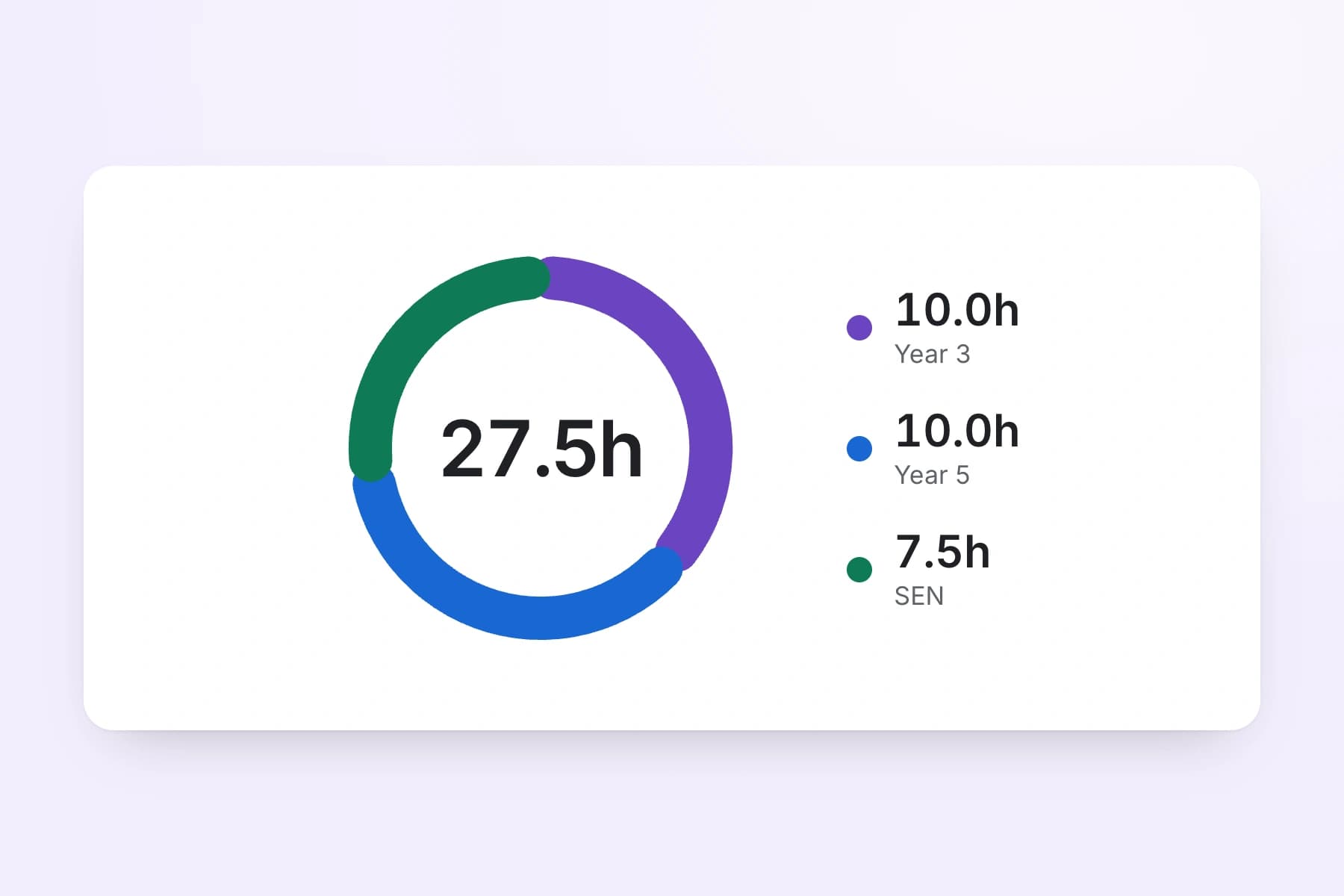
  3. Use TimeTally's project tracking to assign hours to specific departments, cost centres, or funding streams. If a TA works across two year groups, they can split their hours accordingly. Reports show total hours and costs per department — useful for budget monitoring.

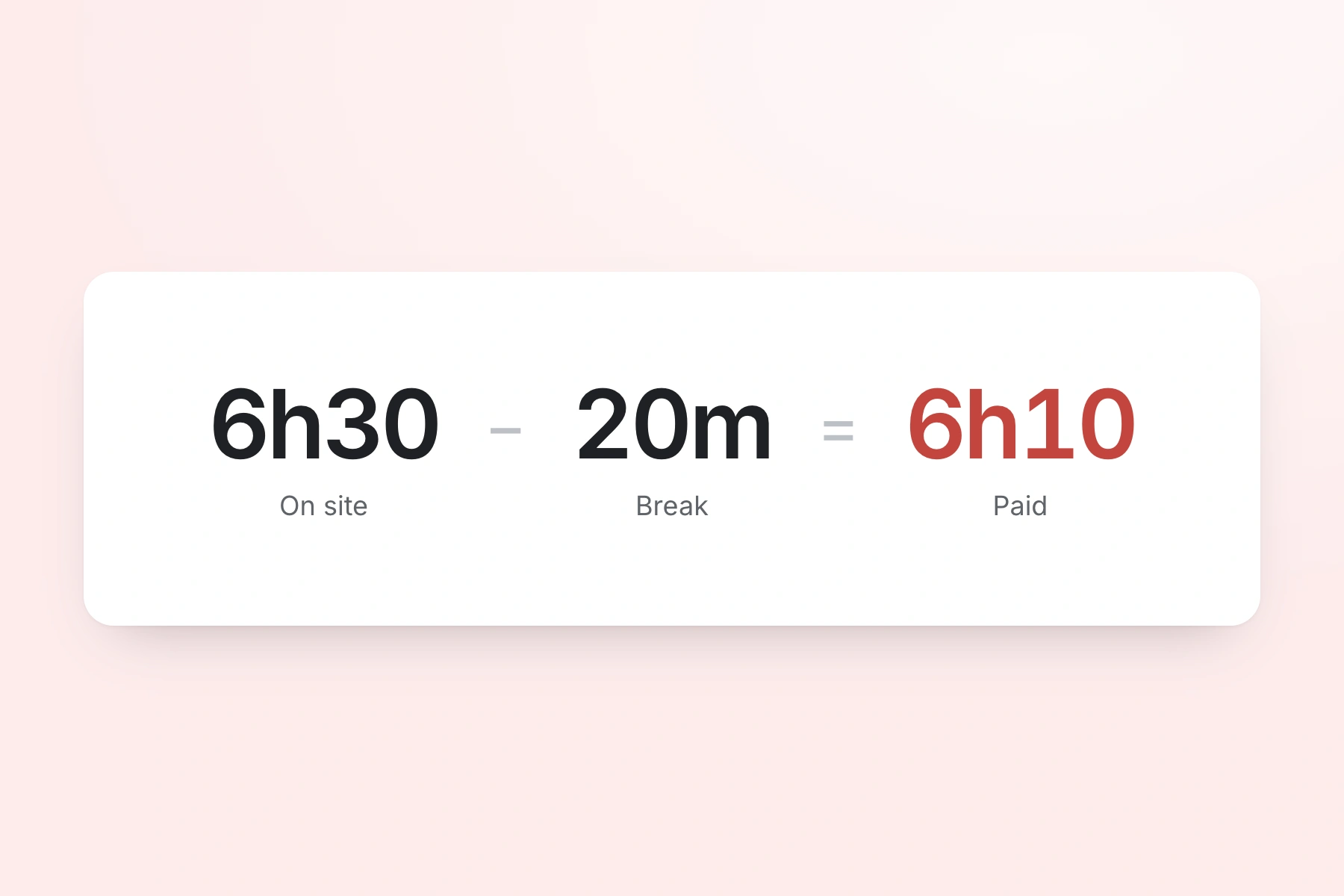
  4. Track lunch breaks and rest breaks separately. Under UK law, workers are entitled to a 20-minute uninterrupted break for shifts over 6 hours — check obligations with our break time compliance calculator. TimeTally records breaks and deducts them from total hours so payroll figures are accurate.

  5. Export approved timesheets to Xero, QuickBooks, or CSV with one click. The export includes employee names, standard hours, overtime hours, pay amounts, and break deductions. CSV exports can be formatted for local authority payroll systems.

  6. TimeTally works in any mobile browser. Staff do not need to download an app or install anything on personal devices. They can bookmark the page or use a shared computer in the school office. There is also a native iOS app for those who prefer it, and an Android app on Google Play.

Explore time trackingEmployee time tracking software

Sign Off Support Staff Hours Before Payroll Closes

A school business manager approves or rejects timesheets from a phone, a tablet or a desktop. Each period arrives already totalled. Standard hours are separated from overtime, and the hours are split across the departments or year groups the person worked in. Approved and paid are tracked as separate states, so a period signed off in the office cannot be paid twice on the payroll return.

  • Overtime is calculated against that person's own threshold before you open the sheet. A term-time TA and a year-round site manager can sit on different thresholds.
  • Each day is one line. Open it to see the break deduction, the department the hours went to, and any note the member of staff added.
  • Rejections carry a written reason. A cover supervisor who logged an after-school club against the wrong week is told what to correct and resubmits.
  • Pay is a separate permission. A head of year can approve a TA's hours without seeing what anyone is paid.
Pay is permission-basedPhone, tablet or desktop
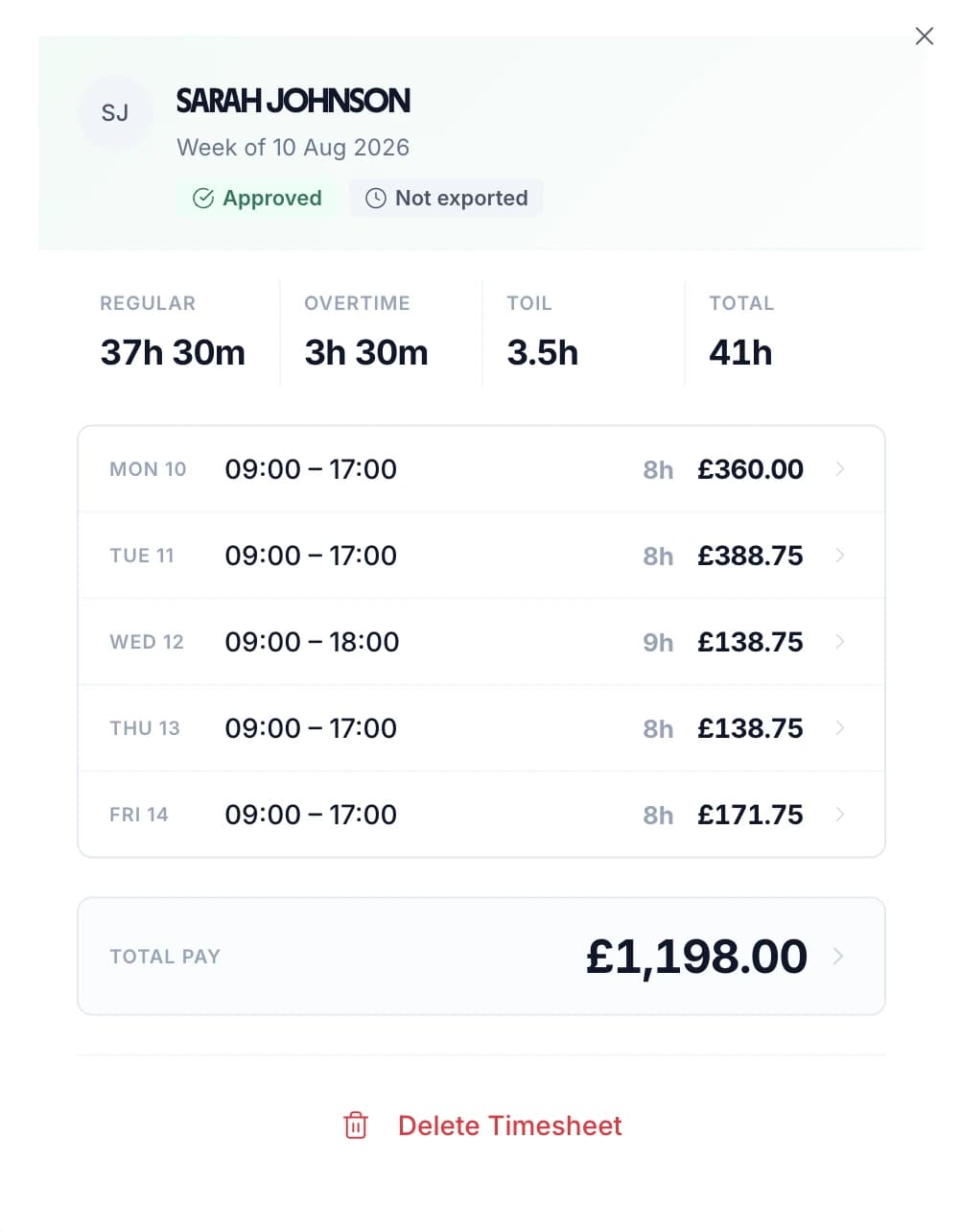
Approved weekly school timesheet showing standard hours, overtime and pay per day

Every Member of Staff's Hours in One List

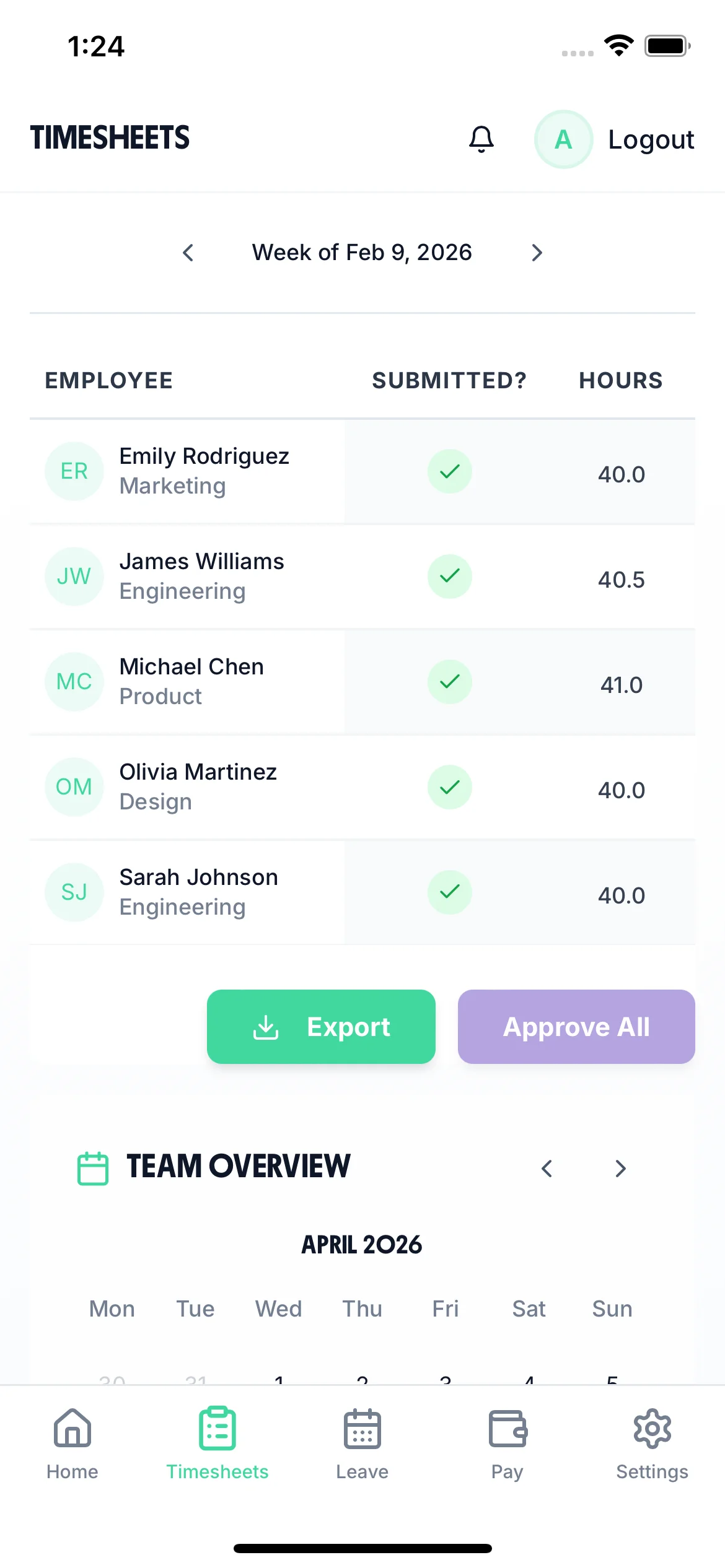
The timesheet screen lists every member of staff for the current period with their total hours and their status: not submitted, submitted, approved or rejected. It is attendance and time tracking for educational staff on one screen. A school business manager can see who still owes a sheet without emailing the whole staff list.

  • View the whole school for the period, or filter to one person. Each row opens to the day-by-day hours behind the total.
  • Approve someone's outstanding days for the period in one action, or open a single day and approve or reject it on its own.
  • Send a reminder to one person in one tap. It arrives as a notification in their app. Nothing is chased automatically — you choose who gets it.
  • Open the same list on the office desktop, on a phone in the corridor, or on a laptop at home on a Sunday evening.
Group staff by departmentReminders are sent by hand
School business manager view on a phone listing each member of staff's submitted hours and approval status

Watch a Timesheet Go From Entry to Approved

A short loop of the timesheet screen. Hours are entered day by day, breaks come off the total, and the completed period is submitted for a school business manager to approve.

All Departments
Jun 2026
M
T
W
T
F
S
S
M
T
W
T
F
S
S
M
T
W
T
F
S
S
M
T
W
T
F
S
S
M
T
AR1

Amelia Roberts

Kitchen

JK2

James Kelly

Front of house

PS3

Priya Shah

Kitchen

MP4

Maya Patel

Front of house

TW5

Tom Wilson

Bar

Timesheet Requests

3
AR

Amelia Roberts

37h 30m · Week of Jun 15

JK

James Kelly

38h 30m · Week of Jun 8

Time-off Requests

2
PS

Priya Shah

3d · Annual Leave

MP

Maya Patel

2d · Sick Leave

AR

Amelia Roberts

Monday 15 June · 09:00

AR

0h 00m

09:00 – 17:00

Break
End Done

Timesheet submitted

Week of Jun 15

AR

Amelia Roberts

Kitchen

Week of Jun 15, 2026

Mon15
09:00–17:00·30m

7h 30m

Tue16
09:00–17:00·30m

7h 30m

Wed17
09:00–17:00·30m

7h 30m

Thu18
09:00–17:00·30m

7h 30m

Fri19
09:00–17:00·30m

7h 30m

Submit Timesheet Submitted

Payroll Export

Week of Jun 15, 2026 · 5 employees

Employee
Reg. pay
Overtime
Total
AR

Amelia Roberts

37.5h

£281.25

£281.25

JK

James Kelly

40h

£300.00

£22.50

2h

£322.50

PS

Priya Shah

32h

£240.00

£240.00

MP

Maya Patel

38h

£285.00

£285.00

TW

Tom Wilson

40h

£300.00

£45.00

4h

£345.00

Total · 5 employees

£1,406.25

£67.50

£1,473.75

Confirm Export Exported!

Every school timesheet scenario, handled

Tap any card for the detail.

Start your free trial

14-day free trial · No credit card needed

Two Settings a School Office Usually Changes

Both are admin settings. Set them once and every timesheet after that follows them.

Set the timesheet period to one, two or four weeks.

Choose a period of one, two or four weeks, then set the date the first period runs from. Every period after that follows the same cycle.

Schools run more than one claim cycle. Support staff salaries go monthly through a local authority or trust payroll. Casual and supply claims arrive weekly. Match the period to the run it feeds and nobody adds four weekly sheets together by hand, or argues about which week fell in which month.

Hide pay rates from the managers who approve hours.

Pay visibility is a separate permission from approval. Turn it off for a manager and they still approve hours. They never see rates or totals.

You can also group staff by department. A head of year or faculty lead's team can then be filtered and exported on its own. In most schools the school business manager is the only person who needs both.

Used Across UK Education Settings

TimeTally is education digital timesheet software built for a school office rather than a factory floor. It works as timekeeping software for schools of every size, and for any education provider that needs to track support staff hours. See how it works in practice.

Primary

Primary Schools

TAs, lunchtime supervisors, office staff, caretakers, and breakfast club workers

  • Term-time TAs and year-round site staff on one system
  • Breakfast and after-school club hours logged the same day
  • One office login for staff without a work phone
Secondary

Secondary Schools

Lab technicians, librarians, IT support, admin teams, and exam invigilators

  • Invigilator hours by exam session, not by guesswork
  • Cover supervisor and technician overtime separated automatically
  • Hours tagged to a department for faculty budget reporting
Trusts

Multi-Academy Trusts

Central teams, peripatetic staff working across sites, and shared support roles

  • Peripatetic staff split a day across two academies
  • Staff grouped by school, so one academy's hours export on their own
  • One export for a trust-wide payroll run
Colleges & FE

Colleges & Training

FE colleges, sixth form centres, training providers, and adult education services

  • Hourly-paid lecturers and assessors on their own rates
  • Tutor time tracking software for one-to-one and small-group hours
  • Claim periods set to one, two or four weeks to match payroll
Honest Positioning

What TimeTally Does — and What It Does Not

TimeTally is a timesheet tool. It is good at tracking hours for support staff and exporting them to payroll. It is not a school timetabling system or a directed time planner. Here is a straightforward summary.

What TimeTally Does

  • Tracks daily hours worked by support staff (TAs, caretakers, admin, cleaners, kitchen staff)
  • Calculates overtime based on hourly rates and thresholds you set per employee
  • Manages holiday requests with automatic statutory entitlement (5.6 weeks pro-rata)
  • Tracks breaks to ensure accurate payroll and compliance with rest break rules
  • Exports approved timesheets to Xero, QuickBooks, or CSV for local authority payroll
  • Assigns hours to departments or cost centres for budget tracking
  • Provides a timesheet approval workflow so managers review hours before payroll

What TimeTally Does Not Do

  • Does not monitor STPCD directed time (1,265 hours) — this requires specialist timetabling software
  • Does not configure or manage term dates — you manage your own academic calendar elsewhere
  • Does not have dedicated INSET day tracking — though you can use custom holiday categories as a workaround
  • Does not separate teaching contact time from PPA time — it records total hours, not lesson-level detail
  • Does not provide automated compliance alerts for Working Time Directive breaches
  • Does not handle school timetabling, rota planning, or supply teacher booking
Why it matters

Why Schools Need Accurate Timesheets

UK schools are complex employers. A single primary school might have teaching assistants on term-time contracts, a caretaker working year-round, office staff on part-time hours, and supply teachers covering absences — all with different pay rates and holiday entitlements.

Support staff in maintained schools are typically employed under Green Book (NJC) conditions, which set out pay scales and working arrangements. Term-time workers — TAs, lunchtime supervisors, exam invigilators — present a particular payroll challenge because their holiday entitlement must be calculated pro-rata and is often rolled into their annual salary. The standard method uses the 12.07% accrual rate: for every hour worked, the employee accrues 0.1207 hours of paid holiday. Getting this wrong leads to underpayments, grievances, and potential tribunal claims under the Working Time Regulations 1998.

Teachers themselves are employed under the School Teachers' Pay and Conditions Document (STPCD), which limits directed time to 1,265 hours per year across 195 days. Directed time is the time a headteacher can require a teacher to work — lessons, meetings, parents' evenings, INSET days. Schools need to track this carefully, but it is a complex planning exercise that sits outside what a simple timesheet tool can monitor. TimeTally does not track directed time budgets. For support staff, however, accurate hour-by-hour timesheets are exactly what is needed.

The Burgundy Book governs conditions of service for teachers in maintained schools and covers areas like sick pay, maternity leave, and notice periods. While academy trusts can set their own terms, many still follow Burgundy Book conditions. For school business managers juggling multiple employment frameworks, having a reliable record of hours worked by non-teaching staff is one less thing to worry about.

Beyond payroll, Ofsted expects schools to demonstrate effective resource management. Clear records of staffing hours — who was on site, when, and for how long — support this. Attendance and time tracking for educational staff is also the evidence a trust finance team asks for when a central service is recharged to a school. Our ROI calculator can help you estimate the time savings from switching to digital timesheets. And with school budgets under constant pressure, knowing exactly how much you are spending on support staff hours each month helps with financial planning.

UK Education Employment Law

Employment Law Context for School Staff

Schools operate under several overlapping employment frameworks. Understanding these helps explain why accurate timesheets matter for support staff — and where TimeTally fits in.

STPCD and Directed Time

The School Teachers' Pay and Conditions Document sets out pay and conditions for teachers in maintained schools in England and Wales. Under the STPCD, a full-time teacher can be directed to work up to 1,265 hours per year over 195 days. These hours include lessons, registration, assemblies, staff meetings, parents' evenings, and the five statutory INSET days. Time spent on planning, preparation, and marking is not directed but is still expected. Headteachers must publish a directed time budget at the start of each year.

TimeTally does not monitor directed time budgets. Tracking 1,265 hours against a breakdown of lessons, meetings, and duties requires specialist software or careful spreadsheet planning that accounts for the academic timetable. However, if your school employs teachers on hourly-paid contracts (common in FE colleges and for peripatetic music teachers), TimeTally can track those hours and calculate pay — which is what schools searching for teacher timesheet software usually need.

Burgundy Book and Green Book Conditions

The Burgundy Book covers teachers' conditions of service in maintained schools — sick pay entitlements, maternity provisions, and notice periods. The Green Book (NJC conditions) covers support staff. Academy trusts may adopt these frameworks or set their own terms, though many follow them in practice. For support staff on Green Book terms, accurate hour tracking is essential because pay is typically calculated from actual hours worked, especially for part-time and term-time roles.

Holiday Entitlement for Term-Time Workers

Term-time workers are entitled to 5.6 weeks of statutory paid holiday, the same as any other worker. The question is how this entitlement is calculated and delivered. The standard approach uses the 12.07% accrual method: the worker accrues holiday at a rate of 12.07% of hours worked (derived from 5.6 weeks divided by 46.4 working weeks). For a TA working 30 hours per week for 38 term-time weeks, this means 30 x 38 x 0.1207 = 137.6 hours of holiday entitlement per year.

In practice, many schools roll holiday pay into the annual salary so that term-time workers receive equal monthly payments year-round. Others pay holiday separately. Either way, having accurate records of hours actually worked is the starting point for getting the calculation right. The Supreme Court's decision in Harpur Trust v Brazel (2022) initially changed how holiday pay was calculated for part-year workers, but subsequent legislation reinstated the 12.07% accrual method from April 2024 under the Employment Rights (Amendment, Revocation and Transitional Provision) Regulations 2024. TimeTally calculates statutory holiday entitlement automatically, including pro-rata for part-time staff. If you would rather leave built up from hours actually worked, set the accrual method to hours worked and TimeTally accrues at the rate you enter — 12.07% out of the box — each time a timesheet is approved.

Working Time Regulations

The Working Time Regulations 1998 apply to all school staff. Workers must not exceed an average of 48 hours per week (over a 17-week reference period), and those working shifts over 6 hours are entitled to a 20-minute rest break. TimeTally records all hours worked and tracks breaks, giving you the data to monitor compliance. It does not automatically flag breaches — that responsibility sits with the employer.

National Minimum Wage

All school support staff must be paid at or above the National Minimum Wage (£12.21/hour for workers aged 21+ from April 2025). Accurate hour tracking ensures the effective hourly rate does not fall below this threshold, which can happen when unpaid overtime or incorrect break deductions are applied. TimeTally records actual hours worked and breaks taken, so you can verify pay rates against legal minimums.

Simple, Transparent Pricing

One price. Every feature. No surprises.

£3/employee/month

Billed monthly, incl. VAT. Cancel anytime.

Hour tracking for support staff and supply teachers
Hourly rates and overtime calculation
Department and cost centre tracking
Break tracking and payroll export
Mobile access — no app download needed
Get Started

In short

What is online timesheet software for education?

Online timesheet software for education records the hours school staff actually work, so those hours can be approved, costed and sent to payroll without a paper claim form. It covers teaching assistants, caretakers, exam invigilators, cover supervisors, hourly-paid teachers and tutors. TimeTally does this for UK schools, colleges and multi-academy trusts from £3 per staff member a month. Staff log start time, end time and breaks from any phone browser or the app. They tag the hours to a department or funding stream and submit the period for approval. The school business manager approves it. Overtime is calculated against the thresholds you set. Approved hours export to Xero, QuickBooks or a CSV shaped for local authority payroll. Most schools searching for education timesheet software want exactly that: a time tracking system for the people they pay by the hour, not a timetabling package.

Price
£3 per staff member a month
Logging
Any phone browser, iOS or Android
Costs to
A department, year group or funding stream
Periods
Weekly, fortnightly or four-weekly
Exports to
Xero, QuickBooks, CSV

Frequently Asked Questions

Is TimeTally suitable for tracking teacher hours?

TimeTally tracks hours worked per day — start time, end time, and breaks. It works well for hourly-paid teachers, peripatetic music teachers, or supply staff who need to log their hours. It is not designed to monitor directed time budgets under the STPCD (the 1,265-hour annual limit), which requires timetable-aware planning tools.

Can TimeTally be used as teacher timesheet software?

Yes, for any teacher paid by the hour or the session. Online timesheet software for teachers has to cope with people who are not on site all week: a supply teacher covering three days, a peripatetic music teacher visiting four schools, an FE lecturer paid per teaching hour. As a teacher time tracking system it has to be indifferent to that: each one gets their own hourly rate and their own overtime threshold, logs hours in a browser or the app, and appears in the same approval queue and the same payroll export as your support staff. What it does not do is model a salaried teacher's directed time.

Do you have tutor time tracking software?

Yes. Tutor time tracking software is the same timesheet system with the hours tagged to whatever you need to report on — a pupil premium intervention, a catch-up programme, a funded one-to-one block. Tutors log the session from a phone in under a minute, add a note about what was covered, and the report shows hours and cost per project so you can see how much of a funding stream has been spent while there is still time to act on it.

How does TimeTally handle holiday entitlement for term-time workers?

Two ways, and you pick one for the whole organisation. You can set a day or hour allowance per person, which TimeTally pro-rates for part-time working patterns and mid-year starters and then deducts from as leave is booked. Or you can switch the accrual method to hours worked, in which case leave builds up as timesheets are approved at a rate you set — 12.07% by default, the statutory minimum and the figure most schools use for term-time and casual staff. The actual method your school uses to deliver that entitlement (rolled-up pay vs separate holiday pay) is a payroll decision — TimeTally provides the hours data.

Can I track supply staff separately from permanent staff?

Yes. You can set different hourly rates for each staff member. Supply teachers and temporary staff can be added with their own rates and tracked alongside permanent employees. Reports show hours and costs per person, making it straightforward to monitor supply spending.

Does TimeTally configure term dates or INSET days?

No. TimeTally does not have term-date configuration or dedicated INSET day tracking. However, you can use custom holiday categories to record INSET days for support staff. For example, create a leave type called 'INSET Day' and book support staff onto it when they are not required to attend.

Can staff use TimeTally without downloading an app?

Yes. TimeTally works in any mobile browser — no app download or installation needed. Staff can bookmark the page on their phone or use a shared computer in the school office. There is also a native iOS app on the App Store, and an Android app on Google Play, for those who prefer it.

Can I assign hours to different departments or cost centres?

Yes. TimeTally has project tracking where you can create departments, year groups, or funding streams. Staff assign their hours to the relevant project when submitting their timesheet. Reports show total hours and costs per project — useful for tracking spending against budget headings.

How often do staff submit timesheets — weekly or monthly?

You choose a timesheet period of one, two or four weeks and set the date the first period runs from; everything after that follows the same cycle. Schools usually pick the period that matches the claim run it feeds, so a weekly casual claim and a four-weekly support staff return do not have to be added up by hand at the office end.

What payroll systems does TimeTally export to?

TimeTally exports to Xero, QuickBooks, and CSV/Excel. The CSV export can be formatted to match your local authority payroll system's import requirements. The export includes employee names, standard hours, overtime hours, pay amounts, and break deductions.

Does TimeTally monitor Working Time Directive compliance?

TimeTally records all hours worked, including overtime. This gives you the data to monitor the 48-hour weekly average and rest break compliance. However, TimeTally does not actively alert you to breaches — it provides the records, and compliance decisions remain with you as the employer.

How does the approval workflow work?

Staff submit their timesheets at the end of each week or pay period. Their manager (headteacher, school business manager, or line manager) reviews the submitted hours and approves or rejects them. Only approved timesheets are included in payroll exports. This gives you a clear audit trail.

Can a manager approve hours without seeing what people are paid?

Yes. Pay visibility is a separate permission from approval. You can hide hourly rates and pay totals from a manager entirely, so they review and approve hours but never see figures, and you can group staff by department to filter and export one team's hours at a time. In most schools the school business manager is the only person who needs both.

Is TimeTally affordable for a small primary school?

Yes. At £3 per staff member per month, a primary school with 20 support staff would pay £40/month. There are no setup costs, no contracts, and you can cancel anytime. The 14-day free trial lets you test it with your team before paying anything.

Still have a question? See all FAQs

Try TimeTally Free for 14 Days

No credit card required. Set up your school team in 10 minutes. Start tracking support staff hours today.

FREE 14-day trial · No credit card required · Cancel anytime

Support that answers

A real person replies within 24 hours. No ticket queues, no bots.

UK GDPR compliant

A UK company, ICO regulated. Your data encrypted and never sold.