
How to Manage Employee Timesheets: The Complete UK Guide (2026)

Whether you're responsible for five employees or fifty, learning how to manage employee timesheets effectively is one of the most important operational skills you can develop as a UK employer. Timesheets touch everything — payroll accuracy, project costing, legal compliance, and employee trust. Yet in many businesses, timesheet administration is treated as an afterthought: a spreadsheet here, a verbal reminder there, and a frantic scramble every time payroll rolls around.
It doesn't have to be this way. With the right system, a clear process, and consistent follow-through, managing staff timesheets can go from your biggest weekly headache to something that practically runs itself. This guide walks you through every step — from choosing a timesheet system to handling the employees who just won't comply.
"We went from spending half a day every week chasing hours to having 95% of timesheets in by Friday lunchtime. The difference wasn't a magic tool — it was having an actual process that everyone understood."
— HR Manager, 38-person professional services firm, Leeds
Why Timesheet Management Matters
Before diving into the how, it's worth understanding the why. Effective employee timesheet management isn't just about knowing who worked when. It underpins four critical areas of your business:
Payroll Accuracy
If you pay employees based on hours worked — whether they're hourly, part-time, or claiming overtime — timesheets are the foundation of accurate payroll. Errors in timesheet data flow directly into pay packets, causing underpayments (which erode trust) or overpayments (which are awkward to claw back). For most UK small businesses, payroll is processed weekly or monthly, and late or inaccurate timesheets are the single biggest cause of payroll delays.
HMRC Compliance
HMRC expects employers to maintain records that demonstrate compliance with National Minimum Wage legislation. If you can't prove that an employee was paid correctly for the hours they worked, you're exposed to penalties, back-pay orders, and reputational damage. Timesheet records are your first line of defence in any HMRC enquiry.
Project Costing and Profitability
If your business bills clients by the hour or needs to track labour costs against project budgets, timesheets are essential. Without accurate time data, you can't tell which projects are profitable and which are bleeding money — and by the time you find out from the financials, it's too late to course-correct.
Employee Trust
Employees notice when their hours aren't tracked properly. If overtime goes unrecorded, if corrections take weeks, or if pay is inconsistent, it sends a clear message: "We don't value your time." A well-managed timesheet process, on the other hand, shows employees that their contributions are being counted accurately and fairly.

Choosing Your Timesheet System
The first decision you'll face when setting up employee timesheet management is which system to use. There are three main approaches, each with trade-offs worth understanding.
Paper Timesheets
Still used in some trade and construction businesses, paper timesheets are simple and require no technology. But the disadvantages are significant:
- Easy to lose or damage
- Require manual data entry into payroll systems
- Nearly impossible to analyse for patterns or trends
- No audit trail if a dispute arises
Paper works if you have one or two employees and extremely simple requirements. Beyond that, the risks outweigh the convenience.
Spreadsheets (Excel / Google Sheets)
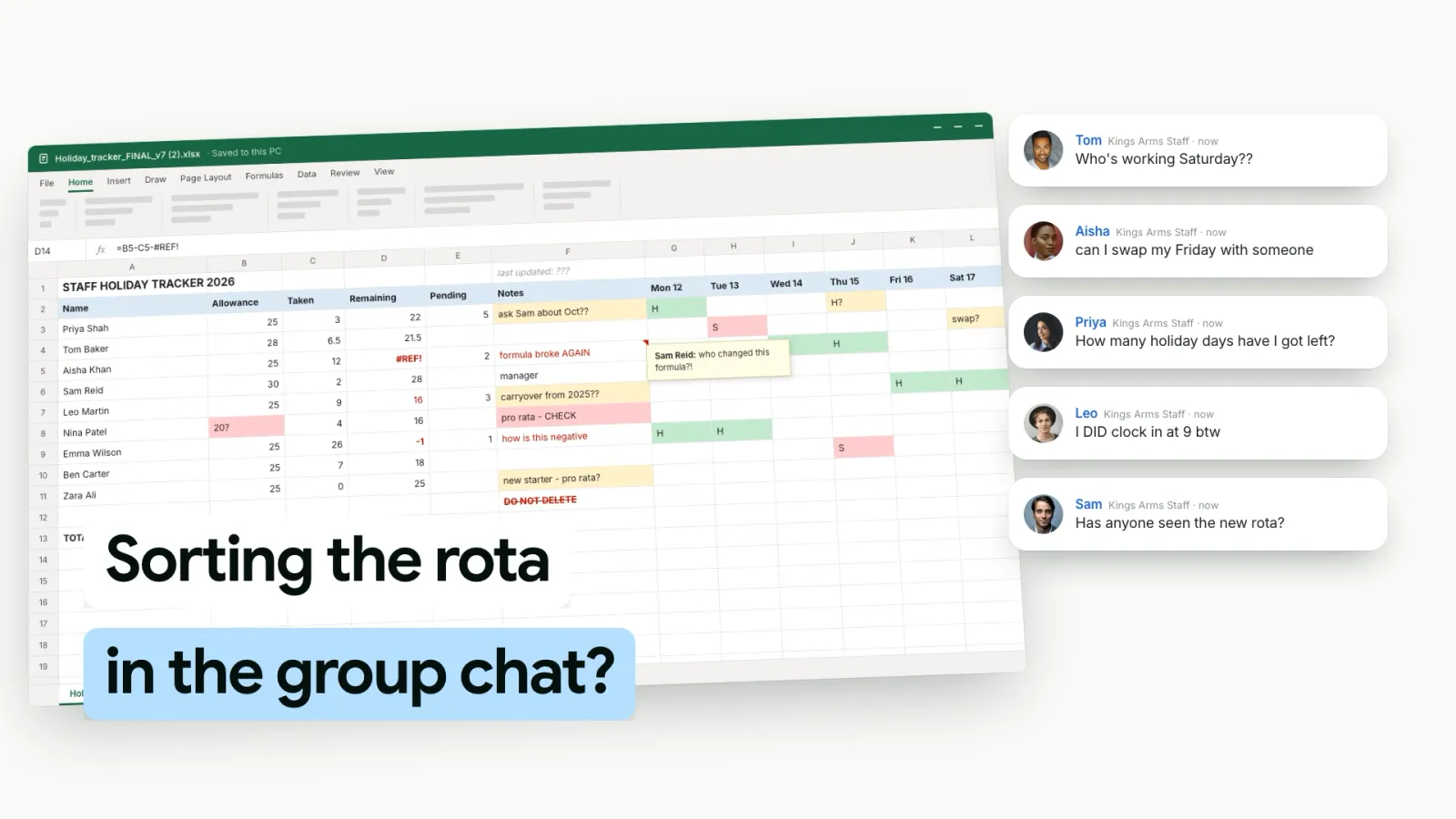
A step up from paper, spreadsheets give you digital records and basic calculation capability. Many UK businesses start here, and for very small teams it can work. However:
- Version control is a nightmare — who has the latest copy?
- No automated reminders or approval workflows
- Easy for employees to accidentally overwrite formulas
- Difficult to scale beyond 5-10 people
For a detailed breakdown, see our comparison of Excel vs dedicated timesheet apps.
Dedicated Timesheet Software
For businesses with five or more staff, dedicated staff timesheet software is almost always the right choice. Modern platforms offer mobile submission, automated reminders, approval workflows, payroll integration, and compliance reporting — all in one place. The monthly cost is typically less than the admin time you'll save in the first week.
Not sure what to look for? Our guide on how to choose timesheet software covers the key features, pricing models, and questions to ask before committing.
 TimeTally
Your Team Submits in 60 Seconds. You Approve in One Click.
TimeTally makes timesheet management effortless — mobile submission, a clear view of who hasn't submitted, and one-click approvals all in one place.


Free for 14 days • No credit card required
Setting Up Your Timesheet Process
Choosing a system is only the beginning. The real difference between businesses that track employee hours smoothly and those that don't comes down to process. Here's a step-by-step approach:
1. Define What to Track
Start by deciding exactly what information you need from each timesheet. Common fields include:
- Hours worked: Start time, end time, or total hours per day
- Breaks: Required under UK Working Time Regulations for shifts over 6 hours
- Projects or cost centres: Essential if you bill clients or track project profitability
- Overtime: Any hours beyond the contracted amount
- Location: Relevant for remote, hybrid, or multi-site teams
A key principle: only ask for what you'll actually use. Every extra field adds friction and reduces compliance. If you don't analyse task-level breakdowns, don't ask for them.
2. Set Submission Frequency
For most UK businesses, a weekly timesheet submission is the sweet spot. It's frequent enough to keep data accurate (employees remember what they did last week far better than last month) and aligned with common payroll cycles. Fortnightly or monthly submission works for salaried staff on fixed hours, but introduces more room for error and makes corrections harder.
3. Establish Clear Deadlines
Set a specific, non-negotiable deadline. "End of Friday" is vague. "5:00 PM every Friday" is clear. Communicate the deadline in your employee handbook, onboarding materials, and team channels. Tie it to a consequence: "Payroll is processed Monday morning — timesheets submitted after 5 PM Friday may not be reflected in this pay cycle."
4. Configure Approval Workflows
Every timesheet should be reviewed and approved by a line manager before it feeds into payroll. Good timesheet approval software makes this a one-click task. Define who approves whom, set a deadline for approvals (e.g., Monday by 12 noon), and make sure managers know that approving timesheets is part of their job — not optional admin.
5. Set Up Payroll Integration
If your timesheet system can feed approved hours directly into your payroll software, you'll eliminate a major source of manual error and save hours of data entry every cycle. Most modern timesheet platforms integrate with popular UK payroll tools like Xero and QuickBooks.
Managing Day-to-Day
Once your process is live, the real work is in consistent, ongoing management. Here's how to keep things running smoothly week after week.
Review and Approve Promptly
Nothing kills timesheet compliance faster than managers who take days to approve submissions. If employees submit on Friday and don't hear back until the following Thursday, they'll stop taking the deadline seriously. Aim to approve all timesheets within one working day of the deadline.
Handle Corrections Efficiently
Mistakes happen — an employee forgets to log overtime, enters the wrong project code, or submits for the wrong week. Your process should make corrections easy: a simple "reject with comment" flow that tells the employee exactly what needs fixing, rather than a chain of emails.
Track Patterns
Over time, you'll start to spot patterns: the same people submitting late every week, unusual hours that might signal burnout, or teams consistently logging more overtime than budgeted. Use your timesheet data proactively — it's a rich source of management insight, not just a payroll input.
Use Automated Reminders
Don't rely on memory — yours or your employees'. Set up automated reminders that go out before the deadline (e.g., Thursday afternoon) and follow up only with those who haven't submitted. This removes the burden from managers and ensures nobody can claim they "didn't know" the deadline was approaching.

Dealing with Non-Compliance
Even with the best systems and clearest deadlines, some employees will miss submissions. The key is having a consistent escalation framework so that non-compliance is addressed early and fairly.
- Reminder: A short, friendly message before and at the deadline, to the people who haven't submitted.
- Informal check-in: If a pattern develops (two or more consecutive misses), have a quick, supportive conversation. Ask if there's a barrier — the system, workload, or confusion about the process.
- Written note: Document the expectation and the pattern. Keep the tone constructive, not punitive.
- Performance review inclusion: Persistent non-compliance becomes a formal performance metric.
- Formal disciplinary process: As a last resort, follow your standard procedure — verbal warning, written warning, and so on.
For a deeper dive into this topic, including scripts and email templates, see our guide on what to do when employees won't submit timesheets.
Using Rewards to Drive Compliance
Escalation handles the stick — but the carrot is often more effective. Positive reinforcement can transform timesheet compliance from a chore into a habit. Consider:
- Recognition: A quick shout-out for teams with 100% on-time submission
- Streaks and leaderboards: Gamifying consecutive on-time submissions
- Small rewards: Points redeemable for perks, gift cards, or an early Friday finish
TimeTally does not have a rewards or points feature, so any incentive scheme like this runs outside the software. What TimeTally gives you is the record behind it: who submitted, and when, week after week, so you can see who is consistently on time and recognise them fairly.
UK Legal Requirements
Managing employee timesheets isn't just good practice — in the UK, it's a legal obligation. Here's what you need to know at a glance:
Working Time Regulations 1998
Employers must keep records sufficient to show that employees are not working more than an average of 48 hours per week (unless they've signed an opt-out). You're also required to demonstrate that rest break entitlements — 20 minutes for shifts over 6 hours and 11 hours between shifts — are being observed. Records must be retained for at least two years.
National Minimum Wage Records
HMRC can request evidence that every employee has been paid at least the National Minimum Wage or National Living Wage for all hours worked. Your timesheet records are the primary evidence. These records must be kept for a minimum of three years after the pay reference period they cover.
GDPR and Data Protection
Timesheet data is personal data under UK GDPR. You need a lawful basis for collecting it (typically contractual necessity or legal obligation), must store it securely, and should have a clear retention policy. Employees have the right to access their own timesheet data on request.
For the full picture, including what to keep and for how long, read our detailed guide on HMRC timesheet requirements.
Making It All Work: A Quick Recap
Effective timesheet administration comes down to three things: the right system, a clear process, and consistent follow-through. To summarise the key steps:
- Choose a system that matches your team size — dedicated software for 5+ employees
- Define exactly what to track and set a weekly submission deadline
- Configure approval workflows and payroll integration
- Automate reminders so you're not chasing people manually
- Address non-compliance early with a clear, fair escalation path
- Use rewards to reinforce good habits
- Stay on top of UK legal requirements for record-keeping
If you're currently struggling to manage employee timesheets — whether that means chasing submissions, fixing payroll errors, or worrying about compliance — the investment in getting your process right will pay for itself many times over.
TimeTallyPut Your Timesheet Process on Autopilot
TimeTally handles submissions, approvals, and payroll exports — so your team stops missing deadlines and you stop chasing them.
Free for 14 days • No credit card required
Related Guides
Approve the whole week in one place
TimeTally puts every submitted timesheet in one queue for managers to approve or send back, then exports approved hours to payroll.