
Professional services firms bill by the hour, but tracking those hours accurately is harder than it should be. TimeTally gives your team a simple way to log time against clients and projects, and gives partners a clear record of who worked on what. Approved timesheets export straight to Xero, QuickBooks, or CSV. From £2 per employee per month.
For firms that bill by the hour, time records are the foundation of revenue. But even salaried professionals need proper timesheets for payroll, compliance, and client accountability.
When professionals record their hours inconsistently or retrospectively at the end of the week, detail gets lost. A solicitor forgets to log a 20-minute phone call with a client. An architect underestimates time spent on revisions. An accountant does not record the hour they spent researching a tax query. None of these are deliberate, but they add up. If your firm bills hourly, unrecorded time is unrecoverable revenue.
Beyond billing, UK employers have legal obligations around working time records. The Working Time Regulations 1998 limit average weekly working hours to 48 (calculated over a 17-week reference period) and require employers to keep records demonstrating compliance. This applies to salaried professionals just as much as hourly workers. HMRC also requires employers to keep records of hours worked for at least two years for payroll purposes.
For firms dealing with client queries about invoices, detailed time records are essential. When a client asks why a matter cost £3,000, you need to show exactly how those hours were spent. Project-based time tracking gives you the raw data to answer those questions, even if you are using a separate invoicing system to produce the actual bill.
TimeTally is a timesheet tool, not a practice management system. It does not generate invoices, track project budgets, or produce client-facing reports. But project-based time tracking gives you the raw data you need for accurate billing, and the payroll export eliminates manual data entry.
TimeTally works for any professional services firm that needs to track staff hours by client or project and manage holiday requests.
Solicitors, barristers' chambers, conveyancers, and legal practices of all sizes
Chartered accountants, bookkeepers, tax advisors, and audit firms
Architectural studios, structural engineers, planning consultancies
Management consultants, IT consultancies, HR advisors. See our consulting page
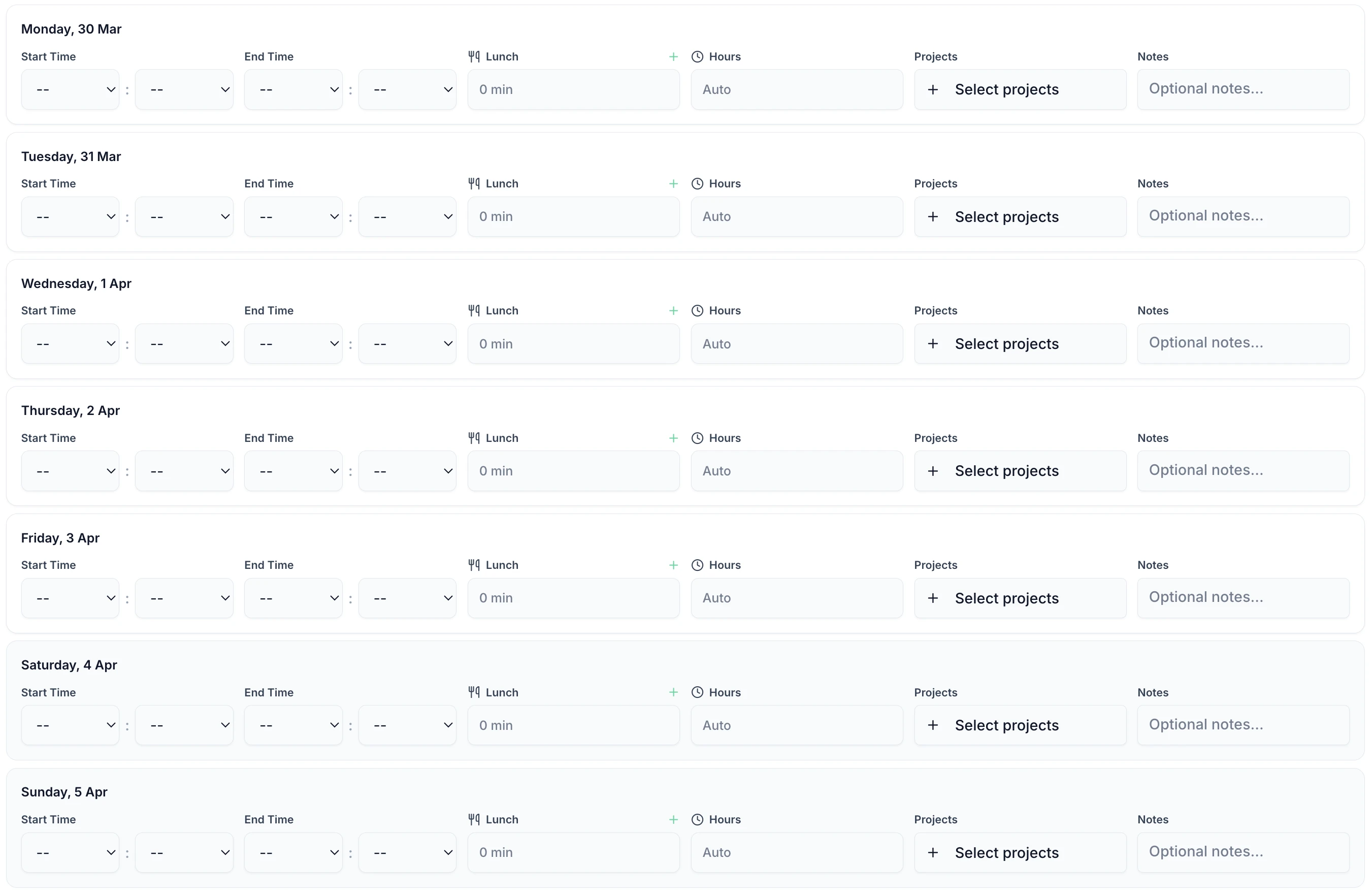
Professionals are busy. TimeTally is designed to take less than 60 seconds per entry. Select the client or project, enter start and end times, add a note about the work done — that is it. Works on any phone or desktop browser.

TimeTally is a straightforward timesheet and holiday management tool. Here is what it does and how it helps professional services firms.
Create projects for each client, matter, or engagement. Staff assign their hours to the relevant project when submitting their timesheet. At the end of the week or month, you can see total hours and costs per project. This gives you the data you need for client invoicing, even though TimeTally does not generate invoices itself.
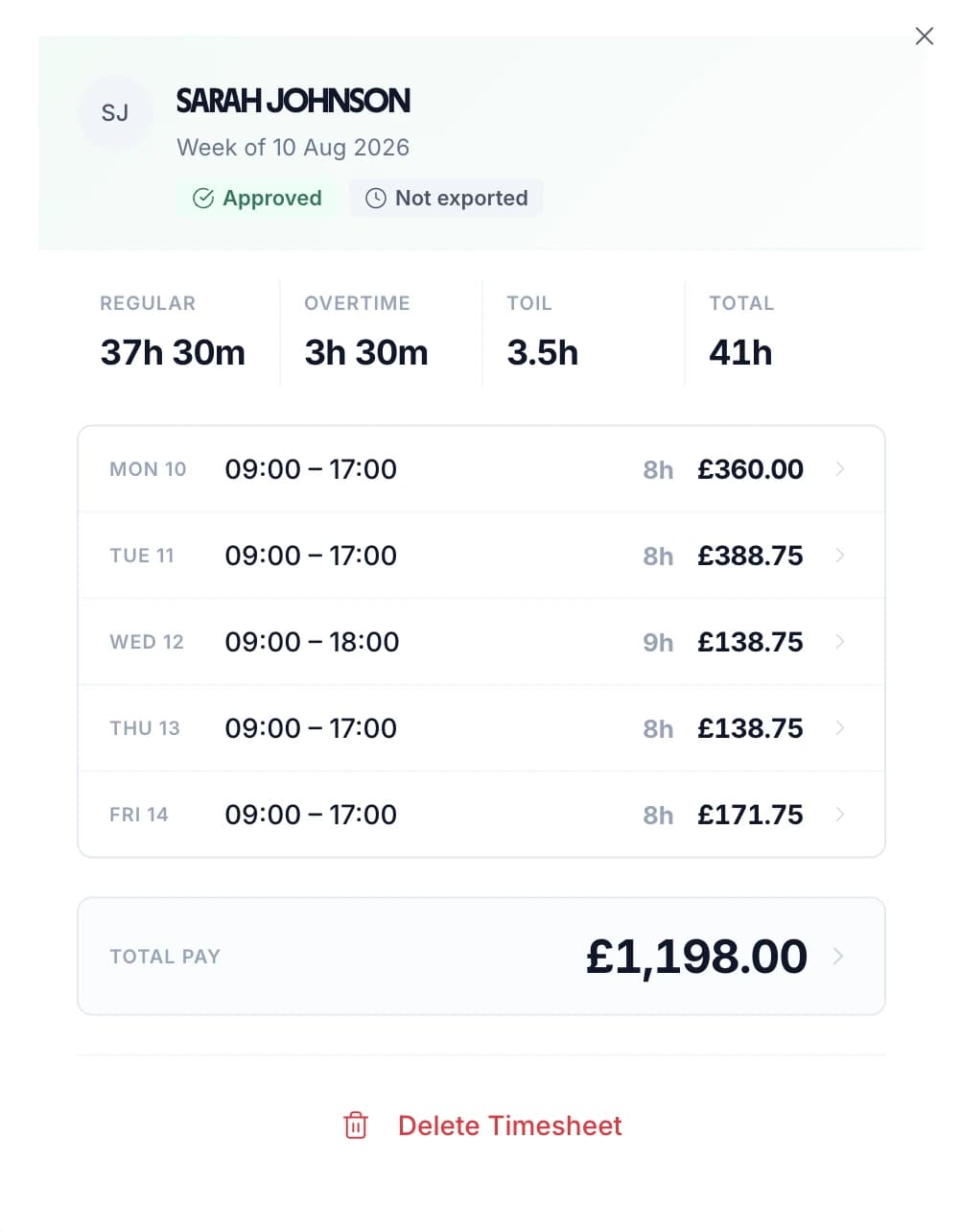
Set a different hourly rate for each staff member — partners, senior associates, junior staff, and support. When timesheets are submitted, TimeTally calculates pay based on these rates. You can also set overtime rates and thresholds per employee to match your firm's policies.
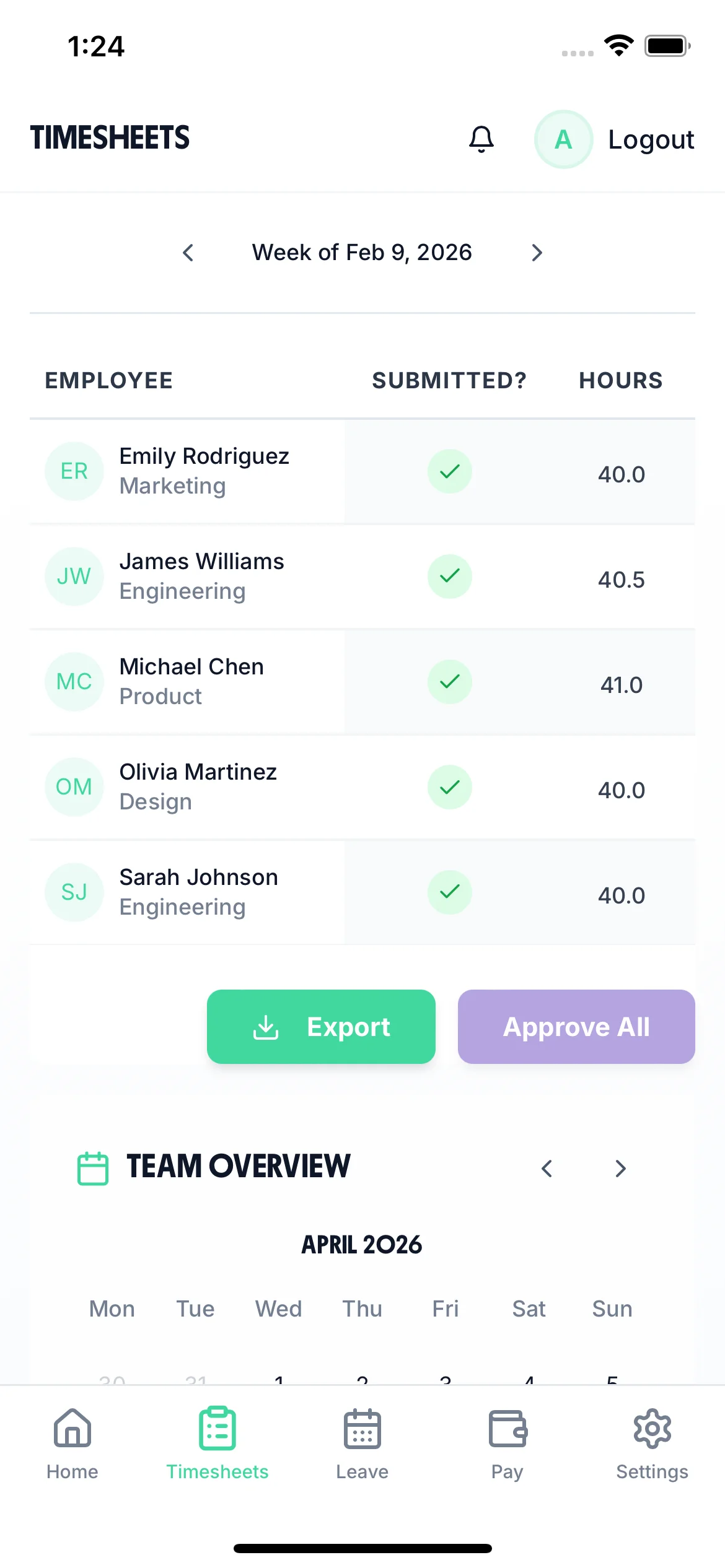
Partners or managers review and approve timesheets before they go to payroll. Reject entries that need correction. The approval record creates an audit trail showing who approved what and when — useful for both internal governance and responding to client queries.
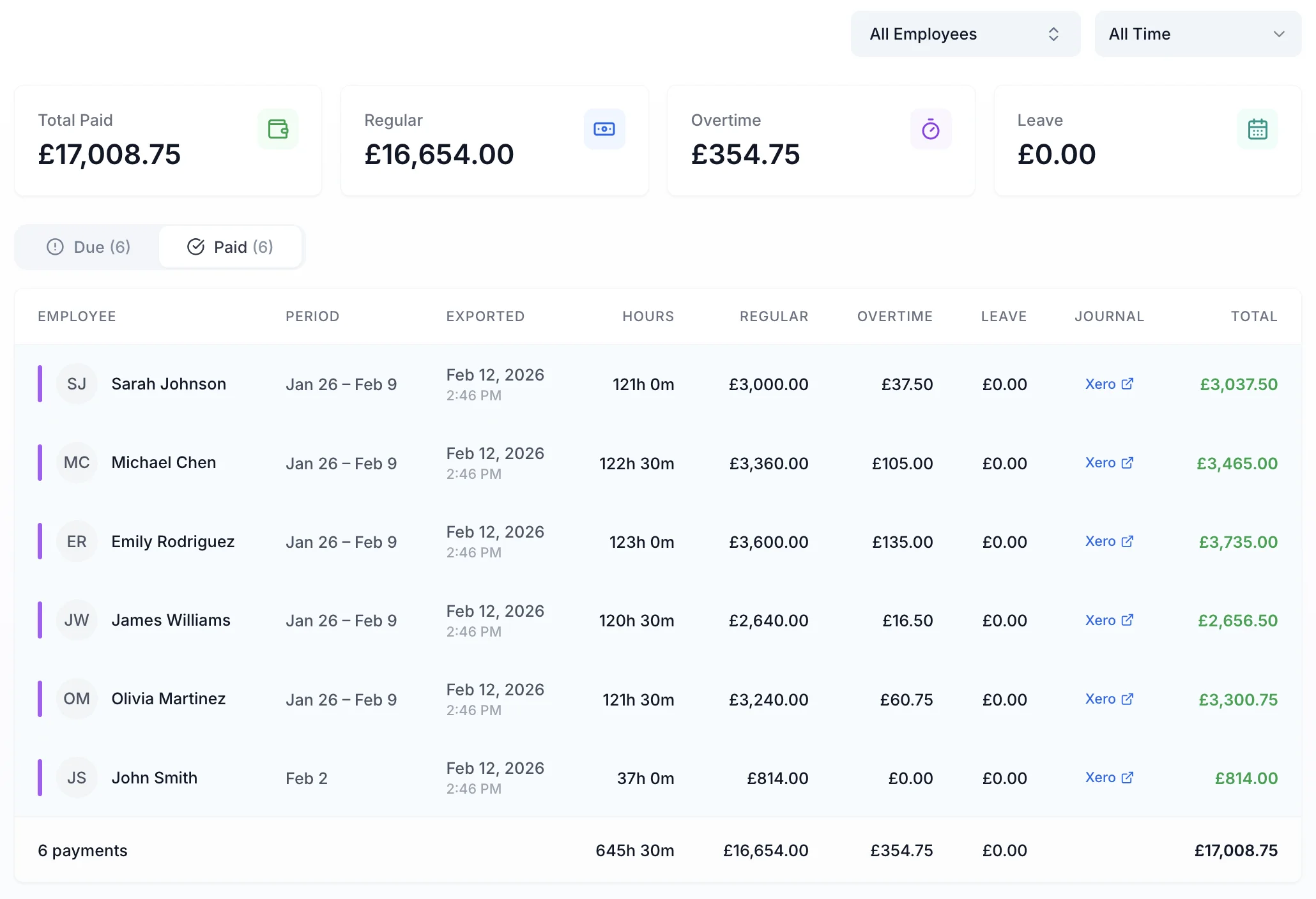
Export approved timesheets to Xero, QuickBooks, or CSV with one click. The export includes employee names, standard hours, overtime hours, pay amounts, and break deductions. No manual re-entry into your payroll system.
Staff can add a note to each timesheet entry describing the work done. This is useful for client billing context — when you need to explain what a particular block of hours was spent on, the note is already there in the timesheet record.
TimeTally works in any mobile browser. Staff can log time between meetings, at court, or on site — wherever they are working. No app download needed. There is also a native iOS app for those who prefer it.
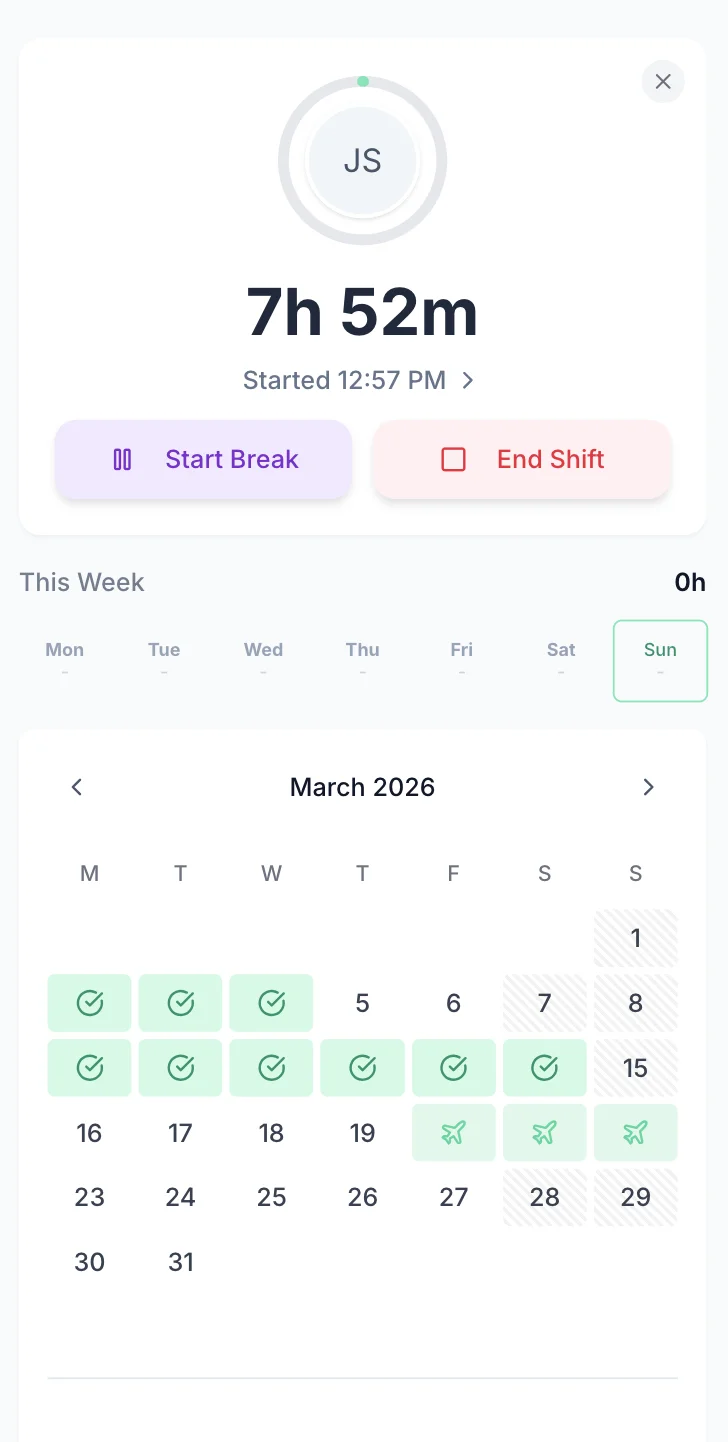
Managing holiday requests by email or WhatsApp is slow, especially when you need to check client deadlines before approving leave. TimeTally lets staff request time off from their phone. Partners see the team calendar and approve or decline with one tap. Remaining holiday entitlement is calculated automatically.
Staff select dates and submit. Partners get a notification and can see who else is off before approving.
See your whole team's availability at a glance. Plan client work around who is in and who is off.
Statutory holiday allowance (5.6 weeks) is calculated automatically, including pro-rata for part-time staff and mid-year starters. UK bank holidays are pre-loaded.
TimeTally includes a rewards system to encourage staff to submit timesheets on time. Useful in firms where chasing late timesheets is a constant headache.

The team calendar gives partners and managers a clear view of the entire team's status — submitted timesheets, approved holidays, and absences — all in one place. Plan client work around team availability and spot staffing gaps before they cause problems.

TimeTally is a timesheet tool, not a compliance system — but accurate timesheet records are the foundation of meeting your regulatory obligations. Here is how the data TimeTally captures supports your compliance requirements.
The Working Time Regulations 1998 apply to salaried professionals just as much as hourly workers. Employers must keep records demonstrating compliance with the 48-hour weekly average. TimeTally records all hours worked, giving you exportable data if HMRC or the HSE request records.
HMRC requires employers to keep records of hours worked for at least two years. TimeTally stores all timesheet data digitally with timestamps and approval records — a complete audit trail that you can export whenever needed. This is relevant during corporation tax enquiries where HMRC may request detailed time records.
Under UK law, workers on shifts over 6 hours are entitled to a 20-minute uninterrupted break. TimeTally tracks breaks separately using our break time compliance tools, so you have a record that breaks were taken. This matters even in professional services — long working days during busy periods still require proper rest breaks.
All UK workers get 5.6 weeks statutory holiday (28 days for full-time). TimeTally calculates entitlement automatically, including pro-rata for part-time staff and mid-year starters, and tracks remaining allowance in real time.
Even salaried staff are protected by the National Minimum Wage. If unpaid overtime pushes a salaried employee's effective hourly rate below the legal minimum, the employer is liable. Accurate hours records help you identify this risk.
TimeTally does not generate invoices, but accurate project-based time records give you the raw data you need to produce detailed client bills. Each entry shows who worked on what, for how long, and includes any notes about the work done. Export this data and use it with your invoicing or practice management system.
One price. Every feature. No surprises.
Billed monthly. Cancel anytime.
No credit card required
Yes. TimeTally has project tracking where you can create a project for each client, matter, or engagement. Staff assign their hours to the relevant project when submitting their timesheet. You can see total hours and costs per project in reports.
Not as a built-in feature. TimeTally uses project-based tracking, so you could create separate projects for billable and non-billable work (e.g., 'Client A - Advisory' for billable and 'Internal - Admin' for non-billable). This gives you a breakdown by project, but there is no dedicated billable/non-billable flag on individual entries.
Yes. Each employee has their own hourly rate and overtime rate. Partners, senior associates, junior staff, and support staff can all have different rates. TimeTally calculates pay based on these individual rates when timesheets are submitted.
No. TimeTally is a timesheet tool, not an invoicing system. It tracks hours by project and exports data to Xero, QuickBooks, or CSV. You can use the exported time data to produce invoices in your accounting or practice management software.
No. TimeTally tracks hours spent on each project and calculates costs based on individual hourly rates, but it does not have budget tracking or profitability analysis features. You would need to compare TimeTally's time data with your budget figures in a separate system.
Staff submit their timesheets, and managers or partners receive a notification. They can review each entry, approve it, or reject it with a note. Approved timesheets can then be exported to payroll. The approval record creates an audit trail.
Yes. Each timesheet entry has a notes field where staff can describe the work done. This is useful for billing context — when you need to explain a block of hours to a client, the description is already recorded.
TimeTally records all hours worked, including overtime. This gives you the data to monitor compliance with the 48-hour weekly average under the Working Time Regulations 1998. However, TimeTally does not actively monitor or alert for breaches — it provides accurate records, and compliance decisions remain with you.
TimeTally exports to Xero, QuickBooks, and CSV/Excel. The export includes employee names, standard hours, overtime hours, pay amounts, and break deductions. Most payroll and accounting systems can import CSV files if a direct integration is not available.
Yes. TimeTally works in any mobile browser — no app download needed. Staff can log time between meetings, at court, on a client site, or wherever they are working. There is also a native iOS app on the App Store for those who prefer it.
Guides and tools for UK professional services firms