Connect TimeTally to Xero or QuickBooks and send approved timesheet hours to payroll in one click. No re-entering data, no calculation errors, no missed hours.
“We used to re-key everything into Xero manually. Now it’s literally one click.”
James T., operations manager
When timesheets are approved, exporting to payroll takes seconds. Select the pay period, choose Xero or QuickBooks, and click export. Done.
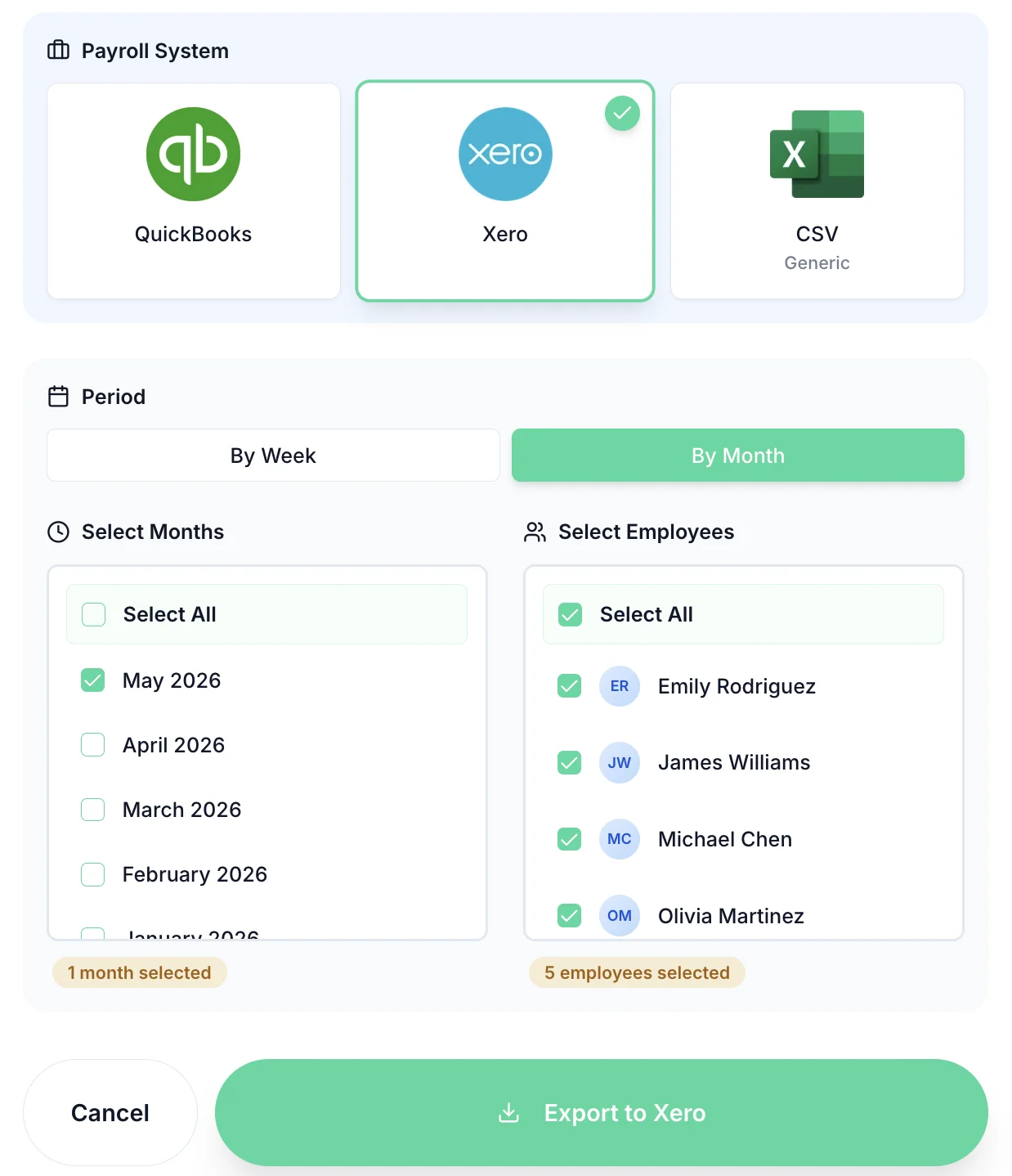
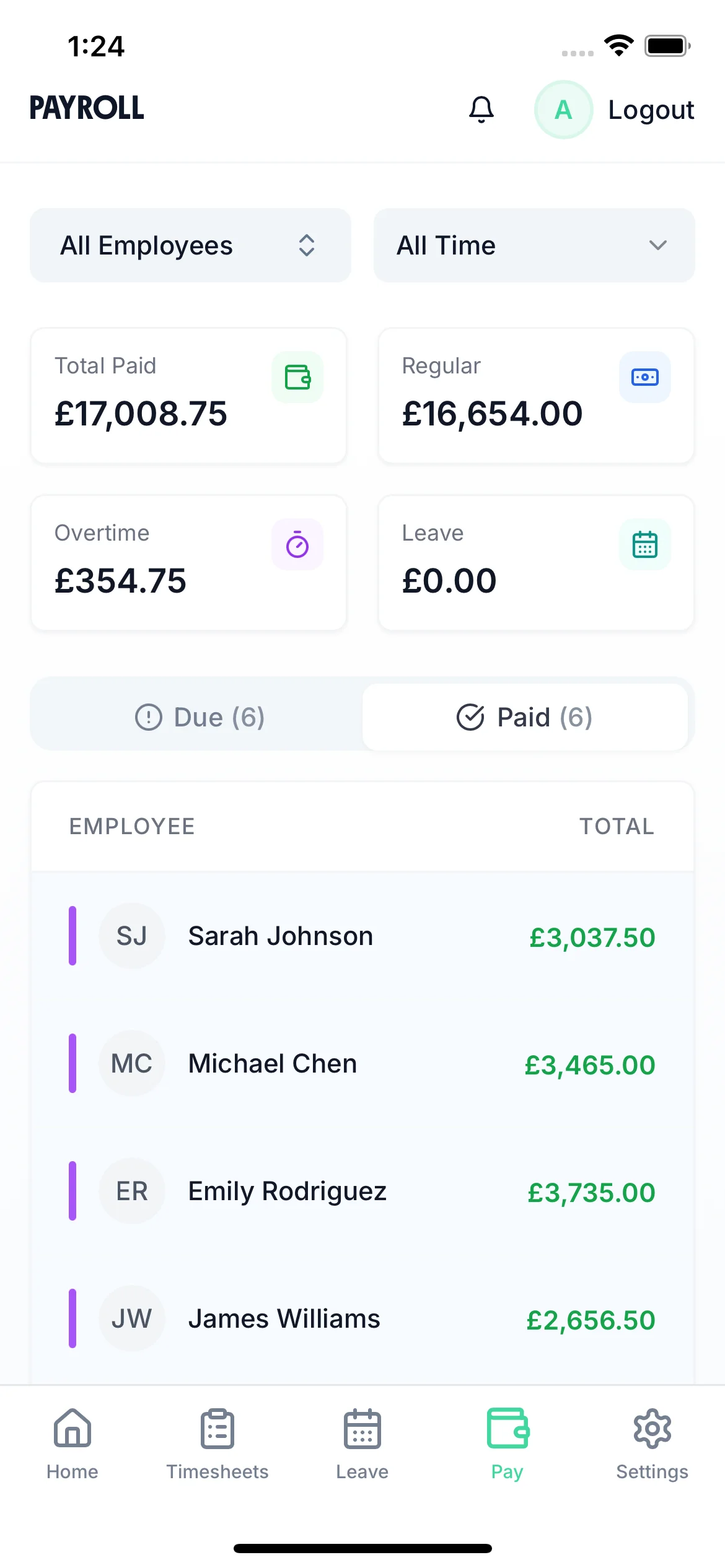
Review total hours, overtime, and costs for each employee before the export runs. Catch any issues before they reach payroll.
Hours by employee
See total hours and overtime for every team member at a glance.
Cost estimation
See estimated payroll costs before the export so there are no surprises.
Approval status visible
Quickly see which timesheets are still pending so you can chase before payroll closes.
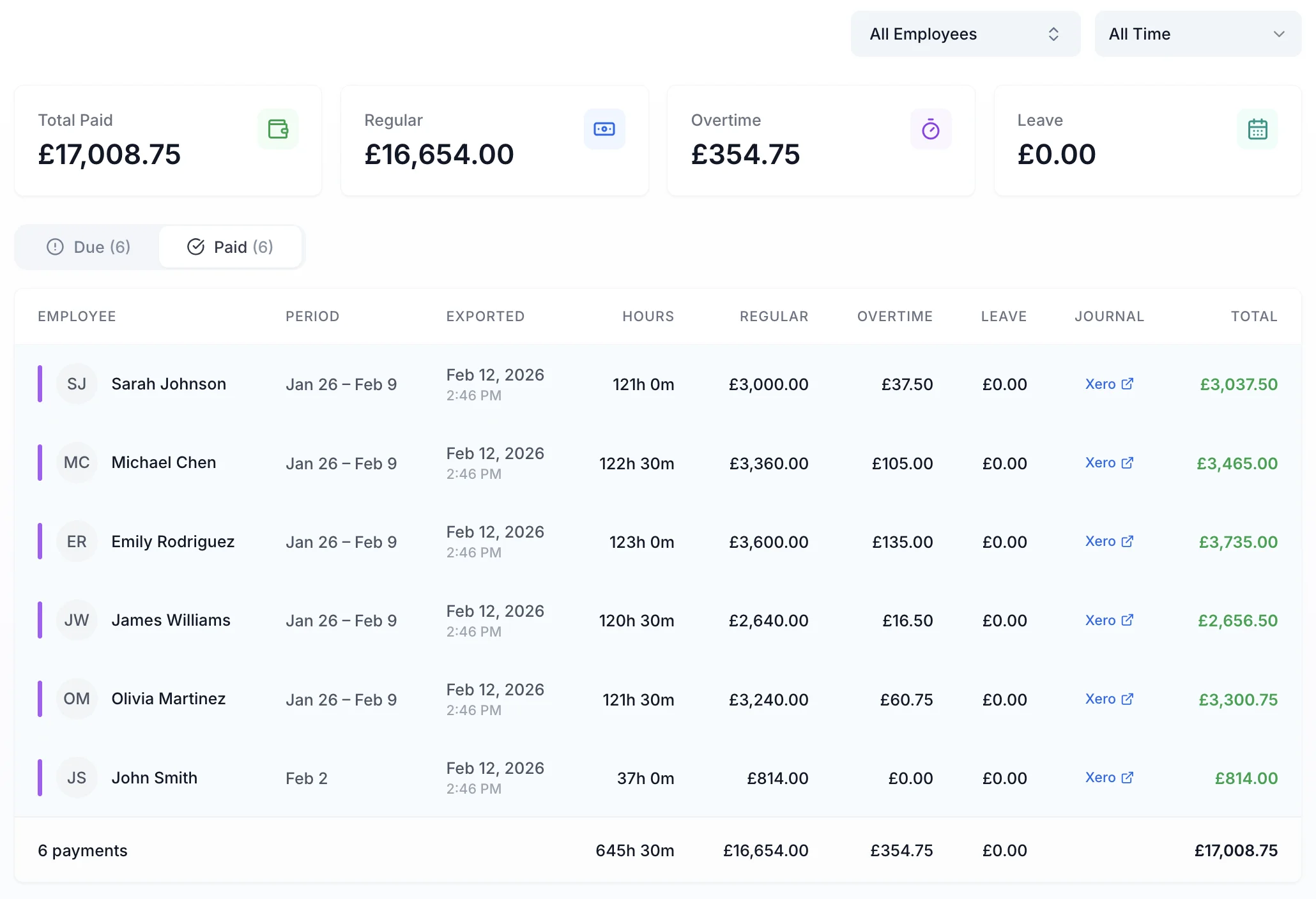
Managers can check the pay summary from their phone so payroll is never held up waiting for someone to get back to their desk.
Mobile-first design
The iOS app shows the full pay summary so managers can review and approve from anywhere.
Real-time totals
As timesheets are approved, totals update in real time — no need to wait for end-of-period summaries.
Drill down to individual entries
Tap any employee to see their individual timesheet entries — useful for spotting discrepancies before payroll.
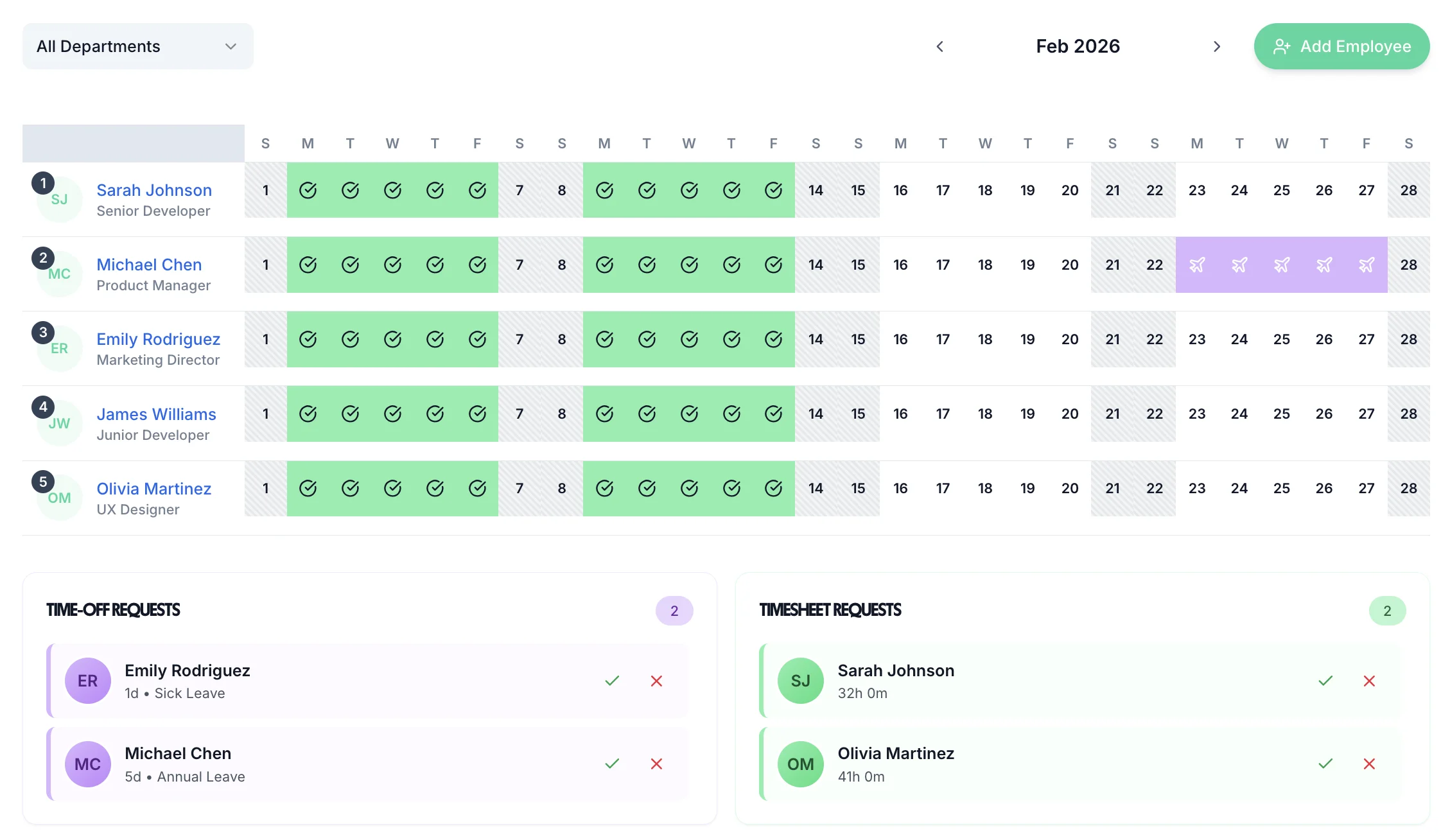
From employee submission to payroll export — all in one place.
Connect directly to Xero payroll. Approved hours flow in automatically — no CSV uploads or copy-paste. Learn more →
Works with QuickBooks Online. Export in the same one-click workflow as Xero. Learn more →
Standard and overtime hours tracked separately so the right rates are applied automatically in payroll.
Full cost breakdown per employee before export — review before committing to payroll.
Only approved timesheets are included in exports — preventing errors from unapproved entries.
Both Xero and QuickBooks integrations are included at the standard price — no add-ons or premium tiers.
Payroll integrations included. No premium tier required.
Guides to help you get the most out of your timesheet and payroll workflow.
Using Xero for accounting? Add employee timesheets and holiday tracking that feed straight to Xero payroll.
Learn moreUsing QuickBooks Online? TimeTally adds UK-compliant time tracking and leave management for £3/employee.
Learn moreThe hidden cost of spreadsheet timesheets and how integration with payroll saves you hours every month.
Read guideConnect timesheets directly to payroll for accurate, compliant UK payroll runs.
Learn moreEverything small businesses need to manage timesheets — from mobile submission to payroll export.
Learn moreA practical guide to overtime rules, calculations, and what UK employers are legally required to pay.
Read guideStill have a question? See all FAQs →
A real person replies within 24 hours. No ticket queues, no bots.
A UK company, ICO regulated. Your data encrypted and never sold.
