Timesheets, leave and rota — how it all works.

TimeTally is one platform for tracking employee hours, managing annual leave, and planning staff rotas. Here's exactly how each part works — for both managers and employees.

No card requiredCancel anytime

Getting started takes minutes

No technical setup. No training. You're up and running the same day.

1

Create your account

Sign up and set up your company in minutes. Add your name, leave year, and UK region for bank holidays.

2

Add your employees

Add employees individually or import from a spreadsheet. They get an email invite and set up their own account.

3

Start tracking

Employees can immediately submit timesheets, request leave, and view rotas. Nothing to install.

Timesheets

Employees log their hours each week

Each employee fills in their start time, end time, and break for each day. Hours are calculated automatically — they just submit when the week's done.

  • Works on any device — no app download needed
  • Hours, overtime, and breaks calculated automatically
  • Previous weeks saved and viewable any time
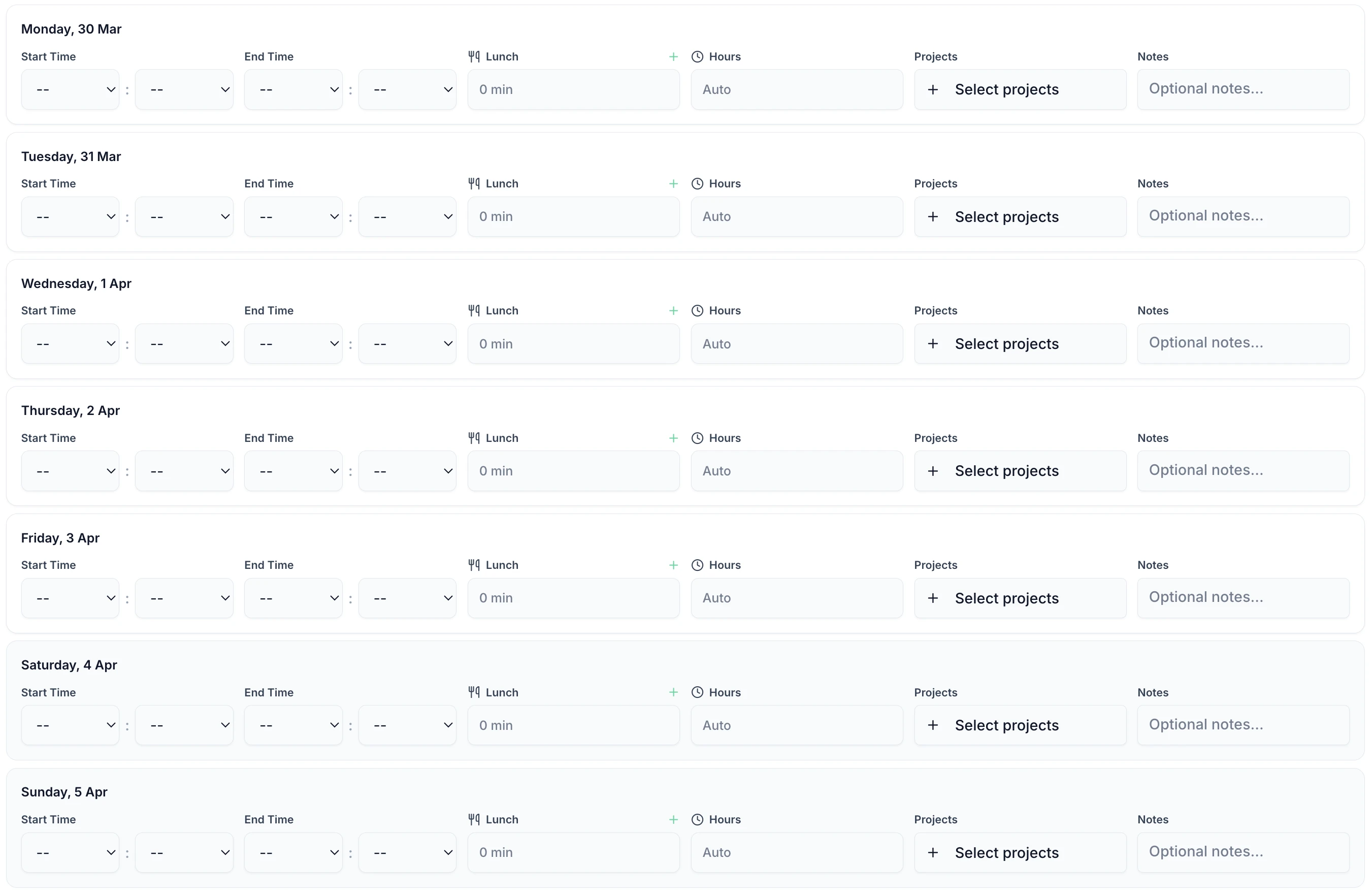
Weekly timesheet entry showing days, hours, breaks and totals
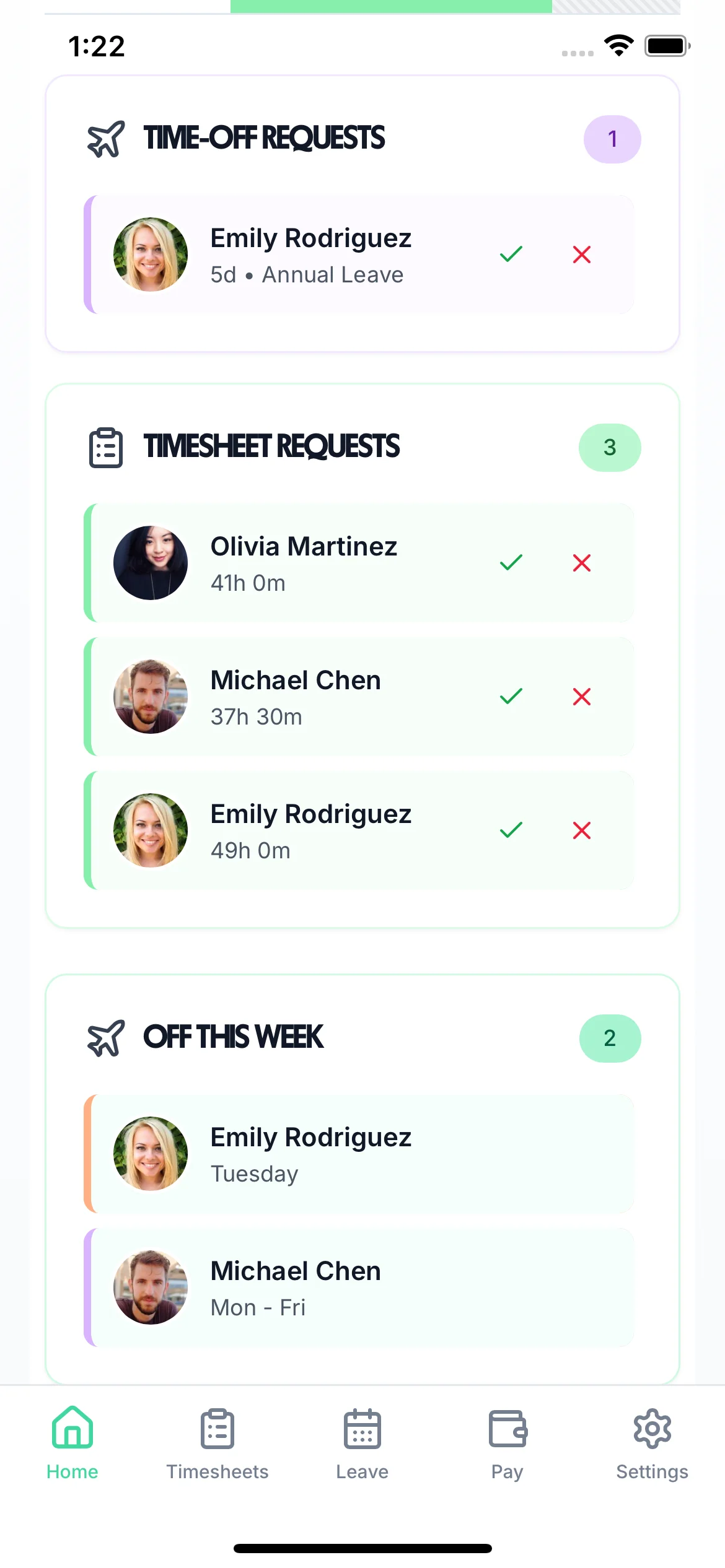
Manager dashboard showing pending timesheet submissions

Managers review and approve in one tap

All pending submissions appear in one dashboard. Approve individually or in bulk, or reject with a note if something needs fixing.

  • Approve individually or all at once
  • Reject with a note so employees know what to fix
  • See who hasn't submitted and send a reminder

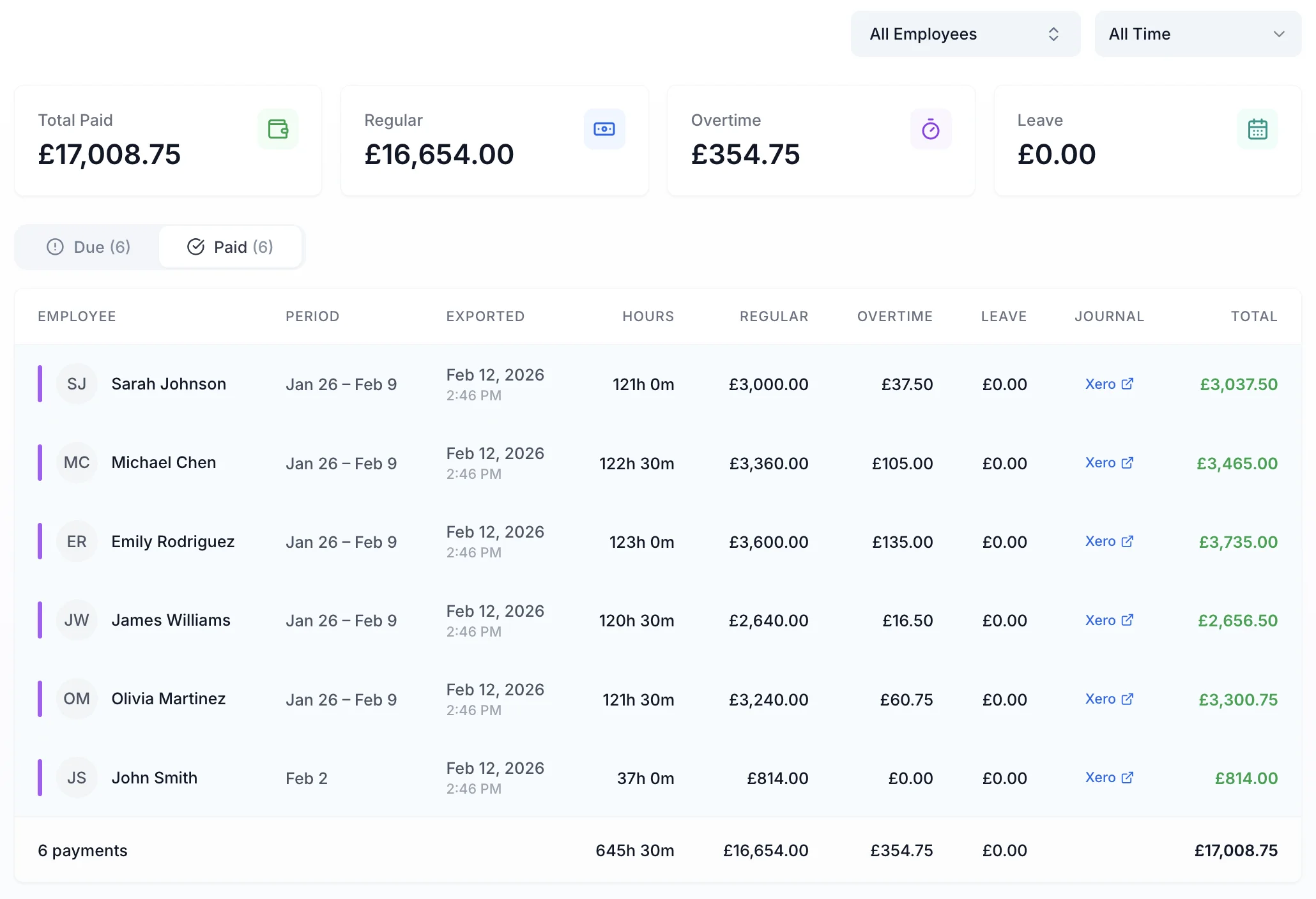
Approved hours export to payroll in one click

Export approved hours directly to Xero, QuickBooks, or download a CSV. Only approved timesheets are included.

Xero
QuickBooks
CSV export
Approved only
Payroll export screen showing approved employee hours ready to send to Xero or QuickBooks
Leave & Holidays

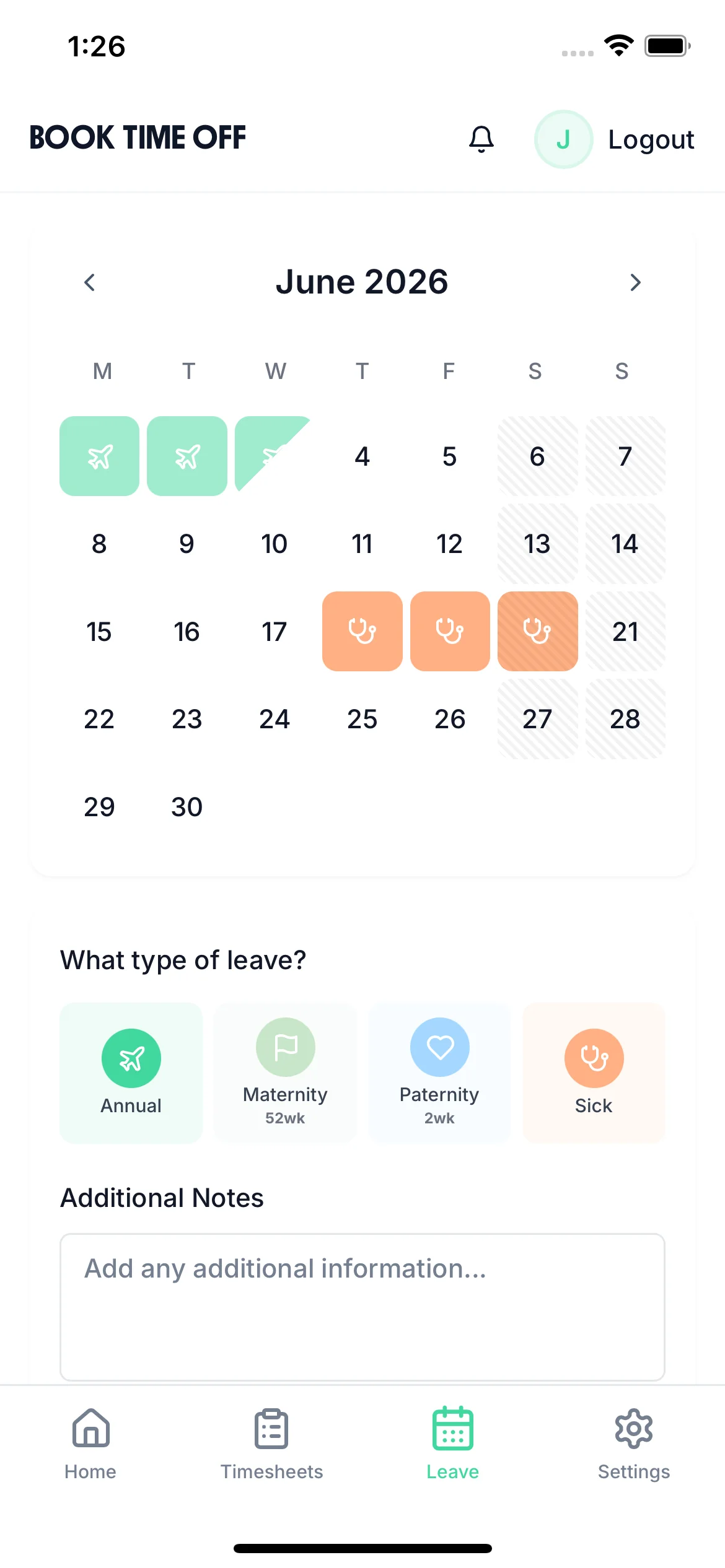
Employees request leave from their phone

Employees pick their dates, choose the leave type, and submit. They can see their remaining balance before requesting — no surprises for either side.

  • Balance shown before submitting
  • Holiday, sick, TOIL and custom leave types
  • Notified instantly when approved or rejected
Employee booking time off on mobile showing dates and leave type selection

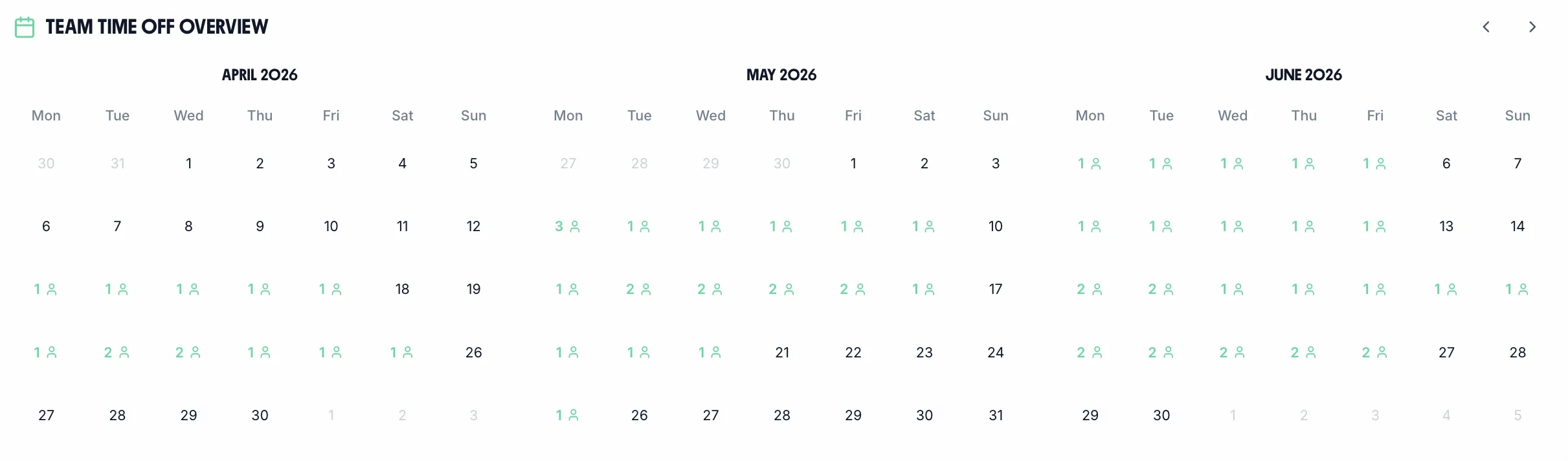
Managers see the whole team's leave at a glance

See who's off and when across the whole team. Approve or reject requests here, with entitlements calculated automatically — statutory, pro-rata, bank holidays included.

UK bank holidays
Pro-rata calc
Custom leave types
Days or hours
Team leave calendar showing who is off across the month
Rota

Managers build the rota and publish it

Assign shifts across your team, with approved leave already visible so you don't double-book. Copy last week as a starting point, then hit publish.

Leave visible
Copy last week
Drag & drop
Publish shifts
Shift Templates(3)

Day Shift

09:00 – 17:00

Late Shift

14:00 – 22:00

Morning

06:00 – 14:00

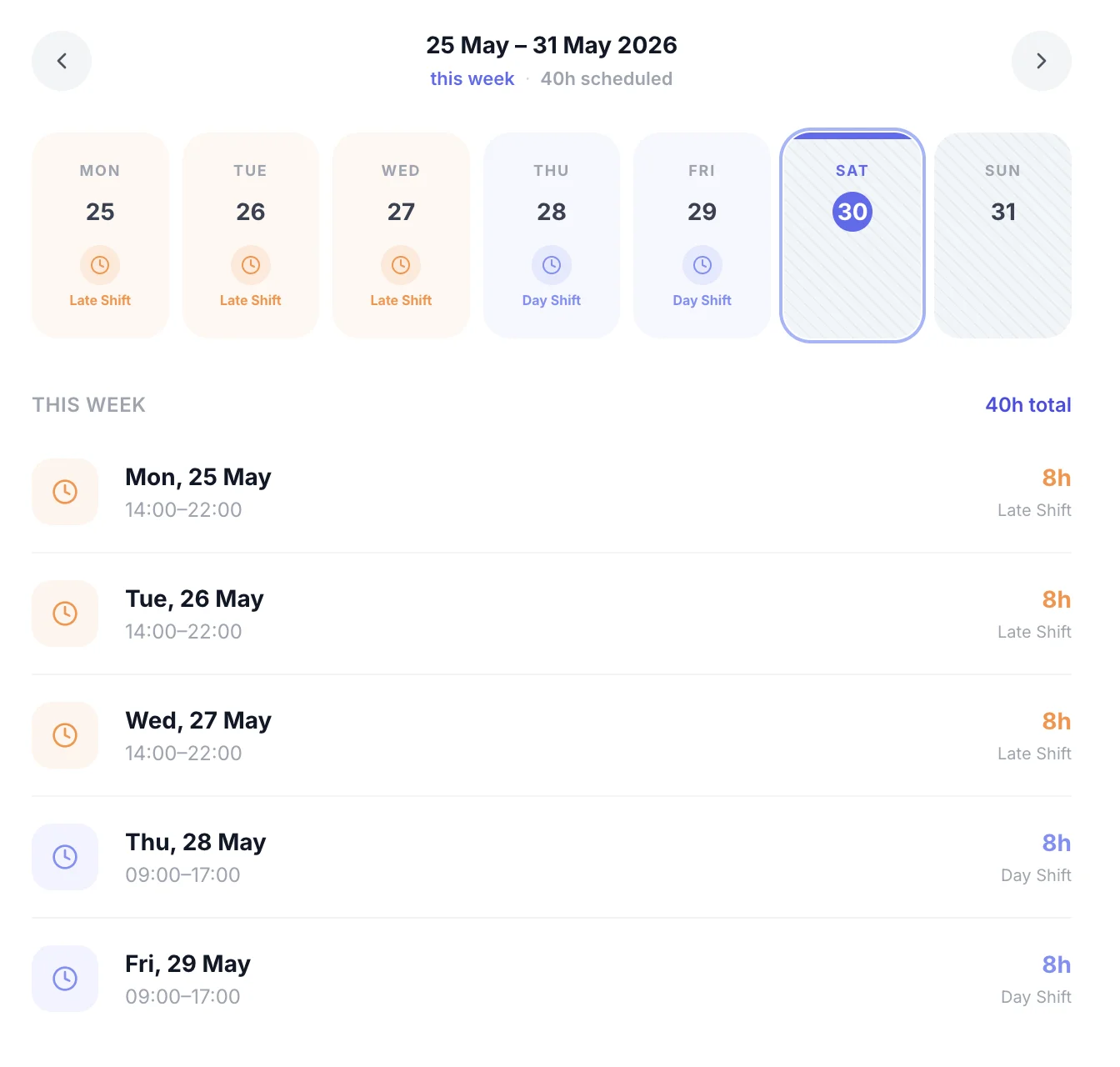
Employee viewing their assigned shifts on mobile

Staff see their shifts as soon as the rota is published

Staff get a notification the moment you publish. They see their shifts instantly — no printing, no group chats.

  • Notified instantly when rota is published or updated
  • Shifts visible on mobile or desktop
  • See upcoming shifts weeks in advance

Everything in one place

Timesheets, leave, and rota are all connected. Leave shows on the rota. Approved hours flow to payroll. No juggling separate systems.

Timesheets

Employees submit weekly hours. Managers approve. Hours go to payroll.

Learn more

Leave

Employees request leave. Managers see team calendar and approve. Balances update automatically.

Learn more

Rota

Managers build and publish rotas. Staff see their shifts on the app the moment it's live.

Learn more

See it for yourself

Book a demo and we'll walk you through everything — or start your free trial today.