A printable PDF checklist for managers to verify hours, overtime, breaks, and pay rates before approving timesheets. Built around UK payroll and record-keeping requirements.
 TimeTally Software
Employees submit hours digitally. Managers approve in one tap. Every sign-off is timestamped and auditable — no paper forms, no chasing signatures.

Tap any card for the detail.
14-day free trial · No credit card needed
Timesheet approval is not just good practice — it is a legal obligation for most UK employers. The National Minimum Wage Act 1998 requires employers to keep records that prove every worker is paid at or above the statutory minimum. Those records must be retained for six years from the end of the pay reference period they cover. If HMRC opens an enquiry and your records are incomplete, the burden of proof shifts to you.
The Working Time Regulations 1998 add further obligations. Employers must keep records showing that workers are not exceeding the 48-hour weekly working limit (unless they have opted out in writing) and that rest breaks are being provided. These records must be kept for at least two years.
A structured sign-off checklist turns these obligations into a repeatable process. Rather than relying on memory or spot checks, managers work through the same verification steps every pay period. That consistency is what protects you in an audit.
Beyond compliance, accurate timesheet approval directly affects payroll costs. After helping UK businesses implement timesheet approval workflows, we have seen that the most common source of payroll overpayment is unapproved or incorrectly recorded overtime — not fraud, just honest mistakes that nobody caught before payroll ran.
Check total hours match rotas, shifts are complete with clock-in and clock-out times, and no entries are missing or duplicated
Verify overtime was authorised in advance, the correct overtime rate is applied, and hours exceed the employee's standard threshold
Confirm all breaks are recorded and meet Working Time Regulations minimums — 20 minutes for shifts over 6 hours
Check the correct hourly rate is applied for each employee, including any recent pay changes or different rates for overtime
Confirm the timesheet has been submitted by the employee and reviewed by the appropriate manager before reaching payroll
Ensure the signed-off timesheet is stored securely and will be retained for the six-year period required under NMW legislation
Five steps to a compliant payroll run.
Download the PDF above. Print one copy per pay period, or use it on a tablet.
Gather all timesheets at least two working days before payroll runs.
Check hours, overtime, breaks, and pay rates for every employee timesheet.
Flag discrepancies and speak to the employee before making any corrections.
Sign off and store alongside approved timesheets. Keep for at least six years.
UK employers face two overlapping sets of record-keeping rules that directly affect how timesheets should be managed and stored.
The National Minimum Wage Regulations 2015 (which replaced the 1999 regulations) require employers to keep records sufficient to show that each worker has been paid at least the national minimum wage. These records must include hours worked and payments made. They must be retained for six years from the end of the pay reference period they relate to.
HMRC compliance officers can request these records at any time during that six-year window. If the records do not exist or are incomplete, HMRC can issue a notice of underpayment and a penalty of up to 200% of the arrears owed. The employer has no defence if there is simply no record to show.
Under the Working Time Regulations 1998, employers must keep records showing they comply with the 48-hour average weekly working limit and that workers receive their statutory rest breaks. These records must be kept for two years.
In practice, since NMW records must be kept for six years and include hours worked, most employers satisfy both requirements by maintaining a single set of timesheet records for six years. A sign-off checklist that covers both hours and breaks ensures nothing falls through the gaps.
HMRC does not prescribe a specific format. Paper timesheets, spreadsheets, and digital time-tracking systems are all acceptable, provided the records are accurate, retrievable, and cover the required period. Digital timesheet systems have a practical advantage: they create timestamped audit trails that are harder to dispute than handwritten entries.
The checklist works on paper. TimeTally replaces it entirely — with digital timesheet submission, one-tap manager approval, automatic pay calculations, and a permanent audit trail. From £3/employee/month.
Staff log their hours, breaks, and overtime directly in the TimeTally app. No paper timesheets, no emailed spreadsheets, no chasing submissions. Everything is in one place when you need to review it.
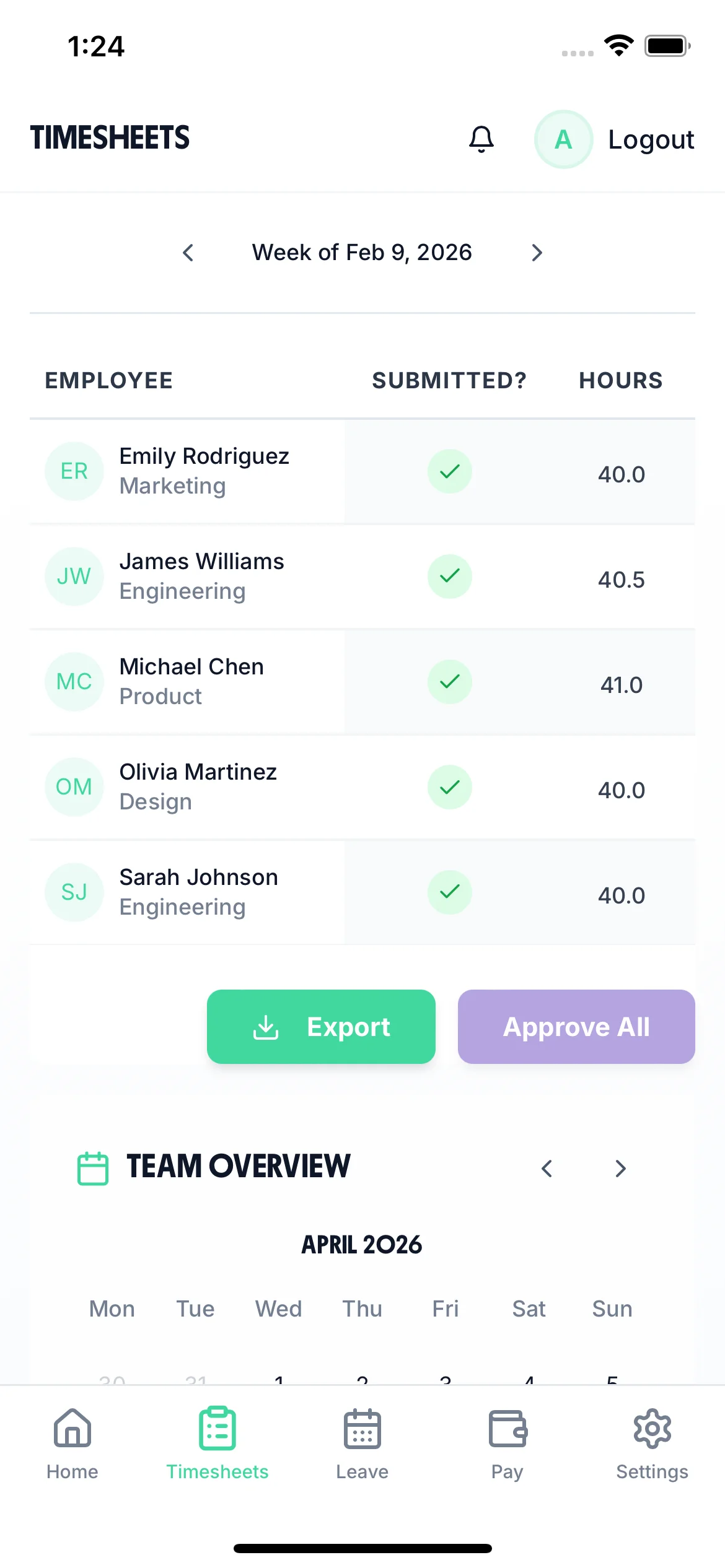
All submitted timesheets land in your dashboard. Review the hours, check overtime was authorised, and approve or query — all from your phone. Every action is timestamped and stored as a permanent audit record.
Set hourly rates, overtime thresholds, and break rules once. TimeTally calculates the correct pay for every employee every week — no spreadsheet formulas, no manual adjustments, no mistakes.
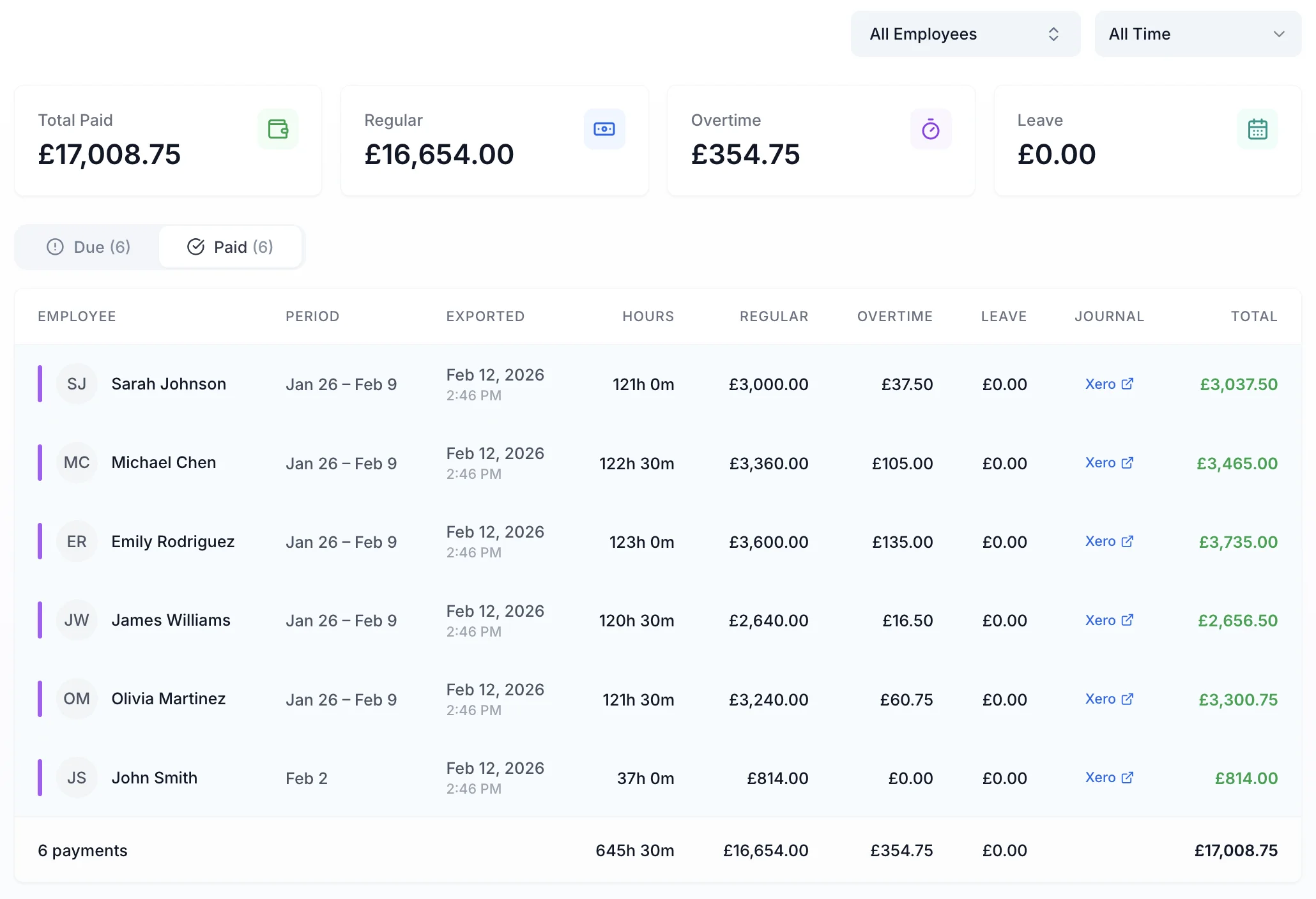
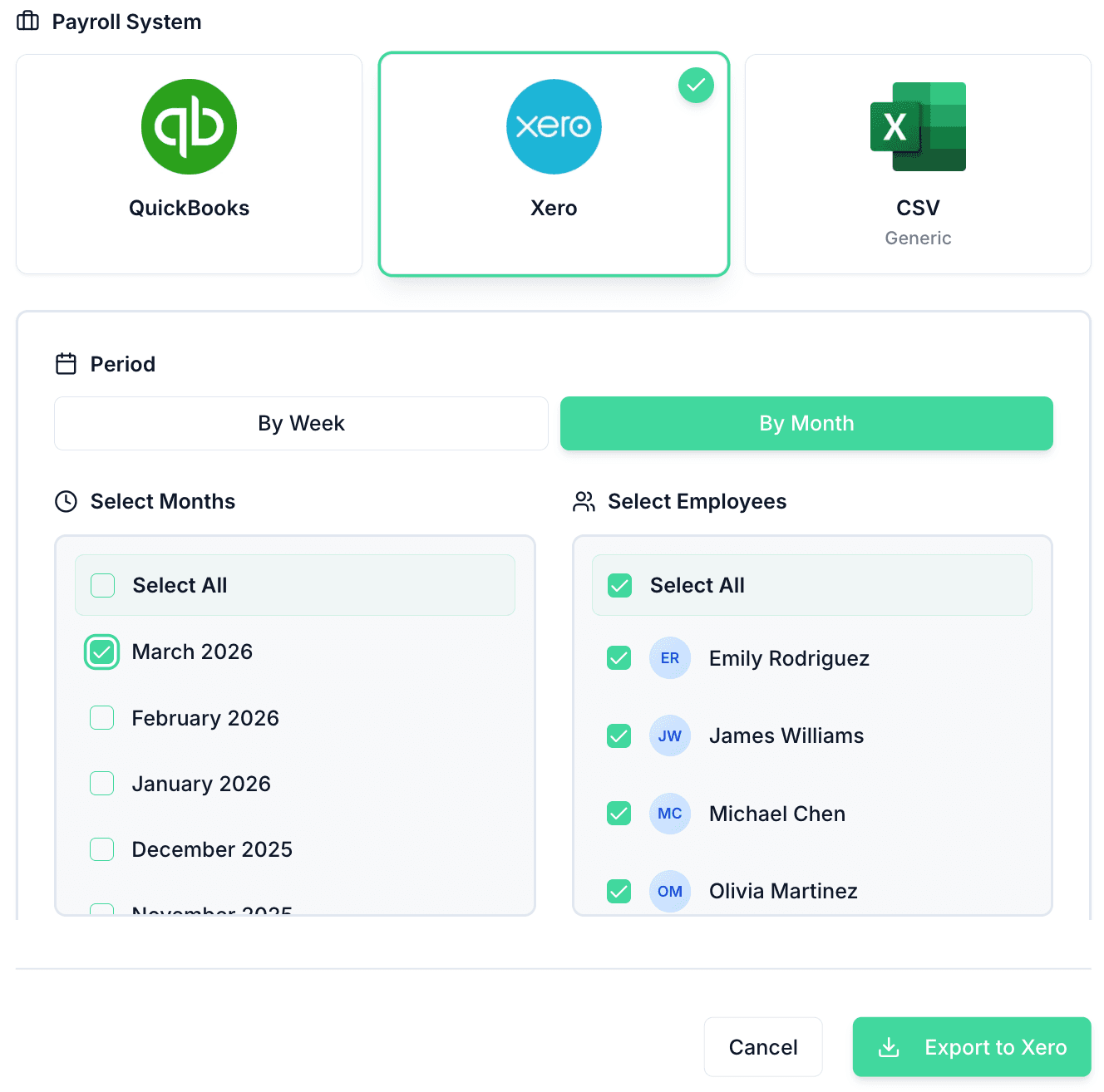
Once timesheets are approved, export directly to Xero, QuickBooks, or CSV. No re-keying, no copy-pasting, no end-of-month scramble. Your payroll runs from clean, manager-approved data.
This checklist works well on paper, but TimeTally handles the same verification steps digitally — with less admin and a permanent audit trail.
No credit card required • £3/employee/month after trial
Managers review and approve or reject employee timesheets directly in TimeTally. No paper forms, no chasing signatures.
TimeTally records overtime hours against each employee's rate and threshold, and tracks breaks per shift — giving you the data you need at approval time.
Every timesheet submission and approval is timestamped and logged. Records are stored digitally, making six-year retention straightforward.
“TimeTally has been excellent for our business. The app is simple to use, reliable, and makes managing staff records straightforward. The system has saved us a significant amount of administration time. Highly recommended for any business looking for an easy-to-use workforce management solution.”
 Jordan Ingoe, CLI Manchester
Every unchecked timesheet is a potential payroll error. Approving timesheets before they reach payroll catches incorrect hours, missed overtime, and wrong pay rates. For most UK businesses, even a single miscalculated pay run creates back-pay obligations, unhappy staff, and wasted admin time correcting the mistake. A consistent sign-off process is the simplest way to prevent these issues.
Under the National Minimum Wage Act 1998, employers must keep pay and hours records that prove each worker is paid at least the statutory minimum. These records must be kept for six years from the end of the pay reference period they cover. The Working Time Regulations 1998 also require employers to keep records showing compliance with the 48-hour weekly limit and rest break requirements, though these only need to be retained for two years.
Six years is the standard. The National Minimum Wage Regulations require employers to retain records for six years, and HMRC can request them at any point during that period. If you keep records for a shorter period and face an HMRC enquiry, the burden of proof shifts to you to demonstrate compliance — which is difficult without documentation.
The errors that crop up most often are: missing clock-out times (the employee forgot to sign off), breaks not recorded or recorded incorrectly, overtime hours logged without prior authorisation, shifts entered on the wrong date, and the wrong hourly rate applied after a pay rise. A sign-off checklist catches these before they reach payroll.
Yes. Digital timesheets create automatic timestamps that cannot be altered after the fact, making them far stronger evidence in an HMRC enquiry or employment tribunal. Paper timesheets can be lost, damaged, or disputed. Digital records also make it practical to store six years of data without filling filing cabinets.
The approving manager is confirming that the hours recorded are accurate, that overtime was authorised, that breaks comply with the Working Time Regulations, and that the correct pay rate applies. If errors pass through approval and result in underpayment, the employer — not the employee — bears responsibility. Managers should treat timesheet sign-off as a compliance task, not a rubber-stamping exercise.
Yes. If HMRC finds that an employer has failed to keep adequate records under the National Minimum Wage Act, they can issue a notice of underpayment and a financial penalty of up to 200% of the arrears owed (capped at £20,000 per worker). Inadequate records also weaken an employer's position in employment tribunal claims for unpaid wages or overtime.
At minimum, timesheets should be reviewed every pay period — weekly or monthly depending on your payroll cycle. Reviewing weekly is better practice even if you run monthly payroll, because it is easier to resolve discrepancies while shifts are still fresh in everyone's memory. Leaving sign-off to the end of the month makes errors harder to spot and correct.
Still have a question? See all FAQs
More guides for timesheet compliance and payroll accuracy
Still have a question? See all FAQs →
