Cut timesheet approval time by 75% with one-click bulk approvals, mobile access, and streamlined reviews. When managers approve timesheets, they create an accountable record of the hours being submitted to payroll — essential for HMRC audit defence and meeting employer obligations under the Working Time Regulations 1998. Eliminate approval bottlenecks and export approved hours directly to payroll systems like Xero and QuickBooks.
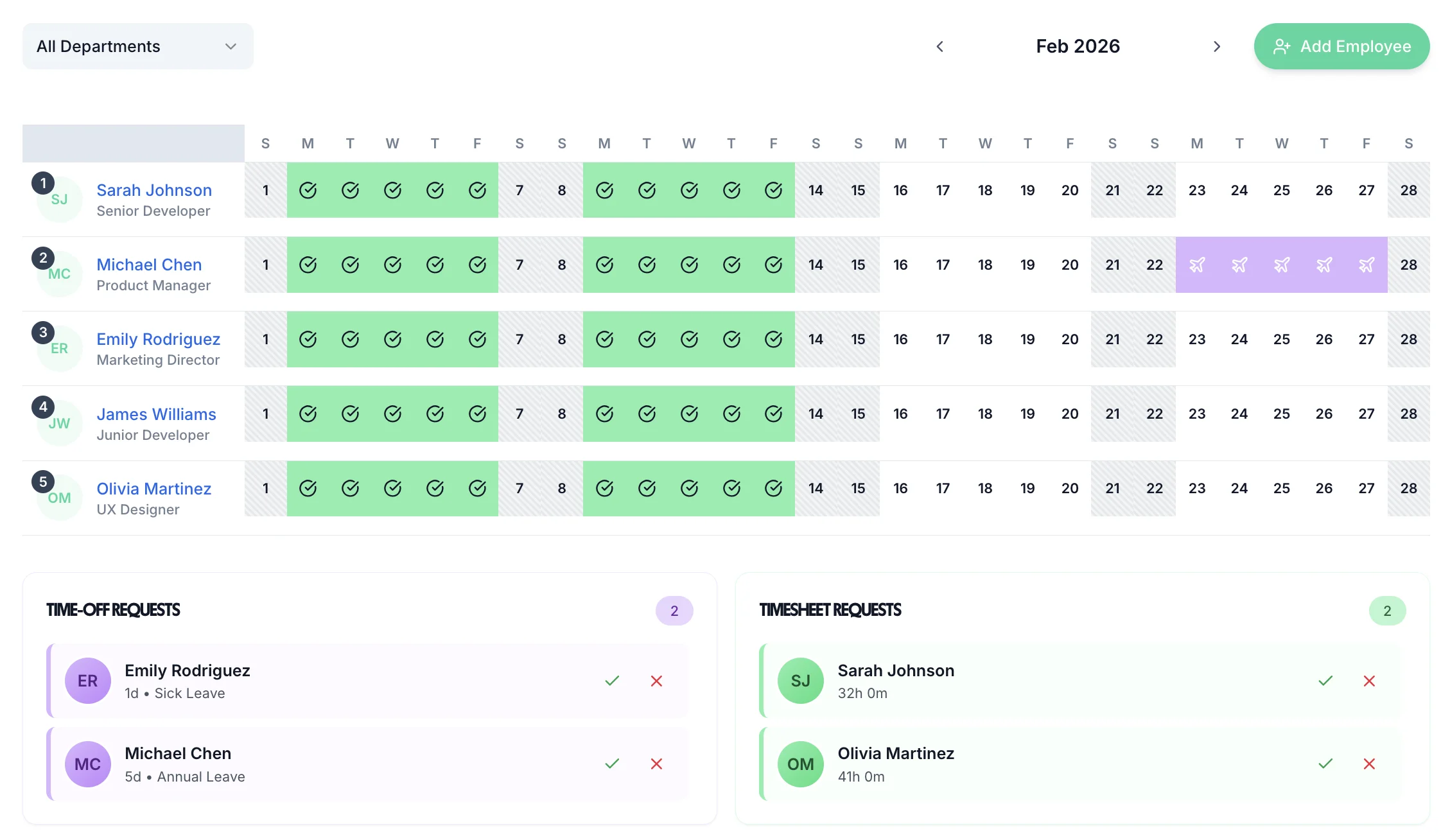
“Our manager used to spend 45 minutes every Monday chasing timesheets. Now she approves everything in about 90 seconds.”
Tom B., Operations Director
Tap any card for the detail.
14-day free trial · No credit card needed
From submission to payroll in three steps
Staff log hours during the week and submit their timesheet on Friday. Automatic reminders go out to anyone who hasn't submitted by the deadline.
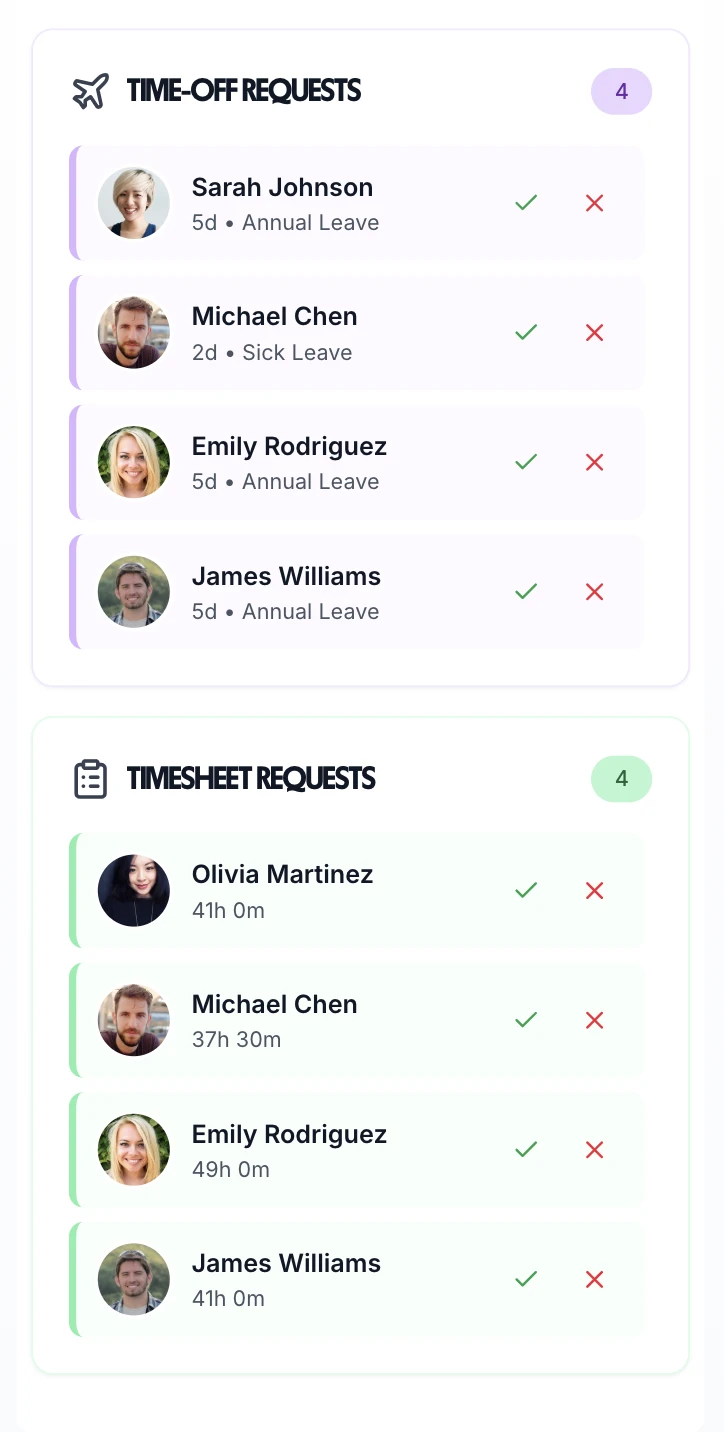
The manager gets a notification, reviews the hours on their phone or desktop, and approves — or rejects with a note. Bulk approve all timesheets in one click.
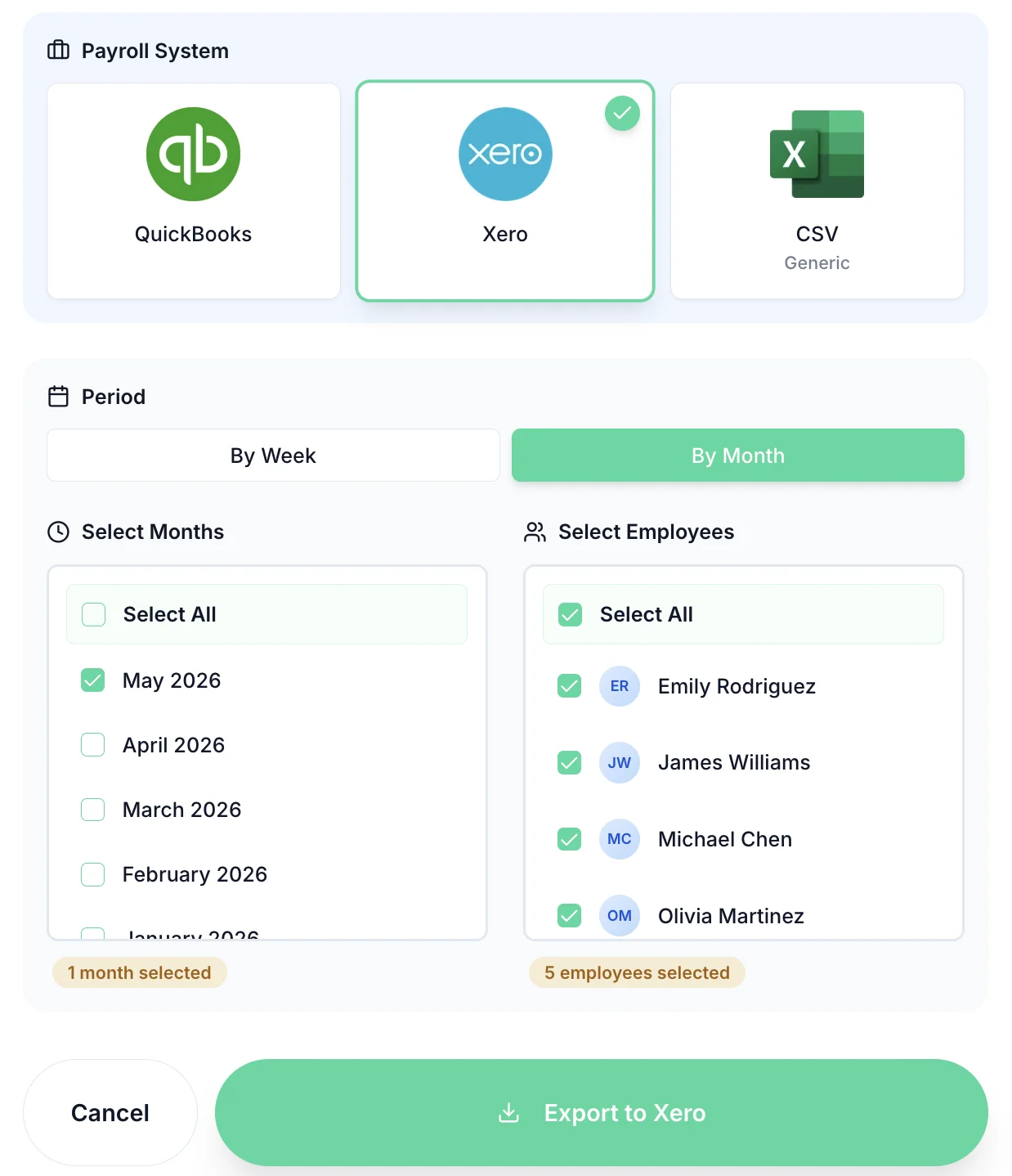
Approved hours export directly to Xero, QuickBooks, or CSV. Only manager-approved timesheets are included — unapproved hours never reach payroll.
Managers can review and approve holiday requests anywhere, anytime. Employees book time off through the mobile app, and managers receive instant notifications. Check team availability, review holiday entitlements, and approve with one tap. Keep your team's time off organized and ensure adequate cover.
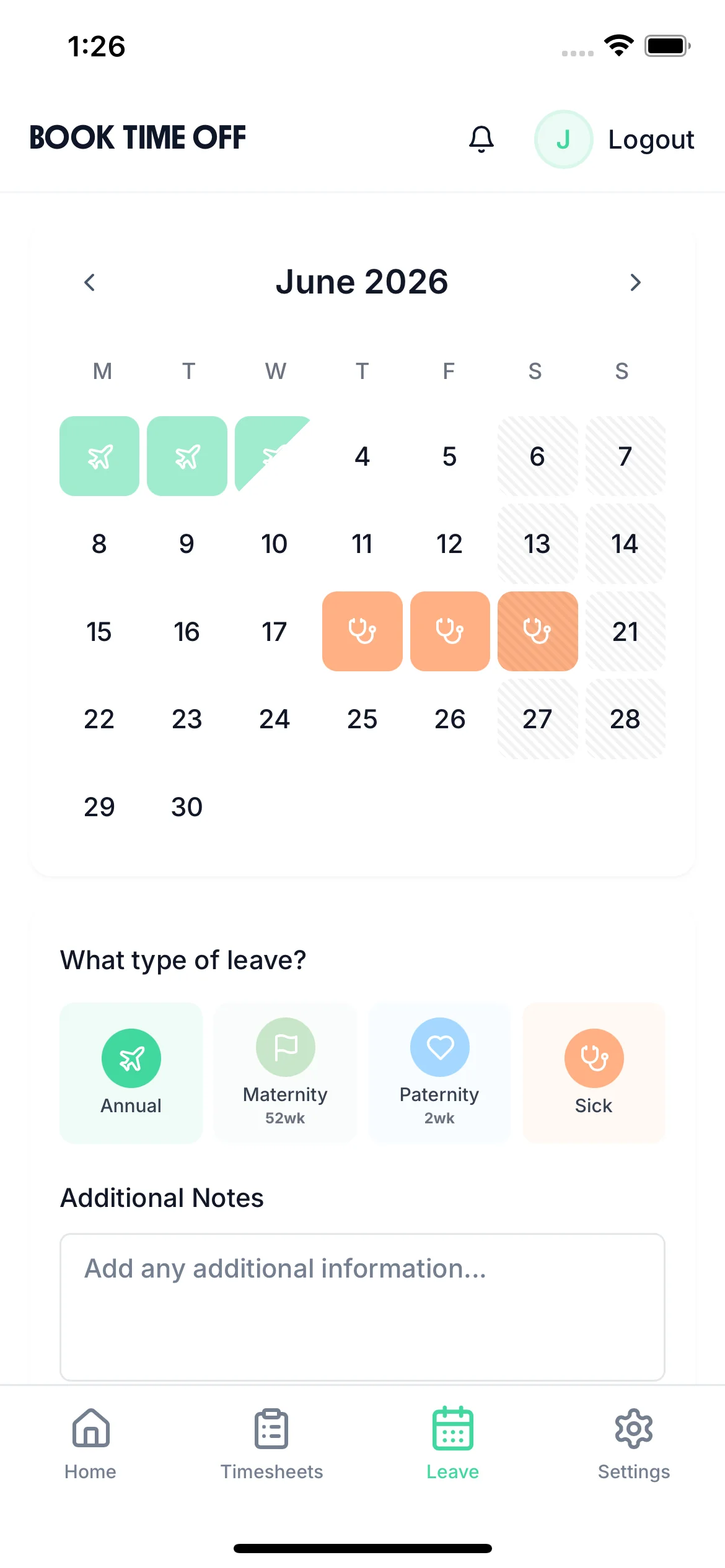
Mobile Holiday Booking
Employees can request time off from their phone with a simple booking interface
Check Team Availability
See who else is off before approving to ensure adequate team coverage
Automatic Entitlement Tracking
See remaining holiday allowance automatically updated with each approval
Dashboard widgets show exactly who has submitted timesheets, who needs reminders, and what's waiting for approval. No more digging through emails or spreadsheets to track approval status. Everything managers need is visible on one screen.
Once a manager approves a timesheet, it creates an accountable, auditable record that flows seamlessly to your payroll system. Export to Xero, QuickBooks, or CSV for any UK payroll software. No more manual data entry or re-keying approved hours. The approval stamp means the data reaching HMRC via your RTI submissions has been verified by a responsible person.
See which employees have time off approved, who's submitted timesheets, and where approvals are pending. Team calendar view gives managers complete visibility across the entire organisation for better workforce planning and Working Time Regulations compliance. This visibility is critical — managers who approve timesheets carry accountability for the accuracy of hours reported to payroll and HMRC.
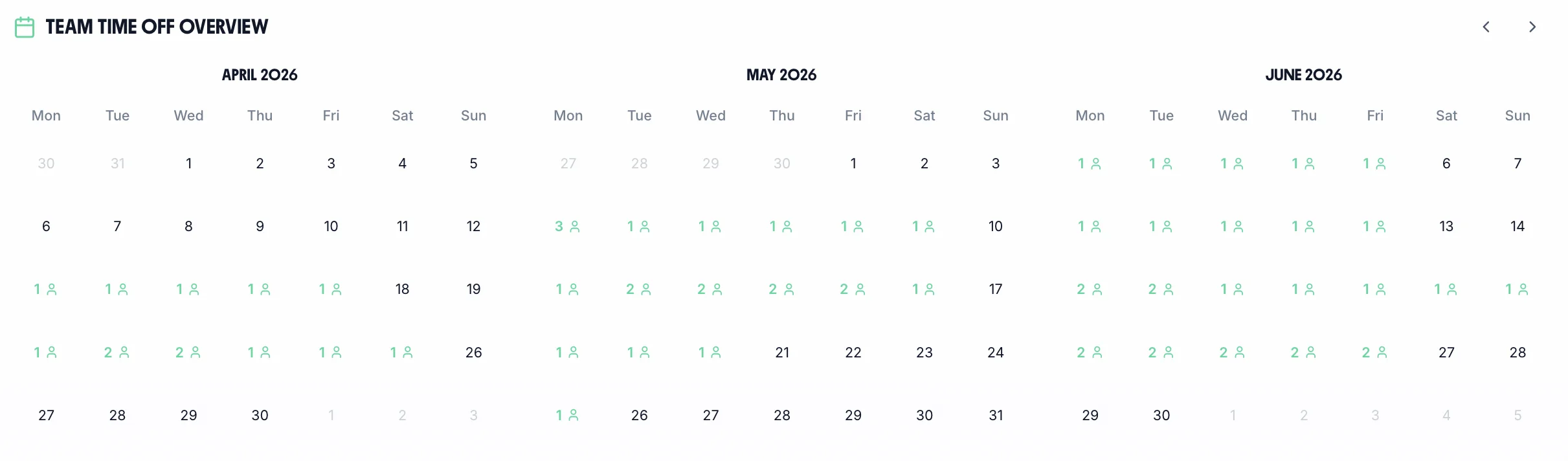
All the tools managers need to review, approve, and track staff timesheets efficiently
Approve multiple timesheets at once instead of reviewing them one by one. Cut approval time from hours to minutes.
View submission status on your dashboard. Employees get email notifications when approved or rejected.
Approve timesheets from anywhere using the mobile app. No need to be at your desk to keep approvals moving.
Track approval times, identify bottlenecks, and monitor compliance. See exactly where delays occur.
Full history of all approvals, rejections, and modifications. Essential for HMRC compliance audits, payroll disputes, and demonstrating manager accountability for approved hours.
Request clarification on specific entries with built-in comments and rejection workflow.
If your managers spend 5 hours per week on timesheet approvals, TimeTally saves 3.75 hours weekly — that's 195 hours per year per manager.
75% less time on approvals
Bulk approvals and streamlined review process cut approval time dramatically
Faster payroll processing
Approved timesheets flow directly to payroll — no manual re-keying
Complete audit trail
Every approval timestamped and logged for HMRC compliance
Timesheet approval software is a system that lets employees submit their hours worked and managers review and approve them before those hours are sent to payroll. It replaces the manual process of chasing timesheets by email or spreadsheet with an automated workflow: employees submit, managers are notified, and approved hours flow straight to payroll — with a full audit trail throughout.
For UK businesses, a proper approval process matters for two reasons. First, the Working Time Regulations 1998require employers to keep records of hours worked. Second, HMRC expects that hours submitted through Real Time Information (RTI) payroll reporting have been verified by a responsible person — a manager's approval creates that verification.
Expert guides to help you speed up approvals, improve workflows, and optimize your processes
Design a timesheet workflow that eliminates bottlenecks, from submission to payroll
Read guideHow to get employees to submit on time without the weekly email chase
Read guideExport approved timesheets seamlessly to Xero, QuickBooks, and other UK payroll systems
View integrationsTrack employee attendance and working hours with automated clock-in for UK teams
Learn moreStill have a question? See all FAQs →
Approval sits in the middle of a longer chain. These cover both ends.
How hours reach you in the first place, with rates already applied.
Learn morePush approved hours straight into payroll without rekeying.
Learn moreSubmissions from any device, so there is something to approve on time.
Learn moreA weekly cadence that makes approval a five-minute job.
Learn moreA real person replies within 24 hours. No ticket queues, no bots.
A UK company, ICO regulated. Your data encrypted and never sold.
