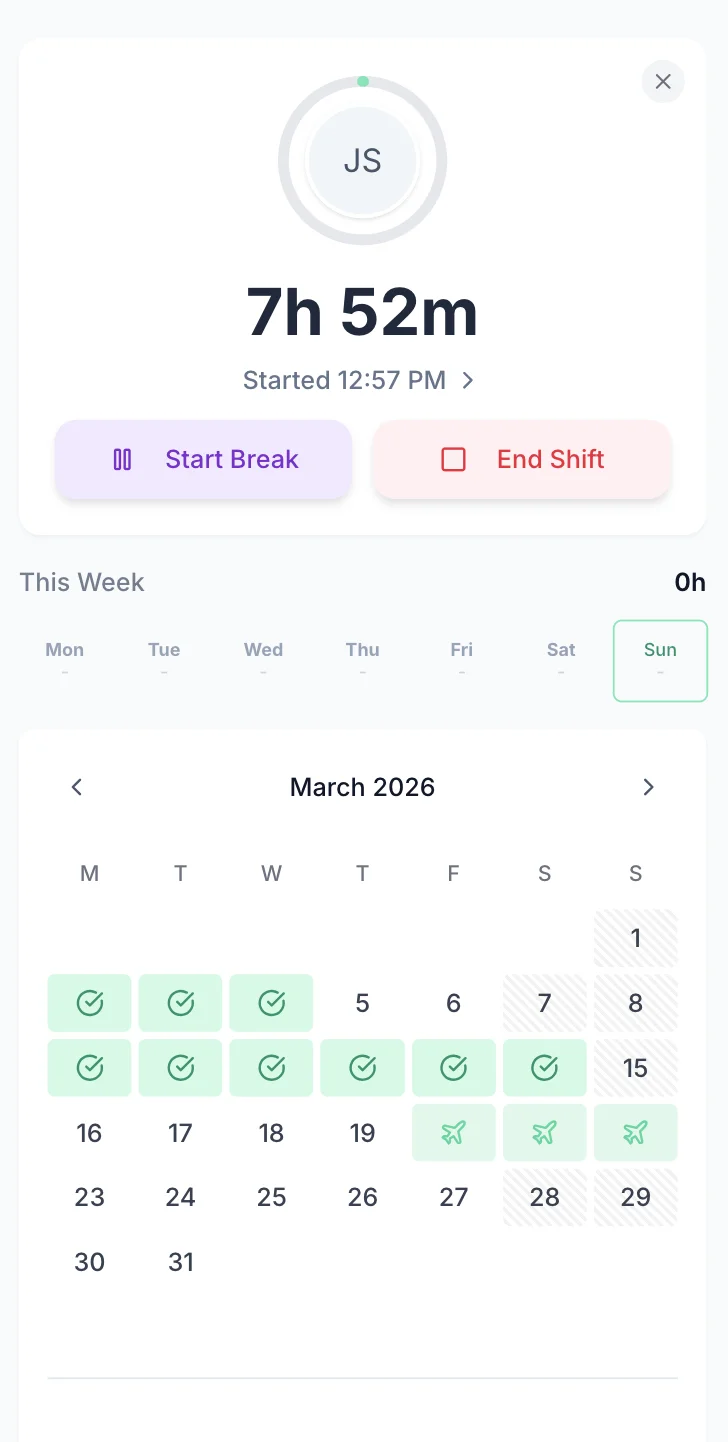

Hospitality staff work split shifts, late nights, weekends, and overtime — and getting those hours right matters for payroll and for meeting your legal obligations. TimeTally gives your team a simple way to log shift hours from their phone, and gives you a clear record of who worked when. Approved timesheets export straight to Xero, QuickBooks, or CSV. From £2 per staff member per month.
UK hospitality has some of the most complex staffing patterns of any sector. Split shifts, late nights, weekend work, high turnover, and seasonal peaks all make tracking hours difficult — but getting it wrong has real consequences.
The Working Time Regulations 1998 limit average weekly working hours to 48 (calculated over a 17-week reference period) and require at least 11 consecutive hours of rest between shifts. For pubs and restaurants running lunch and dinner services, that 11-hour rest gap between a late close and an early start is easy to breach if you are not tracking times carefully. Workers on shifts over 6 hours are also entitled to a 20-minute uninterrupted break.
The Employment (Allocation of Tips) Act 2023 requires employers to distribute tips fairly and maintain records of tip allocation for three years. This is a significant record-keeping obligation, and it sits alongside the requirement that tips cannot count towards National Minimum Wage calculations. These are separate obligations — accurate hour records help with the NMW side, but tip distribution and tronc scheme administration require their own processes outside of a timesheet tool.
For payroll, getting shift hours right prevents underpayments and the HMRC investigations that follow. With the National Living Wage at £12.21 from April 2025 for workers aged 21 and over, even small errors in recorded hours — an unrecorded extra 30 minutes here, a missed break deduction there — can push a worker's effective hourly rate below the legal minimum.
All UK workers accrue statutory holiday entitlement (5.6 weeks per year) from day one of employment, including seasonal and zero-hours staff. Calculating pro-rata entitlement for part-time workers and mid-year starters manually is tedious and error-prone. Getting it wrong means either overpaying or, worse, denying staff their legal entitlement. For a full overview of how TimeTally handles this, see our pub and restaurant leave management page.
TimeTally is a timesheet and holiday management tool. It is not a hospitality management platform, and we think it is important to be upfront about that.
TimeTally records hours worked, calculates pay based on configurable hourly and overtime rates, manages holiday requests with automatic statutory entitlement calculations, and exports approved timesheets to payroll. It does this well, and it costs £2 per employee per month.
It does not track tips, manage tronc schemes, monitor National Minimum Wage compliance, alert you to Working Time Regulation breaches, or manage rotas. If you need those things, you will need separate tools or processes alongside TimeTally.
What TimeTally does provide is the accurate hour records that underpin all of those obligations. You cannot pay staff correctly, calculate NMW compliance, or demonstrate Working Time Regulation adherence without knowing exactly how many hours each person worked. That is the problem TimeTally solves.
Hospitality staff are busy. TimeTally is designed to take less than 60 seconds per day. Enter start time, end time, and breaks — that is it. Works on any phone browser or a shared tablet behind the bar.

Here is what TimeTally actually does and how each feature applies to pubs and restaurants.
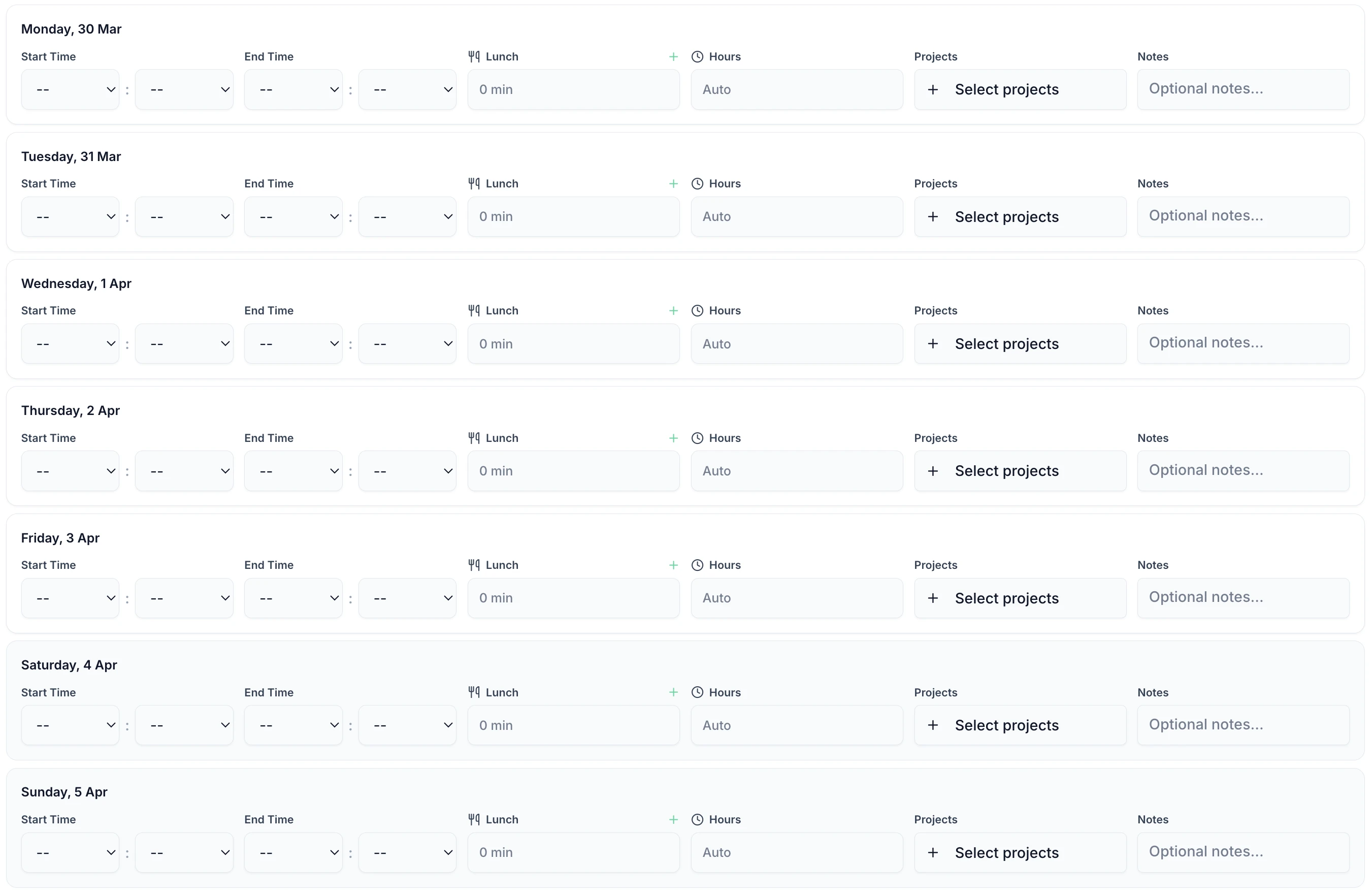
Staff enter their shift start and end times. This works for any pattern — lunch service, dinner service, late-night closes, or weekend doubles. Overnight shifts that cross midnight are handled correctly. Staff can add multiple entries per day to cover split shifts (e.g. 11am-3pm lunch, then 5pm-11pm dinner).
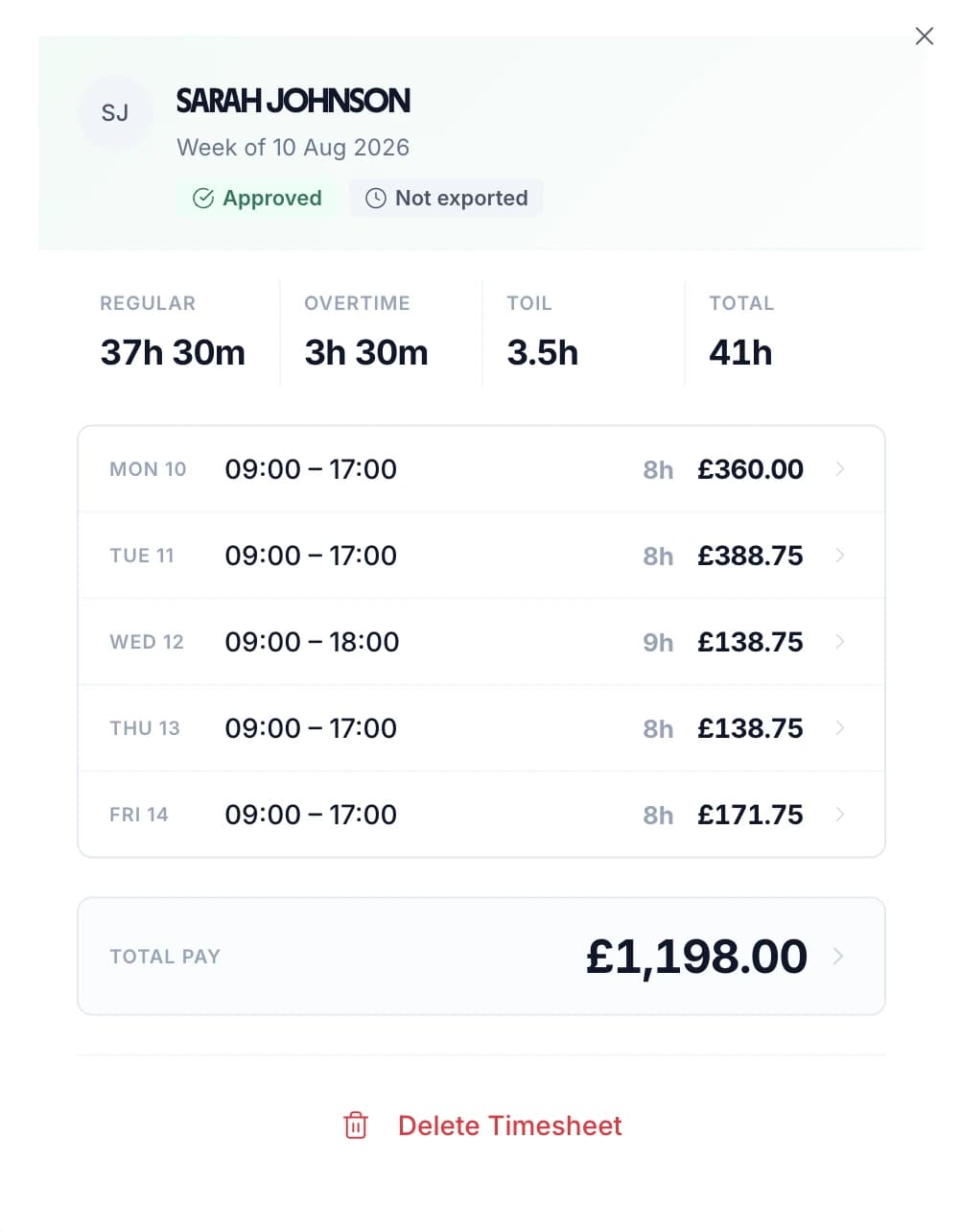
Set an hourly rate and overtime rate for each staff member individually. A head chef on £14/hour and a kitchen porter on £12.21/hour each have their own rate. When timesheets are submitted, TimeTally calculates standard pay and overtime pay automatically based on configurable daily or weekly overtime thresholds.
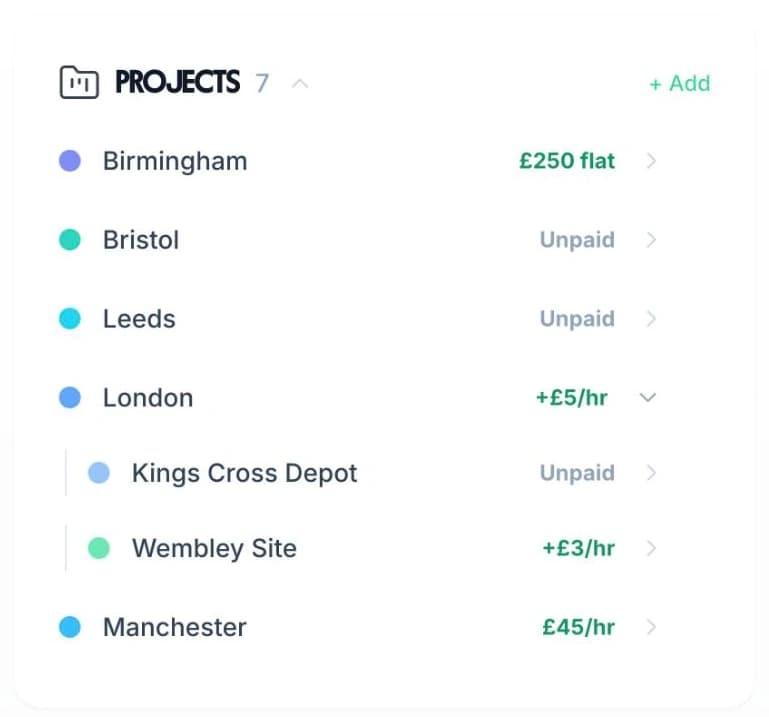
Use TimeTally's project tracking to assign hours to different areas — bar, kitchen, floor, events, or specific sites if you run multiple venues. If a staff member works two hours on the bar and four in the kitchen, they log both. Reports show total hours and costs per area.
Track breaks separately and deduct them from total hours automatically. Under UK law, workers are entitled to a 20-minute uninterrupted break for shifts over 6 hours. Use our break time compliance calculator to check your obligations. TimeTally records breaks so payroll figures are accurate and you have a record that breaks were offered.
Export approved timesheets to Xero, QuickBooks, or CSV with one click. The export includes employee names, standard hours, overtime hours, pay amounts, and break deductions. No manual re-entry into your payroll system.
TimeTally works in any mobile browser. Staff do not need to download an app or install anything on personal devices. They can bookmark the page or use a shared tablet. There is also a native iOS app for those who prefer it. With high staff turnover in hospitality, this means new starters can log hours from day one without any setup. If you run a broader hospitality business, see our hospitality timesheet page.
Managing holiday requests by text, WhatsApp, or scribbled notes is slow and error-prone — especially when you need to avoid leaving a Friday night service short-staffed. TimeTally lets staff request time off from their phone. Managers see the team calendar and approve or decline with one tap. Remaining holiday entitlement is calculated automatically, including pro-rata for part-time and seasonal staff.
Staff select dates and submit. Managers get a notification and can see who else is off before approving.
See your whole team's availability at a glance. Check for clashes before approving requests — useful for avoiding gaps during busy service periods.
Statutory holiday allowance (5.6 weeks) is calculated automatically, including pro-rata for part-time staff and mid-year starters. UK bank holidays are pre-loaded. Seasonal staff accrue entitlement from day one.
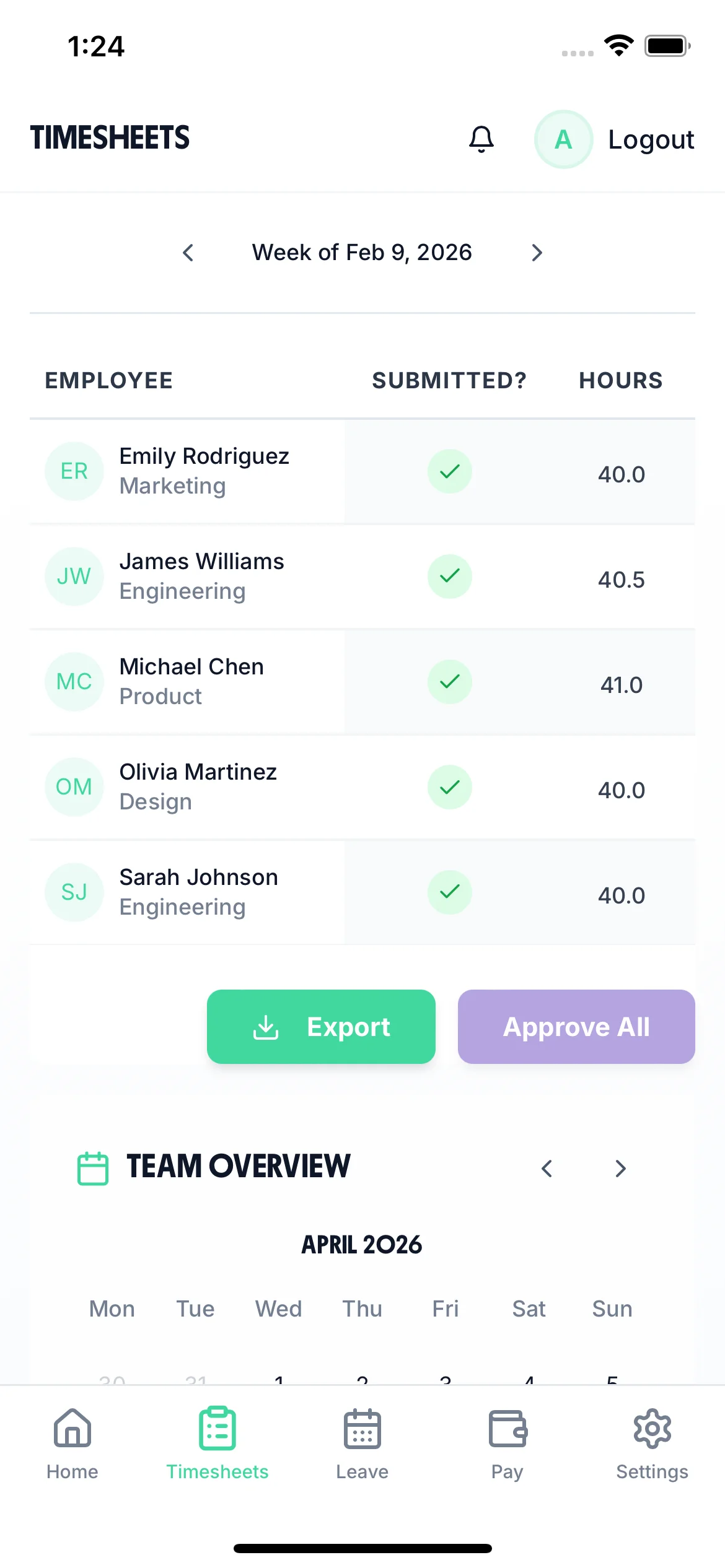
Managers review and approve timesheets before they go to payroll. Reject entries that look wrong and ask staff to correct them. The approval record creates an audit trail.

The team calendar gives managers a clear view of the entire team's status — submitted timesheets, approved holidays, and absences — all in one place. When a bartender requests the same Saturday off as two waiters, you can see the clash before approving.

TimeTally is a timesheet tool, not a compliance system. It does not monitor NMW rates, flag Working Time breaches, or manage tronc schemes. But accurate timesheet records are the foundation for meeting all of these obligations. Here is how the data TimeTally captures supports your compliance requirements.
TimeTally records all hours worked, including overtime and late-night shifts. This gives you the data you need to check the 48-hour weekly average (over a 17-week reference period), 11-hour rest between shifts, and break entitlements. You can export this data at any time if HMRC or the HSE request records. TimeTally does not actively monitor or alert for breaches — it provides the data, and compliance decisions remain with you.
Accurate hours tracking ensures you can verify that each worker's effective hourly rate does not fall below the National Minimum Wage (£12.21/hour for workers aged 21+ from April 2025). This is especially relevant where unpaid overtime or incorrect break deductions could push the rate below the legal minimum. TimeTally does not calculate NMW compliance for you, but it gives you the accurate hour data you need to do so.
HMRC requires employers to keep records of hours worked for at least two years. TimeTally stores all timesheet data digitally with timestamps and approval records — a complete audit trail that you can export whenever needed.
All UK workers get 5.6 weeks statutory holiday (28 days for full-time), and this entitlement accrues from day one — including seasonal staff. TimeTally calculates entitlement automatically, including pro-rata for part-time staff and mid-year starters, and tracks remaining allowance in real time.
Under UK law, workers on shifts over 6 hours are entitled to a 20-minute uninterrupted break. TimeTally tracks breaks separately, so you have a record that breaks were taken. This is particularly important in hospitality where long double shifts are common. You can also use our working hours calculator to verify compliance.
The Employment (Allocation of Tips) Act 2023 requires employers to keep tip allocation records for three years. TimeTally does not have a dedicated tips tracking feature, but staff can use the notes field on timesheet entries to record tip-related information alongside their hours. For formal tronc scheme administration, you will need a separate process.
One price. Every feature. No surprises.
Billed monthly. Cancel anytime.
No credit card required
No. TimeTally does not have a dedicated tips tracking feature. It is a timesheet tool for recording hours worked, not a tips management or tronc administration system. Staff can use the notes field on timesheet entries to record tip-related information if that is useful for your records, but for formal tip allocation and tronc scheme administration under the Employment (Allocation of Tips) Act 2023, you will need a separate process.
No. TimeTally does not calculate or monitor NMW compliance. It does not alert you if a worker's effective rate falls below the minimum. What it does provide is accurate records of hours worked, which you need to verify NMW compliance yourself or through your payroll system. Accurate hour records are a legal requirement and the starting point for any NMW calculation.
Staff can log multiple timesheet entries per day. For a typical pub or restaurant split shift — lunch service from 11am to 3pm, then dinner service from 5pm to 11pm — the worker creates two entries for that day. Each entry records its own start time, end time, and breaks. Total hours for the day are calculated automatically.
Yes. Each staff member has their own hourly rate and overtime rate. A head chef, a sous chef, and a kitchen porter can each have different rates. When timesheets are submitted, TimeTally calculates standard pay and overtime pay based on these individual rates. You can update rates at any time from the employee settings.
Yes. TimeTally has project tracking where you can create areas like bar, kitchen, floor, events, or even specific venue locations if you run multiple sites. Staff assign their hours to the relevant area when submitting their timesheet. Reports show total hours and costs per project.
Yes. You can add temporary staff during busy periods like Christmas, summer, and bank holidays, and remove them when the season ends. You only pay for active employees each month. Seasonal workers accrue statutory holiday entitlement from day one under UK law, and TimeTally calculates pro-rata allowances automatically.
Yes. TimeTally works in any mobile browser — no app download or installation needed. Staff can bookmark the page on their phone. There is also a native iOS app on the App Store for those who prefer it. With high turnover in hospitality, this means new starters can log hours from day one without any device setup.
Staff tap 'Book Time Off', select their dates, and submit. Their manager gets a notification and can see the team calendar to check for clashes before approving. Remaining holiday allowance is shown in real time. Statutory entitlement (5.6 weeks) is calculated automatically, including pro-rata for part-time staff.
No. TimeTally records hours but does not actively monitor or alert for breaches of the Working Time Regulations 1998, such as the 48-hour weekly average or 11-hour rest periods. It provides accurate hour data that you can review and export to check compliance yourself. Compliance decisions remain with you as the employer.
TimeTally exports to Xero, QuickBooks, and CSV/Excel. The export includes employee names, standard hours, overtime hours, pay amounts, and break deductions. Most payroll systems can import CSV files if a direct integration is not available.
Guides and tools for UK hospitality businesses