Tap any card for the detail.
14-day free trial · No credit card needed
This calculator gives you the numbers. TimeTally tracks hours, approvals, and pay automatically — so you never need to calculate it manually again. From £3/employee/month.
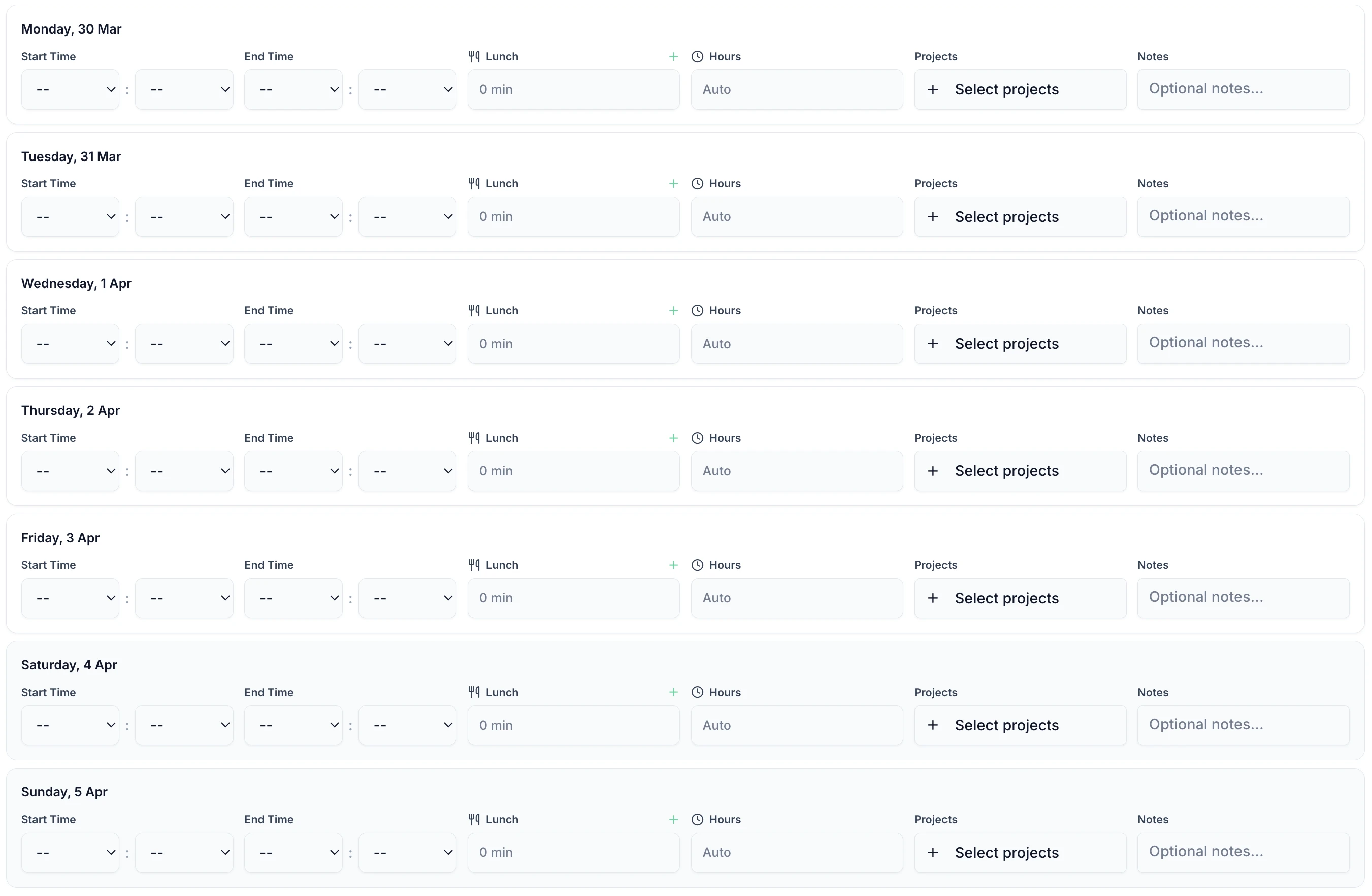
Staff submit timesheets via the iOS app or web. Clock in/out is tracked automatically. Regular and overtime hours are separated — no paper forms, no chasing.
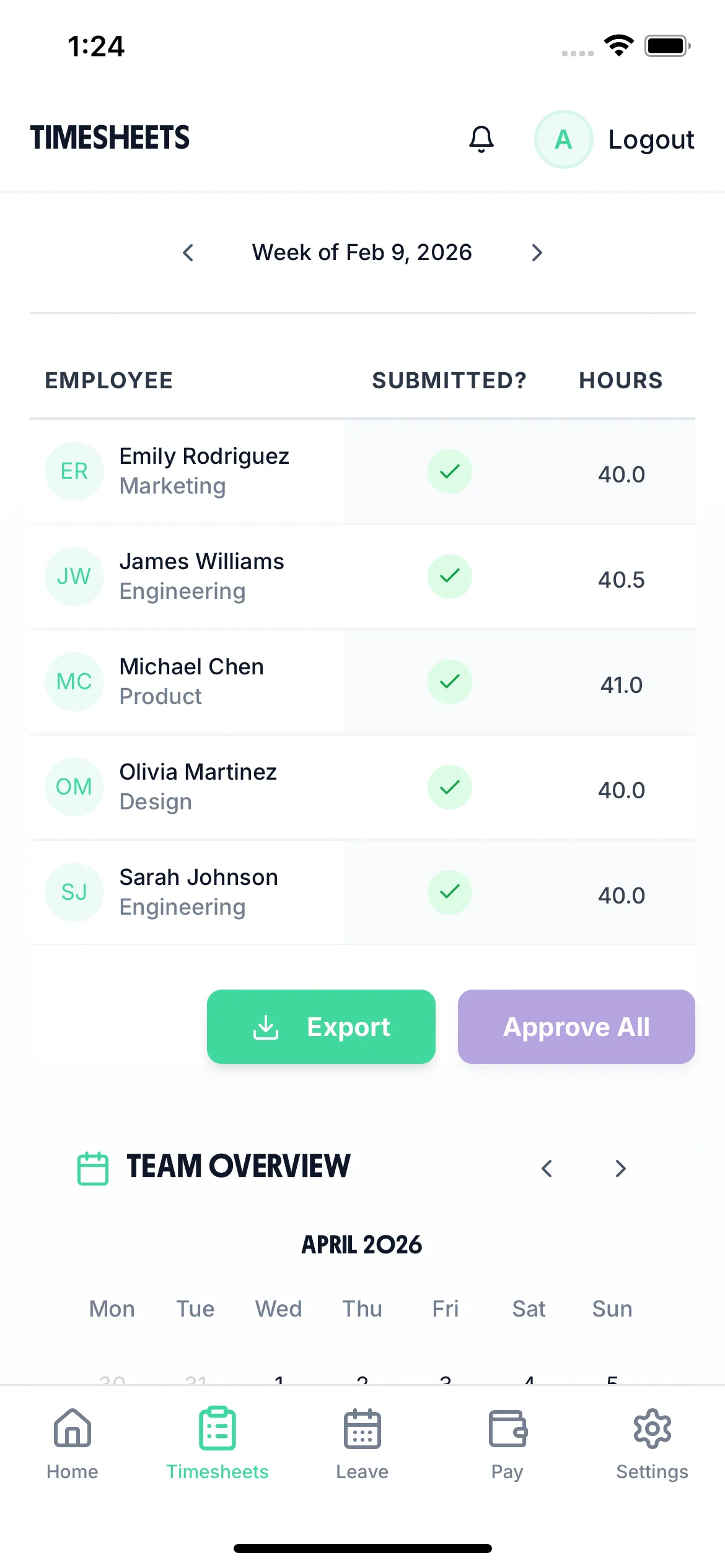
All pending timesheets land in your dashboard. Approve or query with a single tap. Every decision is timestamped — full audit trail for every timesheet.
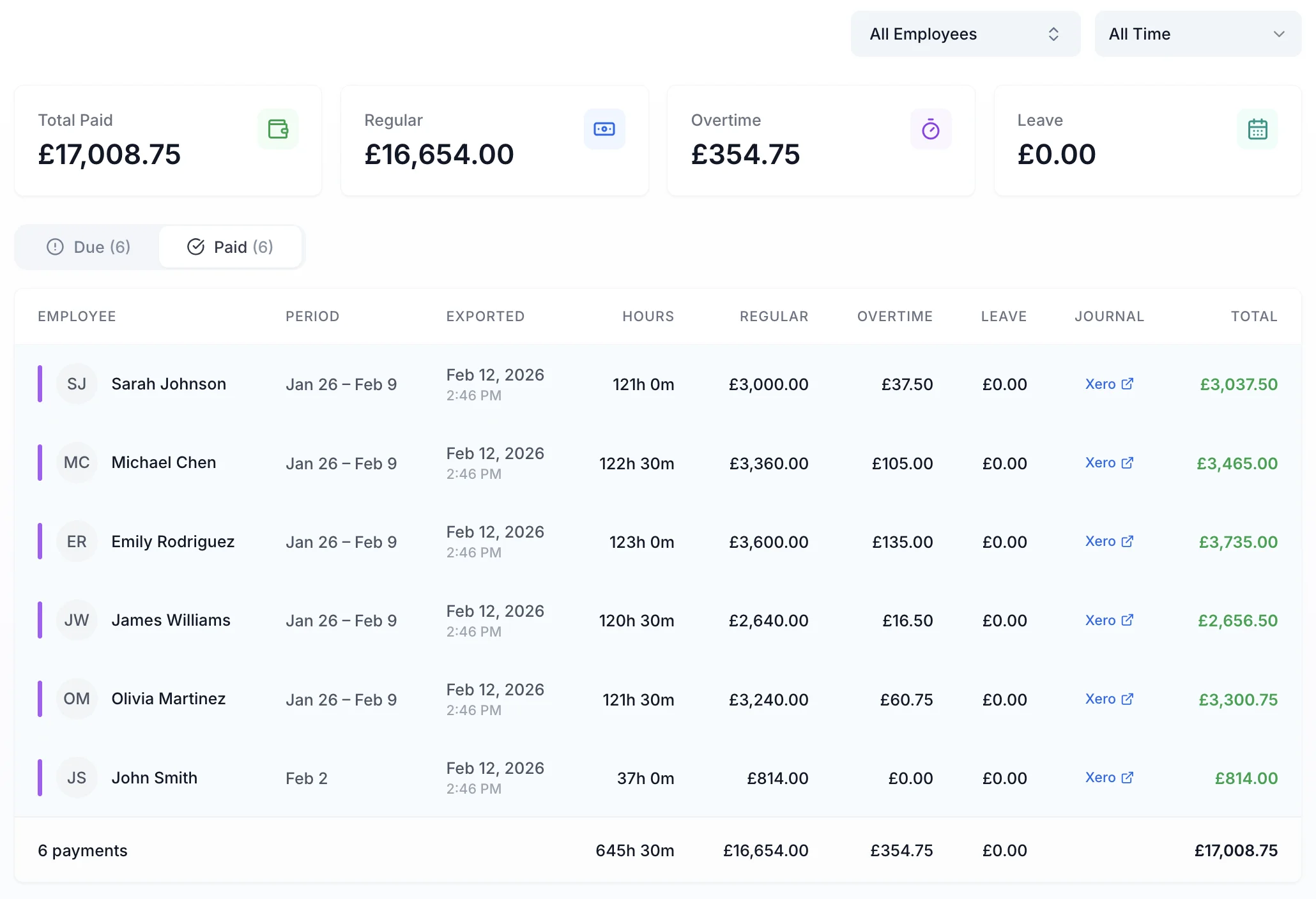
Pay is calculated directly from approved timesheets. Overtime rates applied automatically. Regular and overtime hours separated — no manual adjustments, no errors.
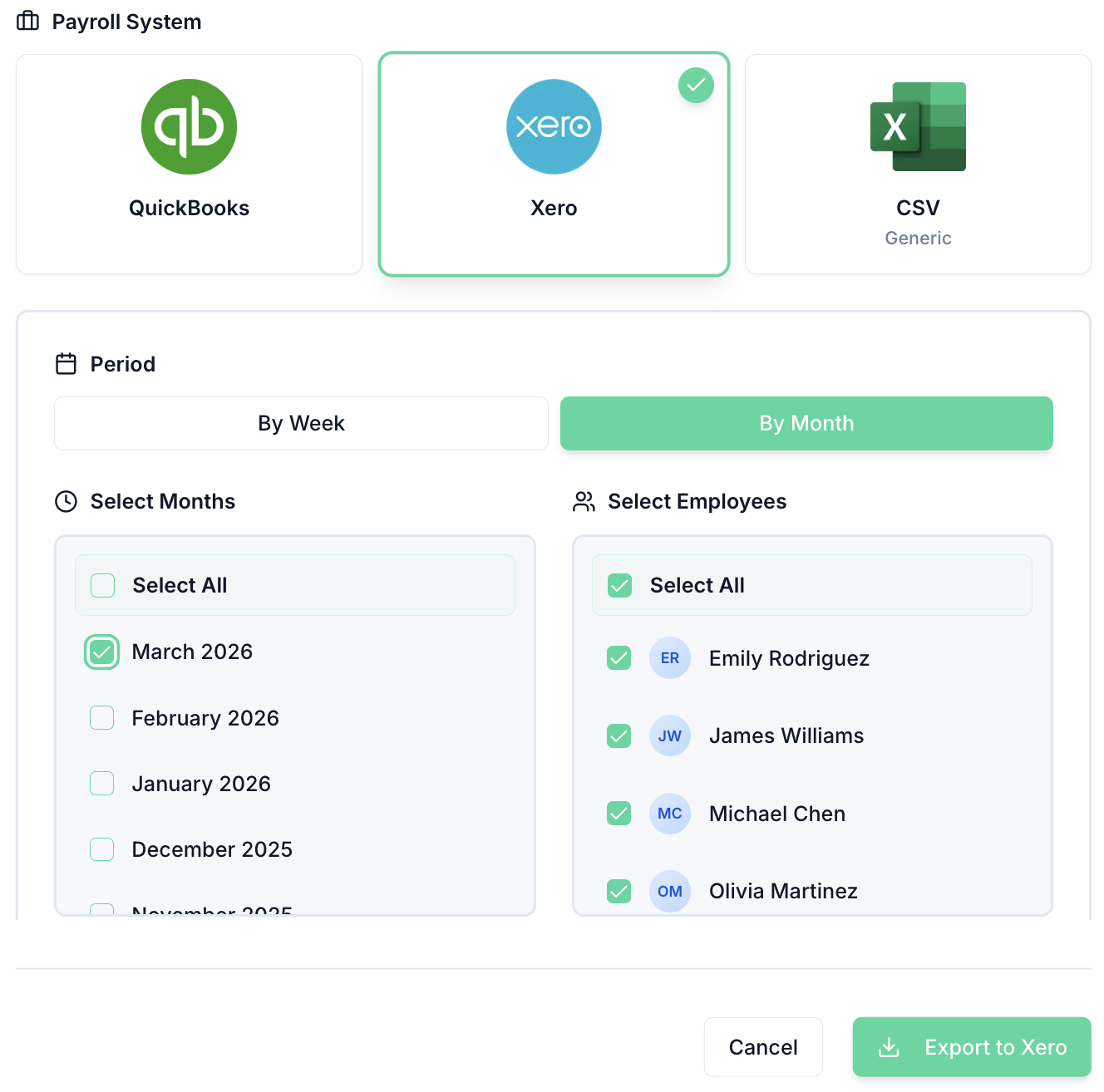
Approved timesheets feed directly into your payroll export. Direct integration with Xero and QuickBooks — no manual data entry, no missed overtime.
TimeTally automatically tracks clock in/out times, calculates working hours, and exports to payroll for your entire team. Explore all features or see how it works.
Automatic calculations
Working hours calculated automatically from clock in/out times. Break time deducted, regular and overtime hours separated — no spreadsheets needed.
One-tap approvals
Managers approve or reject timesheets from any device, with a full audit trail of every decision timestamped and stored automatically.
Payroll-ready exports
Approved hours feed directly into Xero, QuickBooks, or CSV exports — so your payroll run is always accurate and on time.
The Working Time Regulations 1998 set limits and rest entitlements that apply to almost all workers. Here's the complete picture.
The Working Time Regulations 1998 limit average working time to 48 hours per week, calculated as an average over a 17-week reference period (not week by week). This means a worker can exceed 48 hours in individual weeks, provided the average over the reference period does not. Workers can opt out of the 48-hour limit in writing — but this opt-out can be revoked with 7 days' notice (or longer if agreed, up to 3 months). Employers cannot require workers to opt out as a condition of employment.
Night workers (those who regularly work at least 3 hours between 11pm and 6am) are subject to an 8-hour average limit per 24-hour period, also averaged over a 17-week reference period. The 8-hour limit for night workers doing work involving special hazards cannot be averaged — it applies as an absolute limit. Employers must offer night workers a free health assessment before they start and at regular intervals thereafter. Failing to offer this assessment is an offence under the Regulations regardless of whether any harm results.
Workers are entitled to an uninterrupted 20-minute rest break when working more than 6 hours. This break must be away from the workstation — it is not sufficient to allow a worker to eat at their desk while remaining available. Workers under 18 are entitled to a 30-minute break after 4.5 hours. The break does not have to be paid unless the contract says so. Certain sectors (healthcare, emergency services) can derogate from this entitlement where the work is not easily interrupted, but must provide compensatory rest.
In addition to break entitlements, workers are entitled to at least 11 consecutive hours' rest in any 24-hour period, and at least one day off per 7-day period (or 2 days per 14-day period). For adult workers, these rest entitlements apply regardless of the number of hours worked in a week. Young workers (16–17 year olds) are entitled to 12 hours' daily rest and two consecutive rest days per week. Compensatory rest must be provided whenever these entitlements cannot be met in the relevant period.
The WTR apply equally to zero-hours and variable-hours workers — there is no minimum hours threshold for protection. The 48-hour limit, rest entitlements, and night worker rules all apply. Calculating average hours for variable workers requires accurate time records over the full 17-week reference period. Employers who fail to maintain time records for variable-hours workers risk being unable to demonstrate compliance if challenged by the Health and Safety Executive or in an Employment Tribunal claim.
Accurately tracking working hours is essential for NMW compliance as well as WTR compliance. 'Working time' for NMW purposes includes time spent travelling between assignments, mandatory training, and time at the employer's disposal — even if no active work is being done. Unpaid breaks count as working time for NMW if the worker is required to remain on call or available. Employers who rely on contracted hours rather than actual hours to assess NMW compliance may be underestimating total working time and breaching the minimum wage.
Employers must keep adequate records to demonstrate compliance with the 48-hour weekly average and night worker limits. There is no prescribed format — time sheets, clocking systems, or software records are all acceptable. However, records must cover all workers, including those who have opted out of the 48-hour limit (as the opt-out must be documented). Records must be retained for at least 2 years. Following a 2019 CJEU ruling (CCOO v Deutsche Bank), employers in EU member states must keep records of daily hours worked — UK courts are yet to formally mandate this but the direction of travel is clear.
The Working Time Regulations are enforced by the Health and Safety Executive (for rest breaks and night worker rules) and by individual workers (for the 48-hour limit and annual leave entitlement) through Employment Tribunals. There is no financial penalty schedule for WTR breaches — the HSE can issue improvement notices, prohibition notices, and prosecute. Workers can claim compensation through tribunals for detriment suffered as a result of exercising WTR rights (e.g. being dismissed for refusing to work more than 48 hours without an opt-out agreement).
Swipe to see more →
“TimeTally has been excellent for our business. The app is simple to use, reliable, and makes managing staff records straightforward. The system has saved us a significant amount of administration time. Highly recommended for any business looking for an easy-to-use workforce management solution.”
 Jordan Ingoe, CLI Manchester
Everything employers and employees need to know about UK working hours. For related topics, try our break time calculator or overtime pay calculator.
Still have a question? See all FAQs →
Calculate 1.5x and 2x overtime rates for UK workers
Check UK break time requirements for any shift length
Convert annual salary to hourly rate
Track employee hours and working time automatically
Check National Minimum Wage compliance by age group
Calculate annual leave for full-time and part-time workers
Once you know the hours, these tools record them for you — no spreadsheet round-trip.
Record start and finish times as they happen, with a full audit trail behind every entry.
Learn moreA simple weekly view for staff to submit hours, with totals calculated for you.
Learn moreHandle shifts that cross midnight without the hours splitting across two days.
Learn moreMove off paper and spreadsheets — staff submit from any device, managers approve in one tap.
Learn moreStaff clock in and out from their phone, breaks are deducted, and weekly totals are checked against the 48-hour limit automatically.