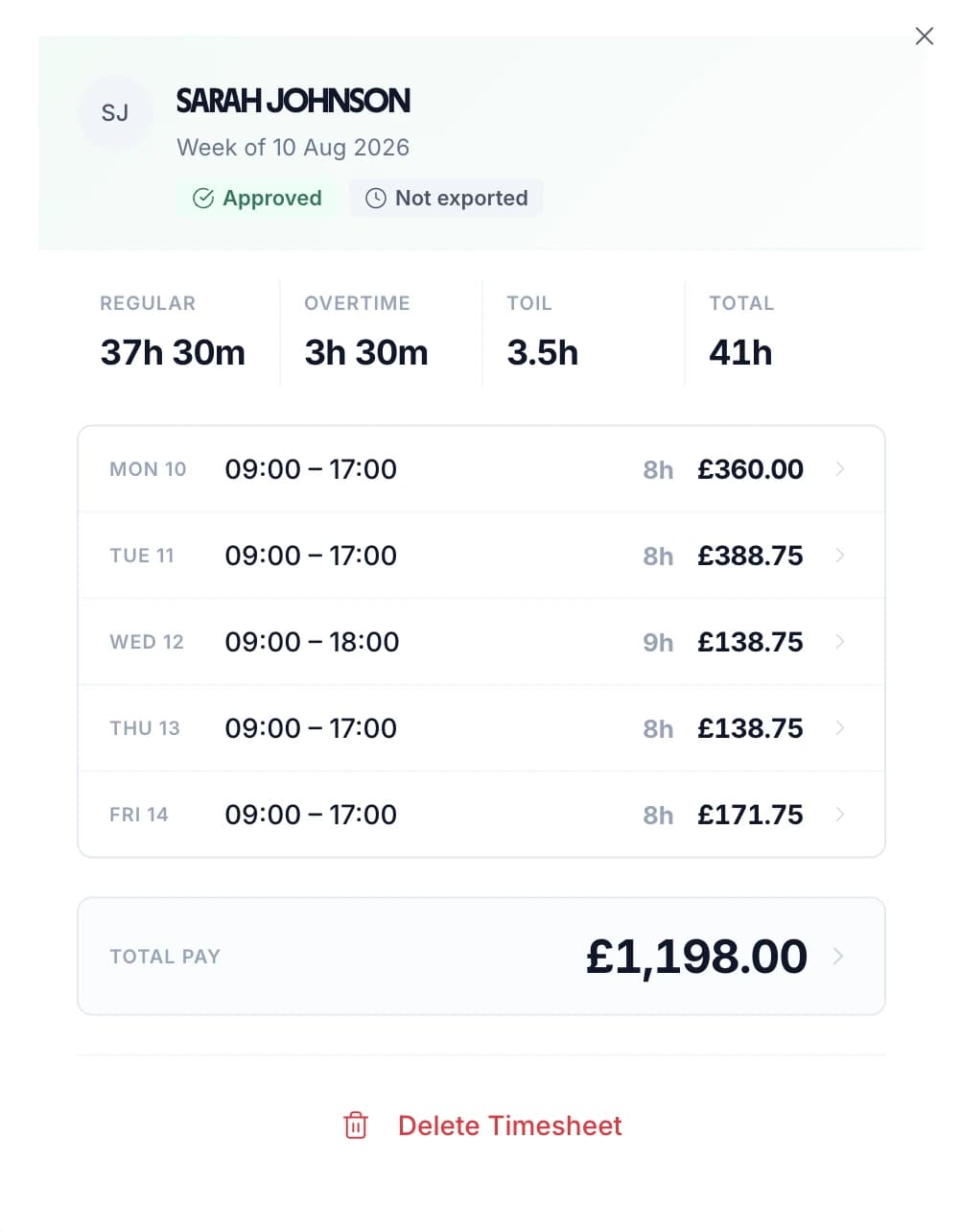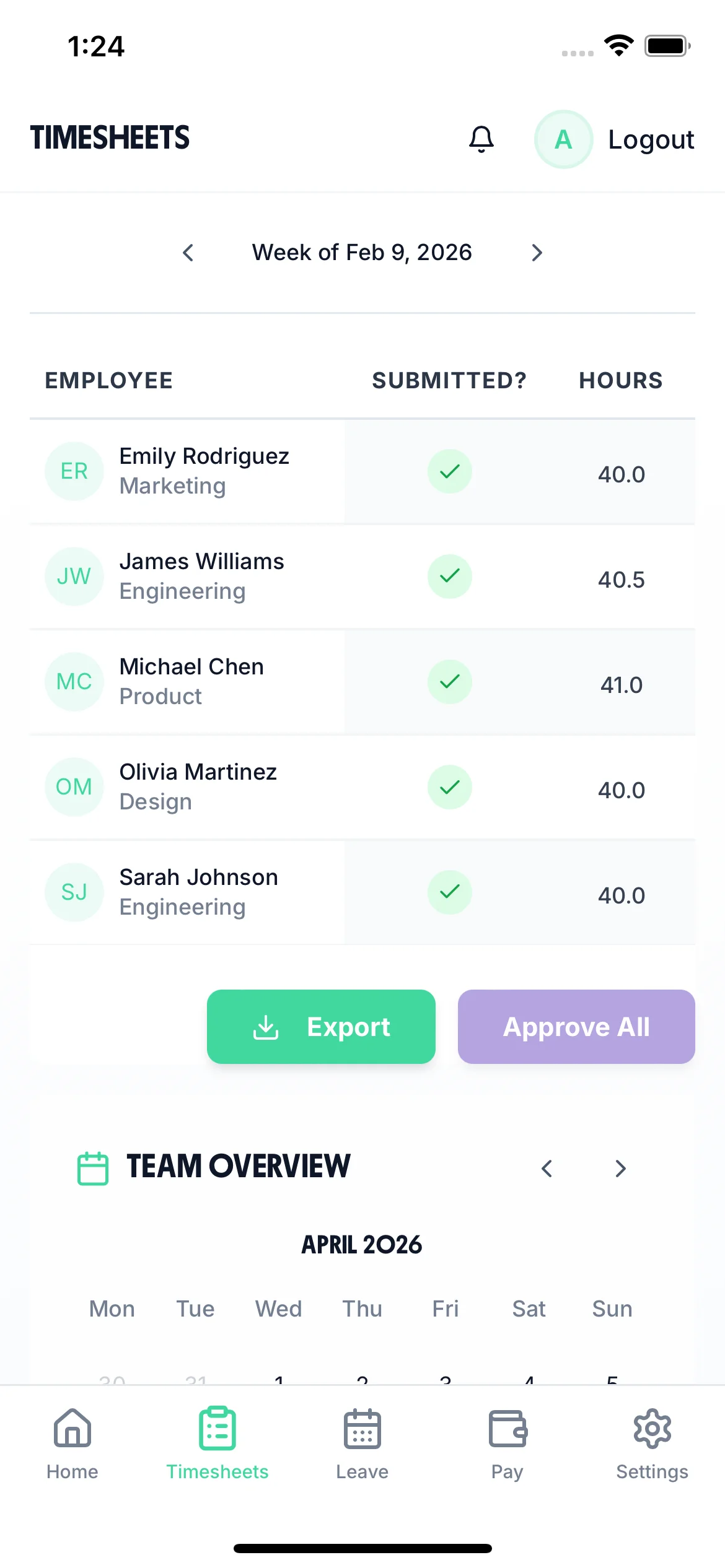
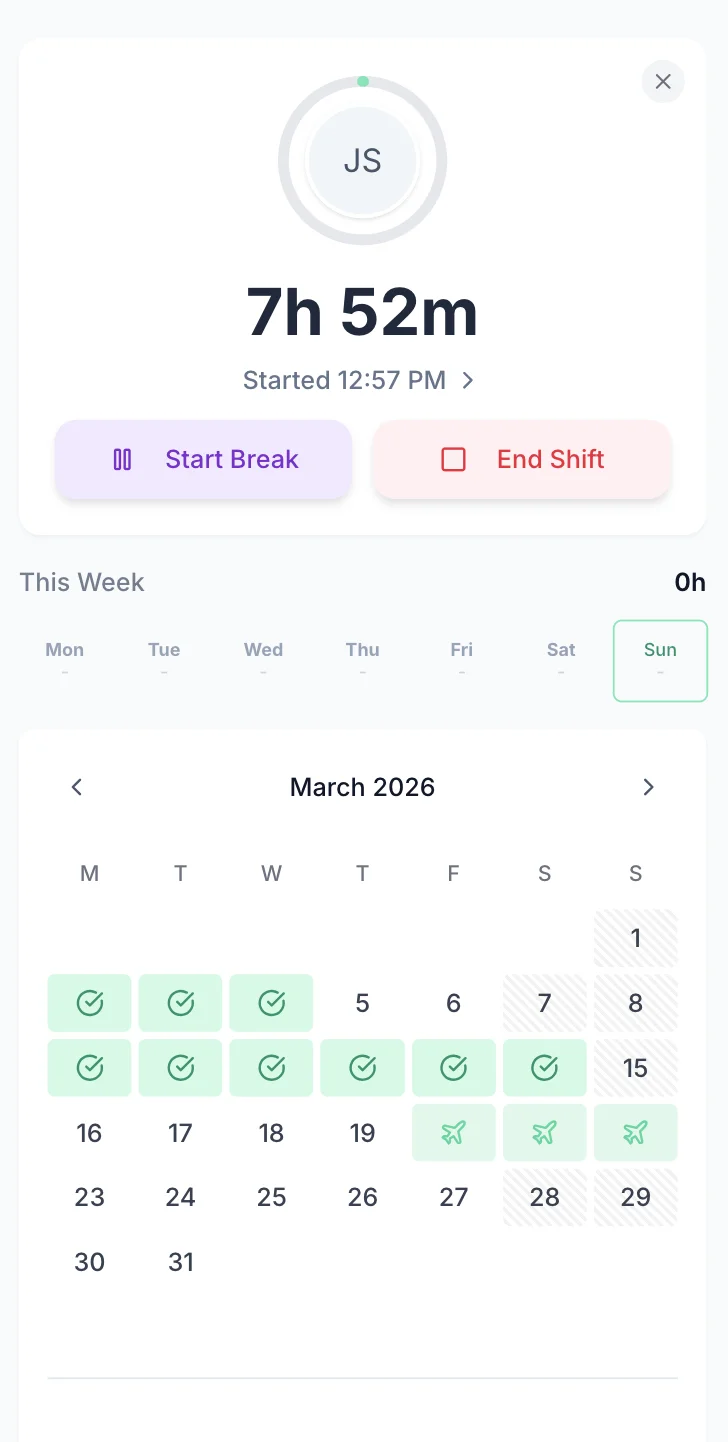

TimeTally mobile dashboard showing cleaner timesheets
Cleaning Services

Timesheet Software for UK Cleaning Companies

Cleaning teams work across multiple client sites, often with no central office. TimeTally gives your cleaners a simple way to log their hours from any phone and assign them to specific sites using project tracking. Managers approve timesheets remotely with our timesheet approval workflow, and approved hours export straight to Xero, QuickBooks, or CSV. From £2 per employee per month.

No credit card required
Set up in 10 minutes
Works on any phone

Why Cleaning Companies Need Accurate Timesheets

The UK cleaning sector employs around 700,000 workers, many of them part-time, on variable hours, and spread across multiple client sites. Getting their timesheets right is not just about payroll accuracy — it is a legal obligation.

The National Minimum Wage Act 1998 requires that all working time is paid at or above the legal minimum (£12.21/hour for workers aged 21+ from April 2025). For cleaning companies, this includes travel time between client sites during a shift. HMRC has publicly named employers who failed to pay NMW correctly, and penalties can reach 200% of the underpaid amount. If your cleaners travel between jobs and that time is not recorded, you may be underpaying them without realising it.

The Working Time Regulations 1998 limit average weekly working hours to 48 (calculated over a 17-week reference period) and require at least 11 consecutive hours of rest between shifts. Cleaners who work at multiple sites — sometimes for multiple employers — can easily exceed these limits without anyone noticing. Accurate timesheet records are the only way to spot this.

Holiday entitlement is another area where cleaning companies frequently get caught out. Under the Employment Rights Act 1996, all workers — including those on zero-hours contracts or irregular hours — are entitled to 5.6 weeks of paid annual leave. Since April 2024, holiday for irregular hours workers accrues at 12.07% of hours worked each pay period. Calculating this manually across a team of part-time cleaners is tedious and error-prone.

TimeTally does not solve all of these problems on its own. It is a timesheet tool, not a cleaning management platform. But it gives you accurate, digital records of hours worked, assigned to specific client sites, with automatic holiday calculations and payroll export — which is the foundation you need to stay on the right side of employment law.

Types of Cleaning Businesses Using TimeTally

TimeTally works for any cleaning company that needs to track staff hours, manage holiday requests, and export to payroll.

Commercial Cleaning

Offices, retail units, warehouses, and shared workspaces

Domestic Cleaning

Residential cleaning services with multiple client homes per day

Specialist Cleaning

Industrial, end-of-tenancy, deep clean, and post-construction

Facilities Management

Cleaning as part of wider FM contracts. See our FM page

Simple Weekly Timesheets — Submitted From Any Phone

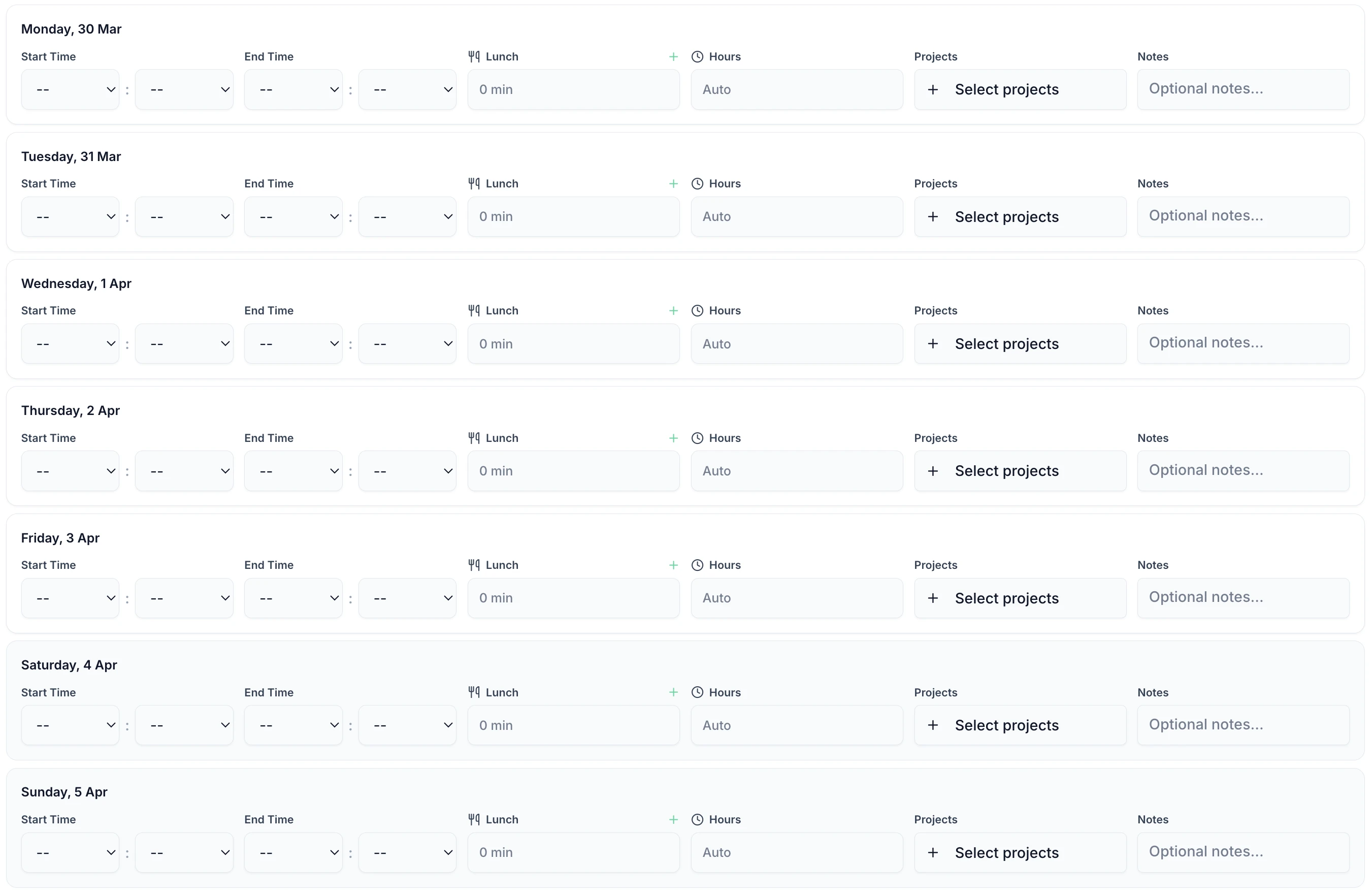
Cleaners log their hours at the end of each day or week. Enter start time, end time, breaks, and assign hours to a client site. It takes under a minute. No app download required — TimeTally works in any mobile browser, or staff can use the iOS app.

TimeTally timesheet entry screen showing hours and project assignment

What TimeTally Does for Cleaning Teams

TimeTally is a straightforward timesheet and holiday management tool. Here is what it does and how cleaning companies use it.

Weekly Timesheet Entry

Cleaners log their start time, end time, and breaks for each day. This is weekly timesheet entry, not real-time clock-in — your staff fill in their hours at a time that suits them, from their phone or a shared device. Total hours and overtime are calculated automatically.

Client Site Tracking (Projects)

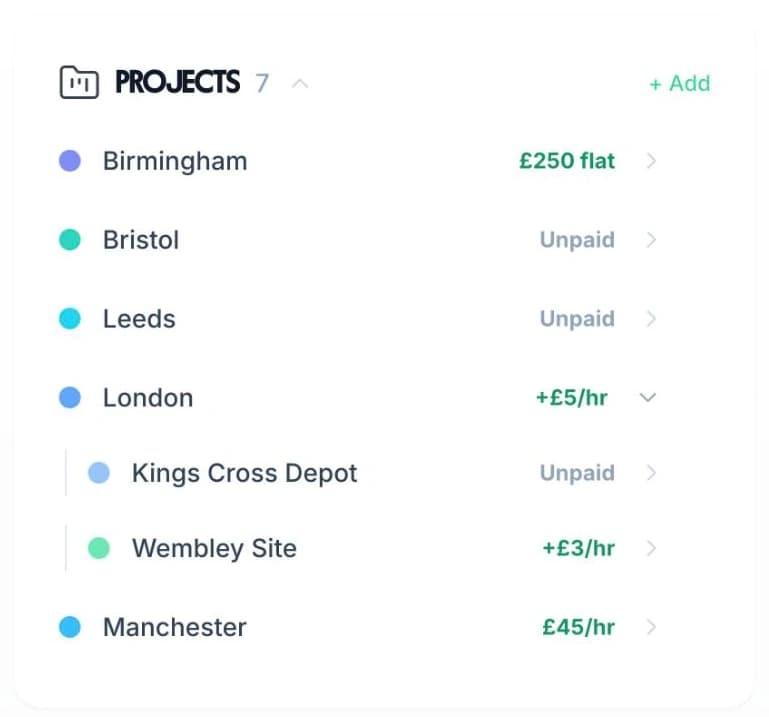
Use TimeTally's project tracking to create a project for each client site. When cleaners submit their timesheet, they assign hours to the relevant site. Reports show total hours and costs per client — useful for contract billing and checking profitability.

Hourly Rates and Overtime

Set an hourly rate and overtime rate for each cleaner. When timesheets are submitted, TimeTally calculates standard pay and overtime pay automatically. You can set daily or weekly overtime thresholds to match your contracts.

Payroll Export

Export approved timesheets to Xero, QuickBooks, or CSV with one click. The export includes employee names, standard hours, overtime hours, pay amounts, and break deductions. No manual re-entry needed.

Mobile Access — No App Download Needed

TimeTally works in any mobile browser. Cleaners do not need to download an app or install anything on personal devices — they can bookmark the page. There is also a native iOS app for those who prefer it.

Approval Workflow

Cleaners submit their weekly timesheets. Managers receive a notification and can approve or reject from their phone. Rejected timesheets go back to the cleaner with a note explaining what needs correcting. Only approved timesheets are included in payroll exports.

Travel and Multi-Site Working

Logging Travel Time and Multiple Sites

TimeTally does not have GPS tracking or geofencing. What it does have is project-based time tracking, which cleaning companies use to assign hours to different client sites. If a cleaner works at three sites in a day, they create a separate timesheet entry for each one.

Project-Based Site Tracking

Create a project for each client site. When cleaners submit their timesheet, they select the relevant site from a dropdown. Reports show total hours per site.

Travel as a Separate Entry

Create a "Travel" project and have cleaners log travel time between sites as a separate timesheet entry. This is not a dedicated travel feature — it uses the same project tracking — but it captures the data you need for NMW compliance.

Notes on Entries

Cleaners can add notes to any timesheet entry — useful for recording which tasks were completed, any issues at a site, or details about travel routes.

TimeTally mobile timesheet showing hours logged against client sites
Cleaner booking holiday on mobile phone
Holiday and Absence Management

Holiday Requests Without the Paperwork

Managing holiday requests by text message or WhatsApp is how many cleaning companies still operate. It works until someone's entitlement is wrong, or two cleaners covering the same site both book the same week off. TimeTally lets staff request time off from their phone, and managers can see the team calendar before approving. For a deeper look at how TimeTally handles leave management for cleaning services, see our dedicated page.

Automatic Entitlement Calculation

Statutory holiday allowance (5.6 weeks) is calculated automatically, including pro-rata for part-time staff and mid-year starters. For irregular hours workers, accrual at 12.07% of hours worked is handled correctly.

Team Calendar

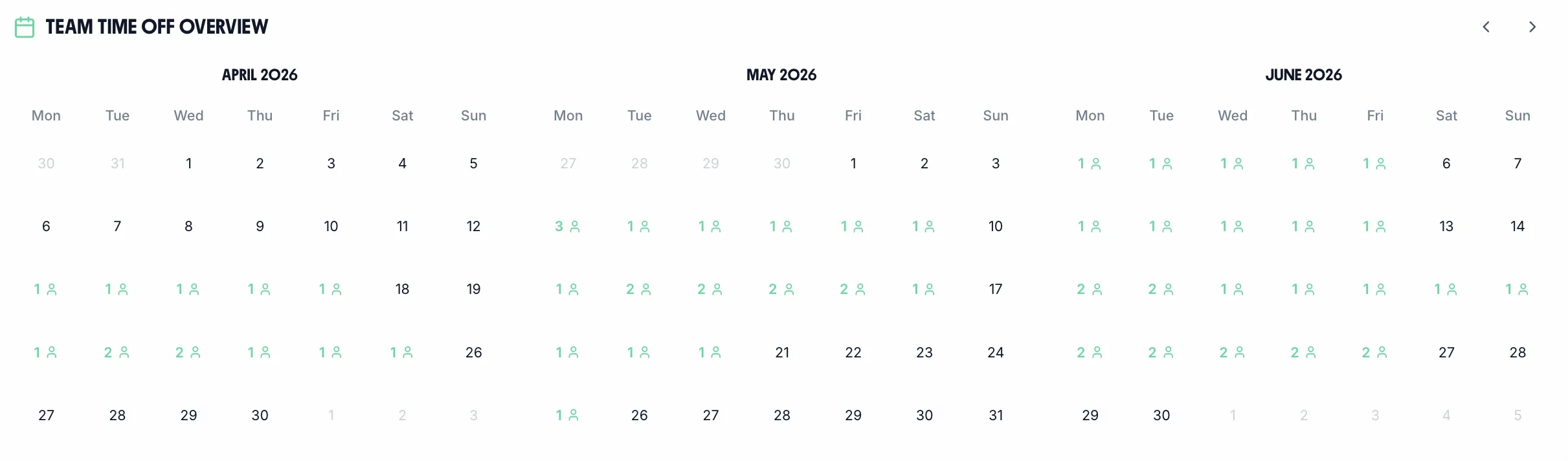
See your whole team's availability at a glance. Check for clashes before approving requests — particularly important when multiple cleaners cover the same client site.

One-Tap Requests

Staff select dates and submit. Managers get a notification and can approve or decline from their phone. Remaining holiday entitlement updates automatically.

Team Overview

See Who Is Working and Who Is Off

The team calendar gives managers a clear view of the entire team's status — submitted timesheets, approved holidays, and absences — all in one place. For cleaning companies managing site coverage, this is the quickest way to check who is available before approving a holiday request.

Team calendar showing cleaner availability and booked holidays
UK Employment Law

How TimeTally Helps with UK Compliance

TimeTally is a timesheet tool, not a compliance system. It does not actively monitor working time limits or send alerts for breaches. But accurate timesheet records are the foundation of meeting your regulatory obligations — and that is what TimeTally provides.

National Minimum Wage

Accurate hours tracking ensures your effective hourly rate does not fall below the National Minimum Wage (£12.21/hour for workers aged 21+ from April 2025). For cleaning companies, this is especially relevant for travel time between sites, which counts as paid working time. TimeTally captures this data — the compliance decision is yours.

Working Time Regulations

TimeTally records all hours worked, including overtime. This gives you the data to check the 48-hour weekly average (over a 17-week reference period) and 11-hour rest between shifts under the Working Time Regulations 1998. You can export this data at any time if HMRC or the HSE request records.

Holiday Entitlement

All UK workers get 5.6 weeks statutory holiday (28 days for full-time). TimeTally calculates entitlement automatically, including pro-rata for part-time staff, mid-year starters, and the 12.07% accrual method for irregular hours workers introduced in April 2024.

HMRC Record-Keeping

HMRC requires employers to keep records of hours worked for at least two years. TimeTally stores all timesheet data digitally with timestamps and approval records — a complete audit trail you can export whenever needed.

Break Tracking

Under UK law, workers on shifts over 6 hours are entitled to a 20-minute uninterrupted break. Use our break time compliance calculator to check requirements. TimeTally records breaks separately and deducts them from total hours, so payroll figures are accurate and you have a record that breaks were taken.

Client Audit Trail

Project tracking gives you a digital record of who worked at which client site, for how long, and when. This is useful if a client queries their invoice or disputes the hours billed.

Simple, Transparent Pricing

One price. Every feature. No surprises.

£2/employee/month

Billed monthly. Cancel anytime.

Track hours by client site using project-based timesheets
Mobile timesheet submission from any phone, no app required
Automatic overtime calculations at individual pay rates
Holiday entitlement calculated automatically, including irregular hours
Export to Xero, QuickBooks, or CSV for payroll

No credit card required

Download on the App Store

Frequently Asked Questions

Can cleaners submit timesheets from their phone without downloading an app?

Yes. TimeTally works in any mobile browser — no app download or installation needed. Cleaners can bookmark the page on their phone. There is also a native iOS app on the App Store for those who prefer it.

How do cleaners log hours at different client sites?

You create a project in TimeTally for each client site. When cleaners submit their timesheet, they select the relevant site from a dropdown. If they work at three sites in a day, they create three separate entries. Reports show total hours and costs per site.

Can cleaners log travel time between sites?

Yes, but not through a dedicated travel feature. You create a project called 'Travel' (or similar), and cleaners log travel time as a separate timesheet entry assigned to that project. This captures the data you need to ensure travel time is paid correctly under NMW rules.

Does TimeTally have GPS tracking or geofencing?

No. TimeTally is a timesheet tool, not a location tracking system. It does not track where your cleaners are. It records the hours they report working and which project (client site) they assign those hours to. If you need real-time GPS tracking, you would need a separate tool.

How does TimeTally handle holiday entitlement for part-time or irregular hours cleaners?

TimeTally calculates statutory holiday entitlement automatically. For part-time staff, it pro-rates the 5.6-week entitlement. For irregular hours workers, it can apply the 12.07% accrual method. UK bank holidays are pre-loaded. Remaining entitlement is shown in real time.

Can I set different pay rates for different cleaners?

Yes. Each employee has their own hourly rate and overtime rate. When timesheets are submitted, TimeTally calculates standard pay and overtime pay based on these individual rates. You can update rates at any time.

How does the approval workflow work?

Cleaners submit their weekly timesheet. Their manager receives a notification and can review the entries, then approve or reject from their phone. Rejected timesheets go back to the cleaner with a note. Only approved timesheets are included in payroll exports.

What payroll systems does TimeTally export to?

TimeTally exports to Xero, QuickBooks, and CSV/Excel. The export includes employee names, standard hours, overtime hours, pay amounts, and break deductions. Most payroll systems can import CSV files if a direct integration is not available.

Does TimeTally help with Working Time Directive compliance?

TimeTally records all hours worked, which gives you the data to check the 48-hour weekly average and rest periods between shifts. However, it does not actively monitor for WTD breaches or send alerts — it provides the records, and compliance decisions remain with you.

Is there a reward system for cleaners who submit timesheets on time?

Yes. TimeTally has a built-in rewards system that recognises employees who submit their timesheets consistently and on time. This can help with the common problem of chasing cleaners for late submissions.

Try TimeTally Free for 14 Days

No credit card required. Set up your cleaning team in 10 minutes. Start tracking hours by client site and managing holiday requests.

FREE 14-day trial · No credit card required · Cancel anytime