
Drivers finish shifts at different times, warehouse teams rotate through nights and weekends, and overtime adds up fast. TimeTally gives your logistics staff a simple way to record their hours from any phone, and gives managers a clear record of who worked when. Approved timesheets export straight to Xero, QuickBooks, or CSV. From £2 per employee per month.
UK logistics employs over 2.7 million people across driving, warehousing, and distribution. Shift patterns vary widely, overtime is frequent, and multiple regulations govern how long people can work.
The Working Time Regulations 1998 (WTR) apply to all logistics workers, but mobile workers such as HGV drivers have specific provisions. The standard 48-hour weekly average (over a 17-week reference period) applies, along with minimum rest periods. Drivers classified as mobile workers under WTR are exempt from some rest break provisions but are instead covered by separate driving hours rules.
For drivers of vehicles over 3.5 tonnes, the retained EU Regulation 561/2006 sets strict limits: a maximum of 9 hours daily driving (extendable to 10 hours twice per week), a maximum of 56 hours driving per week, and mandatory 45-minute breaks after 4.5 hours of driving. These driving hours are recorded by tachographs, which are a legal requirement. TimeTally does not replace or integrate with tachograph systems — but it records the other working time that tachographs do not capture, such as loading, unloading, vehicle checks, and waiting time.
Warehouse staff, pickers, packers, and loading teams fall under the standard WTR provisions. They are entitled to a 20-minute uninterrupted break for shifts over 6 hours, 11 consecutive hours of rest between shifts, and the 48-hour weekly average limit. Getting these hours recorded properly matters for payroll accuracy, for demonstrating compliance if HMRC or the HSE inspect, and for keeping staff who rely on correct overtime payments.
For payroll, logistics companies deal with a mix of hourly rates, overtime rates, and shift premiums across different roles. Drivers, warehouse operatives, and office staff may all have different rates. Paper timesheets and spreadsheets create errors, slow down payroll, and make it difficult to produce records when needed. See how TimeTally compares to managing timesheets in Excel.
TimeTally works for any logistics business that needs to track staff hours and manage holiday requests.
HGV fleets, parcel delivery, last-mile distribution companies
Fulfilment centres, distribution hubs, cold storage facilities
Third-party logistics, contract warehousing, freight forwarding
Same-day delivery, multi-drop services, specialist couriers
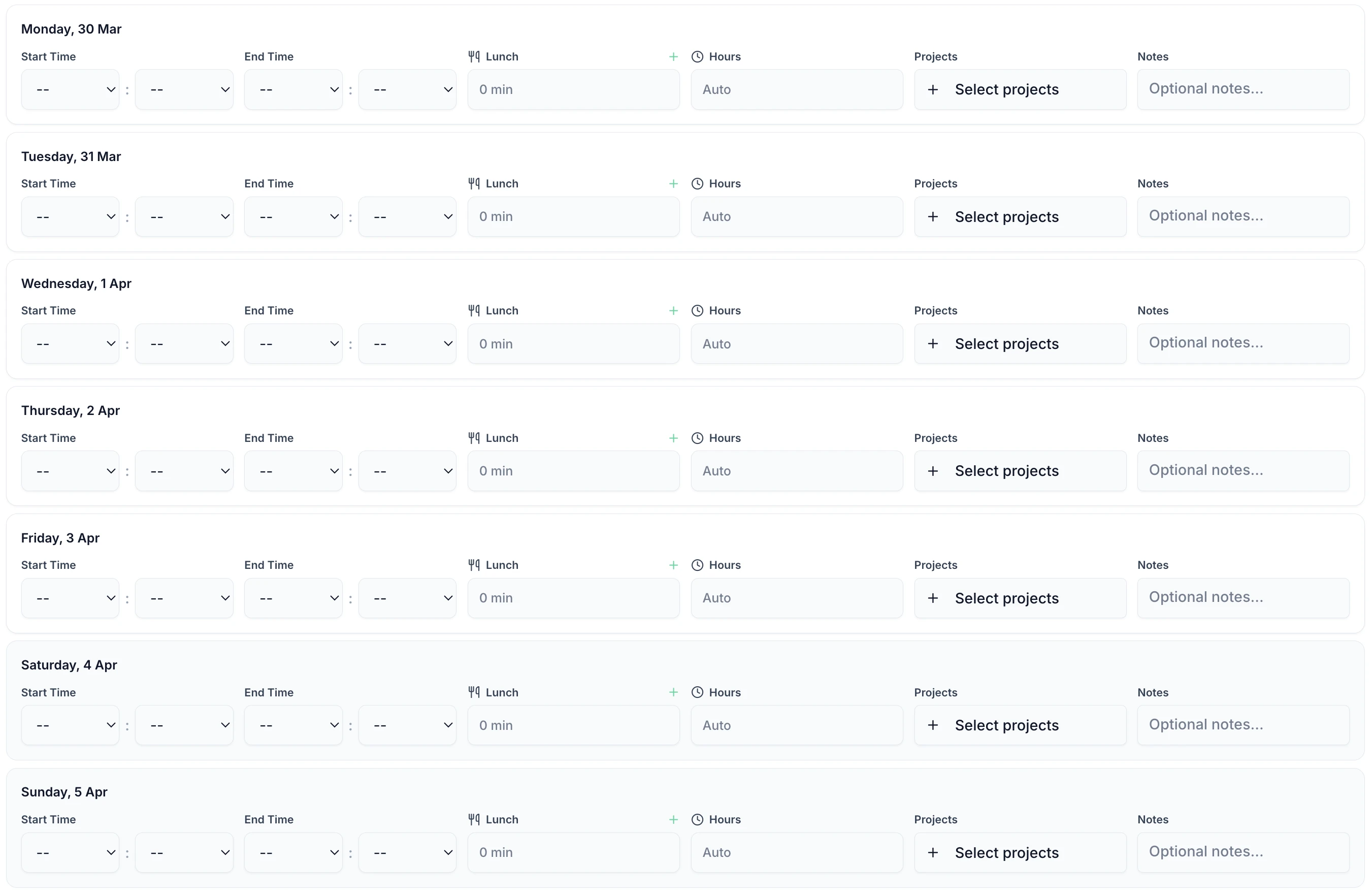
Drivers between drops and warehouse staff between shifts can submit timesheets in under 60 seconds. Enter start time, end time, and breaks. Assign hours to a route, department, or client. Works on any phone or a shared tablet in the depot.

TimeTally is a straightforward timesheet and holiday management tool. Here is what it does and how it helps logistics companies.
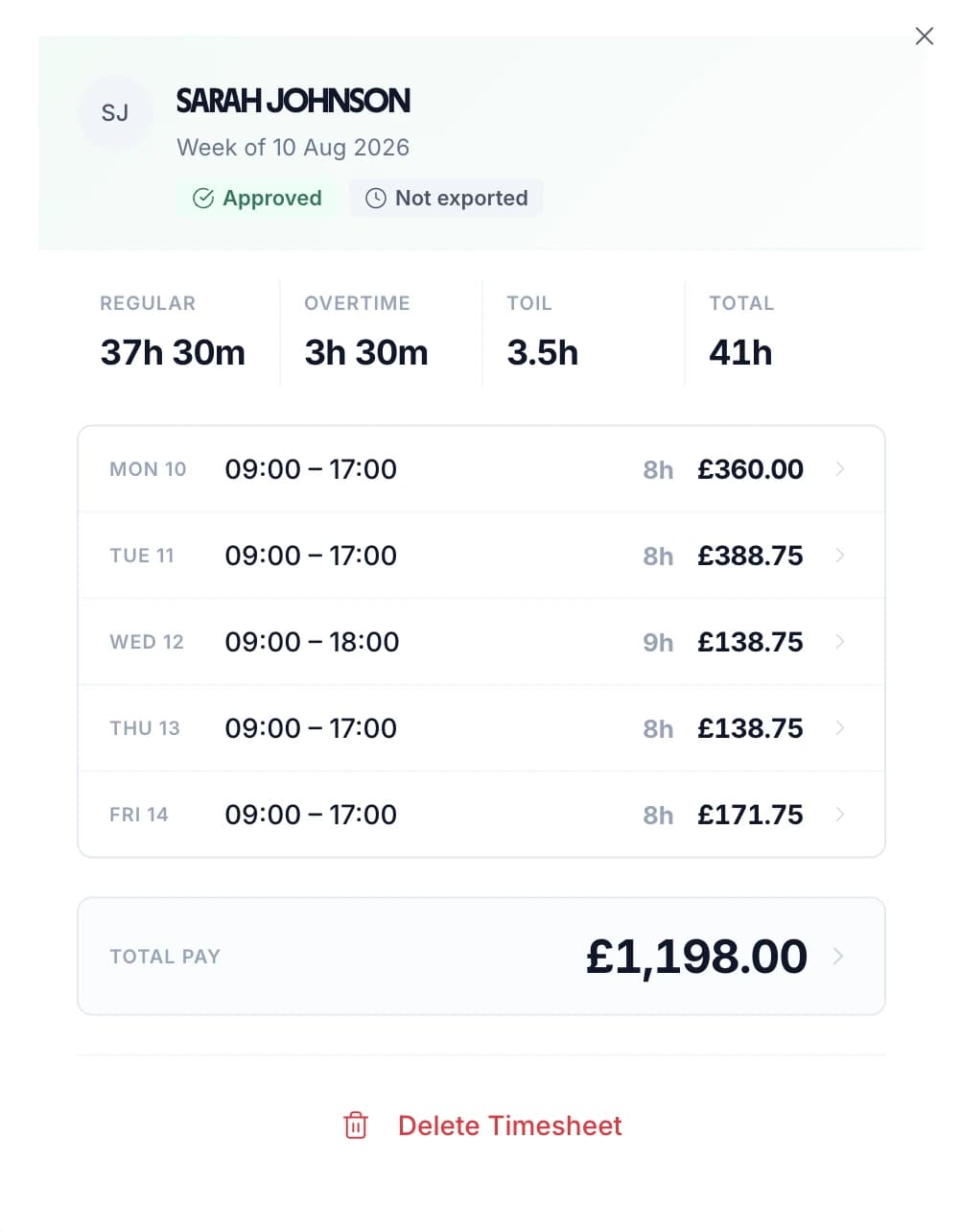
Staff enter their shift start and end times. This works for any pattern — early mornings, nights, long days, split shifts, or rotating rotas. Overnight shifts that cross midnight are handled correctly. Total hours and overtime are calculated automatically.
Set an hourly rate and overtime rate for each employee. Drivers, warehouse operatives, and office staff can each have different rates. TimeTally calculates standard pay and overtime pay automatically. You can set daily or weekly overtime thresholds to match your company's rules.
Track lunch breaks and rest breaks separately. Under UK law, workers on shifts over 6 hours are entitled to a 20-minute uninterrupted break. TimeTally records breaks and deducts them from total hours so payroll figures are accurate.
Use TimeTally's project tracking to assign hours to specific routes, clients, departments, or depots. If a driver covers two routes in a day, they can split their hours accordingly. Reports show total hours and costs per project.
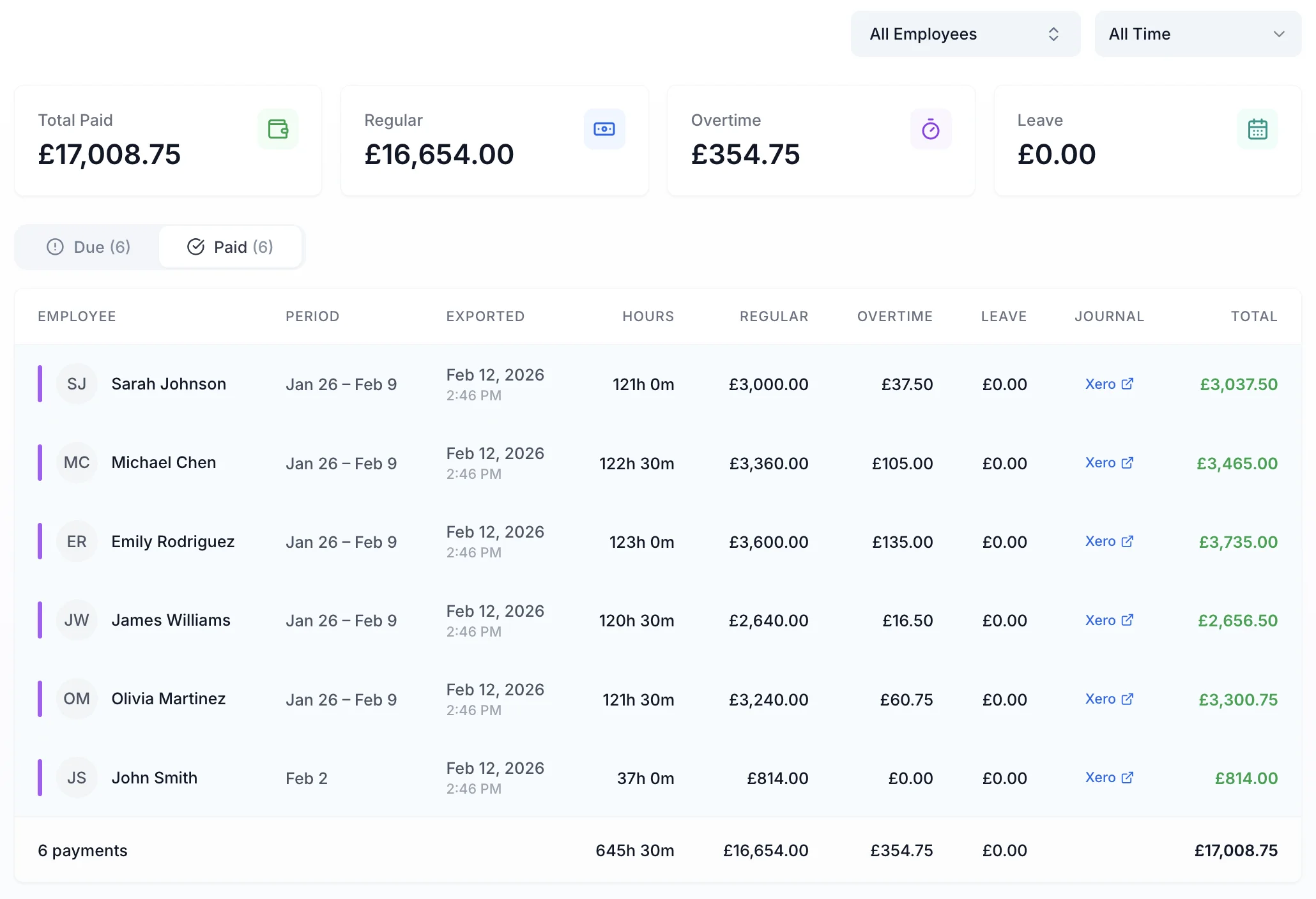
Export approved timesheets to Xero, QuickBooks, or CSV with one click. The export includes employee names, standard hours, overtime hours, pay amounts, and break deductions. No manual re-entry needed.
TimeTally works in any mobile browser. Drivers do not need to download an app or install anything on personal devices. They can bookmark the page or use a shared tablet at the depot. There is also a native iOS app for those who prefer it.
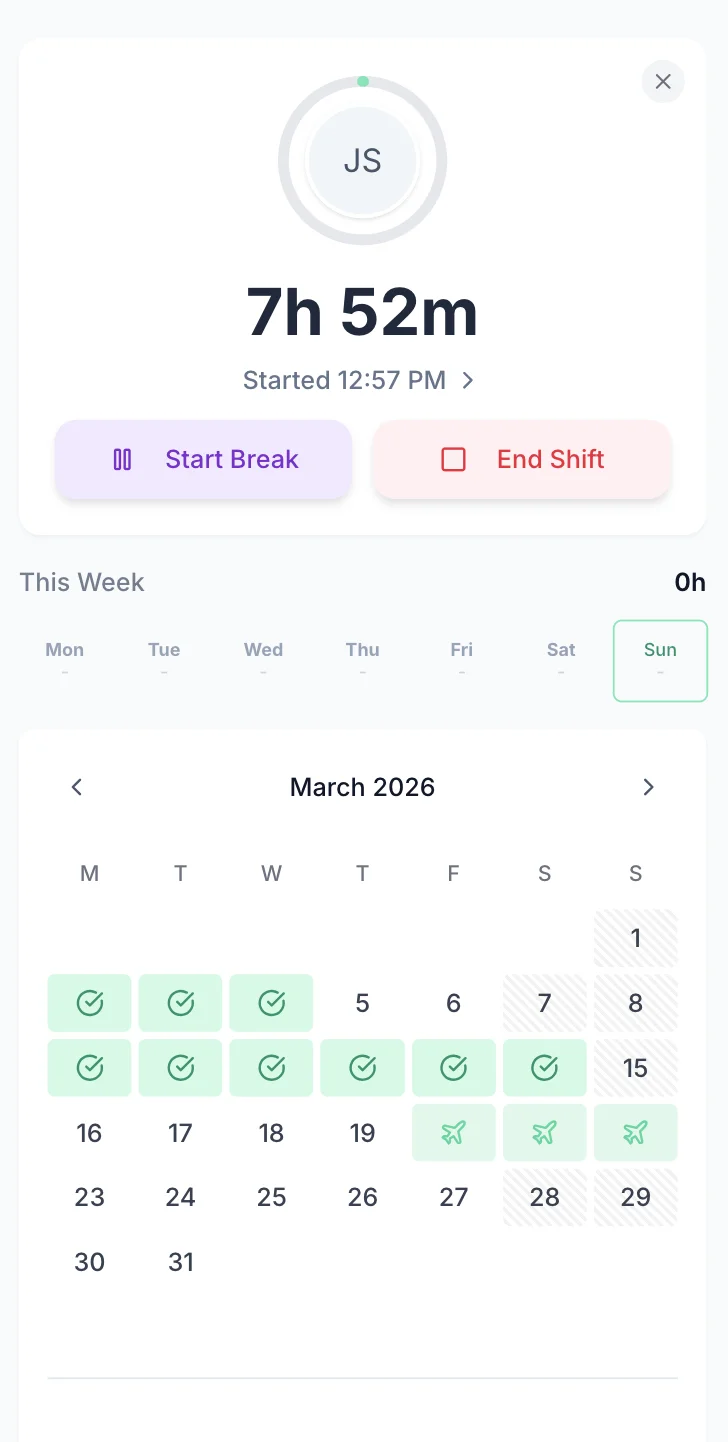
Managing holiday requests by phone call, WhatsApp, or paper forms is slow and error-prone — especially when you need to check that routes and warehouse shifts are covered before approving. TimeTally lets staff request time off from their phone. Managers see the team calendar and approve or decline with one tap. Remaining holiday entitlement is calculated automatically. For a full overview, see our logistics leave management page.
Staff select dates and submit. Managers get a notification and can see who else is off before approving.
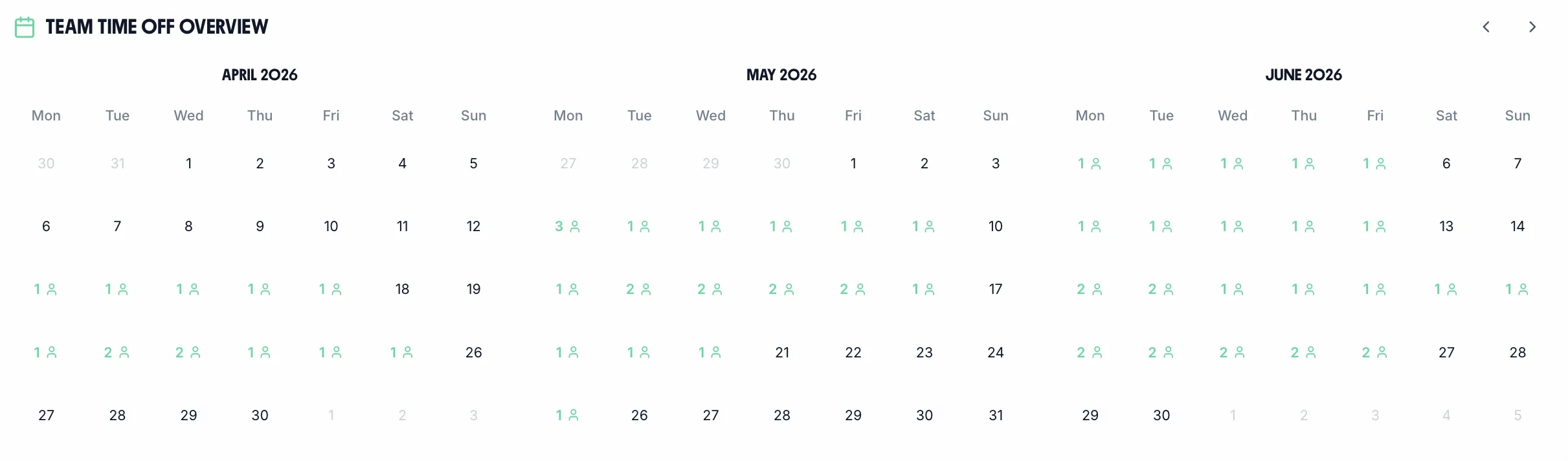
See your whole team's availability at a glance. Check for clashes before approving requests — essential when you need minimum driver or warehouse cover.
Statutory holiday allowance (5.6 weeks) is calculated automatically, including pro-rata for part-time staff and mid-year starters. UK bank holidays are pre-loaded.
Create categories for annual leave, sick leave, compassionate leave, or any other type your organisation uses. Each with its own colour and allowance.

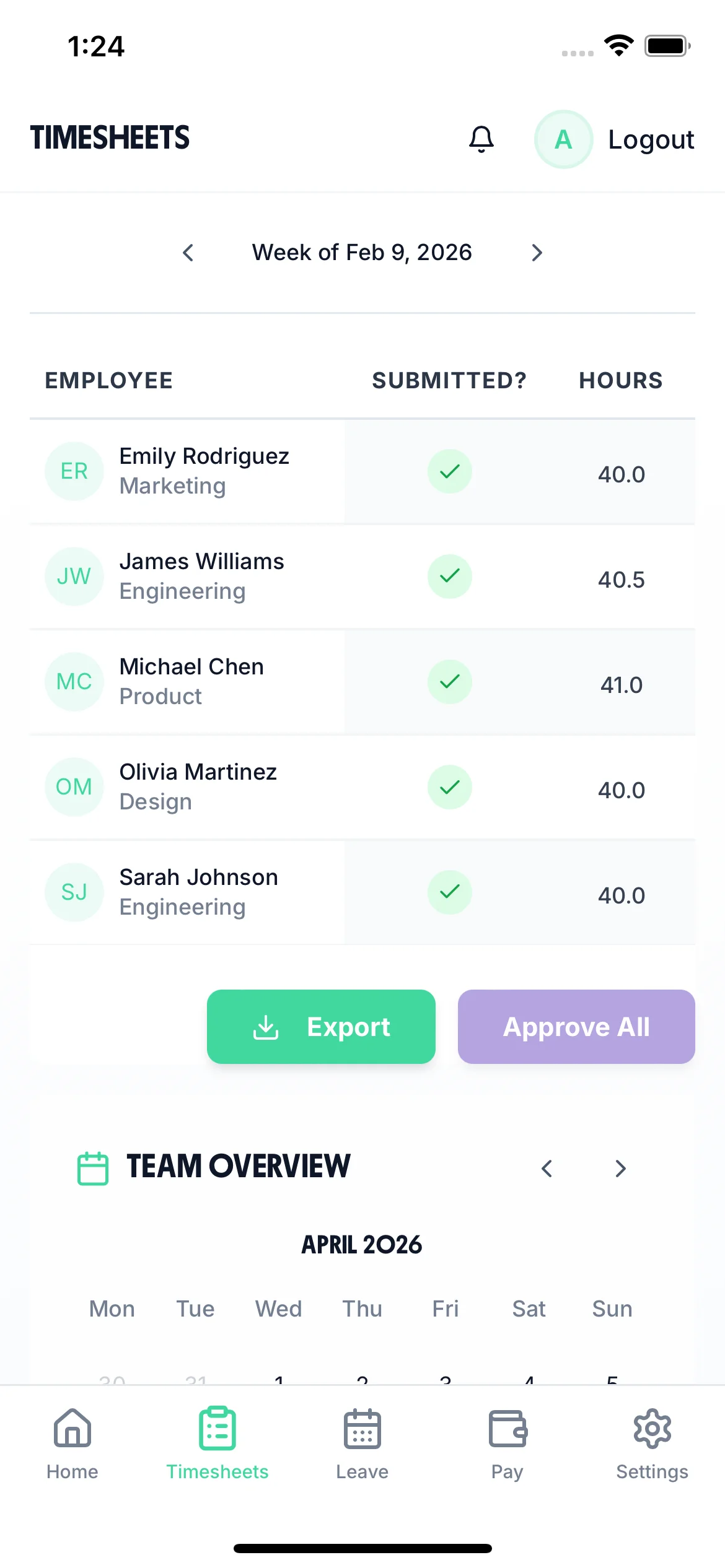
The team calendar gives managers a clear view of the entire team's status — submitted timesheets, approved holidays, and absences — all in one place. Plan ahead, spot staffing gaps on routes or in the warehouse, and make informed decisions about approving leave.

Every employee can see exactly what they have earned. Base pay, overtime, and total hours are calculated automatically based on each person's hourly rate and overtime threshold. Fewer payslip queries, fewer payroll corrections.

TimeTally is a timesheet tool, not a compliance system — but accurate timesheet records are the foundation of meeting your regulatory obligations. Here is how the data TimeTally captures supports your compliance requirements.
TimeTally records all hours worked, including overtime and night shifts. This gives you the data you need to monitor the 48-hour weekly average (over a 17-week reference period), 11-hour rest between shifts, and the 8-hour night work limit. You can export this data at any time if HMRC or the HSE request records.
Tachographs record driving time, but not loading, unloading, vehicle checks, or waiting time — all of which count as working time under the Road Transport (Working Time) Regulations 2005. TimeTally captures these non-driving hours so you have a complete picture of total working time.
Under UK law, workers on shifts over 6 hours are entitled to a 20-minute uninterrupted break. TimeTally tracks breaks separately, so you have a record that breaks were taken. This is particularly important in logistics where long shifts and early starts are common.
HMRC requires employers to keep records of hours worked for at least two years. TimeTally stores all timesheet data digitally with timestamps and approval records — a complete audit trail that you can export whenever needed.
Accurate hours tracking ensures your effective hourly rate does not fall below the National Minimum Wage (£12.21/hour for workers aged 21+ from April 2025). This is especially relevant where unpaid overtime or incorrect break deductions could push the rate below the legal minimum.
All UK workers get 5.6 weeks statutory holiday (28 days for full-time). TimeTally calculates entitlement automatically, including pro-rata for part-time staff and mid-year starters, and tracks remaining allowance in real time.
We would rather be upfront about what TimeTally is and is not. It is a timesheet and holiday management tool — not a transport management system or tachograph replacement.
Records shift start times, end times, and breaks
Calculates pay and overtime automatically per employee
Tracks hours by route, department, or client
Manages holiday requests with team calendar
Calculates statutory holiday entitlement (including pro-rata)
Exports approved timesheets to Xero, QuickBooks, or CSV
Timesheet approval workflow for managers
Works on mobile browser and iOS app
Notes on timesheet entries (for recording route details, etc.)
Does not integrate with tachographs or download tachograph data
Does not monitor Working Time Directive limits or send compliance alerts
Does not track EU driving hours or enforce rest period rules
Does not provide real-time GPS tracking or live driver status
Does not have clock-in/clock-out functionality — it is timesheet submission
Does not monitor National Minimum Wage compliance automatically
Does not replace transport management systems (TMS)
If you need tachograph analysis, driving hours monitoring, or transport compliance software, you will need a specialist tool alongside TimeTally.
One price. Every feature. No surprises.
No. TimeTally does not connect to or download data from digital or analogue tachographs. Tachographs record driving time, which is a legal requirement for vehicles over 3.5 tonnes. TimeTally records the other working time that tachographs do not capture — loading, unloading, vehicle checks, waiting time, and warehouse work. You would use TimeTally alongside your tachograph system, not instead of it.
TimeTally records all hours worked, which gives you the raw data to check against WTD limits (the 48-hour weekly average over a 17-week reference period). However, TimeTally does not actively monitor these limits, calculate rolling averages, or send alerts when workers approach the threshold. You would need to review the data yourself or use a specialist compliance tool for automated WTD monitoring.
Drivers open TimeTally in their mobile browser or the iOS app, enter their shift start time, end time, and any breaks, then submit. They can add notes (such as route details or delivery counts) and assign hours to a specific project or route. The whole process takes under a minute. Managers then review and approve the submitted timesheets.
Yes. Each employee has their own hourly rate and overtime rate. A driver on £14/hour with overtime at £21/hour and a warehouse operative on £12/hour with overtime at £18/hour would each have their rates set individually. TimeTally calculates pay based on each person's specific rates.
Yes. TimeTally has project tracking where you can create routes, departments, clients, or depots. Staff assign their hours to the relevant project when submitting their timesheet. If a driver covers two routes in a day, they can split their hours accordingly. Reports show total hours and costs per project.
TimeTally handles overnight shifts correctly. If a warehouse operative starts at 10pm and finishes at 6am, the system calculates 8 hours without any issues. Start and end times can cross midnight. This works for any shift pattern — nights, early mornings, long days, or split shifts.
No. The retained EU Regulation 561/2006 sets limits on daily and weekly driving hours (maximum 9 hours daily driving, extendable to 10 twice per week, maximum 56 hours weekly driving) and mandates 45-minute breaks after 4.5 hours of driving. These driving hours are recorded by tachographs, which are the legal instrument for this purpose. TimeTally records total working time including non-driving activities, but it does not separately track or enforce driving hour limits.
Staff tap 'Book Time Off', select their dates, and submit. Their manager gets a notification and can see the team calendar to check for clashes before approving — important when you need to maintain minimum cover on routes or in the warehouse. Remaining holiday allowance is shown in real time. Statutory entitlement (5.6 weeks) is calculated automatically, including pro-rata for part-time staff.
TimeTally exports to Xero, QuickBooks, and CSV/Excel. The export includes employee names, standard hours, overtime hours, pay amounts, and break deductions. Most payroll systems can import CSV files if a direct integration is not available.
Yes. You can add and remove employees at any time, and you only pay for active employees each month. If you bring on temporary warehouse staff for a peak period, add them when they start and remove them when they finish. There is no minimum contract or commitment.
Guides and tools for UK logistics companies
UK legal requirements for tracking staff hours
Read guideComplete guide to WTR compliance for UK employers
Read guideOvertime rules, rates, and calculations for UK employers
Read guideTrack shift patterns, production hours, and overtime for UK factories
Learn moreTrack hours by site and project for construction teams
Learn moreManage rotating shifts and handovers for warehouse and driver teams
Learn more