Everything a UK shift-based business needs to plan and communicate rotas clearly.
Plan shifts for the entire week at a glance with a clear day-by-day breakdown
List all employees with their assigned shifts, breaks, and total hours
Record start times, end times, and break durations for each shift
See which shifts are covered and identify gaps in your rota
Track employee availability, time off requests, and shift preferences
Simple Excel and Google Sheets format that anyone can customise
Up and running in five steps — no software needed.
Click the download button to get the Excel file instantly — no email required.
List all staff members who need shifts assigned in the employee column.
Fill in start times, end times, and breaks for each employee each day.
Ensure all shifts are covered and employees have at least 11 hours between shifts (WTR 1998).
Print or email the completed rota. Give reasonable notice of any shift changes.
The template gets you started. TimeTally replaces it entirely — with a proper rota builder, mobile app for staff, leave management, time tracking, and payroll export. All in one place, from £2/employee/month.
Create shifts, assign them to employees, and set recurring patterns — all from one view. No spreadsheet formulas, no copy-pasting. Publish the rota and every employee sees it instantly on their phone.
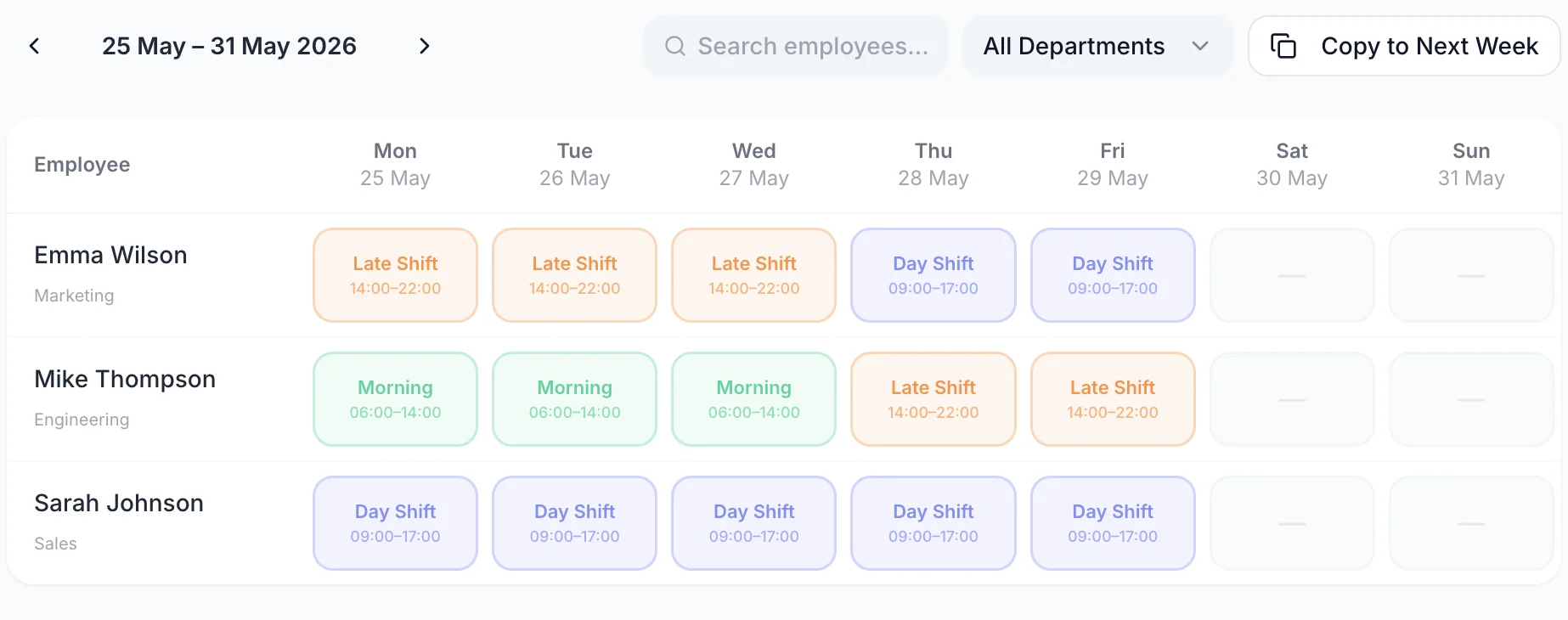
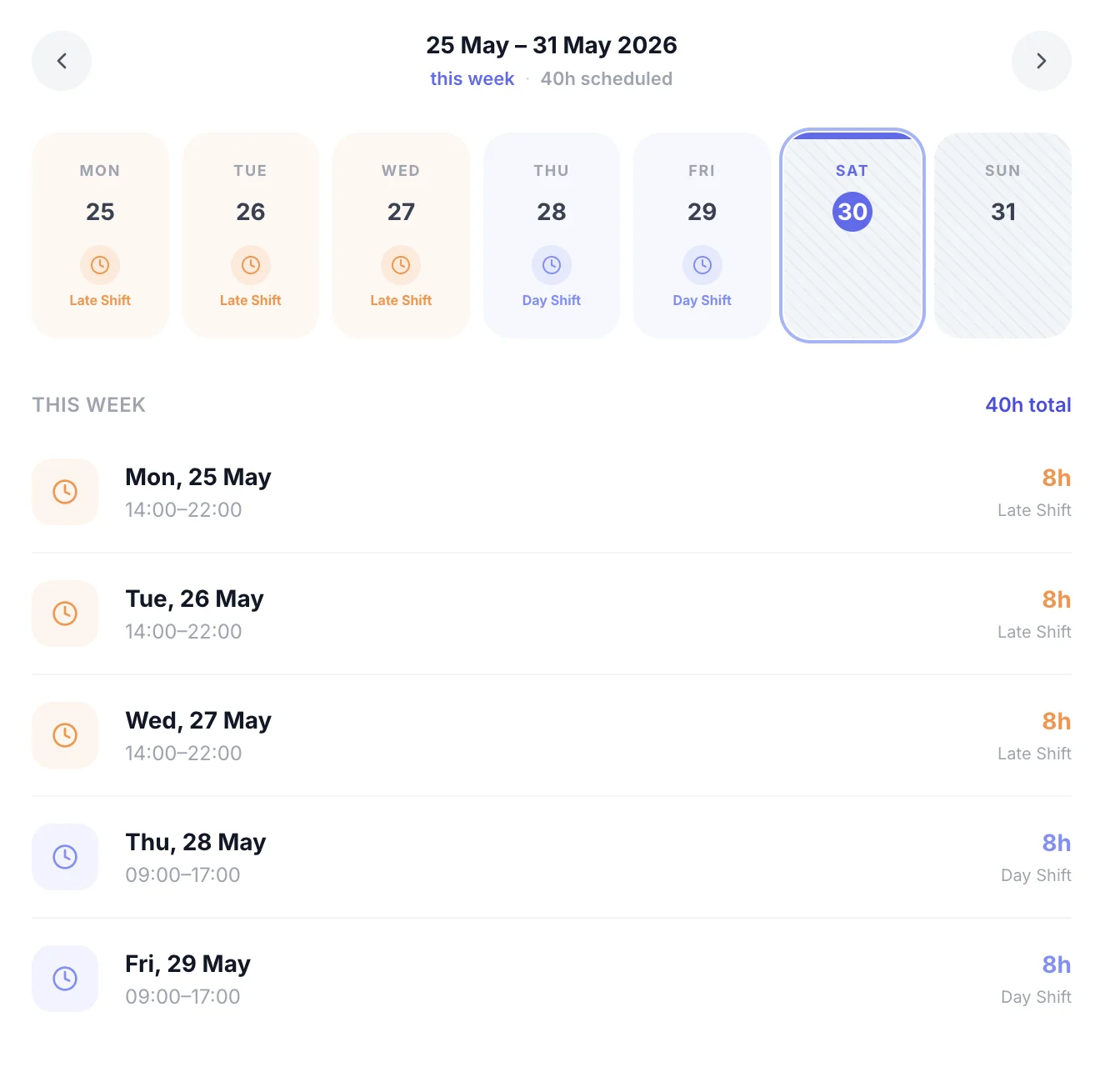
No more WhatsApp screenshots of the rota, printed schedules getting lost, or "I didn't see the update" excuses. Every shift update appears instantly in the employee's app — with push notifications when the rota changes.
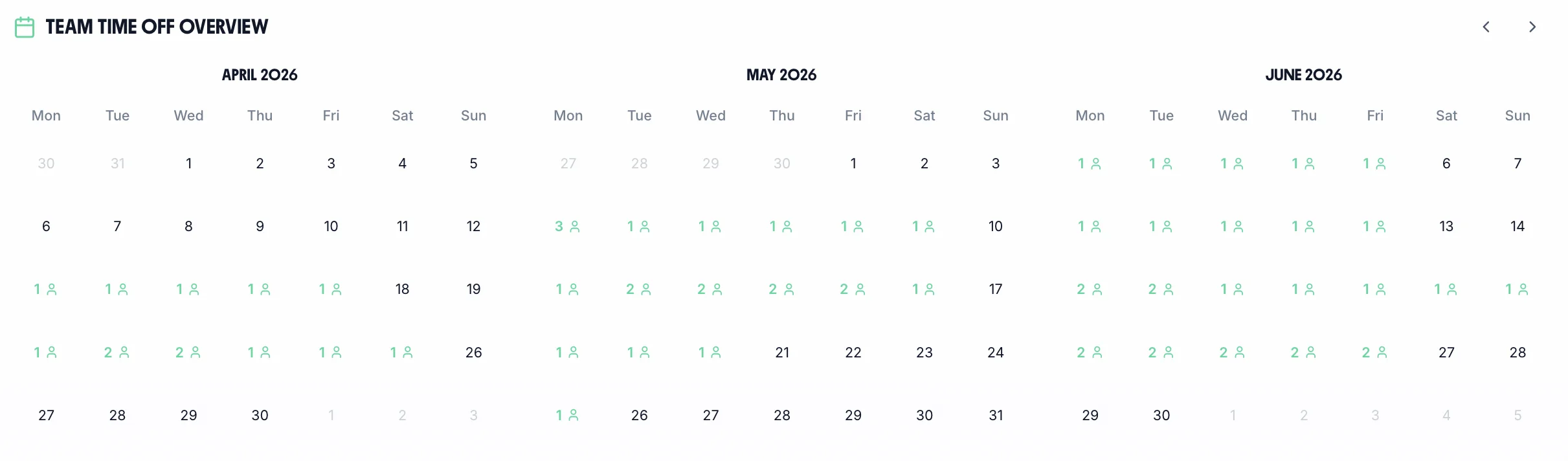
Holiday and sick leave appear on the same calendar as scheduled shifts. Before you approve a leave request, you can instantly see if it creates a coverage gap — so you're never caught short on a busy day.
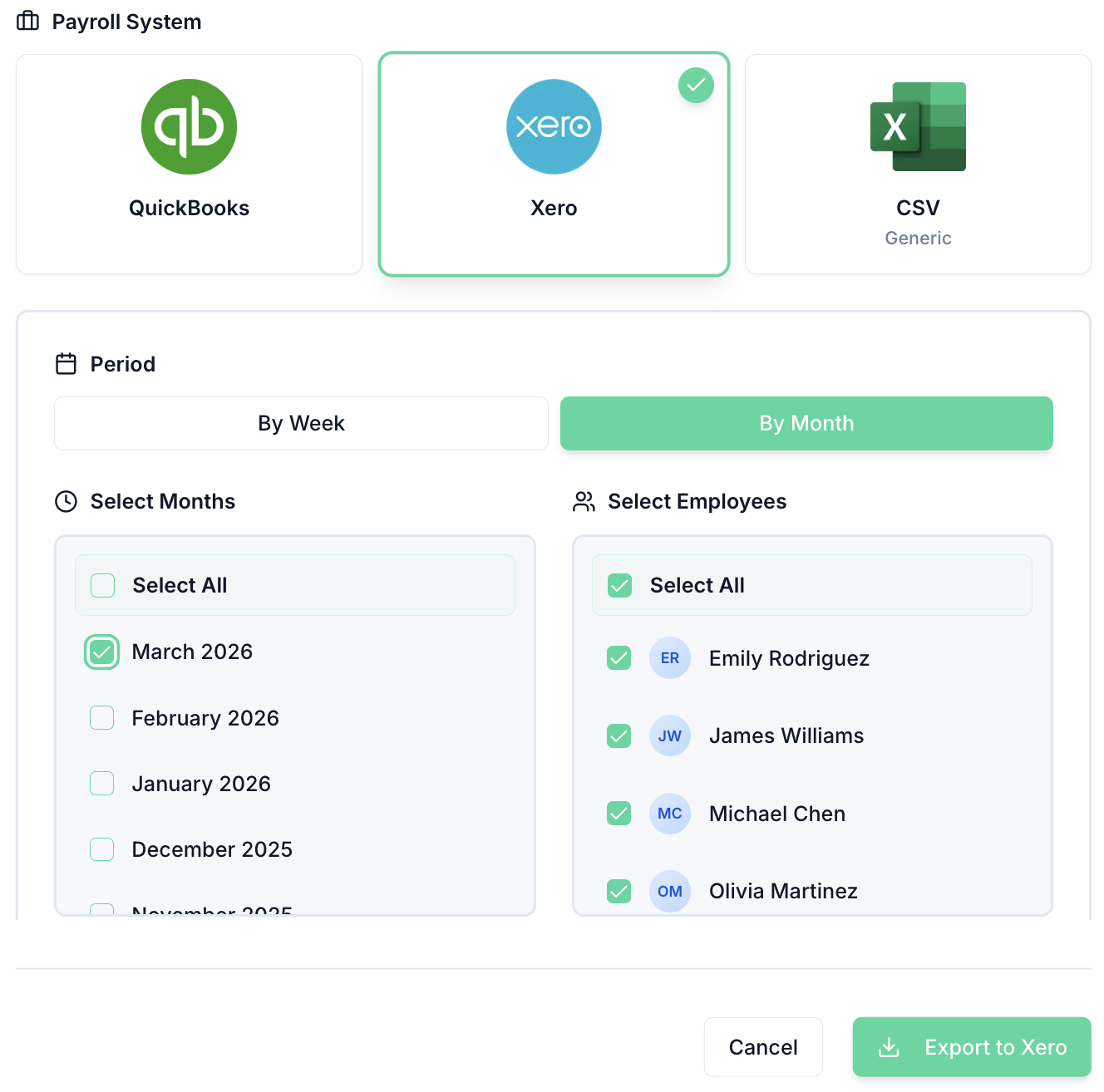
The rota tells you who should work. TimeTally's time tracking records what actually happened — hours worked, breaks taken, overtime earned. Then export directly to Xero, QuickBooks, or CSV.
TimeTally gives you a proper rota builder, mobile app for staff, leave management, and payroll export — all in one place. Explore all features or see how it works.
Rota builder
Create shifts, assign employees, and publish the rota in minutes. Staff see it instantly on the iOS app.
Time tracking
Employees clock in and out via mobile. Overtime is calculated automatically at your configured rates.
Payroll export
Direct integration with Xero and QuickBooks. Export timesheet data to any payroll software with one click.
If you employ shift workers in the UK, the Working Time Regulations 1998 set out minimum rest periods and maximum working hours. Getting these wrong can lead to enforcement action from HMRC or employment tribunal claims.
Adult workers are entitled to 11 consecutive hours of rest in every 24-hour period. If a shift ends at 11pm, the next shift cannot start before 10am the following day. This is the most common regulation that catches out small businesses using manual rotas — a spreadsheet will not flag the conflict, so you need to check manually. TimeTally's timesheet software monitors rest periods automatically.
There are limited exceptions for certain sectors (such as hospitals, transport, and security) where compensatory rest can be provided instead. See the GOV.UK rest breaks guidance for the full list.
Every worker is entitled to an uninterrupted 24-hour period without work in each 7-day period, or an uninterrupted 48-hour period in every 14-day period. When planning weekly rotas, make sure each employee has at least one full day off per week. For shift workers covering weekends, this means carefully rotating rest days rather than defaulting to Saturday or Sunday off for everyone.
Employees cannot be required to work more than an average of 48 hours per week, calculated over a 17-week reference period. Workers can opt out of this limit voluntarily in writing, but you cannot require them to do so as a condition of employment. Track total weekly hours on your rota to avoid creeping above this limit, particularly for employees who work overtime or have a second job.
Night workers (those who regularly work at least 3 hours between 11pm and 6am) must not work more than an average of 8 hours in any 24-hour period. Unlike the 48-hour weekly limit, night workers cannot opt out of this restriction. Employers must also offer free health assessments to night workers before they start night work and at regular intervals afterwards.
Workers aged 16–17 have additional protections. They are entitled to 12 hours of rest between shifts (not 11), a minimum of 2 consecutive days off per week (not 1), and cannot work more than 8 hours per day or 40 hours per week. Young workers generally cannot work between 10pm and 6am, although some exceptions exist for hospitality and retail. If you employ apprentices or part-time staff under 18, these rules apply regardless of contract type.
Any shift lasting more than 6 hours must include an uninterrupted rest break of at least 20 minutes. The break should be taken during the shift, not at the start or end. Young workers get a 30-minute break after 4.5 hours. These breaks should be reflected in your rota template — the template above includes a column for break durations so you can track this.
“TimeTally has been excellent for our business. The app is simple to use, reliable, and makes managing staff records straightforward. The system has saved us a significant amount of administration time. Highly recommended for any business looking for an easy-to-use workforce management solution.”

Jordan Ingoe, CLI Manchester

