Track employee hours in real-time with one-tap mobile clock-in, automatic calculations, and instant syncing across all devices. Under the Working Time Regulations 1998, UK employers must keep adequate records of hours worked — TimeTally makes this effortless.
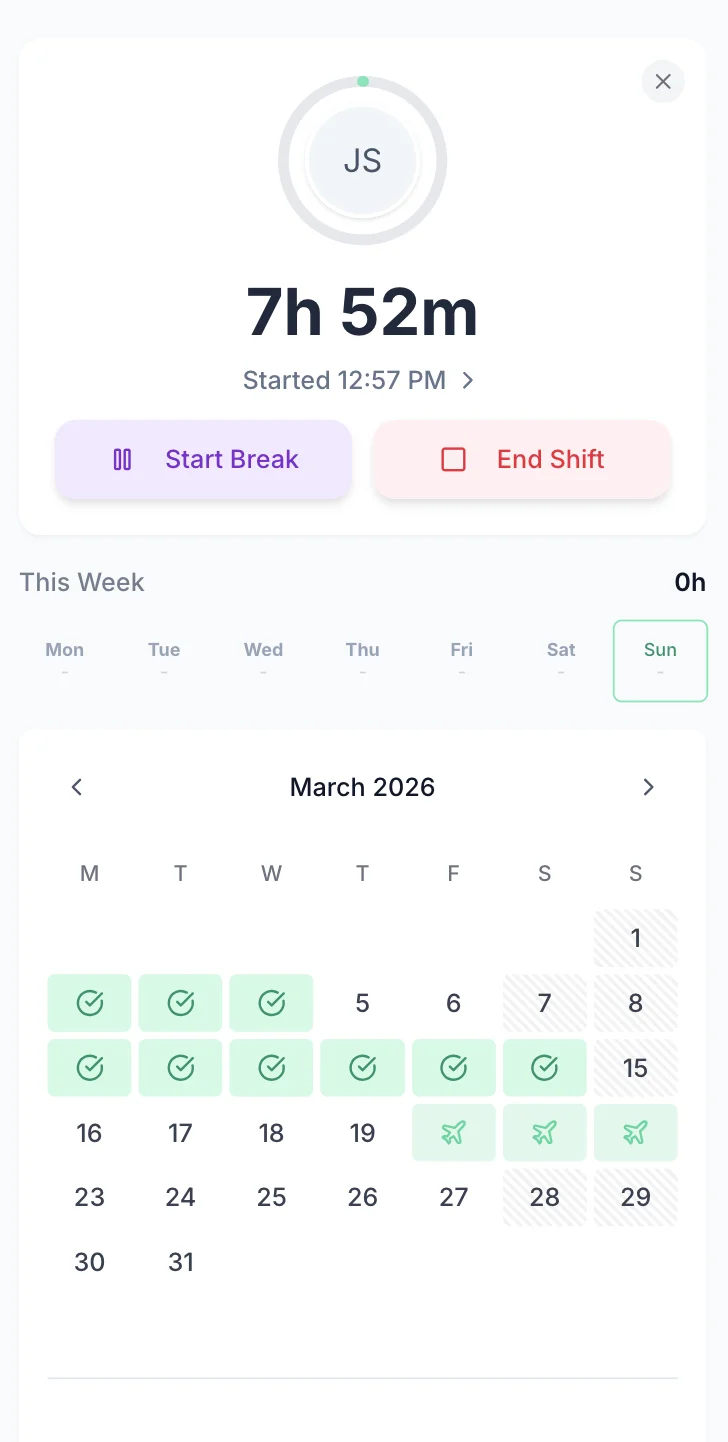
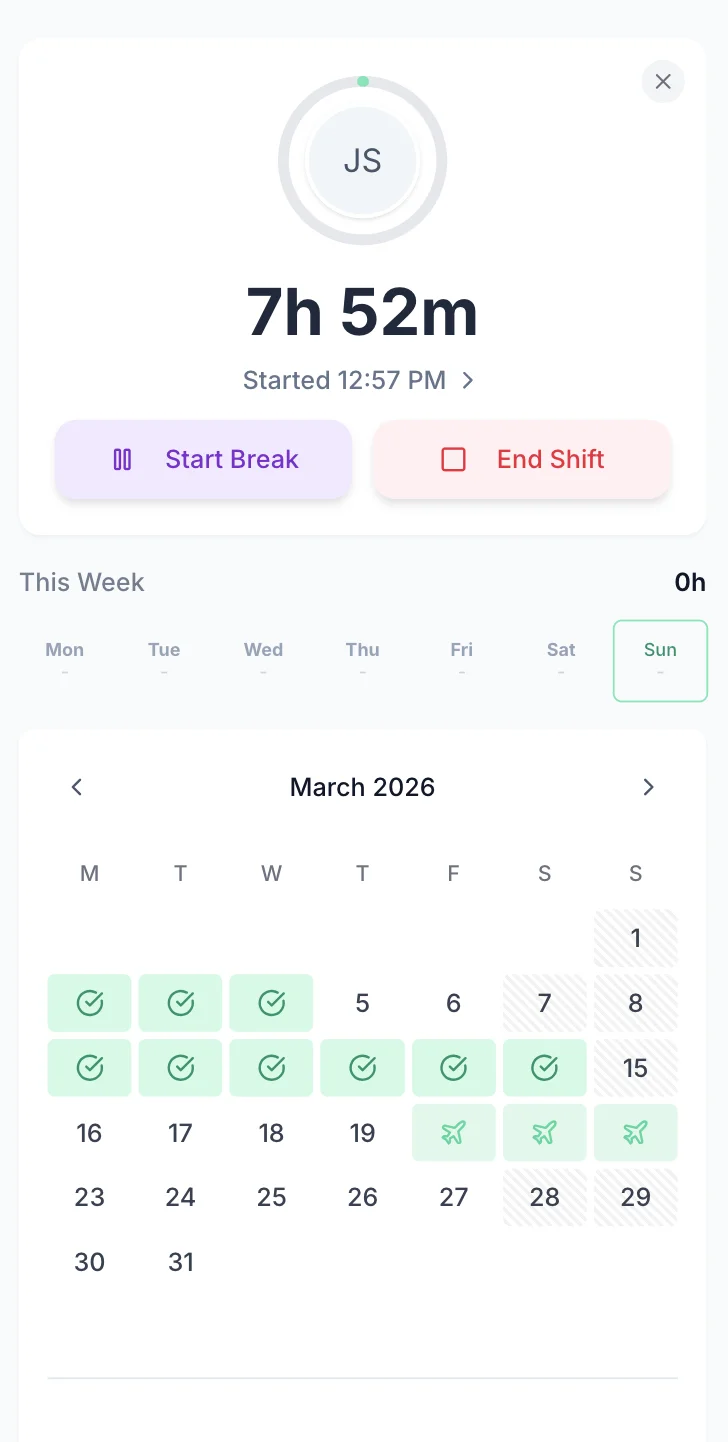
Employees open the clock-in app and tap Start Shift. The timer runs in the background, tracking hours, breaks, and overtime automatically. No forms to fill in, no end-of-week guessing. When the shift ends, tap End Shift and the hours are instantly logged.
See elapsed time in real-time with a running timer that tracks your entire shift
Clock-in/out times flow directly into weekly timesheets — no double entry
Start and end breaks with a single tap — automatic deduction from total hours

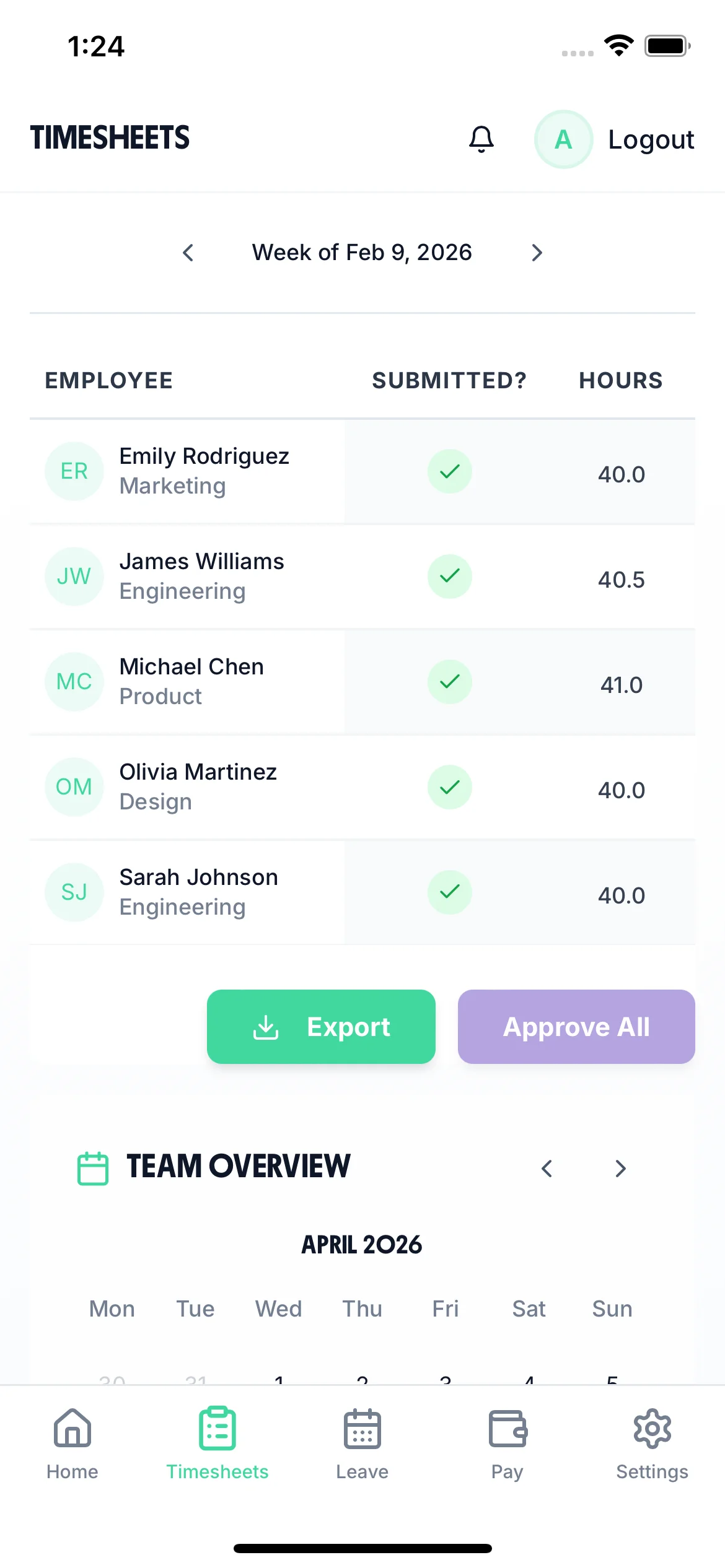
Managers get instant visibility into who has submitted hours, who still needs to, and total hours worked per employee. No more chasing timesheets or waiting until Friday to find out who worked what. Approve timesheets with one click.
See which employees have submitted timesheets and who needs a reminder
Review and approve timesheets individually or in bulk from any device
Employees get email reminders when timesheets are due — with reward points for on-time submission
Manual time tracking causes payroll errors, wastes admin hours, and leaves gaps in the records UK employers are legally required to keep under the Working Time Regulations 1998.
Employees log a full week in under a minute on mobile — no forms, no paperwork
Total hours, overtime, and breaks calculated instantly — no manual maths or spreadsheets
Every entry timestamped and tracked — HMRC-compliant records under the Working Time Regulations
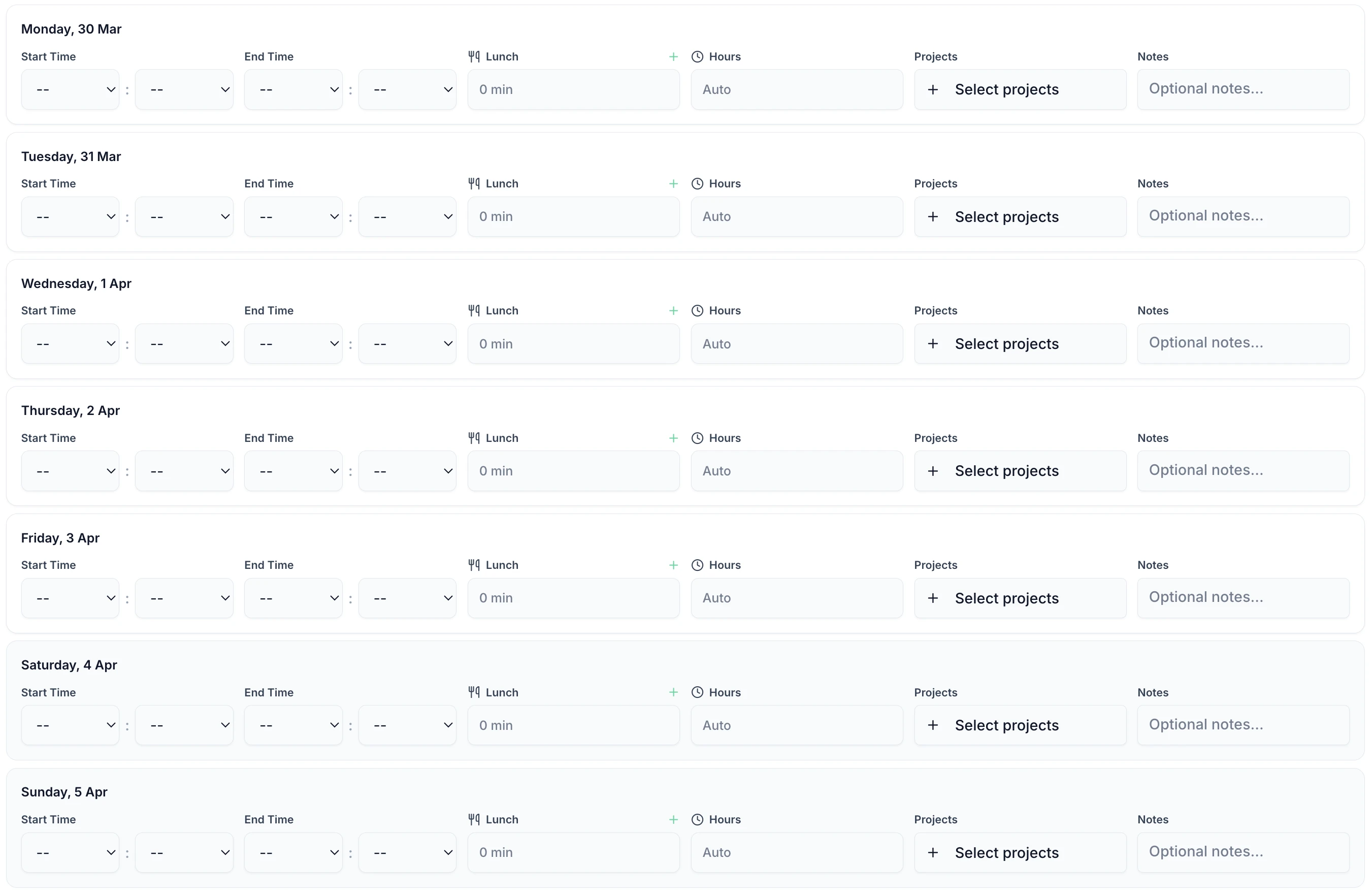
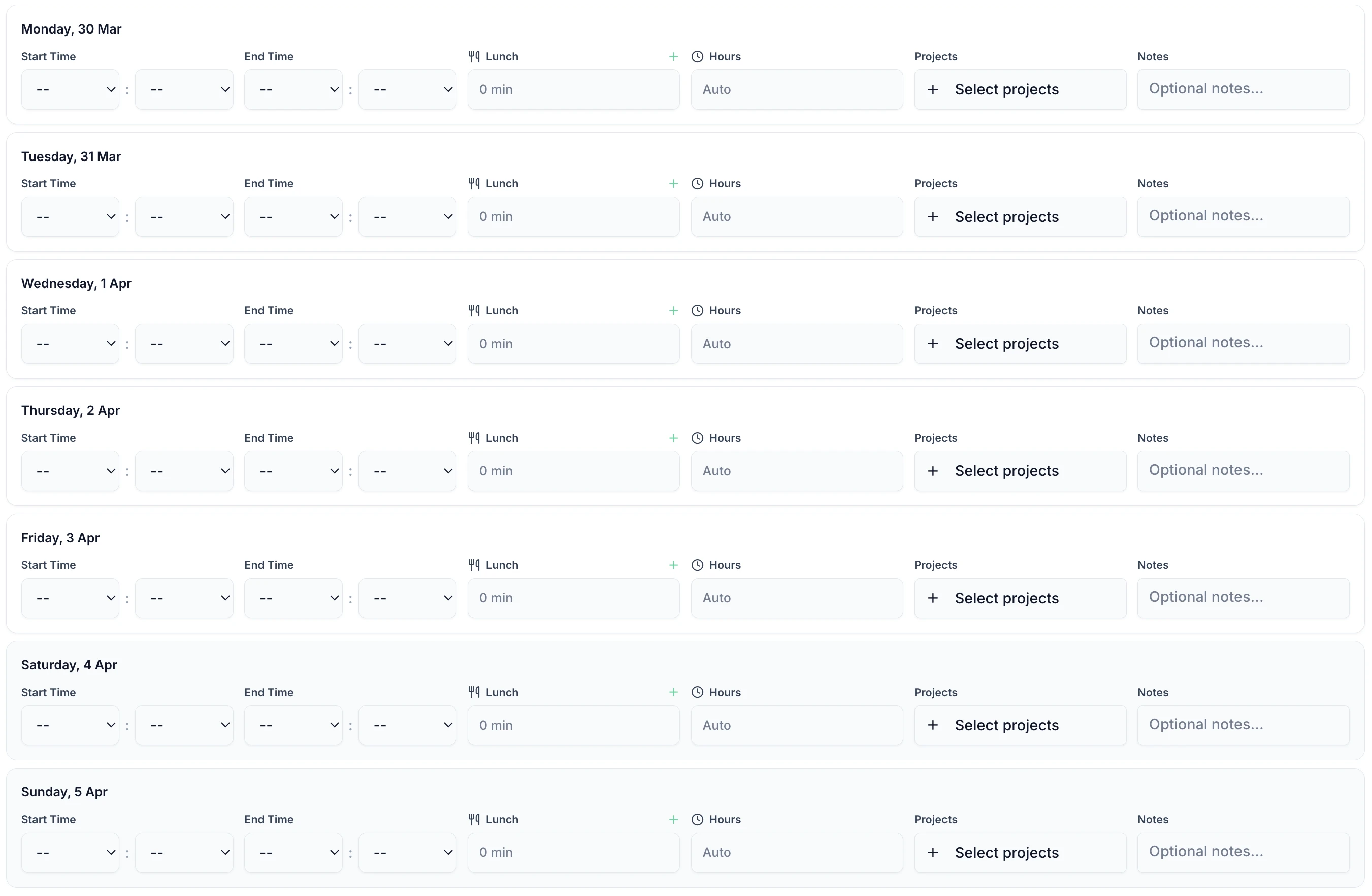
Employees log start time, end time, and breaks — total hours are calculated automatically. Add notes for context, track time across multiple projects, and submit the whole week in one go.

Total hours, overtime, and break deductions calculated instantly — no manual maths
Track hours against specific projects or clients for accurate billing and resource allocation
Submit timesheets online from phone, tablet, or computer — works everywhere with instant sync
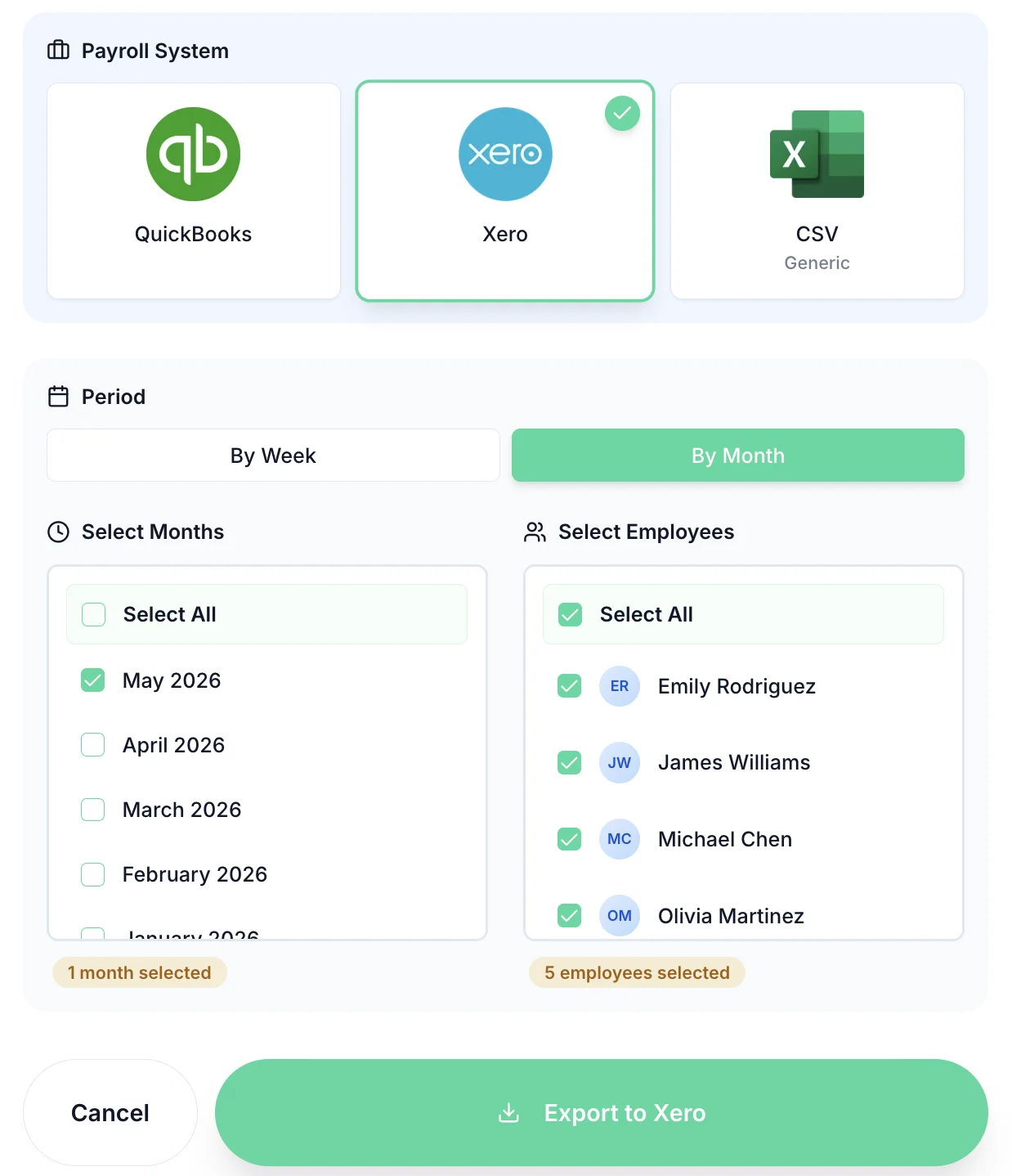
Once timesheets are approved, export hours directly to Xero, QuickBooks, or CSV. Select employees, choose the period, and export with one click. No more re-keying hours into payroll software.
Export to the UK's most popular payroll systems with one click
Export by week or by month — match your payroll cycle
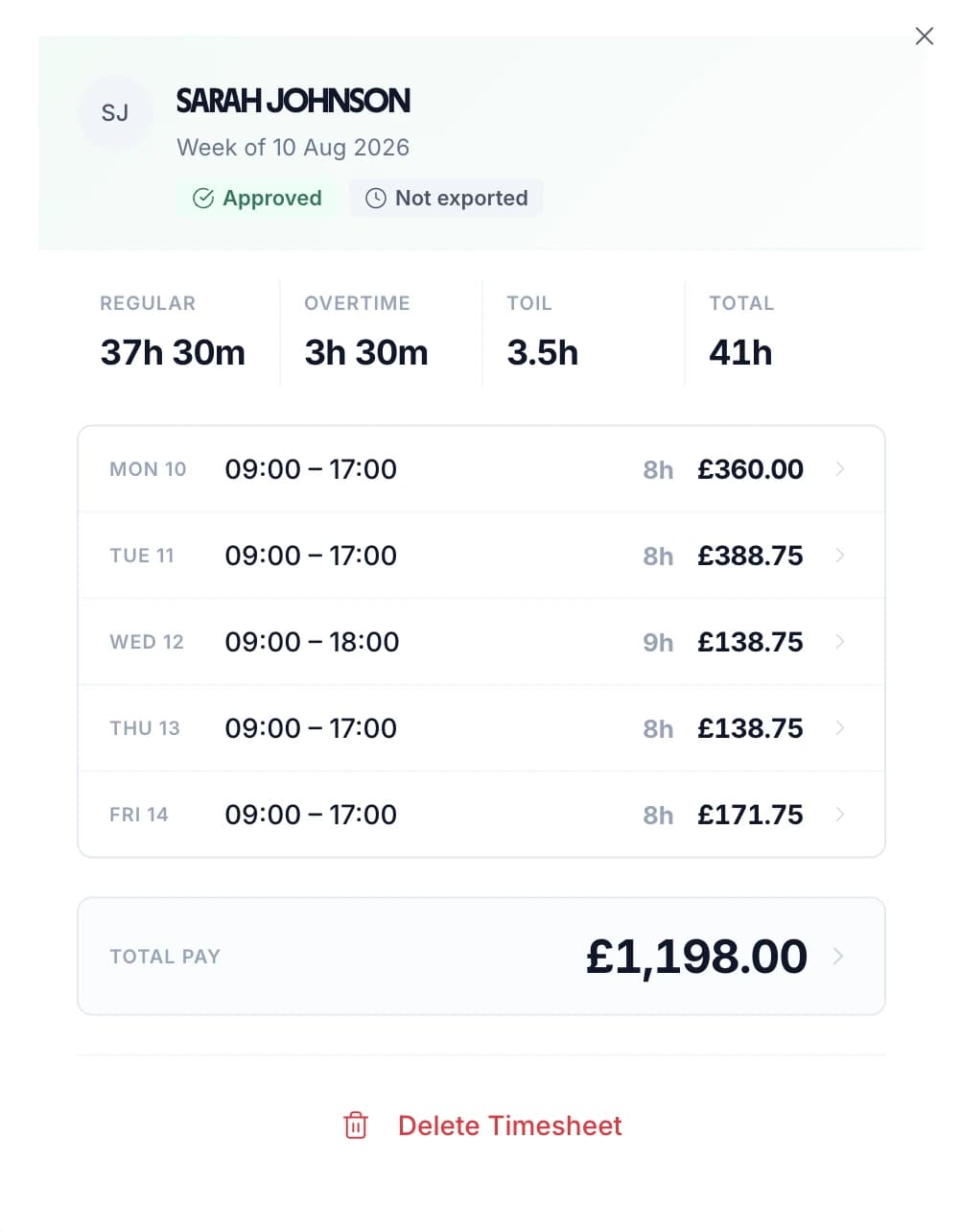
Regular and overtime hours calculated and exported separately

All the tools UK businesses need to track hours accurately and meet employer obligations under the Working Time Directive
One-tap clock in from any smartphone. No hardware needed.
Track hours against specific projects or clients for accurate billing and resource allocation.
Managers approve timesheets with one tap. Employees get notified instantly.
Overtime calculated automatically based on your thresholds. Track against the 48-hour WTR limit.
Every entry timestamped and logged with notes. HMRC-compliant records under the Working Time Regulations 1998.
Changes sync instantly across all devices. Managers always see up-to-date hours.
Expert guides to help you track employee time effectively and stay compliant
UK working time rules, the 48-hour limit, and employer record-keeping obligations
Read guideBest practices for tracking time with distributed and mobile teams
Read guideExport tracked hours directly to Xero, QuickBooks, and other UK payroll systems
View integrationsTwo ways: employees can clock in and out using the mobile app with one tap, or they can manually enter start/end times for each day of the week. Both methods feed into the same timesheet that managers review and approve.
Yes. You set your overtime thresholds and TimeTally calculates regular and overtime hours automatically. This helps you monitor compliance with the Working Time Regulations 1998, which require employers to ensure workers don't exceed the 48-hour weekly average.
Yes. Employees can log hours against specific projects or clients. This gives you accurate data for billing, resource allocation, and project costing. Each day's entry can be assigned to a different project.
Once timesheets are approved, go to the Pay page and select your payroll system (Xero, QuickBooks, or CSV). Choose the period and employees, then click export. Hours flow directly into your payroll software — no re-keying needed.
Yes. TimeTally has a native iOS app available on the App Store. Employees can clock in/out, submit timesheets, and book time off from their phone. Managers can review and approve timesheets from anywhere.
Under the Working Time Regulations 1998, employers must keep adequate records of hours worked. TimeTally creates an automatic, timestamped audit trail of all time entries, approvals, and modifications. This provides the records HMRC expects without manual record-keeping.
Yes. The manager dashboard shows submission status at a glance — green for submitted, red for missing. You can send automated reminder emails to employees who haven't submitted. Most teams achieve 95%+ on-time submission.
£2 per employee per month. This includes mobile clock-in, automatic timesheets, manager approvals, payroll export, and the complete audit trail. No setup fees, no hardware costs, no long-term contracts. Free for 14 days.