


TimeTally features: timesheets, leave and rota management for UK businesses

Everything below is in every plan. Track hours with timesheets and mobile clock in, manage annual leave and absence, build staff rotas, approve requests from your phone, and export straight to payroll — in one system, with no per-feature upsells.

5.0 on the App Store

The app is simple to use, reliable, and makes managing holidays, absences, and staff records straightforward. The system has saved us a significant amount of administration time.

CLI ManchesterJordan Ingoe, CLI Manchester

Everything you need to run your rota

Click any feature to learn more.

Drag & Drop Scheduling
Start your free trial

14-day free trial · No credit card needed

Every time tracking scenario, handled

Tap any card for the detail.

Start your free trial

14-day free trial · No credit card needed

Every leave scenario, handled

Tap a card to read the detail.

Start your free trial

14-day free trial · No credit card needed

Timesheets

Timesheet features

Everything you need to track and manage employee hours

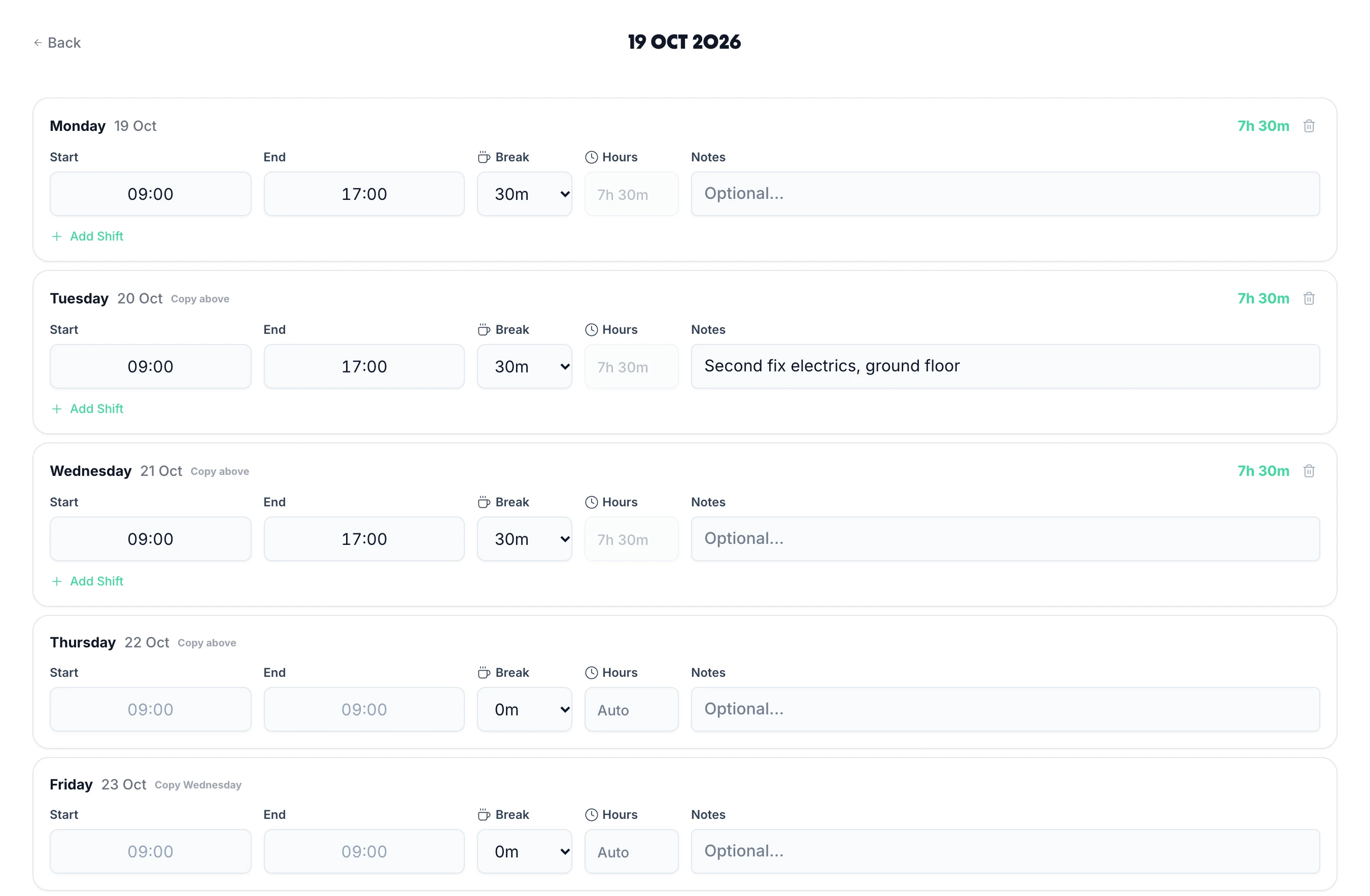
  • Weekly timesheet entry

    Employees log hours weekly. Simple grid showing start time, end time, and breaks. Total hours calculated automatically.
  • Automatic calculations

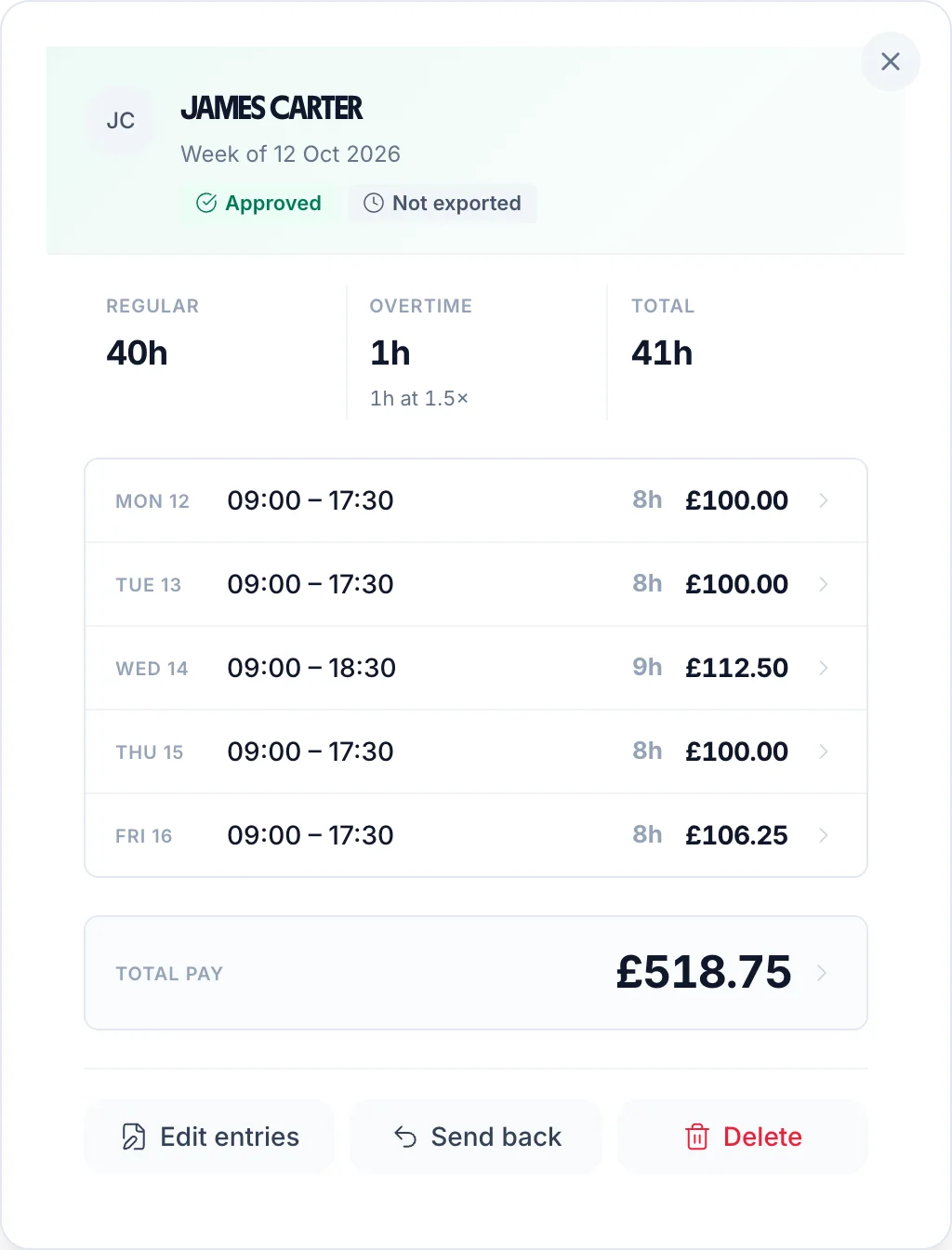
    Total hours, overtime, breaks, and deductions calculated instantly. No manual formulas or spreadsheets needed.
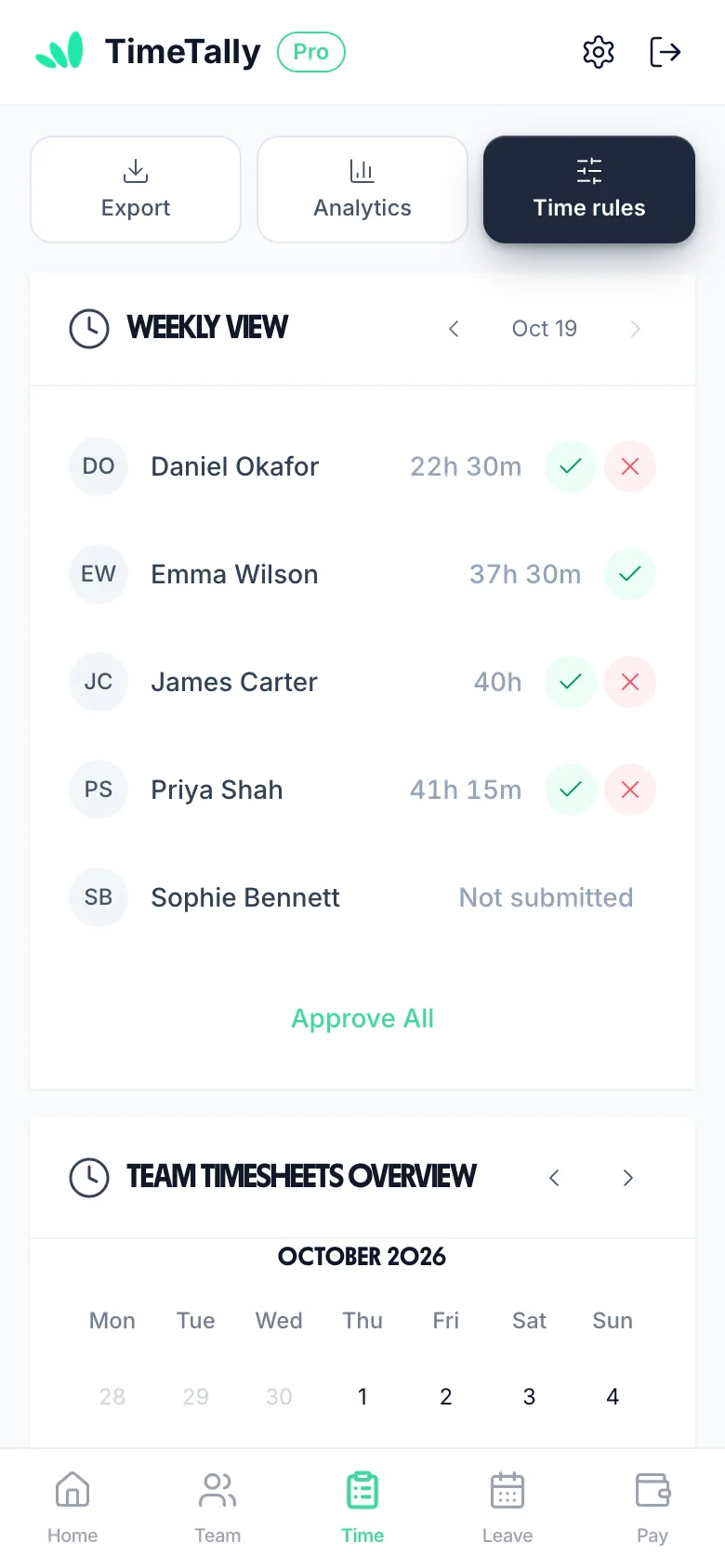
  • One-click approvals

    Managers approve or reject timesheets with a single click. Add optional notes for feedback.
  • Submission tracking

    Dashboard shows who has submitted and who hasn't. Easily identify missing timesheets at a glance.
  • Late submission alerts

    Get notified when timesheets are overdue. Track submission rates and patterns.
  • Overtime tracking

    Automatic overtime calculations based on contracted hours. See who's working extra hours.
Simple timesheet entry interface

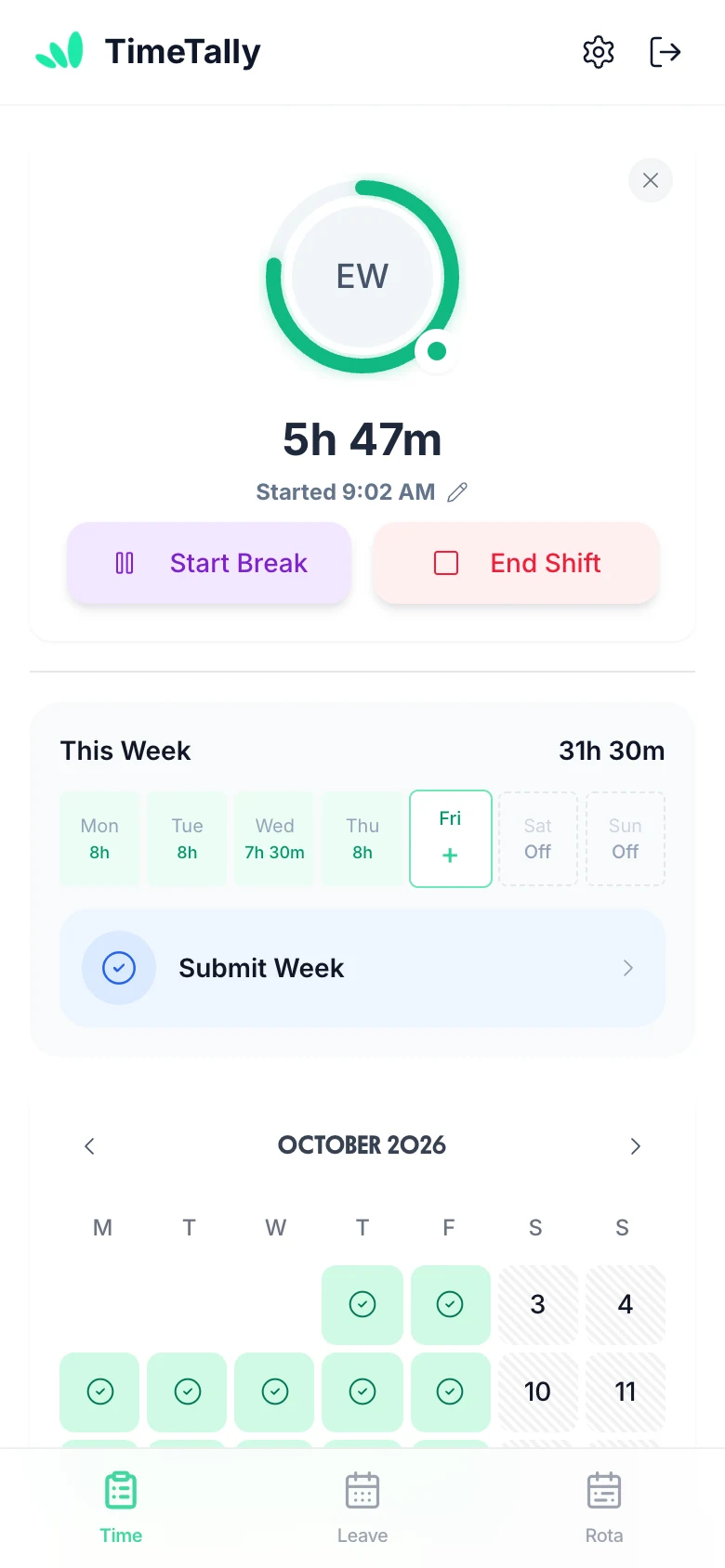
Manage time tracking on the go

Approve timesheets from your phone. Employees can clock in from anywhere — perfect for field workers, remote staff, and managers who need to review hours while away from their desk.

  • Mobile-optimized interface

    Fully responsive design works perfectly on phones and tablets
  • Real-time sync

    Changes sync instantly across all devices — always up to date
Manage time tracking on mobile
Mobile-first Real-time sync

All requests in one dashboard

See all pending timesheets and holiday requests together. Approve everything from one screen.

  • Unified inbox

    Time Tracking and leave requests in one place — no switching between screens
  • Bulk actions

    Approve multiple items at once — save time with bulk approvals
All requests dashboard
Unified inbox Bulk actions
Leave & Holidays

Holiday tracking features

Complete holiday management with UK statutory entitlement calculations

  • Automatic entitlement calculations

    UK statutory 28 days (5.6 weeks) calculated automatically. Pro-rata for part-timers and mid-year starters.
  • Pro-rata calculations

    Automatic pro-rata for part-time workers. 12.07% accrual for irregular hours and part-year workers (UK law compliant).
  • Team calendar view

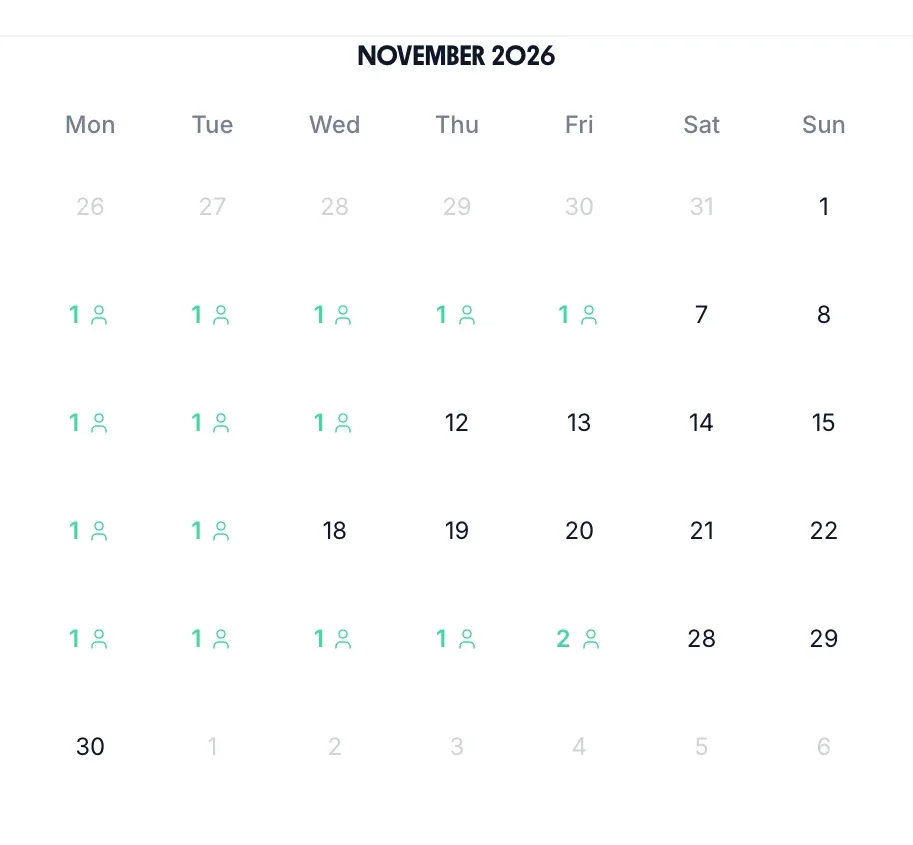
    See who's off at a glance. Prevent scheduling too many people off at once.
  • Leave request approval

    Employees request leave online. Managers approve or reject with one click.
  • UK bank holidays

    All UK bank holidays pre-loaded. Separate calendars for England/Wales, Scotland, and Northern Ireland.
  • Custom leave types

    Create unlimited leave types: sick leave, parental leave, TOIL, compassionate leave. Custom colors and icons.
Team holiday calendar

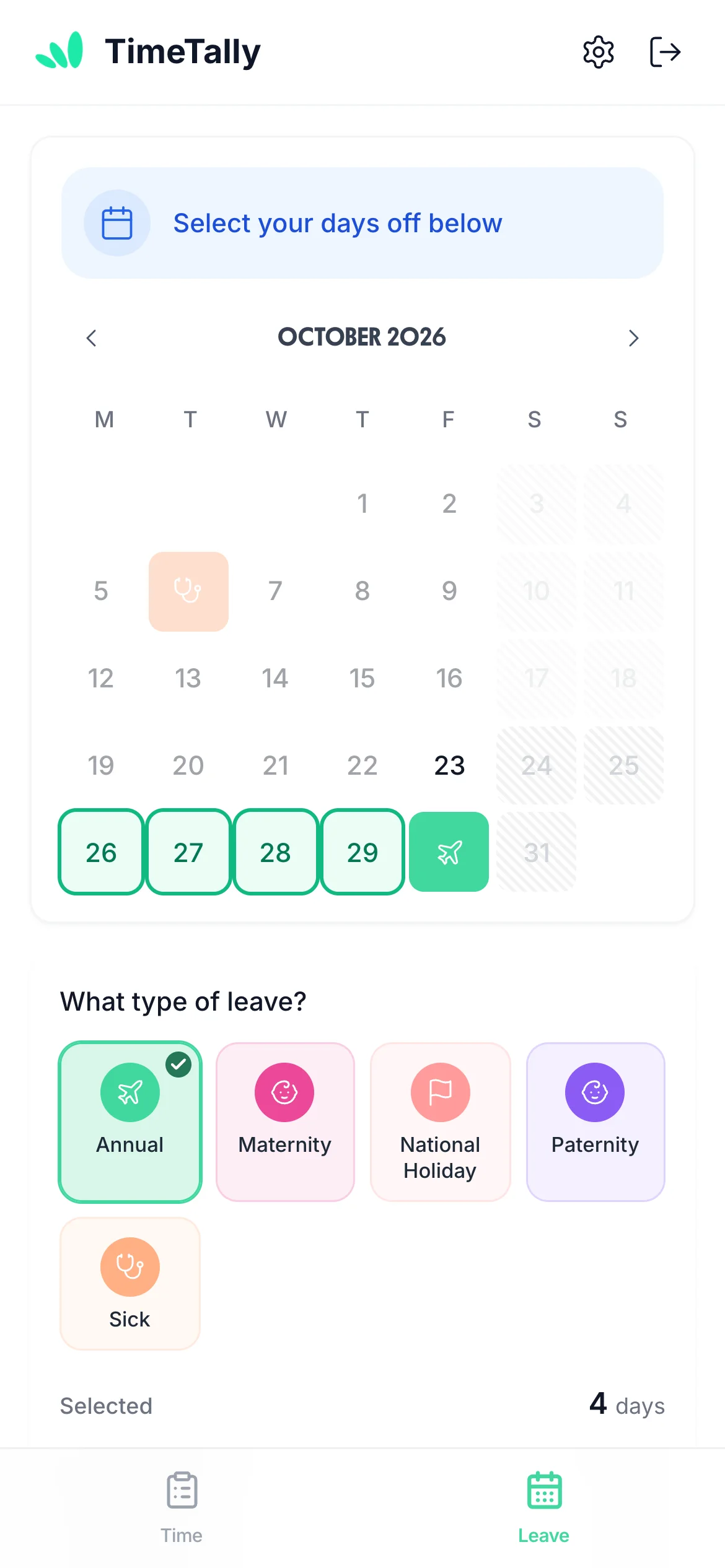
Book holidays from anywhere

Employees request time off from their phone. See remaining balance instantly before booking.

  • See balance before booking

    Employees see remaining days before requesting — prevents over-allocation
  • Instant notifications

    Get notified immediately when request is approved or rejected
Book holiday on mobile
Balance visible before booking Instant notifications

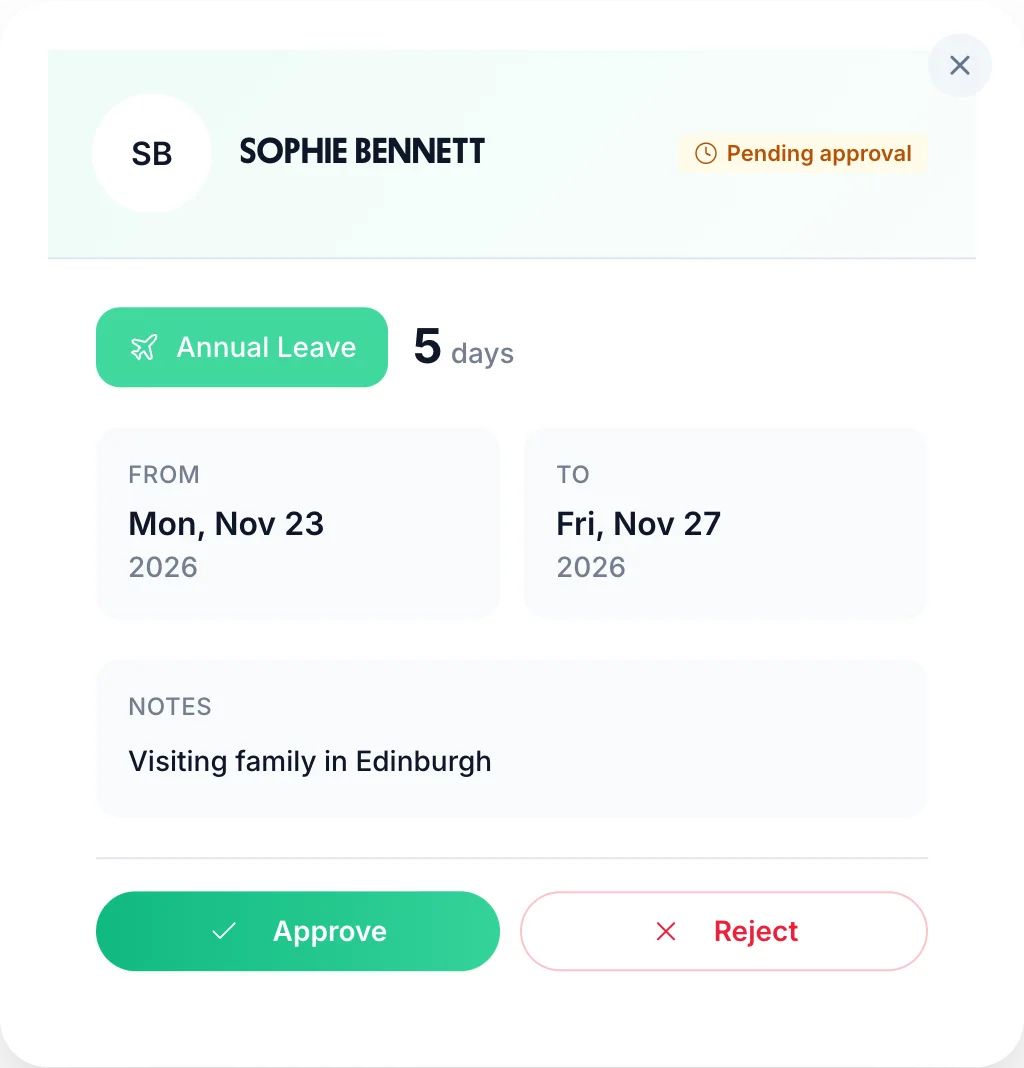
Detailed request review

Click any request to see full details before approving

Leave request approval modal

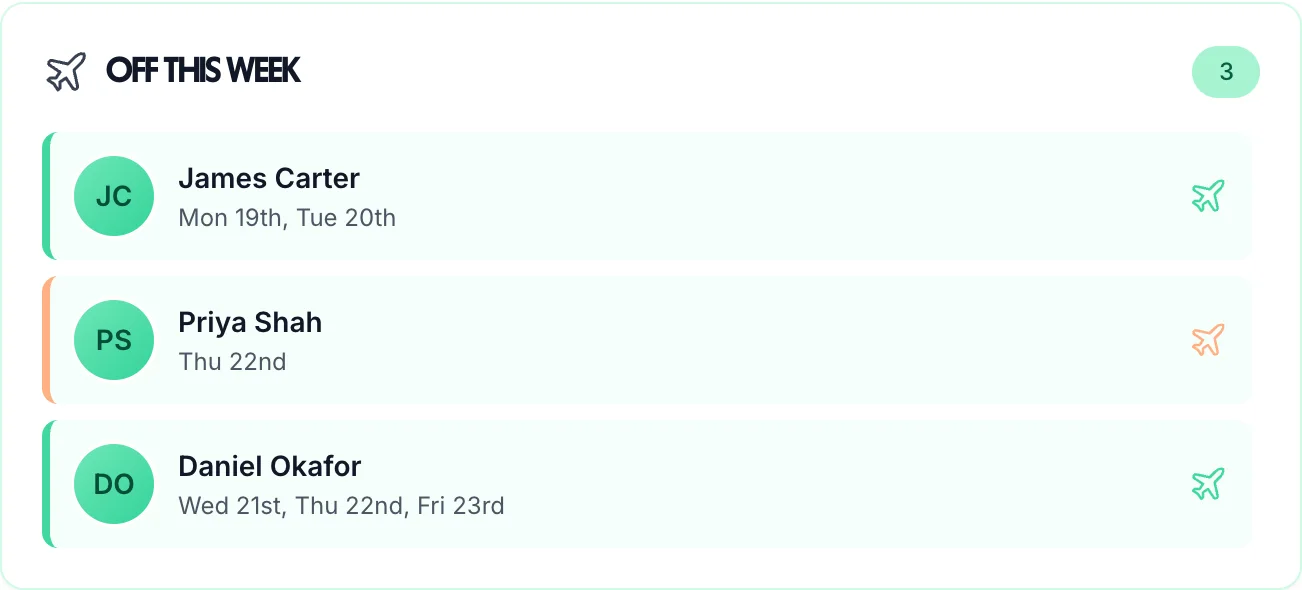
Quick visibility widgets

Dashboard widgets show who's off this week at a glance

Who's off this week widget
Rota

Rota management features

Build and publish staff rotas, manage shift assignments, and keep your whole team informed

  • Drag-and-drop rota builder

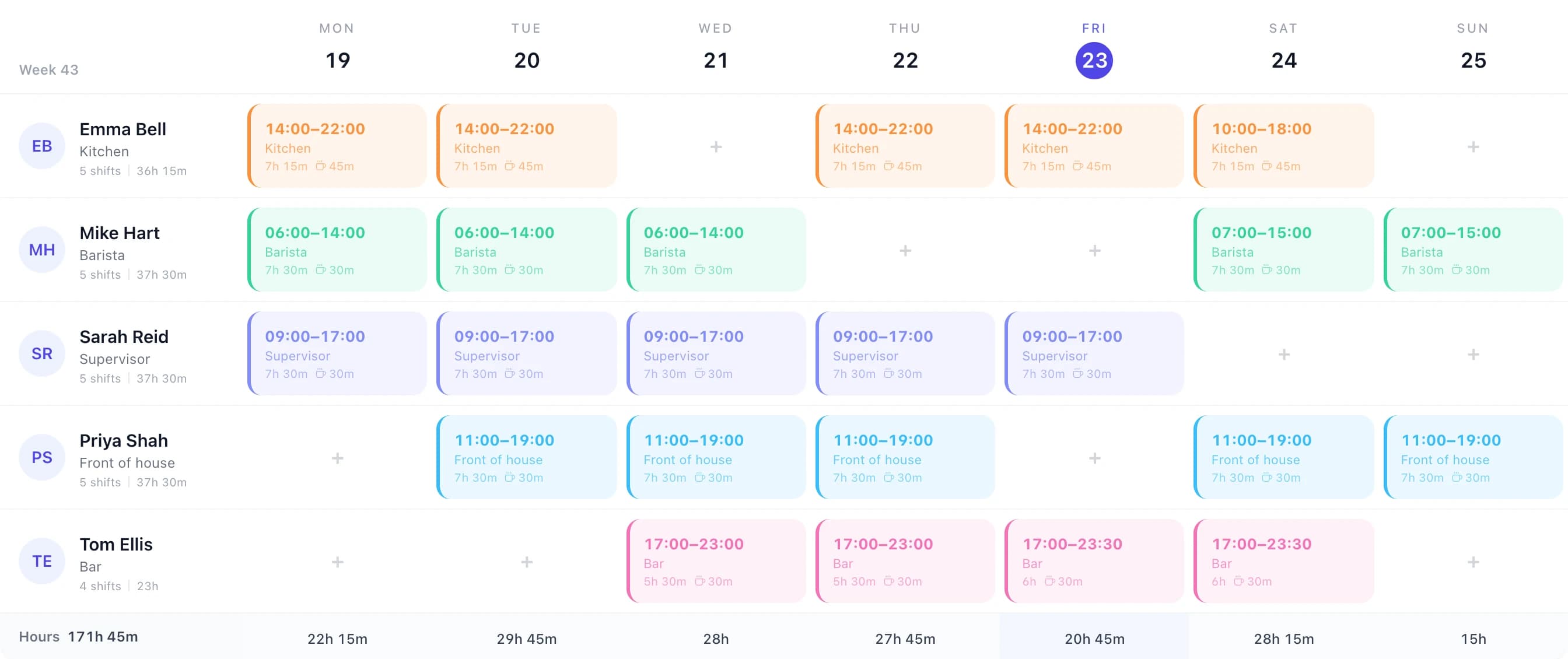
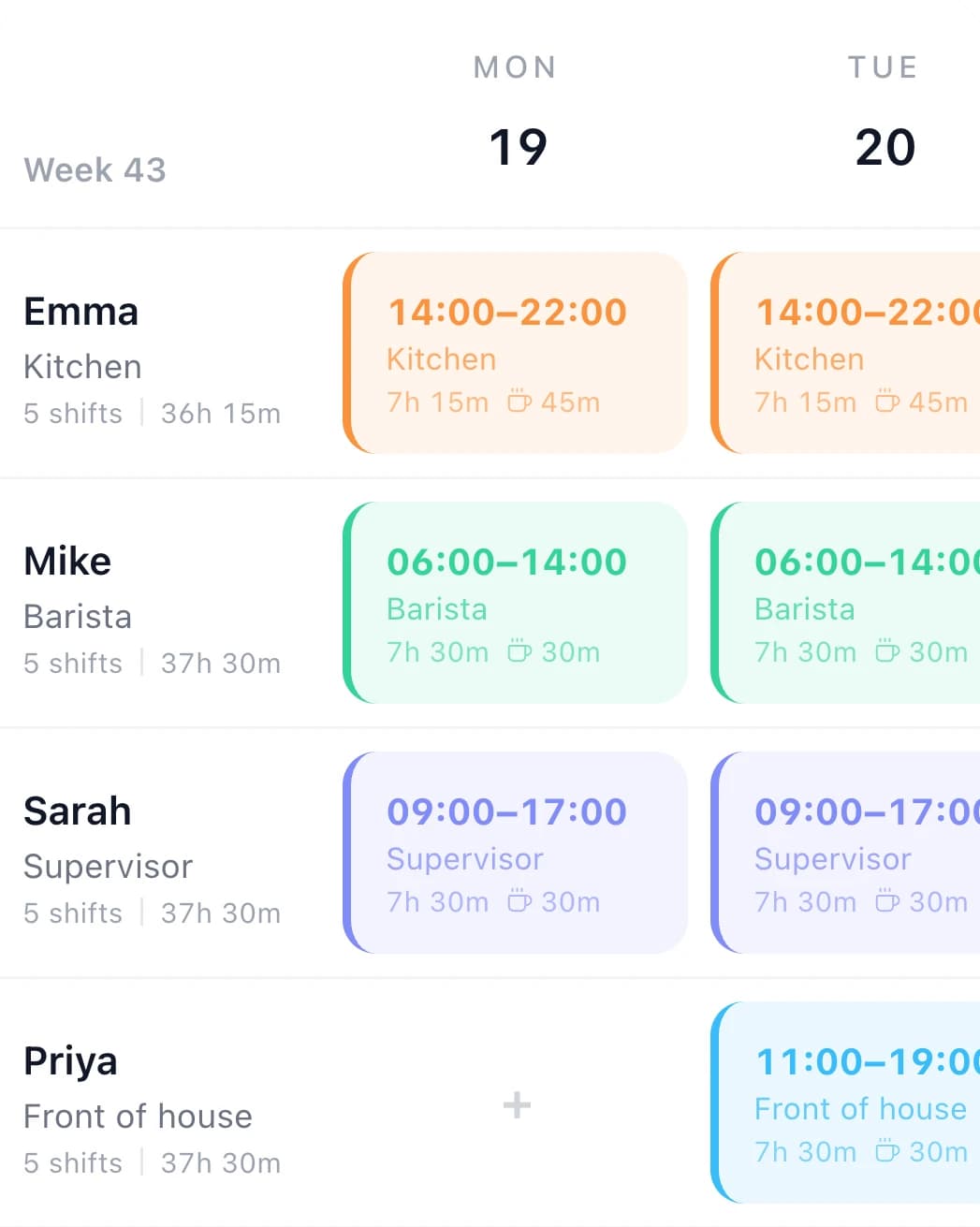
    Create weekly rotas visually. Drag shifts onto the calendar, copy last week's rota, or build from scratch in minutes.
  • Shift assignment

    Assign shifts to individual employees or roles. See who's available and who's already on leave before you schedule.
  • Publish and notify

    Publish the rota when it's ready. Staff are notified automatically and can view their shifts on the app immediately.
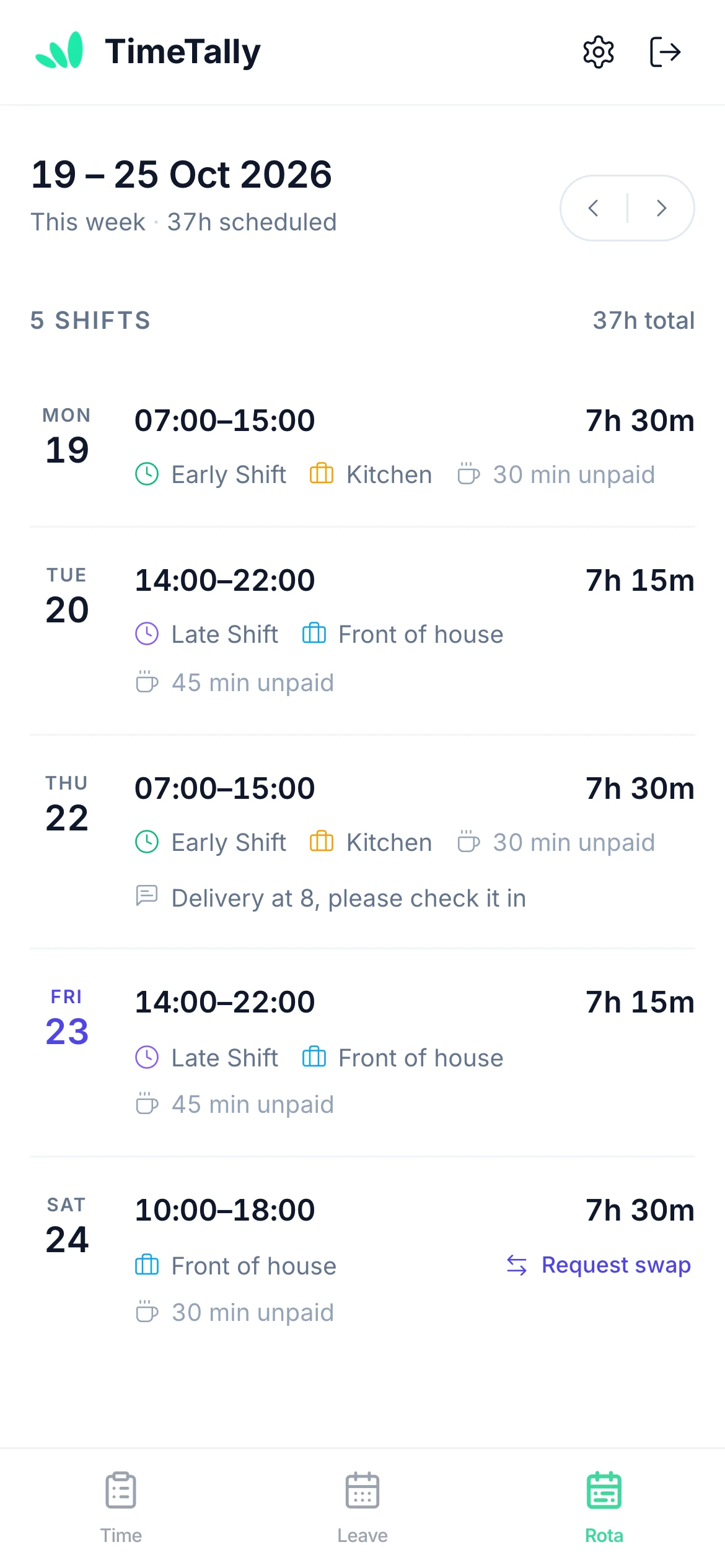
  • Staff view shifts on their phone

    Employees see their upcoming shifts in the app. No printing rotas, no group chats, no confusion about when they're working.
  • Leave visible in the rota

    Approved leave shows directly on the rota view. Spot gaps in cover before you publish and avoid understaffing.
  • Copy previous rotas

    Repeat rotas in seconds by copying a previous week. Adjust for leave and exceptions without starting from scratch.
Staff rota management view showing shifts across the week

Staff Always Know Where They Need To Be

Employees view their full rota in the app — upcoming shifts, times, and locations. When a rota is published or updated, they receive a notification. No more “I didn't know what time I was starting”.

  • Upcoming shifts visible in the app as soon as the rota is published
  • Push notification when rota changes affect their schedule
  • Works on iOS and any mobile browser — no separate app needed
Employee view of assigned shifts on mobile
Next shiftMon 9:00 AMRota publishedYou're notified instantly
Payroll

Payroll export features

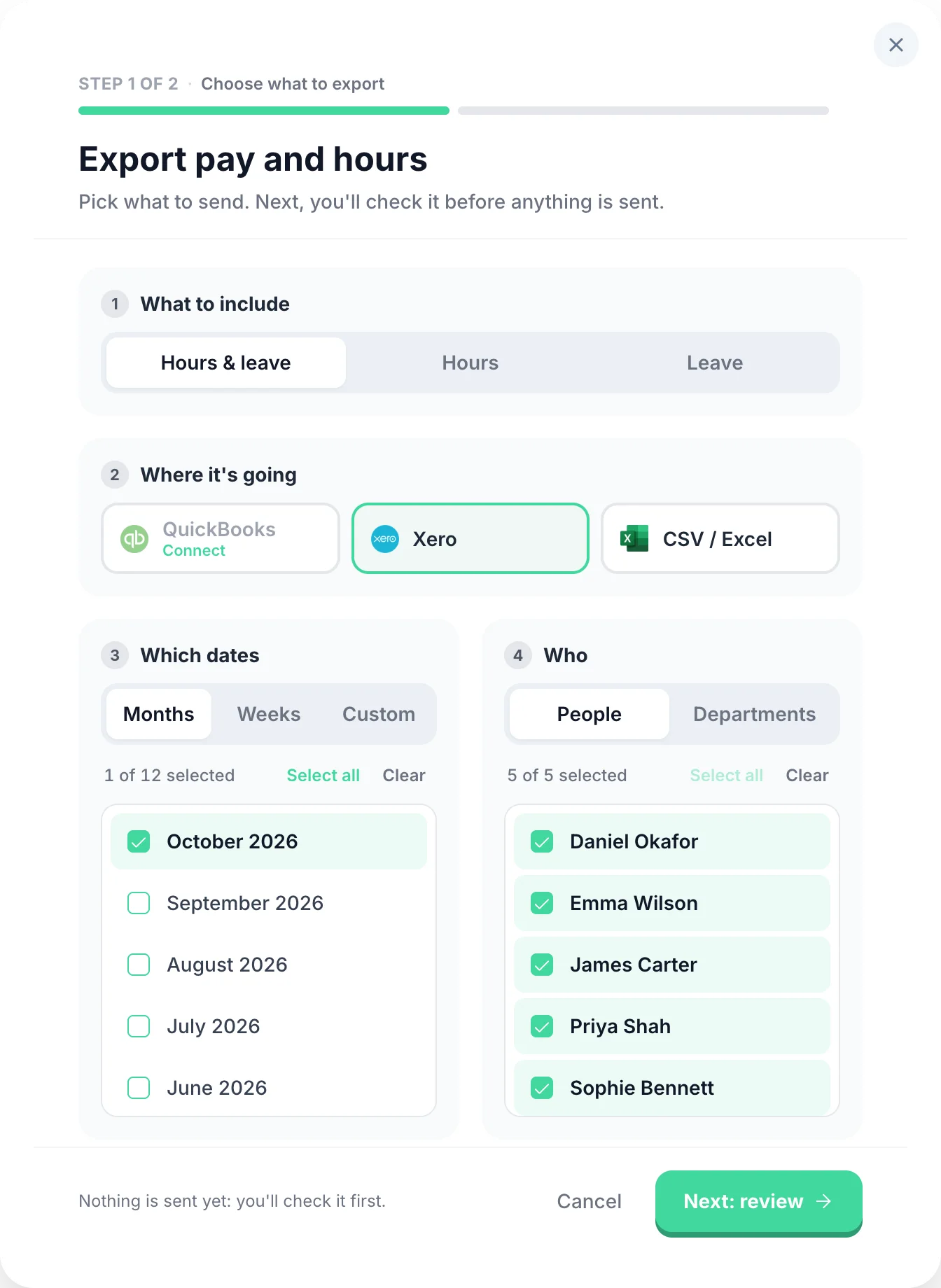
Export approved hours directly to your payroll system

  • One-click export

    Export to Xero, QuickBooks, or CSV with one click. Saves hours of manual data entry.
  • Automatic calculations

    Wages, overtime rates, and deductions calculated automatically. No manual formulas.
  • Flexible date ranges

    Export by week, month, or custom date range. Perfect for weekly or monthly payroll.
  • Only approved hours

    Only export timesheets that have been reviewed and approved by managers.
Payroll export screen

UK compliance features

Stay compliant with UK employment law automatically

Working Time Regulations

Monitor 48-hour weekly limits. Track rest breaks (20 mins after 6 hours). Automatic alerts for breaches.

National Minimum Wage

Accurate hour tracking proves NMW compliance. Essential evidence for HMRC investigations.

Audit trail

Complete history of every timesheet change. Perfect evidence for HMRC or tribunals.

GDPR compliant

UK data centres. Encrypted storage. Data retention policies. Employee data access rights.

Admin & settings features

Powerful tools to configure and manage your account

Unlimited admins

Add as many managers and admins as you need. No extra charge.

CSV import

Import employees from spreadsheet. Bulk upload saves time during setup.

Multi-site support

Manage employees across multiple locations. See all sites in one dashboard.

Email customization

Customize notification emails. Add company branding and messaging.

Reports & analytics

See hours by employee, department, or project. Track trends over time.

Permission levels

Control what each admin can see and do. Flexible permission system.

Simple, Transparent Pricing

One price. Every feature. No surprises.

£3/employee/month

Billed monthly, incl. VAT. Cancel anytime.

Unlimited timesheet submissions
Annual leave, sick leave & custom leave types
Mobile clock-in with GPS verification
Manager approval workflows
Xero & QuickBooks payroll export
HMRC-compliant audit trail
Get Started

Ready to get started?

Set up your team in minutes and take back control of time tracking and leave.

Support that answers

A real person replies within 24 hours. No ticket queues, no bots.

UK GDPR compliant

A UK company, ICO regulated. Your data encrypted and never sold.