Enter absence spells and total days absent to instantly see your Bradford Factor score, risk level, and the appropriate HR action — completely free.
Tap a card to read the detail.
14-day free trial · No credit card needed
This calculator gives you the numbers. TimeTally tracks absence records, leave requests, and approvals automatically — so you have the full picture without manual calculation. From £3/employee/month.
Every approved leave request and absence sits on one calendar. Spot patterns and cover gaps before they become a problem — no more cross-referencing spreadsheets.
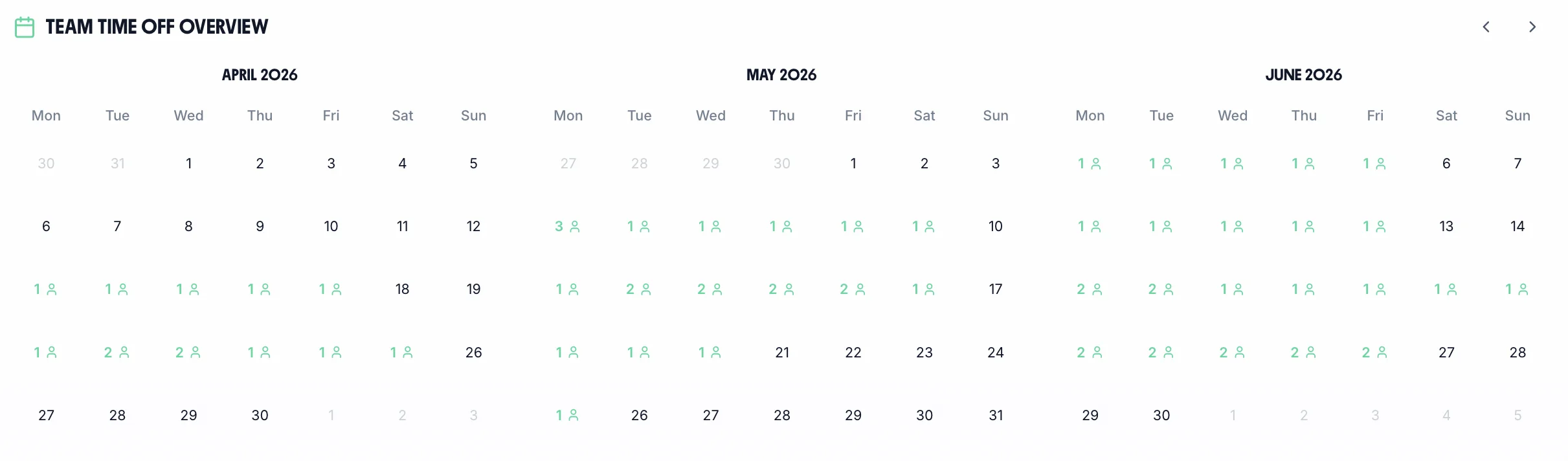
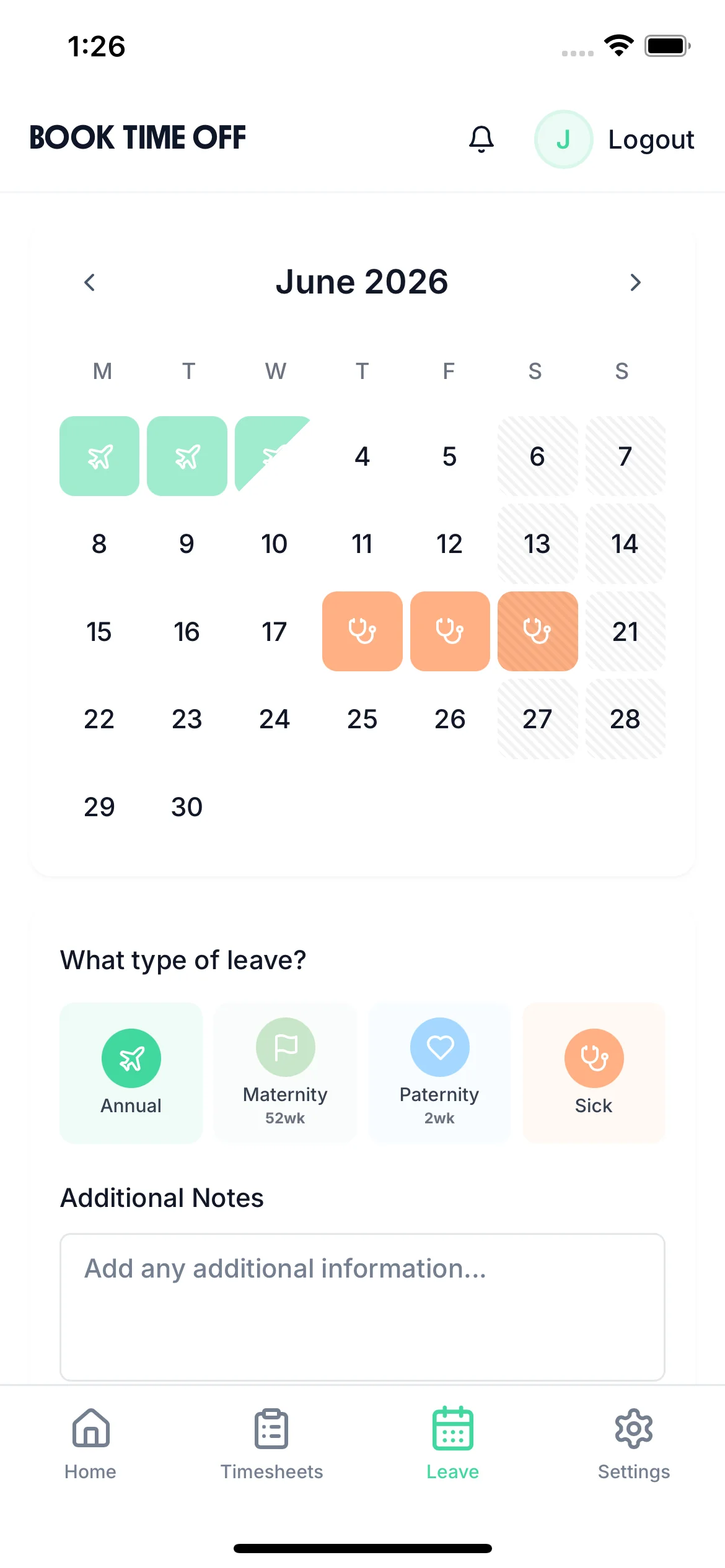
Staff submit leave requests and log sick days via the iOS app. Absence records update automatically. No emails, no forms, no back-and-forth.
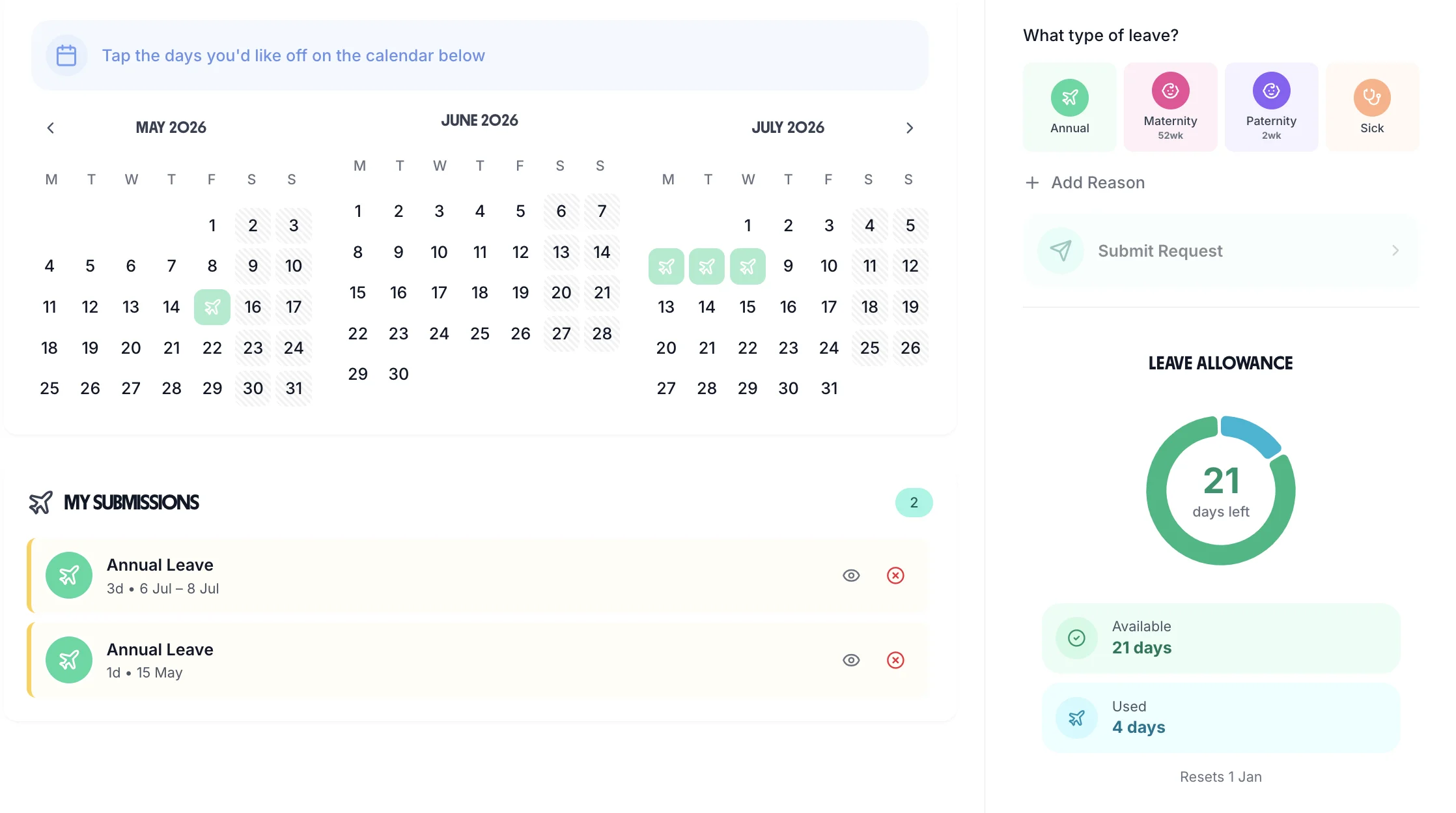
All leave requests land in your dashboard. Approve or query with a single tap. Every decision is timestamped — no more disputes about who approved what.
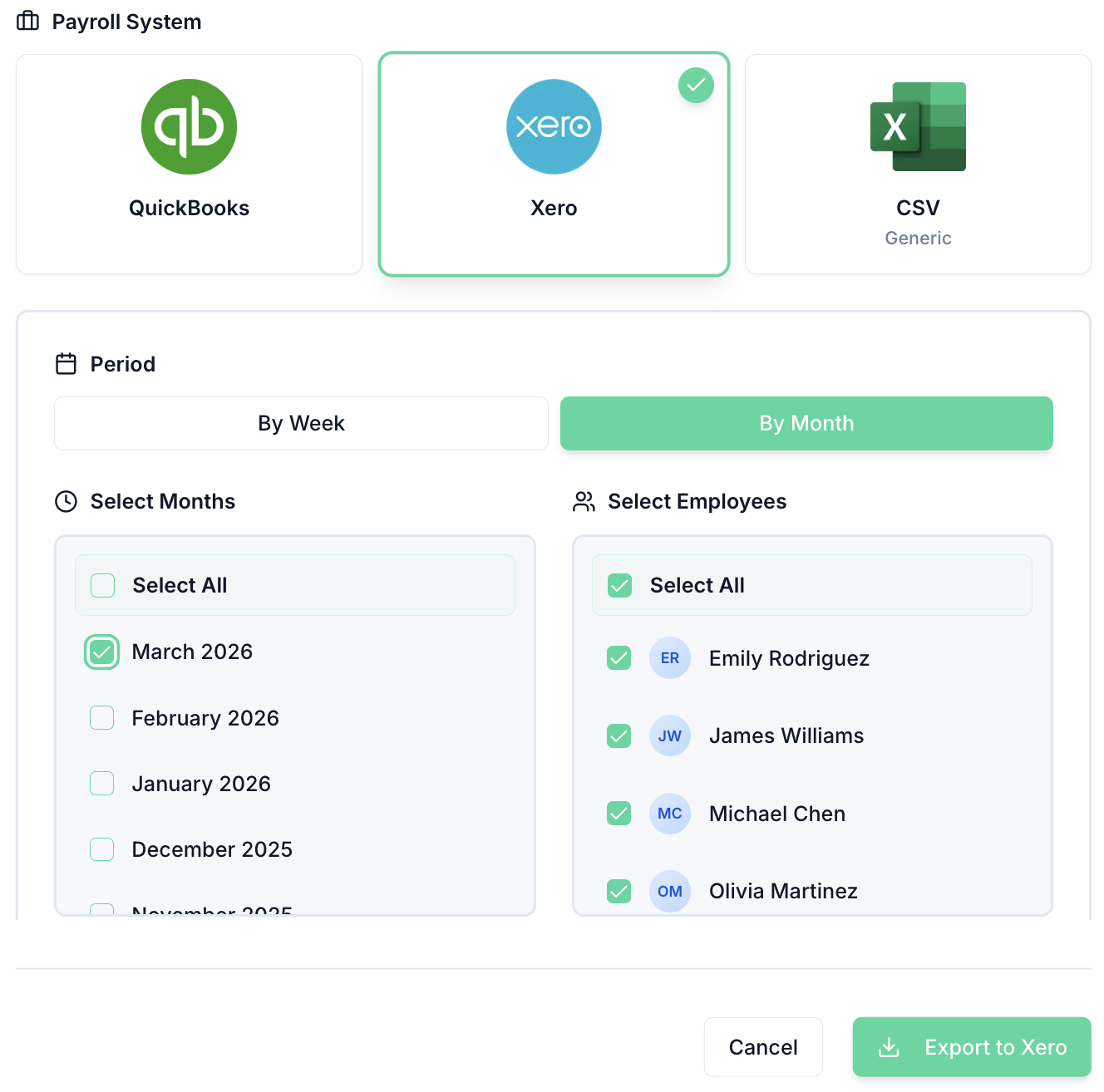
Approved leave is included in your payroll export automatically. Direct integration with Xero and QuickBooks — no manual adjustments, no missed deductions.
TimeTally automatically calculates, tracks, and manages absence and leave for your entire team. Explore all features or see how it works.
Automatic calculations
Holiday entitlement calculated automatically based on each employee's working pattern, with statutory minimums built in.
One-tap approvals
Managers approve or reject requests from any device, with a team calendar showing who's off and when
Statutory calculations included
Statutory calculations, bank holiday management, and pro-rata entitlement handled for you.
A widely-used absence metric — but one with legal pitfalls if misapplied. Here's how to use it correctly.
The Bradford Factor is calculated as S² × D, where S is the number of separate absence spells in a rolling 52-week period and D is the total number of days absent. Because the number of spells is squared, frequent short absences produce a disproportionately high score compared to a single long absence of the same total duration. For example: 10 single-day absences (10 spells, 10 days) = 10² × 10 = 1,000. One 10-day absence (1 spell, 10 days) = 1² × 10 = 10. The formula emphasises disruption over duration.
There are no statutory Bradford Factor thresholds — employers set their own. Common benchmarks used in published absence policies include: below 50 (acceptable, no action), 50–99 (informal discussion), 100–199 (first formal absence review), 200–299 (second formal review), 300+ (final warning or dismissal consideration). Some organisations use lower thresholds for customer-facing or safety-critical roles. Whatever thresholds are used, they must be applied consistently across all employees to avoid discrimination claims.
Applying Bradford Factor triggers mechanically to disability-related absence is one of the most common sources of discrimination claims in absence management. Under the Equality Act 2010, if the absences are connected to a disability, triggering formal proceedings without first considering whether the policy places the employee at a substantial disadvantage is likely indirect discrimination. Best practice is to either exclude confirmed disability-related absences from the Bradford calculation entirely, or to set materially higher thresholds for employees with disclosed disabilities.
A high Bradford Factor score does not, by itself, justify dismissal — or even formal disciplinary action. It is a management alert: a signal that absence patterns warrant a conversation. Employment Tribunals have consistently held that dismissal based solely on a numeric score, without investigation of the underlying reasons, is unfair. The score should trigger a return-to-work interview, an absence review meeting, and consideration of the employee's personal circumstances before any formal action is taken.
For a Bradford Factor policy to be legally defensible, it should: be documented in the employee handbook or absence policy; clearly explain how scores are calculated and what thresholds trigger which interventions; confirm that disability-related absence will be considered separately; provide a right of appeal at each formal stage; and be communicated to all employees at induction. Employees subject to a trigger should be shown their current score and given the opportunity to explain the absences before any formal step is taken.
Inconsistent application of Bradford Factor thresholds is a significant legal risk. If one manager triggers a formal review at a score of 100 while another ignores a score of 400, employees treated more strictly can argue they have been singled out. In gender, race, or age discrimination claims, claimants may use inconsistency as evidence of pretext. Centralised absence management software that automatically flags scores at defined thresholds removes the discretion that creates inconsistency.
The Bradford Factor is typically calculated on a rolling 52-week basis, meaning old absences drop out of the calculation as new weeks are added. An employee with a score of 300 in January may see that score fall significantly by December if they have had no further absences. This decay is an important feature — it allows employees to 'recover' their score through sustained attendance and prevents old absences from affecting current decisions indefinitely. Policies should specify the calculation window to avoid disputes.
Pregnancy-related sickness absence must never be included in a Bradford Factor calculation. Including it is direct sex discrimination under the Equality Act 2010 — there is no justification defence available. The protection runs from the point the employer is aware of the pregnancy, whether or not the employee has formally announced it. Any absence attributed to pregnancy — including morning sickness, pregnancy-related conditions, or antenatal appointments — should be coded separately and excluded from the absence score calculation entirely.
Swipe to see more →
“TimeTally has been excellent for our business. The app is simple to use, reliable, and makes managing holidays, absences, and staff records straightforward. The system has saved us a significant amount of administration time and gives both managers and employees clear visibility of leave balances and requests. Highly recommended for any business looking for an easy-to-use workforce management solution.”
 Jordan Ingoe, CLI Manchester
Common questions about the Bradford Factor formula, scores, and HR best practice.
Track and reduce employee absence
Record and monitor sick leave for every employee
Calculate annual leave for any working pattern
Track and calculate weekly working hours
Manage team holiday requests and approvals
Calculate SSP entitlement for employees
A Bradford Factor is only as reliable as the absence records feeding it.
Every spell and duration recorded automatically, so scores stay accurate.
Learn moreAll absence types in one place, with the history to back up any conversation.
Learn moreKeep unpaid absence distinct from sickness in your reporting.
Learn moreEvery absence is recorded once and the score updates itself, with the team calendar showing who is off and why.