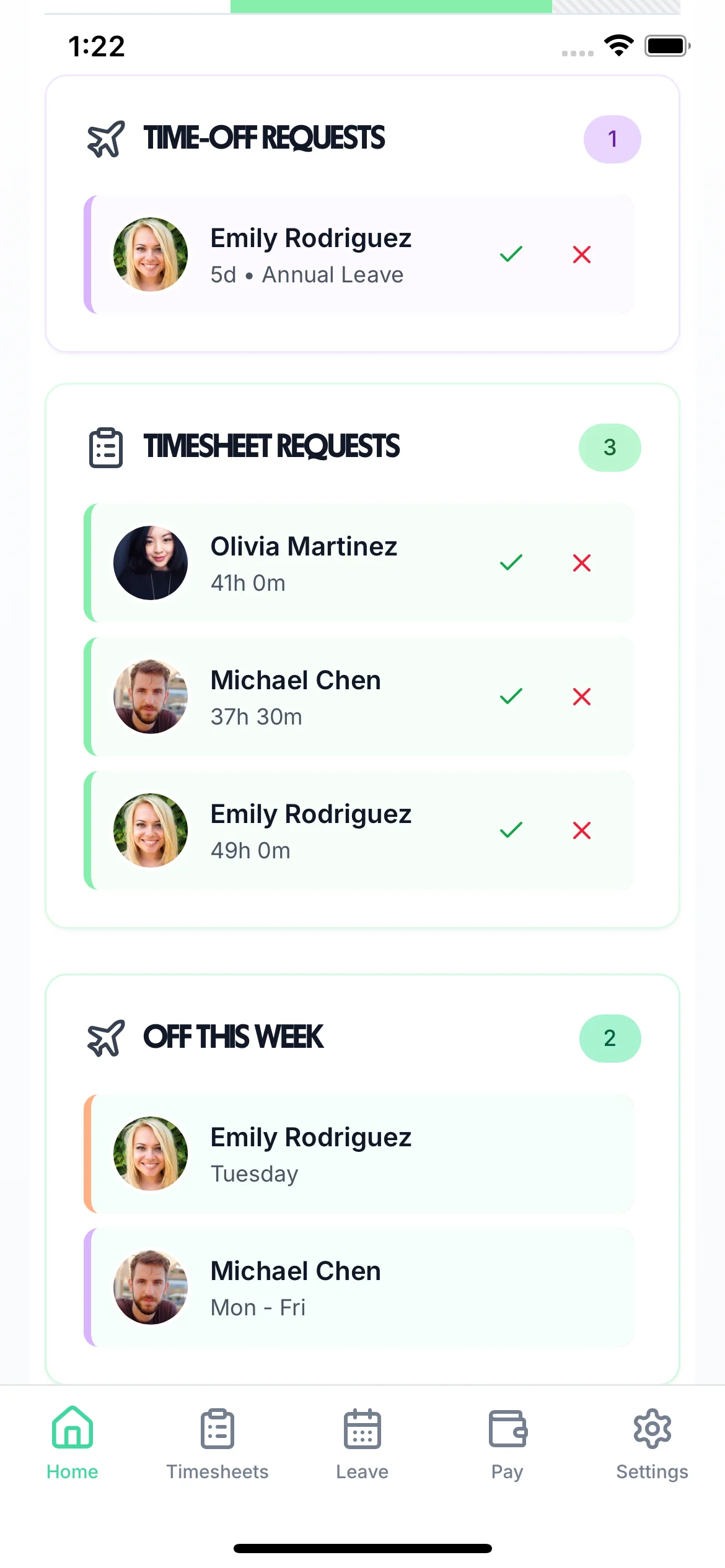
Stop losing track of sickness absence. Record every sick day, see who's off at a glance, and keep the records you need for SSP calculations — all alongside your other absence management.
Tap a card to read the detail.
14-day free trial · No credit card needed
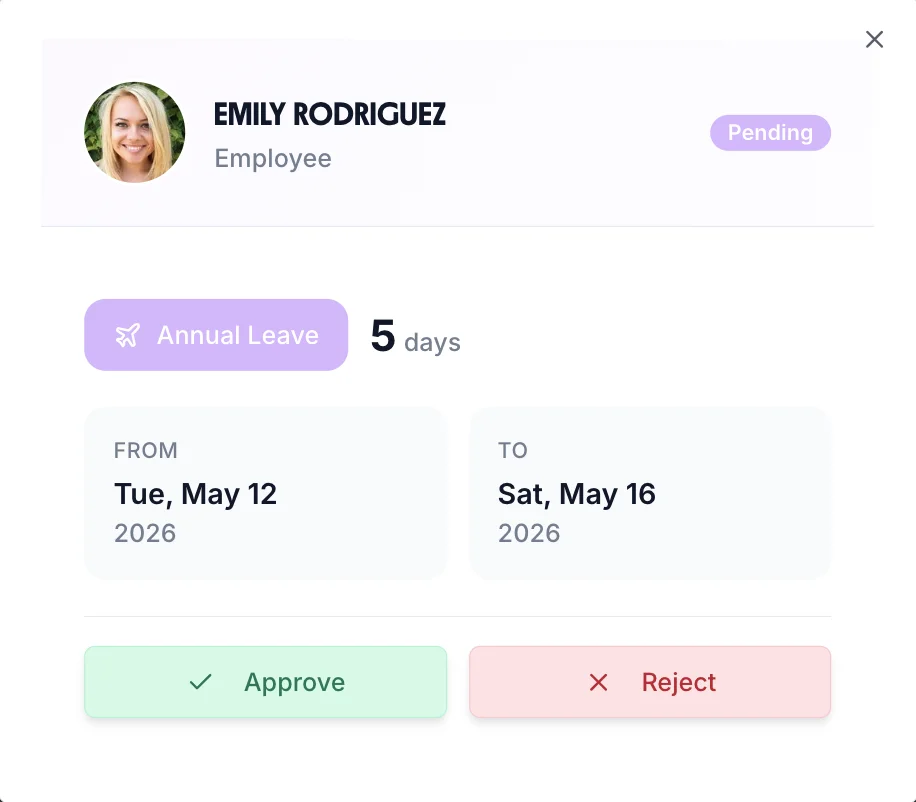
Create a custom sick leave type with its own colour, icon, and optional allowance. Every absence is logged against the employee's record — giving you a reliable history for absence management and payroll.
Sick days stand out in a distinct colour so managers can spot absence patterns at a glance without trawling through records.
Set a limit on paid sick days per employee or leave it unlimited — your policy, your rules. Different employees can have different allowances.
Every sick day is logged with dates and duration, and can be exported via CSV for payroll or HMRC reporting.
Statutory Sick Pay requires accurate records of when sickness started and how long it lasted. TimeTally gives you everything you need — with clear records of waiting days, running totals, and fit note thresholds.
SSP isn't payable for the first 3 qualifying days. Accurate records let you track exactly when SSP kicks in for each employee.
SSP is payable for up to 28 weeks. Running sick leave records help you track employees approaching the limit.
Employees need a fit note after 7 days of sickness. Accurate date records mean you always know when to chase missing documentation.
The Bradford Factor formula (S × S × D) highlights when frequent short absences are more disruptive than a single longer one. Use your TimeTally records alongside our free calculator to identify employees who may need support.
4 absences of 10 days total score 160 — the same 10 days in one stretch score just 10. TimeTally gives you the data to calculate this accurately.
Every employee's sick leave record — dates, number of instances, and total days — is stored and exportable so you can run scores whenever you need them.
Regular absence monitoring means you can have return-to-work conversations early rather than waiting until a problem is serious.
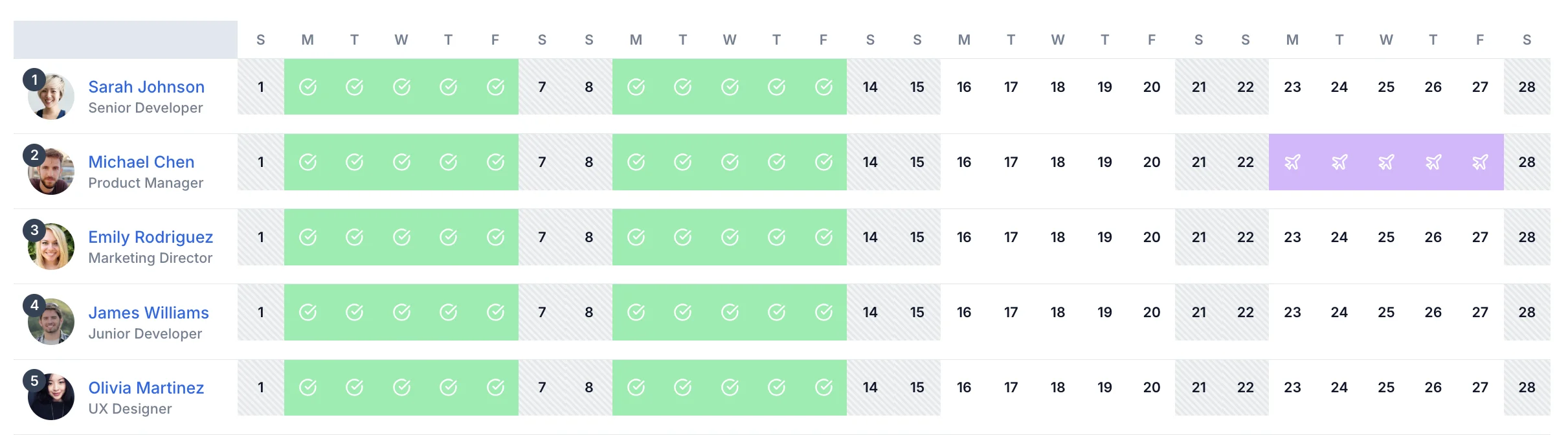
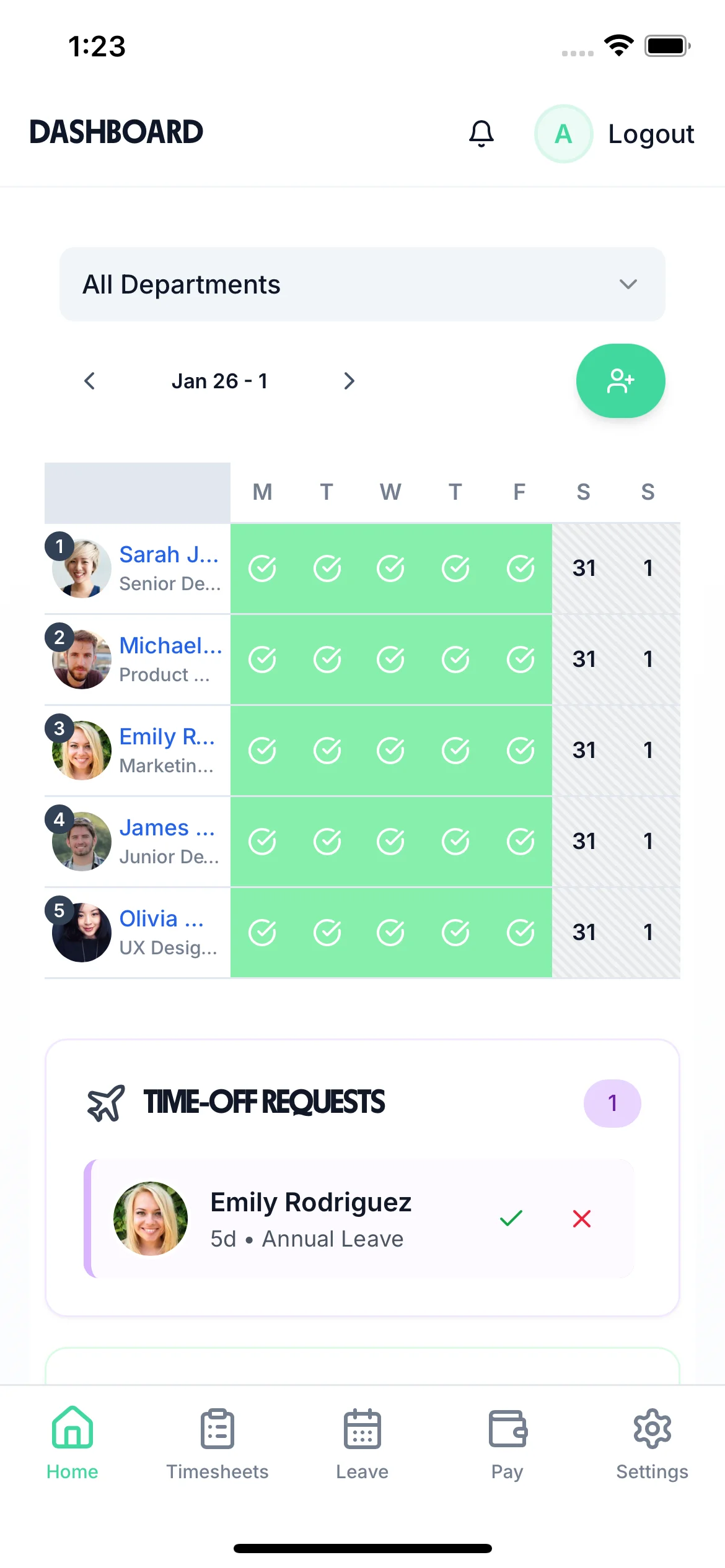
The team calendar shows all sick leave alongside annual leave, TOIL, and every other absence type. Managers can instantly see who is off sick today, plan cover, and make informed decisions about workload.
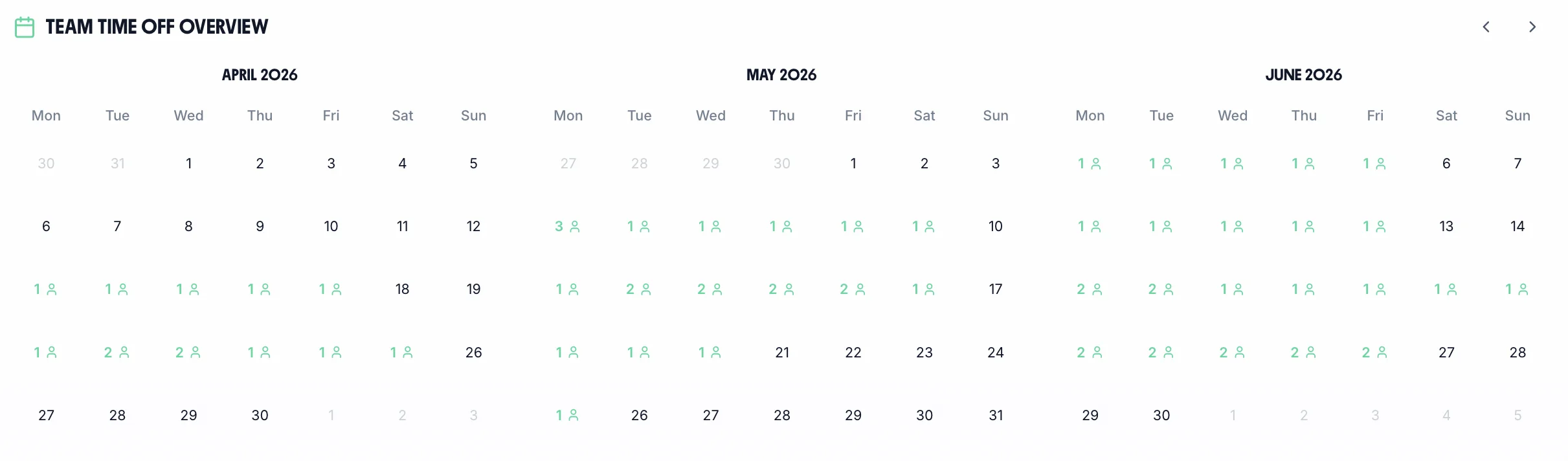
See which employees are currently off sick across your entire organisation, updated the moment a request is logged.
Sick leave, annual leave, and custom types all visible on one calendar so you never lose track of who is available.
Quickly identify staffing gaps when multiple people are off sick and arrange cover before it affects operations.
Not all sickness is the same. TimeTally lets you create separate leave types for each category — with their own colours, allowances, and records.
Track individual sick days and short spells with a dedicated leave type. Colour-coded on the calendar so managers can see absence frequency at a glance.
Log extended sick leave separately from short-term absence. Keeps your records clean for SSP tracking and return-to-work planning.
Create a separate type for medical appointments so they're tracked correctly — not lumped in with sickness or taken from holiday.
Track statutory maternity and paternity leave separately with correct entitlement periods and return-to-work dates logged in one place.
Log compassionate leave with its own balance and notes field, handled sensitively and separate from other absence types.
Managers can record sick leave from anywhere using the iOS app. No need to be at a desk to log an absence when an employee calls in.
Track statutory and contractual holiday entitlement, carry-over, and pro-rata calculations.
Record self-certified and doctor-certified sick leave. Track Bradford Factor scores automatically.
Accrue, request, and track time off in lieu from overtime and on-call callouts.
Create custom leave types for compassionate, bereavement, and other special circumstances.
Track maternity, paternity, and shared parental leave alongside regular annual leave.
Any custom leave type you need — configured with its own rules, entitlement, and approval flow.
One price. Every feature. No surprises.
Billed monthly. Cancel anytime.
Tools and guides to help you manage sickness absence and stay on top of UK employer obligations.
Score employee absence patterns to identify where frequent short-term sickness is having the most impact.
Calculate nowWork out SSP amounts, waiting days, and the 28-week limit for employees on sick leave.
Calculate nowSee how TimeTally handles all types of absence — sick leave, annual leave, TOIL, and more — in one platform.
Learn moreUK sick leave law is more detailed than most managers realise. Here's what the rules actually say.
Employees can self-certify for up to 7 calendar days of sick leave. No medical evidence is required during this period. Employers can ask for a self-certification statement but cannot require a GP note until day 8.
From day 8, a fit note is required. Since 2022, fit notes can be issued not only by GPs but also by nurses, physiotherapists, and occupational therapists — broadening access and reducing GP appointment pressure.
A return-to-work interview after any absence is widely regarded as best practice. It helps identify absence patterns, support needs, or underlying issues early. This is a supportive step — not a disciplinary one.
A GP may recommend a phased return with reduced hours or modified duties. Employers should accommodate this where reasonable. Any phased return arrangement should have an agreed end date and a clear review plan.
Many employers use the Bradford Factor or simple occurrence thresholds to trigger a formal absence review. Trigger points must be applied consistently across the workforce to avoid discrimination claims under the Equality Act 2010.
Pregnancy-related sick leave must be recorded separately from other sickness absence. It cannot be used to justify dismissal or disciplinary action. Employees have special protection under the Equality Act 2010 during pregnancy and maternity.
Employers can refer an employee to occupational health once absence becomes significant. The OH report advises on fitness for work, reasonable adjustments, and likely return date. Employees are entitled to request a copy of their OH report.
After extended absence, employers must consider reasonable adjustments before moving toward dismissal. Long-term absence is managed through a capability procedure — not a misconduct procedure — and dismissal is a last resort.
Swipe to see more →
A real person replies within 24 hours. No ticket queues, no bots.
A UK company, ICO regulated. Your data encrypted and never sold.
TimeTally lets you create a custom 'Sick Leave' type with its own colour, icon, and optional allowance. When an employee is off sick, their manager records it against this leave type. All sick days appear on the team calendar and are tracked against the employee's record, giving you a complete history of sickness absence.
TimeTally tracks sick leave days accurately so you have the records needed for SSP calculations. For SSP rate calculations, use our free statutory sick pay calculator. You can also export sick leave data via CSV or sync with Xero or QuickBooks to handle payroll processing.
The Bradford Factor is a formula (S x S x D) that highlights the impact of frequent short absences versus fewer longer ones. TimeTally does not calculate Bradford Factor scores in-app, but we offer a free Bradford Factor calculator tool that you can use alongside your TimeTally absence records to monitor patterns.
Yes. When you create your sick leave type in TimeTally, you can set an optional allowance (e.g. 10 paid sick days per year) or leave it unlimited. It's entirely up to your company policy. You can also set different allowances for different employees.
Managers can record sick leave directly on behalf of an employee, or employees can submit their own sick leave requests through the system. Either way, the absence is logged with dates, and the team calendar updates automatically so everyone can see who is off.
Absolutely. TimeTally lets you create unlimited custom leave types, so you could have separate types for short-term sickness, long-term sickness, medical appointments, or any other category your business needs. Each type has its own colour coding on the team calendar.
Yes. All sick leave records can be exported via CSV for payroll or HMRC reporting. TimeTally also integrates directly with Xero and QuickBooks, so sick leave data feeds into your payroll process automatically without manual reconciliation.
Yes. Sick leave and holiday are tracked completely separately with their own balances and approval workflows, but they share the same team calendar view. You can see all absence types — sick leave, annual leave, TOIL, and more — in one place.
Still have a question? See all FAQs
