





TimeTally
£3per employee/month
- Unlimited timesheets
- Holiday management
- Timesheet approval
- Hours tracking
- Payroll exports
- iOS and Android apps
- 15 employees × £3
- £45
- A month, for timesheets, rota and leave
- £45
WhosOff vs TimeTally
WhosOff is a dedicated staff holiday tracker from £0.95/user/month — but it manages leave and absence only, with no timesheets or clock-ins. TimeTally combines time tracking and leave management in one system for £3/employee/month, with Xero and QuickBooks exports built in.
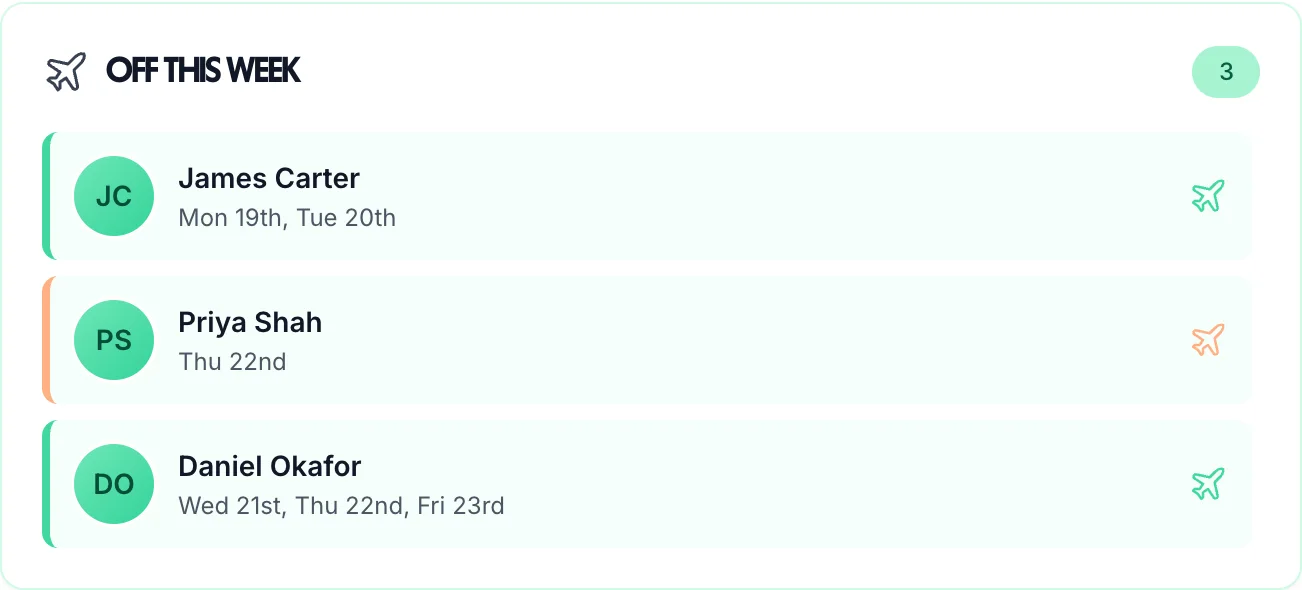
Who's off this week?
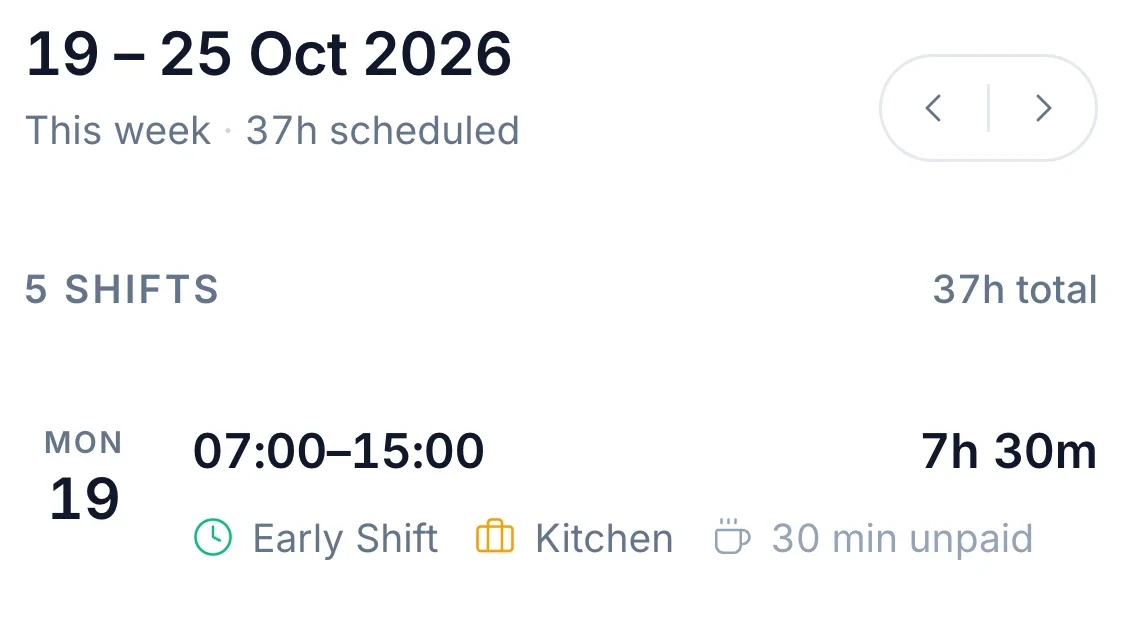
Who's on the rota today?
How many hours did they work?
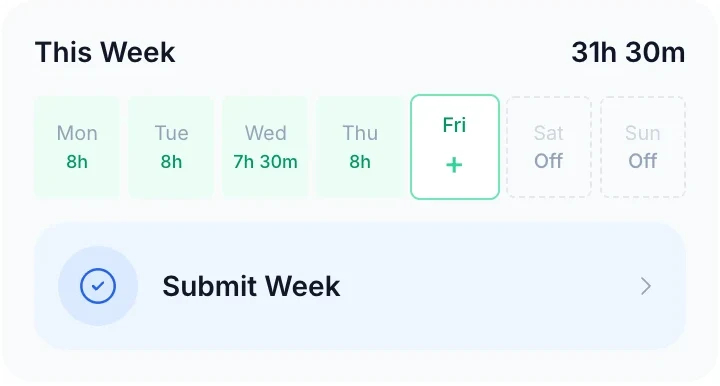
WhosOff from whosoff.com/pricing, checked 3 October 2026. The pictures are TimeTally today.
The Key Difference
WhosOff is a solid staff holiday tracker — it handles leave requests, team calendars, and UK entitlements well. But it stops there. There's no timesheet tracking, no hours logging, and no payroll integration listed on its pricing page. If your business needs to track employee hours, approve timesheets, or export data to Xero or QuickBooks, you'll need a second tool alongside WhosOff. TimeTally does both in one place.
One person's week, as each one records it
In WhosOff
Leave and absence only
1 day of holiday
Hours: in another system
In TimeTally
Hours and leave together
31h 30m worked
+ 1 day of holiday
Ready for payrollWhy switch
WhosOff does leave tracking well, but businesses outgrow it when they need more than just holiday booking. Here's what's missing.
WhosOff doesn't track hours worked, overtime, or provide timesheet approval workflows
In TimeTally staff clock in on their phone or fill in a timesheet, and you approve the week.
With no timesheets in WhosOff, hours worked have to come from another system before payroll
Approved hours, overtime included, go to Xero or QuickBooks as a wages journal, or out as a CSV.
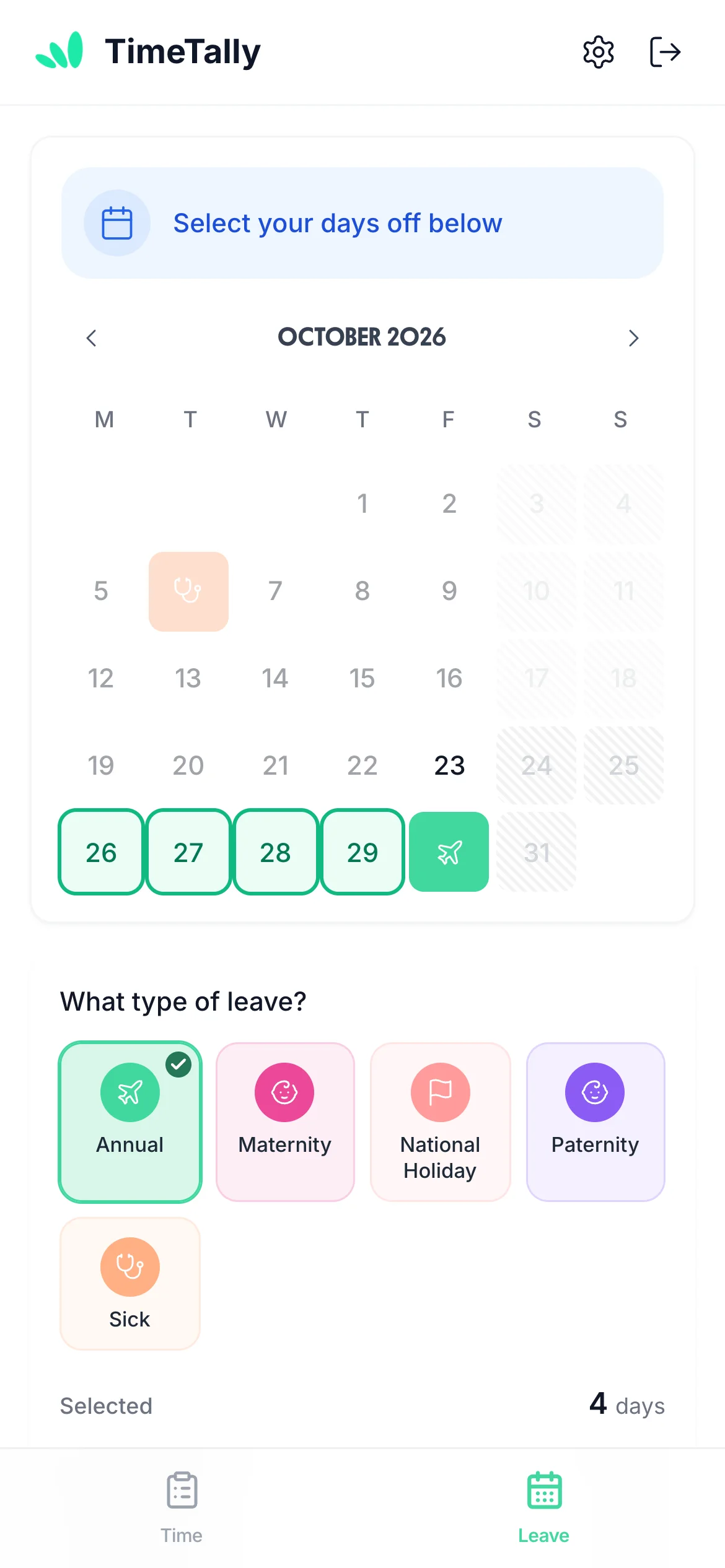
Staff book leave in WhosOff and record hours somewhere else. In TimeTally they do both in one iOS or Android app
One app, one login: hours on the Time tab, holidays on the Leave tab.
Everything you'd use a leave tracker for is in the same app as the hours.
Allowances
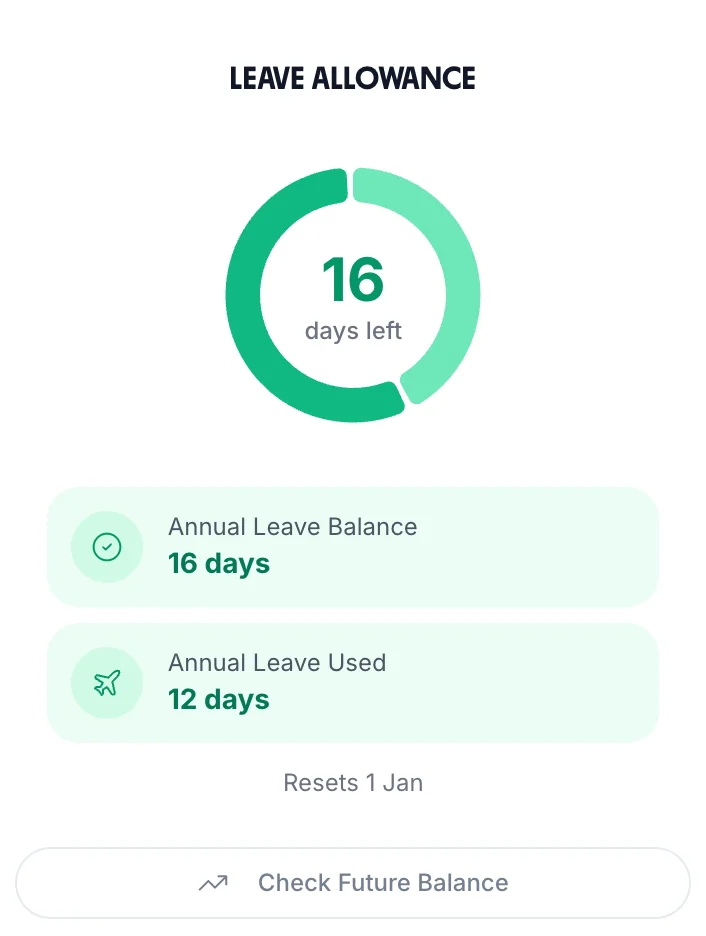
Each person's allowance comes from their working pattern and start date, pro-rata for part-timers and people who join mid-year. Staff see what they have left.
Requests
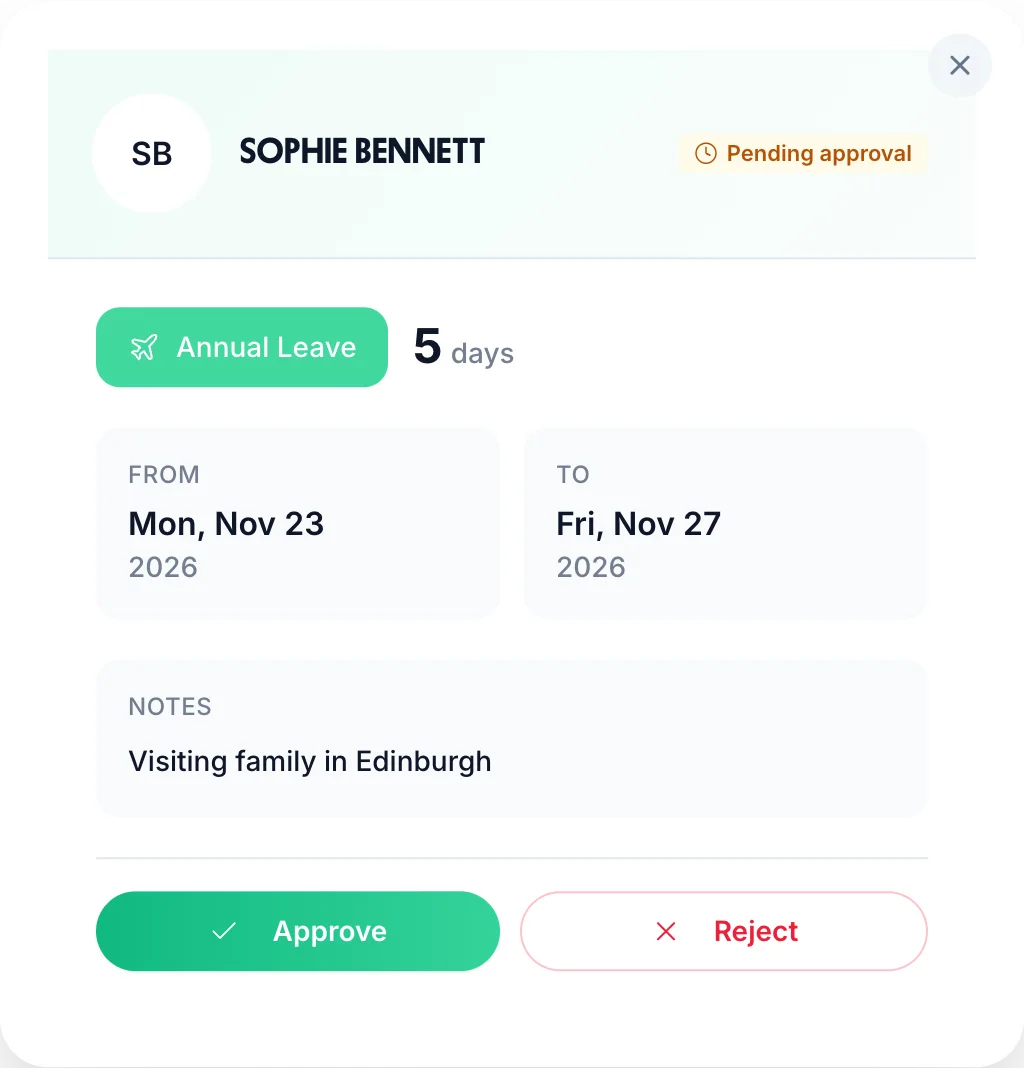
Staff pick their days and the leave type in the app. You approve, or reject with a reason, from any device.
Team calendar
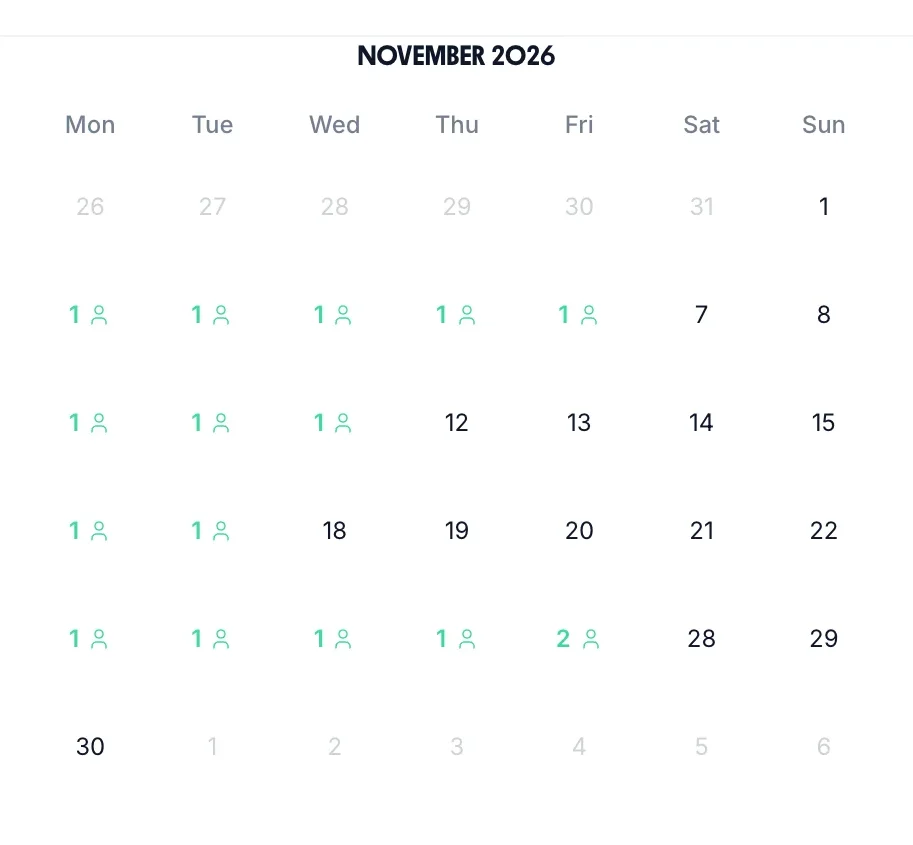
The team calendar shows how many people are off each day, so you know what a week looks like before you approve.
Leave types
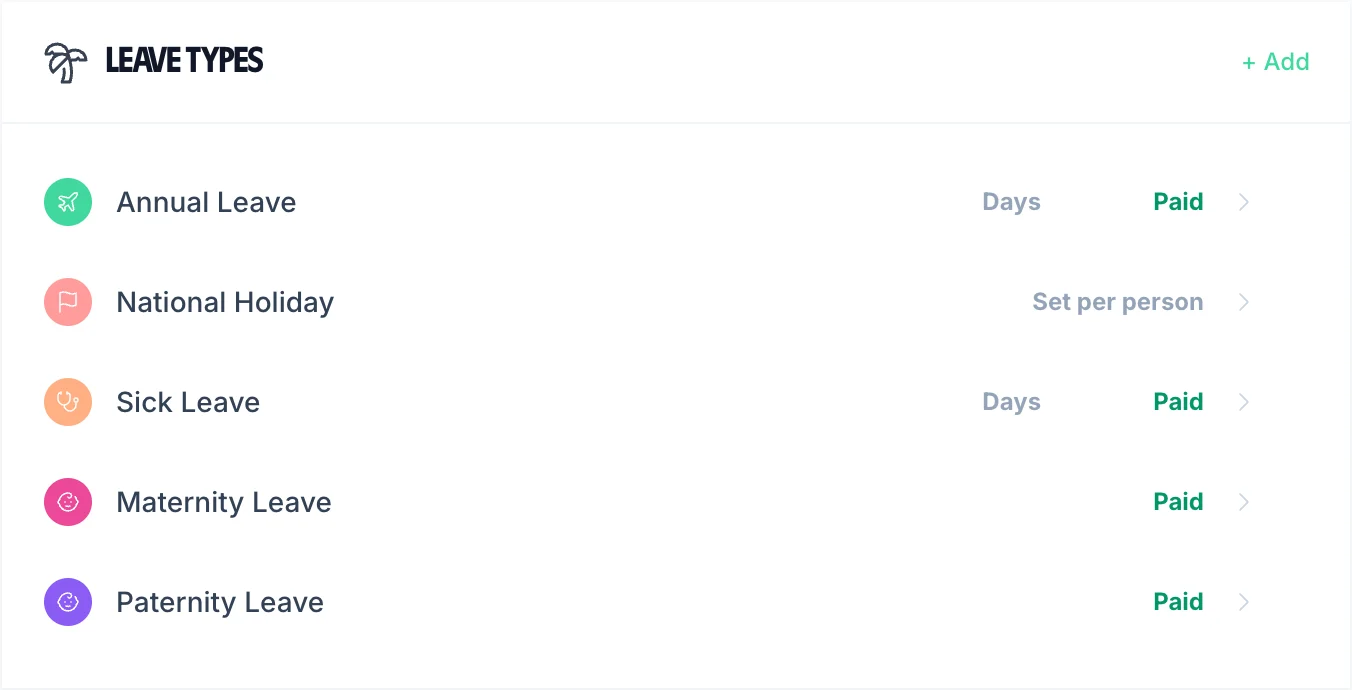
Annual, sick, maternity and paternity leave are set up for you. Add your own, paid or unpaid, booked in days or hours.
The leave rows match. The rows about hours are where the two differ.
| Feature | TimeTally | WhosOff |
|---|---|---|
| Pricing per user/month | £3 | From £0.95 |
| Timesheet tracking | Yes | No |
| Holiday management | Yes | Yes |
| Timesheet approval | Yes | No |
| UK holiday entitlement | Yes | Yes |
| Payroll integration (Xero/QB) | Yes | Not listed |
| Hours tracking | Yes | No |
| Team calendar | Yes | Yes |
| Mobile apps | iOS & Android | iOS & Android |
| Rota and shift scheduling | Yes | Not listed |
| Contract | Monthly, cancel any time | Rolling monthly, no cancellation fees |
| Free trial | 14 days, no card | Up to 8 weeks |
WhosOff prices and features checked on whosoff.com/pricing, 3 October 2026. “Not listed” means its pricing page doesn't mention it.
If leave is all you need, WhosOff costs less. If you also track hours, compare what the whole job costs.
£3per employee/month
£0.95+per user/month
Example: For 15 employees, WhosOff from £14.25/month (15 × £0.95) covers leave only; hours and clock-ins need a second tool. TimeTally for the same 15 employees = £45/month for timesheets, rota and leave. Prices checked 3 October 2026.
Real reviews from TimeTally customers
TimeTally has been excellent for our business… makes managing holidays, absences, and staff records straightforward… gives both managers and employees clear visibility of leave balances and requests.
 Jordan IngoeCLI Manchester
Setup was dead simple and the team just got on with it. Got everyone up and running in an afternoon with no help needed. Does everything we need for timesheets and holidays without the faff.
Has completely changed how I handle timesheets. Used to dread it every week — now it takes me minutes. Really easy to get around and my staff picked it up straight away.
Started using it just for rotas but quickly realised it does loads more. The timesheets and leave management are great, and it even handles TOIL and overtime which I wasn't expecting. Use it for everything now.
No. WhosOff is a dedicated leave and absence management tool. It does not include timesheet tracking, hours logging, or overtime calculations. You would need a separate tool for that.
WhosOff's pricing page doesn't list payroll integrations, so check with WhosOff. TimeTally posts approved hours, overtime included, to Xero or QuickBooks as a wages journal, or exports them as CSV.
Yes. WhosOff offers free iOS and Android apps. TimeTally also has iOS and Android apps, where staff clock in, see their rota and request leave, and managers approve.
WhosOff starts from £0.95/user/month for leave management only. TimeTally is £3/user/month but includes both time tracking and leave. If you need time tracking too, using WhosOff plus a separate timesheet tool will likely cost more overall.
Yes. TimeTally includes holiday management, UK statutory entitlement calculations, pro-rata calculations, custom leave types, leave request and approval workflows, and a team calendar — matching WhosOff's leave features.
Most teams can be set up on TimeTally the same day. You can set up employees, configure leave types and working patterns, and start using both timesheets and leave tracking straight away.
Still have a question? See all FAQs
Book a DemoNo credit card required. Get both timesheets and holidays in one simple tool.
No credit card required • Free 14-day trial • Cancel anytime