
Manage holiday requests around peak seasons, calculate pro-rata entitlements for part-time staff, and keep your restaurant, hotel, or bar fully staffed. Replace WhatsApp messages and paper diaries with proper leave management.
If any of these sound familiar, you need a system that actually works for the pace and demands of hospitality.
Christmas, bank holidays, and summer weekends — your busiest periods are when everyone wants leave. Without a clear system, it is first to shout loudest, not first come first served.
With a mix of full-time, part-time, and variable-hour staff, calculating correct holiday entitlements manually is error-prone and time-consuming.
New starters arrive frequently, and mid-year entitlement calculations are done on the back of an envelope. Leavers' unused holiday is often not settled correctly.
Leave requests come in via text, WhatsApp, or a quick chat during service. Nothing is written down, and managers forget what they have agreed to.
Managers approve leave without checking the rota first. The result: too many staff off on the same day and a scramble to find cover.
Staff call in sick and someone covers their shift, but the absence is never formally logged. There is no history to review when patterns emerge.
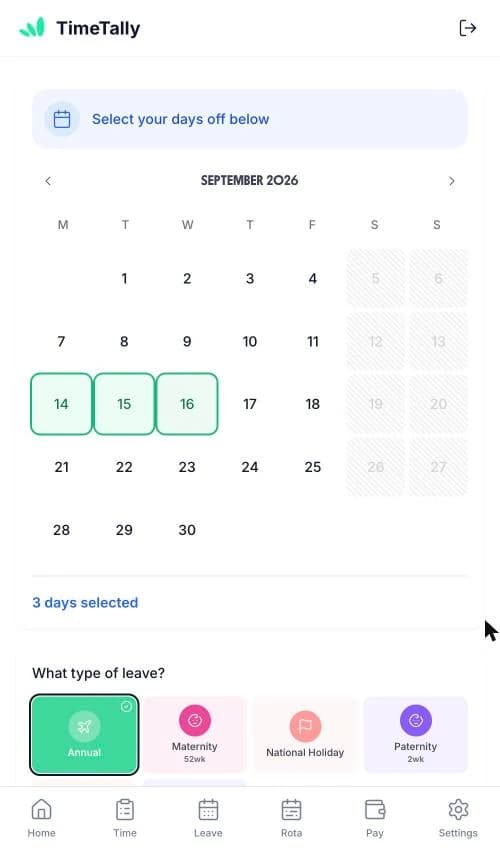
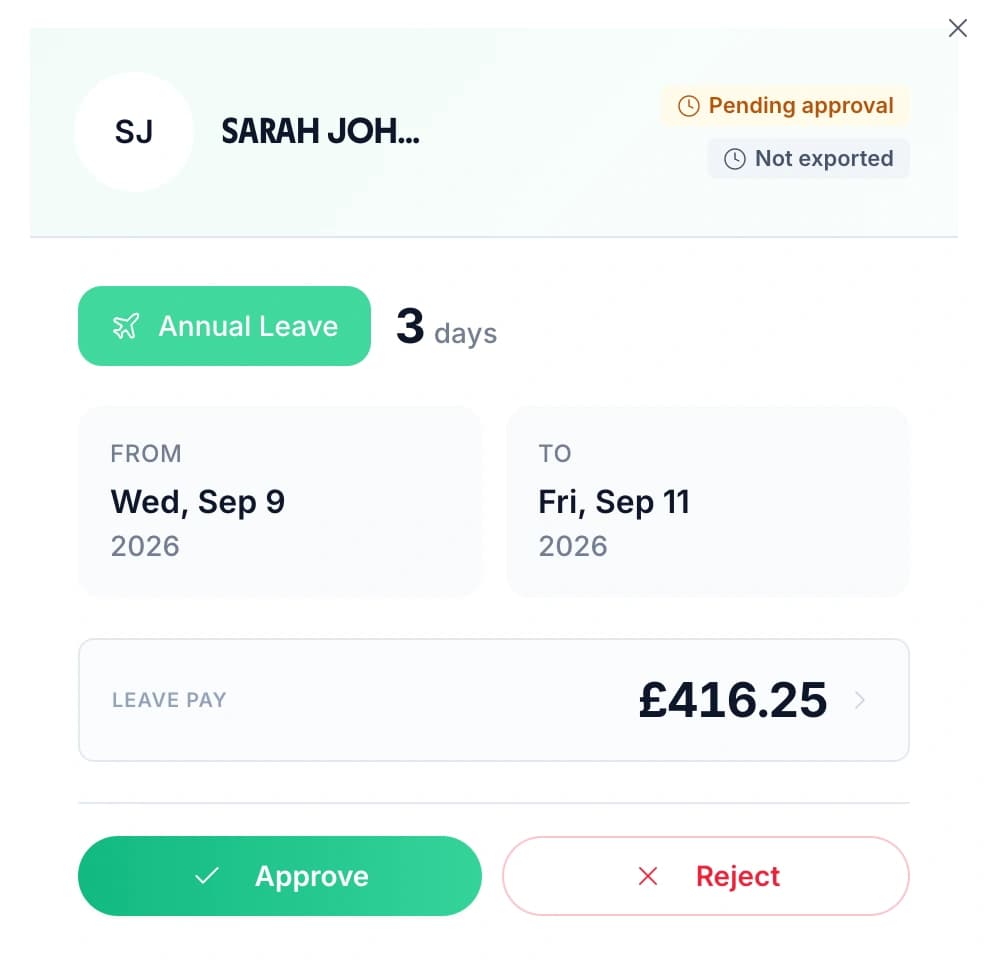
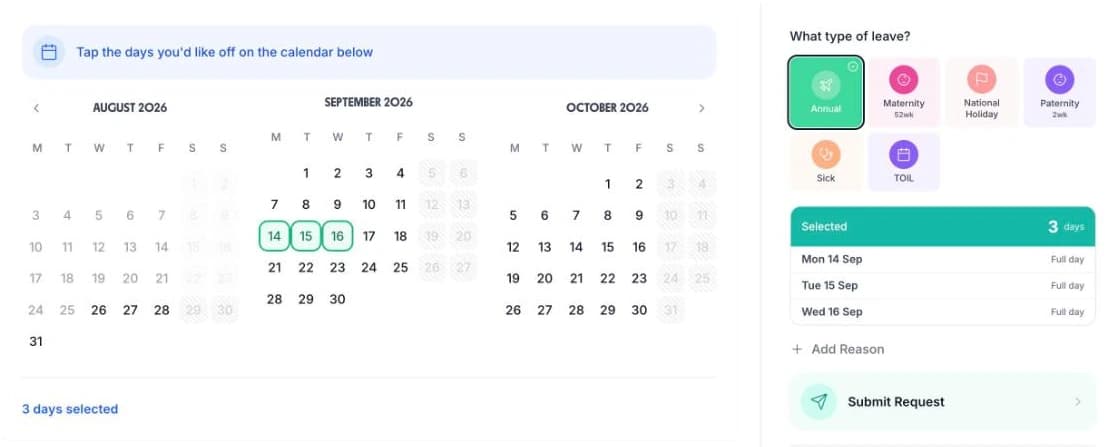
Staff submit holiday requests through the app or web browser. Managers get notified instantly and can check the team calendar before approving. Everything is logged — no more “I thought I had that day off” arguments.
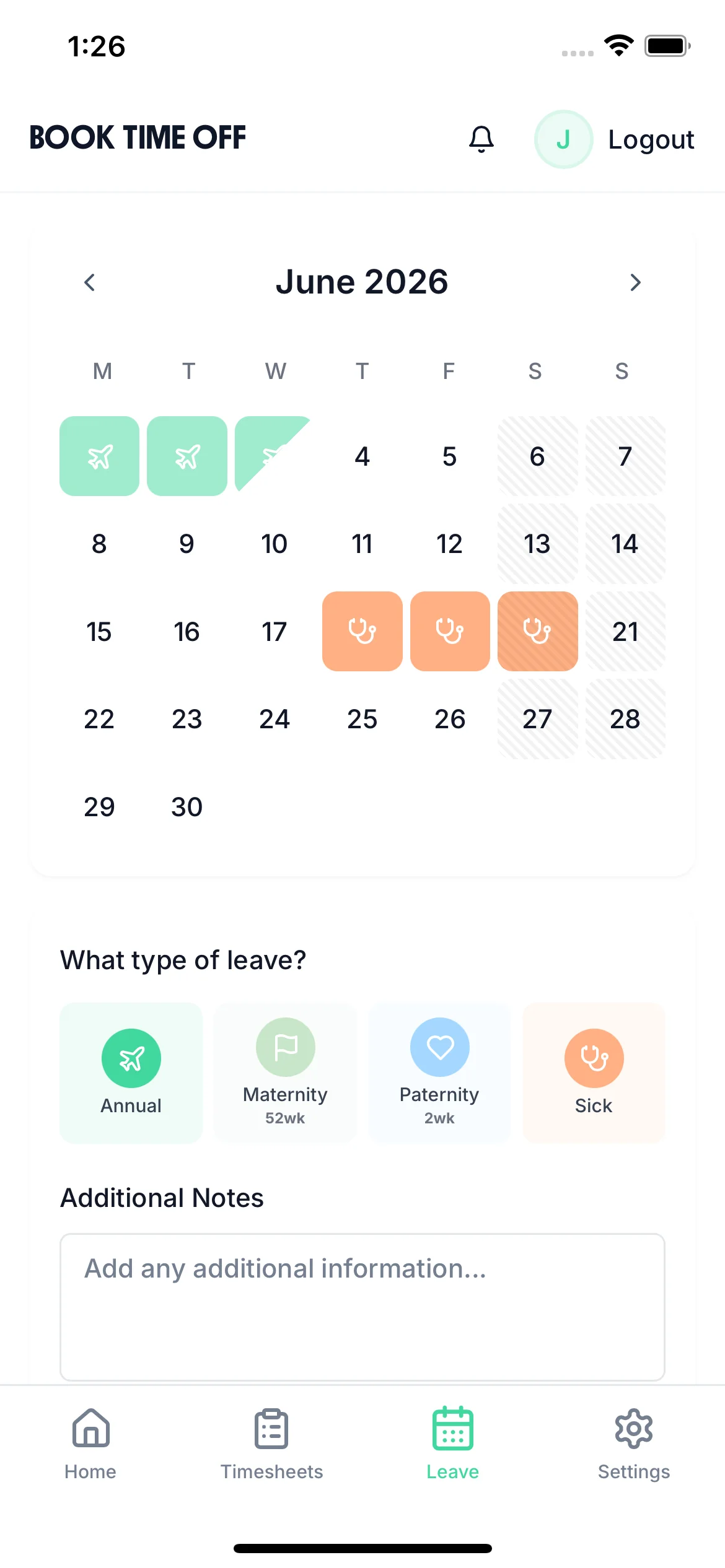
Request from their phone
Staff submit requests via the iOS app between shifts — no need for a computer
One-tap approval
Approve or reject with a reason, so staff know where they stand immediately
Clear audit trail
Every request, approval, and rejection is recorded — no more he-said-she-said disputes

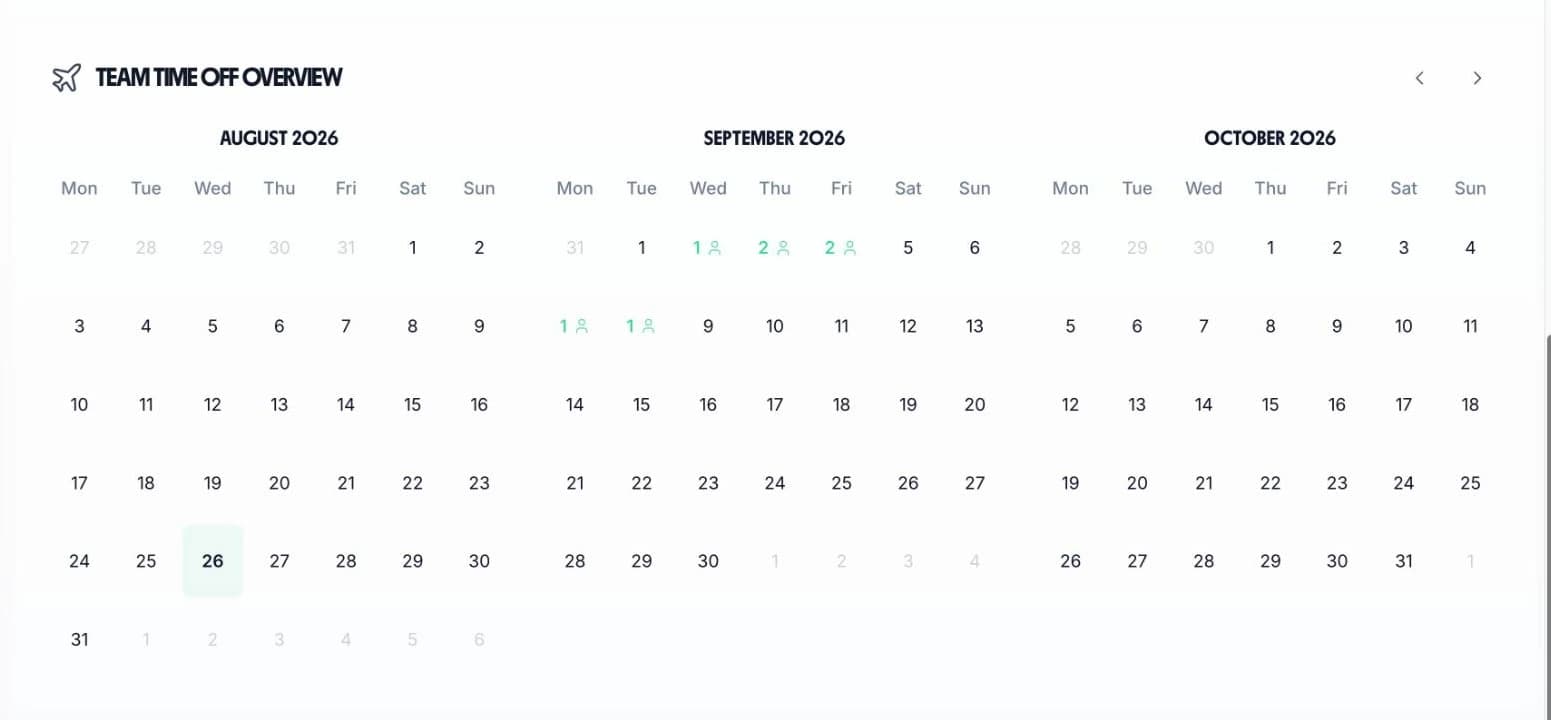
The team calendar shows all approved and pending leave at a glance. Before approving a request, check how many staff are already off that day — and make sure you have enough cover for service.

See at a glance how many people are off during Christmas, summer, and bank holidays before approving more requests
Holiday, sick leave, and custom types all on one calendar so nothing is missed
Organise staff by location or team and view leave for each site separately or across your whole business
Check the calendar and handle approvals from the floor via the iOS app — no office needed
Hospitality teams have a mix of full-timers, part-timers, and staff who joined mid-year. TimeTally handles all the entitlement maths automatically.
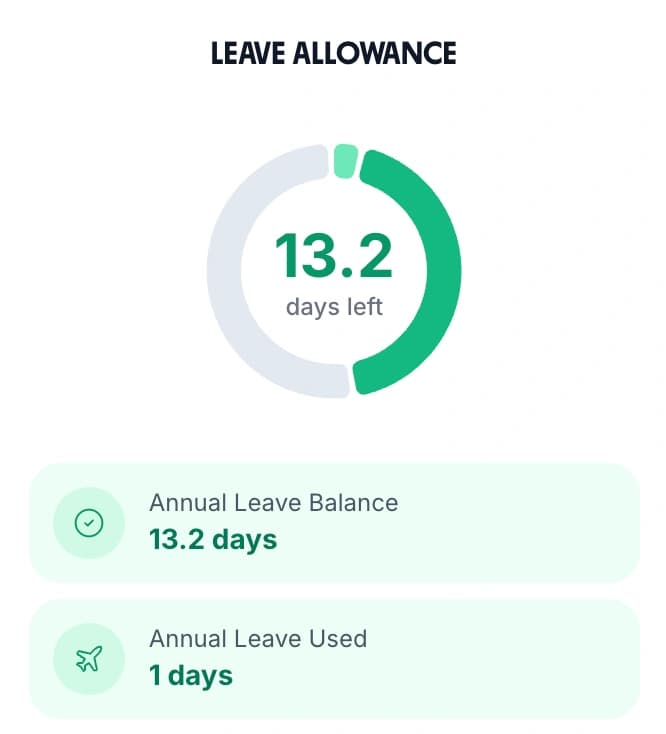
TimeTally calculates pro-rata holiday based on working patterns. A staff member working 3 days a week automatically gets the correct proportion of 28 days.
New staff who join partway through the year get their entitlement calculated automatically based on remaining days in the leave year. No manual calculations needed.
Export leave data via CSV, or sync directly with Xero or QuickBooks. No more re-keying holiday information into your payroll system at month end.

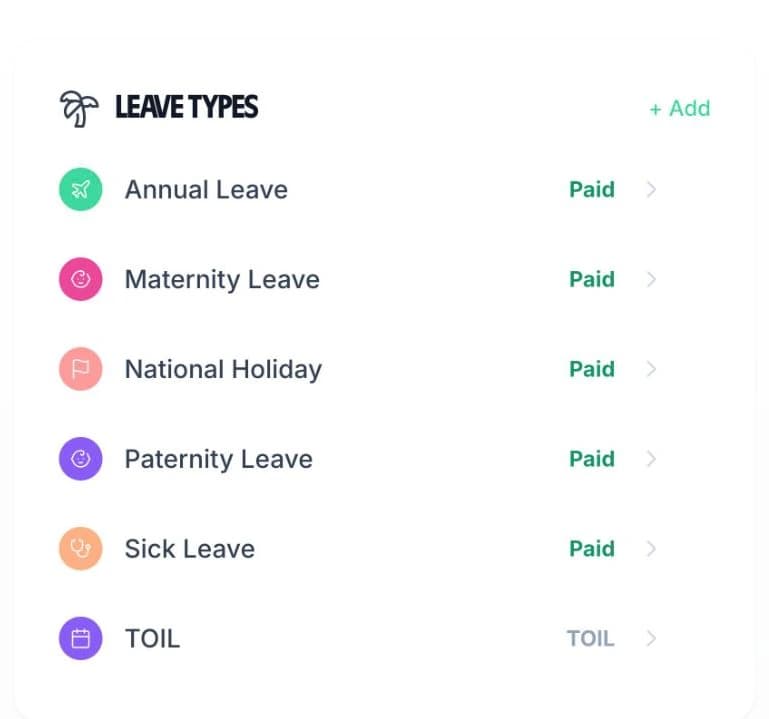
Create unlimited custom leave types to match your business needs. Annual leave, sick leave, unpaid leave, compassionate leave — each with its own colour on the calendar and optional allowance. Everything is tracked in one place.
Use our sick leave tracker to maintain a complete sickness history for every employee, and export data for SSP calculations or payroll processing.
Popular with hospitality teams:Create separate leave types for “Unpaid Leave” and “Lieu Days” alongside standard annual leave, so you always know the reason behind each absence.
Leave management and timesheets, one simple price
No hidden fees. No setup costs. Cancel anytime.
Holiday tracking
Requests, approvals, and balances
Team calendar view
See who is off at a glance
Pro-rata calculations
Automatic entitlements for part-timers
Timesheet tracking included
No extra charge
TimeTally automatically calculates pro-rata holiday entitlement based on each employee's working pattern. For part-time workers on fixed hours, the system works out entitlement proportionally. For workers with variable hours, you can set entitlements manually or use the UK statutory method of calculating 12.07% of hours worked. The system handles the maths for you.
TimeTally does not have a dedicated embargo feature, but managers have full control over approving or rejecting leave requests. You can simply reject requests that fall during peak periods like Christmas or bank holiday weekends, and add a note explaining the reason. The team calendar makes it easy to see how many people have already been approved off during busy periods.
Staff can submit leave requests via the iOS app or through the web browser. Managers receive a notification and can approve or reject with one tap. This is ideal for hospitality workers who may not have access to a computer during their shift but always have their phone.
Yes. You can organise employees into teams or departments within TimeTally, which works well for managing multiple locations. Each location's manager can see their own team's leave calendar and handle approvals, while business owners can view leave across all locations.
Yes. You can create a custom sick leave type with its own colour and optional allowance. Every sick day is recorded against the employee's profile, and you can export the data via CSV or sync with Xero or QuickBooks for payroll processing. See our sick leave tracker page for more details.
TimeTally costs just £2 per employee per month with no setup fees or hidden costs. For a team of 10 staff, that is £20 per month — and it includes both leave management and timesheet tracking. There is a free 14-day trial with no credit card required.