
Education leave management showing staff requests on mobile
Education Leave Management

Leave Management for Schools and Education

Manage annual leave, INSET days, and sickness absence for teaching and support staff. Replace spreadsheets with a simple system that keeps your leave management organised and fair for every member of staff.

No credit card
Custom leave types for school staff

Common leave management problems in education

If any of these sound familiar, it is time to replace paper forms and spreadsheets with a proper staff holiday tracker.

1.

Term-time complexity

Different leave rules apply to term-time only staff and year-round staff. Calculating entitlements manually for both groups leads to errors and disputes.

2.

Covering lessons when teachers are absent

When a teacher is off, someone needs to cover their lessons. Without a clear view of who is already absent, arranging cover becomes a last-minute scramble.

3.

INSET days and training leave go untracked

INSET days, CPD sessions, and external training are not recorded in one place. There is no easy way to see how many training days each staff member has taken.

4.

Different entitlements for teaching vs support staff

Teaching staff, teaching assistants, office staff, and caretakers all have different leave entitlements and working patterns, but they are all managed on the same spreadsheet.

5.

Part-time teacher pro-rata confusion

Calculating correct entitlements for part-time teachers is done manually and frequently gets it wrong, leading to staff taking too much or too little leave.

6.

No school-wide absence view

School leaders cannot see absence across the whole school at a glance. Decisions are made in isolation, leading to clashes and staffing shortfalls on the same day.

Custom Leave Types

Leave types built for schools

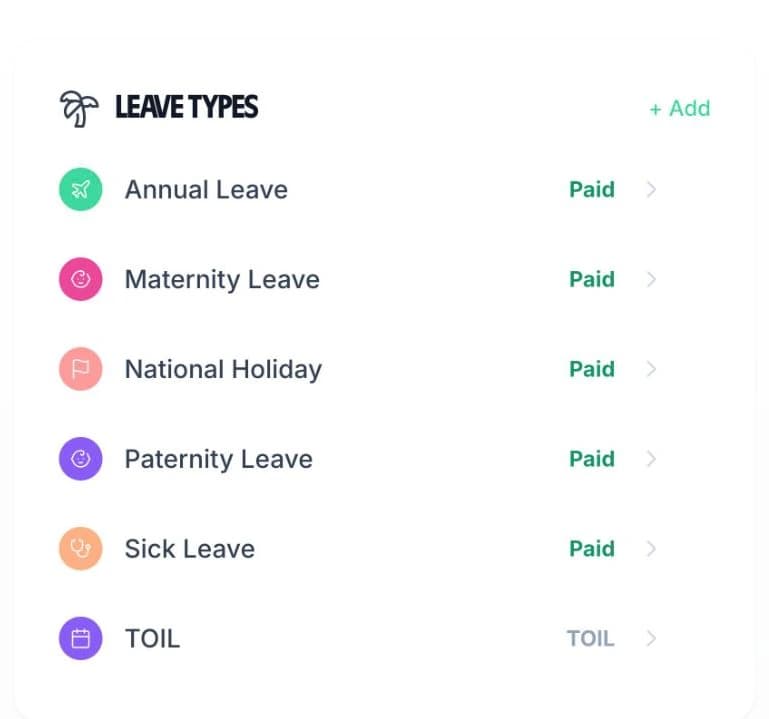
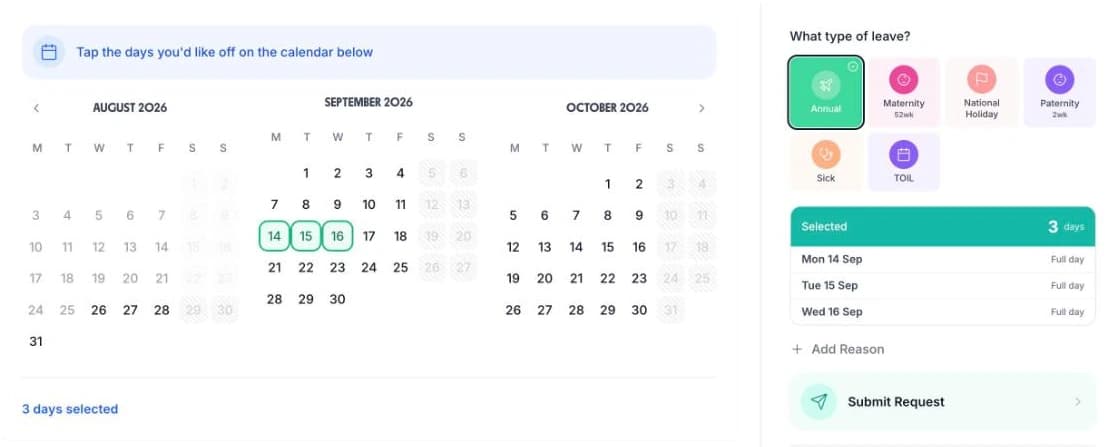
Schools need more than just “annual leave” and “sick leave”. With TimeTally, you can create unlimited custom leave types to match your school's policies — INSET days, training leave, compassionate leave, or anything else you need. Each type gets its own colour on the team calendar.

  • Colour-coded by absence type

    Instantly see whether someone is on annual leave, off sick, or at an INSET day from the calendar view

  • Set allowances per leave type

    Give staff 5 INSET days, a training day allowance, or whatever your school policy requires

  • Export for payroll and reporting

    Export leave data via CSV, or sync with Xero or QuickBooks for seamless payroll processing

Create custom leave types for school staff in TimeTally
Team Calendar

See who is off across your school

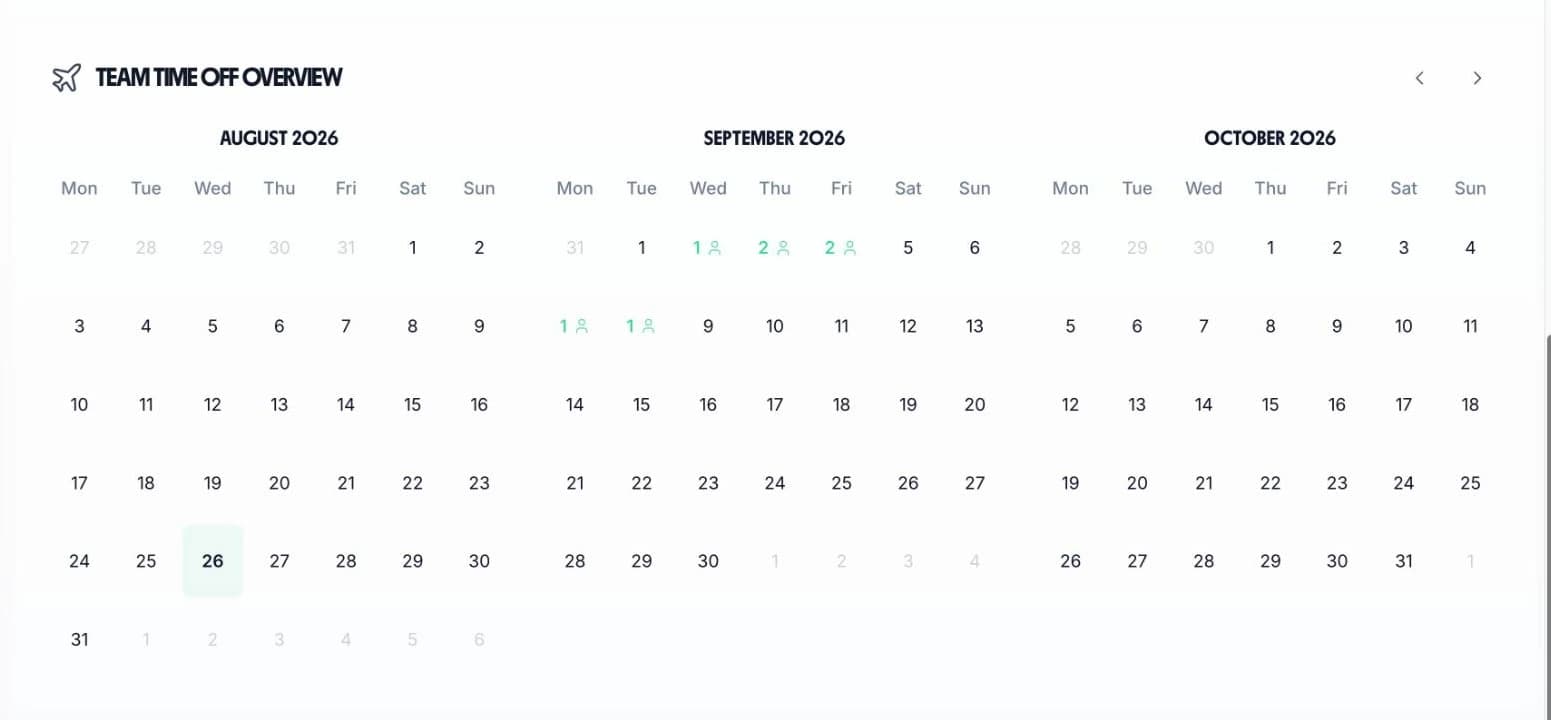
The team calendar gives headteachers and department heads a single view of all leave. See annual leave, sick leave, INSET days, and training leave side by side so you can plan cover with confidence.

Team calendar showing school staff leave across departments

School-wide visibility

See who is off across your entire school or department to plan lesson cover effectively

All absence types together

Annual leave, sick leave, INSET days, and training leave all visible on one calendar

Avoid staffing shortfalls

Check the calendar before approving leave to make sure you have enough staff to cover all classes

Check from anywhere

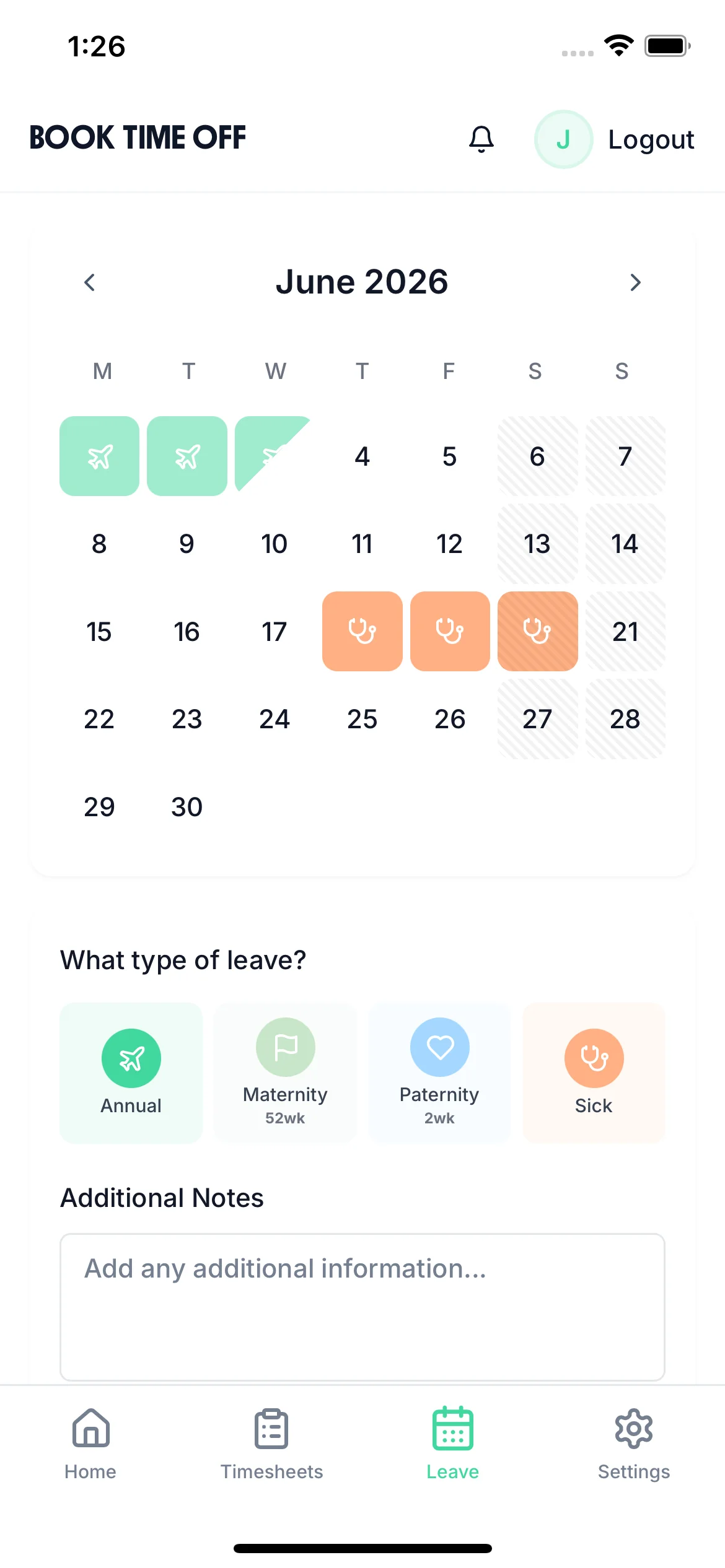
View the team calendar and approve requests on the go via the iOS app — no need to be at a desk

How TimeTally works for schools

Everything you need to manage leave across your school, from request to approval to payroll export.

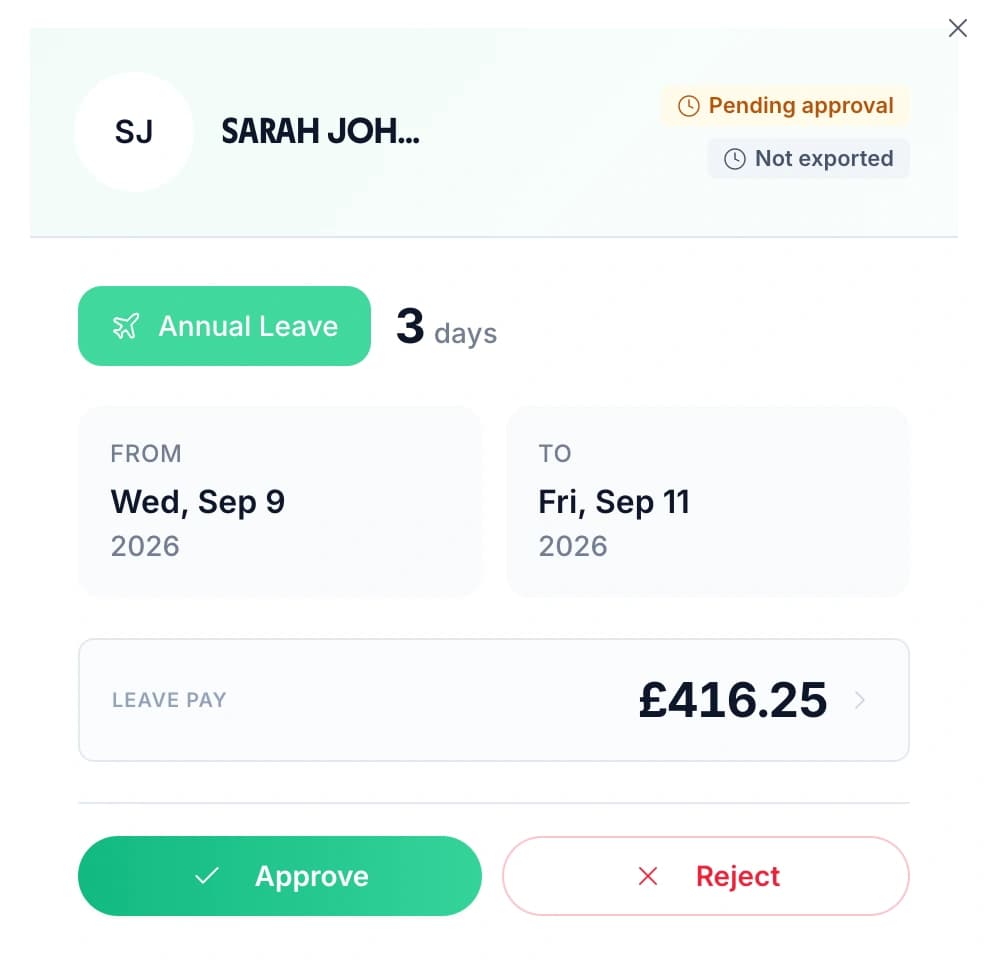
One-tap approvals

Staff submit leave requests online. Managers get notified and approve or reject with one tap — no more paper forms or chasing signatures.

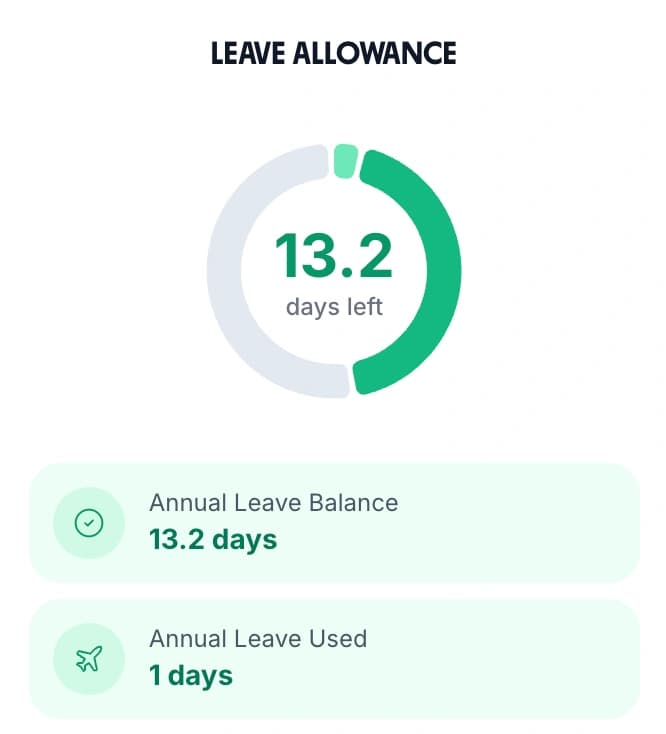
Pro-rata entitlements

Automatically calculate correct annual leave entitlements for part-time teachers, term-time staff, and mid-year starters. UK statutory rules built in.

INSET and training tracking

Track INSET days and training leave as separate leave types with their own allowances, so you always know how many training days each staff member has used.

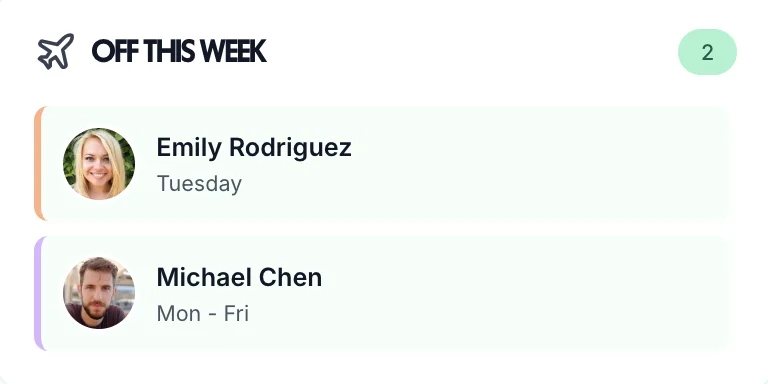
Who's off this week widget showing school staff availability
Staffing Visibility

Know who is available every day

In a school, knowing who is available is essential for planning lesson cover and keeping the day running smoothly. TimeTally's “Who's Off” widget gives you an instant snapshot of staff availability so you can arrange cover before gaps become a problem.

Whether you manage a primary school, a secondary school, an academy, or a university department, having a clear view of who is off and when makes all the difference to keeping things running.

Tip: Check the staff holiday tracker before the start of each week to see who is off and arrange cover in advance rather than on the morning.

Simple pricing for schools

Leave management and timesheets in one affordable tool

£2per employee / month

No hidden fees. No setup costs. Cancel anytime.

INSET day tracking

Track INSET and training days separately

Team calendar view

See who is off across your school

Unlimited leave types

Annual, sick, INSET, training, compassionate, and more

Timesheet tracking included

No extra charge

14-day free trial · No credit card required

Frequently Asked Questions

How does TimeTally handle term-time only staff entitlements?

TimeTally lets you set up different working patterns for each employee. For term-time only staff, you can configure their contracted weeks and the system will calculate their correct pro-rata holiday entitlement based on their actual working pattern. This means teaching assistants, caretakers, and other term-time staff all get accurate entitlements without manual spreadsheet calculations.

Can we track INSET days and training leave separately?

Yes. TimeTally lets you create unlimited custom leave types, so you can set up separate categories for INSET days, external training, annual leave, sick leave, compassionate leave, and anything else your school needs. Each leave type gets its own colour on the team calendar, making it easy to see at a glance why someone is absent.

How do we manage different leave types for teaching staff versus support staff?

You can assign different leave allowances and leave types to different staff members. Teaching staff might have INSET days and training leave, whilst support staff have a standard annual leave allowance. Each employee's profile reflects their specific entitlements, so there is no confusion about who is entitled to what.

How does TimeTally calculate leave for part-time teachers?

TimeTally automatically calculates pro-rata holiday entitlement based on each employee's working pattern. Whether a teacher works 3 days a week or has a 0.6 FTE contract, the system works out their correct statutory entitlement, including the option to include or exclude bank holidays.

Can staff submit leave requests from their phone?

Yes. TimeTally has an iOS app that lets employees submit leave requests from anywhere. Managers receive a notification and can approve or reject with one tap. This is particularly useful for teaching staff who are in classrooms all day and do not have regular access to a desktop computer.

How much does TimeTally cost for a school?

TimeTally costs £2 per employee per month with no setup fees or hidden costs. Admin and manager-only users are free, so your school business manager or headteacher can manage the system without adding to the cost. For a school with 30 staff, that is just £60 per month. There is a free 14-day trial with no credit card required.

Better leave management for your school.

Try TimeTally free for 14 days. Manage annual leave, track INSET days, and keep your staffing levels on track — all in one simple tool.

No credit card required · Free 14-day trial · Cancel anytime