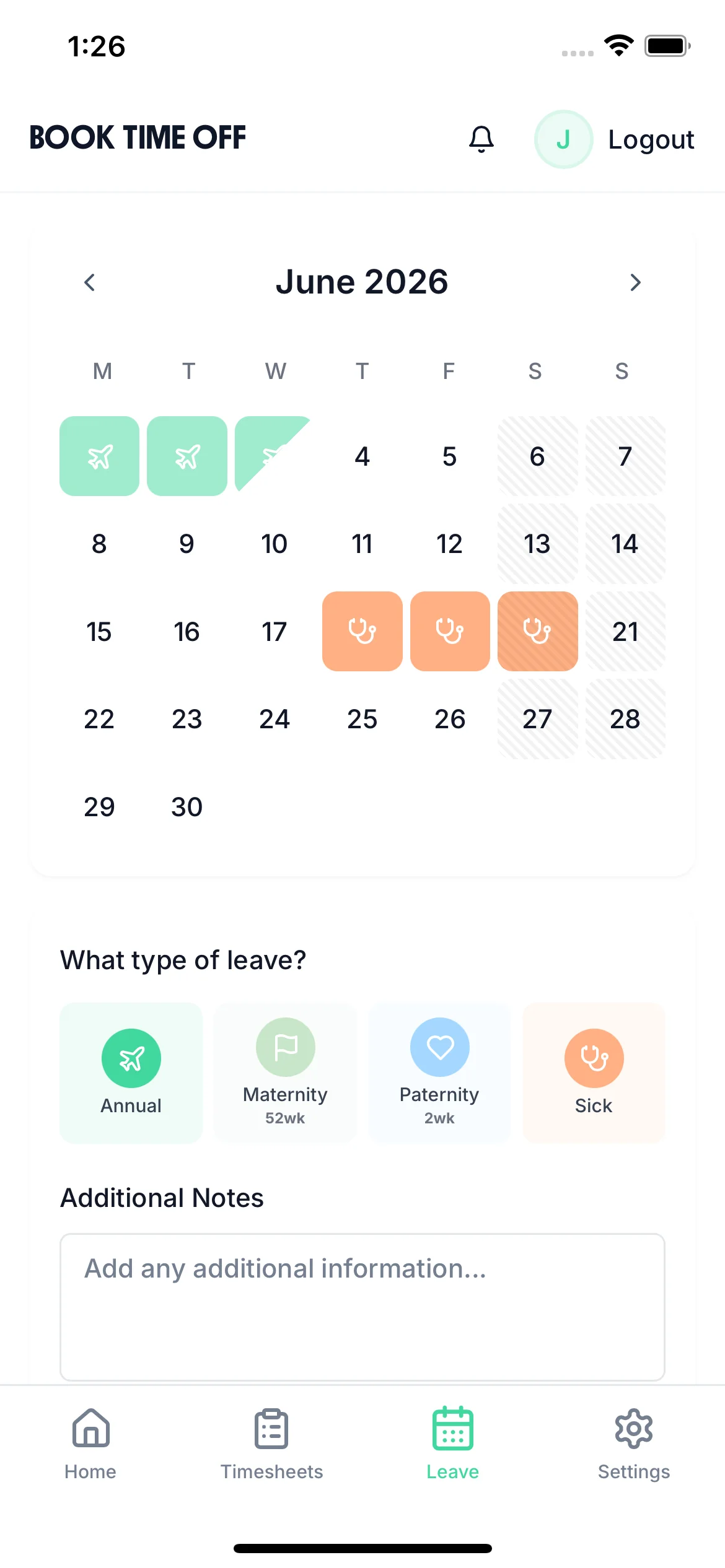
Track flexible working hours digitally. Employees build up flexi credit from extra hours, request flexi days off, and managers approve with full team visibility. No spreadsheets, no manual calculations.
TimeTally manages flexitime alongside annual leave, sick leave, and time tracking — one system for all working arrangements.
Tap a card to read the detail.
14-day free trial · No credit card needed
Employees record their actual hours in the timesheet. Hours beyond their contracted amount are identified as flexi credit — automatically calculated.
Extra hours are submitted as a TOIL accrual request. The manager approves at the agreed rate (typically 1:1 for flexitime), adding hours to the employee's flexi balance.
When the balance allows, employees request a flexi day or half day off. The manager approves, the balance reduces, and it appears on the team calendar like any other absence.
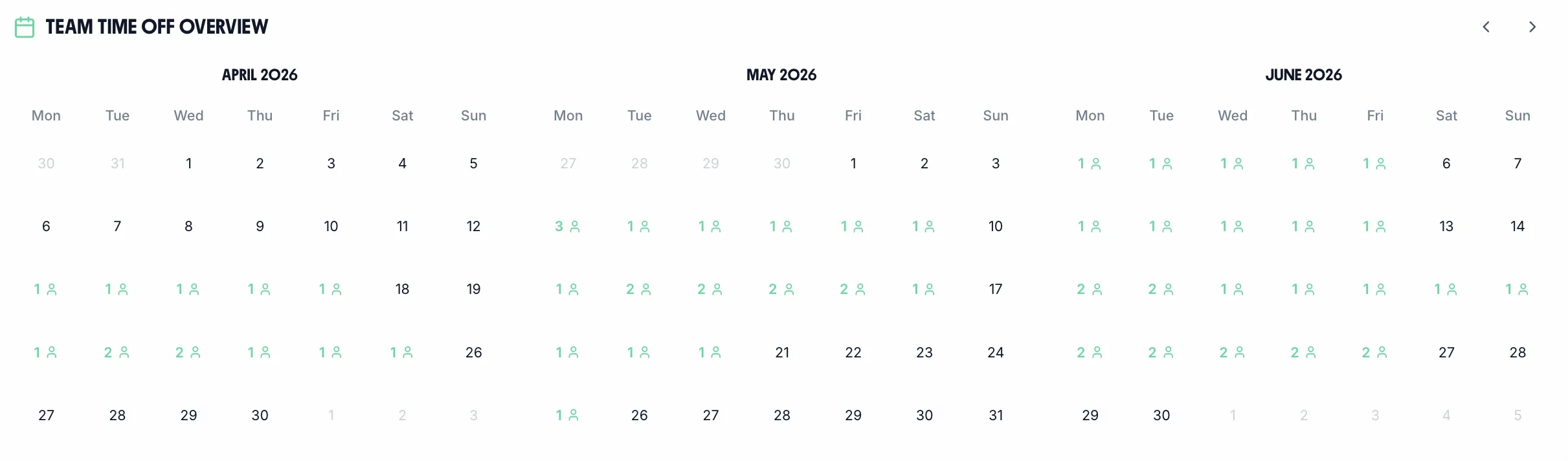
Flexi days off appear alongside annual leave and sick leave on the team calendar. Managers check coverage before approving — and employees see their own flexi balance in real time.
Flexi days, annual leave, and sick leave — one calendar, no blind spots
Every employee sees their own flexi balance updated in real time
Export flexitime data for payroll and HR reporting
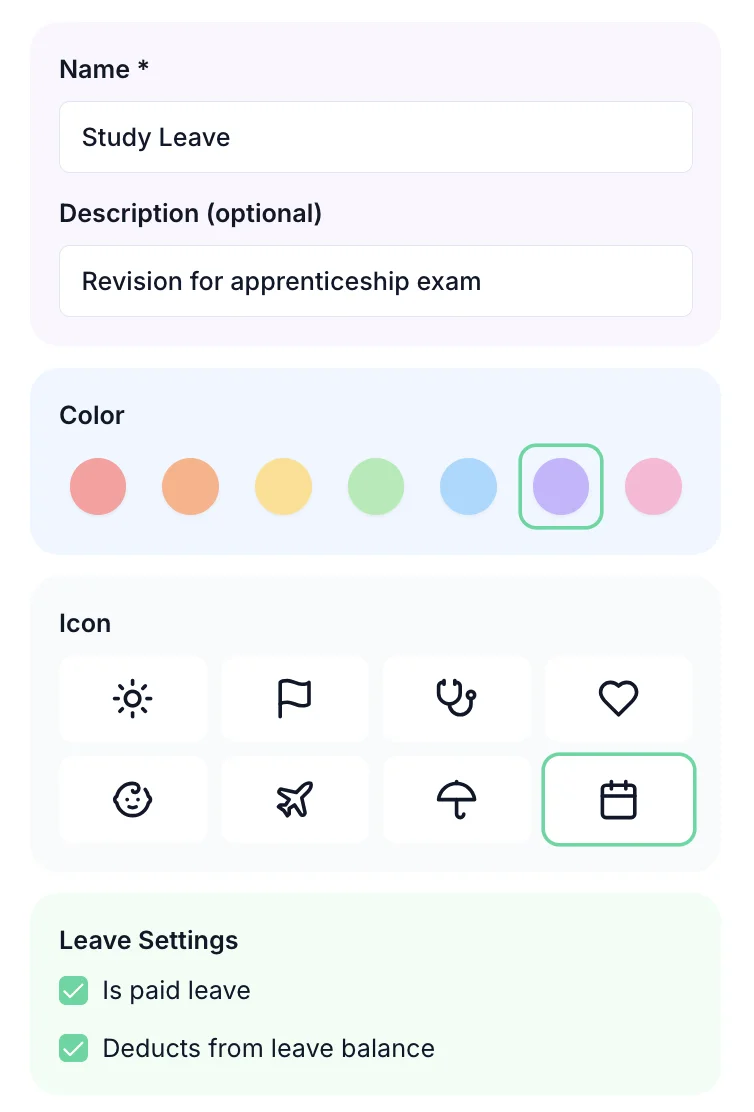
Set the accrual rate (typically 1:1 for flexitime), maximum balance, and expiry period. Create your flexi TOIL type once and the system applies the rules consistently for every employee on a flexible working arrangement. Works for part-time workers too — leave accrual is calculated correctly based on each employee's actual contracted hours.
Track statutory and contractual holiday entitlement, carry-over, and pro-rata calculations.
Record self-certified and doctor-certified sick leave. Track Bradford Factor scores automatically.
Accrue, request, and track time off in lieu from overtime and on-call callouts.
Create custom leave types for compassionate, bereavement, and other special circumstances.
Track maternity, paternity, and shared parental leave alongside regular annual leave.
Any custom leave type you need — configured with its own rules, entitlement, and approval flow.
One price. Every feature. No surprises.
Billed monthly, incl. VAT. Cancel anytime.
Flexitime is one of the most popular flexible working arrangements — but it needs clear rules to work fairly.
A flexitime scheme typically defines two time windows: a 'bandwidth' — the outer limits within which any work can be done (e.g. 7am–7pm) — and 'core hours', a mandatory presence window within which all employees must be available (e.g. 10am–3pm). Outside core hours, employees choose their own start and finish times, provided their total contracted hours are met across the reference period. Both windows must be clearly defined in the policy to avoid disputes about what constitutes unauthorised absence.
Flexitime is a working pattern — an operational arrangement about when contracted hours are worked. A flexible working request under the Employment Relations (Flexible Working) Act 2023 is a statutory right for any employee to request a permanent change to their hours, times, or place of work. A flexitime policy is not the same as granting a flexible working request; the two processes are distinct and should not be conflated in policy or communications. Employees on a flexitime scheme still have the right to make a statutory flexible working request.
There is no specific legislation governing flexitime in the UK — it is purely a contractual arrangement governed by the employment contract or staff handbook. Employers must still comply with the Working Time Regulations 1998, which require at least 11 consecutive hours' rest between working days, a 20-minute break when working more than 6 hours continuously, and an average working week of no more than 48 hours over a 17-week reference period. Flexitime schemes that inadvertently breach these limits expose the employer to regulatory risk.
Hours worked above an employee's contracted total during a reference period accumulate as a credit balance. Employers must define in the policy whether and when credit hours convert into TOIL (time off in lieu) or trigger an overtime pay entitlement. If a contract specifies an enhanced overtime rate, hours worked within the flexitime bandwidth that exceed the contracted total may qualify for that rate — the flexitime label does not override contractual overtime terms. Clarity in the policy about the credit-to-overtime threshold is essential.
For flexitime workers with variable daily hours, annual leave should be tracked in hours rather than days. Deducting a fixed number of hours for each day of leave regardless of the planned working pattern will over-deduct on short days and under-deduct on long days, creating a breach of holiday entitlement. Each day of leave should be charged at the number of hours the employee would otherwise have worked on that day. Accurate time recording is a prerequisite for this to work correctly.
Best practice flexitime policies set a cap on both credit and debit carry-forward — commonly one day's credit and one day's debit at the end of each reference period. Without a credit cap, employees accumulate large balances that become operationally disruptive to use. Without a debit cap, employees can fall significantly behind on hours with no mechanism to address it short of disciplinary action. Credit that expires unused should be treated carefully — enforcing forfeiture of contractual credit hours may require the policy to expressly state that unused credit lapses.
Remote flexitime arrangements require additional clarity about availability, response times, and core hour obligations that can be verified without physical presence. Employers should define how core hours are demonstrated when working from home — for example, through calendar entries, instant messaging status, or timesheet entries. Without clear guidance, remote workers may interpret core hours differently and core hour coverage may become inconsistent, undermining the rationale of the policy.
Where flexitime is embedded in the employment contract or a formally adopted policy, employees have a contractual right to it — the employer cannot withdraw the arrangement unilaterally without the employee's agreement and proper notice, as this would be a breach of contract. An informal or ad-hoc arrangement, by contrast, can in principle be withdrawn, but a long-standing practice may have become an implied contractual term. Employers should always document flexitime arrangements in writing, even if only in a signed policy acknowledgement, to retain clarity about the basis on which it is offered.
Swipe to see more →
Flexitime arrangements in TimeTally use TOIL as the tracking mechanism. Extra hours worked above contracted hours accrue as TOIL credit at 1:1. Employees can then take TOIL leave (flexi days off) when their balance allows — the same approval flow as annual leave, with full balance visibility.
Yes. Every employee can see their current TOIL/flexi balance in the TimeTally app at any time. They see accruals, bookings, and the running balance — full transparency reduces queries to managers.
Yes. Set a maximum balance cap in your TOIL policy — for example, employees can hold a maximum of 40 hours. You can also set an expiry period, so flexi hours must be used within a set timeframe.
When an employee books a flexi day off using their TOIL balance, it appears on the team calendar like any other absence — visible to their manager and team for coverage planning.
Yes. TimeTally works equally well for office-based, remote, and hybrid teams. Employees submit flexi hour accruals and time-off requests from any device — the manager approves from wherever they are.
TimeTally tracks actual hours against contracted hours. Core hours are part of your contracted hours definition. Extra hours beyond the contract accrue as TOIL/flexi credit at the rate you set in your policy.
Still have a question? See all FAQs
A real person replies within 24 hours. No ticket queues, no bots.
A UK company, ICO regulated. Your data encrypted and never sold.
