Rota Planning
Rota PlannerSchedule shifts and manage your teamTime & Attendance
Time TrackingTimesheets, clocking in, and moreView all features One plan · £3 per employee per month
Free Shift Premium Calculator
Calculate night shift, weekend and bank holiday enhanced pay rates in seconds. Check NMW compliance for time and a half, double time or flat-rate additions. Free UK calculator.
2h × £12.71 + 8h × £19.07 = £177.98, with ×1.5 on the night hours.
Minimum wage: the £12.71 base is at or above £12.71 for workers aged 21 and over (from 1 April 2026). Premium pay doesn't count towards minimum wage, so the base has to clear it on its own.
Where the premium lands
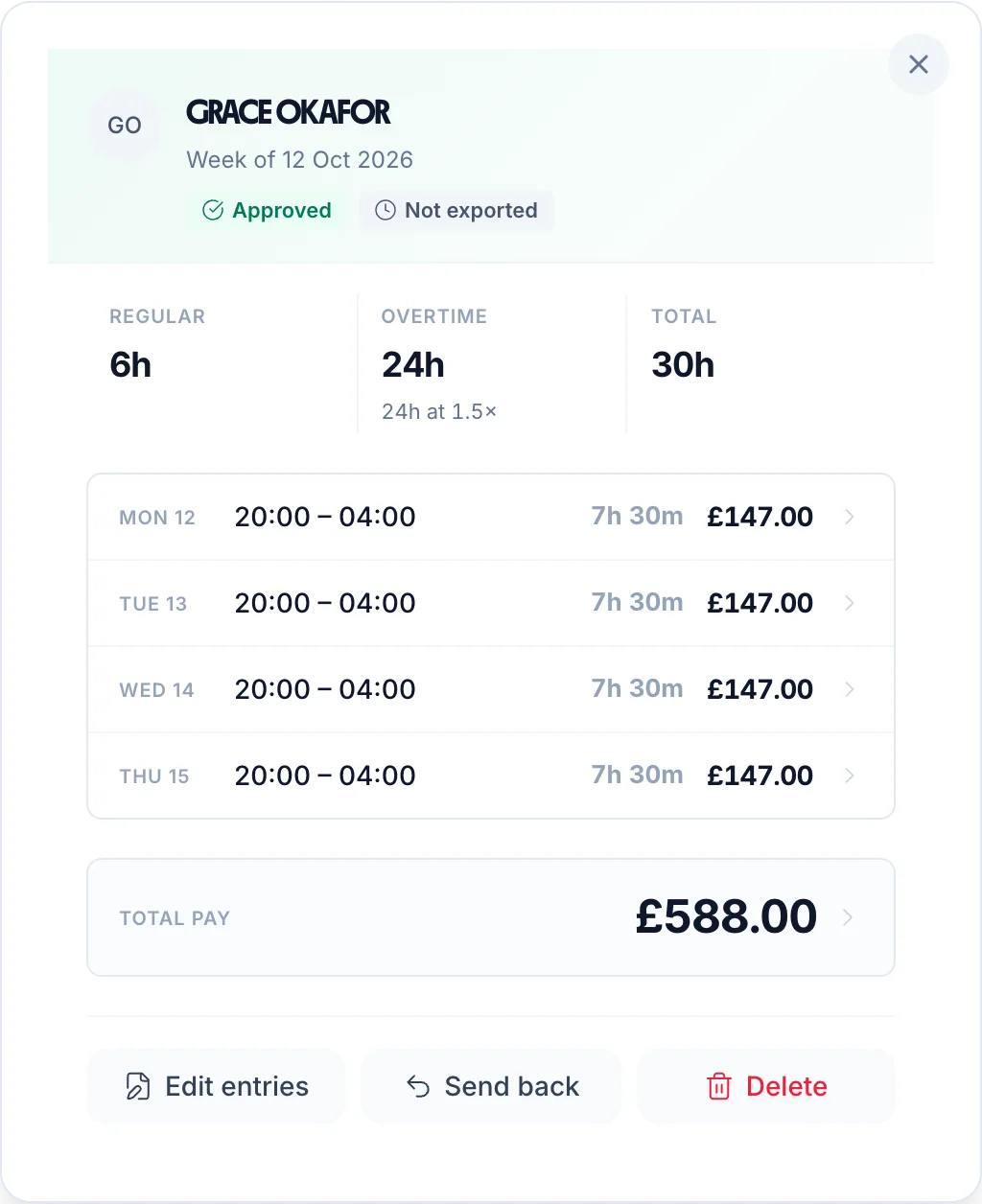
Wednesday 20:00 to Thursday 06:00, 10h paid. 8h falls in the night hours and is paid at £19.07 an hour; the other 2h at £12.71. The premium adds £50.88 to the shift.
UK law sets no premium for nights, weekends or bank holidays: which hours earn one, and at what rate, comes from the contract. Rates are rounded to the penny, as on a payslip.
From a calculator to every payslip
This calculator gives you the numbers. TimeTally applies the correct premium rate to the hours your rules cover automatically — so your payroll is always accurate from £3/employee/month.
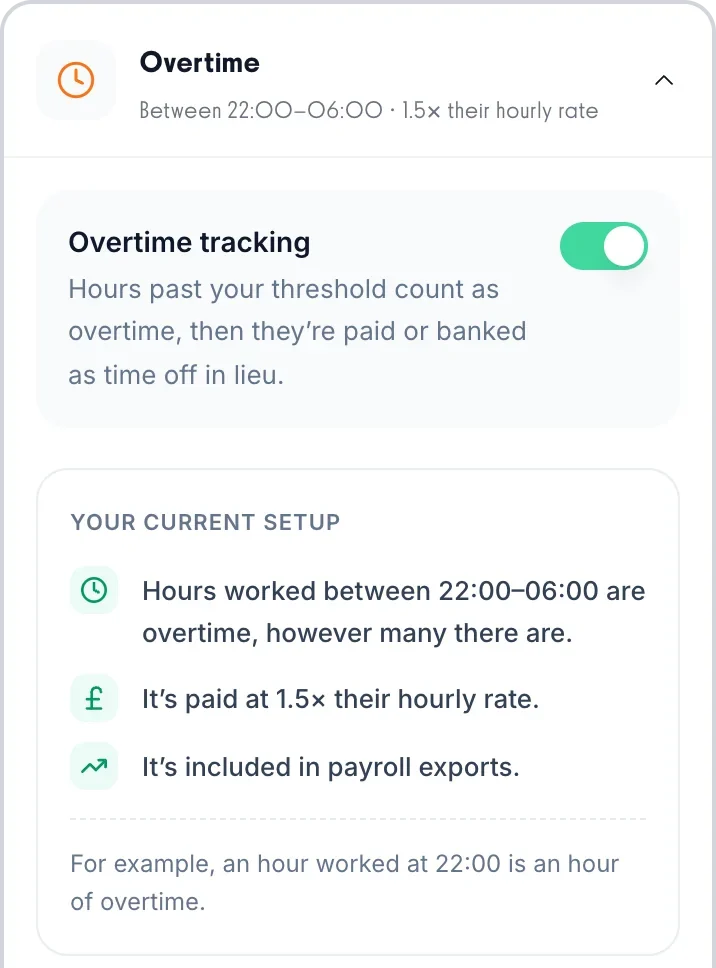
Set your premium hours once: the night window as overtime by time of day, an overtime rule for any day of the week, and a bank holiday rate. TimeTally applies the right multiplier to every timesheet entry automatically — no manual adjustments, no errors.
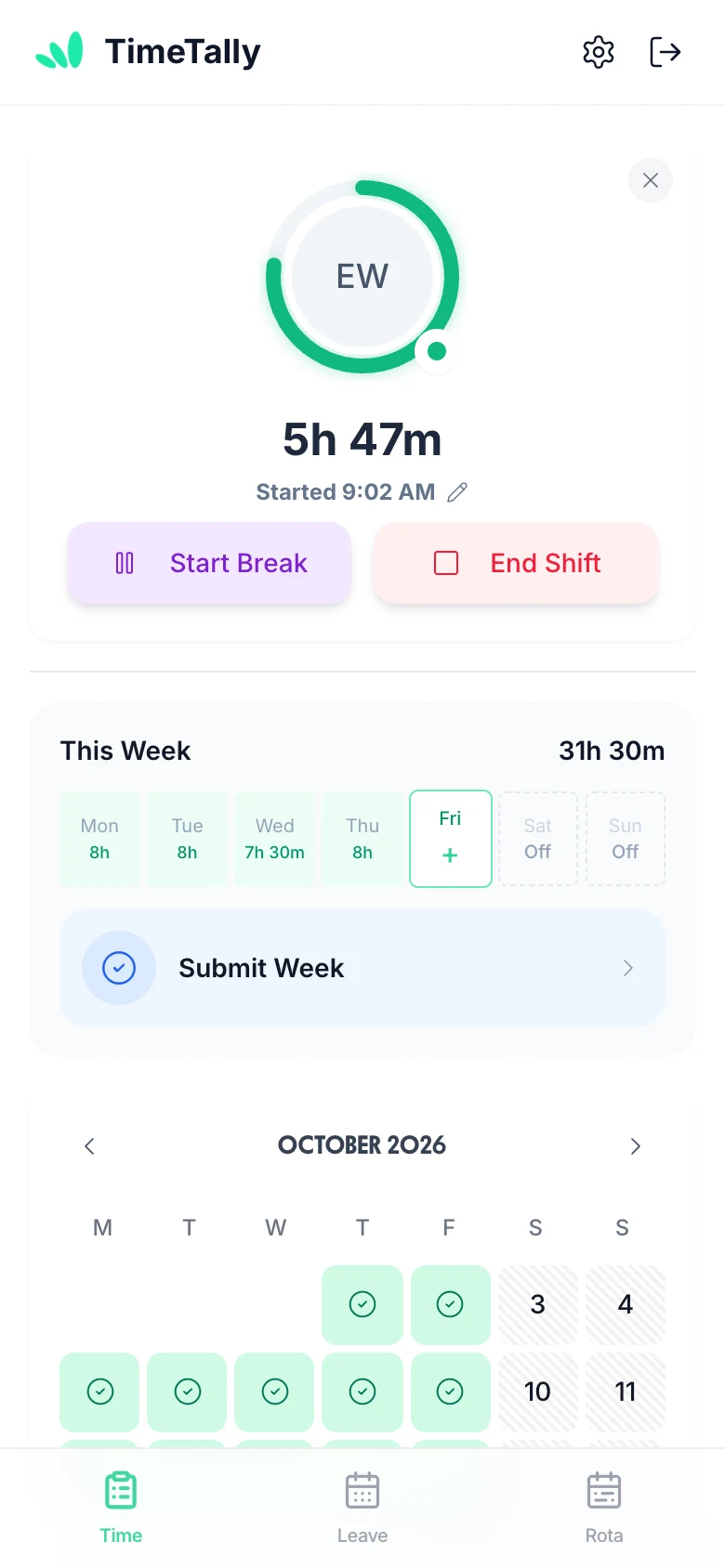
Staff clock in via the iPhone or Android app, or web portal. Night shifts spanning midnight are handled correctly. Hours are tracked to the minute with GPS verification for field workers.
Premium rates are applied to approved hours before export. Check what will be sent, then export to Xero, QuickBooks or CSV — zero manual adjustment.
Select any feature for the detail.
Overtime that works itself out.
Two triggers: threshold overtime kicks in once an employee exceeds a set number of hours per day or week. Time-of-day overtime pays a premium for hours worked in a specific window (e.g. after 6pm or before 6am), regardless of total hours. Two pay methods: a rate multiplier (e.g. 1.5×) or a fixed hourly rate for overtime hours. Stack multiple rules, build tiers, and configure each employee independently.
Know exactly where the hours went.
Entirely optional — only enable it if you need it. When on, employees split their hours across projects when submitting (e.g. 3h on Client A, 4h on internal work). You can set project pay for the worker: an hourly rate on top of or instead of their usual rate, or a flat fee per entry (useful for callouts or site visits). Managers get a clear breakdown of where time is actually going.
Offer time off instead of overtime pay.
An optional alternative to paying overtime — enable it only if you want to offer time off in lieu instead of (or alongside) extra pay. Set a TOIL conversion rate (e.g. 1h overtime = 1.5h leave) and overtime hours automatically accrue as a TOIL balance — no manual tracking. TOIL is kept separate from annual leave so it never eats into holiday entitlement. Employees book it the same way they book any other leave.
Approve a whole week from your phone.
Managers approve or reject timesheets from any device — phone, tablet, or desktop. Rejections include a written reason so employees know exactly what needs fixing and can resubmit. Managers can see who has not submitted for the period, and are emailed as each timesheet comes in. Pay totals are calculated automatically from approved hours — no manual maths at payroll time.
Clock in, or fill in a form.
Two submission modes — employees use whichever fits their workflow. Clock-in mode starts a live timer the moment they begin their shift. The timer runs in the background even if the app is closed, so no hours are lost. Form mode lets them enter start time, end time, and breaks at the end of the day or week. Both work on mobile and desktop.
Every hour costed at the right rate.
Set each employee's own hourly rate and pay totals are calculated automatically from their approved hours. Scope managers to their department so they only ever see their own team's data. Want to keep salaries private? Hide pay rates and totals from managers entirely — they see hours, but never figures. Full control over who sees what.
Straight into Xero or QuickBooks.
Send approved timesheets to payroll in a few taps. Export to CSV, Xero, or QuickBooks — filter by date range, employee, or department, and choose exactly which columns to include. You can combine timesheet and leave data in a single export so your payroll software gets everything it needs in one file.
No credit card required · Set up in minutes · Cancel anytime
£3/employee/month
Clock-ins, timesheets, approvals and payroll exports. Free for 14 days.
Your staff get the free TimeTally app for iPhone and Android.
“TimeTally has been excellent for our business. The app is simple to use, reliable, and makes managing staff records straightforward. The system has saved us a significant amount of administration time. Highly recommended for any business looking for an easy-to-use workforce management solution.”
 Jordan Ingoe, CLI Manchester
Everything you need to know about enhanced pay for night shifts, weekends and bank holidays. For related topics, try our overtime pay calculator or minimum wage calculator.
No. UK law does not require any premium pay for unsocial hours such as nights, weekends or bank holidays. The only legal floor is the National Minimum Wage, which applies at any hour of the day or night. Any enhanced rate — whether time and a half, double time, or a flat addition — is contractual. Always check your employment contracts or company pay policy to understand what rate applies.
Night workers (those who regularly work at least three hours between 11pm and 6am) must not exceed an average of eight hours per 24-hour period, calculated over a 17-week reference period. Employers must also offer night workers free health assessments before they start and at regular intervals. However, the pay rate itself has no legal minimum above the National Minimum Wage — there is no statutory night shift premium.
No — only the base rate counts. Under the National Minimum Wage Regulations 2015, the part of a premium rate above the lowest rate a worker could be paid for the same work (the extra half in time and a half for nights or weekends, say) does not count towards minimum wage pay. For example, a worker earning £7/hr base with a 1.5× premium earns £10.50/hr for those hours, but it is the £7 that is checked, and it is below the £12.71 minimum for over-21s from April 2026, so the worker is underpaid however many premium hours they work. Only where a worker has no lower rate for that work (they only ever work nights, at one rate) does the whole rate count. Use this calculator to check whether your base rate clears the NMW floor.
Yes. Many hospitality and care businesses pay £1–£3 per hour extra for night or weekend work rather than using a multiplier. This is perfectly legal as long as the base rate on its own stays at or above the National Minimum Wage for the worker's age group: like a multiplier, a flat addition for unsocial hours does not count towards minimum wage pay. Some employers find flat additions simpler to communicate and easier to budget for than percentage multipliers.
You need a timesheet system that records shift start and end times, so you can see which hours fall in the premium period. TimeTally does this from clock-ins or timesheets, and can pay those hours at a higher rate for you: set your night hours (say 22:00–06:00) as overtime by time of day, give a day of the week its own overtime rule, and switch on a bank holiday rate. Hours worked in them are priced at the multiplier you choose, or each person's own overtime rate, on every timesheet entry. See our guide on night shift time tracking for more detail.
Still have a question? See all FAQs →
Book a DemoCalculate time and a half and double time pay for UK employees
Check National Minimum Wage and National Living Wage rates from April 2026
Track and calculate weekly working hours for your team
Check statutory rest break entitlements for any shift length
Night, weekend and unsocial-hours rates are set once and applied to every clocked shift, including those crossing midnight.
See night shift tracking14-day free trial · No credit card needed · Cancel anytime





 GPS verifiedLocation confirmed
 Auto trackedNo manual entry