Rota Planning
Rota PlannerSchedule shifts and manage your teamTime & Attendance
Time TrackingTimesheets, clocking in, and moreView all features One plan · £3 per employee per month
Free Template · Excel, PDF or online
A ready-to-use Excel timesheet you can fill in today. No software, no signup, no cost — just download and start tracking hours.
Just want the free template?
Free online timesheet
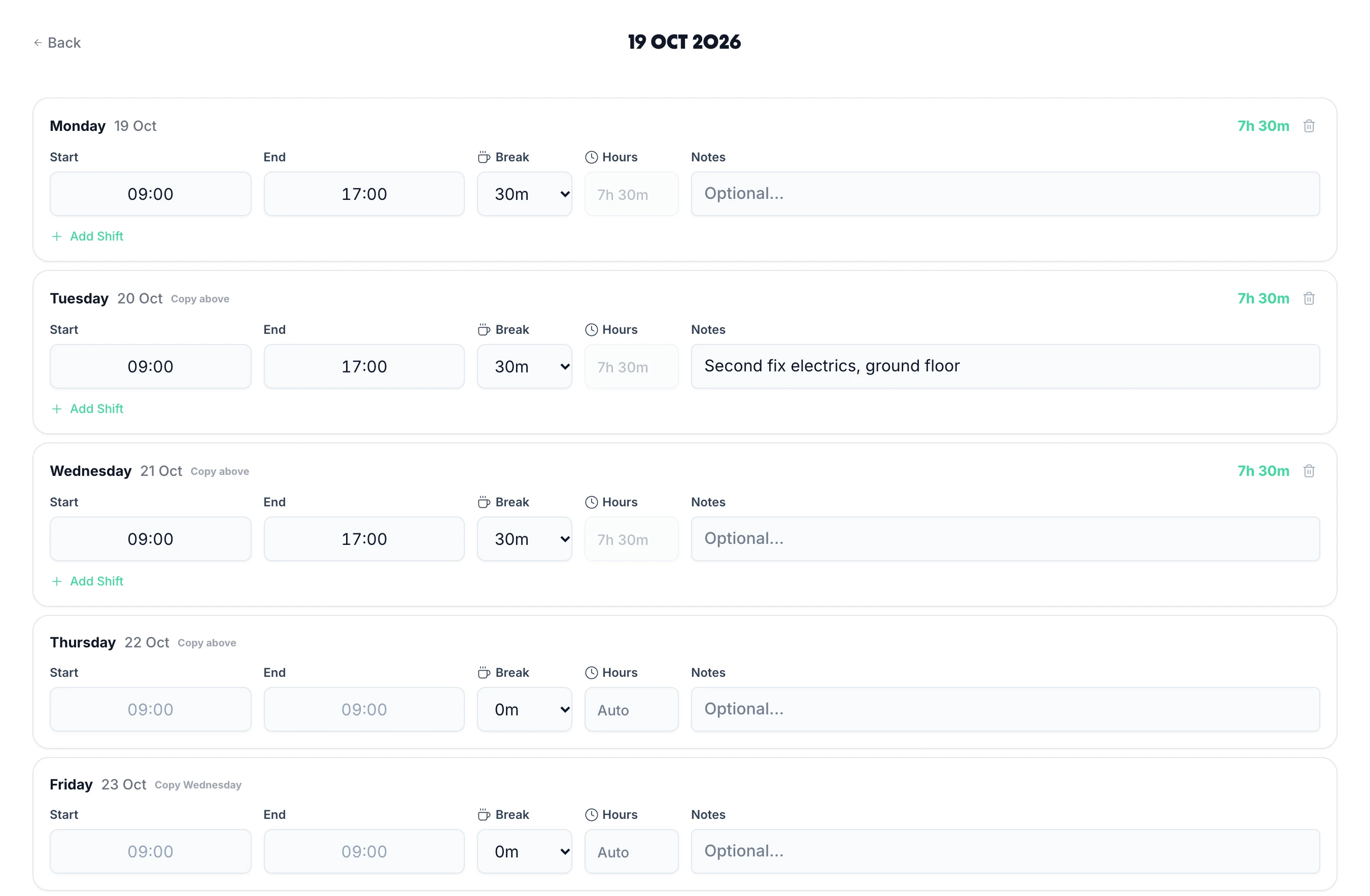
The same timesheet, ready to fill in here: start, finish and break for each day, with the hours, overtime and pay worked out as you type. No sign-up needed to use it.
Every field a UK employer needs to stay compliant with HMRC and the Working Time Regulations 1998.
Identifies who worked the hours — required for NMW enforcement records
Exact times worked each day, with break durations recorded separately
Daily and weekly hour totals, with overtime calculated at your configured rate
Space for manager signature or approval — creates the paper trail you need
Links each timesheet to the correct payslip for audit purposes
Simple Excel and Google Sheets format — add or remove columns to suit your business
Up and running in five steps — no software needed.
Click the download button to get the Excel file instantly — no email required.
List all staff members who submit timesheets in the employee column.
Fill in start times, end times, and break durations for each day worked.
Verify daily and weekly totals are within the 48-hour Working Time limit.
Manager signs or approves, then store securely for at least 6 years.
Under the Working Time Regulations 1998 and HMRC's National Minimum Wage enforcement rules, UK employers must keep adequate records of hours worked. Getting this wrong can lead to NMW penalties, back pay orders, or employment tribunal claims.
Records of hours and pay that show you paid the National Minimum Wage must be kept for at least 6 years for records created on or after 1 April 2021 (the 6 years start from the end of the pay reference period after the one they cover). PAYE payroll records need 3 years from the end of the tax year, and working time records 2 years, so the simplest rule is to keep all timesheet records for 6 years. Paper records can be lost, damaged, or misfiled — digital records stored in the cloud are far safer.
In the templateFile each week with its payroll
Employees cannot be required to work more than an average of 48 hours per week, calculated over a 17-week reference period. Workers can opt out in writing, but you cannot make this a condition of employment. Your timesheet must show weekly totals clearly so you can monitor compliance — particularly for employees who work variable hours or take on overtime regularly.
In the templateThe Over 48 hrs column
Any shift longer than 6 hours entitles the worker to a minimum 20-minute uninterrupted rest break. Young workers (under 18) are entitled to 30 minutes after 4.5 hours. Unpaid breaks must be deducted from total hours worked — this directly affects both pay calculations and NMW compliance. Your timesheet must record break duration separately from working time.
In the templateA break column for every day, and the break check
While not legally mandated, manager approval of timesheets is essential protection against disputes. If an employee later claims they worked hours you didn't pay, an approved timesheet is your primary evidence. With paper templates, this means a physical signature. With digital timesheet software, approval is timestamped and tamper-evident.
Read our full HMRC timesheet requirements guide for the complete legal picture.
In the templateThe employee confirms and manager approves columns
Spreadsheets are free to start but expensive to maintain. Here's what you're actually paying in time every pay period.
Chasing submissions every week
No automatic reminders — you email, text, and chase staff before you can even start payroll.
With TimeTallyTimeTally can email a reminder to anyone who hasn't sent theirs, at a time you choose.
Calculation errors
One broken formula or typo means someone gets overpaid or underpaid. You often don't catch it until payday.
With TimeTallyHours, unpaid breaks and overtime are worked out from the times staff enter or clock.
No approval audit trail
If HMRC asks who approved a timesheet, spreadsheets have no built-in workflow or timestamp.
With TimeTallyEvery approval records who approved the week, and when.
Manual payroll entry
Copy-pasting hours into your payroll software every month is slow, tedious, and error-prone.
With TimeTallyApproved hours export to Xero, QuickBooks or a CSV for any payroll software.
Version control chaos
Which file is right — Timesheet_v3_FINAL_updated.xlsx or the one from last week's email?
With TimeTallyOne timesheet per person per pay period, in one place your whole team logs in to.
No holiday integration
Timesheets and leave live in separate spreadsheets with nothing connecting them — leading to payroll mistakes.
With TimeTallyHoliday is booked in the same app, and approved leave goes into the same payroll export.
The template gets you started. TimeTally replaces it entirely — with mobile timesheet entry, manager approvals, automatic pay calculations, and direct payroll export. All in one place, from £3/employee/month.
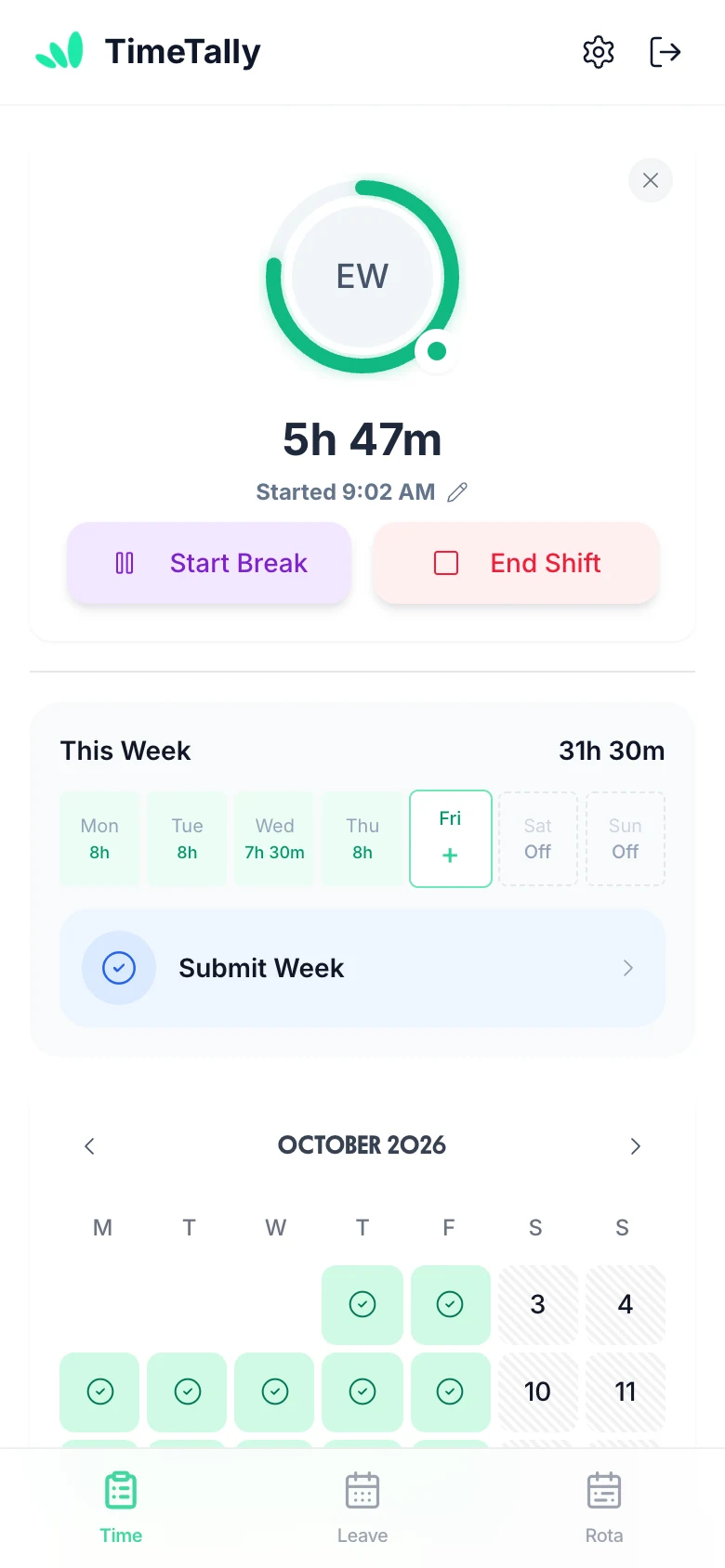
Staff submit their hours via the iPhone or Android app, or mobile browser — start time, end time, breaks. No paper forms, no spreadsheets, no chasing. Hours are calculated automatically and sent to you for approval.
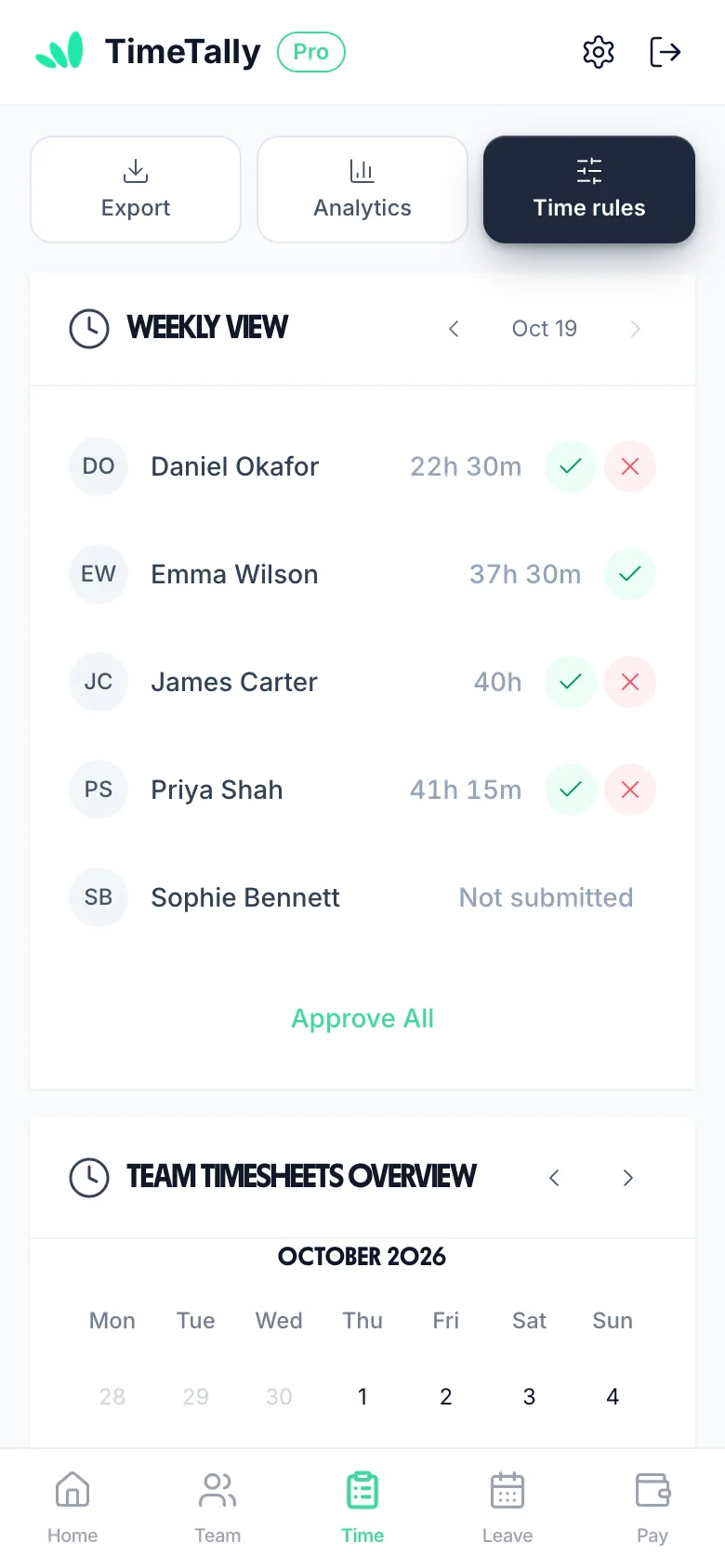
All submitted timesheets land in your dashboard. Approve, or reject with a reason, in a single tap, with each approval timestamped: far more defensible than a signed spreadsheet.
Set hourly rates, overtime thresholds, and TOIL rules once. TimeTally calculates the correct pay for every employee every week — no formulas, no manual adjustments, no mistakes.
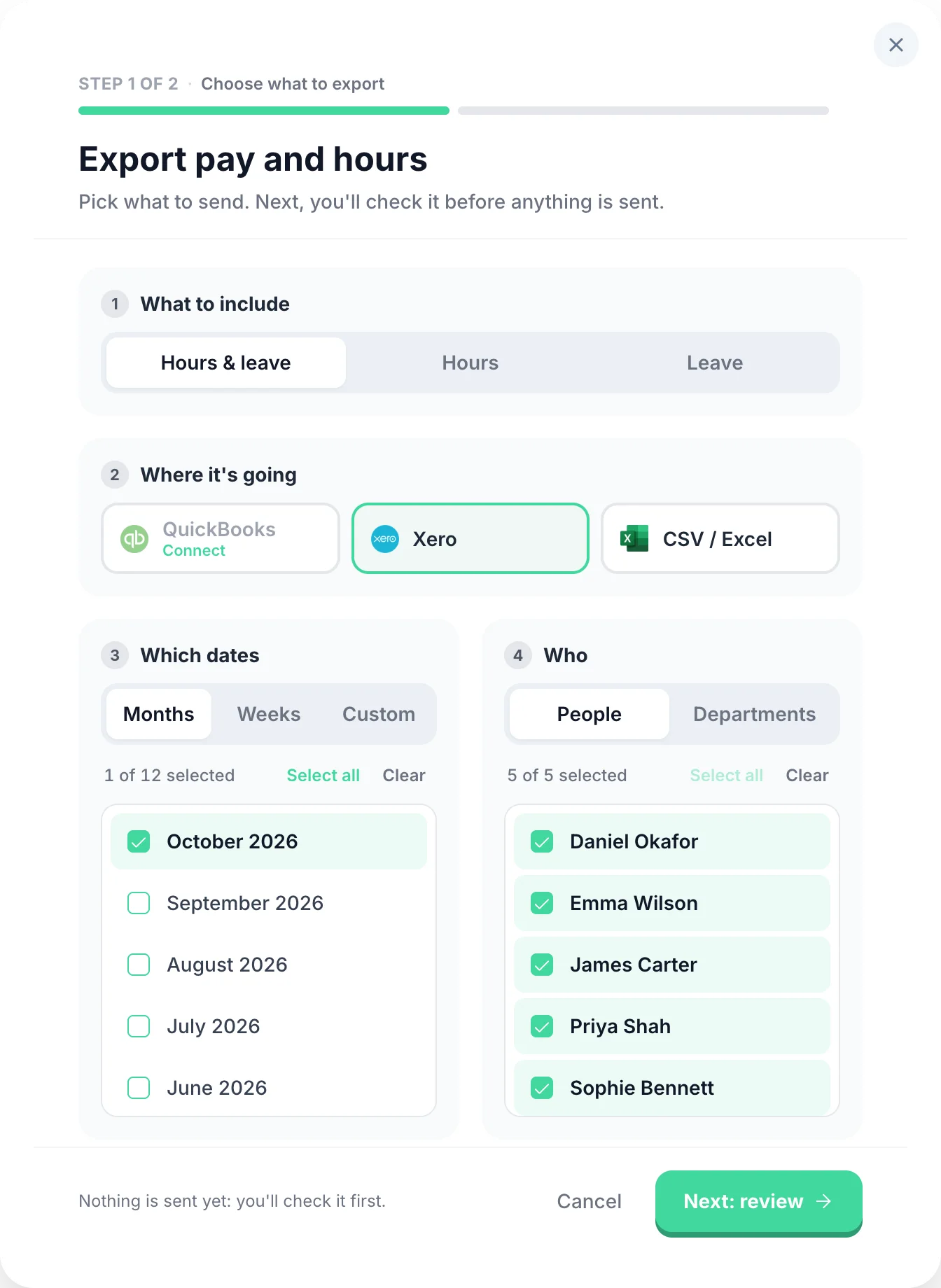
Once timesheets are approved, export hours and pay data directly to Xero, QuickBooks, or CSV. No copy-pasting, no Monday morning data entry, no errors.
Select any feature for the detail.
Overtime that works itself out.
Two triggers: threshold overtime kicks in once an employee exceeds a set number of hours per day or week. Time-of-day overtime pays a premium for hours worked in a specific window (e.g. after 6pm or before 6am), regardless of total hours. Two pay methods: a rate multiplier (e.g. 1.5×) or a fixed hourly rate for overtime hours. Stack multiple rules, build tiers, and configure each employee independently.
Know exactly where the hours went.
Entirely optional — only enable it if you need it. When on, employees split their hours across projects when submitting (e.g. 3h on Client A, 4h on internal work). You can set project pay for the worker: an hourly rate on top of or instead of their usual rate, or a flat fee per entry (useful for callouts or site visits). Managers get a clear breakdown of where time is actually going.
Offer time off instead of overtime pay.
An optional alternative to paying overtime — enable it only if you want to offer time off in lieu instead of (or alongside) extra pay. Set a TOIL conversion rate (e.g. 1h overtime = 1.5h leave) and overtime hours automatically accrue as a TOIL balance — no manual tracking. TOIL is kept separate from annual leave so it never eats into holiday entitlement. Employees book it the same way they book any other leave.
Approve a whole week from your phone.
Managers approve or reject timesheets from any device — phone, tablet, or desktop. Rejections include a written reason so employees know exactly what needs fixing and can resubmit. Managers can see who has not submitted for the period, and are emailed as each timesheet comes in. Pay totals are calculated automatically from approved hours — no manual maths at payroll time.
Clock in, or fill in a form.
Two submission modes — employees use whichever fits their workflow. Clock-in mode starts a live timer the moment they begin their shift. The timer runs in the background even if the app is closed, so no hours are lost. Form mode lets them enter start time, end time, and breaks at the end of the day or week. Both work on mobile and desktop.
Every hour costed at the right rate.
Set each employee's own hourly rate and pay totals are calculated automatically from their approved hours. Scope managers to their department so they only ever see their own team's data. Want to keep salaries private? Hide pay rates and totals from managers entirely — they see hours, but never figures. Full control over who sees what.
Straight into Xero or QuickBooks.
Send approved timesheets to payroll in a few taps. Export to CSV, Xero, or QuickBooks — filter by date range, employee, or department, and choose exactly which columns to include. You can combine timesheet and leave data in a single export so your payroll software gets everything it needs in one file.
“TimeTally has been excellent for our business. The app is simple to use, reliable, and makes managing staff records straightforward. The system has saved us a significant amount of administration time. Highly recommended for any business looking for an easy-to-use workforce management solution.”
 Jordan Ingoe, CLI Manchester
Under the Working Time Regulations 1998 and HMRC's National Minimum Wage enforcement rules, UK employers must keep records of hours worked. A compliant timesheet needs: employee name and ID, dates worked, start and end times, break durations, total hours worked (daily and weekly), overtime hours, and manager approval. Minimum wage records (hours and pay) must be kept for at least 6 years for records created on or after 1 April 2021.
Yes, Excel templates are acceptable for HMRC record-keeping provided they contain all required fields and are stored securely for the required period. However, Excel spreadsheets have no audit trail — records can be edited without trace. Digital timesheet software like TimeTally creates tamper-evident logs that are far more defensible if HMRC or an employment tribunal asks questions.
Records of hours and pay that show you paid the National Minimum Wage must be kept for at least 6 years (for records created on or after 1 April 2021). PAYE payroll records must be kept for 3 years from the end of the tax year they relate to, and working time records for 2 years, so in practice keep timesheets for 6 years.
There is no statutory requirement for employees to physically sign timesheets, but having a record of approval significantly strengthens your position in a dispute. A manager countersignature (or digital approval) confirms that the hours were reviewed and agreed. Digital timesheet software can capture this approval automatically, with a timestamped audit trail.
A rota (or schedule) plans who should work and when — it is a forward-looking tool. A timesheet records what actually happened — the hours employees actually worked. Both serve different purposes: the rota manages coverage, and the timesheet feeds payroll and legal records. Most businesses need both, especially if actual hours frequently differ from planned shifts.
A free template works for very small businesses with just a few employees and straightforward hours. As your team grows, spreadsheets create problems: no reminders for late submissions, no approval workflow, manual payroll entry, no holiday integration, and no audit trail. Most businesses with 5 or more employees find dedicated timesheet software saves more time than it costs.
You can absolutely use this template while evaluating digital options — it gives you everything you need legally. If you want to move to automated timesheets, TimeTally replaces the template entirely: employees log hours via app, managers approve digitally, and data exports straight to Xero, QuickBooks, or CSV. Start a free trial at any point and import your existing employee list.
Still have a question? See all FAQs →
Book a DemoMore guides to help you manage employee hours in the UK
Use this template while you're getting started. When you're ready to automate, TimeTally handles everything.
No credit card required • Free 14-day trial • Cancel anytime