


Free Template

Free Staff Rota Template UK

A free weekly staff rota template in Excel for UK businesses: start, end and break times for every shift, paid hours worked out for you, staff on each day, and an 11-hour rest check built in. Download it, add your team, and plan the week.

Free to use
No sign-up required
11-hour rest check built in
5.0 · Used by hundreds of UK businesses

Rather build the rota online?

The free rota maker does what this template does without the spreadsheet: add your staff, drop shifts on each day, and see each person's hours and the 11-hour rest check as you go. No account needed to build it — sign up to print or download it and the rota comes with you.
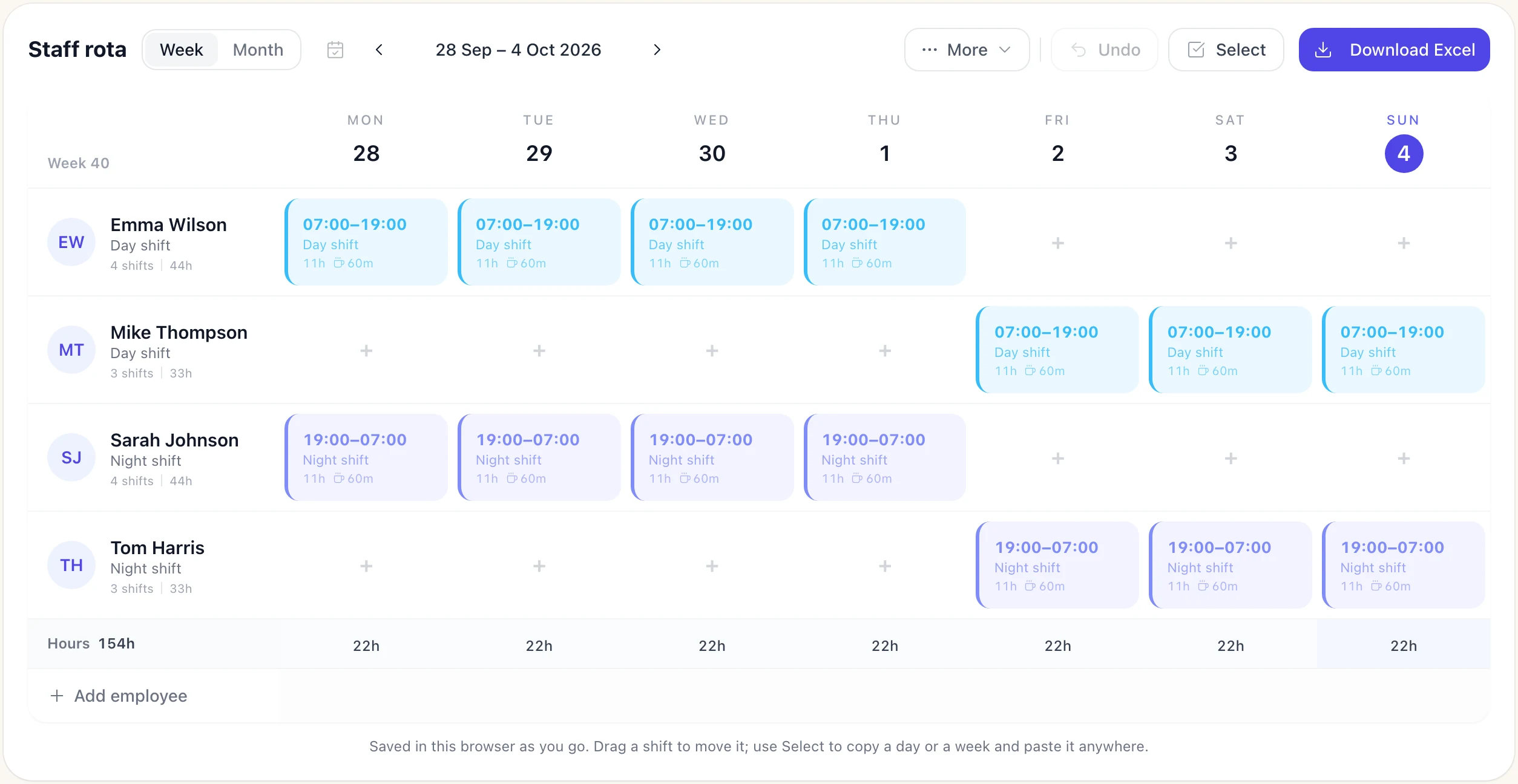
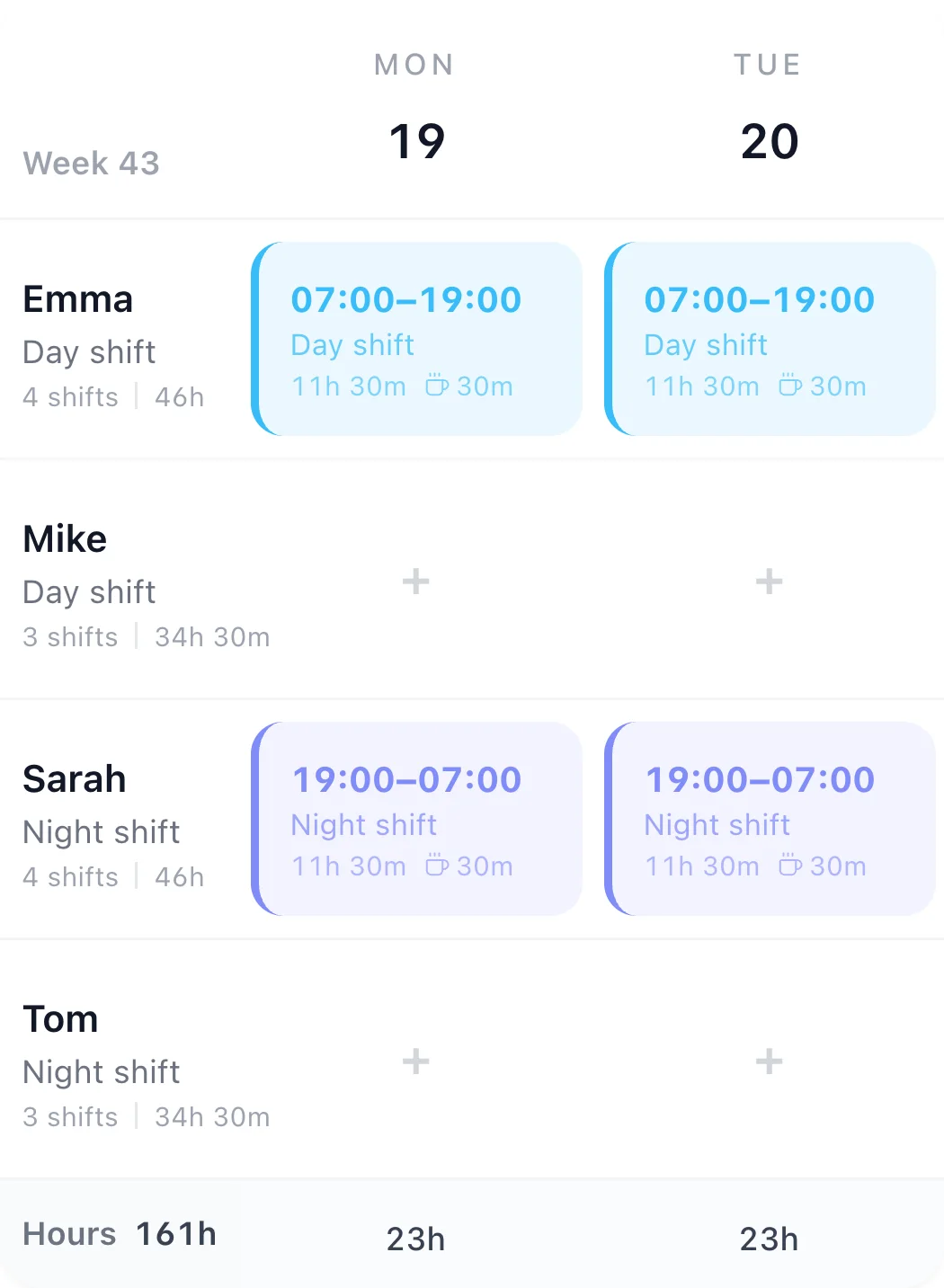
The free rota maker with a 4-on-4-off week: four people on 12-hour day and night shifts, with hours per person and per day

TimeTally does this for you

Click any feature to learn more.

Drag & Drop Scheduling
Start your free trial

14-day free trial · No credit card needed

What's included in the template

Everything a UK shift-based business needs to plan and communicate rotas clearly.

Weekly View

Monday to Sunday on one sheet, with each day dated from the week-commencing cell

Employee Rows

20 rows for name, role and contracted hours, with weekly paid hours and the difference from contract worked out for you

Shift Times

Start, end and unpaid break (in minutes) for every shift; paid hours are calculated per day, overnight shifts included

Daily Cover

Staff working and total paid hours for each day, next to a row for the minimum cover you need

Notes Column

A notes column for each person: availability, holiday already booked, anything the rota must respect

Rest and 48-Hour Checks

Flags any gap under 11 hours between one day's shift and the next, and any week over 48 hours

How to use the shift rota template

Up and running in five steps — no software needed.

1

Download

Click the download button to get the Excel file instantly, no email required. For Google Sheets, upload it to Drive and open it with Sheets.

2

Add employees

Set the week commencing date, then add each person's name, role and contracted hours.

3

Plan shifts

Fill in start times, end times, and breaks for each employee each day.

4

Check coverage

Compare staff working each day with the cover you need, and fix any CHECK in the 11-hour rest column.

5

Share

Print or email the completed rota. Give reasonable notice of any shift changes.

Staff rota examples

Four real-world weekly rotas: names down the side, days across the top, shift times in the cells and paid hours at the end. Each one keeps 11 hours between shifts and stays under 48 hours a week. Copy any of them into the template above.

Small shop, open seven days

Two people on every day. Full-timers keep two days off together; part-timers cover the weekend. 09:00–17:30 includes a 30-minute unpaid break (8 paid hours); Sunday's 10:00–16:00 is exactly 6 hours, so no break is legally required.

Example staff rota: Small shop, open seven days
StaffMonTueWedThuFriSatSunPaid hours
PriyaManager09:00–17:3009:00–17:3009:00–17:3009:00–17:3009:00–17:30OffOff40
TomSales assistantOff09:00–17:3009:00–17:3009:00–17:3009:00–17:3009:00–17:30Off40
JakePart-time09:00–17:30OffOff12:00–17:30OffOff10:00–16:0019.5
EllieWeekendsOffOffOffOffOff09:00–17:3010:00–16:0014

In the template: Type each start and end with a 30-minute break; Sunday's break is 0.

Restaurant with split shifts (closed Mondays)

Chefs work lunch and dinner with the afternoon off; that gap is their break. The 11 hours' daily rest runs from the 22:30 finish, so a 10:30 start the next day leaves 12 hours. Front-of-house shifts are 6 hours or less.

Example staff rota: Restaurant with split shifts (closed Mondays)
StaffMonTueWedThuFriSatSunPaid hours
MarcoHead chefClosedOff10:30–14:30 + 17:00–22:3010:30–14:30 + 17:00–22:3010:30–14:30 + 17:00–22:3010:30–14:30 + 17:00–22:3010:30–15:3043
SaraSous chefClosed10:30–14:30 + 17:00–22:3017:00–22:30Off10:30–14:30 + 17:00–22:3010:30–14:30 + 17:00–22:30Off34
LilyFront of houseClosed11:00–15:0011:00–15:0011:00–15:0011:00–15:0011:00–15:00Off20
DanFront of houseClosed17:00–22:3017:00–22:3017:00–22:3017:00–22:3017:00–22:3011:00–15:3032

In the template: Enter a split shift as one start and end with the gap as the break: 10:30 to 22:30 with a 150-minute break is 9.5 paid hours.

Care home unit, 24 hours a day

A senior and a care assistant on every long day, and a waking night carer every night. Long days end at 20:00 and start at 07:30, 11½ hours apart, so back-to-back long days are legal; back-to-back nights leave exactly 11 hours (08:30 to 19:30).

Example staff rota: Care home unit, 24 hours a day
StaffMonTueWedThuFriSatSunPaid hours
Senior 1Senior carerLDLDOffOffLDLDOff46
Senior 2Senior carerOffOffLDLDOffOffLD34.5
Carer 1Care assistantLDOffOffLDLDOffLD46
Carer 2Care assistantOffLDLDOffOffLDOff34.5
Night 1Night carerWNWNWNOffOffOffOff36
Night 2Night carerOffOffOffWNWNWNOff36
Night 3Bank night carerOffOffOffOffOffOffWN12

In the template: LD is 07:30–20:00 and WN is 19:30–08:30, each with a 60-minute break. An end time earlier than the start counts as overnight.

Office with hybrid days

Wednesday is the team day, when everyone working is in, and at least one person is in the office every day. Every working day is 09:00–17:30 with a 30-minute unpaid break (8 paid hours).

Example staff rota: Office with hybrid days
StaffMonTueWedThuFriPaid hours
HannahFull-timeOfficeOfficeOfficeHomeHome40
RajFull-timeHomeOfficeOfficeOfficeHome40
GracePart-time, 3 daysOfficeOffOfficeHomeOff24
OwenFull-timeOfficeHomeOfficeOfficeOffice40

In the template: Put the hours in as normal and write Office or Home in the notes column.

Building one for the first time? Our guide to how to make a staff rota walks through it step by step, and the split shifts guide covers the rest rules behind the restaurant example.

This is what TimeTally does instead

The template gets you started. TimeTally replaces it entirely — with a proper rota builder, mobile app for staff, leave management, timesheets, and payroll export. All in one place, from £3/employee/month.

Build your weekly rota in minutes

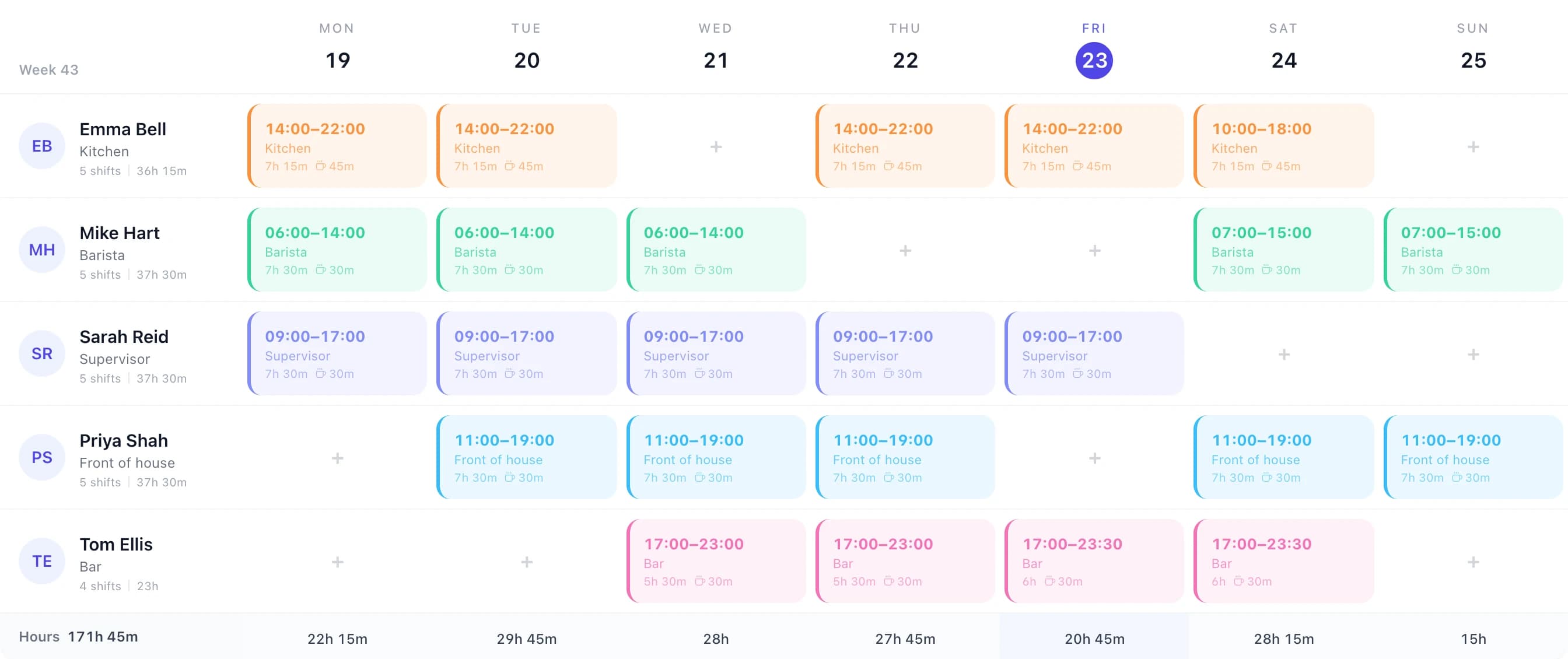
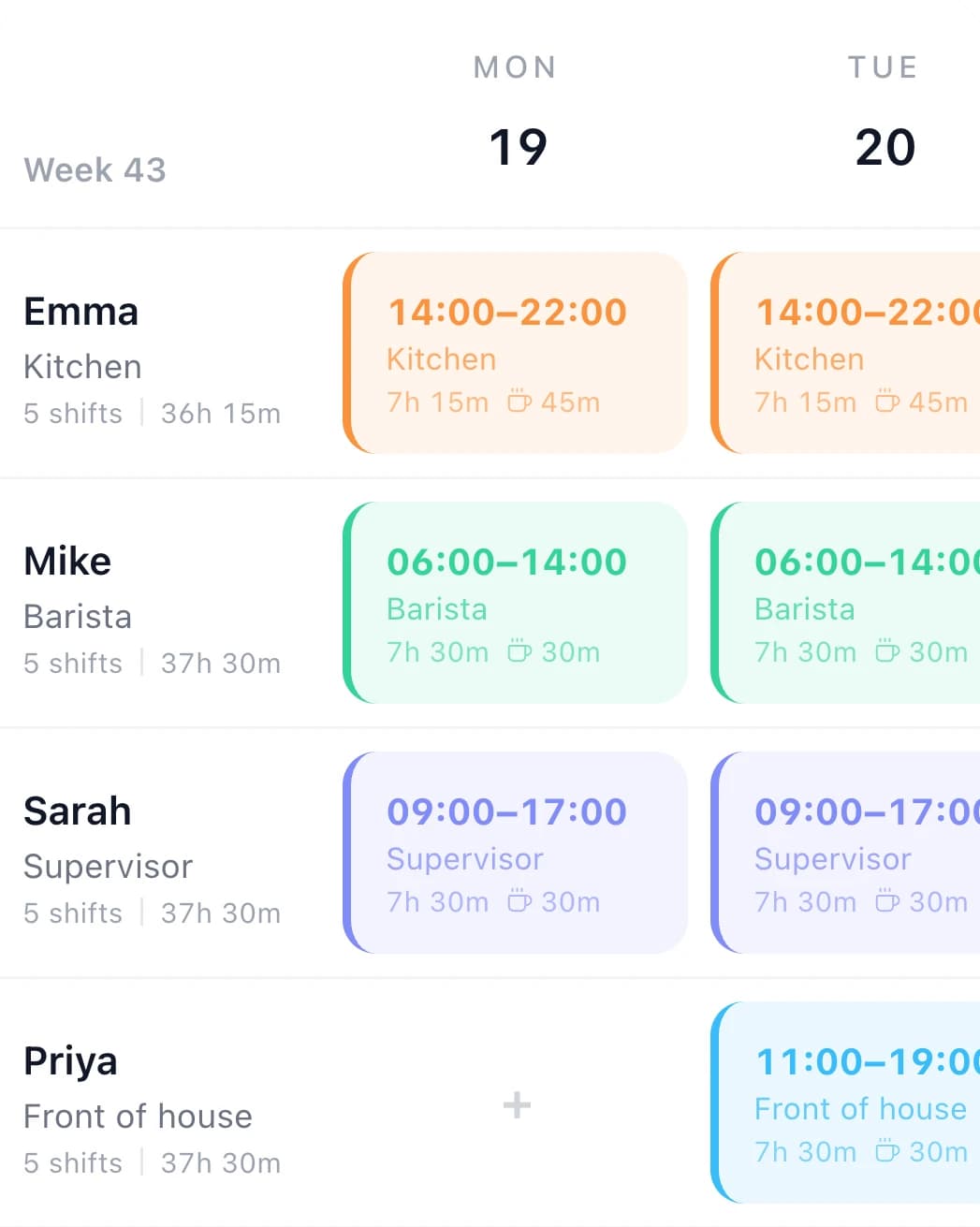
Create shifts, assign them to employees, and set recurring patterns — all from one view. No spreadsheet formulas, no copy-pasting. Publish the rota and every employee sees it instantly on their phone.

Drag and drop shifts
Recurring patterns
Coverage gap warnings
WTR compliant
TimeTally rota management view showing weekly shift schedule

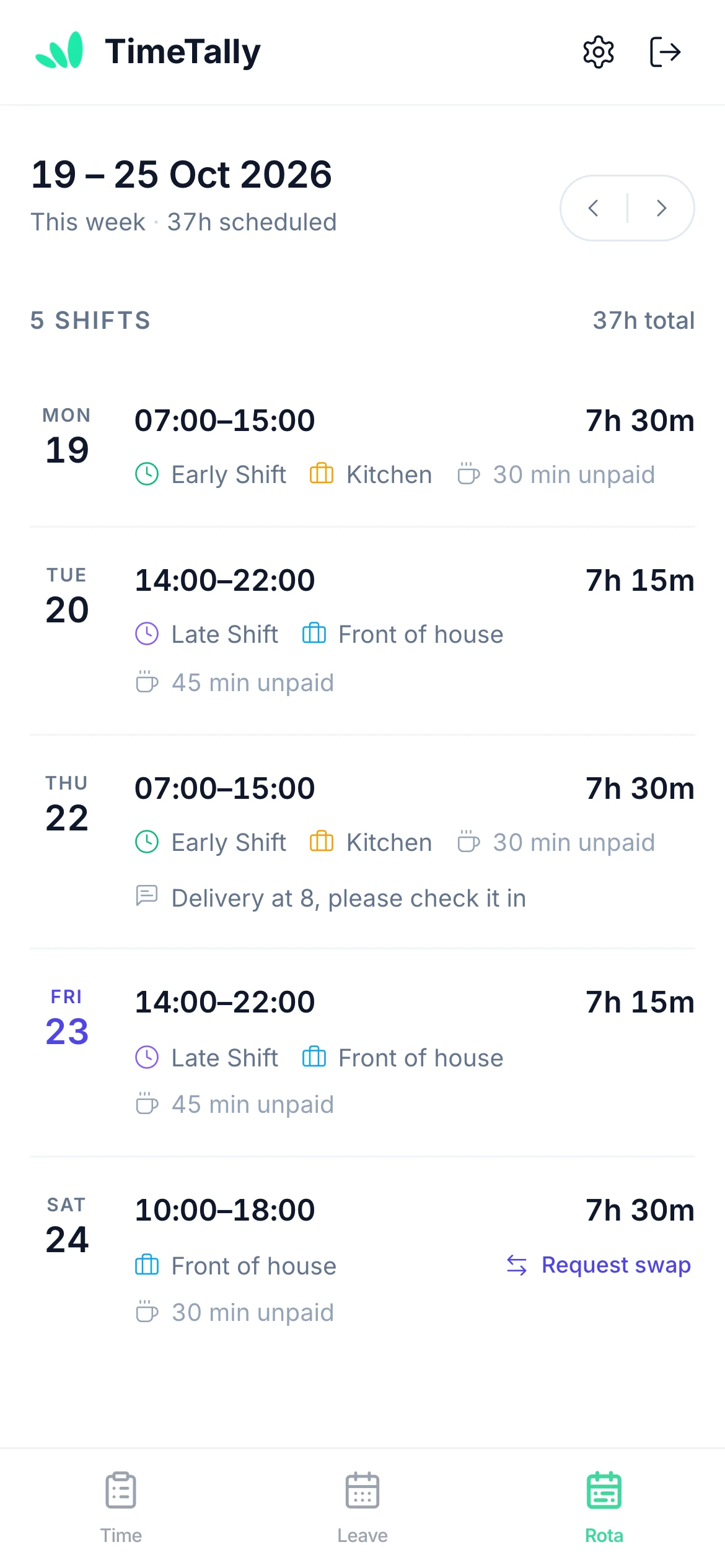
Employees see their shifts on their phone

No more WhatsApp screenshots of the rota, printed schedules getting lost, or "I didn't see the update" excuses. Every published shift appears in the employee's app, and you can email the team their shifts in one click.

  • iOS and Android apps for all employees
  • Publish, then email the team their shifts in one click
  • View upcoming shifts at a glance
  • Clock in / clock out from the same app
Employee viewing their assigned shifts on their phone in TimeTally

See who's off alongside who's working

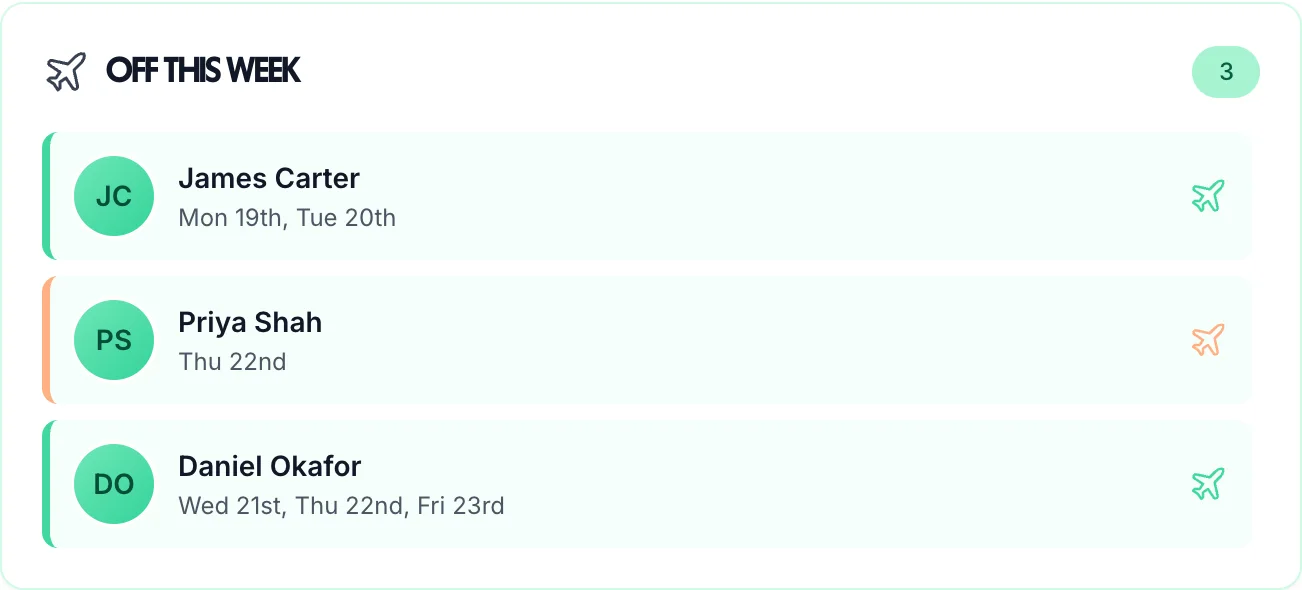
Holiday and sick leave appear on the same calendar as scheduled shifts. Before you approve a leave request, you can instantly see if it creates a coverage gap — so you're never caught short on a busy day.

Leave requests approved in one click
Annual leave calculated automatically
Bank holidays handled
Sickness tracking built in
Team time off overview calendar in TimeTally showing leave alongside shifts

From rota to payroll — without a spreadsheet

The rota tells you who should work. TimeTally's time tracking records what actually happened — hours worked, breaks taken, overtime earned. Then export directly to Xero, QuickBooks, or CSV.

  • Employees clock in and out via mobile
  • Overtime calculated at your configured rates
  • Manager approval workflow built in
  • Direct export to Xero, QuickBooks, Excel
TimeTally payroll export showing timesheet data sent to Xero and QuickBooks
Meet TimeTally

Stop doing this manually
every week

TimeTally gives you a proper rota builder, mobile app for staff, leave management, and payroll export — all in one place. Explore all features or see how it works.

Rota builder

Create shifts, assign employees, and publish the rota in minutes. Staff see their shifts in the iOS and Android apps once you publish.

Time tracking

Employees clock in and out via mobile. Overtime is calculated automatically at your configured rates.

Payroll export

Direct integration with Xero and QuickBooks, and a CSV export for any other payroll software.

See what we offer

No credit card required · Set up in minutes · Cancel anytime

UK shift work regulations you need to know

If you employ shift workers in the UK, the Working Time Regulations 1998 set out minimum rest periods and maximum working hours. Getting these wrong can lead to enforcement action from HMRC or employment tribunal claims.

Daily rest: 11 hours between shifts

Adult workers are entitled to 11 consecutive hours of rest in every 24-hour period. If a shift ends at 11pm, the next shift cannot start before 10am the following day. This is the most common regulation that catches out small businesses using manual rotas — a spreadsheet will not flag the conflict, so you need to check manually. TimeTally's timesheet software monitors rest periods automatically.

There are limited exceptions for certain sectors (such as hospitals, transport, and security) where compensatory rest can be provided instead. See the GOV.UK rest breaks guidance for the full list.

Weekly rest: 24 hours uninterrupted per week

Every worker is entitled to an uninterrupted 24-hour period without work in each 7-day period, or an uninterrupted 48-hour period in every 14-day period. When planning weekly rotas, make sure each employee has at least one full day off per week. For shift workers covering weekends, this means carefully rotating rest days rather than defaulting to Saturday or Sunday off for everyone.

48-hour weekly maximum

Employees cannot be required to work more than an average of 48 hours per week, calculated over a 17-week reference period. Workers can opt out of this limit voluntarily in writing, but you cannot require them to do so as a condition of employment. Track total weekly hours on your rota to avoid creeping above this limit, particularly for employees who work overtime or have a second job.

Night worker limits: 8 hours per 24-hour period

Night workers (those who regularly work at least 3 hours between 11pm and 6am) must not work more than an average of 8 hours in any 24-hour period. Unlike the 48-hour weekly limit, night workers cannot opt out of this restriction. Employers must also offer free health assessments to night workers before they start night work and at regular intervals afterwards.

Young workers (under 18): stricter rules

Workers aged 16–17 have additional protections. They are entitled to 12 hours of rest between shifts (not 11), a minimum of 2 consecutive days off per week (not 1), and cannot work more than 8 hours per day or 40 hours per week. Young workers generally cannot work between 10pm and 6am, although some exceptions exist for hospitality and retail. If you employ apprentices or part-time staff under 18, these rules apply regardless of contract type.

Rest breaks during shifts

Any shift lasting more than 6 hours must include an uninterrupted rest break of at least 20 minutes. The break should be taken during the shift, not at the start or end. Young workers get a 30-minute break after 4.5 hours. These breaks should be reflected in your rota template — the template above includes a column for break durations so you can track this.

“TimeTally has been excellent for our business. The app is simple to use, reliable, and makes managing staff records straightforward. The system has saved us a significant amount of administration time. Highly recommended for any business looking for an easy-to-use workforce management solution.”

CLI ManchesterJordan Ingoe, CLI Manchester

Frequently asked questions about shift rotas

How much notice do I need to give employees when changing their shifts?
There is no general statutory notice period for shift changes in UK law today. Your employment contract or written statement of particulars should say how shift patterns are set and how changes are communicated, and changing shifts without reasonable notice could be treated as a breach of contract. The Employment Rights Act 2025 will give zero-hours and similar workers a right to reasonable notice of shifts and to payment when a shift is cancelled at short notice; the government lists these for 2027, and the notice period itself is still to be set in regulations.
How many hours' rest are employees entitled to between shifts?
Adult workers (18 and over) are entitled to 11 consecutive hours of rest between shifts under the Working Time Regulations 1998. Workers aged 16–17 are entitled to 12 hours. These rest periods cannot be averaged — each 24-hour period must include them. Some sectors, such as healthcare and transport, can use compensatory rest arrangements instead, but the rest must still be provided.
Are there restrictions on shift lengths for young workers under 18?
Yes. Workers aged 16–17 cannot work more than 8 hours per day or 40 hours per week. They are generally prohibited from working between 10pm and 6am, with limited exceptions in hospitality and retail where work until midnight may be permitted. They must also receive 2 consecutive days off per week, compared to the 1 day required for adult workers.
What should a shift rota include?
At minimum, a shift rota should list each employee's name, their shift start and end times, break durations, the day of the week, and the department or role they are covering. Including total weekly hours helps you stay within the 48-hour average limit. You should also note any employees on annual leave or statutory sick leave so their shifts can be covered.
How should I handle shift swaps between employees?
Shift swaps should be agreed in writing (even informally by message) and approved by a manager before the swap takes place. Both employees should confirm the new arrangement. Record the swap on the rota so you have an accurate record of who actually worked each shift — this matters for payroll, working time compliance, and insurance. Make sure the swap does not create a rest period violation for either employee.
Can I use this template for hospitality, retail, or care work?
Yes. The template works for any UK business that operates shift patterns, including pubs, restaurants, shops, care homes, warehouses, and manufacturing. Adjust the shift times and employee rows to match your operation. For sectors with specific rules — such as the 48-hour opt-out being common in care homes — you should keep separate records of any opt-out agreements.
Does this shift rota template track hours for payroll?
The template records planned shift times and calculates paid hours for each day and week, but it does not connect to payroll software. For that, you would need timesheet software like TimeTally, which lets employees clock in and out, calculates overtime at your configured rates, and exports directly to Xero, QuickBooks, or CSV for payroll processing.
How do you do a rota for staff?
List everyone with their role and contracted hours, mark approved holiday and other absence first, then decide how many people you need on each day and shift. Fill in shifts to meet that cover, check that nobody has less than 11 hours between finishing and starting again and that anyone working more than 6 hours gets a 20-minute break, then share the rota with your team in good time. The example rotas on this page show the result for a shop, a restaurant, a care home and an office.
How do I create a staff rota in Excel?
Put staff names down column A and the days across the top, with a start time, end time and unpaid break for each day. Paid hours for a day are MOD(end − start, 1) × 24 − break minutes ÷ 60; the MOD makes overnight shifts work. Add a weekly total per person and a count of staff working each day. Our free template already has these formulas, plus an 11-hour rest check and a 48-hour flag, so you can download it and type in your shifts.
How can I create a free rota?
Download the free Excel template on this page and open it in Excel or Google Sheets: it works out paid hours, weekly totals and daily cover for you. A spreadsheet suits a small, stable team. Once you need staff to see their shifts on their phones, leave on the rota and clock-ins that become timesheets, TimeTally does that for £3 per employee per month, with a 14-day free trial.
How far in advance should you have a work rota?
No UK law sets a general notice period for rotas today; your contracts and written statements decide it. Two weeks ahead is a common minimum and four weeks is usual in care. The Employment Rights Act 2025 will give zero-hours and similar workers a right to reasonable notice of shifts, with the minimum to be set in regulations; the government lists it for 2027.
Do I still need a shift rota if I use timesheet software?
Usually, yes. A shift rota plans who should be working and when — it is a scheduling tool. Timesheet software records what actually happened. Most businesses need both: the rota to plan coverage, and timesheets to track actual attendance, calculate pay, and stay compliant. TimeTally does both: a rota your team sees on their phones, and clock-ins that become timesheets.

Related tools