
Leave Request Software That Replaces Email Chains

Replace ad-hoc leave request emails and paper forms with a self-service system employees can use from their phone. Staff submit leave requests in seconds, managers approve in one tap, and balances update automatically. No more chasing for approvals, no more manual spreadsheet updates, no more leave requests falling through the cracks. Part of TimeTally's complete leave tracking software for UK businesses.

5.0 on the App Store
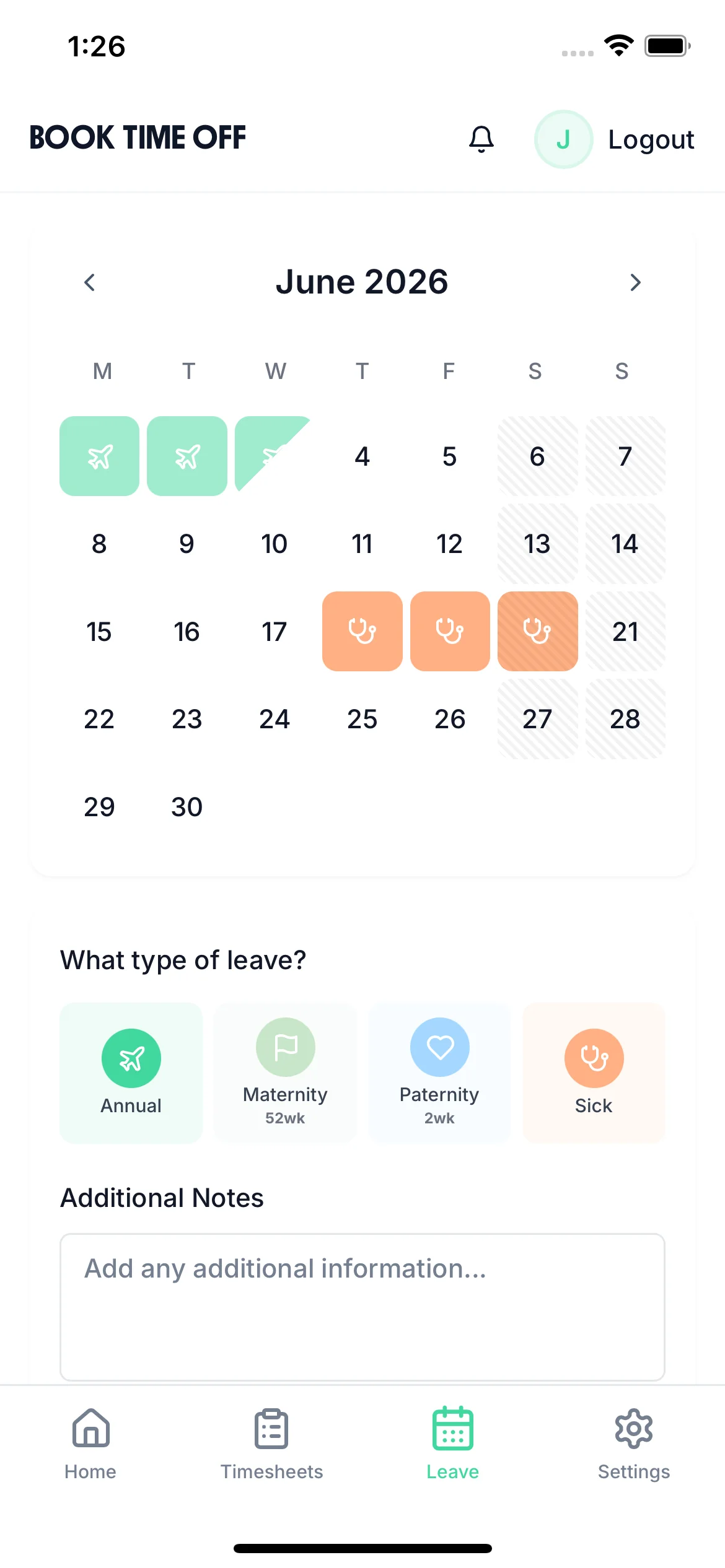
Leave request software - employee booking time off on mobile

The app is simple to use, reliable, and makes managing holidays, absences, and staff records straightforward. The system has saved us a significant amount of administration time.

CLI ManchesterJordan Ingoe, CLI Manchester

Every leave scenario, handled

Tap a card to read the detail.

Start your free trial

14-day free trial · No credit card needed

A Leave Request That Takes 30 Seconds To Submit

The leave request form is clean and simple. Employees select their leave type, choose the dates, add any notes, and tap submit. The system checks their remaining allowance before they submit and shows them how many days they'll have left after the request. Managers are notified instantly and can approve with one tap, or decline with a note. No forms to print, no emails to write, no wondering whether the request was received.

  • Balance Check Before Submitting

    Employees see their current balance before submitting. They can't accidentally request more leave than they're entitled to
  • Instant Manager Notification

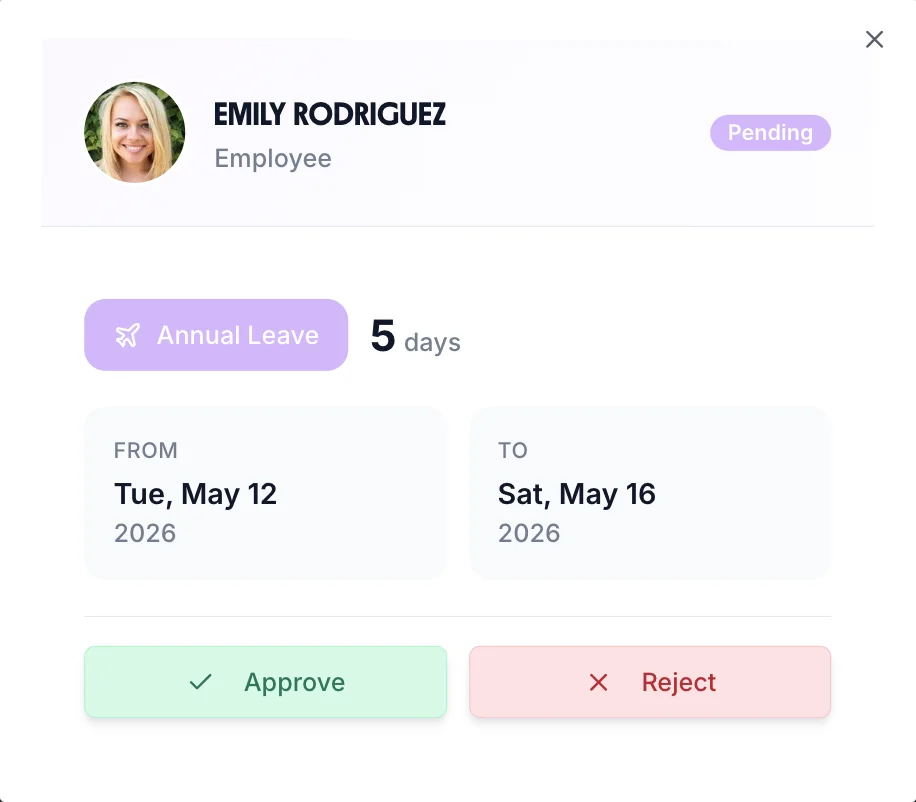
    Manager receives a push notification the moment a leave request is submitted. Approve or decline without even opening the app
  • Decline With Reason

    Managers can decline a request with a note explaining why. Employee receives the reason immediately without a separate conversation
Leave request form modal showing leave type, dates, and balance

The Leave Request System That Works For Both Sides

  • Mobile self-service

    Employees request leave anytime from their phone. No need to find a manager or fill in a paper form

  • One-tap approvals

    Managers approve or decline from the notification. Processing a leave request takes under 10 seconds

  • Full paper trail

    Every request, approval, and decline logged with timestamps. Essential for employment disputes and tribunal defence

Still approving leave by email?

Every one of these is a normal Tuesday when leave requests live in an inbox.

"Did you get my holiday request?"

Every request has a status the employee can see

"I approved that weeks ago"

Approvals are timestamped, with a note if one was added

"How many days do I have left?"

The balance is in the app, before they even ask

"Nobody said three people were off that week"

The team calendar shows the clash before you approve

"The spreadsheet says 12, payroll says 14"

One balance, updated the moment a request is approved

"We can't find the request they're disputing"

A full record of every request, approval and decline

Every absence type. One tracker.

Annual Leave

Track statutory and contractual holiday entitlement, carry-over, and pro-rata calculations.

Sick Leave

Record self-certified and doctor-certified sick leave. Track Bradford Factor scores automatically.

TOIL

Accrue, request, and track time off in lieu from overtime and on-call callouts.

Compassionate Leave

Create custom leave types for compassionate, bereavement, and other special circumstances.

Parental Leave

Track maternity, paternity, and shared parental leave alongside regular annual leave.

Custom Leave

Any custom leave type you need — configured with its own rules, entitlement, and approval flow.

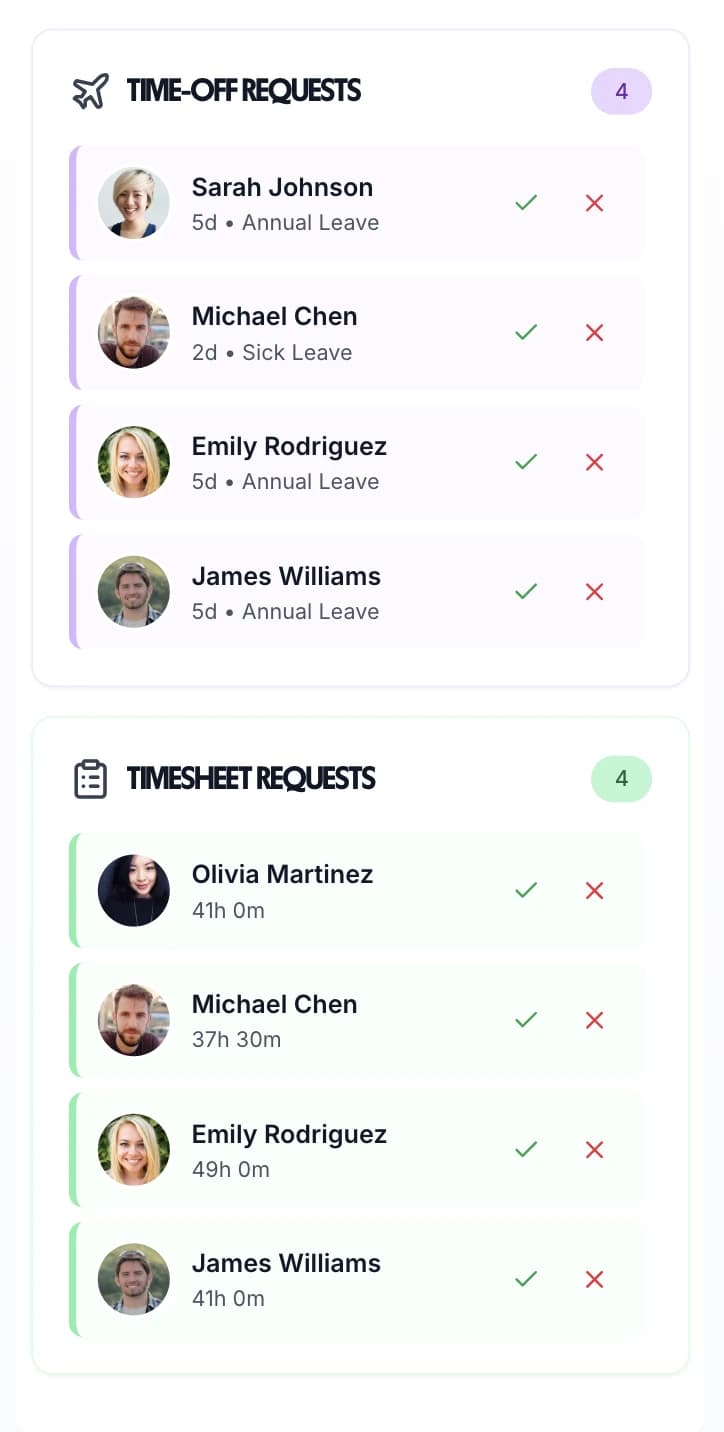
All Pending Leave Requests In One Manager View

The manager dashboard aggregates all pending leave requests alongside timesheet approvals. No inbox hunting, no separate system to log into — everything managers need is in one place. Approve individual requests or process multiple requests at once. See who's currently off and what requests are pending to make informed decisions about coverage before approving new requests.

  • Coverage Check

    See who else is already off on the requested dates before deciding. Avoid approving requests that leave you short-staffed
  • Entitlement Summary

    Each leave request shows the employee's current balance. Managers see whether the request is within entitlement at a glance
  • Request History

    Full log of all approved and declined requests per employee. Useful for absence management and pattern tracking
Leave request management widgets on manager mobile dashboard

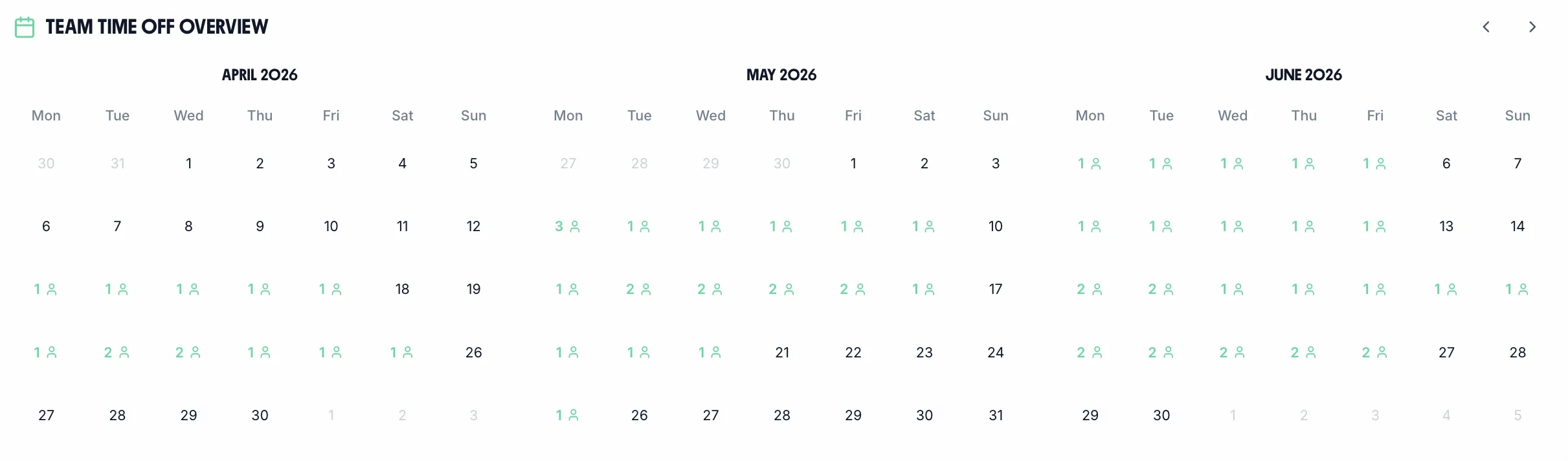
See Approved Leave Across Your Entire Team

Once leave requests are approved, they appear instantly on the team calendar. Managers and employees can see who's off at any given time, helping everyone plan around absences. The calendar shows different leave types in different colours — annual leave, sick leave, and bank holidays all visible at a glance. Essential for scheduling, project planning, and ensuring adequate coverage. Works alongside your staff holiday tracker and timesheet system.

Team calendar showing approved leave requests across the organisation
  • Colour-Coded Leave Types

    Annual leave, sick leave, and other types shown in different colours for instant visual clarity

  • Whole Team Visibility

    Employees can see who else is off so they can plan around team absences and coordinate schedules

  • Instant Updates

    Calendar updates the moment a leave request is approved. No manual calendar entries or sharing required

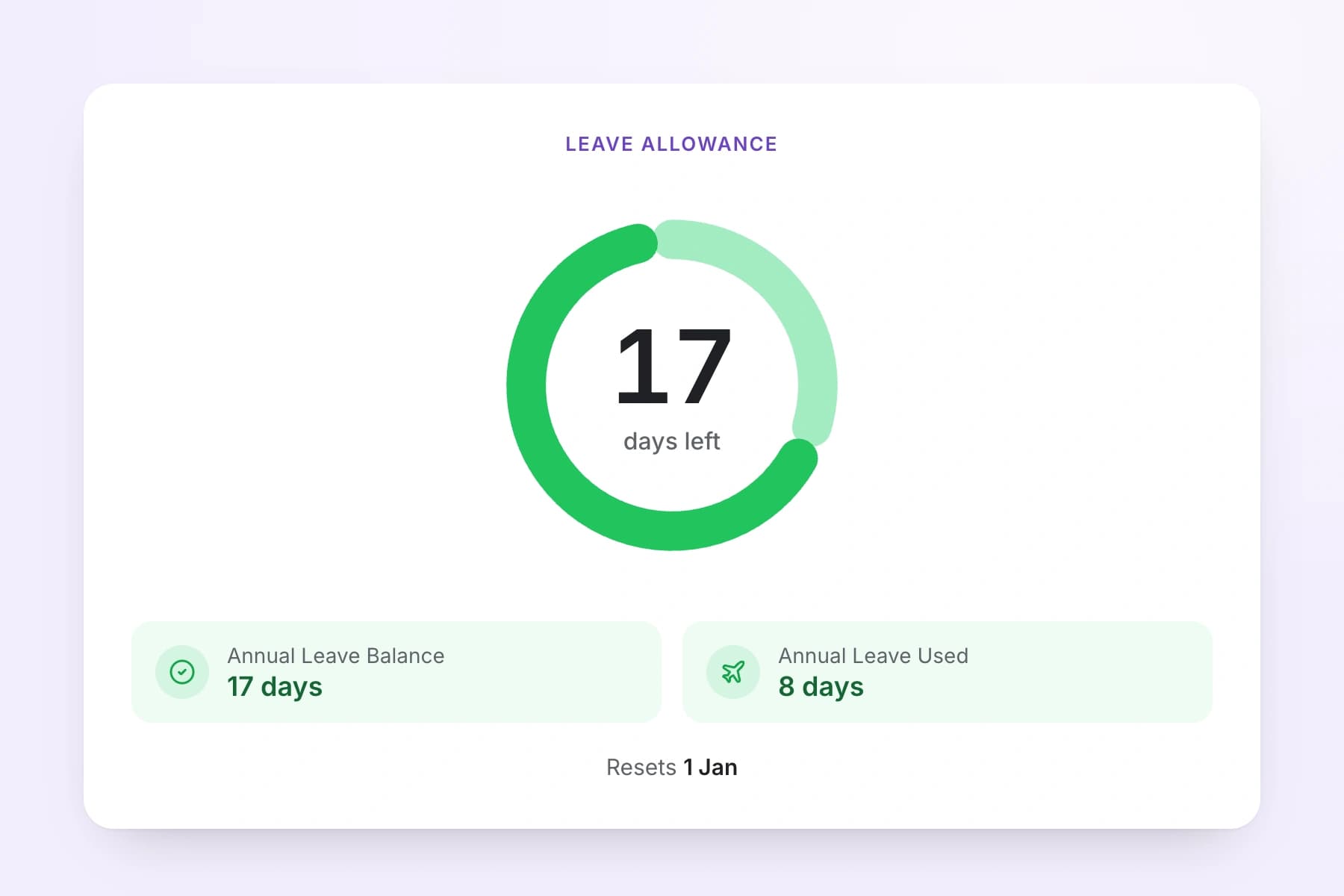
Set your leave rules once

The balance an employee sees when they request leave is worked out from your policy, not a spreadsheet formula somebody has to maintain. Set it up once and every request is checked against it.

  • Four accrual methods

    Upfront, so the full allowance is available from day one. Monthly, building up 28 ÷ 12 = 2.33 days a month. Daily. Or a percentage of hours worked — 12.07% by default — for irregular-hours staff.
  • Carryover on your terms

    Carry nothing, a capped number of days, or everything. Carried days can expire a set number of days into the new leave year.
  • Decide who can go negative

    Block requests that would take a balance below zero, allow it up to a limit you set, or allow it without a cap.
  • Your leave year, not the calendar's

    Start the leave year on any date. Track in days or in hours.
Leave allowance showing days remaining, days used, and the leave year reset date

UK leave rules, already built in

TimeTally is built for UK employers, so the parts that usually go wrong in a spreadsheet are handled before anyone submits a request.

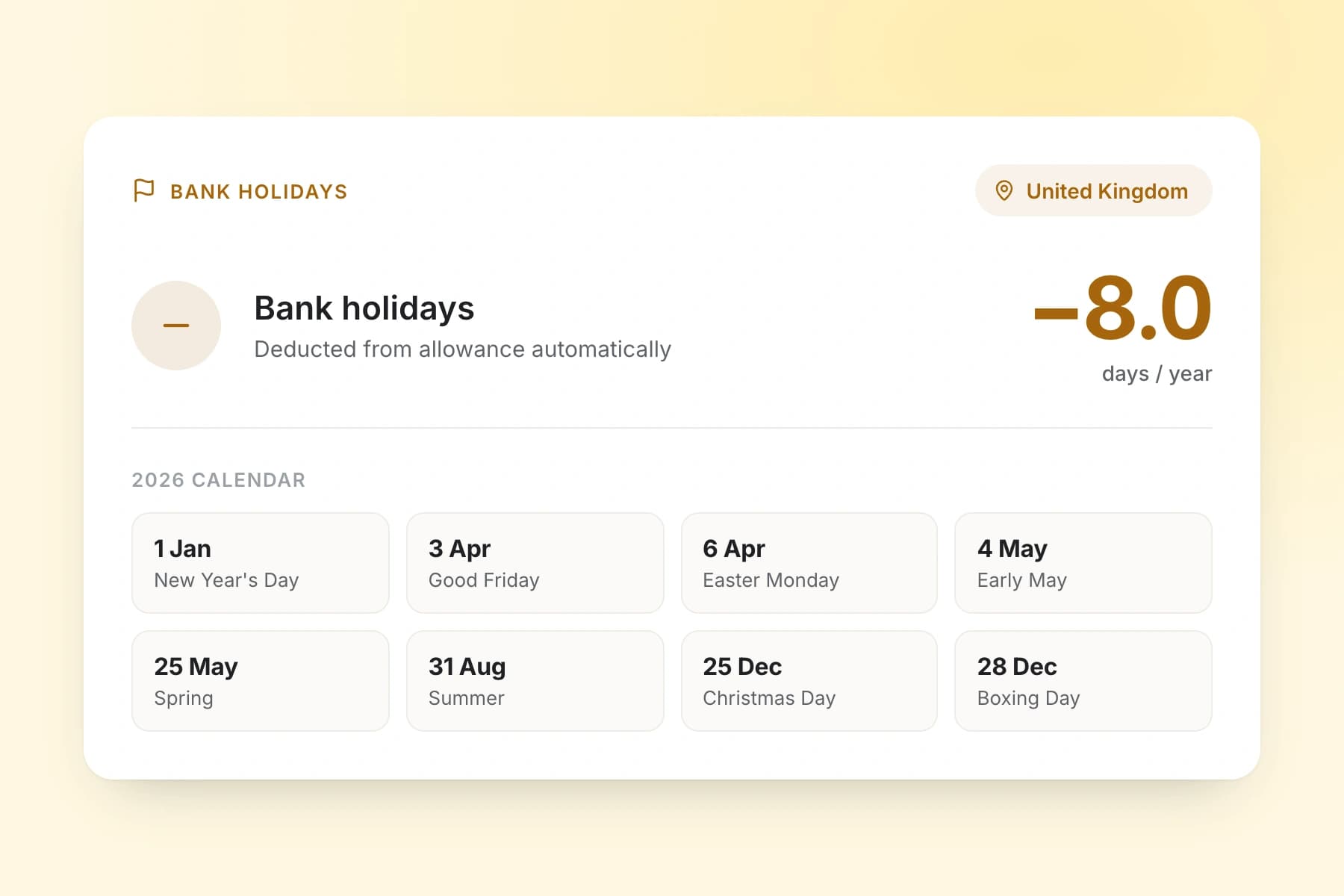
  • Bank holidays pre-loaded

    UK bank holidays are already in the calendar, with separate dates for England and Wales, Scotland, and Northern Ireland. Deduct them from the allowance automatically, or leave them out of it.
  • Statutory 5.6 weeks

    The UK statutory minimum — 28 days for a five-day week — calculated rather than typed in.
  • Pro-rata for mid-year starters

    Someone who joins part-way through gets a pro-rata allowance for the rest of that leave year, worked out from their start date.
  • A record that stands up

    Every request, approval and decline is kept with its date — the evidence you need if a leave decision is ever questioned.
UK bank holidays for 2026 deducted from the leave allowance automatically

One approval, and the rest updates itself

Approving a request is the last manual step. Everything downstream of it moves on its own.

  • The balance changes

    Days come off the moment you approve, and go back if the leave is later cancelled. The employee sees the new balance without asking anyone.

  • The team calendar fills in

    Approved leave appears alongside everyone else's, so the next person to request those dates can see the clash coming.

  • It reaches your rota and payroll

    Leave shows against the staff rota so you do not schedule someone who is off, and sits beside hours in your payroll export.

Leave Request Software That Includes Time Tracking Too

One affordable price covers leave requests, holiday tracking, time tracking, and payroll export.

£3/employee/month

Billed monthly, incl. VAT. Cancel anytime.

Mobile self-service leave requests
One-tap manager approval workflow
Real-time leave balance tracking
Team calendar with all approved leave
Unlimited custom leave types
Time Tracking and payroll export included
Get Started

Frequently Asked Questions

What is leave request software?

Leave request software is a digital system that handles the complete process of employee leave requests — from submission to approval and balance tracking. Instead of emailing managers or filling in paper forms, employees submit requests through an app or web browser. Managers receive instant notifications, can see team availability, and approve or decline with one click. Leave balances update automatically with every approved request.

Can employees request different types of leave?

Yes. TimeTally supports unlimited leave types — annual leave, sick leave, maternity and paternity leave, compassionate leave, TOIL (time off in lieu), study leave, and any custom types your business needs. Each type can have its own colour, allowance, and approval workflow. Employees select the appropriate type when submitting a request.

How quickly do managers receive leave request notifications?

Instantly. The moment an employee submits a leave request, the manager receives a push notification on their phone. They can approve or decline directly from the notification without opening the app. This typically means leave requests are actioned within minutes, not days.

Can managers decline a leave request with a reason?

Yes. When declining a request, managers can add a note explaining why. The employee receives the reason in their notification. This creates a clear record of the decision and avoids any ambiguity. The full history of the request — submission, decline reason, and any resubmission — is stored in the audit trail.

What happens to leave balances when a request is approved?

Leave balances update automatically the moment a request is approved. Employees can see their updated balance immediately in the app — no need to ask HR. If a request is declined, the balance remains unchanged. If leave is cancelled after approval, the days are returned to the balance automatically.

Can employees see who else is off before submitting a leave request?

Yes. When selecting dates in the leave request form, employees can see whether any of their colleagues are already off on those dates. This helps them choose dates that are less likely to cause coverage issues and reduces the chance of requests being declined due to staffing gaps.

Does leave request software help with Working Time Regulations compliance?

Yes. Under the Working Time Regulations 1998, employers must ensure workers take their statutory minimum leave entitlement (5.6 weeks). Leave request software creates a complete digital record of all leave taken and requested, making it straightforward to verify compliance. TimeTally also shows you how much leave each employee has used and remaining, so you can proactively manage leave usage before year-end.

Still have a question? See all FAQs

Replace Email Leave Requests With A Proper System

Give employees self-service leave requests and managers instant approvals. Start your 14-day free trial today.

No credit card • Setup in 10 minutes • Works on any device

Support that answers

A real person replies within 24 hours. No ticket queues, no bots.

UK GDPR compliant

A UK company, ICO regulated. Your data encrypted and never sold.