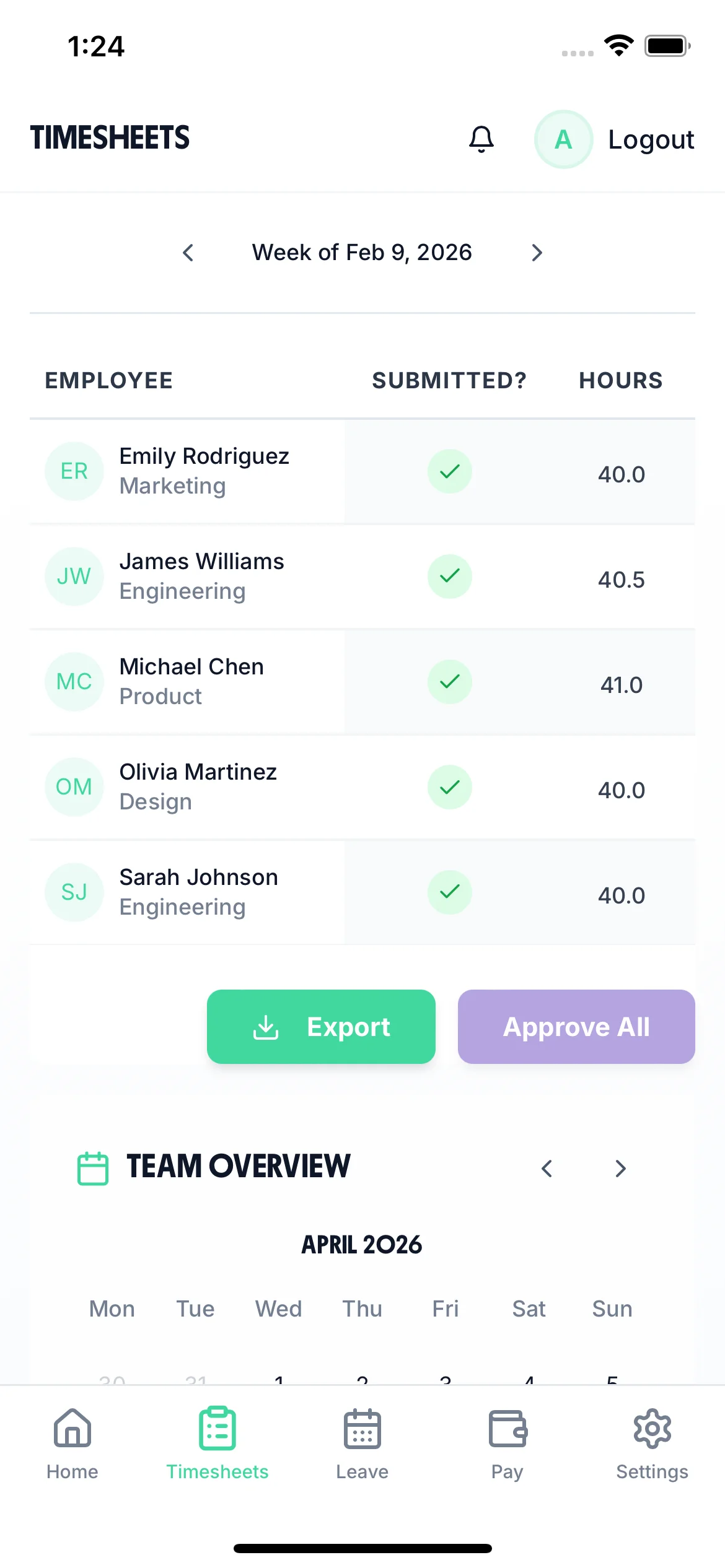

A native iOS timesheet app that works on any iPhone, plus full web access for desktop. Employees clock in, log hours, and submit time tracking in seconds. Managers approve from their phone and export to payroll in one click. No training required. Trusted by UK businesses for accurate time tracking.
“Used to spend an hour every Monday chasing time tracking. Now they submit automatically and I approve them in two minutes.”
Mark T., Hospitality Manager
Click any feature to learn more.
14-day free trial · No credit card needed
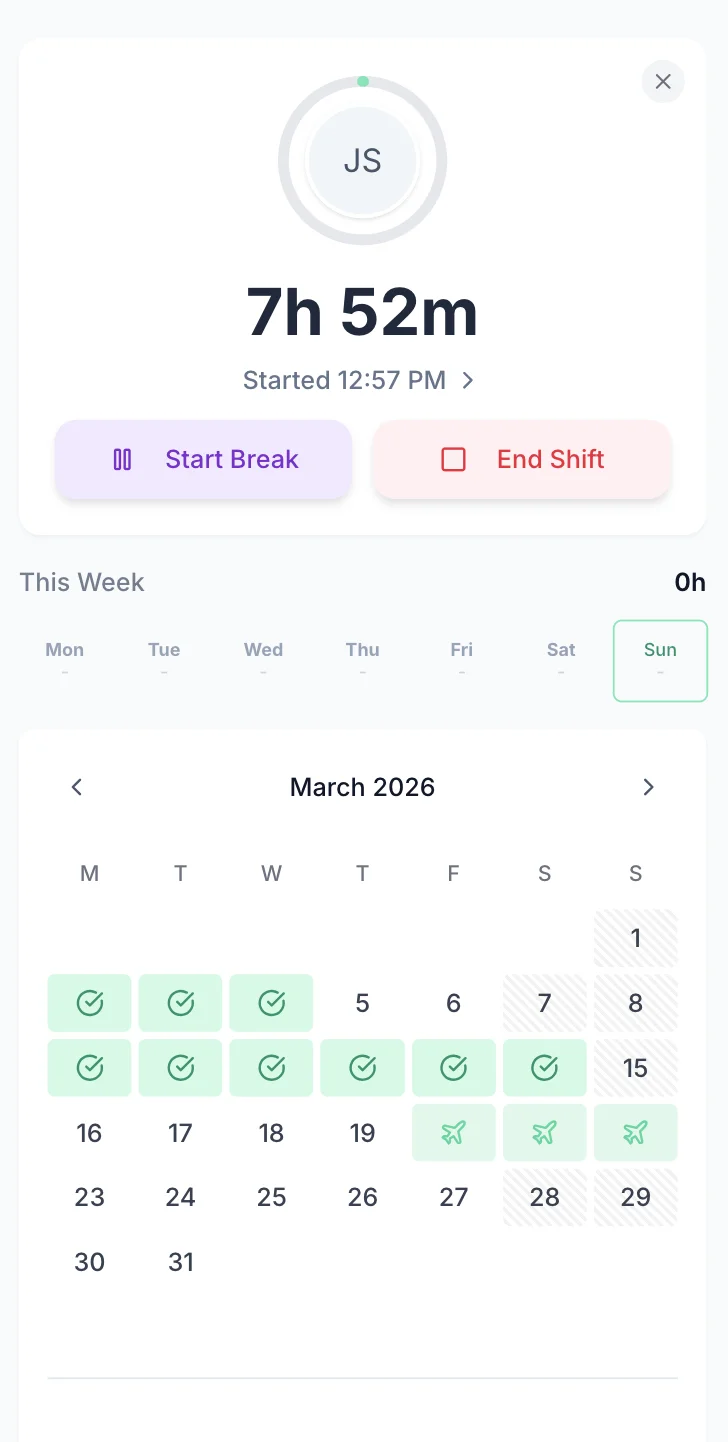
The TimeTally timesheet app makes time logging effortless. Employees open the app, tap clock in, and their shift begins. At the end of the shift, they tap clock out. The timesheet is populated automatically — no manual entry, no forgetting hours at the end of the week. Pair with GPS mobile clock-in to verify location when employees start work.

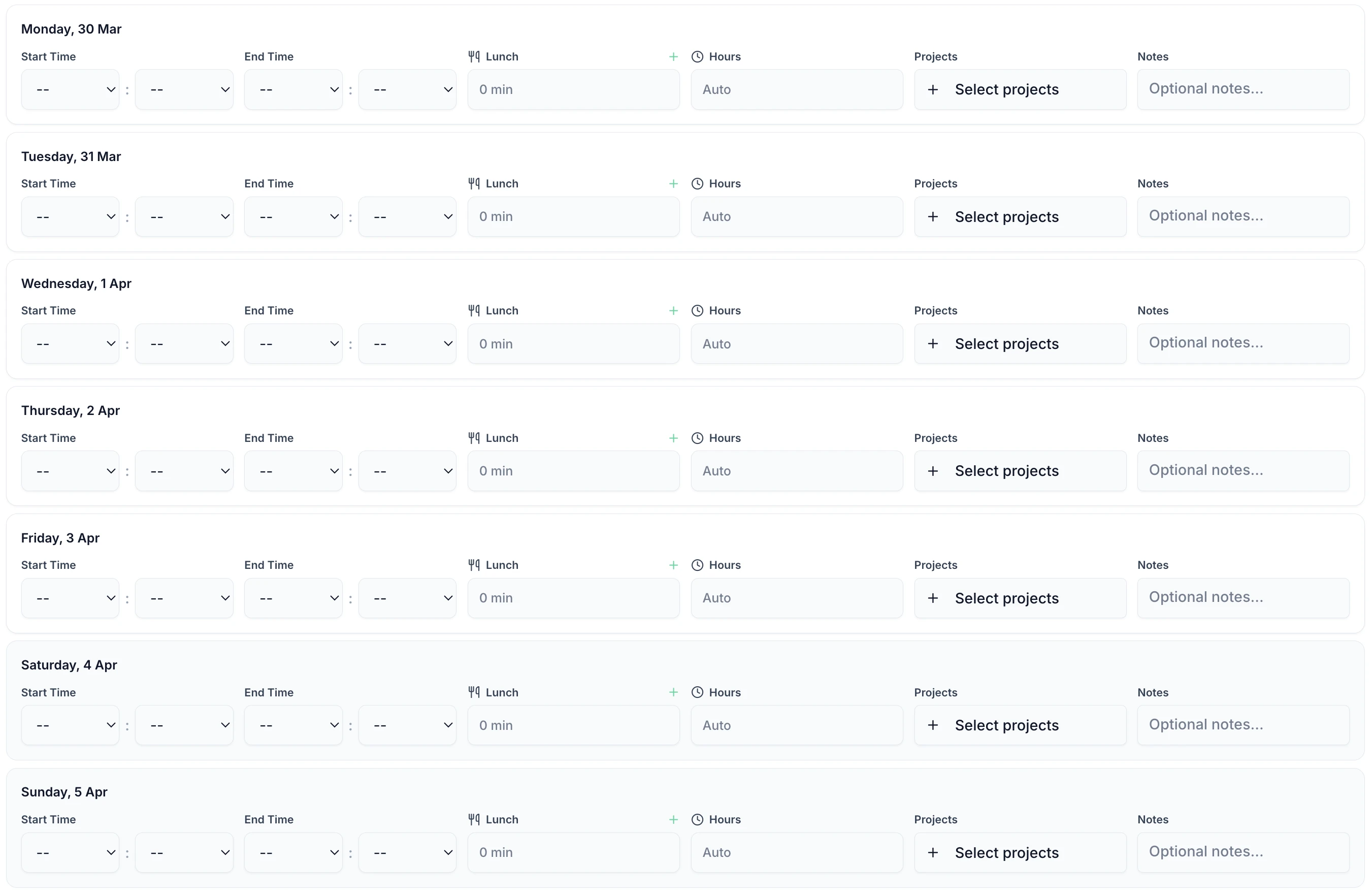
Whether employees clock in automatically or enter hours manually, the timesheet form is the same — start time, end time, breaks, and overtime calculated instantly. Every entry is ready for manager approval the moment it's submitted.

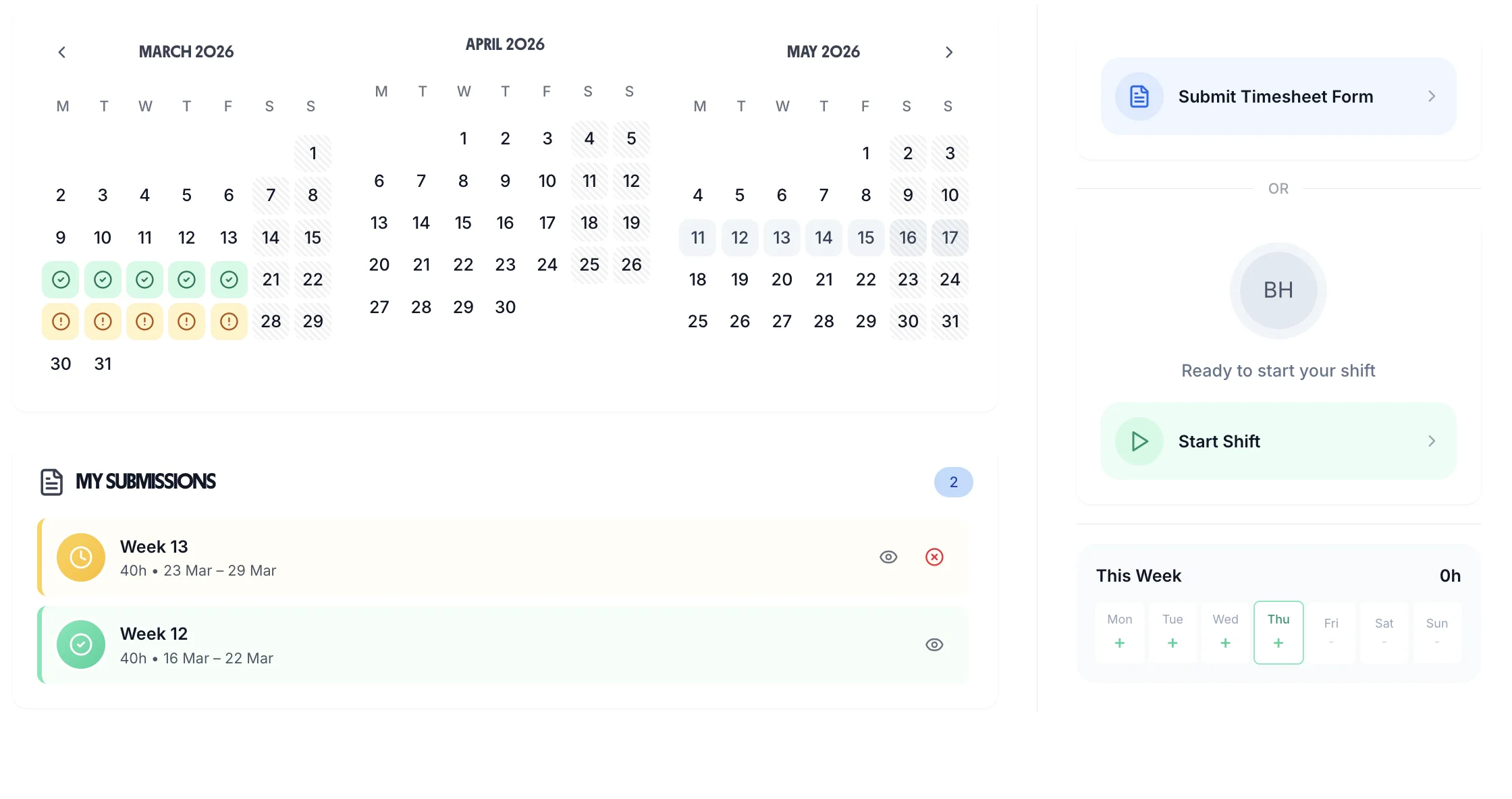
While employees use the mobile app to clock in and submit time tracking, managers get a full desktop view to review, approve, and report on hours. See every employee's timesheet side by side, filter by date range, and approve in bulk. The approval workflow keeps everything moving without bottlenecks.

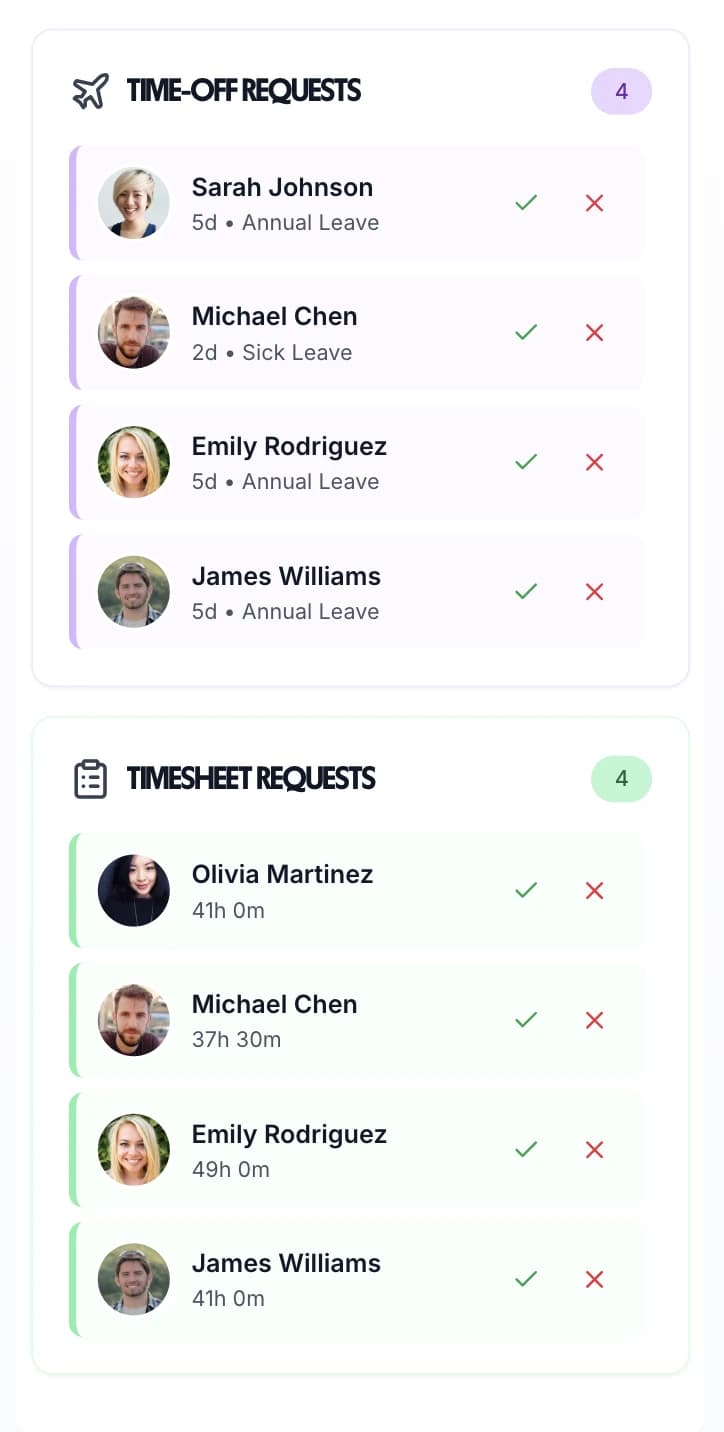
The TimeTally timesheet app isn't just for hours — it handles leave management too. Employees request holiday, sick leave, and time off directly in the app. Managers see all pending requests alongside timesheet approvals in one place. No separate system, no email threads — everything in the same app your team already uses daily.

Whether your team is on-site, remote, or spread across multiple locations, the TimeTally timesheet app keeps everyone's hours in one place
Native iOS App
Purpose-built iPhone app, not a web wrapper. Fast, reliable, and works with iOS notifications for reminders.
Full Web Access
Not an iPhone user? Access the full timesheet app via any web browser on desktop, tablet, or Android.
to Download
The app is free. Pricing is based on employees using the system — just £2 per employee per month.
Built specifically for UK businesses, with HMRC-compliant records and UK statutory leave calculations
Purpose-built iPhone app available free on the App Store. Optimised for speed and reliability, not a slow web wrapper.
One-tap clock in starts the timer. One tap to clock out ends it. Timesheet populated automatically from clock data.
App sends push notifications reminding employees to submit. Stop late time tracking without manual chasing.
Timestamped records of every clock-in, submission, and approval. Meets Working Time Regulations record-keeping requirements.
Holiday requests, sick leave, and TOIL managed in the same app. UK statutory entitlement calculated automatically.
Export approved timesheet data to Xero, QuickBooks, or CSV in one click from the web dashboard.
Every feature included. No tiered plans, no feature gates.
Modern timesheet apps offer GPS tracking, automatic calculations, and digital approval workflows. But UK employers must navigate privacy laws, National Minimum Wage compliance, and the evidential weight of timesheet records in disputes.
Timesheet apps with GPS tracking must comply with UK GDPR and Data Protection Act 2018. Employers must have a lawful basis (usually legitimate interests or contractual necessity), inform workers about tracking in privacy notices, and limit tracking to work hours only. Covert GPS tracking without worker knowledge is almost always unlawful. The ICO has issued substantial fines for excessive location monitoring. Mobile clock-in apps should enable GPS verification only when the employee actively clocks in, not continuous background tracking.
Timesheets carry significant evidential weight in tribunal claims involving working time, overtime pay, unlawful deduction from wages, and whistleblowing. Digital timesheets with timestamps and approval records are stronger evidence than paper sheets. However, tribunals recognise that employees may feel pressured to understate hours. Where timesheet records conflict with other evidence (emails sent late at night, building access logs), tribunals will investigate. Consistent, contemporaneous timesheet records are your best defence but not infallible proof.
Deliberately falsifying timesheets (overstating hours to inflate pay or understating to avoid scrutiny) can constitute gross misconduct justifying summary dismissal. However, employers must prove dishonesty, not mere error. Minor discrepancies or rounding differences rarely justify dismissal. Before dismissing for timesheet fraud, conduct a thorough investigation, consider the employee's explanation, and review precedents for similar cases. Tribunal cases scrutinise whether the employer's timesheet system was clear and whether the employee understood the rules.
Unless the employment contract requires it, employees can generally refuse to work overtime. Employers cannot force overtime except where expressly stated in the contract or reasonably implied from the role. Disciplining employees for refusing non-contractual overtime may constitute unfair treatment. However, repeated refusal to work any additional hours may affect performance assessments if flexibility is a reasonable expectation. Timesheet apps should track overtime requests and acceptances to evidence whether overtime was voluntary or required.
NMW compliance is assessed by averaging pay and hours over the relevant pay reference period (usually a month). Timesheet apps must track total hours including training, travel time, and on-call time that counts as working time. Unpaid breaks must be excluded. If averaged pay falls below NMW even marginally, HMRC can issue a notice of underpayment plus penalties. Timesheet compliance for NMW requires precise hour tracking, not estimates.
Workers are entitled to a 20-minute break if working more than six hours, and this must be an uninterrupted break away from the workstation. Timesheet apps that track breaks help demonstrate compliance, but employers must ensure breaks are genuinely taken. “Working through lunch” then recording a break on the timesheet creates false records. Sectors like healthcare and hospitality where breaks are frequently interrupted need careful monitoring. For detailed rules, see UK rest break regulations.
Swipe to see more →
Real reviews from TimeTally customers
“Setup was dead simple and the team just got on with it. Got everyone up and running in an afternoon with no help needed. Does everything we need for timesheets and holidays without the faff.”
S.M.
“Has completely changed how I handle timesheets. Used to dread it every week — now it takes me minutes. Really easy to get around and my staff picked it up straight away.”
J.T.
“Started using it just for rotas but quickly realised it does loads more. The timesheets and leave management are great, and it even handles TOIL and overtime which I wasn't expecting. Use it for everything now.”
R.K.
From the blog
HMRC Timesheet Requirements UK
What records UK employers must keep and the penalties for non-compliance
How to Track Employee Hours Legally
UK legal requirements for time tracking and how to stay compliant
Best Timesheet Software UK 2026
Buyer's guide to choosing the right timesheet software for your business
Timesheet Reminder Email Templates
Ready-to-use email templates to chase late timesheet submissions
Problems with Manual Timesheets
The real cost of paper and spreadsheet timesheets for UK businesses
Working Time Regulations UK Guide
48-hour week, rest breaks, night work, and opt-out rules explained