

Schools employ a mix of part-time TAs, term-time caretakers, office administrators, and supply staff — each with different hours and holiday entitlements. TimeTally gives your support staff a simple way to log hours from their phone, and gives school business managers a clear record of who worked when. Approved timesheets export straight to Xero, QuickBooks, or CSV. From £2 per staff member per month.
UK schools are complex employers. A single primary school might have teaching assistants on term-time contracts, a caretaker working year-round, office staff on part-time hours, and supply teachers covering absences — all with different pay rates and holiday entitlements.
Support staff in maintained schools are typically employed under Green Book (NJC) conditions, which set out pay scales and working arrangements. Term-time workers — TAs, lunchtime supervisors, exam invigilators — present a particular payroll challenge because their holiday entitlement must be calculated pro-rata and is often rolled into their annual salary. The standard method uses the 12.07% accrual rate: for every hour worked, the employee accrues 0.1207 hours of paid holiday. Getting this wrong leads to underpayments, grievances, and potential tribunal claims under the Working Time Regulations 1998.
Teachers themselves are employed under the School Teachers' Pay and Conditions Document (STPCD), which limits directed time to 1,265 hours per year across 195 days. Directed time is the time a headteacher can require a teacher to work — lessons, meetings, parents' evenings, INSET days. Schools need to track this carefully, but it is a complex planning exercise that sits outside what a simple timesheet tool can monitor. TimeTally does not track directed time budgets. For support staff, however, accurate hour-by-hour timesheets are exactly what is needed.
The Burgundy Book governs conditions of service for teachers in maintained schools and covers areas like sick pay, maternity leave, and notice periods. While academy trusts can set their own terms, many still follow Burgundy Book conditions. For school business managers juggling multiple employment frameworks, having a reliable record of hours worked by non-teaching staff is one less thing to worry about.
Beyond payroll, Ofsted expects schools to demonstrate effective resource management. Clear records of staffing hours — who was on site, when, and for how long — support this. Our ROI calculator can help you estimate the time savings from switching to digital timesheets. And with school budgets under constant pressure, knowing exactly how much you are spending on support staff hours each month helps with financial planning.
TimeTally works for any school or education provider that needs to track support staff hours and manage holiday requests. See how it works in practice.
TAs, lunchtime supervisors, office staff, caretakers, and breakfast club workers
Lab technicians, librarians, IT support, admin teams, and exam invigilators
Central teams, peripatetic staff working across sites, and shared support roles
FE colleges, sixth form centres, training providers, and adult education services
School support staff are busy. TimeTally is designed to take less than 60 seconds per day. Enter start time, end time, and breaks — that is it. Works on any phone or a shared computer in the school office.

TimeTally is a straightforward timesheet and holiday management tool. Here is what it does and how it helps education providers.
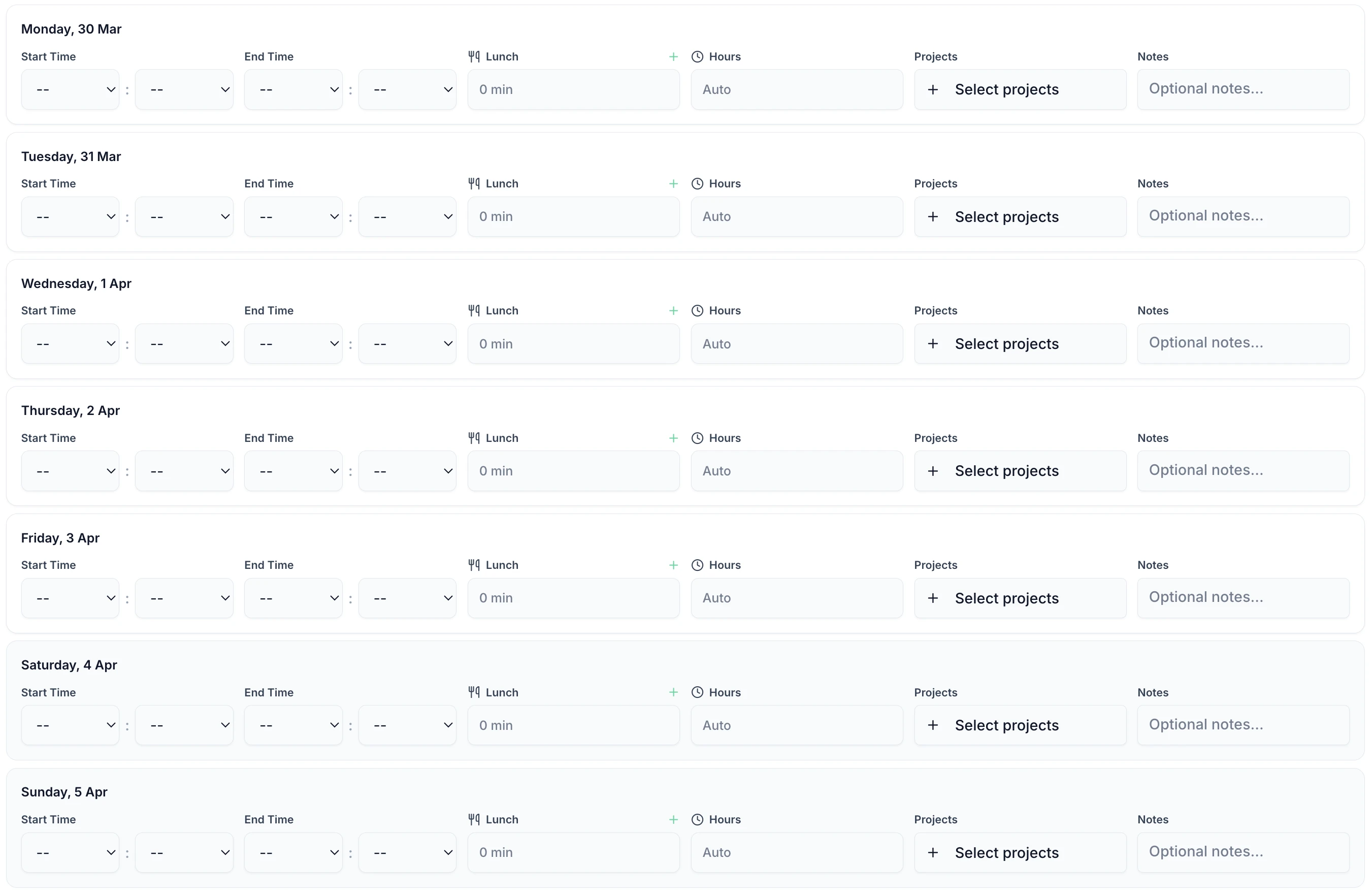
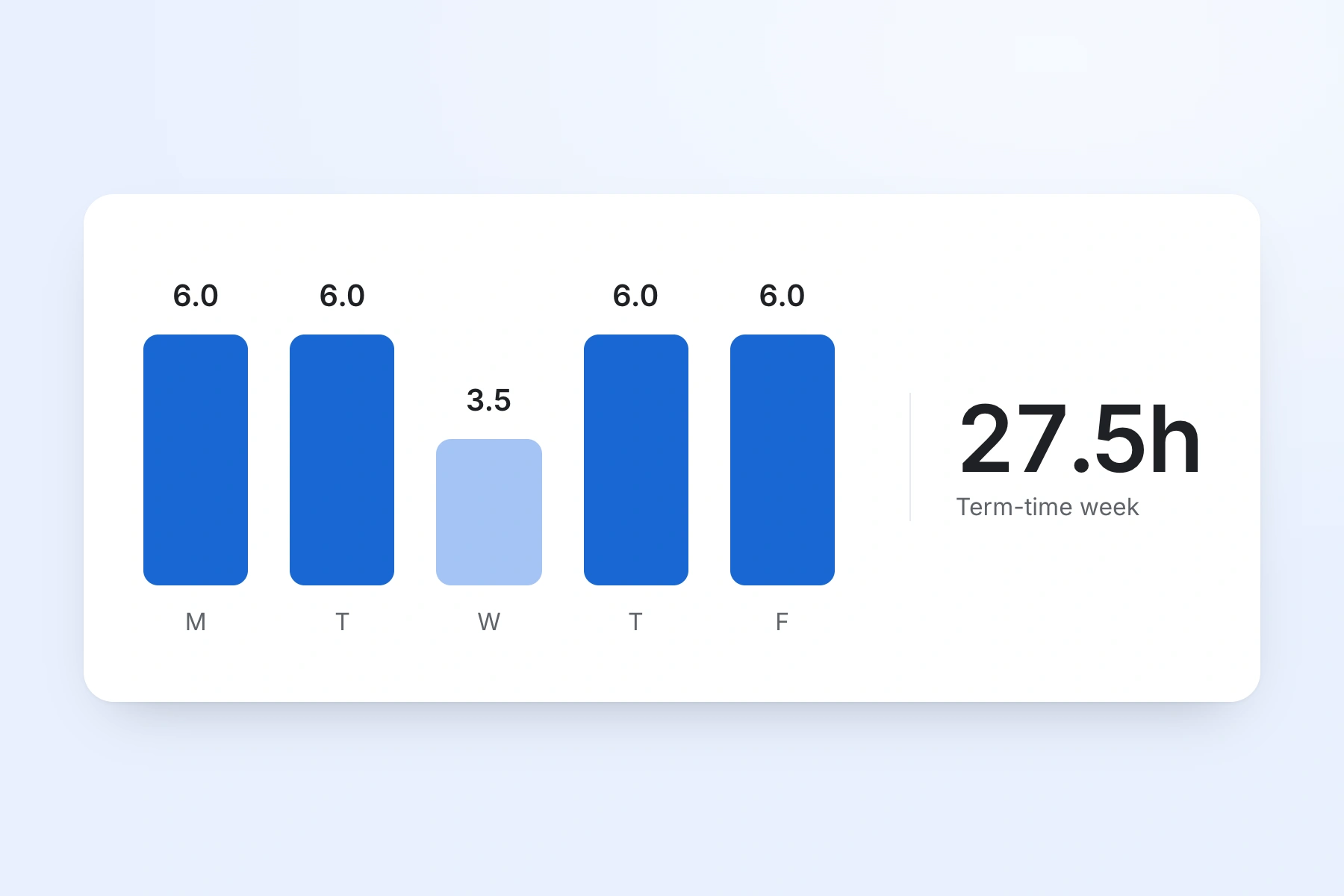
TAs, caretakers, admin staff, and other support workers enter their start and end times each day. This works for any pattern — mornings only, split shifts, term-time only, or year-round. Total hours and overtime are calculated automatically.
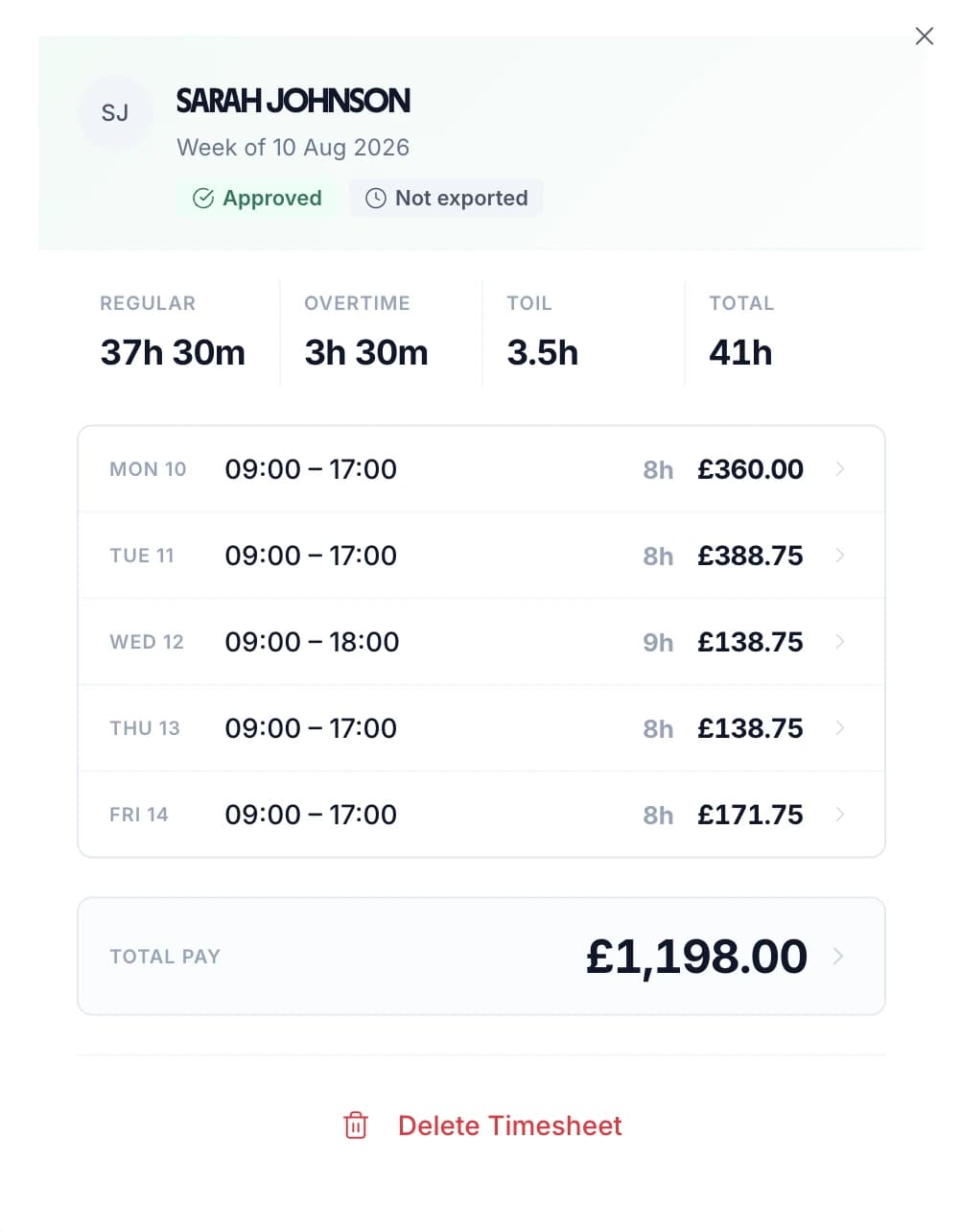
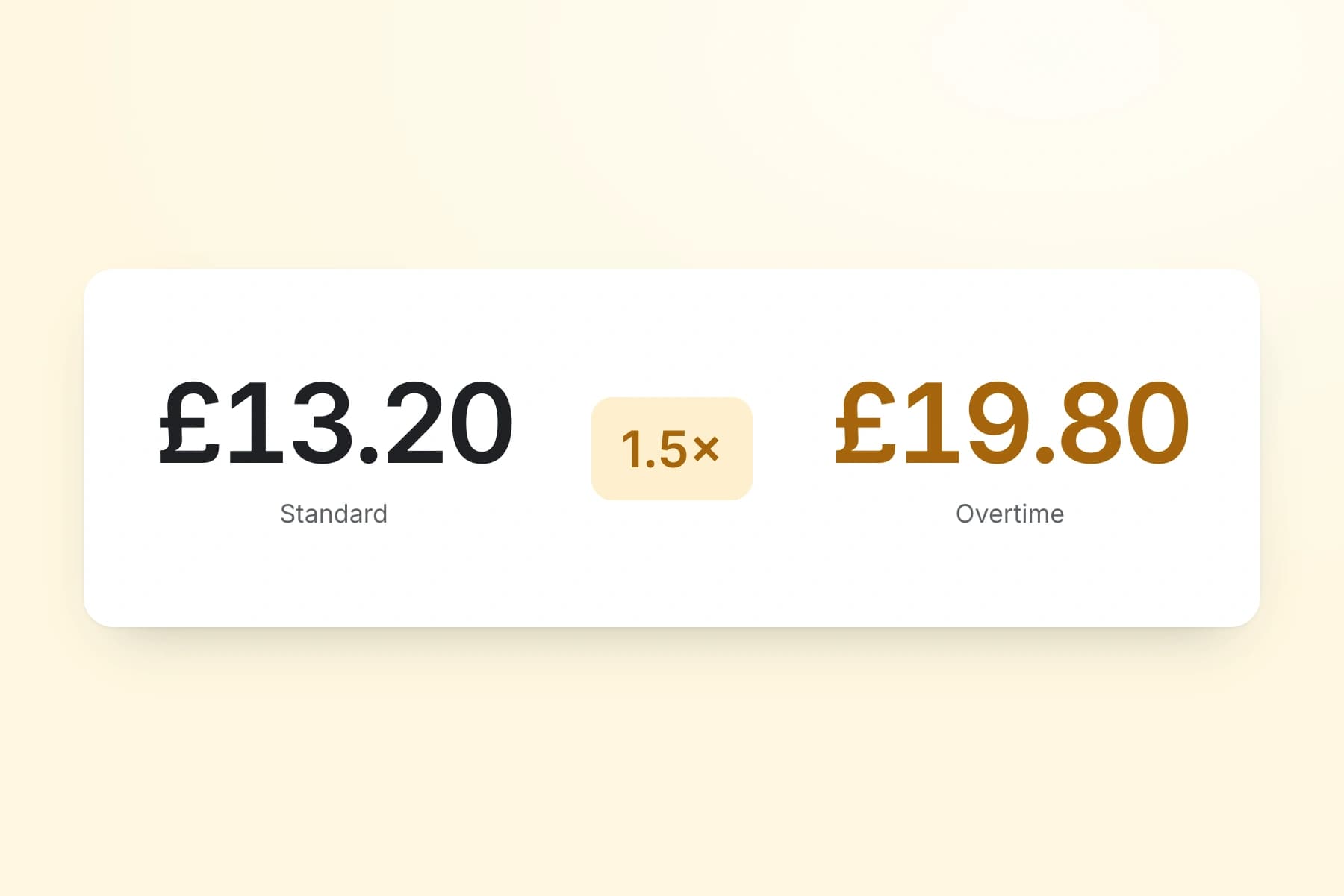
Set an hourly rate and overtime rate for each staff member. When timesheets are submitted, TimeTally calculates standard pay and overtime pay automatically. You can set daily or weekly overtime thresholds to match your school's policies.
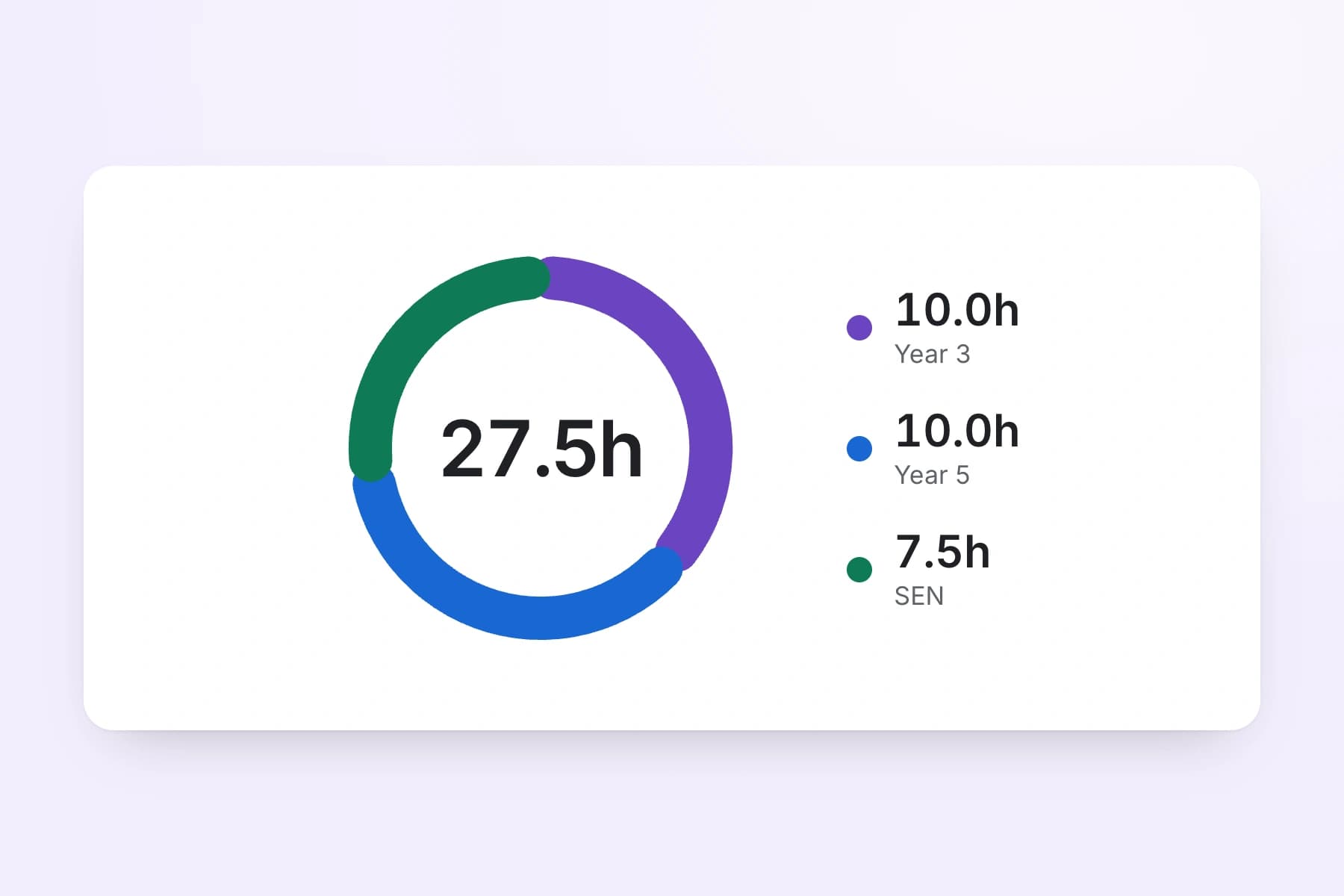
Use TimeTally's project tracking to assign hours to specific departments, cost centres, or funding streams. If a TA works across two year groups, they can split their hours accordingly. Reports show total hours and costs per department — useful for budget monitoring.
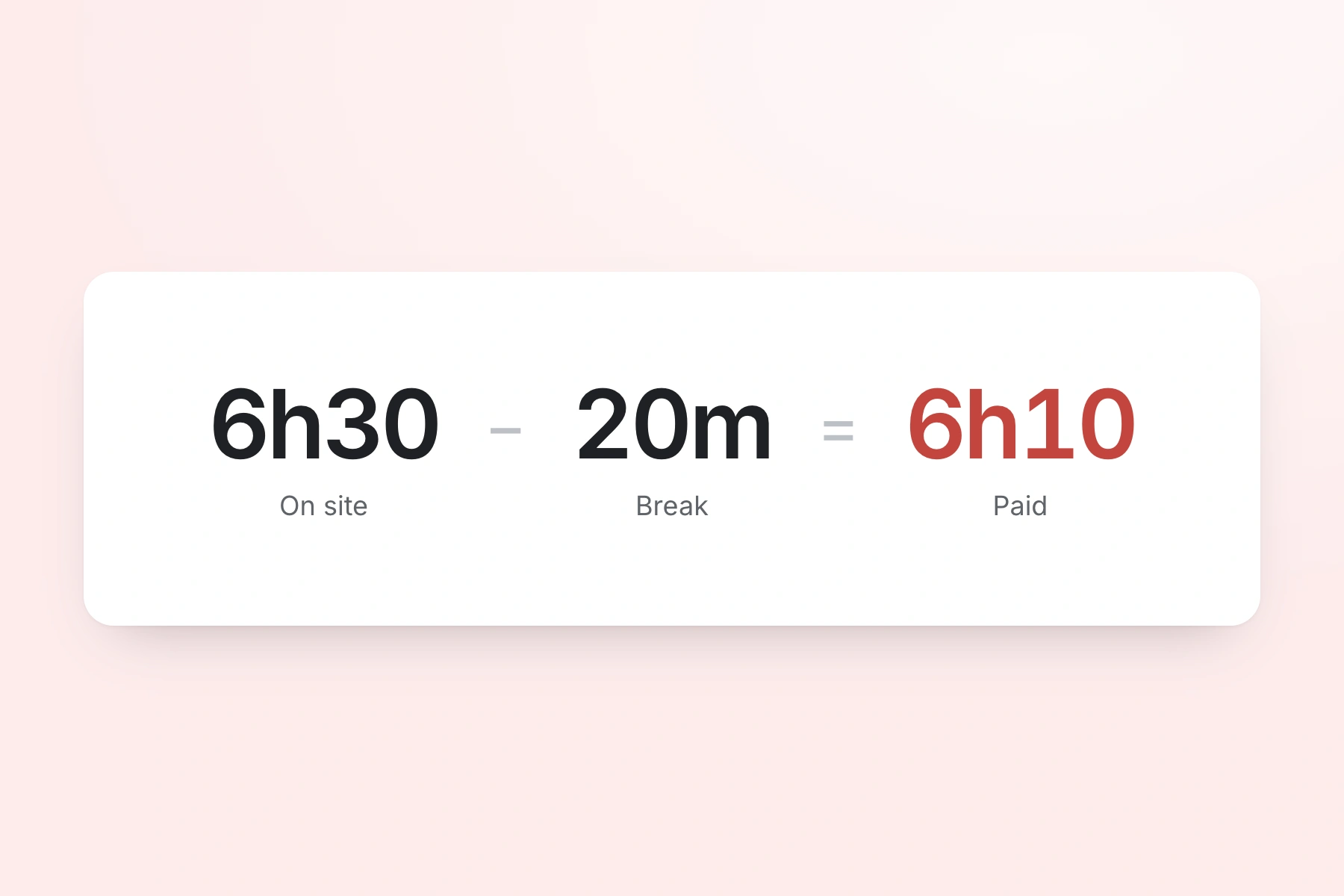
Track lunch breaks and rest breaks separately. Under UK law, workers are entitled to a 20-minute uninterrupted break for shifts over 6 hours — check obligations with our break time compliance calculator. TimeTally records breaks and deducts them from total hours so payroll figures are accurate.
Export approved timesheets to Xero, QuickBooks, or CSV with one click. The export includes employee names, standard hours, overtime hours, pay amounts, and break deductions. CSV exports can be formatted for local authority payroll systems.
TimeTally works in any mobile browser. Staff do not need to download an app or install anything on personal devices. They can bookmark the page or use a shared computer in the school office. There is also a native iOS app for those who prefer it.
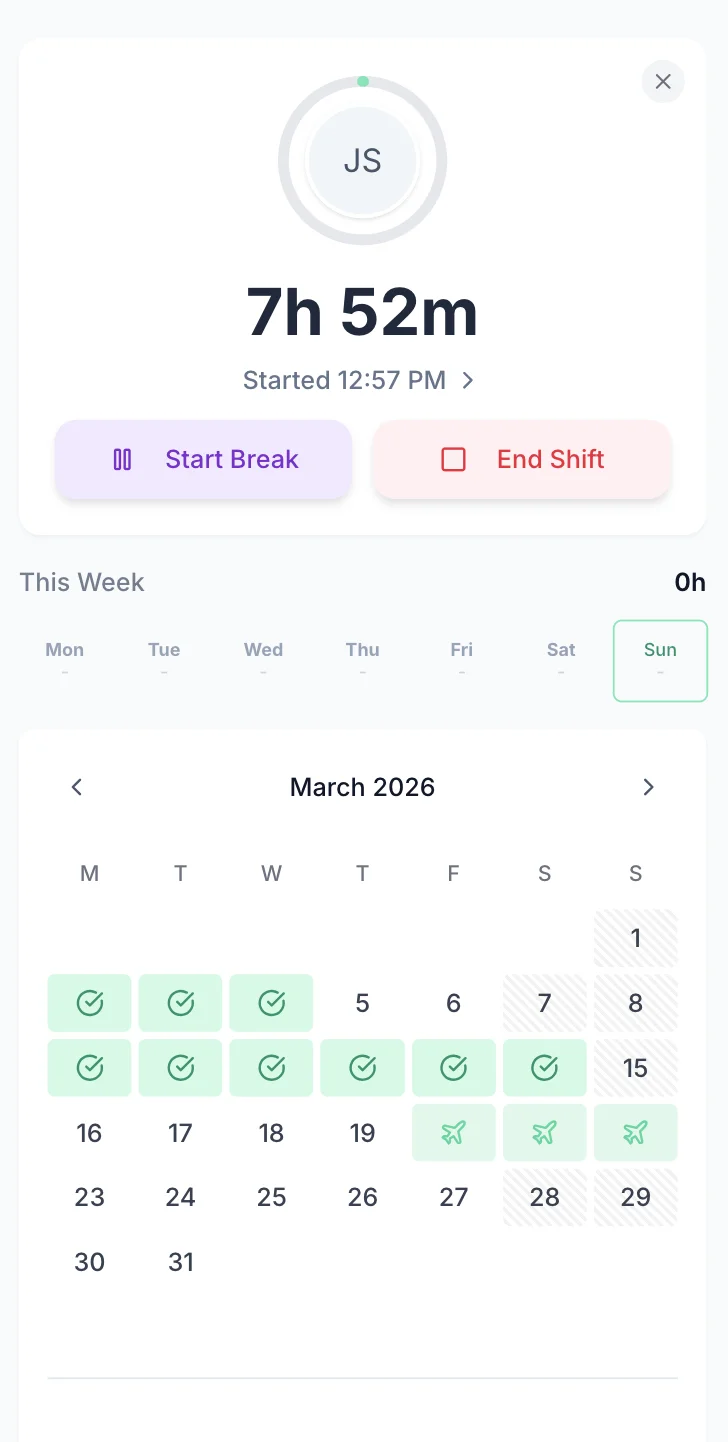
Managing holiday requests by email or paper forms is slow and error-prone — especially for term-time workers whose entitlement needs careful calculation. TimeTally lets staff request time off from their phone. Managers see the team calendar and approve or decline with one tap. Remaining holiday entitlement is calculated automatically, including pro-rata for part-time and mid-year starters.
Staff select dates and submit. Managers get a notification and can see who else is off before approving.
See your whole team's availability at a glance. Check for clashes before approving requests — especially important during term time when cover is harder to arrange.
Statutory holiday allowance (5.6 weeks) is calculated automatically, including pro-rata for part-time staff and mid-year starters. UK bank holidays are pre-loaded.
TimeTally does not have a dedicated INSET day feature, but you can use holiday categories to record INSET days for support staff who are not required to attend. Create a custom leave type and track it separately. You can also track statutory sick pay absences using custom leave types.

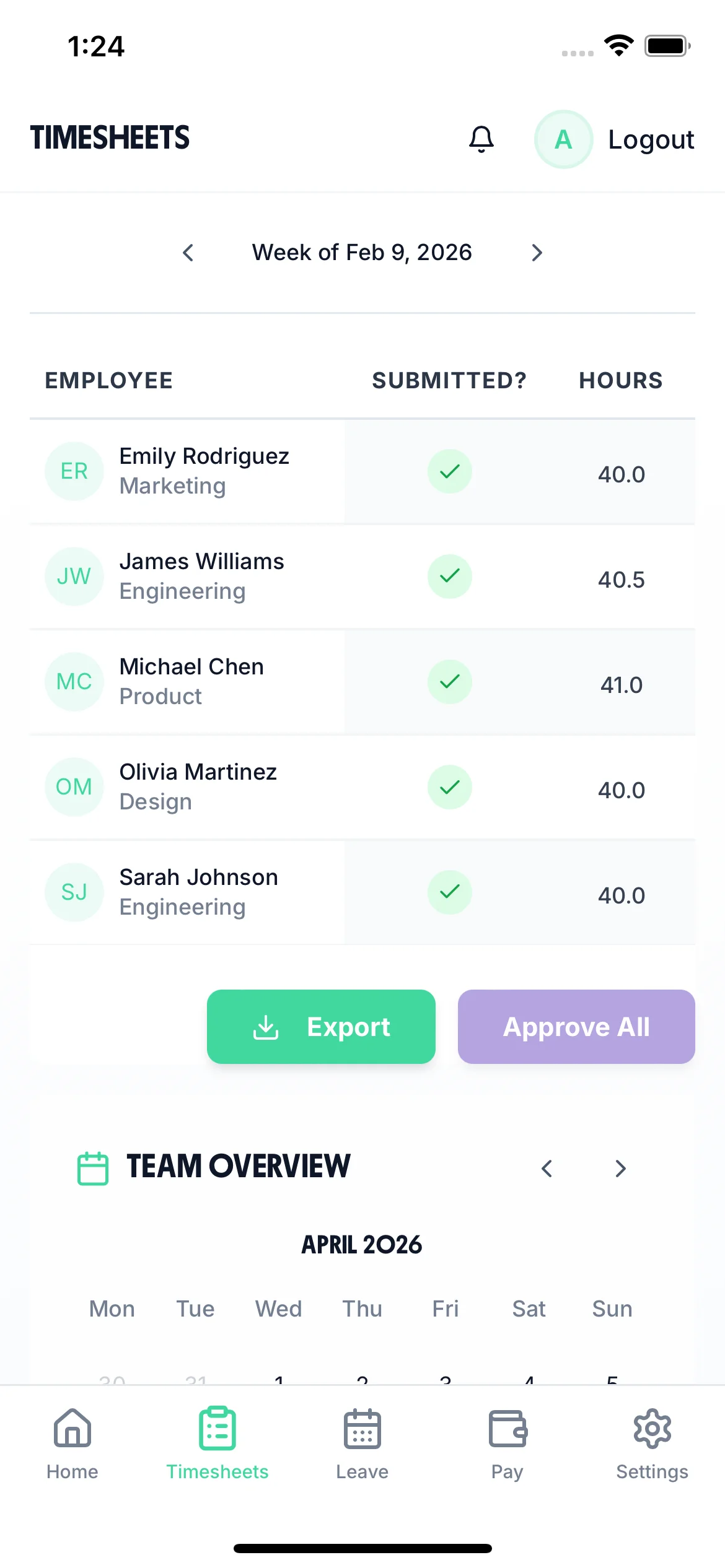
The team calendar gives school business managers and headteachers a clear view of the entire team's status — submitted timesheets, approved holidays, and absences — all in one place. Plan ahead, spot staffing gaps, and make informed decisions about approving leave during term time.

TimeTally is a timesheet and holiday management tool. It is good at tracking hours for support staff and exporting to payroll. It is not a school timetabling system or a directed time planner. Here is a straightforward summary.
Tracks daily hours worked by support staff (TAs, caretakers, admin, cleaners, kitchen staff)
Calculates overtime based on hourly rates and thresholds you set per employee
Manages holiday requests with automatic statutory entitlement (5.6 weeks pro-rata)
Tracks breaks to ensure accurate payroll and compliance with rest break rules
Exports approved timesheets to Xero, QuickBooks, or CSV for local authority payroll
Assigns hours to departments or cost centres for budget tracking
Provides a timesheet approval workflow so managers review hours before payroll
Does not monitor STPCD directed time (1,265 hours) — this requires specialist timetabling software
Does not configure or manage term dates — you manage your own academic calendar elsewhere
Does not have dedicated INSET day tracking — though you can use custom holiday categories as a workaround
Does not separate teaching contact time from PPA time — it records total hours, not lesson-level detail
Does not provide automated compliance alerts for Working Time Directive breaches
Does not handle school timetabling, rota planning, or supply teacher booking
Schools operate under several overlapping employment frameworks. Understanding these helps explain why accurate timesheets matter for support staff — and where TimeTally fits in.
The School Teachers' Pay and Conditions Document sets out pay and conditions for teachers in maintained schools in England and Wales. Under the STPCD, a full-time teacher can be directed to work up to 1,265 hours per year over 195 days. These hours include lessons, registration, assemblies, staff meetings, parents' evenings, and the five statutory INSET days. Time spent on planning, preparation, and marking is not directed but is still expected. Headteachers must publish a directed time budget at the start of each year.
TimeTally does not monitor directed time budgets. Tracking 1,265 hours against a breakdown of lessons, meetings, and duties requires specialist software or careful spreadsheet planning that accounts for the academic timetable. However, if your school employs teachers on hourly-paid contracts (common in FE colleges and for peripatetic music teachers), TimeTally can track those hours and calculate pay.
The Burgundy Book covers teachers' conditions of service in maintained schools — sick pay entitlements, maternity provisions, and notice periods. The Green Book (NJC conditions) covers support staff. Academy trusts may adopt these frameworks or set their own terms, though many follow them in practice. For support staff on Green Book terms, accurate hour tracking is essential because pay is typically calculated from actual hours worked, especially for part-time and term-time roles.
Term-time workers are entitled to 5.6 weeks of statutory paid holiday, the same as any other worker. The question is how this entitlement is calculated and delivered. The standard approach uses the 12.07% accrual method: the worker accrues holiday at a rate of 12.07% of hours worked (derived from 5.6 weeks divided by 46.4 working weeks). For a TA working 30 hours per week for 38 term-time weeks, this means 30 x 38 x 0.1207 = 137.6 hours of holiday entitlement per year.
In practice, many schools roll holiday pay into the annual salary so that term-time workers receive equal monthly payments year-round. Others pay holiday separately. Either way, having accurate records of hours actually worked is the starting point for getting the calculation right. The Supreme Court's decision in Harpur Trust v Brazel (2022) initially changed how holiday pay was calculated for part-year workers, but subsequent legislation reinstated the 12.07% accrual method from April 2024 under the Employment Rights (Amendment, Revocation and Transitional Provision) Regulations 2024. TimeTally calculates statutory holiday entitlement automatically, including pro-rata for part-time staff.
The Working Time Regulations 1998 apply to all school staff. Workers must not exceed an average of 48 hours per week (over a 17-week reference period), and those working shifts over 6 hours are entitled to a 20-minute rest break. TimeTally records all hours worked and tracks breaks, giving you the data to monitor compliance. It does not automatically flag breaches — that responsibility sits with the employer.
All school support staff must be paid at or above the National Minimum Wage (£12.21/hour for workers aged 21+ from April 2025). Accurate hour tracking ensures the effective hourly rate does not fall below this threshold, which can happen when unpaid overtime or incorrect break deductions are applied. TimeTally records actual hours worked and breaks taken, so you can verify pay rates against legal minimums.
One price. Every feature. No surprises.
TimeTally tracks hours worked per day — start time, end time, and breaks. It works well for hourly-paid teachers, peripatetic music teachers, or supply staff who need to log their hours. It is not designed to monitor directed time budgets under the STPCD (the 1,265-hour annual limit), which requires timetable-aware planning tools.
TimeTally calculates statutory holiday entitlement (5.6 weeks) automatically, including pro-rata for part-time staff and mid-year starters. For term-time workers, you can set their contracted weeks and TimeTally will calculate the correct entitlement. The actual method your school uses to deliver that entitlement (rolled-up pay vs separate holiday pay) is a payroll decision — TimeTally provides the hours data.
Yes. You can set different hourly rates for each staff member. Supply teachers and temporary staff can be added with their own rates and tracked alongside permanent employees. Reports show hours and costs per person, making it straightforward to monitor supply spending.
No. TimeTally does not have term-date configuration or dedicated INSET day tracking. However, you can use custom holiday categories to record INSET days for support staff. For example, create a leave type called 'INSET Day' and book support staff onto it when they are not required to attend.
Yes. TimeTally works in any mobile browser — no app download or installation needed. Staff can bookmark the page on their phone or use a shared computer in the school office. There is also a native iOS app on the App Store for those who prefer it.
Yes. TimeTally has project tracking where you can create departments, year groups, or funding streams. Staff assign their hours to the relevant project when submitting their timesheet. Reports show total hours and costs per project — useful for tracking spending against budget headings.
TimeTally exports to Xero, QuickBooks, and CSV/Excel. The CSV export can be formatted to match your local authority payroll system's import requirements. The export includes employee names, standard hours, overtime hours, pay amounts, and break deductions.
TimeTally records all hours worked, including overtime. This gives you the data to monitor the 48-hour weekly average and rest break compliance. However, TimeTally does not actively alert you to breaches — it provides the records, and compliance decisions remain with you as the employer.
Staff submit their timesheets at the end of each week or pay period. Their manager (headteacher, school business manager, or line manager) reviews the submitted hours and approves or rejects them. Only approved timesheets are included in payroll exports. This gives you a clear audit trail.
Yes. At £2 per staff member per month, a primary school with 20 support staff would pay £40/month. There are no setup costs, no contracts, and you can cancel anytime. The 14-day free trial lets you test it with your team before paying anything.
Guides and tools for UK education employers