
Rota Planning
Rota PlannerSchedule shifts and manage your teamTime & Attendance
Time TrackingTimesheets, clocking in, and moreView all features One plan · £3 per employee per month
QuickBooks Time (formerly TSheets) is a powerful US-built time tracker — but it wasn't designed for UK employment law, UK payroll systems, or GBP pricing. See how TimeTally compares as a purpose-built UK timesheet solution with mobile clock-in, GPS, and full Working Time Regulations compliance.
How TimeTally and QuickBooks Time stack up for UK businesses
| Feature | TimeTally | QuickBooks Time |
|---|---|---|
Works with Xero as well as QuickBooks TimeTally posts approved wages to Xero or QuickBooks Online as a journal and exports CSV for Sage and other payroll software. QuickBooks Time is built around QuickBooks. | Partial | |
UK Bank Holidays built-in Bank holidays for each UK nation pre-loaded and added to your team's leave calendar | ||
Mobile clock in/out Both offer mobile apps for clocking in and out on the go | ||
GPS clock-in check Both can check location at clock-in (TimeTally: £1/employee add-on) | ||
Timesheet approvals Built-in manager approval workflows for submitted timesheets | ||
UK holiday management QuickBooks Time tracks time off; TimeTally adds UK statutory entitlement, pro-rata, carryover and TOIL | Partial | |
UK-based support TimeTally's support team is in the UK and replies by email; QuickBooks Time is sold and priced for the US market | ||
Geofencing Automatic clock in/out when entering or leaving a job site | ||
Scheduling Both include a rota for planning shifts; TimeTally flags hours or cost over limits you set before you publish |
£3
per employee/month
No base fee. Simple, transparent pricing in GBP.
$10
per user/month + $20 base fee (Premium)
Priced in USD. For a 10-person team: $120/month vs TimeTally's £30/month. Prices checked 2 October 2026.
QuickBooks Time is a great tool for US businesses. But if you're running a UK company, you need software that understands UK employment law, UK payroll, and UK bank holidays out of the box.
TimeTally records every hour from clock-ins, works out overtime and TOIL from your rules, and flags rota hours over the limits you set before you publish. It doesn't check the Working Time Regulations 1998 for you, but it gives you the records to check them.
Export approved timesheets to all major UK payroll systems. TimeTally posts approved wages to Xero or QuickBooks, and gives you a CSV for Sage or anything else. QuickBooks Time only integrates with QuickBooks — if you use Xero, you're stuck with manual exports.
Bank holidays for each UK nation are built in and added to the leave calendar. Holiday entitlement is tracked with pro-rata calculations for part-time staff and starters.
Get help from a UK-based team by email, or book a 10-minute call. QuickBooks Time is sold and priced for the US market.
Set a clock-in area round each site and staff can only clock in there (GPS add-on, £1/employee/month). Useful for construction timesheets and other site work. TimeTally doesn't handle CIS deductions; your payroll or accountant still does.
At £3/employee/month with no base fee, TimeTally costs less than QuickBooks Time's $10/user + $20 base (Premium, USD). For a 10-person team, that's £30/month vs $120/month.
QuickBooks Time locks you into the QuickBooks ecosystem. TimeTally exports approved timesheets to Xero or QuickBooks, and to CSV for Sage and other systems, so they reach your payroll software.
Direct export to Xero and QuickBooks, CSV for the rest
Overtime, holiday pay, and totals calculated correctly for UK rules
Export to CSV or Excel if your payroll provider isn't directly supported
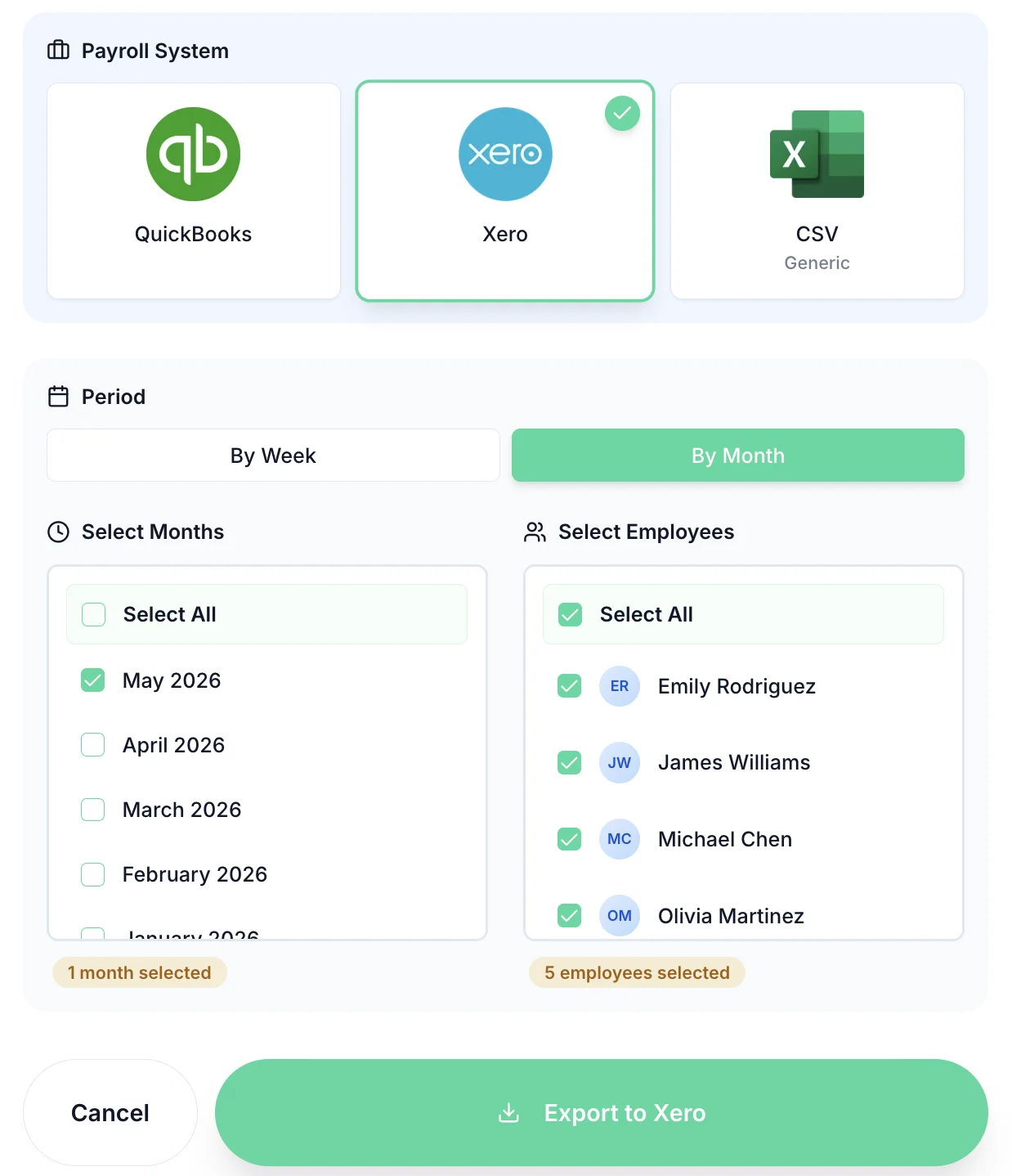
Export timesheets directly to your payroll software



We believe in honest comparisons. Here are situations where QuickBooks Time could be the better choice for your business.
If your business operates primarily in the US or has significant US-based teams, QuickBooks Time's US-focused compliance and tax features will serve you better.
If automatic clock-in/out based on location is critical to your workflow, QuickBooks Time's geofencing feature is more mature. TimeTally checks location at clock-in but doesn't clock people in or out automatically.
If you need team scheduling and shift planning as part of your time tracking tool, QuickBooks Time includes this functionality. TimeTally focuses on timesheet management and approvals.
Yes. TSheets was acquired by Intuit in 2018 and rebranded as QuickBooks Time. The product is the same, now more tightly integrated with the QuickBooks accounting ecosystem. If you previously used TSheets, the comparison here still applies.
QuickBooks Time is built around QuickBooks. TimeTally connects to both Xero and QuickBooks Online, posting approved wages as a journal, and exports CSV for Sage and any other payroll system.
QuickBooks Time is built and priced for the US market. TimeTally doesn't monitor the Working Time Regulations automatically either, but it is built around UK employment: statutory leave and bank holidays, overtime and TOIL, and a rota that flags hours over limits you set. Checking the 48-hour average and rest rules is still the employer's job.
TimeTally is £3/employee/month with no base fee. QuickBooks Time Premium is listed at a US$20/month base fee plus US$10 per user per month at regular prices (its pricing page, October 2026). For a 10-person team that is £30/month for TimeTally against about US$120/month for QuickBooks Time.
Yes. You can import your employee data via CSV and be up and running within an hour. While historical timesheet data won't transfer directly (different data formats), all your employee details, pay rates, and working patterns can be imported. We offer a 14-day free trial so you can run both systems in parallel before committing.
Yes. TimeTally has iOS and Android apps. Employees clock in and out, submit timesheets and see their hours and rota from their phone, and managers can approve on the go. The GPS add-on checks clock-in locations.
QuickBooks Time offers geofencing (automatic clock-in/out when entering or leaving a job site). TimeTally checks location when staff clock in (GPS add-on) but doesn't clock people in or out automatically. If geofencing is essential to your workflow, QuickBooks Time has the edge here.
TimeTally is run from the UK, its terms are governed by the laws of England and Wales, and its privacy policy is written for UK GDPR. If you need hosting details for your own records, ask us by email.
Still have a question? See all FAQs