

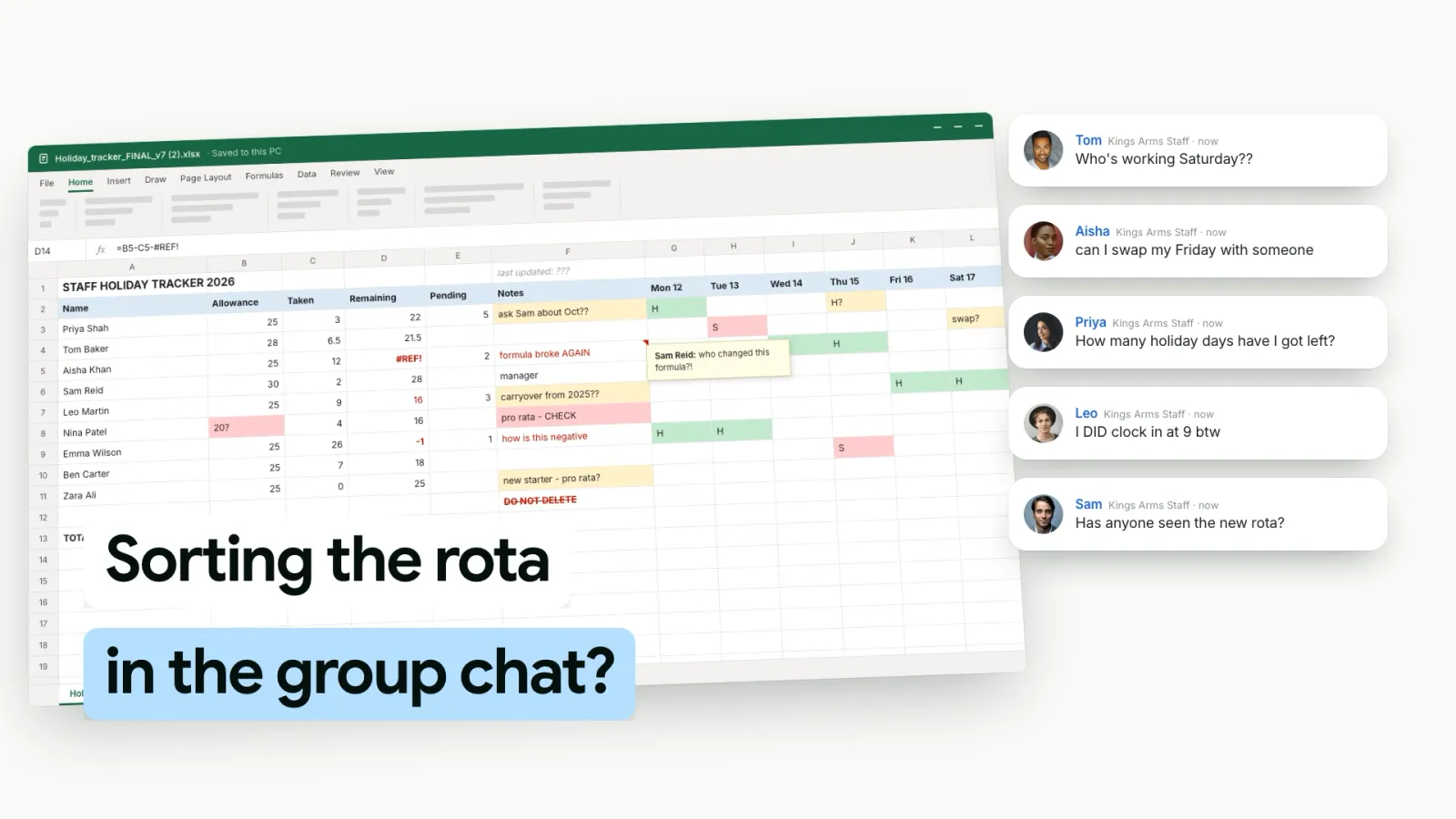
The Staff Holiday Booking App For UK Teams

Staff book holiday on their phone. They tap the days, pick the leave type and send it, and they can see how many days they have left before they ask. You get an email, approve it in the app, and their balance and your rota update. Free to download on iPhone and Android, with the full staff holiday tracker behind it.

Download on the App StoreGet it on Google Play
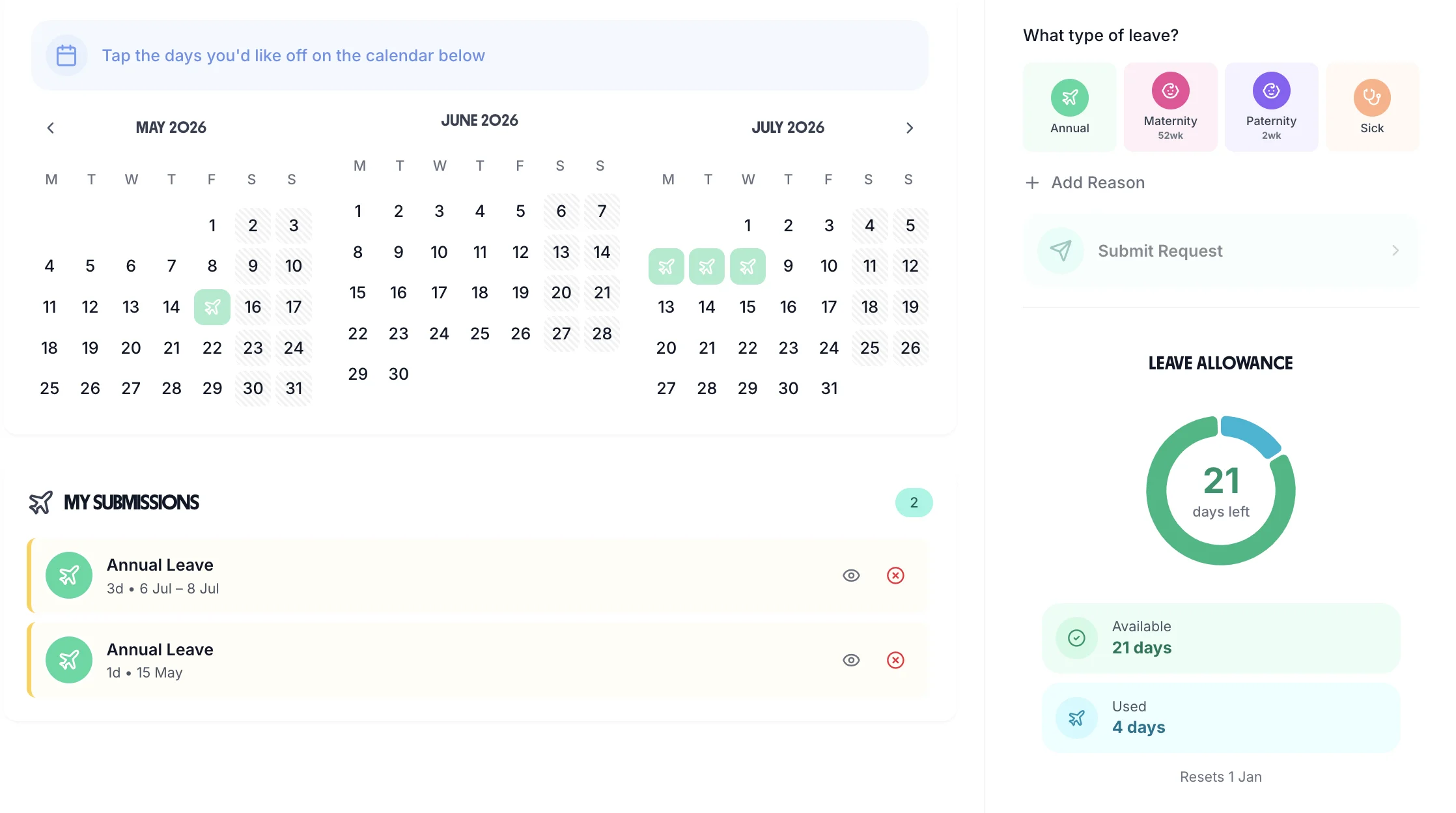
Book Time Off on the web: three months of calendar with booked days marked, and the employee's submitted requests below
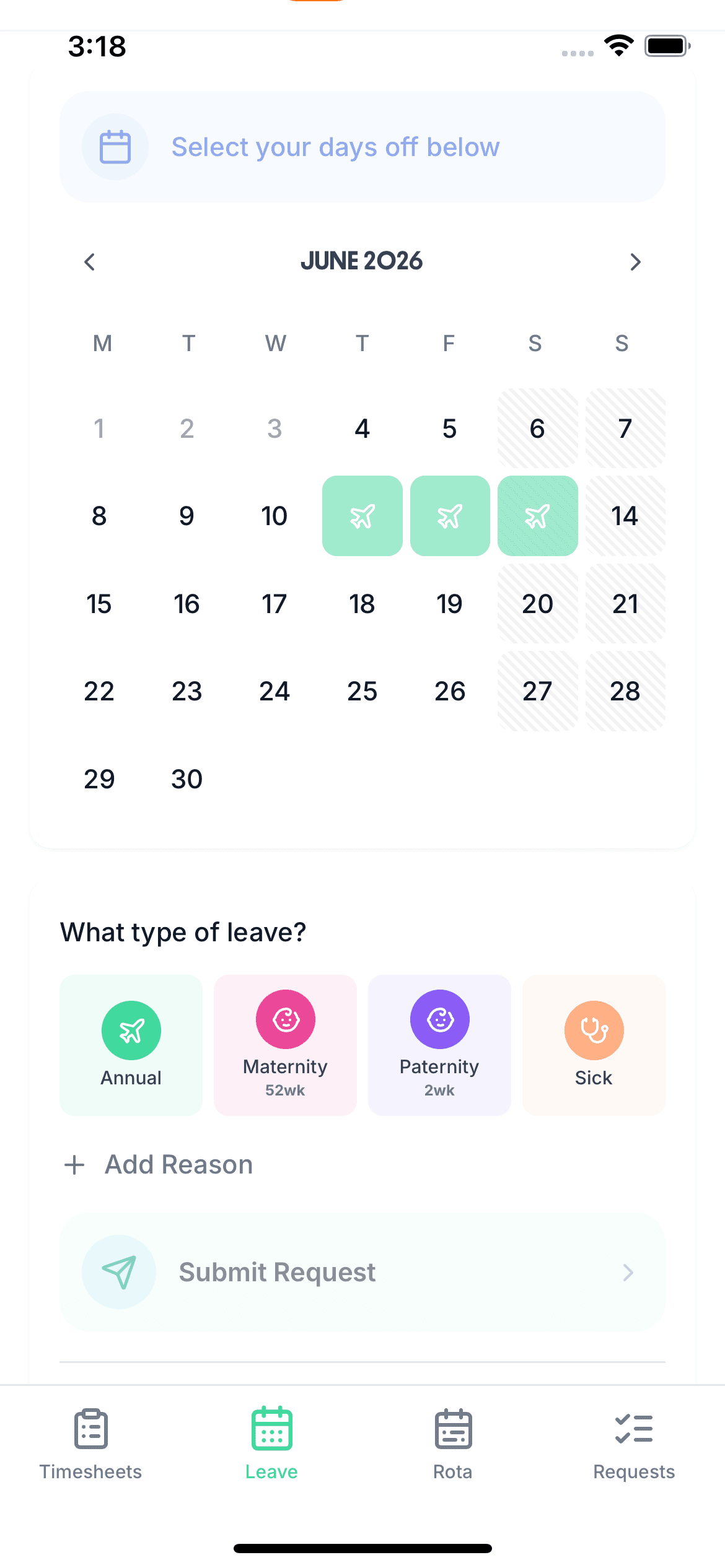
An employee booking three days of annual leave in the TimeTally app on an iPhone, with the leave types and Submit Request below the calendar

“The app is simple to use, reliable, and makes managing holidays, absences, and staff records straightforward. The system has saved us a significant amount of administration time.”

CLI ManchesterJordan Ingoe, CLI Manchester

See the holiday booking app in action

Build next week's rota, staff clock in against the shifts you assigned, and approved leave feeds straight back into the plan. One system, no re-keying between them.

How The Holiday Booking System Works

Three steps from asking to booked. No paper form, no email thread, no spreadsheet to update afterwards.

  • Staff book on their phone

    They tap the days on the calendar, pick the leave type and send the request. Full days, mornings, afternoons or hours, with an optional reason

  • You get an email

    Managers get an email with a Review Request button. Approve or decline in the app on your phone or laptop, with a reason if you decline

  • Everything updates

    The employee gets an email with your decision. Approved leave comes off their balance and shows on their calendar and on your rota

Book Holiday In A Few Taps

Employees book from the Leave tab of the app. They tap the days they want on the calendar and choose the leave type: annual leave, sick, or any type you have set up.

Each picked day can be a full day, a morning or an afternoon. If your organisation books leave in hours, they choose the hours for each day instead. They can add a reason, then send it.

The calendar is built from their own working week. Days they don't work are striped, and leave they have already booked or are waiting on is marked, so they can see what is free.

Half days Hours Any leave type Optional reason
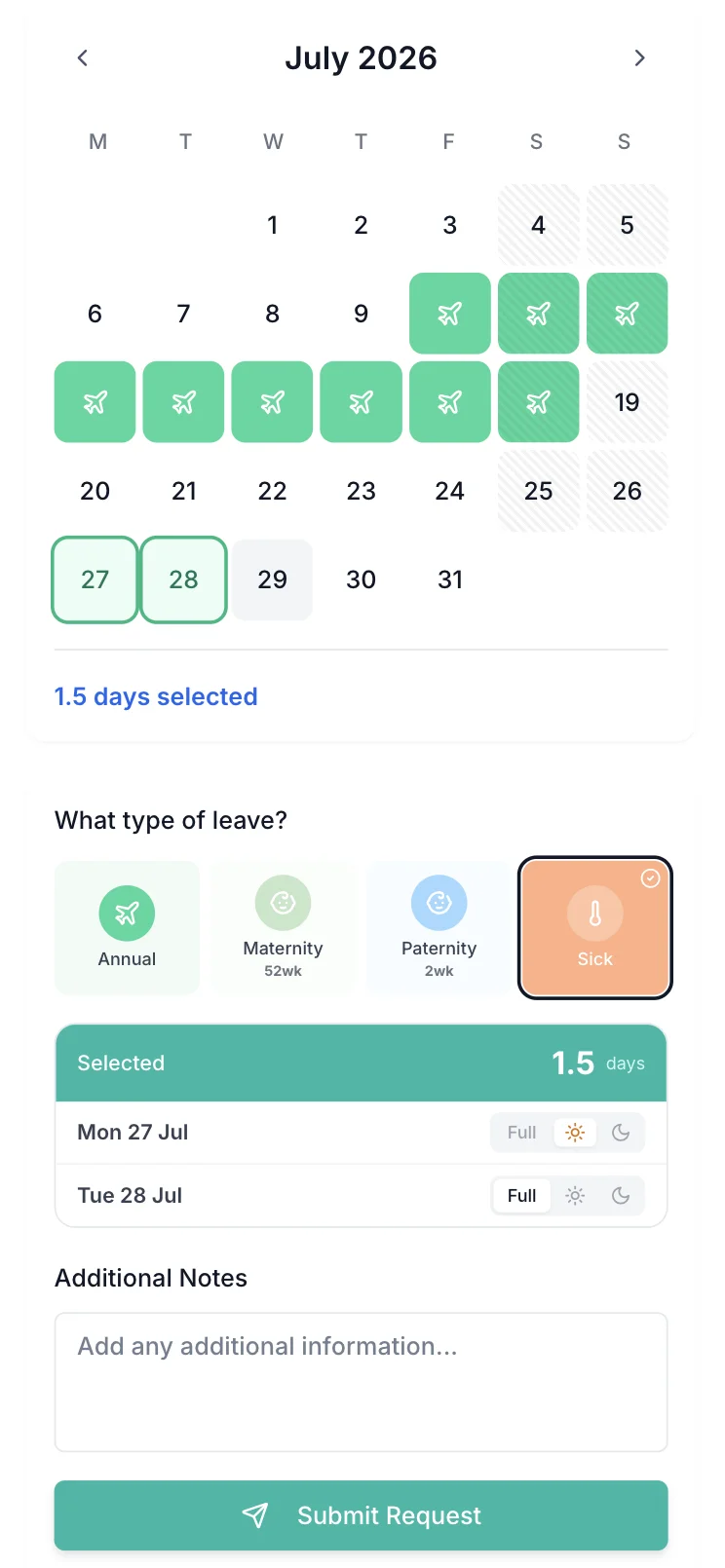
Booking leave in the TimeTally app: two days picked on the July calendar, one set to a morning, 1.5 days selected and a Submit Request button

Staff See Their Balance Before They Ask

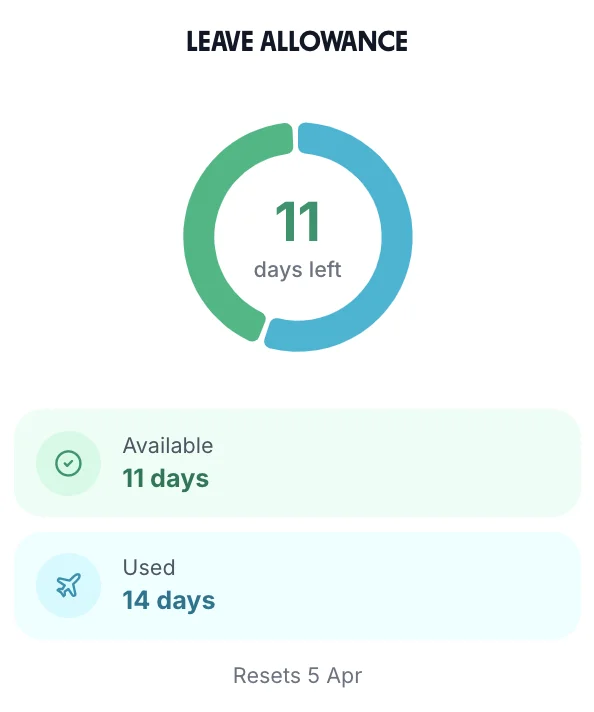
The balance sits next to the calendar: days available, days used and the date the leave year resets. Check Future Balance shows what they will have on a later date, which helps when leave builds up through the year.

The app checks a request before it is sent. It refuses one that takes someone past their balance, unless you allow an overdraft, and one that clashes with leave they have already booked. Nobody can book leave after their last day.

Balances follow your rules: the whole year upfront, built up monthly or daily, or 12.07% of hours worked, with pro rata for starters and carry-over into the next year. The leave tracking software page covers the rules in full.

The Leave Allowance card in TimeTally: 11 days left, 11 days available, 14 days used, resets 5 April

Holiday Approval In One Tap

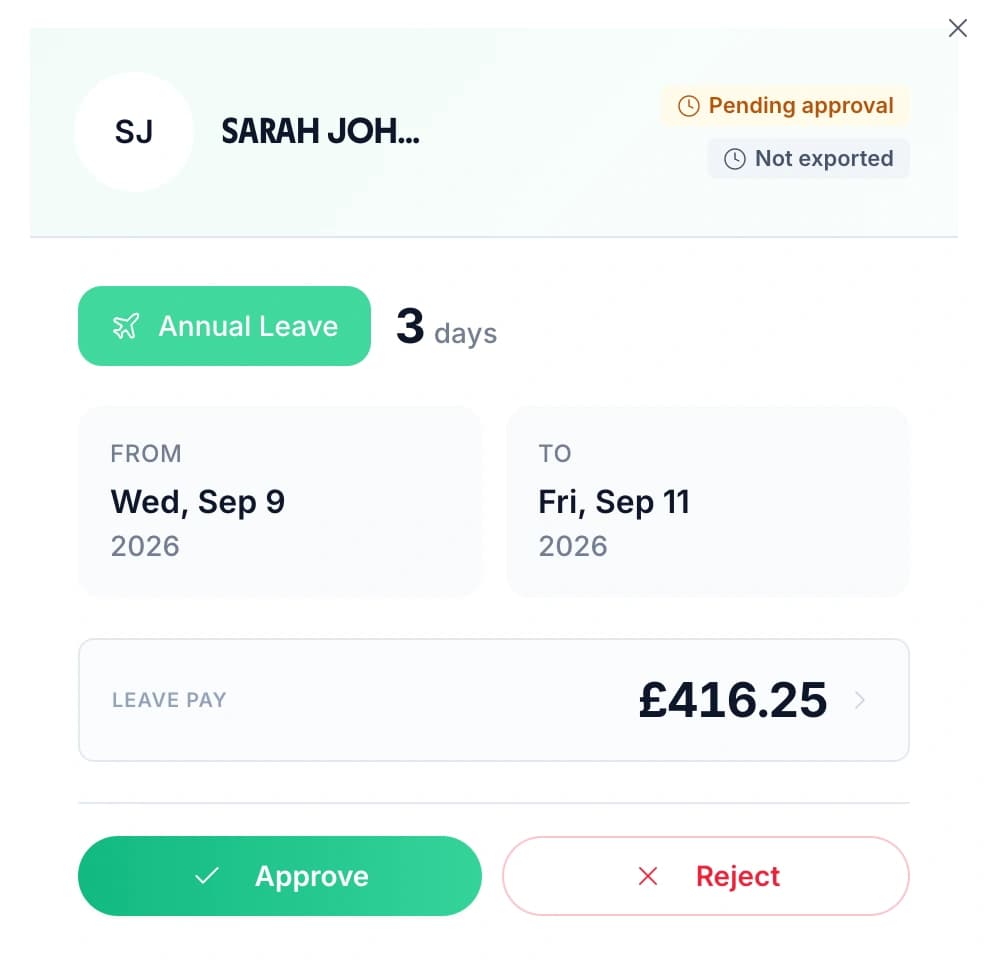
Open a request to see who sent it, the leave type, how many days it takes and the dates. Press Approve or Reject. If you reject it, you can add a reason, and it goes in the email the employee gets.

TimeTally won't approve a request that double-books someone who is already off on those days. It tells you which days clash instead.

Someone tells you their dates in person? Book the leave for them. It is saved as approved, and it comes off their balance like any other request.

A holiday request waiting for approval in TimeTally: three days of annual leave, Wednesday 9 to Friday 11 September, with Approve and Reject buttons

Approve Holiday From Your Phone

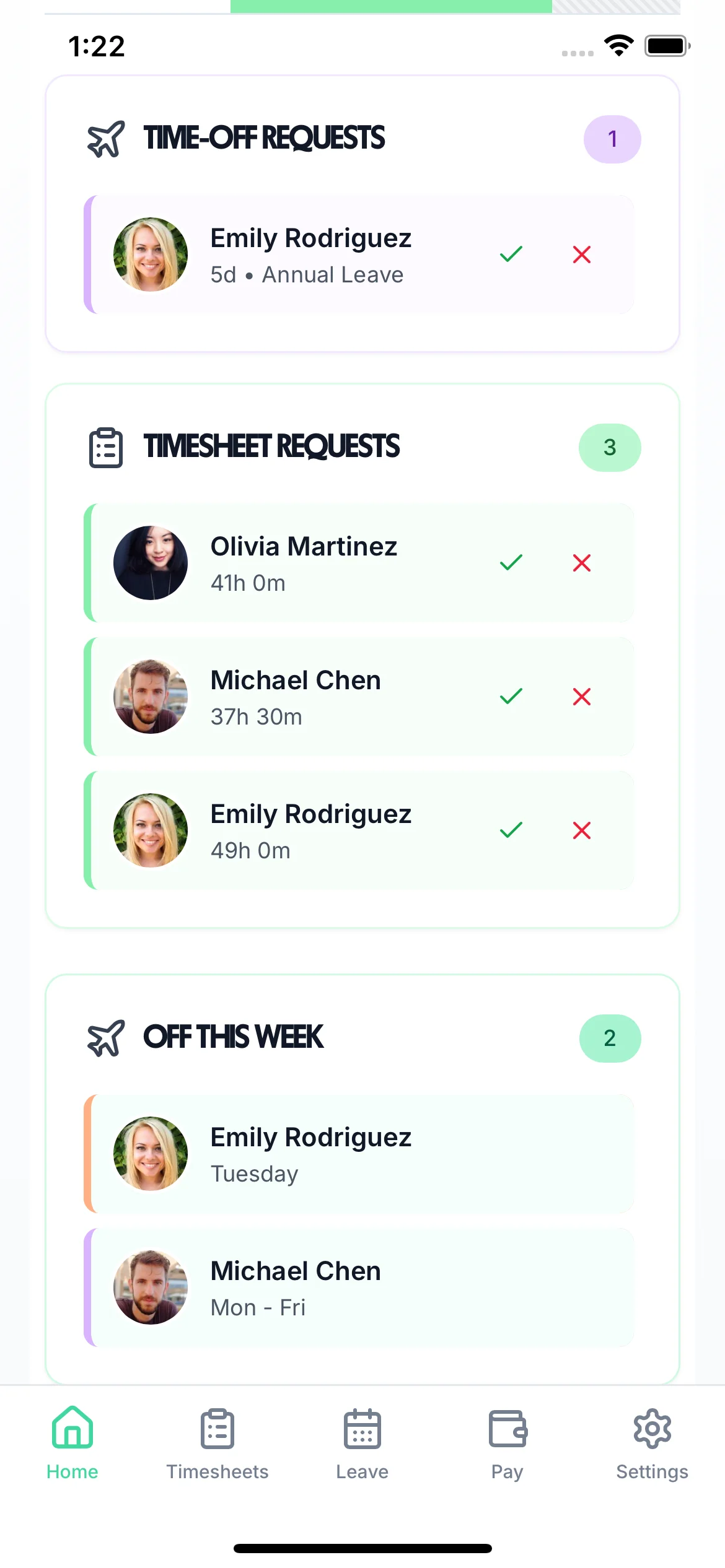
Managers use the same app. The Home screen lists the time-off requests waiting for you, each with a tick to approve and a cross to decline, above the timesheets waiting for approval and who is off this week.

The Leave tab holds every request, pending and decided. When you approve, the employee hears by email, so nobody has to ask whether their holiday is booked.

A manager's Home screen in the TimeTally app: one time-off request with approve and decline buttons, three timesheet requests and two people off this week

Booked Holiday Shows On The Rota

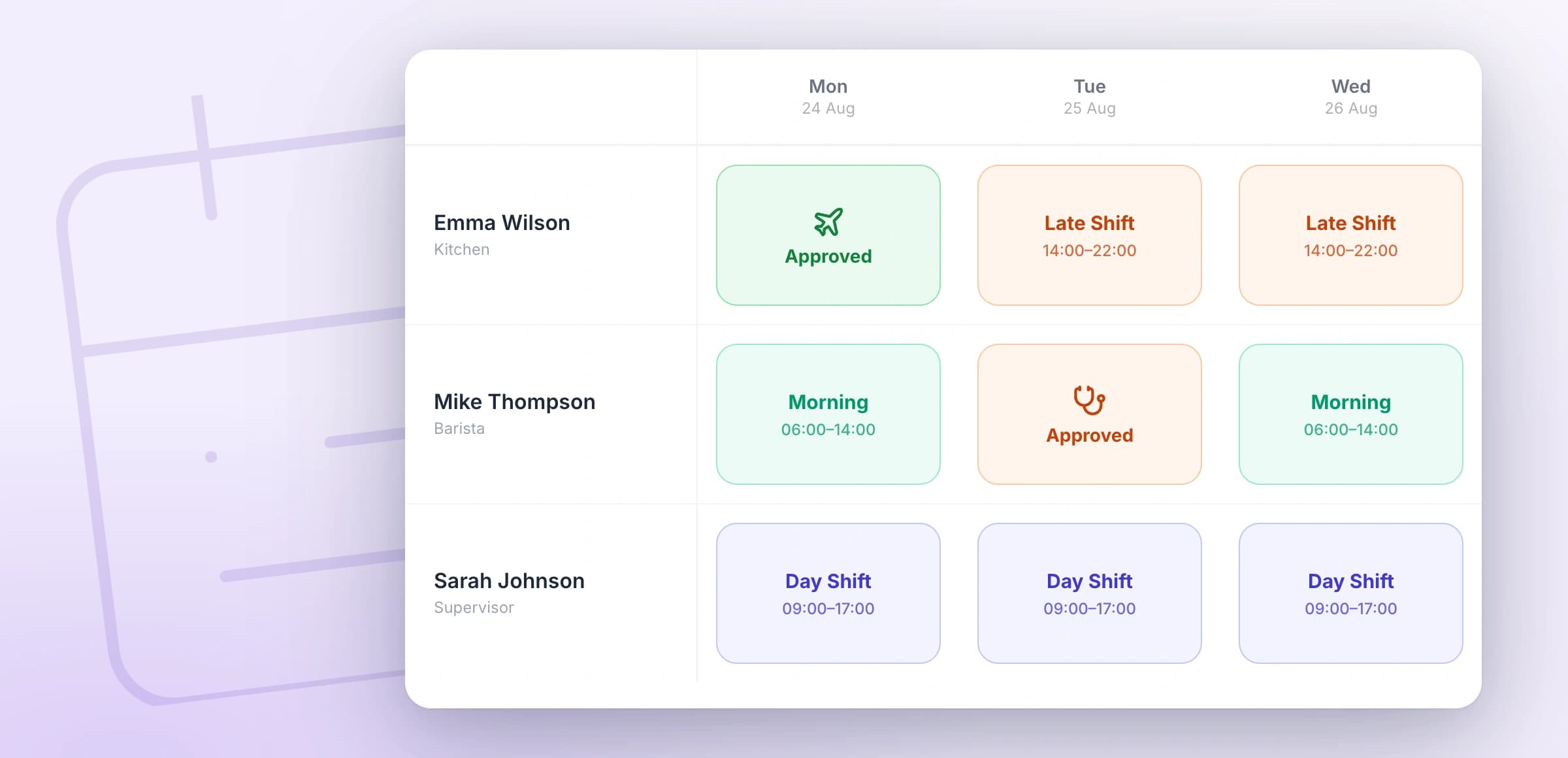
If you plan shifts in TimeTally, approved and pending leave sit in the rota grid while you build the week. Put a shift on a day someone has approved leave and TimeTally asks you to confirm first.

Staff see their shifts in the Rota tab of the same app. The staff rota app page shows that side.

The TimeTally rota week grid with approved annual leave and sick leave shown in the cells beside the shifts

More In The Annual Leave App

The details that decide whether staff keep using it.

Cancelling a request

Staff can cancel a request that is still pending themselves. For approved leave that hasn't started, they ask for it to be cancelled and give a reason, and you approve or decline the cancellation.

A team calendar, if you want one

Turn it on and staff see their colleagues' approved leave on a three-month calendar, for their own department or the whole organisation. It is off until you switch it on.

Your own leave types

Annual leave, sick leave, maternity and paternity are there to start with. Add your own, such as compassionate or unpaid leave, and choose whether each is paid and whether it comes off annual leave, has its own allowance, or neither.

Bank holidays booked for you

TimeTally books each person's bank holidays on the days they actually work, so part-time staff aren't charged for days they would have had off anyway.

Holiday Booking App Pricing

The app is free to download. The account is one price per employee, with leave, timesheets and the rota all included.

£3/employee/month

After a 14-day free trial, no card needed to start. Billed monthly. Cancel anytime.

Holiday booking app for staff and managers, iPhone and Android
Full days, half days or hours, any leave type
Balances, accrual, pro rata and carry-over
Emails to managers when a request comes in, and to staff with the decision
UK bank holidays booked on the days each person works
Timesheets, clocking in and the rota in the same app
Start free

Looking for something free? The free staff holiday planner plans your team's leave on a wall chart in your browser, with no account. Still booking on paper? Use the holiday request form template.

In short

What is a holiday booking system?

A holiday booking system replaces the paper form and the email thread. Staff ask for time off, a manager approves it, and the balance is worked out for you. In TimeTally, employees book holiday on their phone and see their balance before they ask. Managers get an email and approve or decline in the app. The employee gets an email with the decision. Approved leave comes off their balance and shows on the rota. It runs on iPhone, Android and the web, and costs £3 per employee per month after a 14-day free trial.

Runs on
iPhone, Android and web
Staff book
Days, half days or hours
Managers hear
By email
Approval
In the app, phone or laptop
Price
£3 per employee a month

Holiday Booking App — Frequently Asked Questions

Is there a staff holiday booking app for iPhone and Android?

Yes. The TimeTally app is free to download on the App Store and Google Play and uses the same account as the web app. Employees book holiday in the Leave tab. Managers approve it in their own Leave tab or from the Home screen. Anyone who would rather not install anything can do the same in a phone browser.

How do staff book holiday in the app?

They open the Leave tab, tap the days they want on the calendar and choose the leave type. Each day can be a full day, a morning or an afternoon, or a number of hours if your organisation books leave in hours. They can add a reason, then send the request. Days they don't work are striped on the calendar, and leave they have already booked is shown.

How does a manager know a holiday request is waiting?

By email. When an employee sends a request, managers get an email saying who it is from, the leave type and the dates, with a Review Request button. The request also waits on the manager's Home screen and in the Leave tab. TimeTally does not send push notifications. When you approve or decline, the employee gets an email with the decision, and a decline includes your reason if you gave one.

Can staff see their holiday balance before they book?

Yes. The balance sits next to the calendar: days available, days used and the date the leave year resets. Check Future Balance shows what they will have on a later date, which helps when leave builds up month by month. If a request would take them past their balance, the app refuses it before it is sent, unless you allow an overdraft.

Can employees cancel a holiday request?

Yes. A request that is still pending can be cancelled by the employee straight away. For approved leave that hasn't started, they ask for it to be cancelled and give a reason; the manager then approves or declines the cancellation.

Does it stop too many people being off at the same time?

Not automatically. TimeTally won't approve a request that double-books the same person, but there is no limit on how many people can be off on one day. Before you approve, you can see who is off this week on the Home screen and on the rota, and you can turn on a team calendar so staff see their colleagues' approved leave before they ask.

Is there a free staff holiday booking system?

TimeTally starts with a 14-day free trial with no card, then costs £3 per employee per month, and the app is free to download. If you want something free with no account, the staff holiday planner on this site lets you plan your team's leave on a wall chart in your browser. Downloading it asks you to start the trial, and your team and their leave come with you.

Still have a question? See all FAQs

Put Holiday Booking On Everyone's Phone

Add your team in the trial, ask one person to book a day off, and approve it from your phone.

Support that answers

A real person replies within 24 hours. No ticket queues, no bots.

UK GDPR compliant

A UK company, ICO regulated. Your data encrypted and never sold.