

The Staff Rota App Your Team Will Actually Open

Publish the week and everyone on it can see their own shifts on their phone — times, breaks, where they are working and any note you left. They can ask a colleague to swap, and start the shift from the same app when they arrive. Free to download on iPhone and Android, built on the same online rota planner you use to make the rota.

Download on the App StoreGet it on Google Play
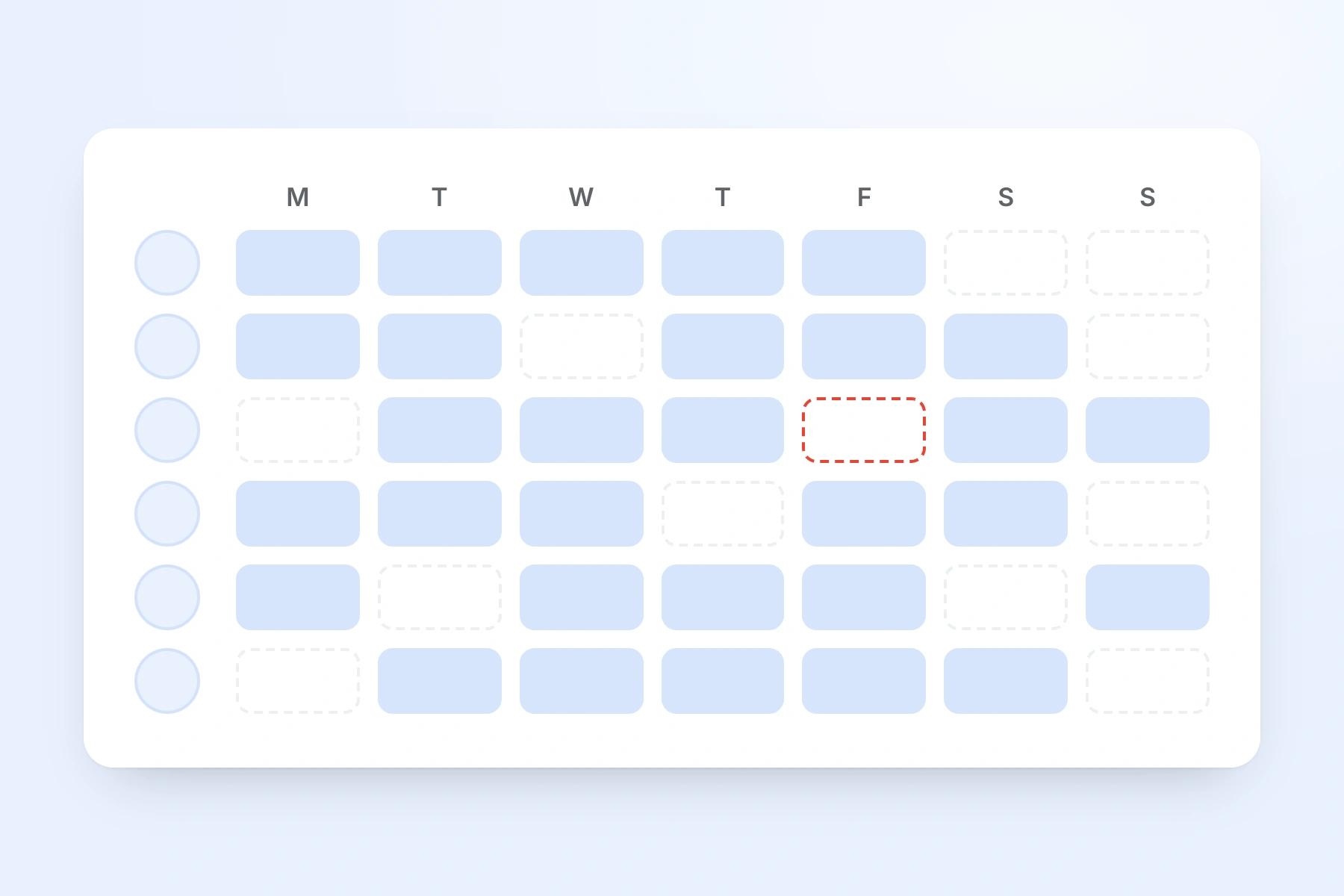
The manager's rota: the whole team's week, one row per person, with an uncovered shift outlined
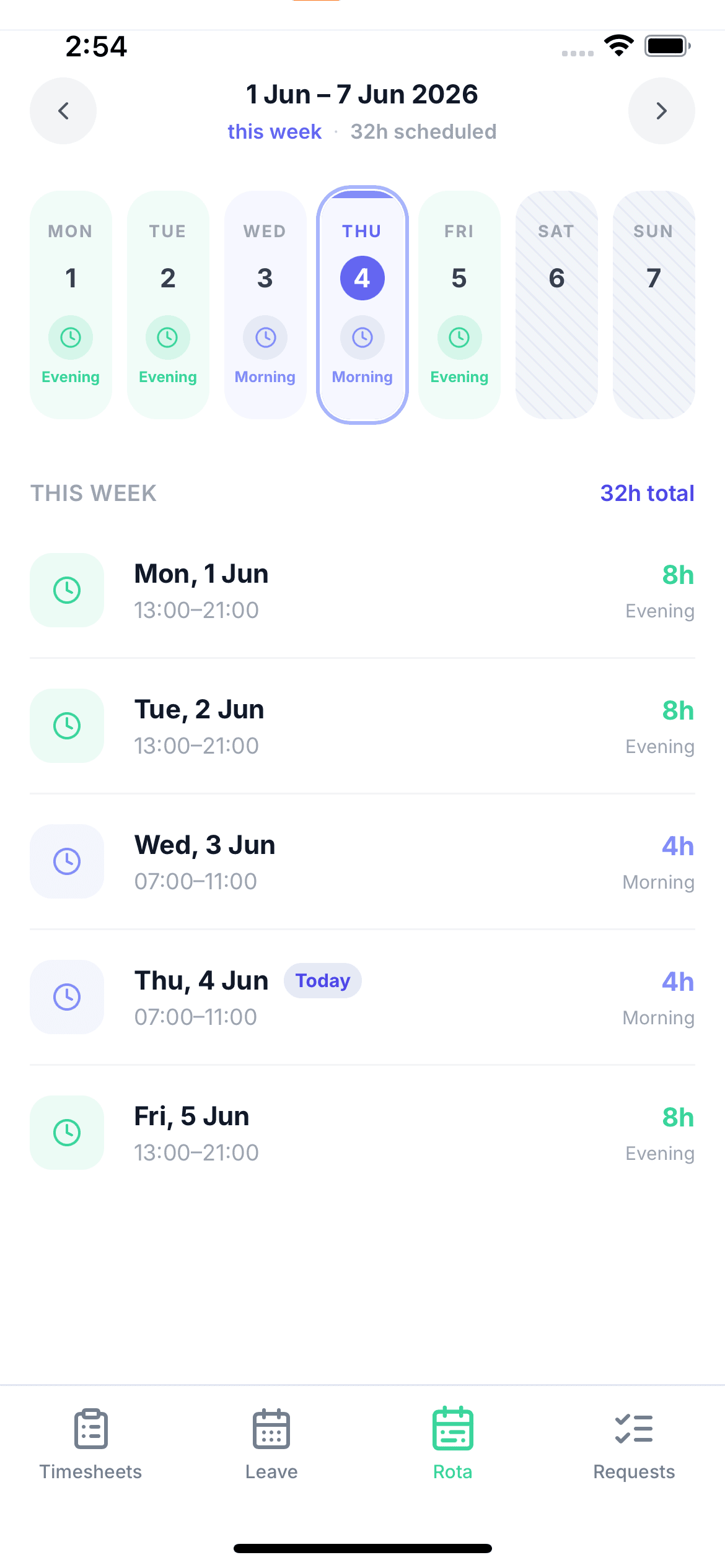
An employee's own week in the TimeTally app on an iPhone, with the Rota tab selected

“The app is simple to use, reliable, and makes managing holidays, absences, and staff records straightforward. The system has saved us a significant amount of administration time.”

CLI ManchesterJordan Ingoe, CLI Manchester

See the staff rota app in action

Build next week's rota, staff clock in against the shifts you assigned, and approved leave feeds straight back into the plan. One system, no re-keying between them.

How The Rota Gets From You To Their Phone

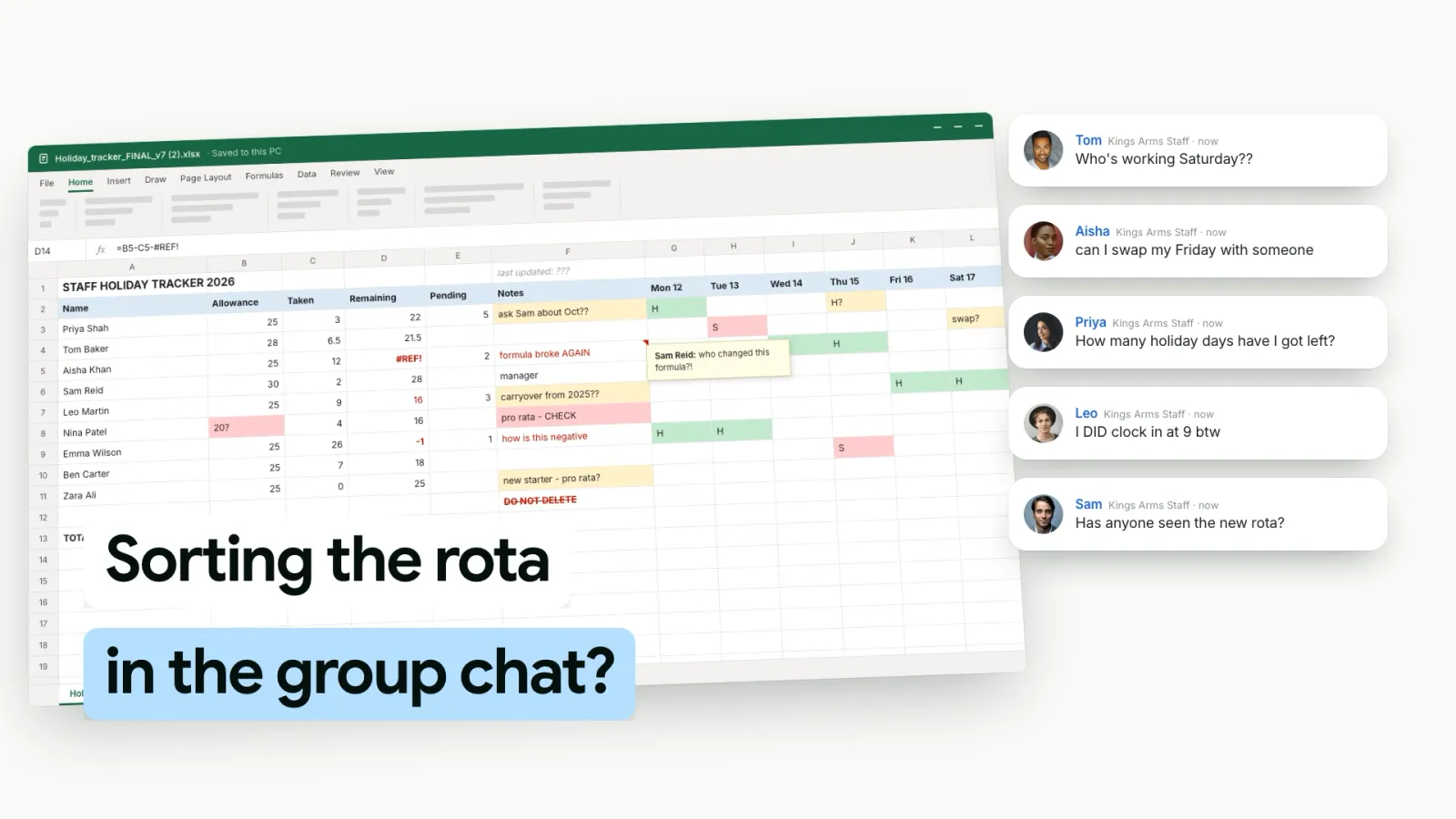
No group chat screenshots, no printed sheet on the staff room wall. Three steps, and the second one is a single button.

  • Build the week

    Drag shifts onto the grid, start from a saved week template, or copy last week forward and change what is different. Approved leave is already on the grid, so you do not book someone who is off

  • Publish it

    Publish a week when it is ready. Until then nobody sees it. Straight afterwards TimeTally asks whether to email everyone on it their shifts — you choose

  • Staff open the Rota tab

    Each person sees their own week on their phone: times, breaks, location, notes and the total hours. If you change a published shift, their app shows the change straight away

What Your Staff See On Their Phone

One week at a time, as a list of their own shifts, with buttons for the previous and next week and a running total of scheduled hours at the top. Each shift carries everything they would otherwise text you to ask: the start and finish time, the shift name, their role, which rota it is on, the break and whether it is paid, and where it is.

Where a shift has a location, they can open it on a map — and if you use GPS clocking in, they can see how close they need to be to clock in. Any note you add to a shift shows underneath it.

They only ever see published weeks. A rota you are halfway through building stays on your screen until you are happy with it.

Own shifts only Published weeks only Breaks, paid or unpaid Location and map
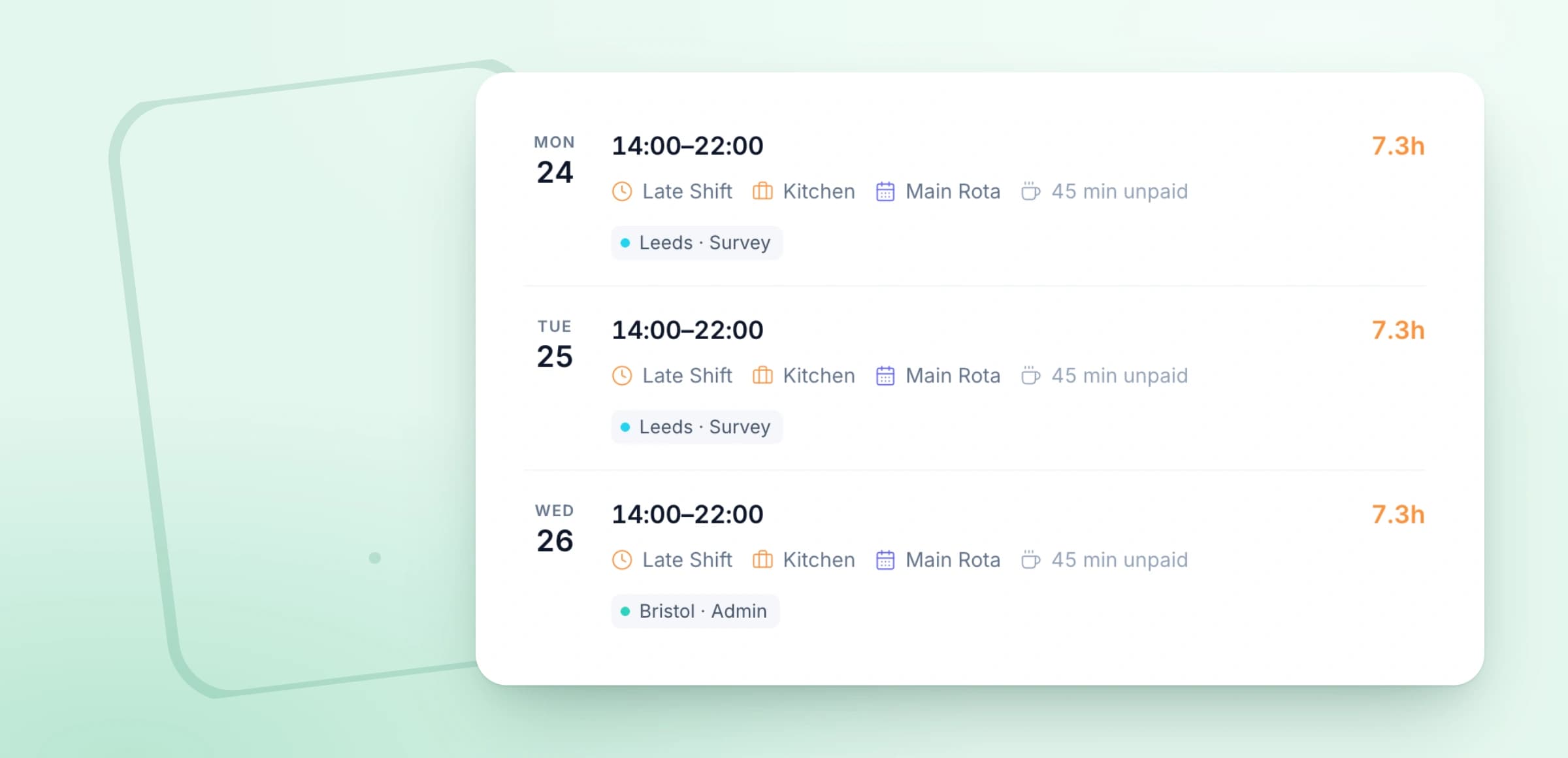
An employee's week in the TimeTally rota app: three late shifts, 14:00 to 22:00, each with its role, rota, 45-minute unpaid break and project

Publish The Week, Then Email The Team

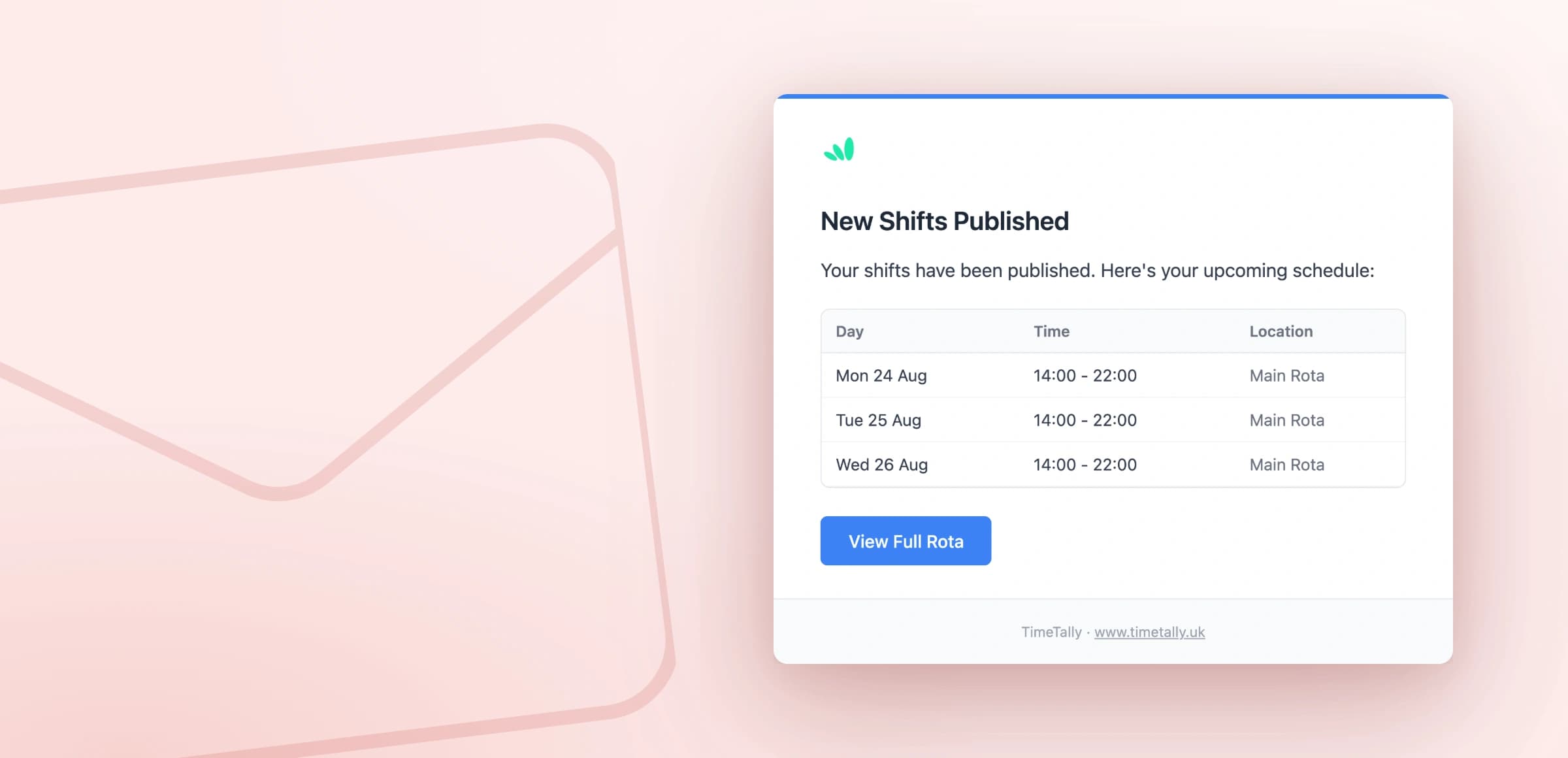
Rotas are published a week at a time. As soon as you publish, TimeTally asks whether you want to tell the people on it. Say yes and each of them gets an email with their shifts for that week and a button that opens the full rota.

It is your choice every time, so a small correction does not flood anyone's inbox, and employees can switch the emails off in their own settings if they would rather just check the app. Change a shift after publishing and it shows in their app straight away.

To be straight about it: TimeTally sends emails, not push notifications. Most teams find the email plus the Rota tab is enough; if buzzing phones matter to you, it is better to know now.

The New Shifts Published email from TimeTally listing three shifts, 14:00 to 22:00, with a View Full Rota button

Shift Swaps Without The Phone Calls

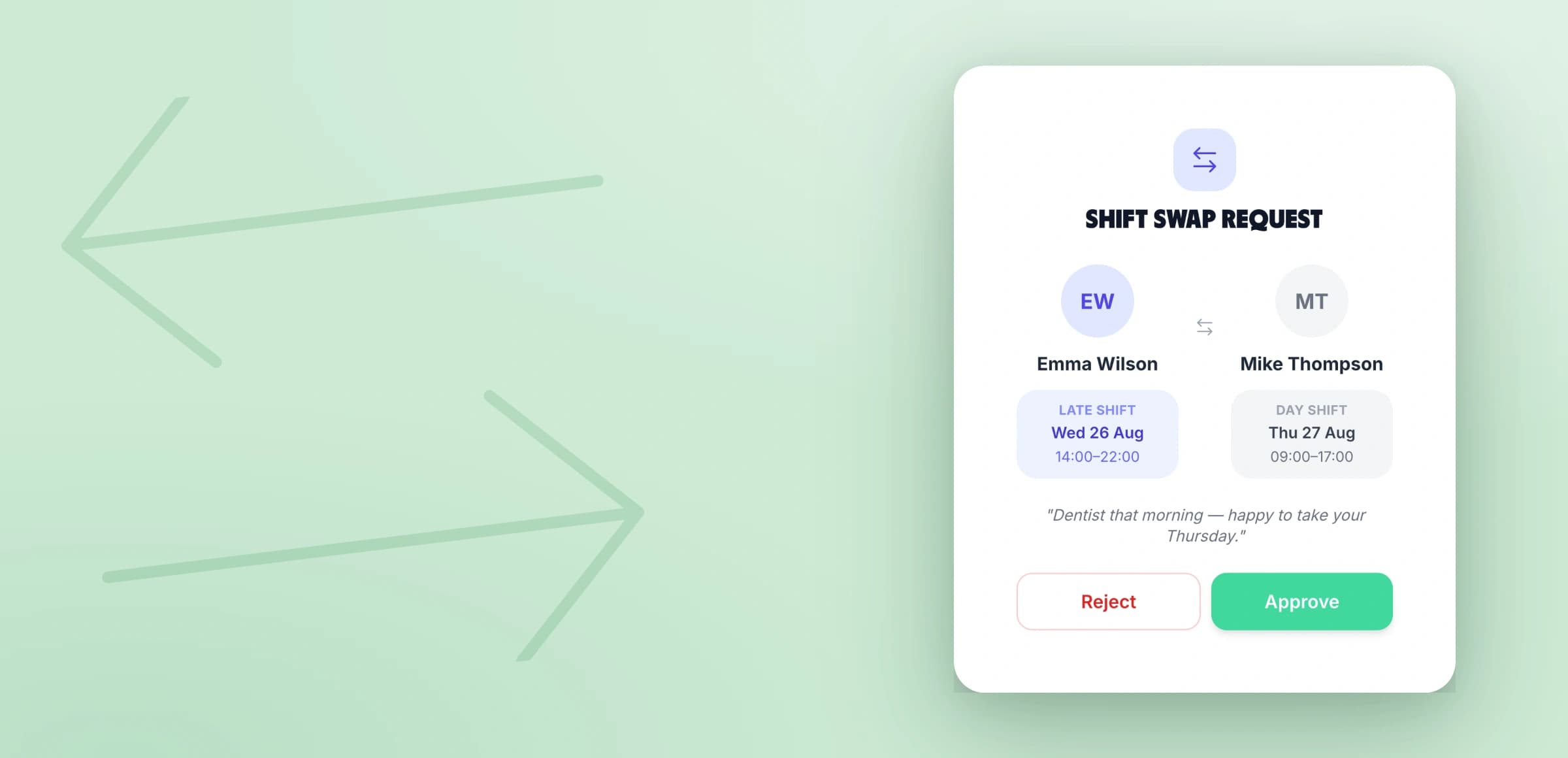
When someone cannot make a shift, they sort it out with a colleague in the app instead of with you. They pick the shift, pick who they want to swap with, and either offer one of that person's shifts in return or give the shift away.

The colleague accepts or declines first. Only then does it reach you, already agreed, to approve or reject — and if you reject it, the reason goes back to both of them. Approve it and the rota updates itself.

TimeTally will not approve a swap that leaves someone on two shifts on the same day, and it warns the employee if the colleague they picked is on approved leave. If you would rather handle every change yourself, swaps can be switched off for the whole organisation.

A shift swap request in TimeTally: Emma Wilson's late shift on Wednesday for Mike Thompson's day shift on Thursday, with Approve and Reject buttons

Start The Shift From The Same App

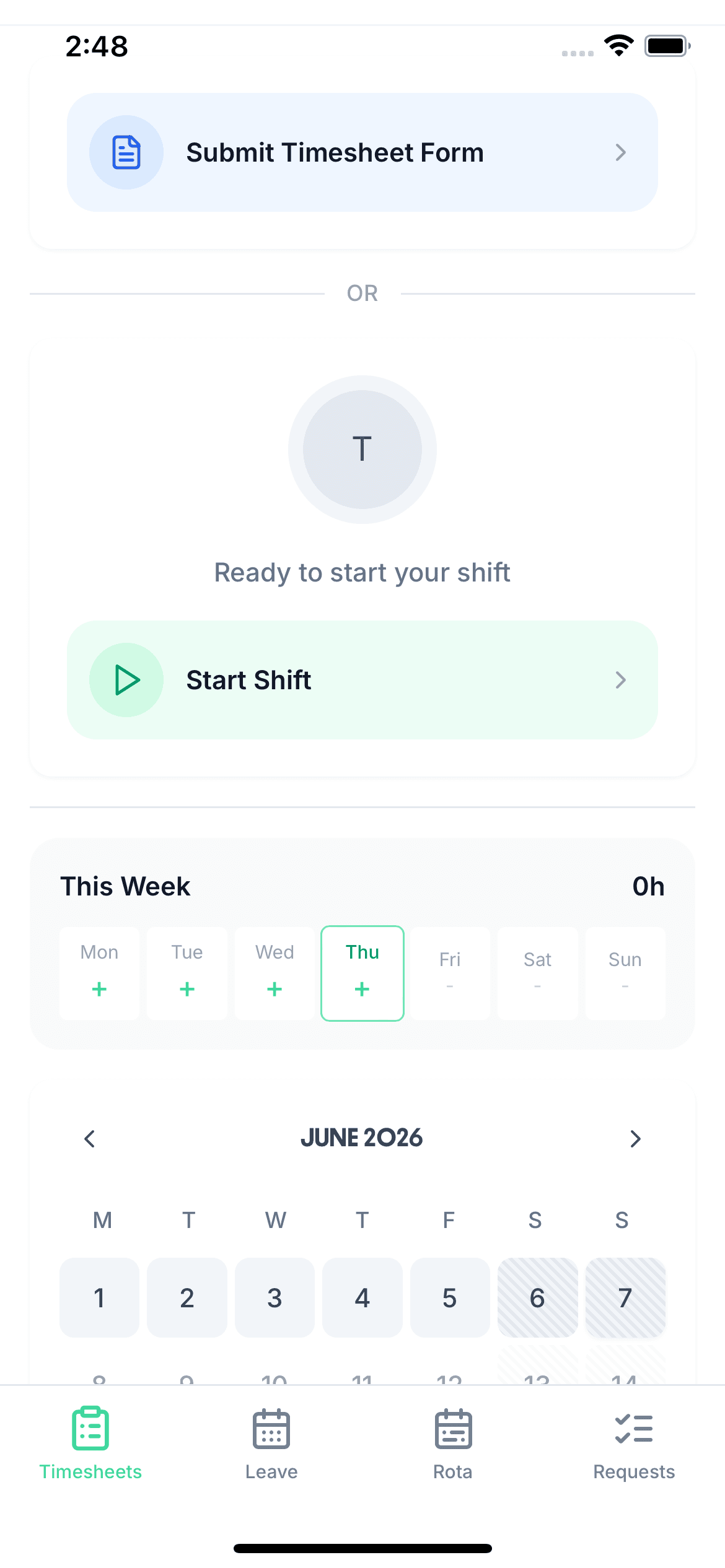
The rota and the timesheet are the same app, so the shift someone is rostered for is waiting on their clock-in screen when they arrive. Tap Start Shift within fifteen minutes of the rostered start and it uses the rostered time; outside that, they choose between the rostered time and the time it actually is.

The hours become a weekly timesheet for you to approve and send to payroll, and with the optional GPS add-on the clock-in is checked against the shift's location. See the clock in app for the full picture.

An employee's phone ready to start a shift, with the Start Shift button and this week's days below

For Managers: The Rota On Your Phone

The app is not just for reading the rota. You can run it from your phone too.

Build and publish from anywhere

Managers get a Rota tab of their own. On a phone it opens as a week grid, shifts drag with your finger, and Publish stays on the toolbar. A big rebuild is easier on a laptop, but a sick call at 7am can be fixed from the car park.

Most weeks are a copy and a few changes

Save the shifts you use every week as templates, save a whole week as a week template, or copy this week forward onto the next few. Days that already have shifts are left alone, so nothing you changed by hand is overwritten.

Leave is on the grid while you plan

Approved and pending leave show in the cell on the manager's rota, and if you try to put someone on a day they have approved leave, TimeTally asks you to confirm first. Leave is booked in the same app through the staff holiday tracker.

Several rotas, and what each day costs

Run a separate rota per site, team or unit, each with its own people and each published on its own. Admins allowed to see pay get the hours and the wage cost per day underneath the grid as they build.

What The Rota App Does Not Do

Worth knowing before you start a trial rather than after.

No open shifts to claim

Every shift belongs to a named person. There is no pool of unfilled shifts for staff to pick up; if someone drops out, they swap or give the shift to a colleague, or you reassign it.

No staff availability

Staff cannot submit the days or hours they are available. You plan around approved leave, which is on the grid, and around what you know about your team.

No push notifications

Staff hear about a newly published week by email, when you choose to send it, and see every change in the Rota tab. Phones do not buzz.

No calendar export

Shifts cannot be exported to Google or Apple Calendar. Employees also do not see their own leave on the rota screen; it lives in the Leave tab instead.

Staff Rota App Pricing

The app is free to download. The account is one price per employee, with the rota, timesheets and leave all included.

£3/employee/month

After a 14-day free trial, no card needed to start. Billed monthly. Cancel anytime.

Rota app for staff and managers, iPhone and Android
Unlimited rotas, shift templates and week templates
Shift swaps with colleague and manager approval
Publish emails to the team, when you choose
Clock in from the rostered shift, weekly timesheets
Leave booking and holiday balances in the same app
Start free

Just sketching one week? The free rota maker builds a rota in your browser with no account. GPS clocking is an optional £1 per employee a month — see pricing.

In short

What is a staff rota app?

A staff rota app puts the rota on your team's phones, so nobody has to ask when they are working. In TimeTally, managers build and publish a week on the web or in the app, and can email everyone their shifts as they publish. Employees see their own published shifts one week at a time, with times, breaks, location and notes, request swaps with a colleague for the manager to approve, and start the shift from the same app. It runs on iPhone, Android and the web, and costs £3 per employee per month after a 14-day free trial.

Runs on
iPhone, Android and web
Staff see
Their own published shifts
Swaps
Colleague accepts, manager approves
Telling staff
Email when you publish
Price
£3 per employee a month

Staff Rota App — Frequently Asked Questions

Is there a TimeTally staff rota app for iPhone and Android?

Yes. The TimeTally app is free to download on the App Store and on Google Play, and it uses the same account as the web app. Employees get a Rota tab next to Time and Leave; managers get a Rota tab where they can build and publish the week. Anyone who would rather not install anything can use the same rota in a phone browser.

What do employees see in the rota app?

Their own shifts, one week at a time, with previous and next week buttons and a total of scheduled hours for the week. Each shift shows the start and finish time, the paid hours, the shift name, their role, which rota it belongs to, the break and whether it is paid, the location with a map, and any note the manager added. They only see weeks that have been published, so a half-built rota never reaches anyone's phone.

Can staff see who else is working?

Only if you turn it on. There is a "Who's on" option, off by default, that lets an employee see the colleagues working the same day as them — names, times, roles and locations. It never shows the whole organisation's rota, only the people on shift alongside them on a day they are working.

Can employees swap shifts in the app?

Yes. An employee picks one of their upcoming shifts, chooses a colleague, and either offers to swap for one of that colleague's shifts or gives the shift away. The colleague accepts or declines first, then the manager approves or rejects it — with a reason if they reject. TimeTally refuses a swap that would put someone on two shifts on the same day, and warns if the colleague is on approved leave. You can switch swaps off for the whole organisation if you would rather handle changes yourself.

How are staff told when the rota is published?

By email. Rotas are published a week at a time, and straight after publishing TimeTally asks whether you want to email the employees on it. Say yes and each person gets an email listing their shifts that week, with a button to open the full rota. Employees can turn those emails off in their own settings. TimeTally does not send push notifications, and if you edit a week after publishing it, the change appears in the app straight away without another email.

Can employees pick up open shifts or set their availability?

No. In TimeTally every shift belongs to a named person — there is no pool of open shifts for staff to claim — and there is no way for staff to submit availability or preferred hours. What managers do get is approved leave shown on the rota grid as they plan, and a warning if they try to put someone on a day they have approved leave. If staff-declared availability is essential to you, it is worth knowing that before you start a trial.

Can I build and publish the rota from my phone?

Yes. Managers have a Rota tab in the app. On a phone it opens as a week grid, shifts can be dragged with your finger, and the Publish button stays on the toolbar. Shift templates, saved week templates and "Copy this week forward" all work, so most weeks are a copy and a few changes. Big rebuilds are easier on a laptop, but nothing needs one.

Is the staff rota app free?

The app is free to download, and every account starts with a 14-day free trial with no card needed. After that TimeTally is £3 per employee per month, and that one price includes the rota, timesheets, clocking in and leave. If you only want to sketch a one-off rota, the free rota maker on this site builds one in your browser with no account; printing or downloading it asks you to start the free trial, and the rota comes with you.

Still have a question? See all FAQs

Put Next Week's Rota On Everyone's Phone

Build one week in the trial, publish it, and ask your team whether they would go back to the group chat.

Support that answers

A real person replies within 24 hours. No ticket queues, no bots.

UK GDPR compliant

A UK company, ICO regulated. Your data encrypted and never sold.