

QuickBooks runs your payroll. TimeTally handles employee timesheet collection, manager approvals, and holiday tracking — then exports approved hours straight to QuickBooks. No re-entering data. No errors.
QuickBooks Time (formerly TSheets) is a US product with US pricing. It lacks the features UK employers actually need — and it costs significantly more than TimeTally for comparable functionality.
US-focused product, limited UK employment law support
TimeTally: built for UK statutory leave, NMW, and HMRC compliance
Per-user + base fee pricing — expensive for small teams
TimeTally: flat £3/employee, no base fee, no per-admin charges
No UK statutory holiday entitlement tracking
TimeTally: 28-day statutory leave, pro-rata, bank holidays all built in
Complex interface designed for large enterprise teams
TimeTally: simple weekly timesheet format — employees learn it in minutes
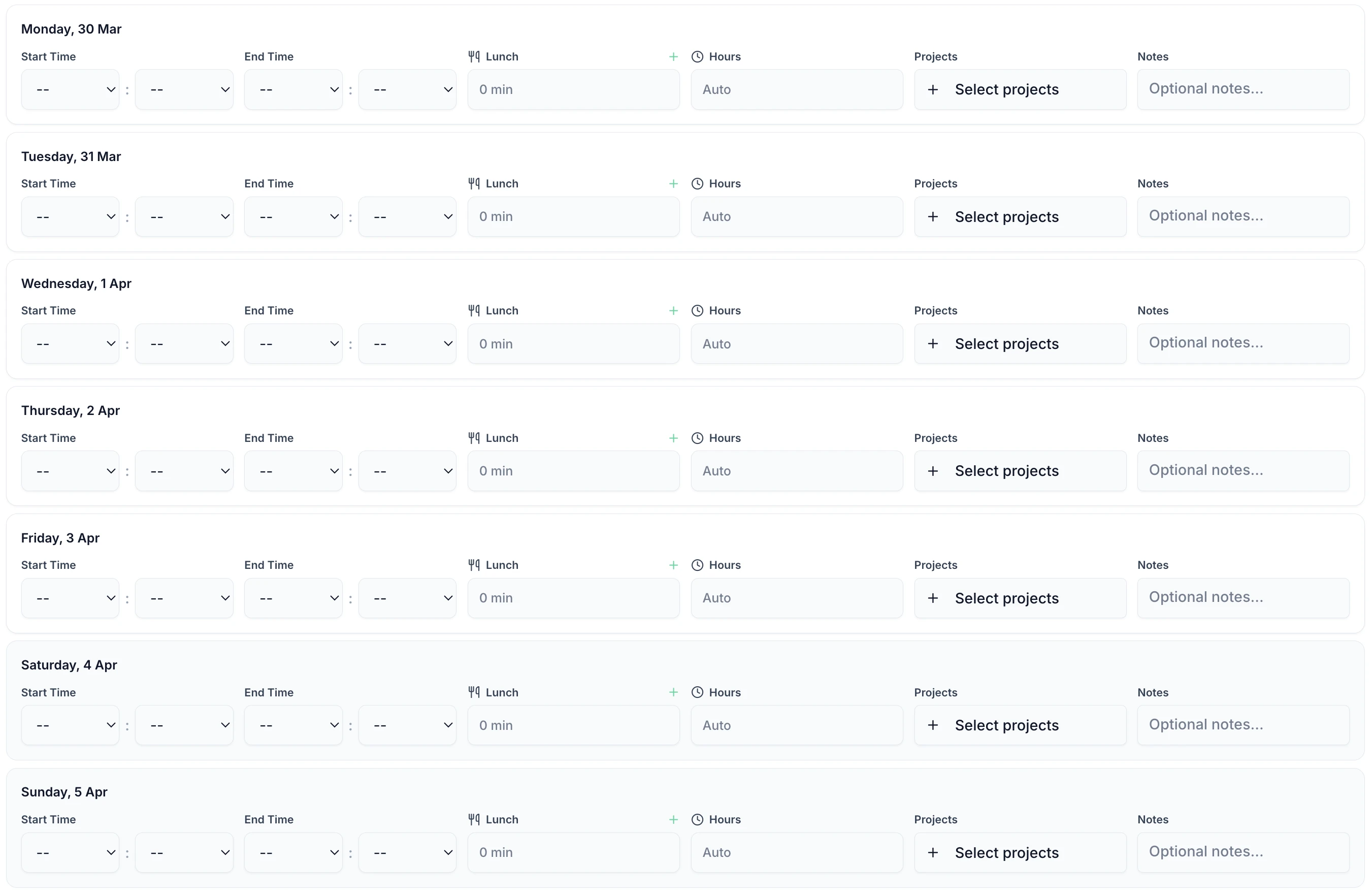
From employee time entry to QuickBooks payroll in four steps.
Staff log their hours each week via the app or web — takes under 60 seconds.
One-click approve or reject from email or the app. No login required.
Approved timesheets are locked with an HMRC-compliant audit trail.
Select the pay period and click export. Approved hours land in QuickBooks instantly.
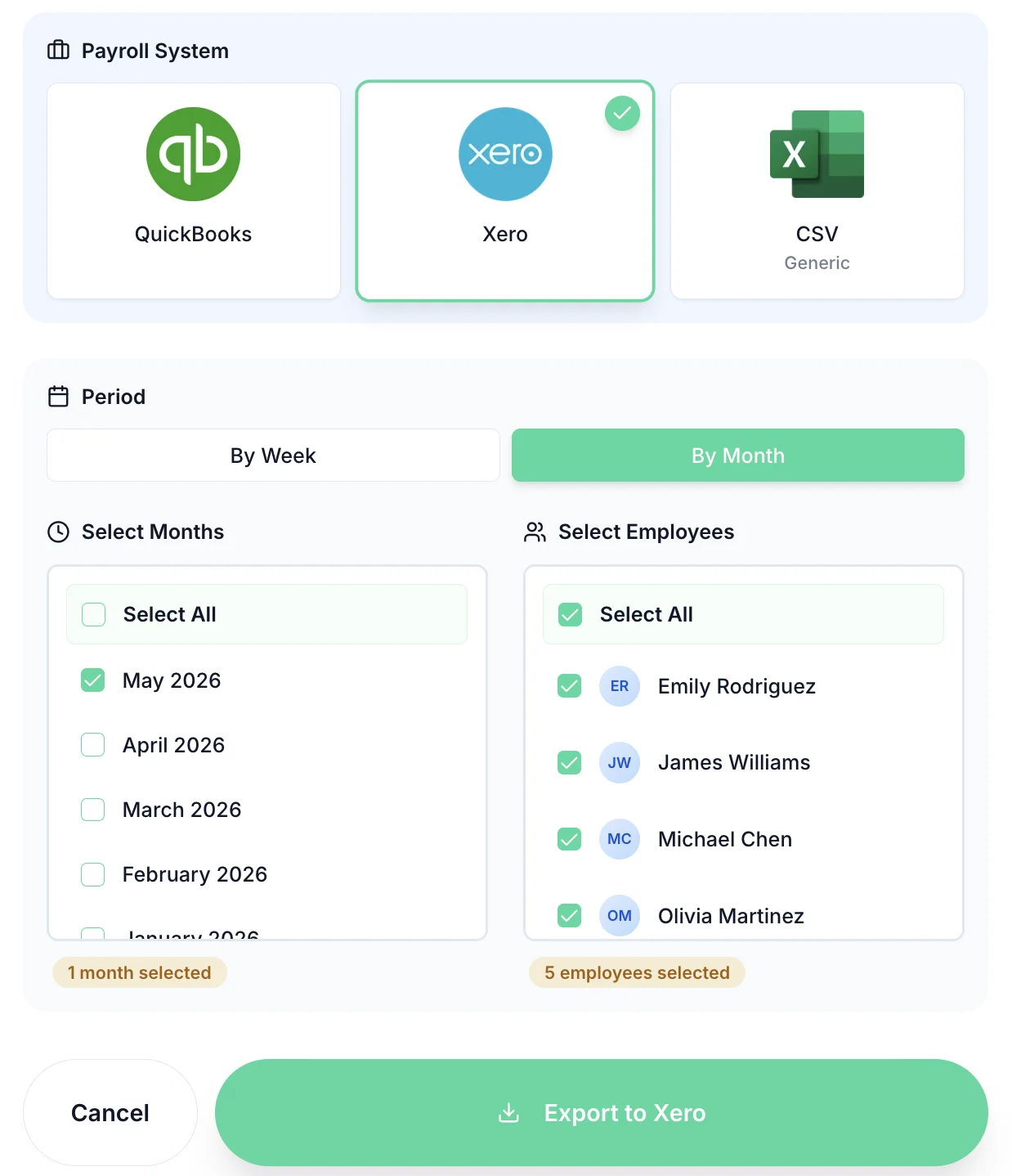
At the end of each pay period, select the period and click export. TimeTally sends only approved hours — with standard and overtime correctly split — straight into QuickBooks. Your payroll runs with accurate figures, every time.
Unapproved timesheets are never included. What goes to QuickBooks has been manager-approved.
QuickBooks receives correctly categorised hours so the right pay rates are applied automatically.
Hours flow from employee submission to QuickBooks payroll without anyone typing numbers twice.
The QuickBooks integration is one part of TimeTally. The rest is built for UK employment law.
Employees submit hours each week. Managers approve in one click.
Track annual leave, sick days, TOIL, and all UK leave types alongside timesheets.
Six-year audit trail with all NMW evidence — ready if HMRC investigates.
See who's off at a glance. Manage cover and avoid clashes before approving leave.
Track regular and overtime hours separately. TOIL accrual handled automatically.
TimeTally chases employees who haven't submitted — no more manual Friday chasing.
QuickBooks integration, holiday tracking, timesheets — all in one price.
Billed monthly, incl. VAT. Cancel anytime. No setup fee.
Yes. TimeTally connects directly to your QuickBooks account. Once timesheets are approved, you can export hours to QuickBooks payroll in one click — no manual re-entry, no CSV uploads.
Yes. TimeTally integrates with QuickBooks UK (QuickBooks Online). It is built specifically for UK employment requirements — statutory holiday entitlement, HMRC NMW compliance, and UK payroll rates.
QuickBooks Time (formerly TSheets) is a US-focused product with US-centric pricing and features. TimeTally is built from the ground up for UK employers: weekly timesheet format, UK statutory leave, HMRC compliance, and pricing in GBP with no per-admin fees. It integrates with QuickBooks UK the same way — but fits UK employment law.
TimeTally exports approved hours per employee, split between standard and overtime. This maps to payroll items in QuickBooks so the correct pay rates are applied. Holiday and leave hours are tracked in TimeTally and reflected in payroll records.
No. TimeTally sits alongside QuickBooks. QuickBooks handles your accounts, invoicing, and payroll. TimeTally handles employee timesheet collection, manager approvals, holiday tracking, and HMRC-compliant records. TimeTally feeds approved hours into QuickBooks so your payroll figures are always accurate.
Most businesses are up and running within an hour. Connect your QuickBooks account, add your employees, set working patterns, and send invitations. The QuickBooks connection itself takes about 2 minutes.
Yes. QuickBooks export is included in TimeTally's standard price of £3 per employee per month — the same price includes Xero integration, holiday management, TOIL tracking, and all other features. No add-ons, no tiers.
Still have a question? See all FAQs
Connect TimeTally to your QuickBooks account, invite your team, and run your first payroll export by the end of the week. Free for 14 days — no credit card needed.
Still have a question? See all FAQs →
