Ward, clinic and on-call rotas for UK hospitals and GP practices

Rota Software for Healthcare Teams

Healthcare rota software for UK hospitals, clinics, GP practices and private providers. Run a separate named rota for every ward and department, put bank and agency staff on the same grid as your substantive team, and build the week from your own long day, night and on-call templates. Publish one week at a time and the people on it see their shifts on their phone. Built on the same staff rota software the rest of TimeTally uses, at £3 per employee per month with leave and timesheets included.

Week of 16 June

All departments
Publish Rota Published
Employee
Mon16
Tue17
Wed18
Thu19
Fri20
Sat21
Sun22
AR

Amelia

Kitchen

Open

Open

Evening

Close

Open

JK

James

Front of House

Close

Early

Mid

Open

Open

Early

PS

Priya

Kitchen

Leave

Mid

Close

Open

Early

MP

Maya

Front of House

Early

Close

Leave

Mid

Close

TW

Tom

Bar

Open

Open

Mid

Open

Close

Templates

Open
Close
Mid
Early
Evening

Rota Published!

Your team has been notified

Shift Templates

New Template New Template

Open

09:00–17:00

Close

12:00–20:00

Mid

10:00–18:00

Early

06:00–14:00

Evening

17:00–22:00

New

New Template

Evening

Start

17:00

End

22:00
Save Template Saved!

Shift Swap Request

Awaiting your approval

JK

James K.

Open · Thu

PS

Priya S.

Early · Sat

Approve Approved!

Shifts published!

Week of 16 Jun

Swap approved

James ↔ Priya

Evening added

Wed · 17:00–22:00

9:41

16 Jun – 22 Jun

this week · 40h

Mon

16

Tue

17

Wed

18

Thu

19

Fri

20

Sat

21

Sun

22

This week

40h total

Mon, 16 Jun

09:00–17:00

8h

Open

Tue, 17 Jun

09:00–17:00

8h

Open

Wed, 18 Jun

Today

17:00–22:00

8h

Evening

Thu, 19 Jun

12:00–20:00

8h

Close

Fri, 20 Jun

09:00–17:00

8h

Open

“The app is simple to use, reliable, and makes managing holidays, absences, and staff records straightforward. The system has saved us a significant amount of administration time.”

CLI ManchesterJordan Ingoe, CLI Manchester

See how healthcare teams plan rotas with TimeTally

Build next week's rota, staff clock in against the shifts you assigned, and approved leave feeds straight back into the plan. One system, no re-keying between them.

Build next week's ward rota by dragging shifts onto the grid

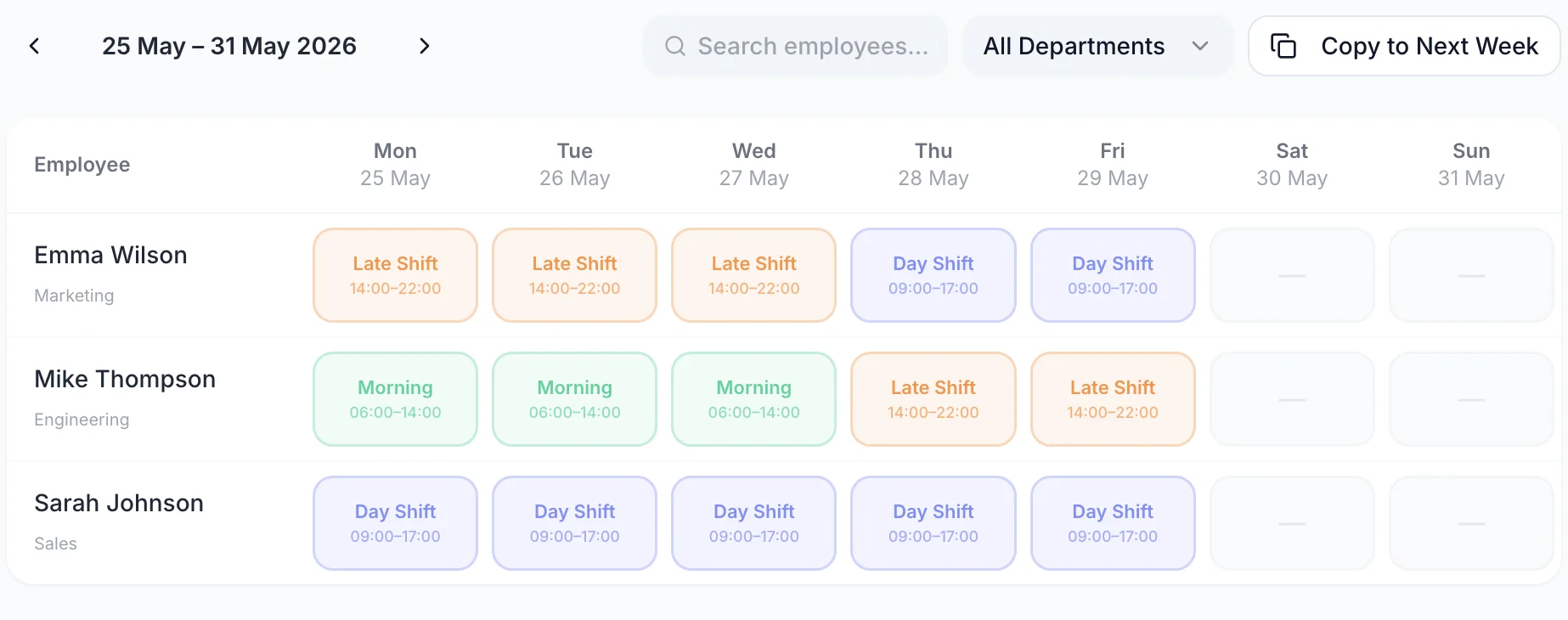
The rota is a grid: one row per member of staff, one column per day. Click an empty cell to put a shift on somebody. Drag a shift to another day when a theatre list moves, or drop it onto another name to hand it over. A week that takes a morning in a spreadsheet takes a few minutes here, and the parts that do not change from week to week are copied rather than retyped.

A week of the rota with one row per person and a shift on each day they are working
  • Click a cell to place a shift

    One click puts a staff nurse on a Tuesday, and dragging the block moves it to another day or onto another name

  • An uncovered shift stays visible

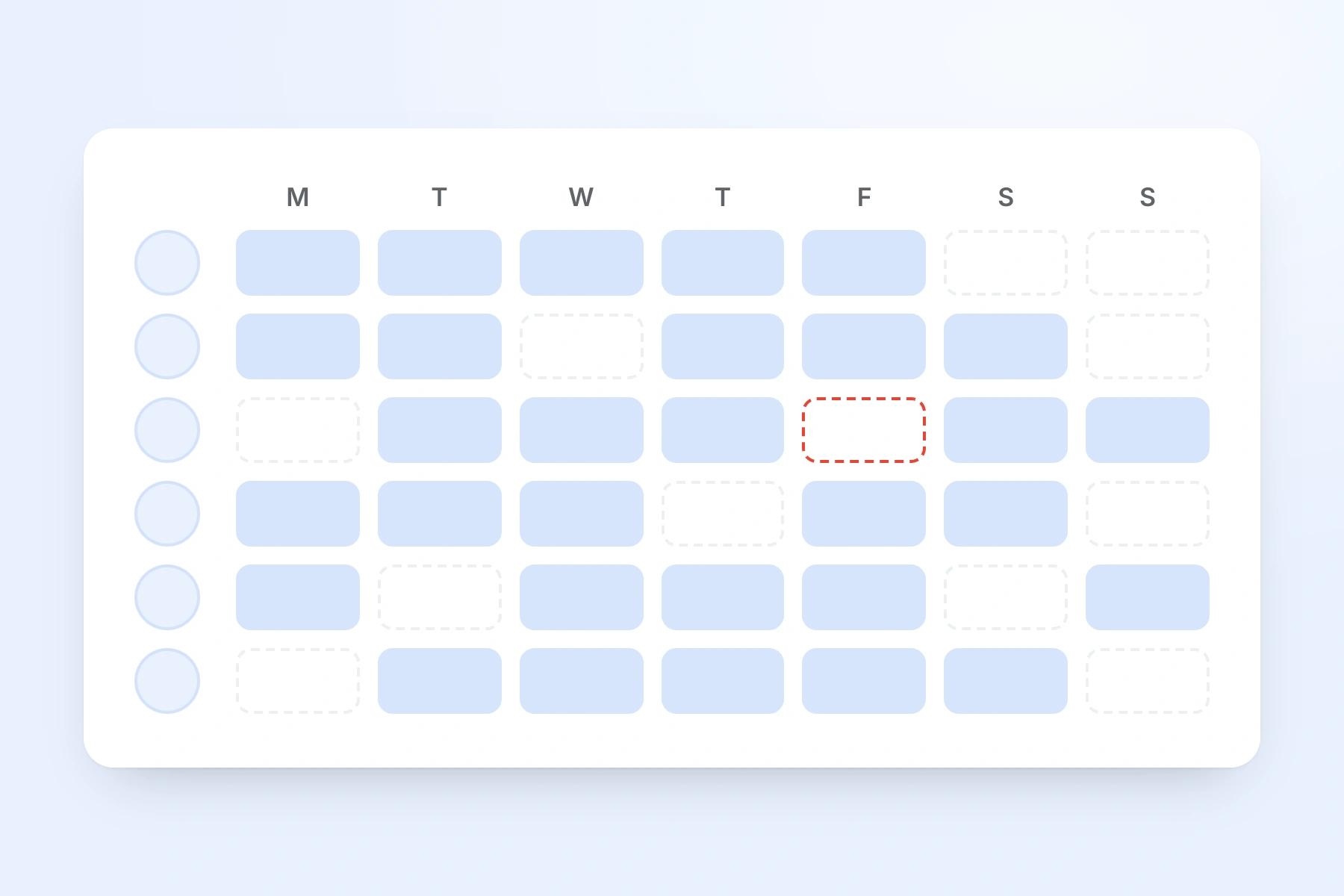
    A night with nobody on it draws as a dashed outline rather than blank space, so the gap is something you look at

  • Rostered hours under every column

    Paid hours per day and for the week, with each role's unpaid break already taken off the total

  • Publish one week at a time

    The week stays a manager-only draft until you publish it, and TimeTally then asks whether to email the team

Read the Whole Department's Week on One Screen

Every member of the department has a row and every day has a column. A covered day carries a coloured shift block with its times on it, and an uncovered day carries a dashed outline. Approved annual leave, sick leave and TOIL are drawn into the same grid on the days they fall, so nobody is reading a rota in one window and an absence list in another. The picture of the week is one screen.

  • Filter the grid to one job role and only those people are listed — registered nurses, healthcare assistants, or your administrative staff on their own. The hours total under the columns recalculates to match what is on screen.
  • Hide anyone who is not relevant to this week — a member of staff on secondment, or a whole role group — and the grid gets shorter without removing them from the rota.
  • Each block shows the job role colour and the location on that shift, so somebody covering the assessment unit reads differently from somebody on the main ward at a glance.
  • TimeTally counts hours, not heads. There is no establishment row and no ratio field: the number of nurses on a Tuesday is what you read off the Tuesday column, and no rule anywhere checks it against a target.
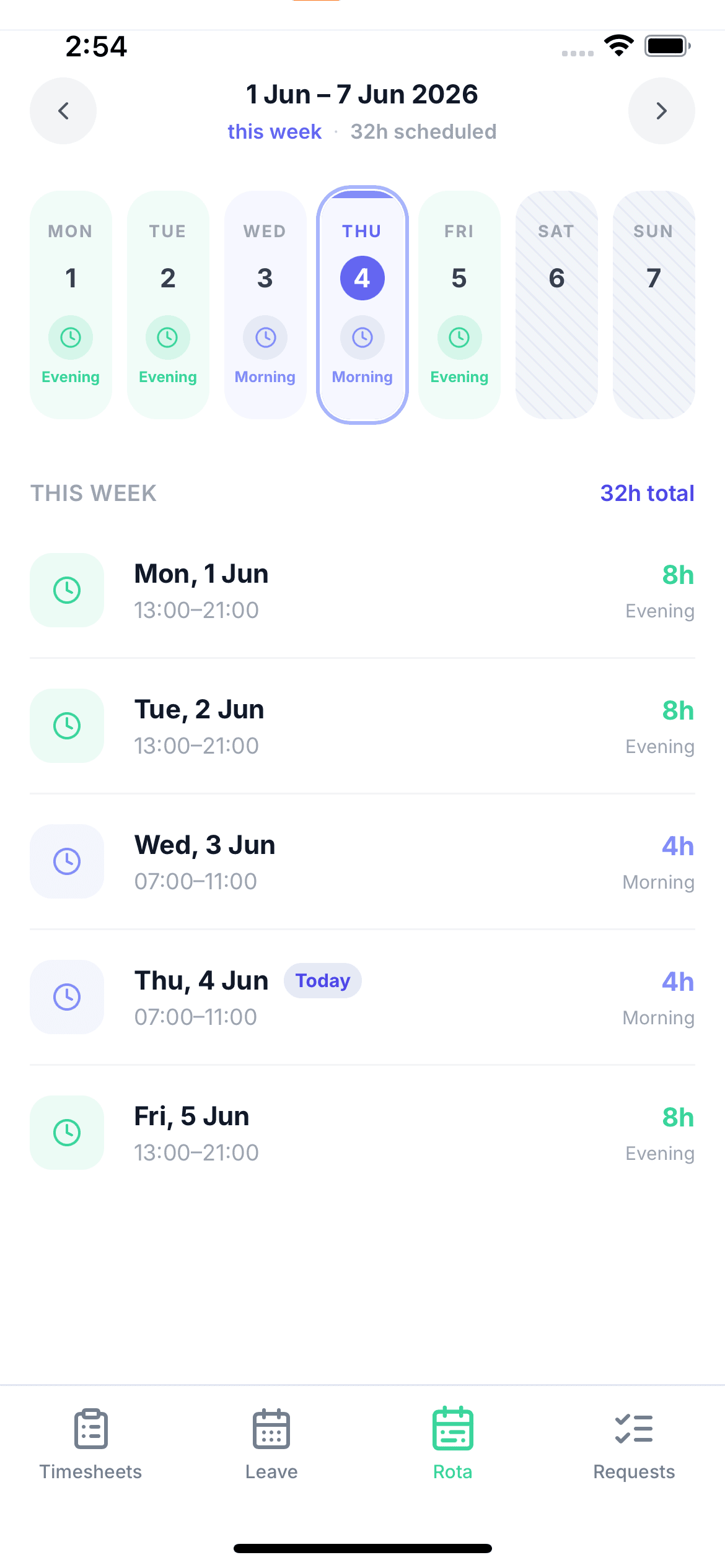
A member of staff viewing their upcoming shifts on their phone

Switch to the month to see a run of nights before you commit to it

Week view is where a clinical rota gets written. Month view is where its shape becomes visible: a fortnight where three of your seniors are all on annual leave, a run of Sundays with one registered nurse fewer than every other day, or somebody carrying four night shifts in a row because each week looked reasonable on its own. Toggle between the two without leaving the rota, and the hours totals follow whichever range is on screen.

  • A whole month per person

    One row per member of staff across every date, so a pattern that only shows up over four weeks is visible in one look
  • Nights read as a block of colour

    Because each template carries its own colour, a stretch of nights is a run of the same block rather than a set of times you have to compare
  • Leave shows in the same view

    Approved absence is drawn on the dates it falls, so a month with clustered annual leave is obvious while there is still time to arrange cover
  • Totals follow the range

    The rostered hours beside each name are for the period you are looking at, which is the figure to check a contracted commitment against
A week of shifts across the whole team, one row per person, with an unfilled shift outlined in red

Save your long days, nights and on-call periods as templates

Almost every clinical service runs the same handful of shifts every week. Save each one once and it becomes a chip you click onto the grid. A template holds a name, a start and an end time, a colour, an unpaid break, a job role and a location — and it is allowed to cross midnight, so a night that runs 19:30 to 08:00 saves without a fight.

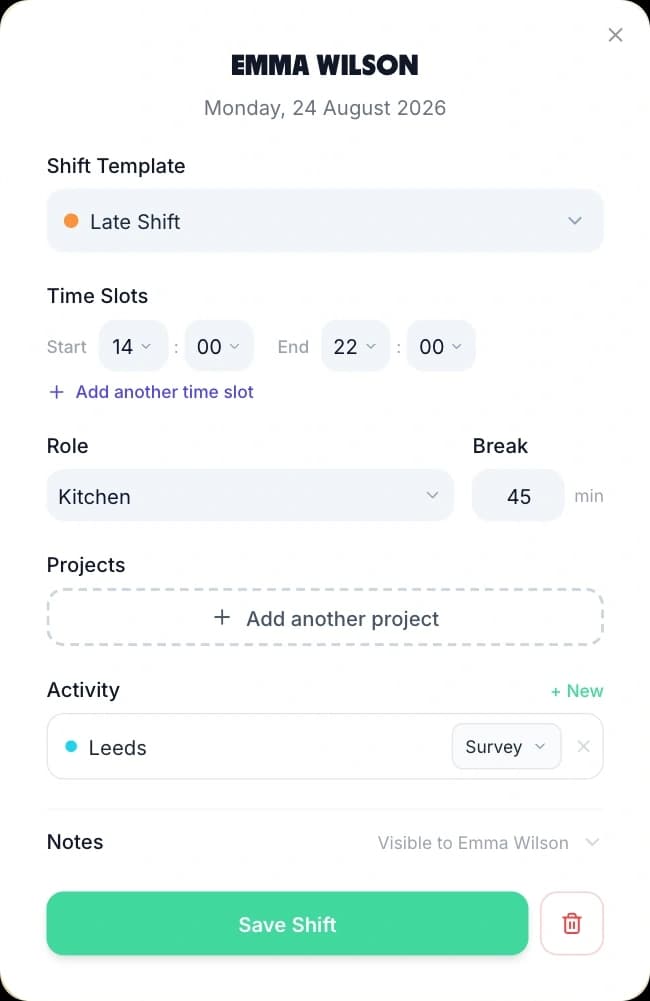
Creating a shift from a saved template: the template picker, start and end times, role, break and a Save Shift button
  • Overnight templates are allowed

    The database check that rejected a 19:30 to 08:30 template was removed after a provider reported it failing on an overnight shift

  • On-call is a template too

    Give On Call and Standby their own colours and they sit on the grid beside the ward shifts instead of on a separate sheet

  • Save a whole week as well

    A week template stores the full pattern and drops it onto any future week, which is how a four-week rolling rota is set up once rather than four times

  • Role and break travel with it

    The job role and the unpaid break come from the template, so a twelve-hour long day is not costed as twelve paid hours by anybody

Everything you do to a whole week lives in one menu

Filtering the grid to a role, saving the week as a template, applying a saved week, copying this week onto the next, printing the rota for the ward office and exporting the hours for payroll are all in the same place. They act on the week or the month currently on screen, so there is no separate reporting screen to learn.

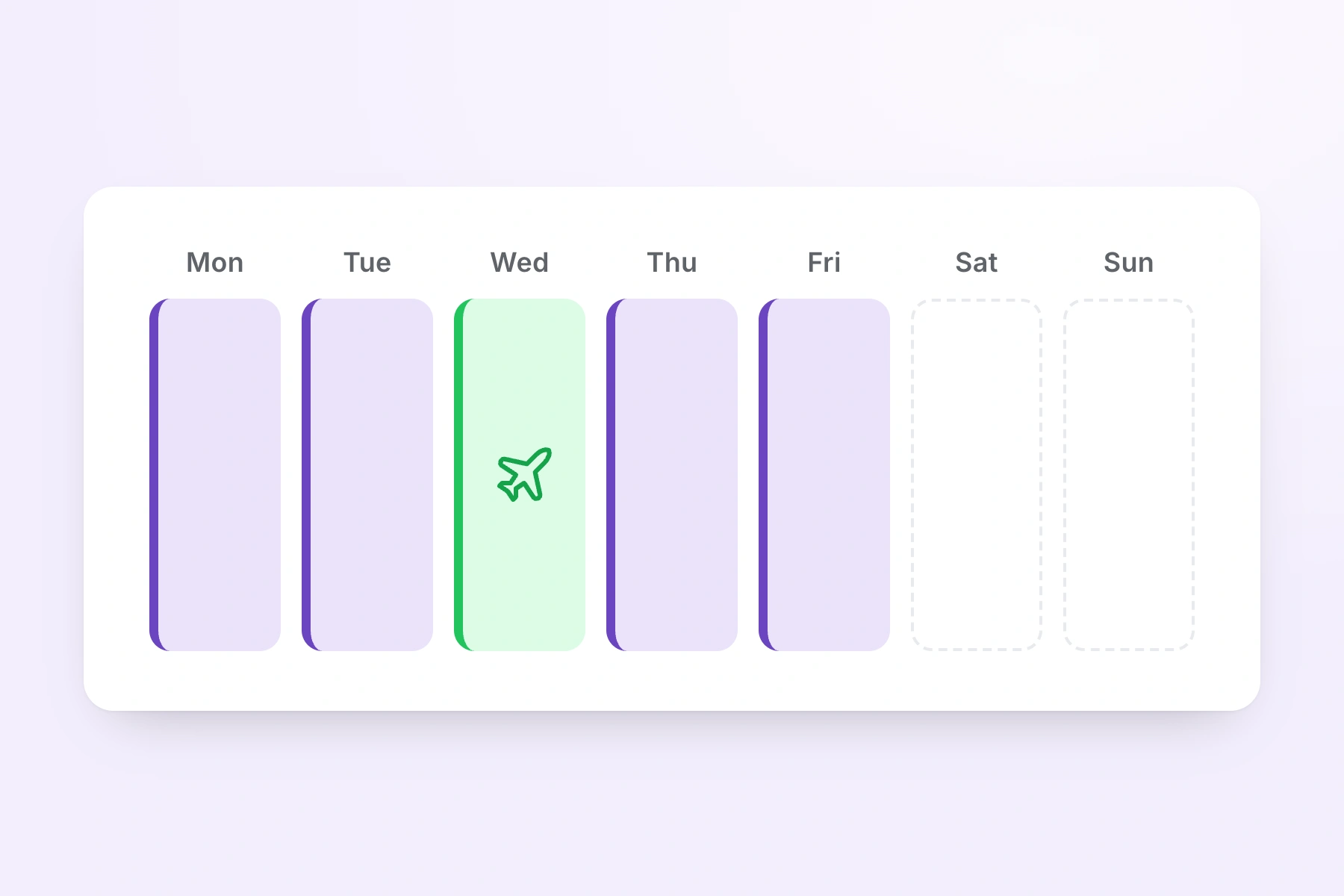
A week of shifts with one day showing booked annual leave in place of a shift
  • Filter by role

    Narrow the grid to registered nurses, to healthcare assistants, or to your non-clinical staff, and read that cover on its own

  • Save and apply a week template

    Store a whole week under a name, then drop it onto any future week — TimeTally previews what it will do before it writes

  • Print the rota for the ward office

    The week or month on screen prints as it appears, including the hours totals, for the noticeboard or the handover folder

  • Export hours for payroll

    Send the rostered hours out as CSV when bank and agency shifts have to be reconciled against what was planned

Working out the dates of a rolling pattern before you build the weeks? The shift pattern calculator does that on its own, and the rota cost calculator prices a week of cover before you commit to it.

Everything a clinical rota has to handle

Click any feature to learn more.

Drag & Drop Scheduling
Start your free trial

14-day free trial · No credit card needed

What makes a clinical rota different

A hospital, a clinic and a GP practice all run services that do not close, staffed by a mix of substantive, bank and agency people whose availability changes weekly. These are the four things a healthcare rota has to survive, and how TimeTally handles each of them. If you run a residential or nursing home rather than a clinical service, our care home rota software covers waking nights, sleep-ins and per-unit rotas instead.

Wards

A rota per ward or department

A hospital is not one rota. Medical, surgical, theatres, outpatients and the day unit each write their own week, and the person writing one of them should not have to scroll past ninety names to find their twelve.

  • Create as many named rotas as you have wards or departments and switch between them from one dropdown above the grid
  • Each rota keeps its own member list, so a healthcare assistant only appears on the ward they actually work
  • Publishing is per rota and per week, so releasing the medical ward's week leaves theatres' draft untouched
Bank

Bank and agency cover on the same grid

Bank and agency staff are employees in TimeTally like anyone else. Add them once, put them on the member list of every department they cover, and they appear on those grids ready to be given a shift.

  • One bank nurse can sit on four departments' rotas and be dropped onto whichever one is short that night
  • A job role such as Bank Nurse or Agency HCA is how you tell them apart on the grid — there is no separate record type that marks somebody as bank
  • TimeTally does not connect to any bank or agency booking system, so the booking itself is still placed the way you place it now
On-call

On-call and standby beside the shift rota

There is no dedicated on-call mode in TimeTally, and it is worth saying that before you get halfway through a trial. What clinical services do instead is model on-call as its own shift template.

  • Create an On Call or Standby template with its own hours and its own colour, then drag it onto the grid like any other shift
  • It behaves as a real shift everywhere else: it reaches the person's phone when the week is published and it counts in that day's rostered hours
  • Callout time is recorded afterwards on the timesheet and a manager approves it as TOIL at your agreed rate — that part lives in on-call tracking, not in the rota
Roles

Clinical and non-clinical staff together

Registered nurses, healthcare assistants, ward clerks, housekeeping and porters can sit on one grid without the clinical cover becoming unreadable, because every role carries its own colour.

  • Each employee has a default job role, and each role has a colour and an unpaid break of its own
  • Filter the grid to a single role and the hours total under the columns recalculates to match what is on screen
  • A registered nurse covering a healthcare assistant shift is recorded as working that role, so the record says what was actually worked

The Two Rota Settings a Clinical Manager Changes on Day One

Most of TimeTally works the way you would expect out of the box. These two are worth ten minutes before you invite a single ward manager, because they are the two that clinical services have firm opinions about.

Swaps and who staff can see

Decide whether staff can arrange swaps, and whether they can see who else is on.

Shift swaps are on by default. A member of staff picks a colleague and a shift in the app and sends the proposal; the manager sees both shifts and approves or rejects it in one tap, and approving rewrites the rota. Nothing changes without that approval.

If you would rather every change on a clinical rota went through the person in charge, swaps can be turned off for the whole organisation. That is not a cosmetic switch — the rule is enforced in the database as well as in the app, so turning it off actually stops the requests rather than hiding the button.

Whether staff can see who else is on a shift with them is a separate setting and it is off by default. Turn it on and a nurse opening tomorrow's long day sees the colleagues rostered alongside them, which is what handover planning usually needs. What they see is deliberately narrow: the times, the job role and the location, and never the shift notes, anybody's pay or anybody's contact details.

The rota as a whole is opt-in too. A new organisation starts with it switched off, so a provider using TimeTally for hours and holiday only never sees a grid they did not ask for.

Who sees the wage cost

Give a ward manager the rota without giving them the pay rates.

The Cost row needs two things to be true. The Pay feature has to be enabled for the organisation, and the admin looking at the rota has to have pay visibility. Both are real switches and they are independent of each other.

The second one is set per person when you invite them. A ward manager invited with pay details hidden gets the full rota — the grid, the templates, publishing, swaps, the rostered hours row — with no hourly rates and no cost row. A service manager invited without that restriction sees the money, which is the view you want when the question is what a week of agency cover costs.

One limit to state plainly. A manager can be limited to their department for leave and timesheets, but not for rotas: anyone you make an admin can open every rota in the organisation, whether or not they can see the rates on it.

How rotas, publishing and shift templates work across TimeTally

Why Hospital Rota Software Has to Hold More Than One Rota

A scheduling tool built for a five-day office assumes one team, one week and one shape. A healthcare provider has none of those. Here is what actually changes across a clinical service, and how the rota deals with each of them. If you want a spreadsheet grid to sketch a ward rota on first, the staff rota template is a free Excel and Google Sheets download.

One Provider, Many Rotas

The medical ward, the surgical ward, theatres, outpatients, the day unit and reception are six different rotas with six different people writing them, and none of those people wants to scroll through the whole organisation to reach their twelve names. In TimeTally each of them is a named rota with its own member list, reachable from one dropdown above the grid. Publishing is per rota and per week, so a ward manager releasing Monday's week never releases someone else's half-written draft. Anyone who genuinely floats between two departments is put on both member lists and shows up on both grids.

The Same Person Cannot Be In Two Places

When departments write their rotas separately, the classic failure is the same nurse being counted in two sets of cover on the same night, discovered on the day. TimeTally blocks it at the database: one shift per employee per day across every rota in the organisation. If a person is already rostered elsewhere on that date, the cell shows the other rota's name in a dashed outline and refuses the second shift. Copying a week forward and applying a week template both skip those days rather than overwriting them. It is a small rule and it is the one thing on this page that actively prevents a mistake rather than just displaying one.

Substantive, Bank and Agency on One Grid

Most healthcare rotas are a mix, and the mix changes week to week. TimeTally treats everybody the same way: an employee on the staff list, on the member lists of the departments they cover, costing the same £3 a month whether they work five shifts a week or five a year. A job role such as Bank Nurse or Agency HCA is how you distinguish them on the grid, since there is no record type that marks somebody as bank. Two honest limits go with that. TimeTally does not talk to any bank or agency booking system, so the booking is still placed the way you place it today. And it holds one hourly rate per person, so agency premiums and enhanced rates are a payroll matter rather than a rota one.

Long Days, Nights and the Twelve-Hour Problem

A twelve-hour long day is not twelve paid hours, and a rota that pretends otherwise gives you a wrong number every single week. In TimeTally the unpaid break sits on the shift template and on the job role, so the hours row under the grid shows paid time with the break already deducted. Templates are allowed to cross midnight — the database constraint that once rejected a 19:30 to 08:30 shift was removed after a provider hit it saving a night template — so a night is one shift rather than two halves either side of a date boundary. A single shift can also carry more than one block of time, which is how a split clinic list on one day is recorded.

Handover Is a Time, Not an Object

TimeTally has no handover entity, no task list and no care record, and a rota tool that claimed to have them would be overreaching. What clinical services do instead is build the overlap into the shift times: a late that starts thirty minutes before the early finishes, or a night that begins while the long day is still running. Because each template has its own colour, that overlap is visible on the grid as two blocks meeting rather than as two sets of times you have to compare. The notes field on a shift is the right home for a one-off instruction — which clinic list somebody is covering, or who is second on call — and anything that has to be signed for belongs in your clinical system, not here.

Rotating Patterns and Where the Dates Come From

Plenty of departments run a four-week rolling rota, or four on and four off, and the difficult part is rarely the software — it is working out which dates each person is on across the next few months. TimeTally does not generate a rolling pattern. What it does is store a week you have already built as a named week template and drop it onto any future week, because the template holds its shifts as day offsets rather than dates. Our shift pattern calculator produces the dates for a cycle from a start date, and you then build those weeks from the template. The order that works is: build one good week, save it, apply it forward, then edit for leave.

Safe staffing and limits

Where a Healthcare Rota Tool Stops and a Clinician Starts

TimeTally is a rota and hours tool, not a clinical safety system and not a workforce management platform. It keeps a complete record of who was rostered and shows you the week before you publish it. It does not make staffing decisions, and the products that claim to are usually selling something considerably bigger than £3 a head.

Minimum Staffing: An Alert, Not A Rule

You can set an alert for fewer than a given number of people on a day, across the rota or within one department, and a short day shows as a red line above the grid and again in a warning before you publish. It will not refuse to publish the rota. It counts heads, not grades: you cannot tell it that a ward needs three registered nurses on a night, and there is no ratio field, no establishment figure and no skill-mix rule. Beyond that alert, what makes a thin shift visible is the grid itself: uncovered cells drawn as dashed outlines, the per-day hours total under the columns, the role filter that lets you read the registered nurse cover on its own, and the month view for a period rather than a week. The numbers are on screen and the judgement stays with the person accountable for the rota.

Working Time: An Hours Alert, Not Validation

You can set an alert for anyone rostered over 48 hours in a week; it shows above the grid and again before you publish, and it warns rather than blocks. There is no warning while you build when someone has less than eleven hours between shifts, though rota analytics lists every short rest afterwards, and there is no consecutive-nights limit. There is also no knowledge of the Junior Doctors' contract or its safe-working limits. If a rota has to be validated automatically against those rules, TimeTally is the wrong tool. What it gives you instead is the record they are argued from: every shift with its start, finish and unpaid break, the rostered hours beside each name for whatever range is on screen, a month view for spotting a run of long weeks, and a CSV export for anyone checking the pattern.

No Automatic Rota Generation

TimeTally will not build a rota for you. There is no auto-fill, no AI generation, no demand model and no algorithm that decides how many healthcare assistants a Wednesday needs. Every shift is placed by a person. What it removes is the repetition — templates for shifts, templates for whole weeks, and copy-forward for the week you have already written. Anyone selling automatic clinical rostering is selling a much larger and much more expensive category of product, and it is fairer to say so than to imply this is that.

No Availability or Preference Submissions

Staff cannot tell TimeTally which nights they would prefer to work or which days they are unavailable. There is no availability screen, no preferences form and nothing in the system that stores a request of that kind. Nearly every competitor has one, so it is worth being explicit. What staff can do is book leave, which then shows on the rota grid before anyone is assigned, and propose a swap with a named colleague once the week is published. Everything else still reaches the rota writer the way it does now.

Rotas Are Not Split by Ward

Managers can be limited to their department for leave and timesheets, but rotas are not scoped: an admin on one ward can open every other ward's rota. The switch that does exist is pay visibility, set per person at invite, which hides hourly rates and the cost row from an admin who should not see them. For a provider where separation between departments is a hard requirement, running a separate organisation per site is the honest workaround, and it is better to know that before a trial than during one.

What It Does Keep

Every shift, with the person on it, the date, the times, the job role, the unpaid break and the location. Which rotas were published, for which weeks and when — and a flag on any published week that has since been edited, so the version on the ward cannot quietly diverge from the version in the system. Every swap that was requested and who approved it. Approved leave and sickness against the same calendar. The hours each person was rostered for and, where pay is enabled, what those hours cost. Exported to CSV or printed when somebody needs the staffing record for a period, which is usually what an audit or a query actually asks for.

Simple, Transparent Pricing

One price for every kind of staff. A GP practice with 24 people pays £72 a month. A hospital department running 90 substantive, bank and agency staff pays £270.

£3/employee/month

Billed monthly. Cancel anytime.

A named rota for every ward and department
Long day, night and on-call shift templates
Bank and agency staff at the same price
Leave tracking and timesheets included
Get Started

No credit card required · See the full pricing page

In short

What is healthcare rota software?

Healthcare rota software plans which member of clinical or non-clinical staff works which shift, publishes that plan so the team can see it, and keeps the record of who was rostered where. TimeTally does this for UK hospitals, clinics, GP practices and private healthcare providers at £3 per employee per month. You run a separate named rota for each ward or department, each with its own member list, and switch between them from one dropdown. Long days, nights, twilights and on-call periods are saved as shift templates that may cross midnight, and you click or drag them onto a week grid of one row per person and one column per day. Bank and agency staff sit on the same grid as substantive staff at the same price. The database allows one shift per person per day across every rota, so nobody can be counted in two departments' cover on the same date. Approved annual leave, sick leave and TOIL appear in the grid alongside the shifts. You publish one week at a time and then choose whether to email the team. What it does not do is enforce a minimum: headcount and weekly-hours alerts warn before you publish but never block it, there is no ratio or skill-mix rule and no automatic rota generation, so the staffing decision stays with the manager.

Price
£3 per employee a month
Rotas
A named one per ward or department
Publishing
One rota, one week at a time
Nights
Templates may cross midnight
Includes
Leave and timesheets at no extra cost

Frequently Asked Questions

Can we run a separate rota for each ward or department?

Yes, and it is the first thing most hospital and clinic teams set up. Create as many named rotas as you need — Medical, Surgical, Theatres, Outpatients, Day Unit, Reception — and each one keeps its own member list. Staff only appear on the rota they belong to, and anyone who works across two departments can be a member of both. You switch between them from a dropdown above the grid, and publishing is per rota and per week, so publishing the medical ward's week does not release the theatres draft you are still writing. There is one genuine safeguard between them: the database allows one shift per person per day across every rota in the organisation. If a nurse is already rostered on the surgical ward on Thursday, the medical ward's Thursday cell shows the other rota's name and refuses a second shift, so the same person cannot be counted twice in two departments' cover.

Does TimeTally handle on-call and standby rotas?

Partly, and the honest version is worth reading before you buy. TimeTally has no dedicated on-call object, no escalation ladder and no paging. What it does have is shift templates, and an on-call rota built out of templates works well: create an On Call template with the hours the person has to be reachable for and a colour that stands out from the ward shifts, then drag it onto the grid. From there it behaves like every other shift — it is on the person's own list in the app once the week is published, it appears in the month view, and it counts in that day's rostered hours. What happens after a callout is a separate job. The hours actually worked go onto the timesheet and a manager approves them as TOIL at the rate your policy says, which is covered on our on-call tracking page. TimeTally also holds one hourly rate per person, so if standby is paid at a different rate to clinical hours, that difference is handled in payroll rather than on the rota.

Can clinical staff see their shifts on their phone?

Yes. Once a week is published, every member of staff on that rota sees their own upcoming shifts in the TimeTally iOS or Android app or in any browser, with the date, the times, the job role, the location and which rota the shift belongs to. Until you publish, the week is a manager-only draft, so a half-written rota never reaches the ward. Publishing does not email anyone on its own: after you publish, TimeTally asks whether you want to notify the team, and the email goes only to staff who have rota notifications switched on in their own account settings. Whether staff can also see who else is on a shift with them is a separate organisation setting and it is off by default — useful to turn on where handover matters, and safe to leave off where it does not.

Does TimeTally stop us publishing a rota below safe staffing levels?

No. It can warn you, but it will not stop you. You can set a minimum-staffing alert, such as fewer than five people on a day across the rota or within one department, and a day below it shows as a red line above the grid and again in a warning before you publish. You can still publish. The alert counts heads, not grades: there is no nurse-to-patient ratio field, no establishment figure and no rule that knows a registered nurse from a healthcare assistant, so nothing warns you about a night that is one registered nurse light if the headcount is met. This is the single most important thing to know about it on a clinical page, so it is stated rather than buried. What TimeTally also does is put the whole week in front of you before you commit to it: every name against every day, uncovered cells drawn as dashed outlines, approved annual leave and sickness in the same grid as the shifts, a per-day hours total under the columns, and a role filter so you can read the registered nurse cover on its own. The numbers are on screen. The judgement about whether that week is safe stays with the person who signs the rota off, exactly as it does with a spreadsheet.

Is TimeTally NHS rota software?

TimeTally is general UK rota software that NHS and private healthcare teams use; it is not an NHS system and it is not connected to one. There is no ESR integration, no NHS Professionals or agency-framework link, and no built-in knowledge of the Junior Doctors' contract, its rota rules or its safe-working limits. Nothing in TimeTally validates a rota against a national terms-and-conditions schedule. If you need a rota checked automatically against the 2016 contract's limits, TimeTally is the wrong tool and a specialist medical rostering system is the right one. Where it does fit is the large amount of UK healthcare rostering that is not covered by those rules: private hospitals and clinics, GP practices, dental and physio practices, diagnostic centres, out-of-hours services, and the non-medical staff groups inside larger providers.

How do we roster long days, night shifts and handover?

Save each of them as a shift template. A template holds a name, a start and an end time, a colour, an unpaid break, a job role and a location, and it is allowed to cross midnight — the database check that used to reject a 19:30 to 08:30 template was removed after a provider hit it on an overnight shift. Most clinical services end up with four or five: Long Day 07:30 to 20:00, Early, Late, Night 19:30 to 08:00, and a Twilight for the evening peak. Give each one its own colour and the shape of the week is readable without anyone reading a time. Handover is normally built into the template's times rather than recorded as its own object — a late that starts thirty minutes before the early finishes — because TimeTally has no handover entity. A single shift can also hold more than one block of time on the same day, which is how a split clinic list is recorded.

Can a ward manager be given access to their own ward only?

Partly. A manager can be limited to the departments they look after, which scopes the leave and timesheets they see and approve. Rotas are not scoped that way: anyone you make an admin can open every rota in the organisation, not only the one they run. The one control that does exist is pay visibility, which is set per person: an admin whose pay details are hidden gets the full rota — the grid, the templates, publishing, swaps, the hours totals — without hourly rates and without the cost row. If per-ward separation is a hard requirement for you, ask us before you buy rather than after, because the only workaround today is running a separate organisation per site.

How does approved leave show up on a clinical rota?

Approved annual leave, sick leave and TOIL are drawn in the rota grid alongside the shifts, on the days they fall, so the person writing next week is looking at the cover and the absence in one view rather than two. When a manager approves a leave request for somebody who is already rostered, TimeTally lists the shifts that now need cover and, against each one, the colleagues who are genuinely free — no shift of their own that day and no leave of their own, pending requests included. Choosing a name rewrites the shift and publishes that week, so the change is live rather than sitting in a draft. Entitlement itself, accrual for bank staff and how a long day is deducted are the leave system's job, not the rota's, and our healthcare leave management page covers them.

Can staff swap shifts between themselves?

They can propose a swap; they cannot make one. A member of staff picks a colleague and a shift in the app and sends the proposal, and it goes to a manager, who sees both shifts side by side and approves or rejects it in one tap. Approving rewrites the rota. Nothing changes hands without that approval, and the rule is enforced in the database as well as in the app. If you would rather every change on a clinical rota went through the person in charge, shift swaps can be turned off for the whole organisation — turning them off actually stops the requests rather than hiding the button. They are on by default.

What does rota software for a healthcare team cost?

TimeTally is £3 per employee per month, everything included bar the optional £1 GPS add-on, with no setup fee and no separate scheduling tier. A GP practice with 24 people on the payroll pays £72 a month. A hospital department running 90 staff across substantive, bank and agency pays £270 a month, and that covers the rota, annual leave, sickness and timesheets rather than three subscriptions. There is a free 14-day trial and no minimum contract. The rota is switched off when you first sign up, so a provider using TimeTally for hours and holiday only never sees the grid until an admin turns it on.

Still have a question? See all FAQs

Publish next week's ward rota before you go home.

Try TimeTally free for 14 days. Build each department's week from your own long day, night and on-call templates, put bank and agency staff on the same grid as your substantive team, see approved leave in the same view, and publish it to your staff — with leave tracking and timesheets included in the same £3.

No credit card required · Free 14-day trial · Cancel anytime