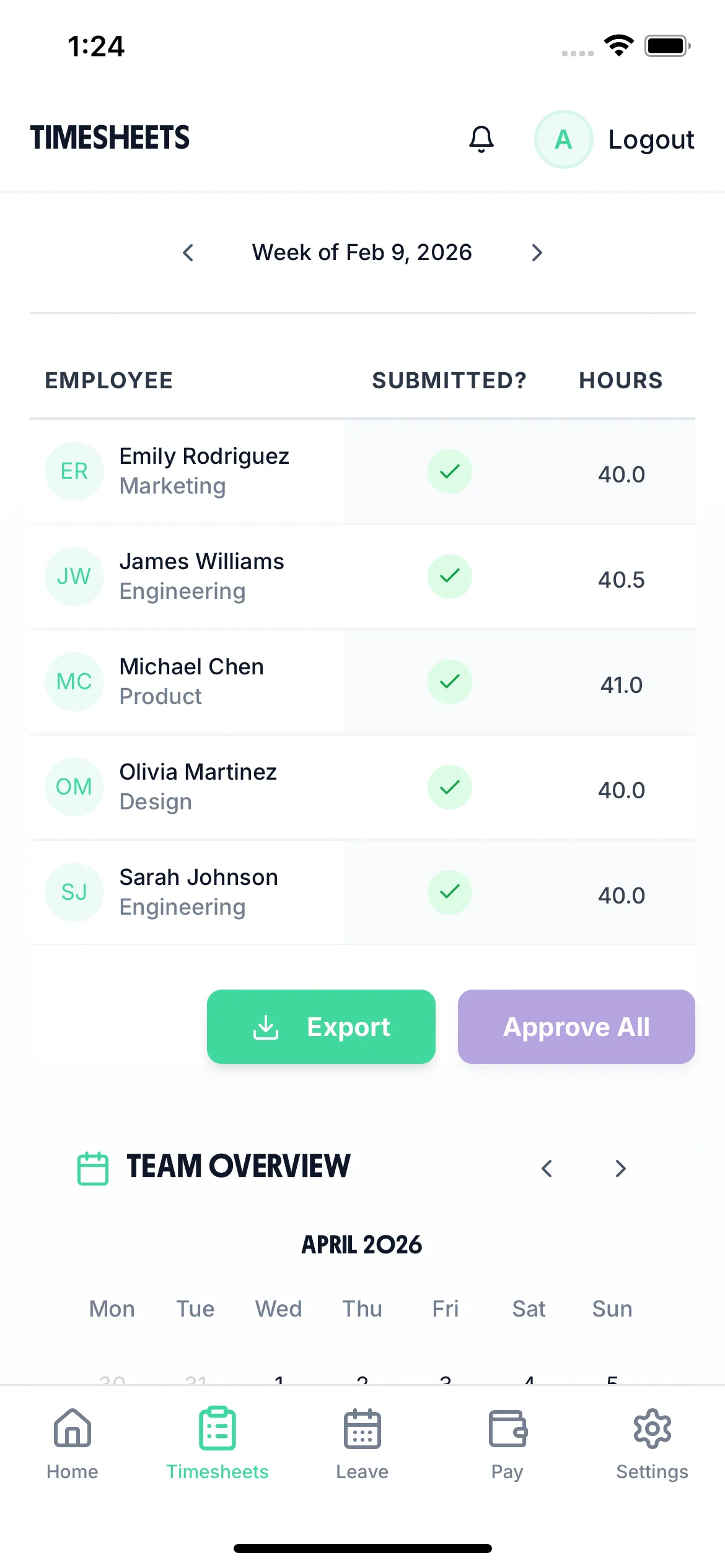
Weekly timesheet view on mobile - employer timesheet management
Weekly Timesheet

Weekly Timesheet Software That Closes Every Friday On Time

Run a clean weekly timesheet cycle — employees log hours each day and submit on Friday, managers approve over the weekend or Monday morning, and payroll is ready without delay. Automatic reminders mean you never have to chase for missing timesheets. Replace weekly timesheet templates and spreadsheets with a system that runs itself. Backed by one-click approval and payroll export.

No credit card required
Setup in minutes
Cancel anytime

A Repeatable Weekly Timesheet Cycle

TimeTally is built around the weekly submission cycle that most UK businesses already use. Every step from Monday to Friday is automated.

Mon–Thu

Daily Logging

Employees log hours each day as they work. Or clock in/out and have the timesheet filled automatically.

Friday

Weekly Submission

Employees review their week's hours and submit the timesheet. Reminder sent automatically if they forget.

Fri–Mon

Manager Approval

Managers receive a notification and approve in bulk or individually. Query any entries that need clarification.

Payroll

Export & Pay

Approved weekly timesheets export to Xero, QuickBooks, or CSV. Payroll processes with accurate hours.

The Weekly Timesheet Template That Updates Itself

Forget downloading and emailing weekly timesheet templates. TimeTally creates a fresh digital weekly timesheet for every employee automatically. Each week resets cleanly, with the previous week's hours preserved in the audit trail. Employees see their week at a glance — each day's hours, running total, and weekly summary. All within the same system used for leave management and payroll.
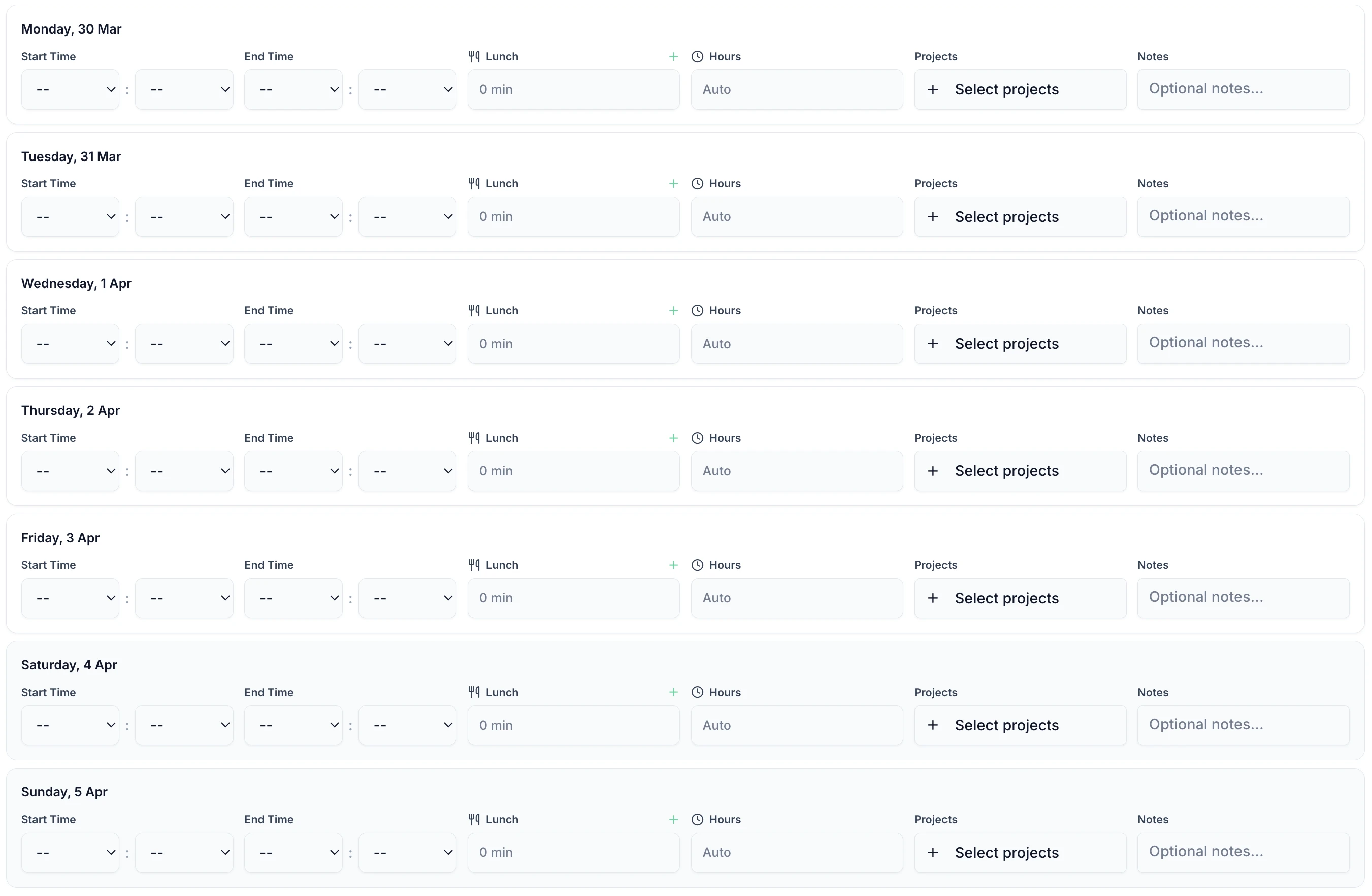
Weekly timesheet entry showing Monday to Friday hours with daily totals

7-Day Week View

Each day of the week displayed clearly. Log hours daily or fill the whole week at once — the system works either way

Weekly Totals

Total hours for the week calculated automatically including regular time, overtime, and any absence days

Auto-Reset Each Week

New weekly timesheet created automatically every Monday. No setup, no manual creation, no admin overhead

Weekly Timesheet Status Across Your Whole Team

The employer calendar shows each employee's weekly timesheet status at a glance — submitted and pending approval, approved and complete, or missing entirely. Identify who needs a reminder and who is on leave for the week. Managers see the full picture in one view and process approvals efficiently without cross-referencing multiple systems.

Weekly timesheet status in employer team calendar

Missing Timesheet Alerts

The system flags employees who haven't submitted their weekly timesheet. Send a group reminder in one click via automated reminders

Leave vs Worked Days

See which employees are on leave this week alongside those submitting timesheets. Hours and absence always in sync

Bulk Weekly Approvals

Select all pending weekly timesheets and approve them all at once. Process a team's week in under a minute

Employee weekly timesheet view on desktop showing weekly calendar and submission status

Employees Track Their Weekly Hours In Real Time

The employee weekly timesheet shows every day of the week with hours logged and submission status. Employees see their running weekly total and whether each day has been completed. Once they submit the week, approved data flows straight to payroll — no re-keying, no manual calculations, no delays. Export directly to Xero, QuickBooks, or download as CSV.
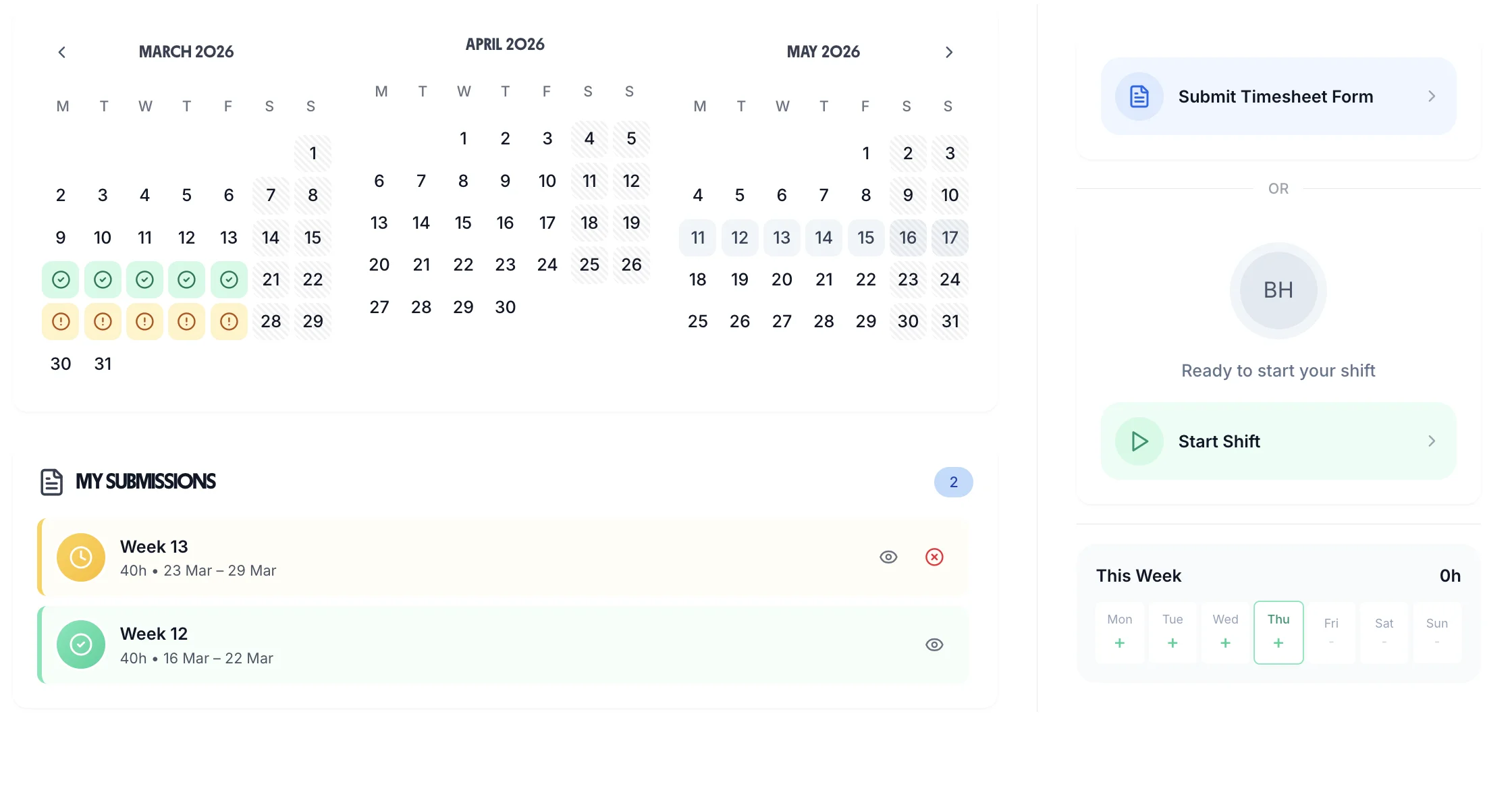
Daily Logging, Weekly Summary

Log each day's hours as you work. See the full week's totals build up in real time — no surprises at submission time

National Minimum Wage Compliance

Weekly hours and pay tracked together makes it easy to verify every employee is paid at least the National Minimum Wage

Historical Weekly Records

Every week's approved timesheet stored permanently. Retrieve any previous week's records instantly for payroll queries or disputes

Replace Free Weekly Timesheet Templates

Free templates cost more in admin time than £2/employee/month. TimeTally pays for itself in the first week.

£2/employee/month

Billed monthly. Cancel anytime.

Automatic weekly timesheet creation
Daily hour logging on mobile or desktop
Automatic Friday submission reminders
Bulk weekly approval tools
Weekly payroll export to Xero or QuickBooks
Full historical weekly timesheet records

No credit card required

Download on the App Store

Frequently Asked Questions

What is a weekly timesheet?

A weekly timesheet is a record of all hours worked during a single calendar week, typically Monday to Sunday. Employees record their start time, end time, and break for each day. The weekly total is used to calculate pay for that period. TimeTally creates a digital weekly timesheet automatically for each employee every Monday, collects daily entries, and presents a clean weekly summary for manager approval.

How is digital weekly timesheet software better than a free template?

Free weekly timesheet templates (Word, Excel, PDF) have several hidden costs: someone has to distribute them, collect them, check for errors, manually enter the data into payroll, and file the physical or digital copies. TimeTally automates all of this. Employees fill in their timesheet digitally, reminders go out automatically, managers approve online, and data exports to payroll without re-entry. The admin time saved typically pays for TimeTally many times over.

Can employees fill in their weekly timesheet from their phone?

Yes. TimeTally has a native iOS app and a mobile-responsive web app. Employees can log each day's hours from their phone as they work, or fill in the full week at the end. The weekly timesheet looks the same on mobile as on desktop, making it easy to submit from anywhere without needing to be at a computer.

What if an employee submits their weekly timesheet late?

TimeTally sends automatic reminder notifications before and after the submission deadline. If a weekly timesheet still hasn't been submitted, the manager sees it flagged as missing on their dashboard and can send a manual reminder in one click. Managers can see exactly which employees haven't submitted for the current week at a glance.

Can the weekly timesheet cycle be customised?

Yes. Most businesses use Monday to Sunday as their week, but you can configure TimeTally to use a different week start day to match your payroll period. You can also set your own submission deadline (e.g., Friday at 5pm) and approval deadline (e.g., Monday at 9am). Reminder timing adjusts automatically to your configured deadlines.

How does the weekly timesheet handle bank holidays?

Bank holidays are shown on the weekly timesheet view automatically. Employees can mark bank holiday days as taken off, or log hours if they worked. TimeTally tracks bank holidays for England & Wales, Scotland, and Northern Ireland separately, so the correct dates show for each employee based on their region. This feeds into annual leave balance calculations automatically.

Is there a limit to how many weeks of timesheet history is stored?

No. TimeTally stores every approved weekly timesheet permanently. You can retrieve any previous week's records instantly — useful for payroll queries, employment tribunal disputes, or HMRC audits. Records are searchable by employee, date range, or manager. There's no archive fee or data limit.

Automate Your Weekly Timesheet Process

Set up weekly timesheets once and the system runs itself. Start your 14-day free trial today.

No credit card • Setup in 10 minutes • Works on any device
