Bradford Factor Software For UK Employers

TimeTally is Bradford Factor software that works out every employee's score from the sickness you already record. Only absence is scored, never booked holiday. Open one report to see the highest scores for any dates, then export every score to a spreadsheet.

14-day free trialNo card needed£3 per employee a month
The Bradford Factor panel in Reports & Analytics, shown with sample data.

“The app is simple to use, reliable, and makes managing holidays, absences, and staff records straightforward. The system has saved us a significant amount of administration time.”

CLI ManchesterJordan Ingoe, CLI Manchester

How Automatic Bradford Factor Scoring Works

The Bradford Factor is spells × spells × days. Ten separate one-day absences score 1,000, while one ten-day absence scores 10, because frequent short absences are harder to cover. TimeTally does the counting for every employee. If you only need one figure, you can work out one score by hand.

  • Record sickness as leave

    Staff request sick leave in the app, or a manager books it for them. It sits with their holiday and other leave

  • TimeTally counts it

    Each sickness booking is one spell. TimeTally adds up each person's spells and days and works out their score

  • Open the report

    On the Time Off page, open Reports & Analytics, then Patterns & absence. The highest scores for your dates come first

Record Sickness Once, Get The Score Automatically

Every new TimeTally account starts with a Sick Leave type. Employees choose it when they book time off on their phone or in a browser, and the request comes to you to approve. If someone rings in sick, book the days for them yourself. Leave a manager books is saved as approved.

Approved and pending sick leave both count towards the score. A rejected or cancelled request doesn't.

Each sickness booking counts as one spell. Book each separate absence on its own, and a run of sick days in a row as one booking, so the spell count matches what happened.

Booked by staff Booked by managers Sick Leave set up for you
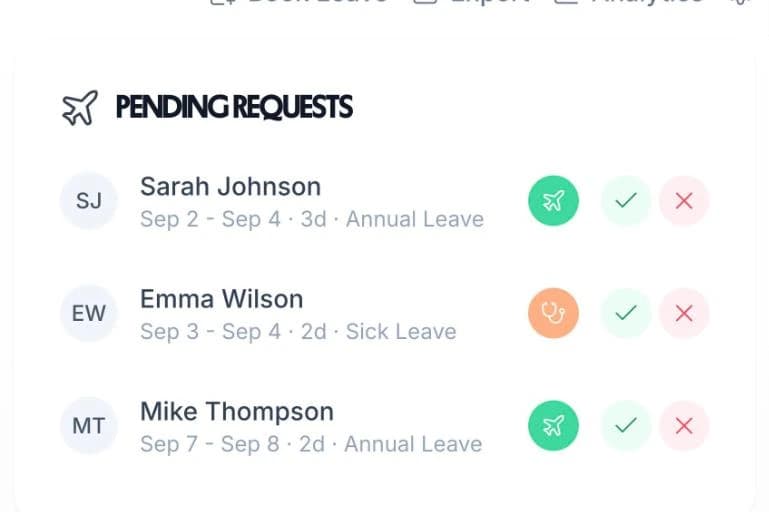
Pending leave requests in TimeTally: Emma Wilson's two days of sick leave waiting beside two annual leave requests, each with approve and decline buttons

Bradford Factor Tracking On Absence Types Only

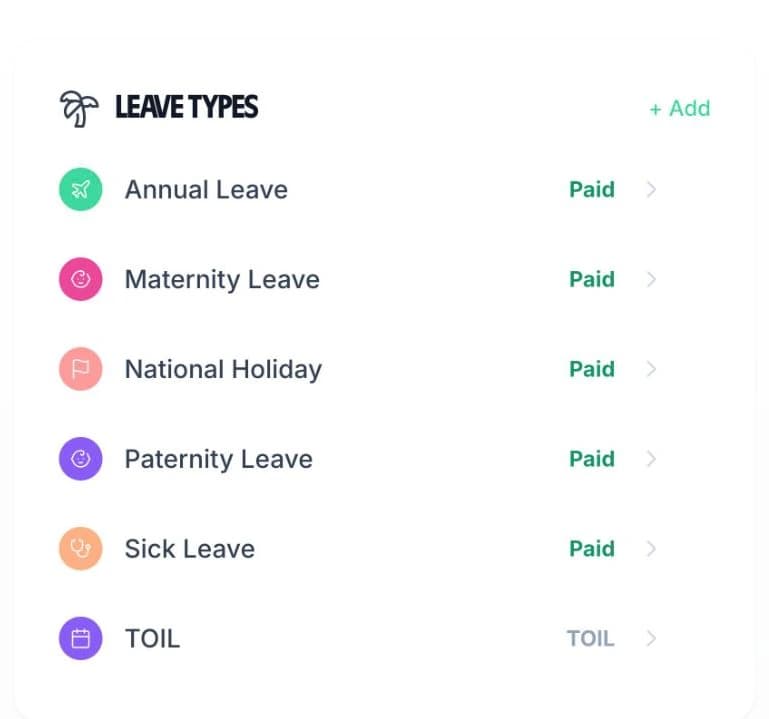
A Bradford score only means something over unplanned absence. TimeTally scores the leave types whose names say sick, absence, illness, unwell, compassionate or emergency. Annual leave, maternity and paternity leave, TOIL and bank holidays are never scored.

The report says which types it used, for example “Unplanned absence only — Sick Leave”, so you can check the scores come from the right records. Add your own type, such as Compassionate Leave, and it is scored too.

If none of your leave types is named as sickness or absence, the report says there is nothing to score. It never shows a number worked out from holiday.

The Leave Types panel in TimeTally: Annual Leave, Maternity Leave, National Holiday, Paternity Leave, Sick Leave and TOIL

What The Bradford Factor Report Shows

One panel with the highest scores, and every figure behind them in a spreadsheet.

The highest 15 scores

Each row shows the person, their spells, their days and their score, highest first. Scores of 50 and over are marked amber and scores of 200 and over red, so the high ones stand out.

Any date range

Scores cover the dates you choose: this year, last year, a quarter, a month or a custom range. For a rolling 52 weeks, set a custom range from the same date last year to today.

One department or one person

Filter the report by department, employee, leave type or status. A manager who is limited to certain departments or people only sees scores for those people.

Every score in a CSV

Export the People and balances file and each employee gets a row with Unplanned days, Unplanned spells and Bradford factor, next to their days taken, allowance and remaining balance.

Other signs on the same tab

Patterns & absence also shows how much leave falls on a Monday or Friday, and how many requests were booked on or after the first day off.

No automatic alerts

TimeTally doesn't send alerts or emails when a score passes a trigger point. Set your trigger points in your absence policy and check the report when you review absence.

The Equality Act Reminder Is Built In

Above every list of scores, TimeTally shows the same reminder: a score is a prompt to have a conversation, not a verdict, and disability or pregnancy absence needs discounting before any action.

Under the Equality Act 2010, absence linked to a disability or a pregnancy can need taking out before you act on a score. There is no switch to remove one absence. If you record disability-related absence on its own leave type, with a name that doesn't say sickness or absence (Disability Leave, for example), it isn't scored.

Talk to the employee before you act on any score. The free return-to-work form gives you a record of that conversation.

Sickness, Holiday, Rota And Timesheets In One App

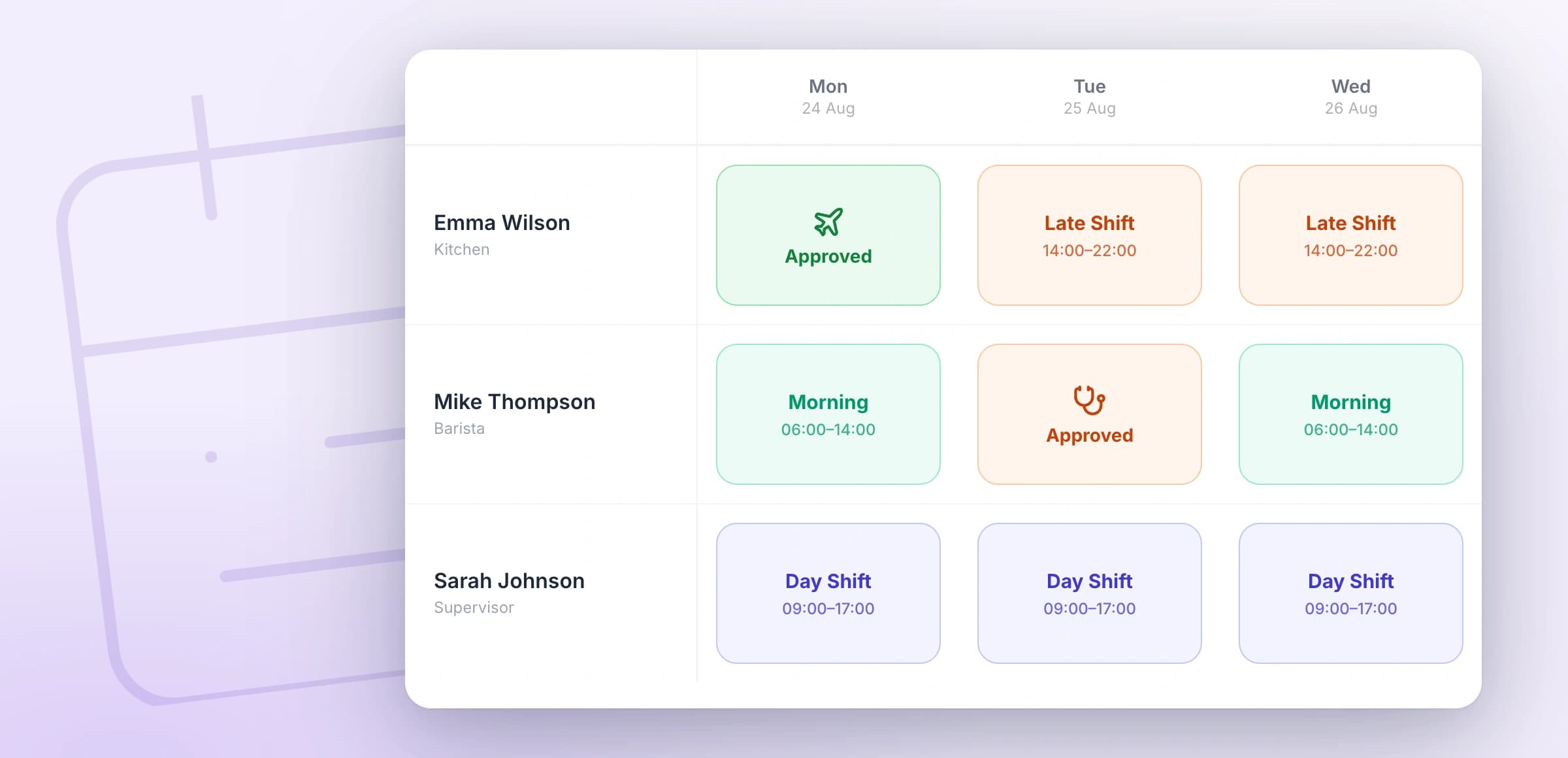
Absence software that calculates the Bradford Factor is more useful where the work is planned. In TimeTally, approved and pending leave, sick leave included, shows in the rota grid while you build the week. Put a shift on a day of approved leave and TimeTally asks you to confirm first.

Staff clock in and fill in timesheets in the same app, see their shifts from the rota, and book holiday against their balance. One price per employee covers all of it.

The TimeTally rota week grid with approved annual leave and sick leave shown in the cells beside the shifts

Bradford Factor Software Pricing

One price per employee, with absence scoring, leave, timesheets and the rota included. No setup fee.

£3/employee/month

After a 14-day free trial, no card needed to start. Billed monthly. Cancel anytime.

Bradford Factor scores for every employee, worked out for you
Sick leave booked by staff or by managers
Holiday, sickness and your own leave types, with balances
CSV export with each person's spells, days and score
Clock-in, timesheets and the rota in the same app
iPhone and Android apps
Start free

Writing your sickness rules? Start from the statutory sick leave policy template, and check what someone is owed with the statutory sick pay calculator.

In short

What is a Bradford Factor system?

A Bradford Factor system works out the Bradford Factor for every employee from the absence you record, so nobody counts spells and days by hand. In TimeTally, staff book sick leave in the app or a manager books it for them. TimeTally scores only the sickness and absence leave types, never booked holiday, using spells × spells × days. Admins and managers see the highest scores for any dates and can export every score to CSV. A built-in reminder says a score starts a conversation, and that disability and pregnancy absence may need discounting. It costs £3 per employee per month after a 14-day free trial.

Scores
Sickness and absence types only
Period
Any date range you pick
Export
CSV, every employee
Alerts
None, you check the report
Price
£3 per employee a month

Bradford Factor Software: Frequently Asked Questions

What is Bradford Factor software?

Bradford Factor software works out each employee's Bradford score from their absence records automatically. You record sickness as it happens, and the software counts the spells and days for you. In TimeTally the scores come from the same leave records as everyone's holiday, so there is nothing to copy into a spreadsheet.

Which HR tools calculate the Bradford Factor automatically?

Several HR and absence systems do. TimeTally calculates it for every employee from the sick leave recorded in it, with no formula to set up. Every new account starts with a Sick Leave type, so scores appear as soon as sickness is booked.

How does the Bradford points system work?

Each employee gets a number of points: spells × spells × days. Three one-day absences are three spells and score 3 × 3 × 3 = 27. One three-day absence is one spell and scores 1 × 1 × 3 = 3. Frequent short absences score more because they are harder to plan around.

Which absences count towards the score?

Leave types whose names say sick, absence, illness, unwell, compassionate or emergency. Approved and pending requests count; rejected and cancelled ones don't. Annual leave, maternity and paternity leave, TOIL and bank holidays are never scored.

What period does the Bradford Factor cover?

The dates you pick in the report. It opens on the current calendar year, and you can switch to last year, a quarter, a month or a custom range. For the usual rolling 52 weeks, choose a custom range that ends today.

Does TimeTally send an alert when a score reaches a trigger point?

No. There are no alerts, emails or automatic warnings on a score. In the report, scores of 50 and over are marked amber and scores of 200 and over red. Set your own trigger points in your absence policy and check the report against them.

Who can see Bradford Factor scores?

Admins and managers, in Reports & Analytics on the Time Off page. A manager who is limited to certain departments or people only sees scores for those people. Employees don't see a Bradford score.

Can I leave disability-related absence out of a score?

There is no switch to remove one absence from a score. If you record disability-related absence on its own leave type, with a name that doesn't say sickness or absence (Disability Leave, for example), it isn't scored. The report also reminds you that disability and pregnancy absence may need discounting before you act.

Still have a question? See all FAQs

Get Every Bradford Score Without A Spreadsheet

Start the trial, book a sick day for someone, and open Reports & Analytics to see their score.

Support that answers

A real person replies within 24 hours. No ticket queues, no bots.

UK GDPR compliant

A UK company, ICO regulated. Your data encrypted and never sold.