
Rota Planning
Rota PlannerSchedule shifts and manage your teamTime & Attendance
Time TrackingTimesheets, clocking in, and moreView all features One plan · £3 per employee per month
For pubs, shops, care groups and clinics with more than one site
TimeTally is multi-site rota software for UK businesses with more than one location. Each site gets its own schedule and its own manager, people who work at two sites can't be booked at both on one day, and you see each site's hours and cost before you publish. One account, one login for your staff, one bill.
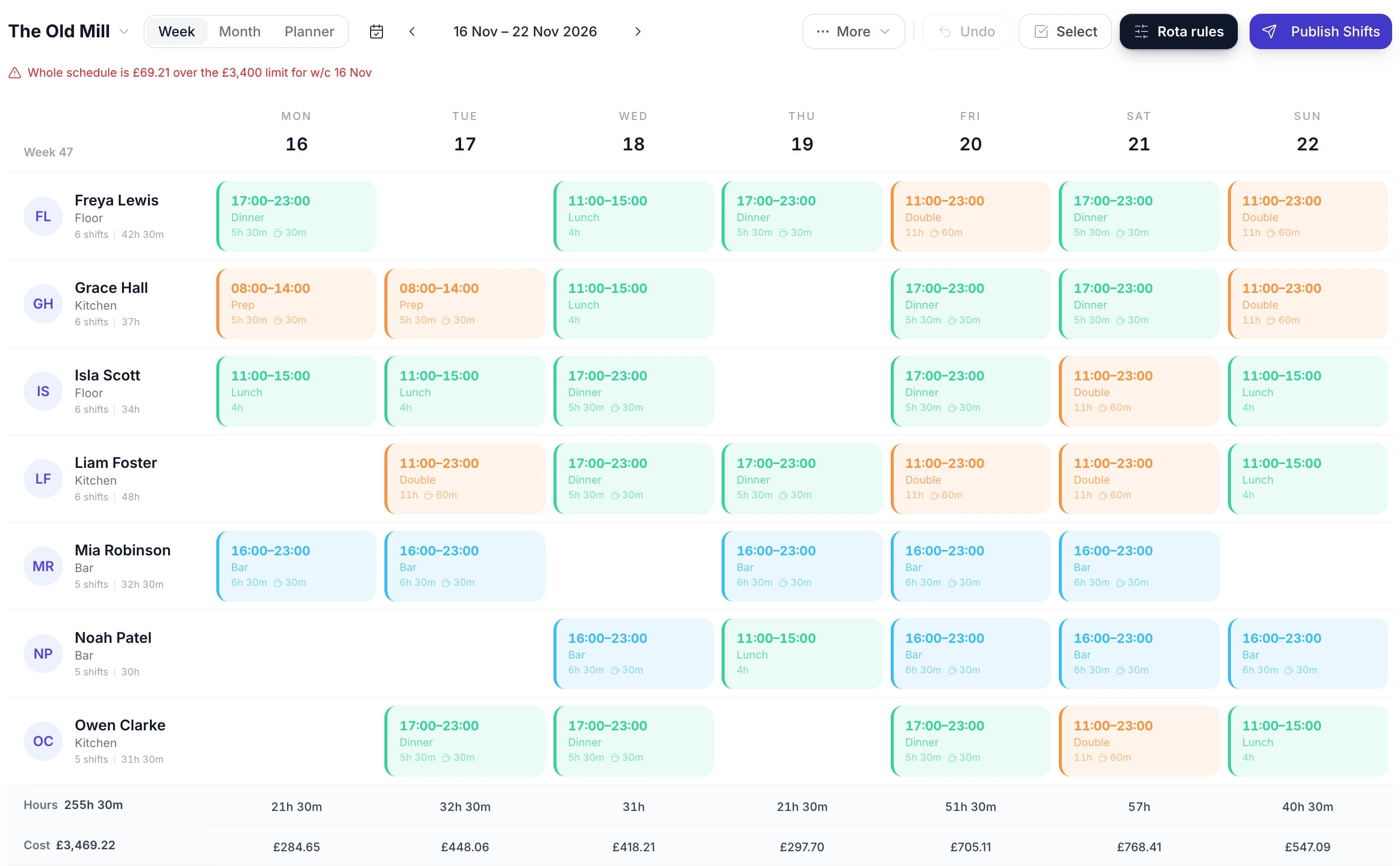
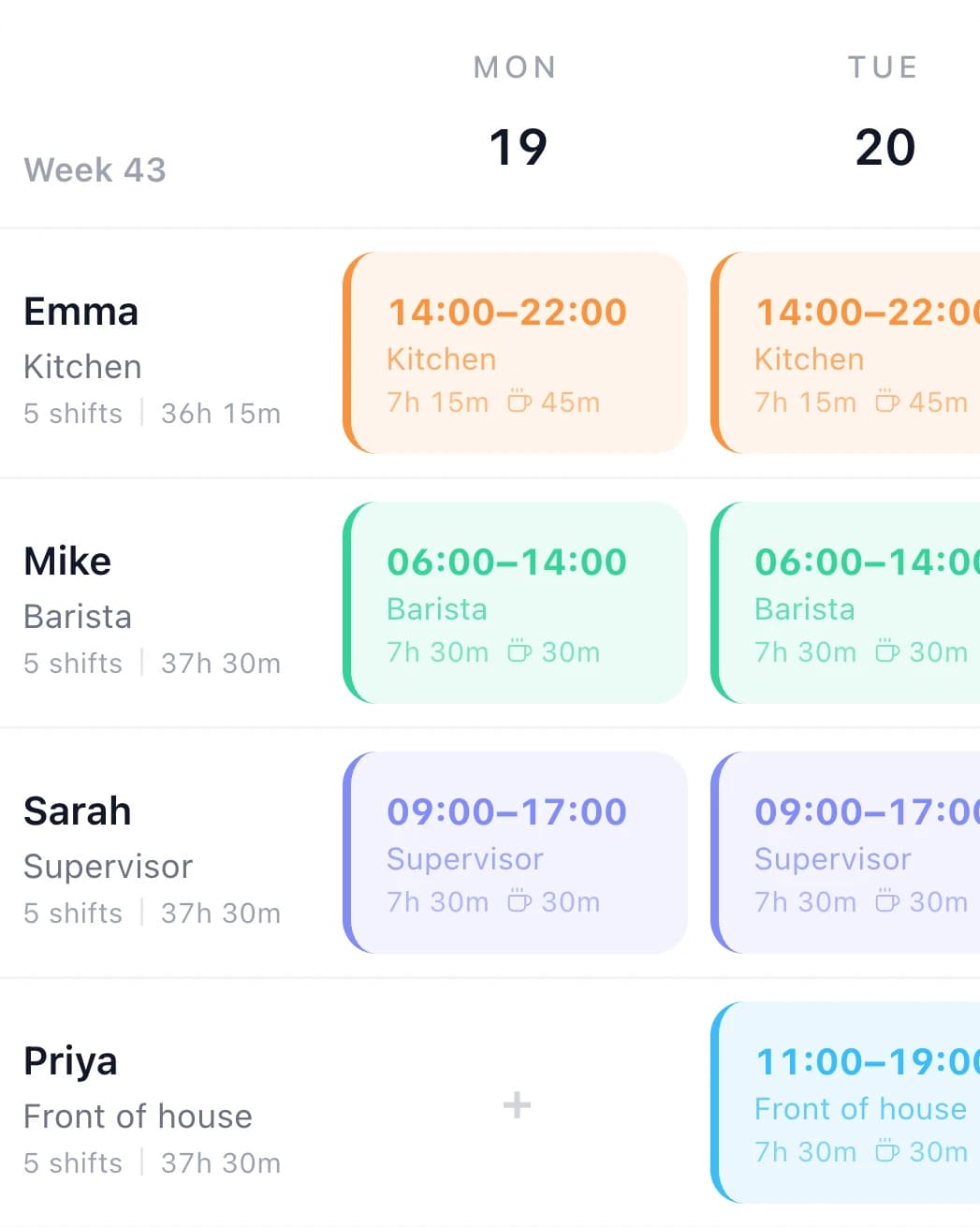
An area manager's week
A spreadsheet per site works until people, cover and money start crossing between them. These are the moments it usually breaks.
Priya already has a shift at The Old Mill that day. On The Bridge Inn's grid her Wednesday shows The Old Mill's name and can't be booked, so nobody finds out on Wednesday morning that she was promised to two sites.
A cost rule on Station Road's schedule puts a red line above the grid: the week is over the limit you set. You see it while the shifts can still move, not when the wages go out.
Approving the second holiday lists the shifts it leaves open and who is free to cover each, people from The Old Mill first, then Also show free on other schedules.
Each schedule is published on its own, so The Old Mill can go out on Thursday while Station Road waits for one more answer. Only that site's staff are emailed.
It is the same rota planner you'd use for one site, with a schedule for each location. Adding a site is a name and a colour.
Name it and give it a colour. Switch between them from the picker at the top of the rota; there's no limit on how many you run.
Someone who works at two sites goes on both. Their shifts at one show on the other's grid as taken.
Shift templates are shared by every site. Each schedule keeps its own week templates, and copying a week forward fills up to 13 more.
One site's week can go out while another is still being built. You choose whether to email, and only that site's staff are told.
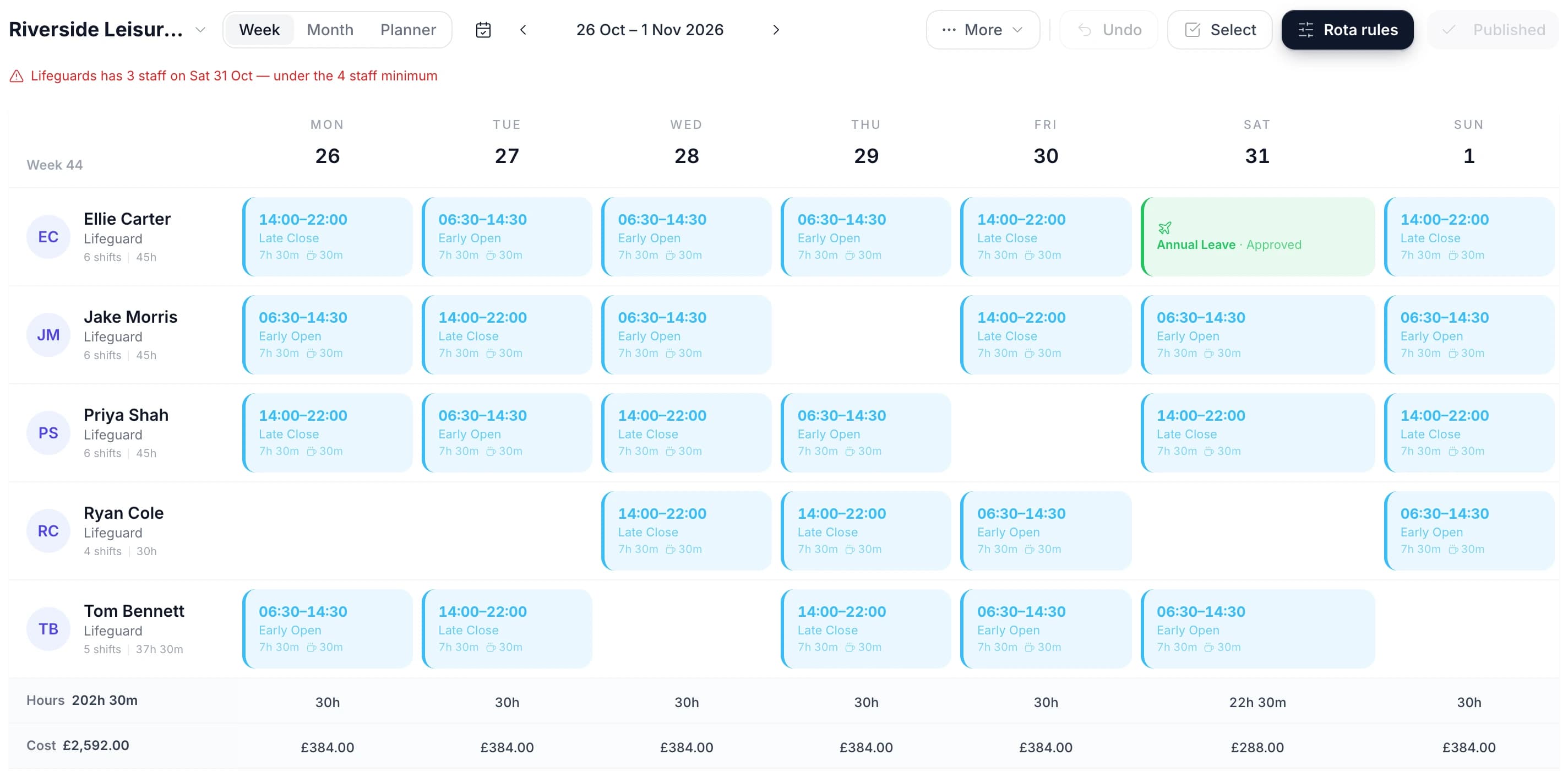
Staff who work at more than one site
A person has one shift a day across all your schedules. When Priya is on The Old Mill on Monday, The Bridge Inn's grid shows her Monday as taken, with The Old Mill's name in it, and won't let you add a shift or paste one there.
If someone really does work two sites in one day, it's one shift with two time slots on one schedule. Give that shift a project for each site and they clock in at both.
Rota rules
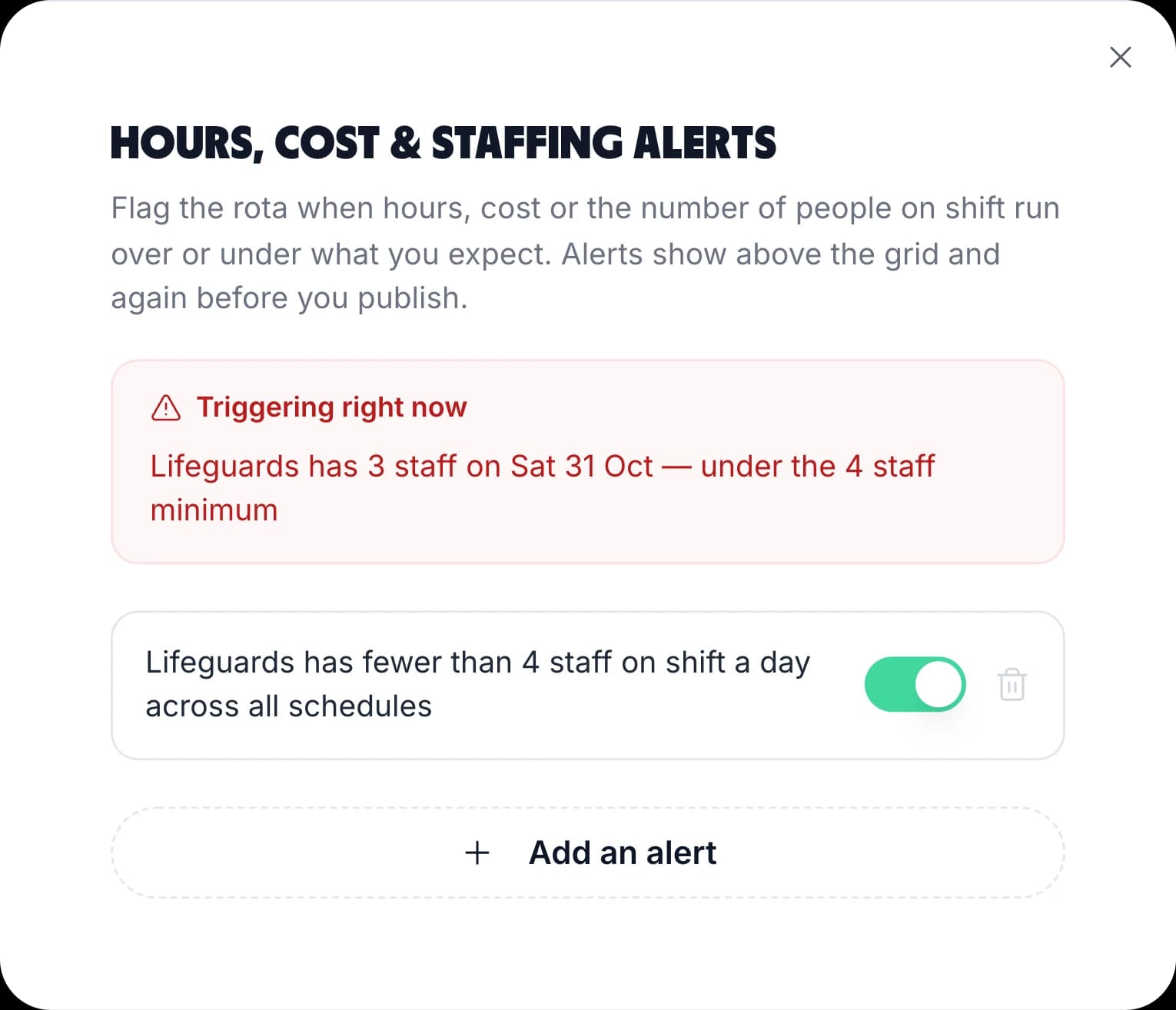
Set a rule once and the rota watches it for you: over or under a number of hours, pounds or people, per day, week or month. Point it at one site's schedule, a department, one person, or All schedules at once.
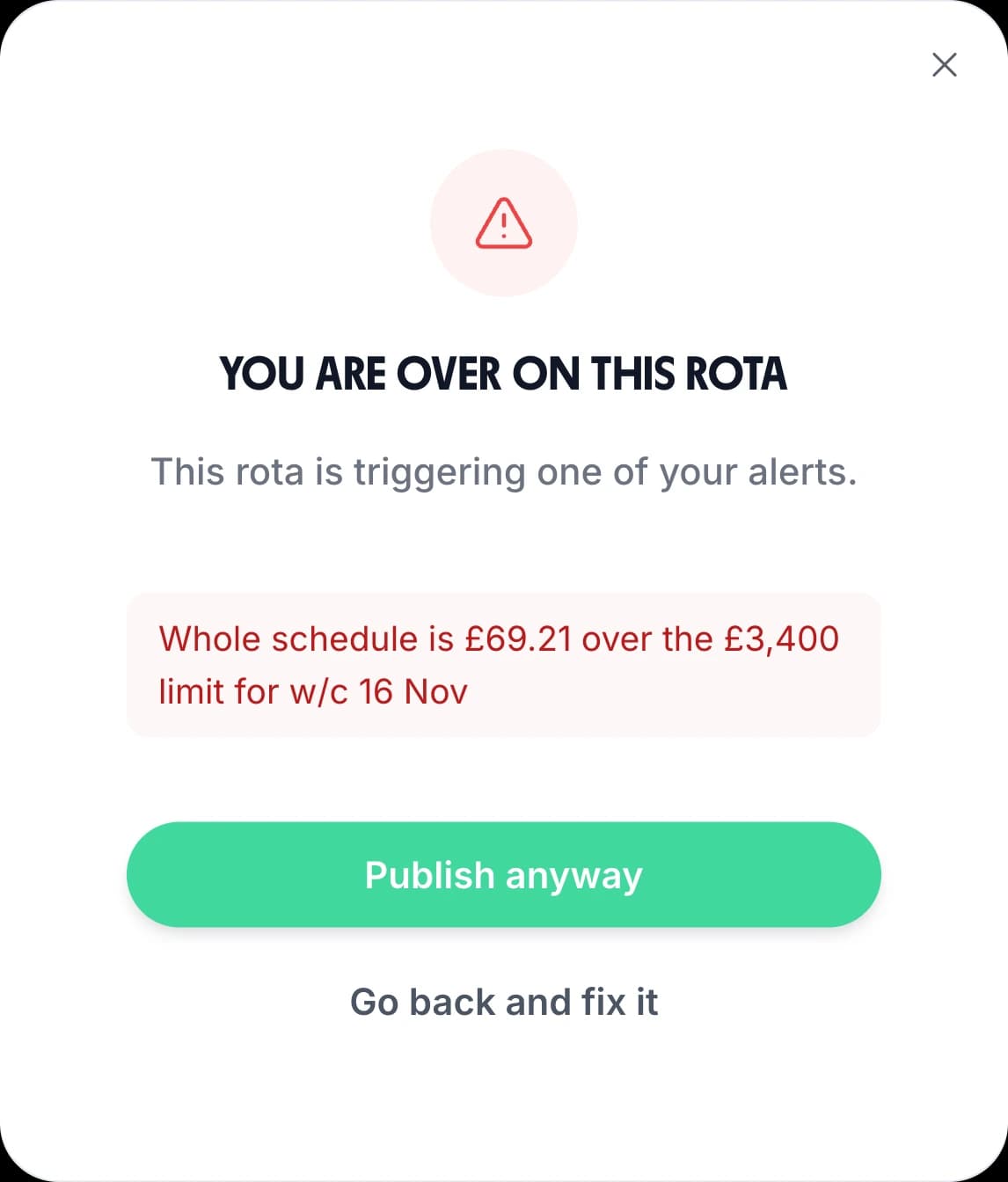
More on costs: rota labour costs.
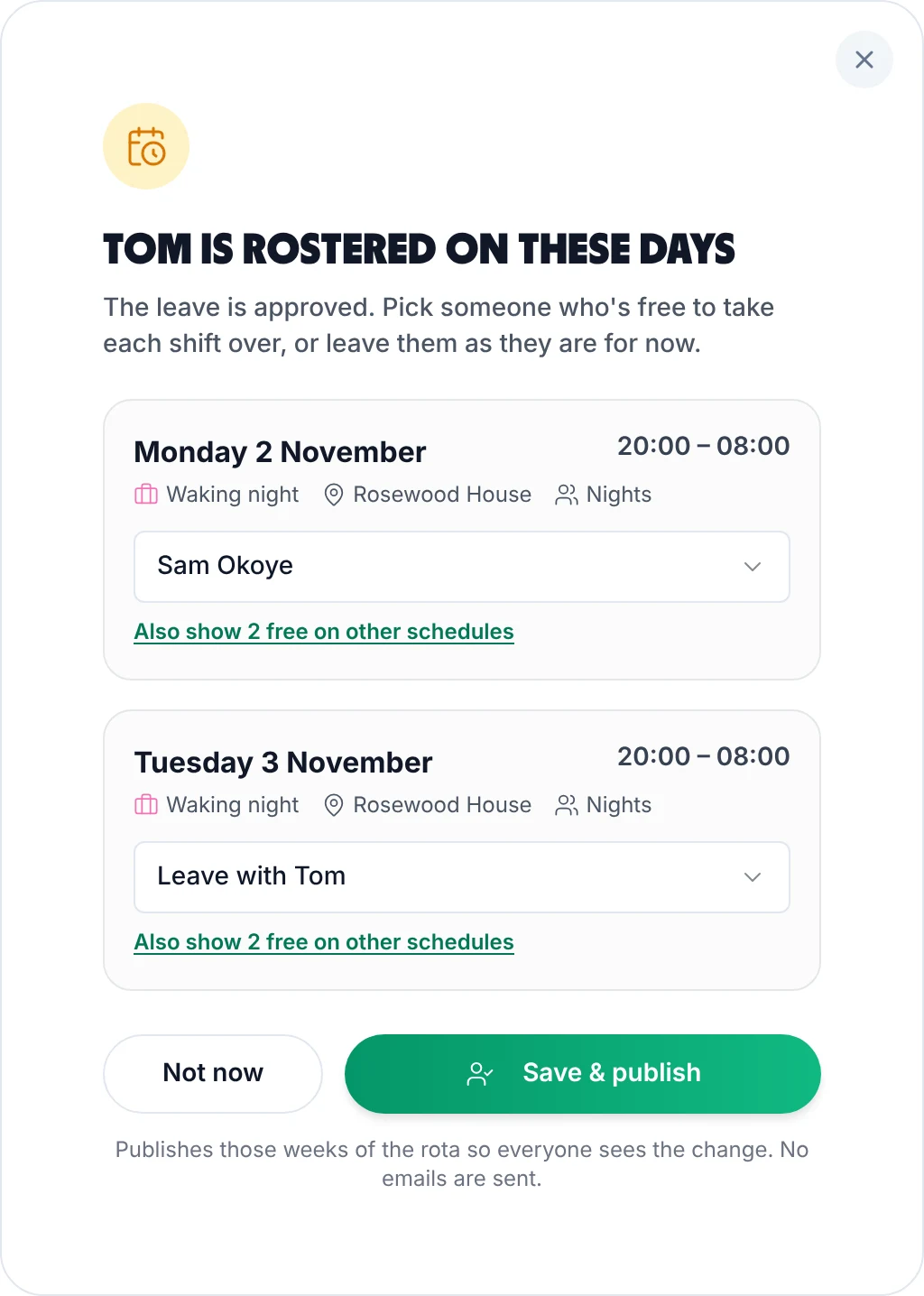
Holiday and cover
Approve someone's holiday and TimeTally lists the shifts it leaves open, with the people who are free for each. Your own site's staff come first; Also show free on other schedules brings in people from your other sites.
More on holiday tracking.
Give each manager the departments or people they look after. They change shifts, approve holiday and approve timesheets for those people only.
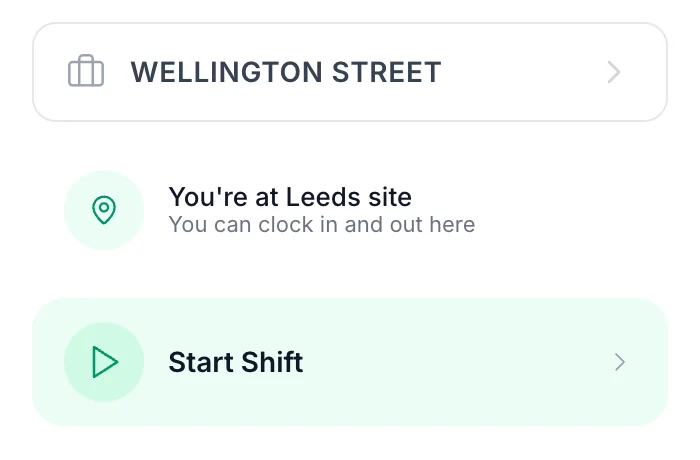
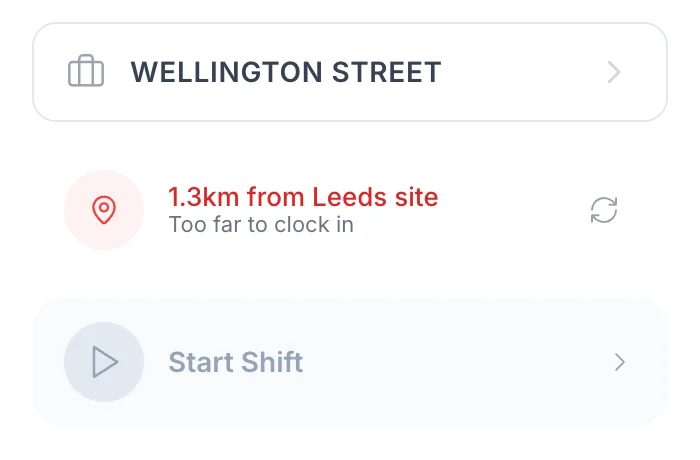
Give each site a project with an area round its address. With GPS clock-in (£1 per employee a month) staff can clock in to a site only when they're there, and a shift can name the site it's at. See GPS clock-in.
Real reviews from TimeTally customers
TimeTally has been excellent for our business… The system has saved us a significant amount of administration time.
 Jordan IngoeCLI Manchester
Setup was dead simple and the team just got on with it. Got everyone up and running in an afternoon with no help needed. Does everything we need for timesheets and holidays without the faff.
Has completely changed how I handle timesheets. Used to dread it every week — now it takes me minutes. Really easy to get around and my staff picked it up straight away.
Started using it just for rotas but quickly realised it does loads more. The timesheets and leave management are great, and it even handles TOIL and overtime which I wasn't expecting. Use it for everything now.
You pay for people, not for sites or schedules. Add a fourth site and the bill only moves if new people come with it.
The Old Mill14 people
The Bridge Inn12 people
Station Road16 people
42 people × £3£126 a month
Start your free trialOne account, one login per person, billed monthly. GPS clock-in is £1 extra per employee.
What owners and area managers ask before moving several sites onto one rota.
Still have a question? See all FAQs
Multi-site rota software plans staff shifts for several locations in one account: a rota for each site, with the people, managers, hours and cost of each kept apart, and the whole business on one login and one bill. In TimeTally each site is a schedule. You build and publish each one on its own, people who work at more than one site can be on several, and nobody can be booked at two sites on the same day.
Yes. Add them to each site's schedule. They can work at one site on Monday and another on Tuesday, and each site's grid shows the days they're already taken elsewhere. A person has one shift a day across all your schedules, so a day split between two sites is one shift with two time slots on one schedule (it can name a project at each site, so they clock in at both).
Yes. Give a manager the departments or named people they look after, and they can change shifts, approve holiday and approve timesheets only for those people. To let them see more people on the rota without changing them, such as the site next door, use Can also see on the rota. You can also hide pay from them. Every manager can see the list of schedules, but only the people you've given them.
Yes, when pay is switched on and you can see pay. Each schedule shows an Hours row and a Cost row under every day, worked out from each person's rate, and a cost rule can warn you when a site's day, week or month goes over a limit you set. The grid shows the schedule in view; there's no single total across every site on it.
It warns, it doesn't block. A staffing rule counts the people with a shift on a schedule or in a department per day, week or month, and shows a red line above the grid when the count is under your number. Publishing then asks Publish anyway or Go back and fix it. The count is people on shift that day, not the hours they cover, so it can't tell you a site is empty at 7pm.
No. TimeTally is one account and one bill at £3 per employee a month, however many sites and schedules you run. Three sites with 42 staff between them is £126 a month. Managers who don't record their own time aren't charged. GPS clock-in is £1 extra per employee if you want it, and there's a 14-day free trial with no card.
Try TimeTally free for 14 days. Set up a schedule for each site, give each manager their people, and publish next week from one account. Staff see their shifts in the staff rota app, and it's £3 per employee a month.
14-day free trial · No credit card needed · Cancel anytime