
Rota Planning
Rota PlannerSchedule shifts and manage your teamTime & Attendance
Time TrackingTimesheets, clocking in, and moreView all features One plan · £3 per employee per month
For contact centres and customer service teams
TimeTally is call centre rota software for UK contact centres. Build early, middle and late shifts that cover the phones from first call to last, get a warning before you publish a day that's short, and let advisors clock in, take breaks and book holiday in one app. Overtime is worked out for payroll.
From first call to last
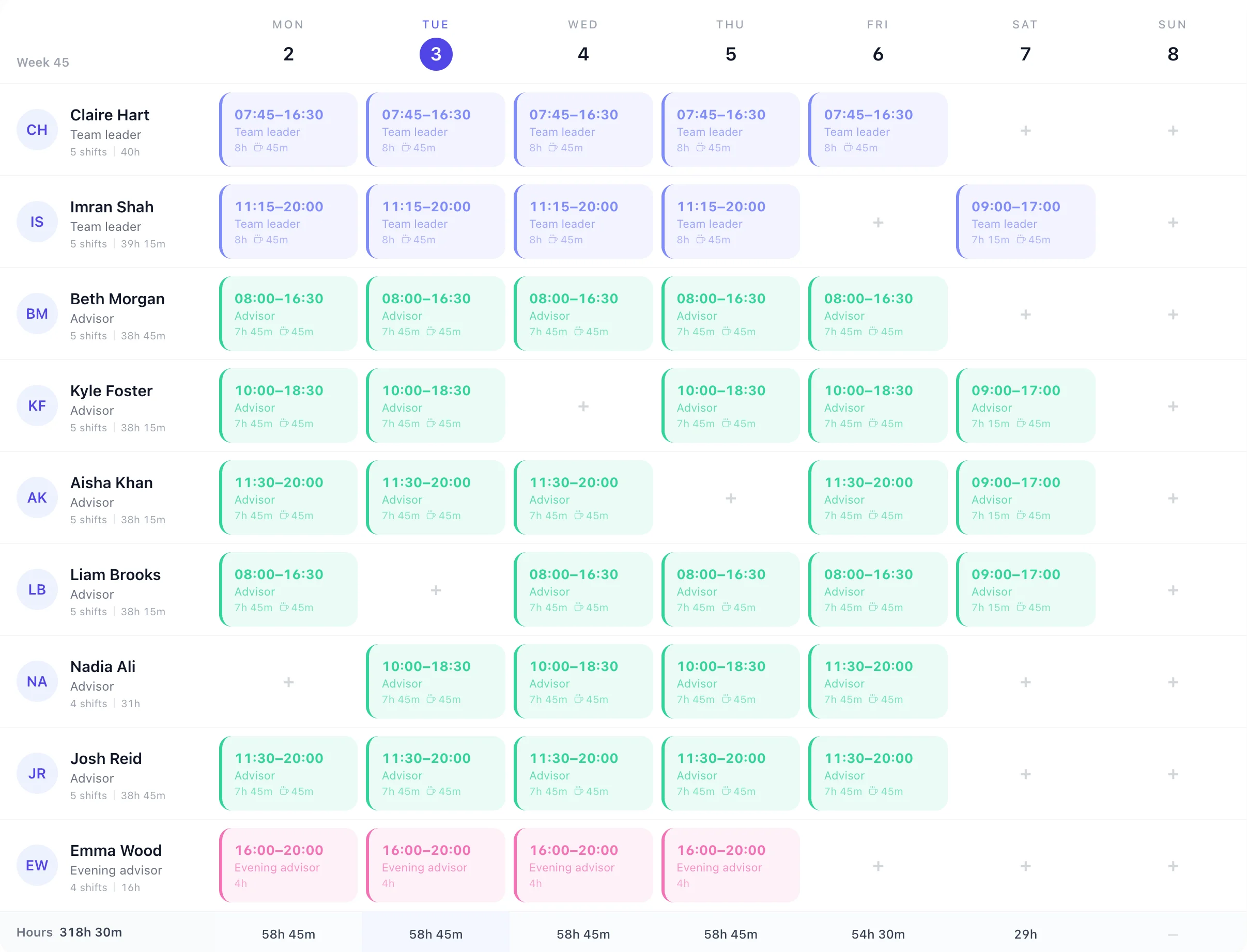
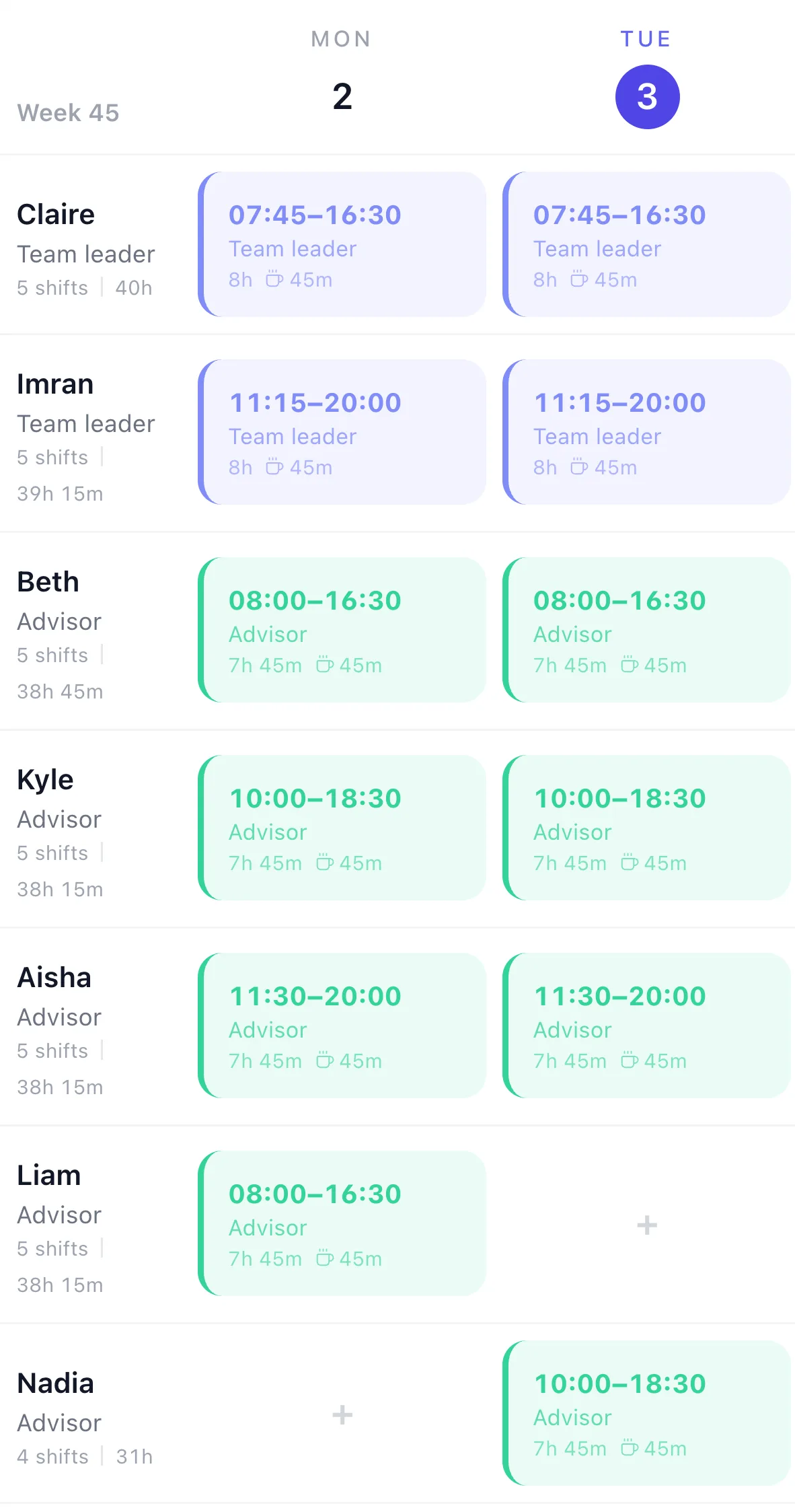
Twelve hours of open lines don't fit one shift. On Monday the rota above starts people at 07:45, 08:00, 10:00, 11:15, 11:30 and 16:00, so the floor builds through the morning, peaks in the afternoon and still has four on for the last calls.
The strip is worked out from Monday's shifts: who is on shift at the top of each hour. Breaks aren't placed at a time on the rota, so it counts people on shift, not people on the phones.
Monday · on shift each hourPeak 8
Drawn from the rota above. TimeTally's own Coverage report gives the most people on at once each day.
Save each pattern once as a shift template, with its times, its 45-minute break and its role, then drop it onto the grid. Save a normal week as a week template and apply it for up to 13 weeks.
Running a fixed rotation instead, such as four on, four off? The shift pattern calculator works out the cycle, and the rota planner shows the grid step by step.
Before you publish
Add a rota rule for the number of people a day needs. Any day below it shows a red line above the grid, and pressing Publish asks you to fix it or publish anyway. Rules can watch the whole schedule or one department, such as Sales or Retentions, and can also watch hours or wage cost a day, week or month.
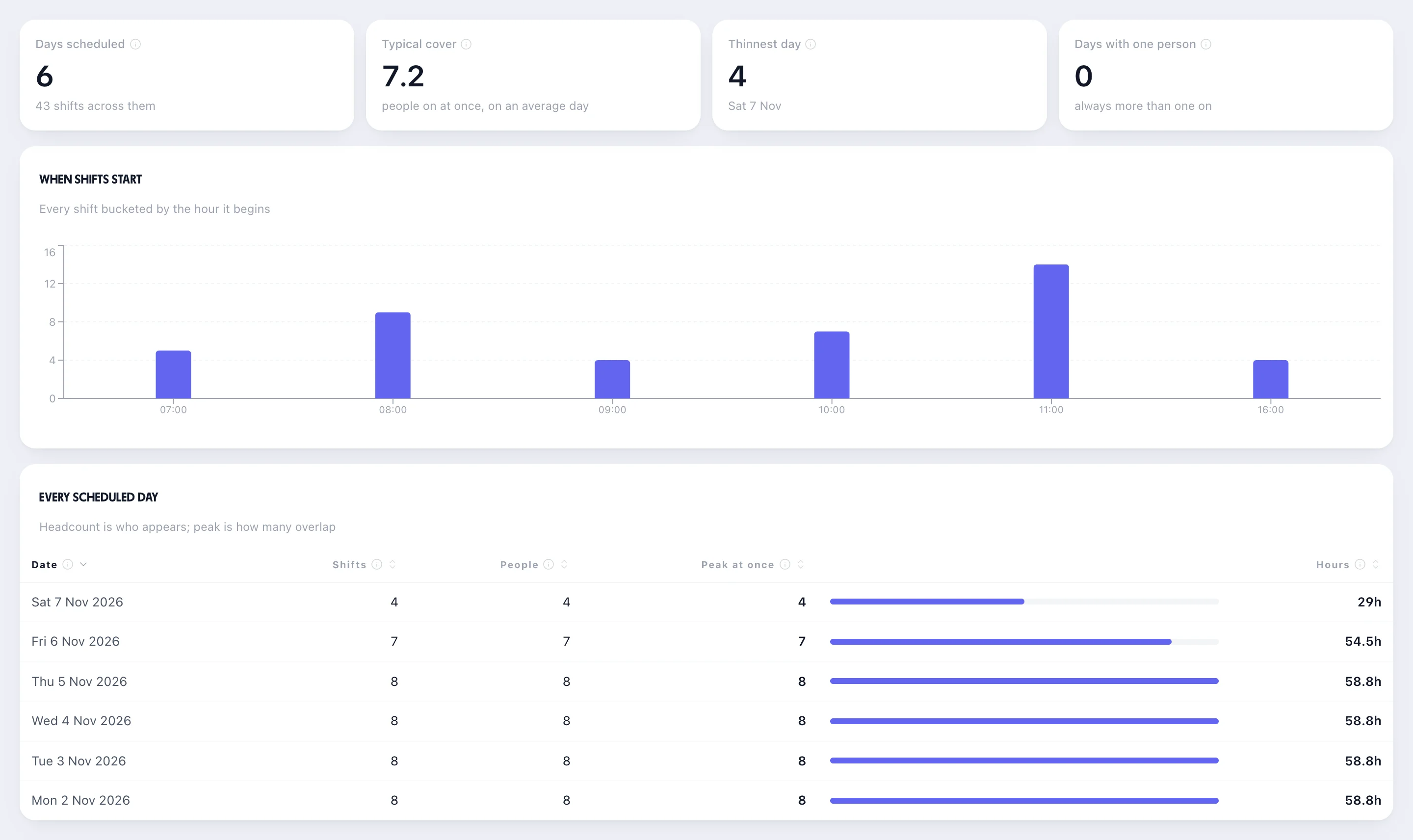
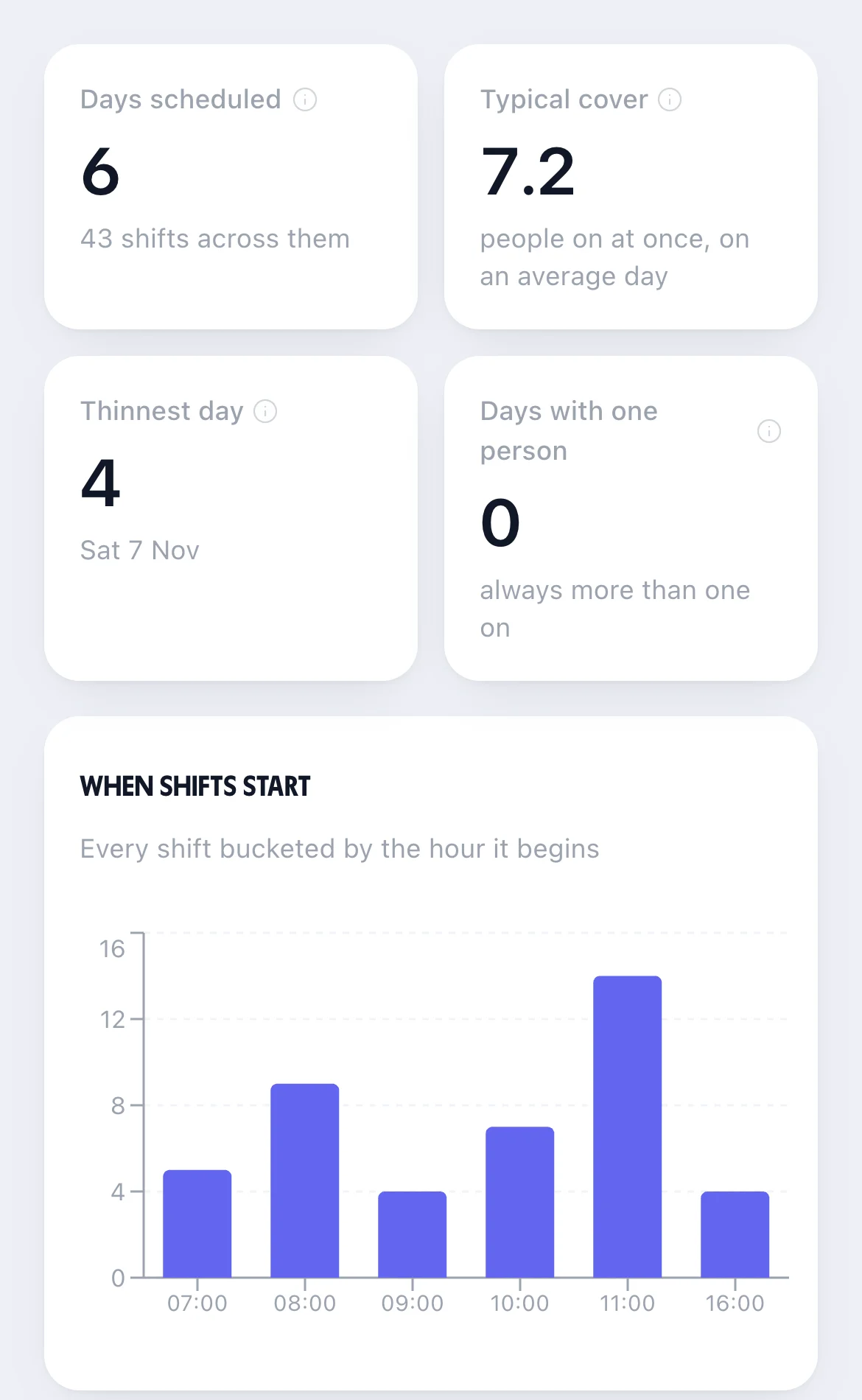
It counts people per day, not per hour. Seven people on Monday passes the rule even if they all start at eight. The Coverage report fills the gap: when shifts start, and the most people on at once each day.
Rota rule
Staff on shift falls under 7 in a day
Watching the whole schedule
It doesn't know your opening days, so Saturday (4 on) and Sunday (closed) show it too: check them and publish anyway.
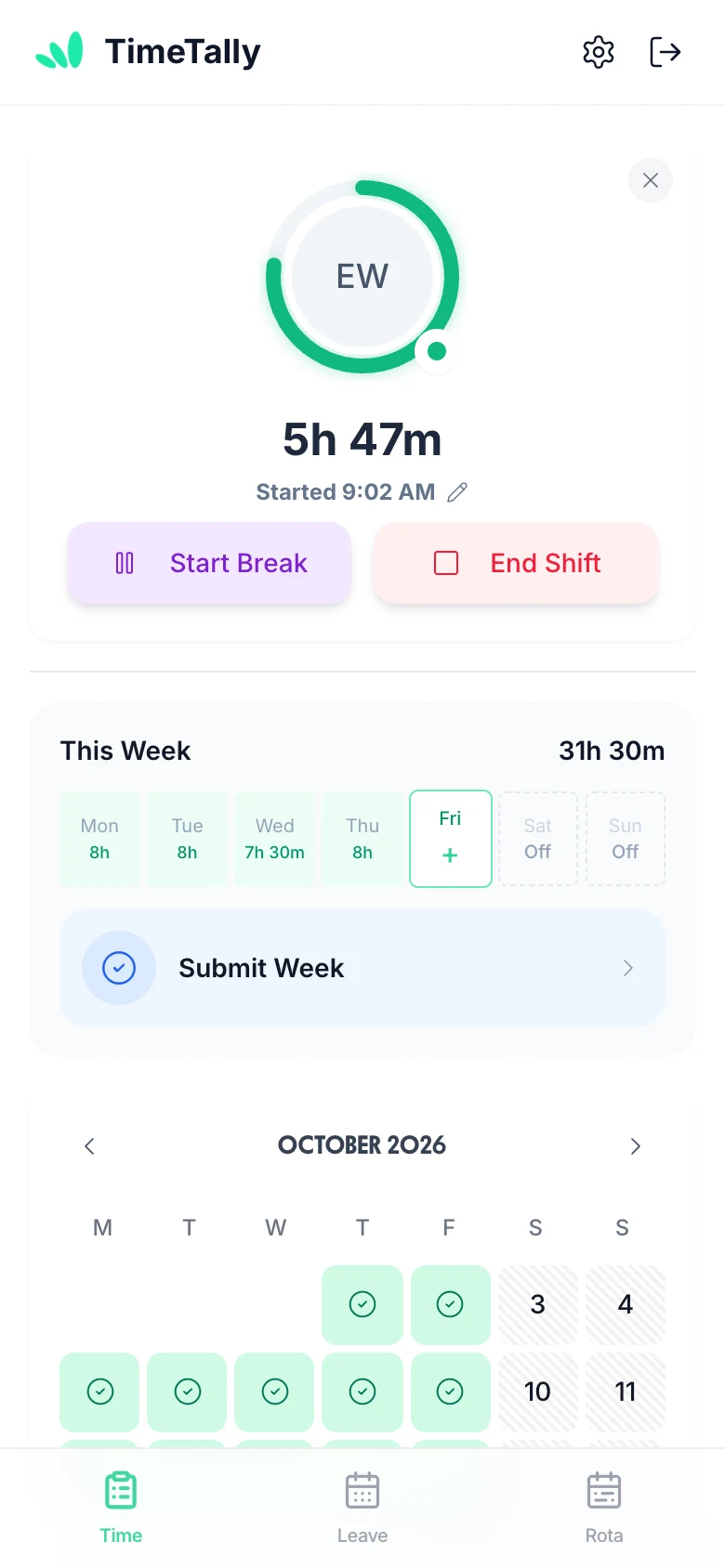
The rota is the plan. What each advisor actually worked comes from the same app, ready for you to approve.
Advisors clock in and out on their phone or in a browser on their desk computer. The hours land on their timesheet, and a manager approves the week.
Start Break sits beside End Shift on the clock-in screen, and the break is ended from the same place. The Clock times report flags any day of six hours or more with no break, so a skipped break on a busy afternoon shows up.
Set overtime after a number of hours a day, week or month, or after each person's working pattern, at a multiplier or a fixed rate, or bank it as time off in lieu. It's approved with the timesheet.
Advisors book holiday in the app and it shows on the rota while it waits. Approving it lists the shifts it leaves open and who is free to cover them.
More on overtime tracking and TOIL.
Real reviews from TimeTally customers
TimeTally has been excellent for our business… The system has saved us a significant amount of administration time.
 Jordan IngoeCLI Manchester
Setup was dead simple and the team just got on with it. Got everyone up and running in an afternoon with no help needed. Does everything we need for timesheets and holidays without the faff.
Has completely changed how I handle timesheets. Used to dread it every week — now it takes me minutes. Really easy to get around and my staff picked it up straight away.
Started using it just for rotas but quickly realised it does loads more. The timesheets and leave management are great, and it even handles TOIL and overtime which I wasn't expecting. Use it for everything now.
Big contact centres run WFM software that forecasts calls and plans every 15 minutes. If you need that, TimeTally isn't it. If you need a clear rota, honest hours and holiday for your team, it is.
£3 per employee a month for the rota, clock-in, timesheets, overtime and holiday together. No setup fee, no contract, no per-seat licence tiers.
2 team leaders£6
6 advisors£18
1 evening advisor£3
9 people × £3£27
40 seats would be £120 a month.
Start your free trialWhat contact centre managers ask before they move the floor rota out of a spreadsheet.
Still have a question? See all FAQs
Call centre rota software plans which advisors and team leaders work which shifts, so the phones are covered from the first call to the last, and shares the rota with the team. In TimeTally you build the week on one grid from shift templates such as Early, Middle and Late, get a warning before you publish a day short of people, and staff see their shifts, clock in, take breaks and book holiday in the same app. It's £3 per employee a month.
No. TimeTally isn't a workforce management system: it doesn't forecast calls, run Erlang C, plan by 15- or 30-minute interval, track schedule adherence or connect to your phone system. You decide how many people you need; TimeTally makes the rota, warns you when a day falls short, and records the hours that were worked.
Yes, by the day. Add a rota rule such as Staff on shift falls under 7 in a day, for the whole schedule or a department, and any day below it shows a warning above the grid and again when you publish. It counts the people with a shift that day, not how many are on at a given hour, so check the early and late ends yourself. The rota's Coverage report shows when shifts start and the most people on at once each day.
No. A shift carries its break as minutes (for example 45), not as a time of day, so staggering breaks across the floor is still your team leader's job. Staff start and end their breaks on the clock-in screen, and the Clock times report flags any day of six hours or more with no break recorded.
Yes. Staff can clock in and out from the TimeTally app on their phone or from a browser on their desk computer. Their hours land on a timesheet for you to approve, with overtime worked out by your rules, and approved hours export to Xero, QuickBooks or a CSV file for payroll.
TimeTally is £3 per employee a month, with no setup fee and no contract. A team of nine (two team leaders, six advisors and an evening part-timer) is £27 a month; 40 seats is £120. That covers the rota, clock-in, timesheets, overtime and holiday. There's a 14-day free trial and no card is needed.
Try TimeTally free for 14 days. Save your early, middle and late shifts, add a rule for the cover you need, and publish the week to your team. It's the same rota planner hundreds of UK businesses use, at £3 per employee a month.
14-day free trial · No credit card needed · Cancel anytime