


Team Time Off Overview
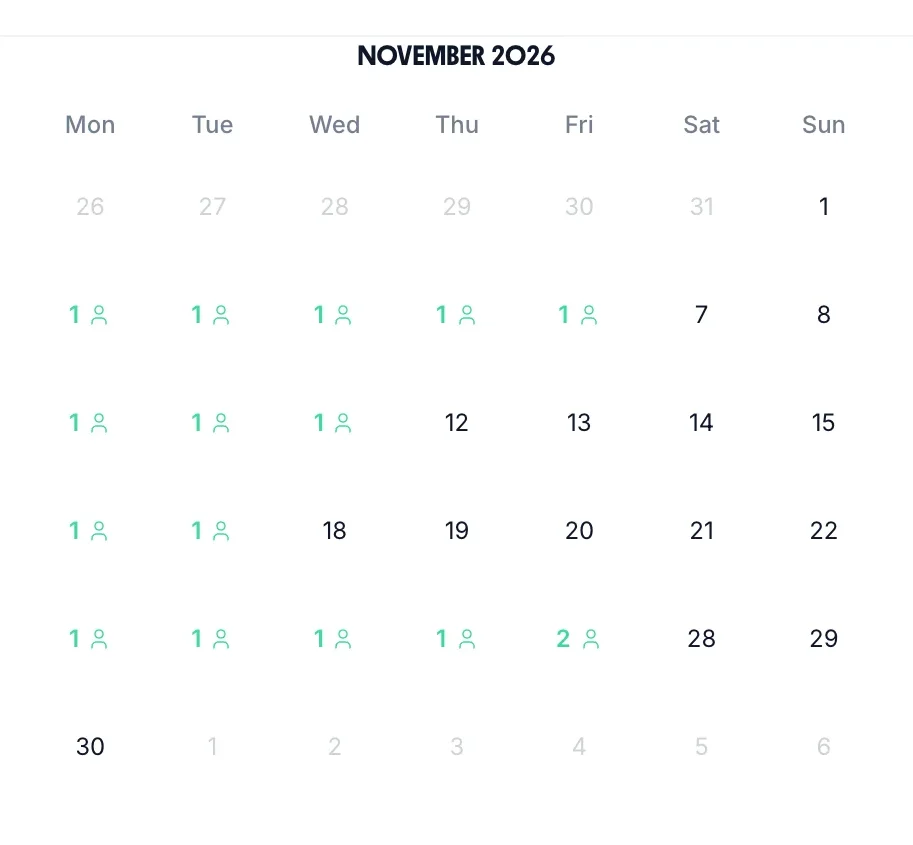
Three months side by side, each day with a count of the people off. Tap a day to see who, their leave type and whether it is approved. On a phone it shows one month.
Leave calendar · web, iPhone and Android
An annual leave calendar that nobody has to keep up to date. Staff book holiday on their phone, you approve it, and it lands on every calendar: everyone's month person by person, a count of who is off each day, and the week ahead on your Home screen. Built on the same staff holiday tracker that works out the balances.
Book a demo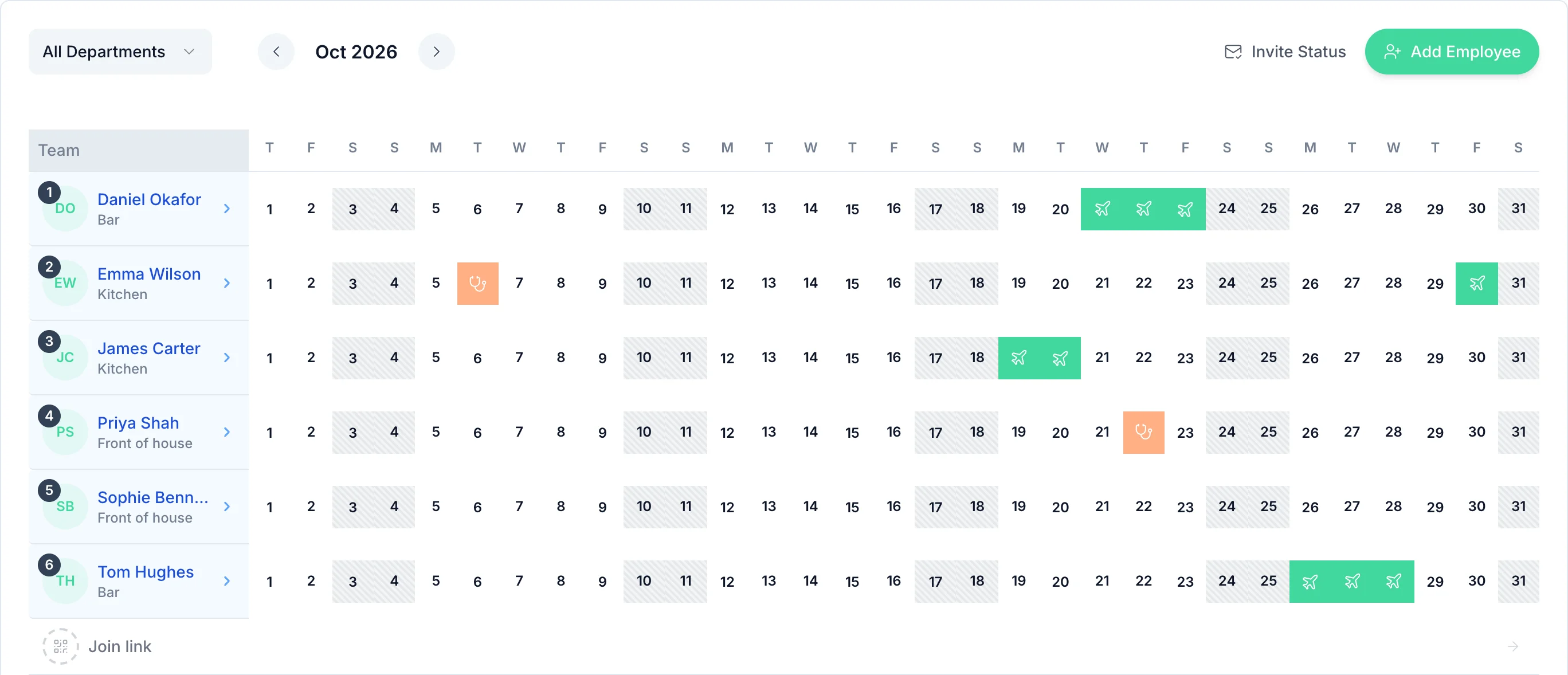
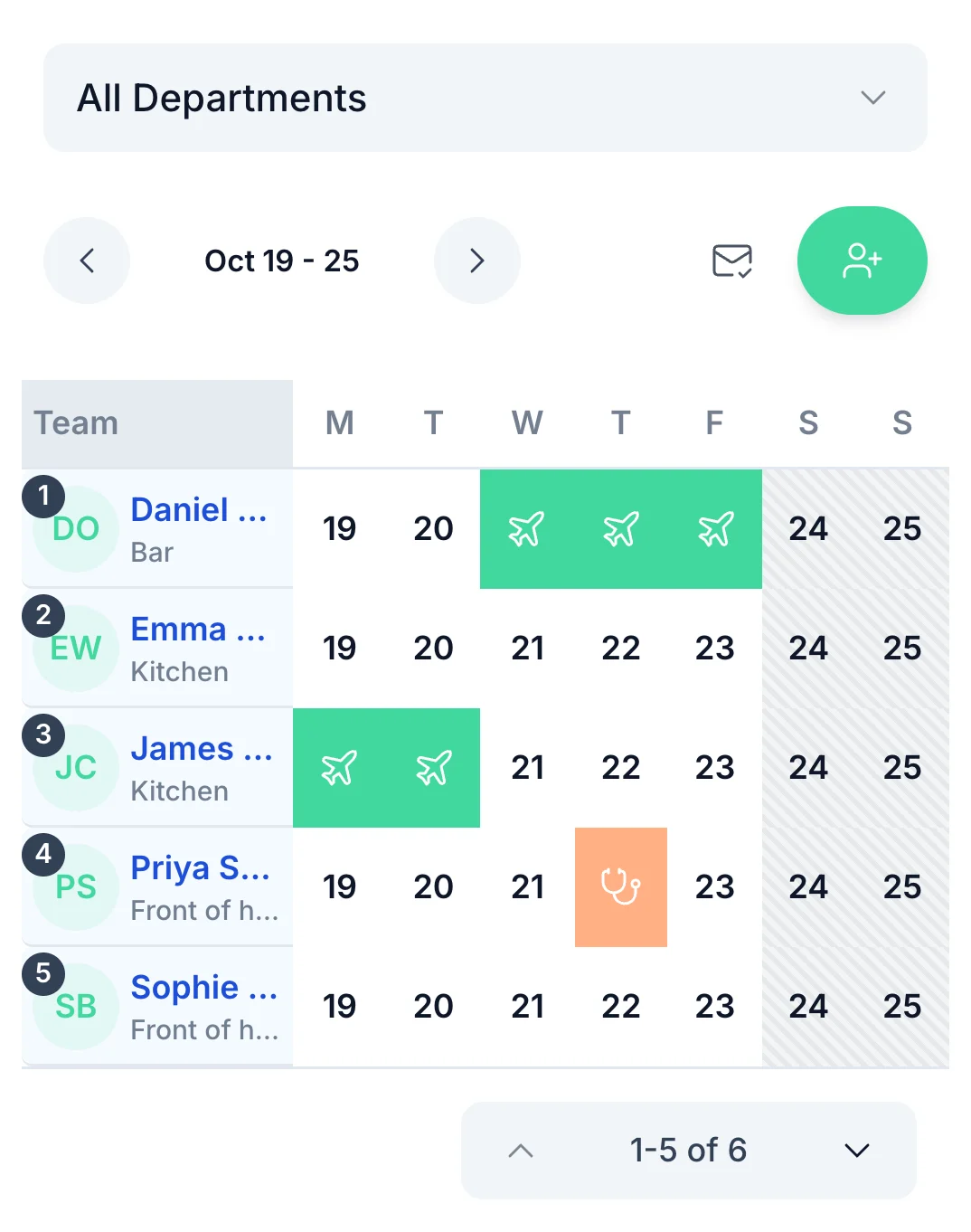
The calendar on your Home screen has a row for each person and a column for each day of the month. Holiday, sick days and any leave type you add each show in their own colour, so a glance tells you who is away and why.
Pick a department to see just that team, search when you have more than seven people, and page forward to plan the summer. On a phone it shows a week at a time.
Nobody copies a booking from one place to another. Each view reads the same requests.
Three months side by side, each day with a count of the people off. Tap a day to see who, their leave type and whether it is approved. On a phone it shows one month.
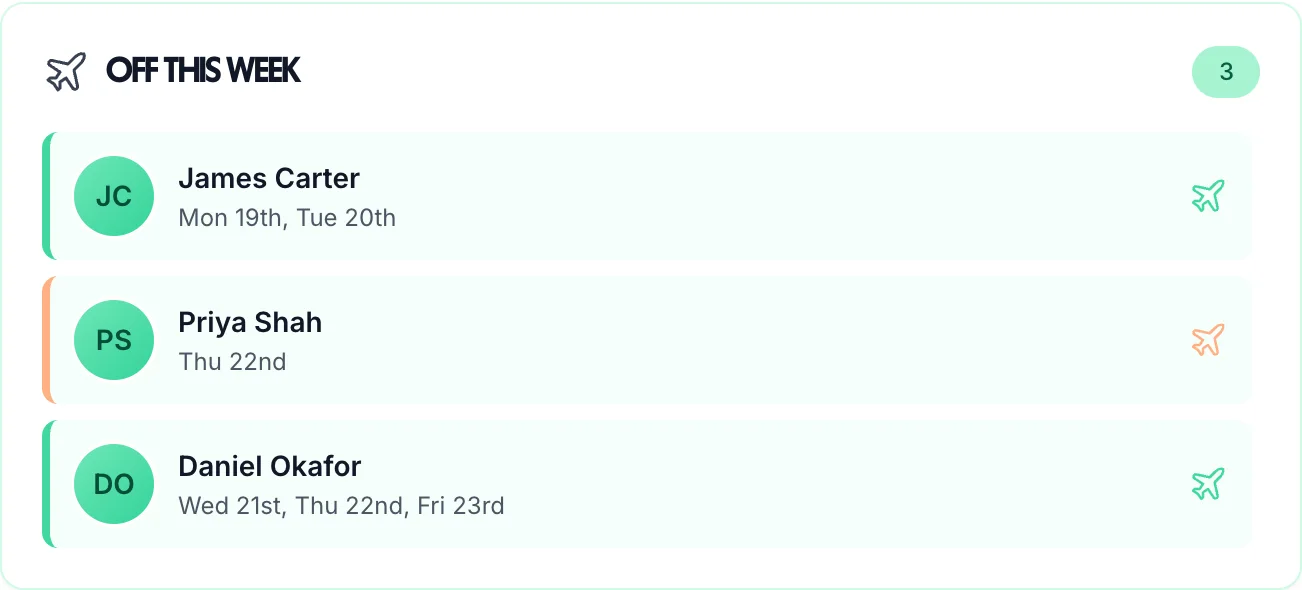
On your Home screen: everyone off this week and the days they are away, coloured by leave type. It follows the department you have picked.
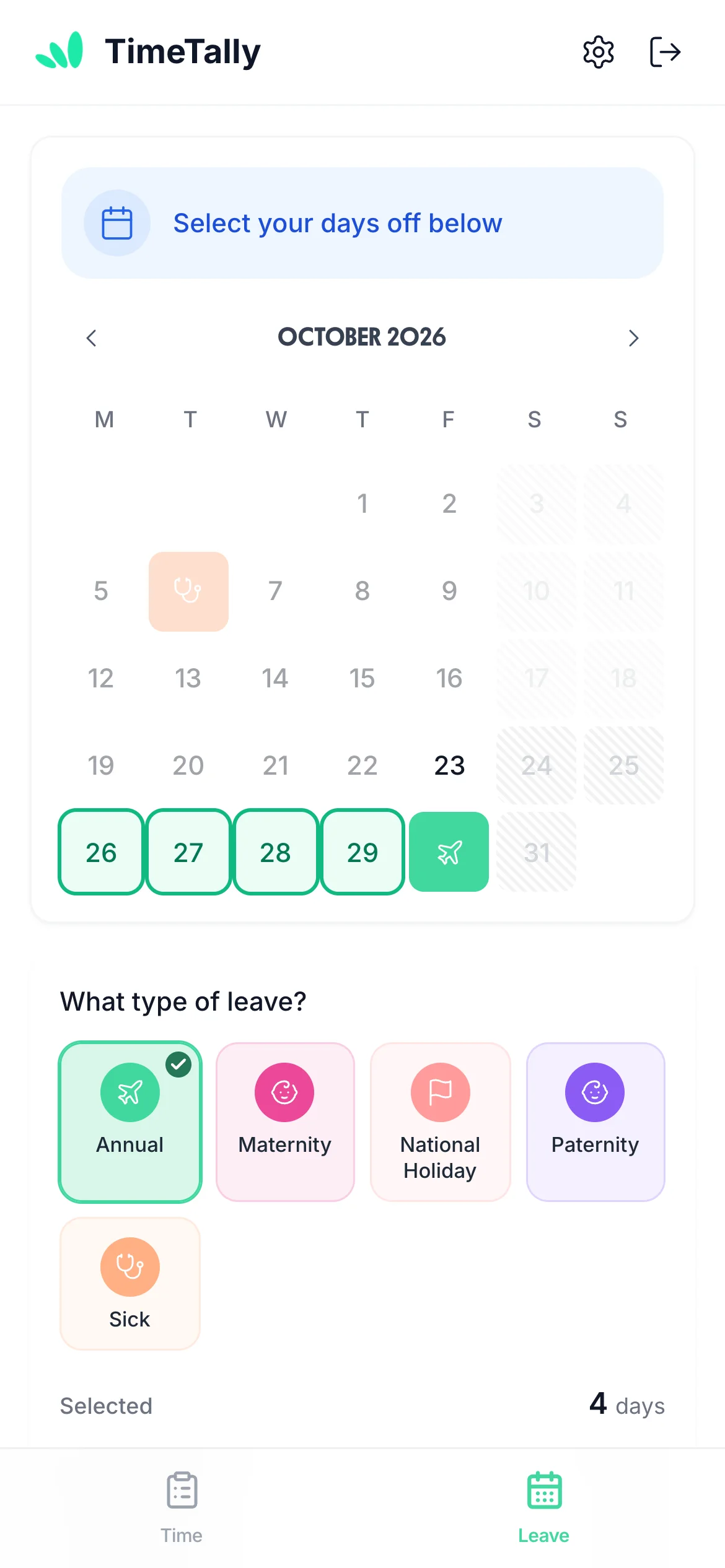
Where staff book leave. Their booked and waiting days are marked, and days they don't work are striped, so they can see what is free before they ask.
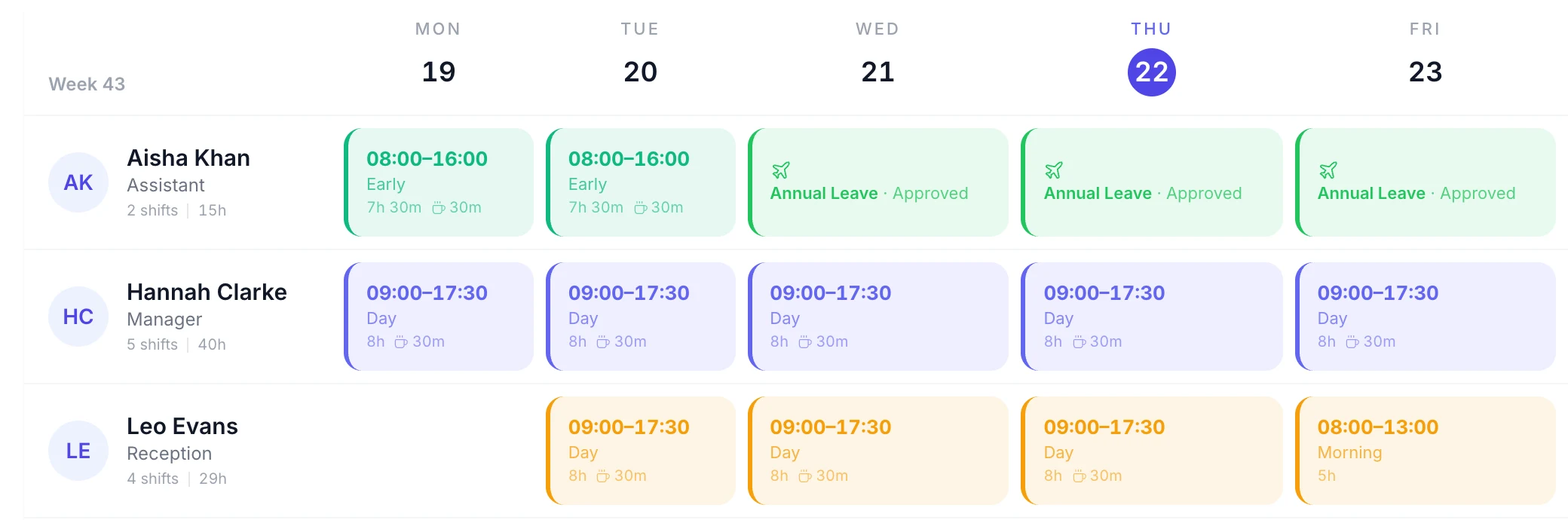
If you plan shifts in TimeTally, leave sits in the rota grid while you build the week, with requests still waiting shown dashed. Put a shift on someone's approved leave and TimeTally asks you first. More on the rota planner.
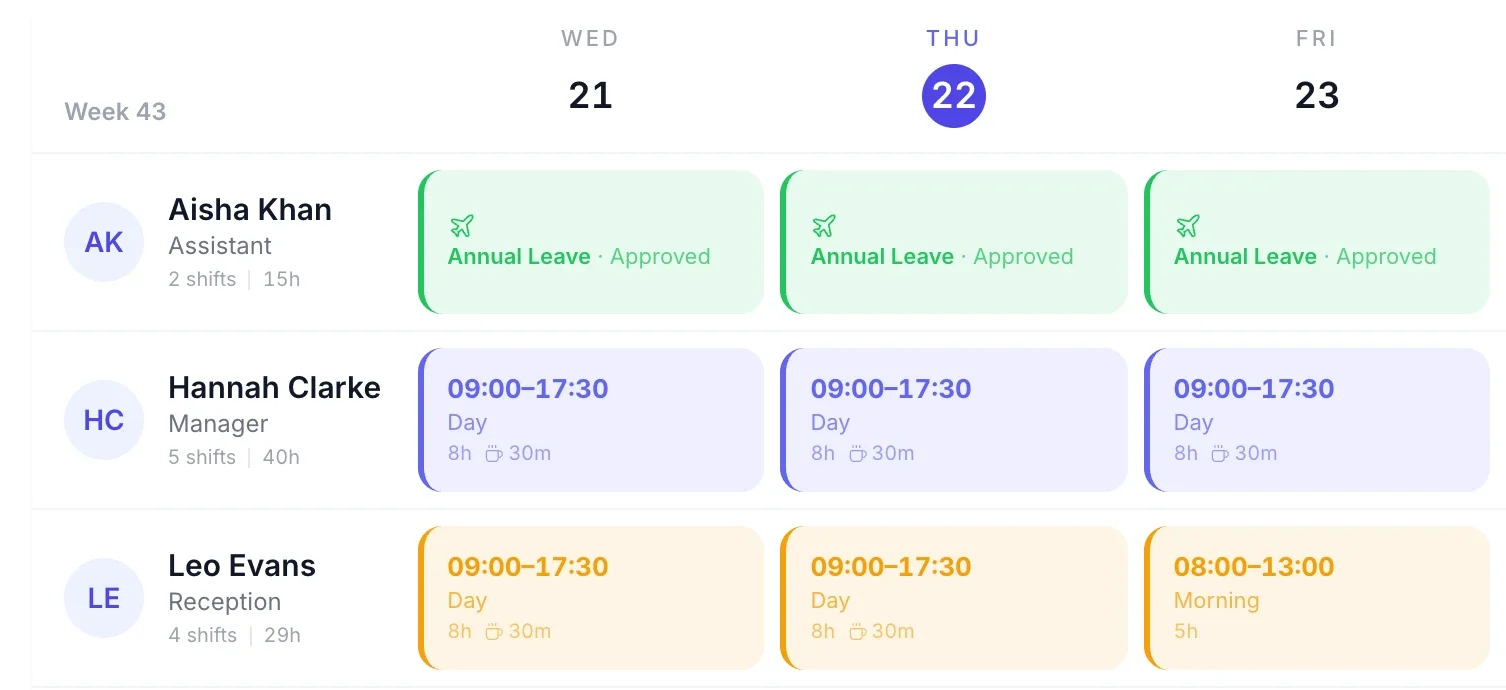
One day of holiday, drawn as it looks on the managers' calendar at each step.
Faded on your calendar, dashed on the rota and counted in the team overview, so you see it while you decide.
Full colour, on Off this week, and on the staff team calendar if you have it on. They get an email with your decision.
Gone from every calendar, and the days go back on their balance. Staff cancel a pending request themselves, or ask you to cancel approved leave.
Drawn example. Calendars show the change the next time they load; nothing updates live.
Letting staff see who is already off saves you saying no. Turn on "Show the team calendar" and it appears on the page where they book their own leave, for their own department or the whole organisation.
It shows approved leave only, with names and "Approved time off", never the reason or the leave type. A colleague can see that Priya is off on Thursday, not that she is ill.
The free staff holiday planner is a wall chart in your browser with no account, and England and Wales bank holidays marked. Your team and their leave come with you if you start the trial.
Real reviews from TimeTally customers
The app is simple to use, reliable, and makes managing holidays, absences, and staff records straightforward. The system has saved us a significant amount of administration time.
 Jordan IngoeCLI Manchester
Setup was dead simple and the team just got on with it. Got everyone up and running in an afternoon with no help needed. Does everything we need for timesheets and holidays without the faff.
Has completely changed how I handle timesheets. Used to dread it every week — now it takes me minutes. Really easy to get around and my staff picked it up straight away.
Started using it just for rotas but quickly realised it does loads more. The timesheets and leave management are great, and it even handles TOIL and overtime which I wasn't expecting. Use it for everything now.
Leave calendar pricing
The calendars come with TimeTally's leave tracking software: requests, approvals, balances, accrual and carry-over, plus the rota and timesheets. A team of 12 is £36 a month.
£3/employee/month
No card to start · No setup fee · Billed monthly · Cancel any time
Start your free trialAn annual leave calendar shows who is off on each day, so you can see gaps in cover before you approve more leave. In TimeTally it fills itself: when a request is booked it appears on the managers' calendars, and when you approve it, it shows in full colour, on Off this week and, if you turn it on, on the staff team calendar.
Only if you turn it on. "Show the team calendar" is off for a new organisation. When it is on, staff see their own department's leave or the whole organisation's, whichever you choose, on the page where they book their own. It shows approved leave only, with names and never the reason or the leave type, so a sick day stays private.
No. TimeTally won't approve a request that double-books the same person, but there is no limit on how many people can be off on one day and no warning when two people want the same week. The team overview counts how many people are off each day, so check it before you approve. Tap a day to see who.
Yes, once they are booked. When you set up bank holidays in Settings, TimeTally books them as leave on the days each person works, so they show on the calendars like any other day off. They are not drawn on as a separate layer.
No. There is no calendar feed, .ics file or Outlook or Google sync, and the calendar doesn't print. If you need the leave elsewhere, the leave CSV export has one row for every person and every day off, with the leave type and whether it is approved.
The free staff holiday planner on this site is a wall chart you fill in your browser with no account, with England and Wales bank holidays marked. When you want requests, approvals and balances, start the TimeTally trial and your team and their leave come with you.
Every calendar comes with TimeTally, at £3 per employee per month after a 14-day free trial with no card. That includes leave booking, balances, the rota and timesheets, so a team of 12 is £36 a month.
Still have a question? See all FAQs →
Book a demoBalances, approvals and who's off, for a small team.
Learn moreEvery leave type and balance rule: accrual, pro rata, carry-over.
Learn moreA free wall chart in your browser, no account needed.
Learn moreHow staff book the leave that fills the calendar.
Learn moreEverything staff do themselves: rota, leave and hours.
Learn morePlan shifts with everyone's leave already in the grid.
Learn moreAdd your team in the trial, book a few days off, and watch the month fill in.
14-day free trial · No card needed · £3 per employee a month