Know Who’s Available Before You Schedule a Single Shift

Staff set their availability in the TimeTally app. You see it all — including leave, TOIL, and bank holidays — before you assign anyone to anything. No more scheduling someone who’s unavailable.

“I used to send a group message asking who was free, wait for replies, and still end up with gaps. Now I just open the calendar.” — Sam W., retail manager
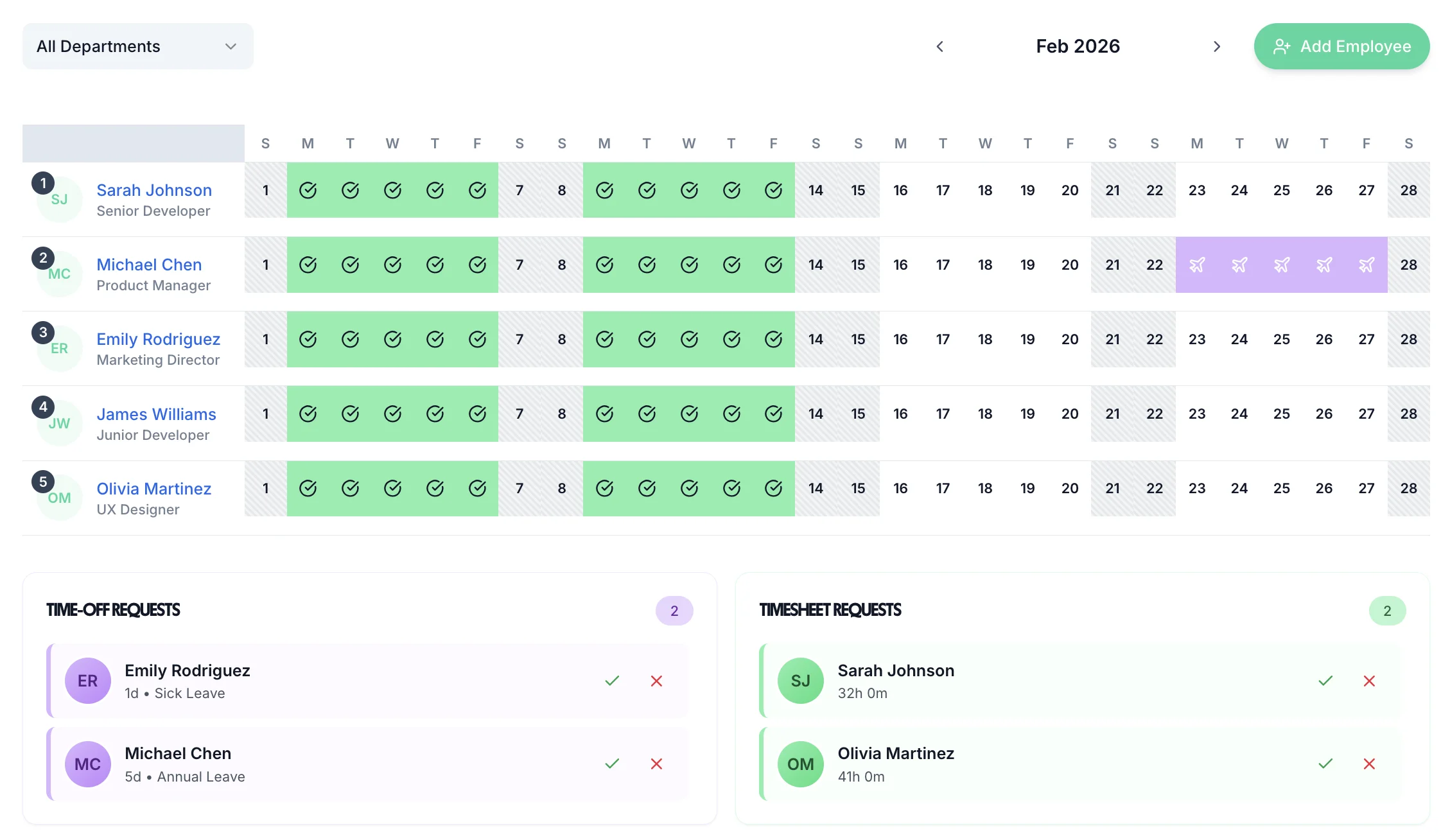
Staff availability calendar in TimeTally showing who is free before scheduling

Availability you can actually use

From self-service availability to conflict-free scheduling — everything in one place

Staff set their own availability — you see it instantly

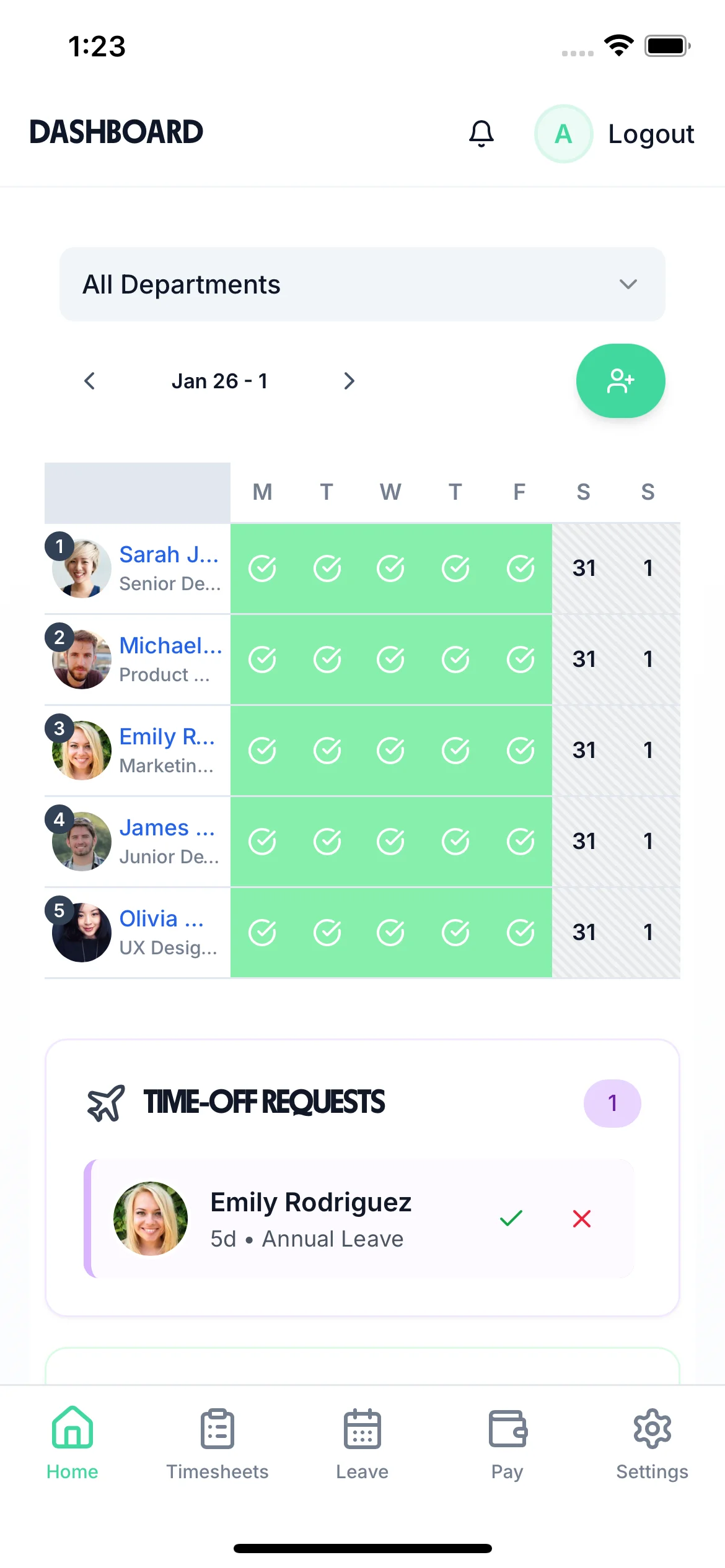
Employees mark when they’re available, unavailable, or prefer not to work — from their phone. No text messages, no spreadsheets. You see everyone’s availability on one calendar before you schedule a single shift.
Self-service availability
iOS app
Real-time calendar
No spreadsheets
Team availability calendar in TimeTally showing who is available and who is off
Manager view

Leave, TOIL, and availability all in one view

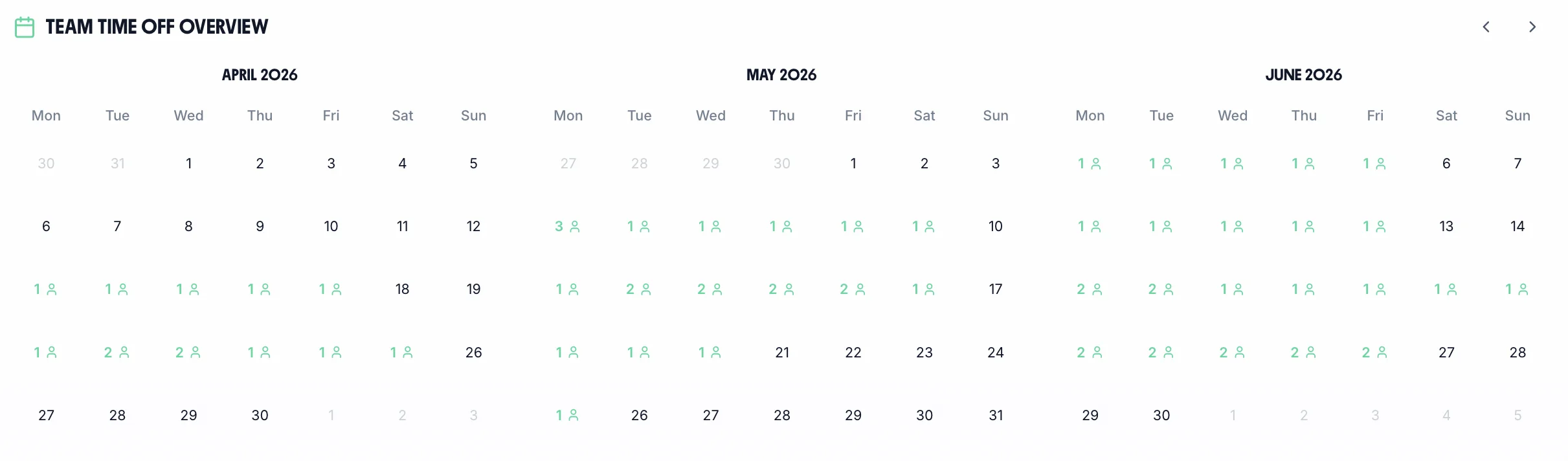
TimeTally shows approved holiday, sick leave, TOIL days off, and availability markers all in the same calendar. So when you schedule, you’re working with the complete picture — not just who says they’re free.
  • Approved holiday shown on availability calendar
  • Sick leave and TOIL flagged automatically
  • Bank holidays pre-loaded for England, Wales, Scotland
  • One view, no switching between systems
Manager dashboard showing leave, TOIL, and availability in a single view

Spot gaps before they become problems

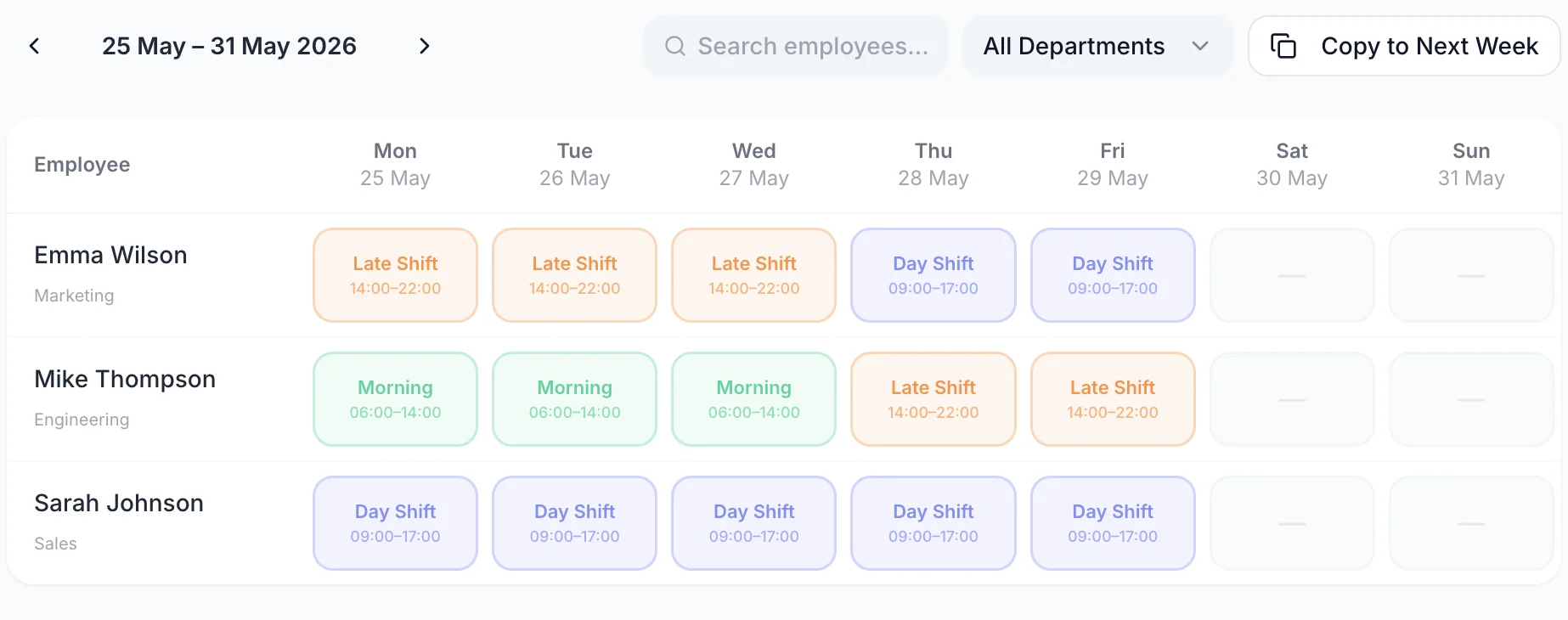
See immediately if you don’t have enough available staff for a shift — before you publish. Plan cover in advance rather than scrambling the night before.
Coverage gaps visible
Plan ahead
Last-minute avoided
Alert on under-staffing
Rota management view highlighting staffing gaps before schedule is published
Mobile

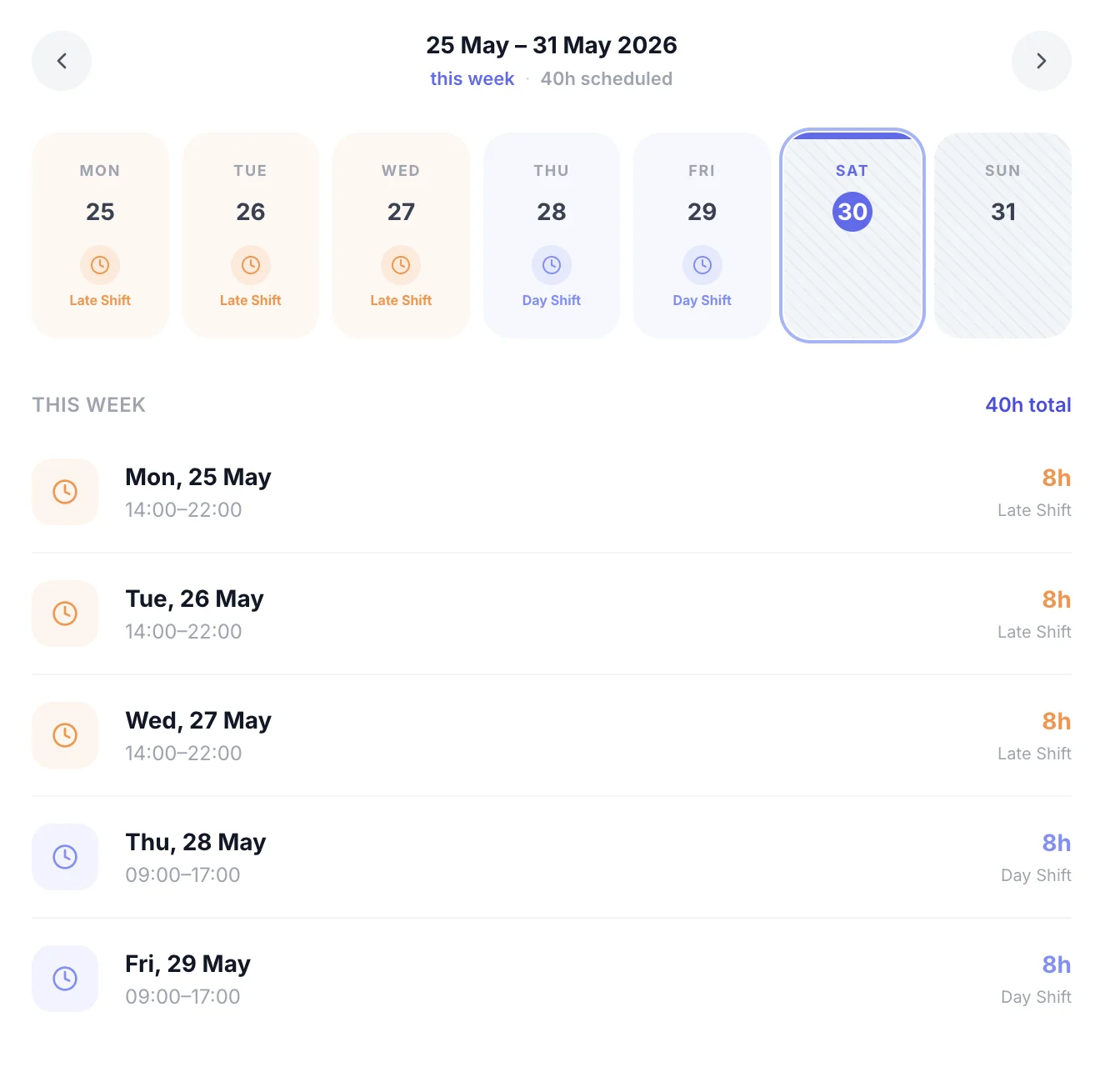
Employee sees their schedule — you see their availability

Availability runs both ways. Staff mark when they can work. Once scheduled, they see their confirmed shifts. The gap between “I’m available” and “you’re working” is closed.

  • Staff availability → manager view
  • Manager assigns → staff confirmed
  • Automatic shift notification sent
  • No back-and-forth messages
Employee view showing assigned shifts after availability has been set

Schedule with confidence, every time

Availability data at your fingertips — before you build a single shift

Zero scheduling conflicts

You can't schedule someone unavailable — the system shows you before you try

Staff in control

Employees manage their own availability; managers approve and schedule with confidence

One calendar for everything

Availability, leave, TOIL, and bank holidays all in one view

What managers say

from UK teams

We had a constant problem with staff saying 'I told you I couldn't do that day'. Availability in the app means there's a record — no disputes.

LK

Laura K.

Care home manager

Knowing who's free before I start the rota makes the whole thing take half the time.

JF

James F.

Hospitality operations

Staff actually prefer it. They feel more in control of their schedule when they can set their own availability.

NC

Nina C.

Retail area manager

Does this sound familiar?

You schedule someone who told you verbally they weren't available that week

You find out staff are unavailable AFTER you've published the rota and have to start again

You're relying on a WhatsApp group to collect availability before every schedule run

TimeTally replaces all of this with a single availability calendar that staff maintain themselves.

Simple, Transparent Pricing

One price. Every feature. No surprises.

£2/employee/month

Billed monthly. Cancel anytime.

Staff availability — self-service, real-time calendar
Annual leave and sick leave shown alongside availability
TOIL and bank holiday flags built in
Rota and shift management included
Payroll exports — CSV, Xero, QuickBooks

Frequently Asked Questions

How does staff availability software work?
Staff open the TimeTally app and mark their availability — available, unavailable, or preferred hours — for upcoming periods. Managers see all availability on a calendar alongside approved leave, TOIL, and bank holidays, then use this to build conflict-free schedules.
Can staff set recurring availability?
Yes. Staff can set a regular weekly availability pattern (e.g. available Mon–Fri, unavailable weekends) and override specific days when their circumstances change. Managers see both the pattern and any exceptions.
What's the difference between availability and leave?
Leave (holiday, sick, TOIL) is formal time off that managers approve. Availability is the employee's signal of when they can work — it doesn't require approval, but it informs scheduling. TimeTally shows both on the same calendar so you have the complete picture.
Does availability sync with the rota?
Yes. When you build a rota or schedule shifts in TimeTally, staff availability is visible on the same screen. You can see at a glance who's free, who's on leave, and who prefers not to work on a given day — before assigning anyone.
What happens when someone's availability changes last minute?
Staff can update their availability at any time in the app, and managers are notified. If the change affects a shift that's already been scheduled, the manager is alerted and can find cover before it becomes a problem.

Know who’s free. Schedule without guesswork.

Staff availability, leave, TOIL, and bank holidays — all in one calendar before you assign a single shift.

No credit card required · Free 14-day trial · Cancel anytime