Free onboarding · for teams moving to TimeTally
Moving a bigger team onto new software usually means weeks of typing people, balances and rules into it. With TimeTally you send us what you use today, spreadsheets, paper or another app's export, and we set up the whole account the way you already work. You look it over, then invite your team when you're ready.


Step one is the easy one
Whatever you use today, as it is. Excel, CSV, a Google Sheet, a PDF or a photo of the paper rota all work. If something isn't clear, we ask rather than guess.
Names, job titles, departments, start dates and pay rates. Emails if you have them; staff without one can sign in with a username.
Allowances, what everyone has left, and leave already booked. We set each balance to match it.
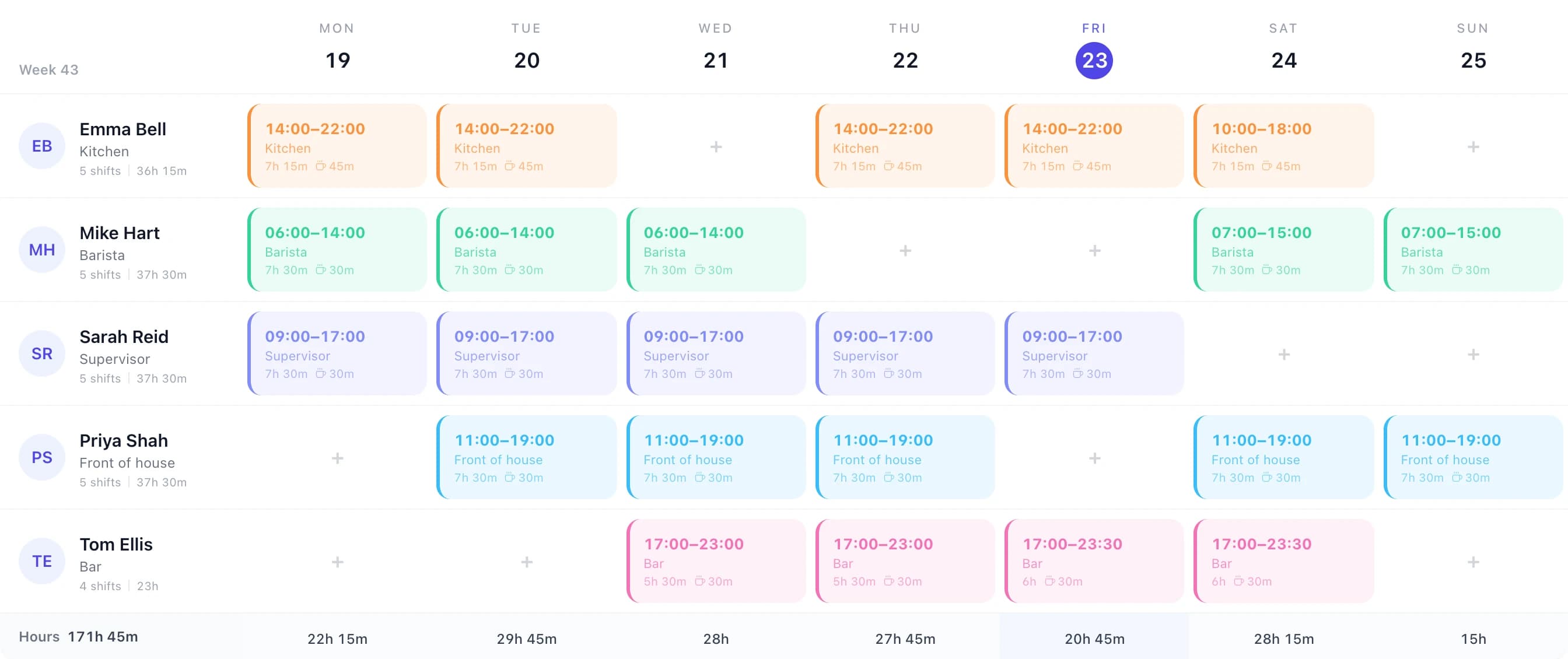
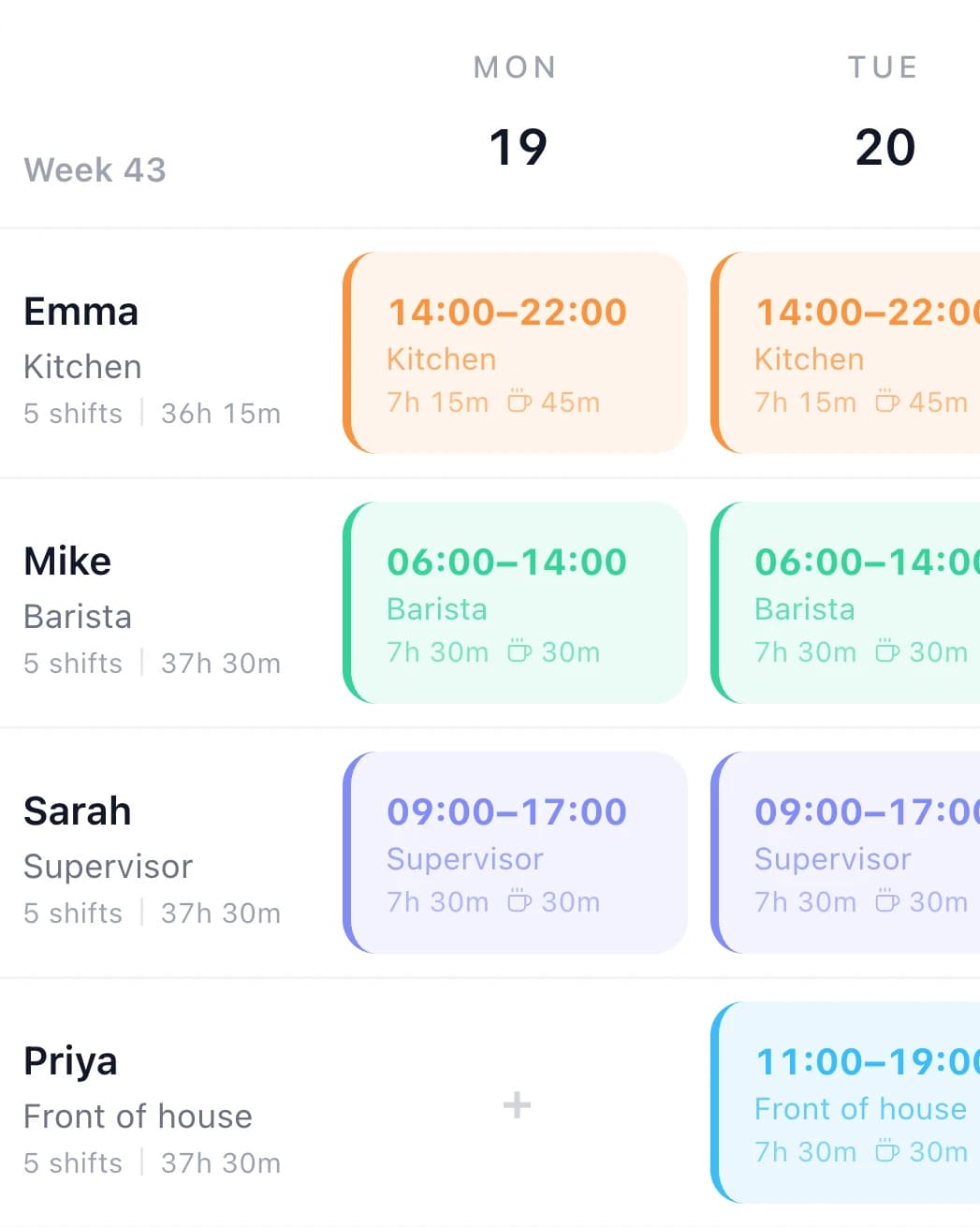
From a spreadsheet, a printout or another app's export. It becomes your first weeks of shifts, as drafts.
Your leave year, overtime rates, who manages whom. Your handbook, or a few lines in an email, is plenty.
The whole account, not a starter template. When you first sign in, your team, your rules and your next weeks are already there.
Everyone, with their job title, start date and working week.
Kitchen, office, each site: grouped the way you talk about them.
Each one sees only their own people, and only sees pay or changes settings if you say so.
Allowances and what's left, matching your sheet, in days or hours.
Sick, unpaid, birthday, maternity: the ones you use, counted the way you count them.
For England, Scotland, Wales, Northern Ireland or Ireland, paid the way you pay them.
Your rates and when they start: after the day's hours, at weekends, for one person.
With the managers who look after them, if your team records time to jobs.
Your shifts as drafts. Nobody sees a week until you publish it.
Hourly or salaried, ready for the export to Xero, QuickBooks or a CSV file.
Connecting Xero or QuickBooks needs your own login, so you press that button. We show you where.
Five steps. We do the long one, and nothing reaches your team until the last.
You
Fill in the form or book a 30-minute call. Tell us how your team works: sites, shifts, who approves what, how you pay.
You
Whatever you use today, as it is. Messy spreadsheets, colour codes and handwritten notes are normal.
We do this
People, managers, balances, bank holidays, overtime rules, projects and the rota, set up the way you already work.
You
Sign in and check it. Ask us to change anything. Your 14-day trial only starts when the first of your team signs in.
When you say
Email invites, or usernames and passwords on printed sign-in slips for staff without email. Then send them the staff videos.
A recent setup
An engineering firm sent us their staff spreadsheet, their list of jobs and their old scheduling app's export. Ten managers each look after their own engineers and jobs, Saturdays pay differently before and after noon, and every balance had to match what the office already told people.
We built it, they checked it, and they sent the invites themselves when they were ready.
Handover · your TimeTally account
Rather do it yourself?
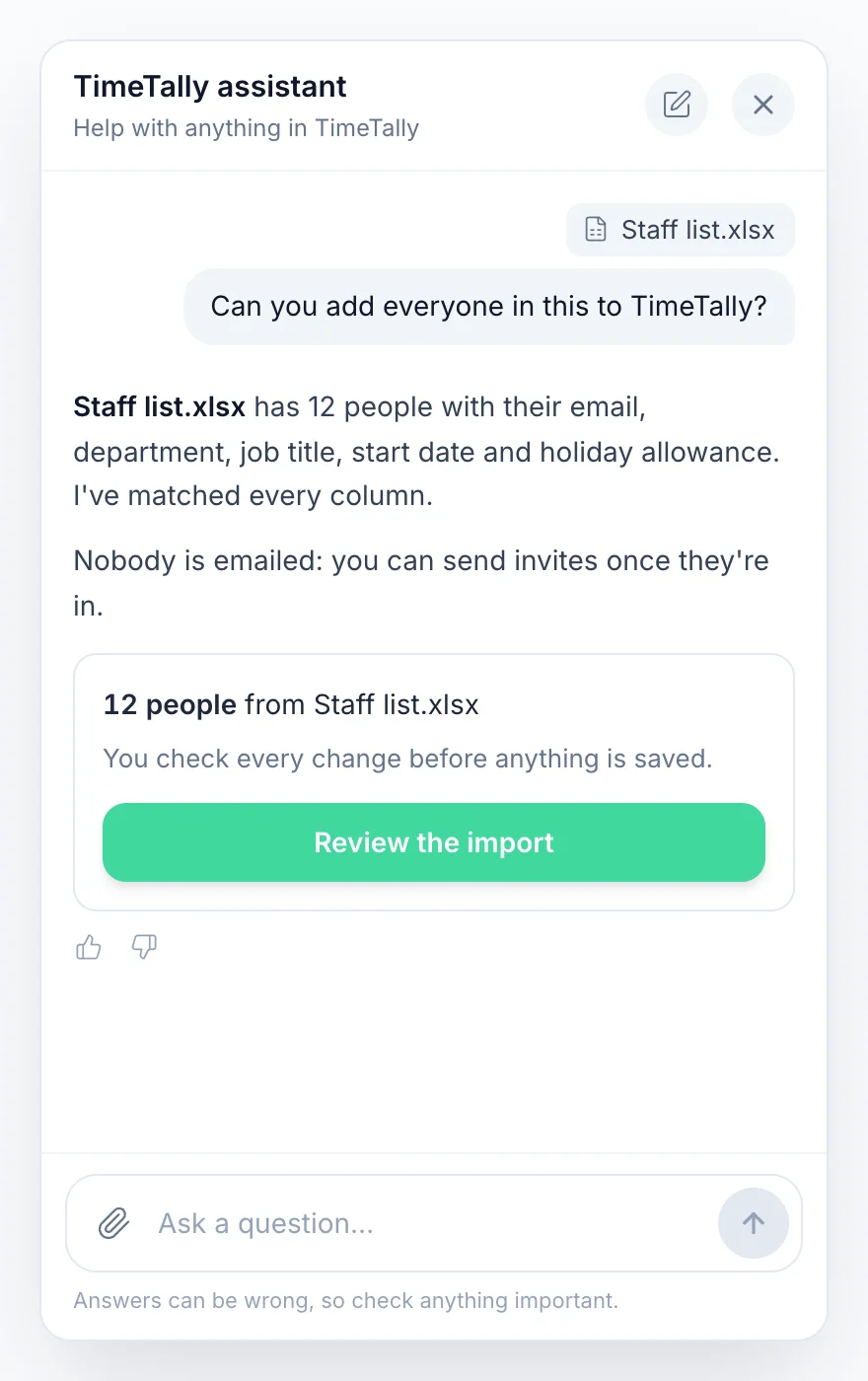
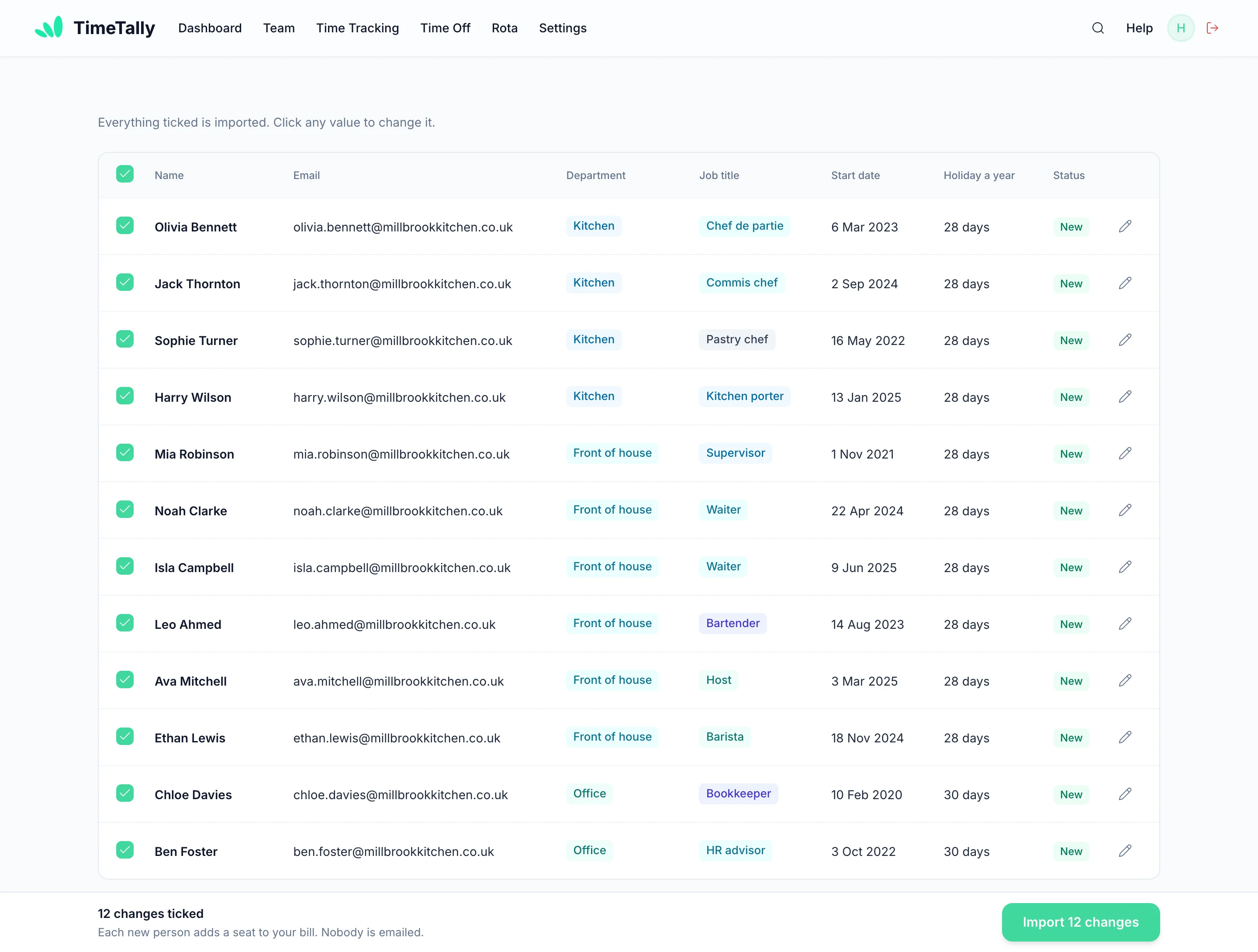
Ask TimeTally is the assistant on the TimeTally website for managers. It imports staff, leave, holiday balances, leave types, projects, managers, rota shifts and past timesheets from the files you already have.
On Ask TimeTally, or press Import on the Team page. It reads every sheet, even messy ones with titles, totals and gaps.
It asks about anything the file doesn't settle: who manages whom, what a blank allowance means, which rows to leave out.
One page shows everything that will go in. Tick what you want, fix anything in red, untick the rest.
Nothing is saved until you press Import, nobody is emailed, and Undo takes it all back for seven days.


Stuck halfway? The assistant's Send to support button passes it to a person, and we pick it up from there.
Short how-to videos, made from the real app with captions: managers learn the setup they'll own, staff learn the few things they'll do each week. They're in the app under Settings → Tutorials too, so new starters find them later.
However you run things now, the move looks the same: send what you have, check what we build, then switch on a day that suits your payroll. For the full checklist, read our guide to switching from paper timesheets, or see how bigger teams roll it out on enterprise timesheet software.
Send photos or scans of a recent week with your staff list. We set up everyone's usual hours and your overtime rules, so the first week in TimeTally looks like the paper one, only added up for you.
Send the workbook as it is: the holiday tracker, the rota grid, the pay sheet. Merged cells and colour codes are normal; we go through what each colour means with you on the call.
Export what it lets you, usually staff, holiday balances and a few weeks of shifts, as a spreadsheet or CSV. Keep the old app running until your first TimeTally week is approved.
Tell us about your company and we'll take it from there.
No setup fee. No card. Nobody on your team hears from us.
What companies ask before they hand us their spreadsheets.
Still have a question? See all FAQs
It's everything between choosing a timesheet system and your team using it for real: putting your people, managers, holiday balances, overtime rules and rotas into it, showing managers and staff how it works, and switching off the old paper or spreadsheet way. The slow part for most companies is the data and the rules. At TimeTally that's the part we do for you, free: you send us what you use today and we set up the account.
Keep it small for them. Staff only see their own week: clock in or fill in a timesheet, book time off, check the rota, on the free iPhone and Android apps or the website. Send them the staff videos (each under two minutes), start on the first day of a pay period, and keep the old way for one week alongside it if that helps people trust it. Staff without a work email can sign in with a username and password you print for them.
It depends on what you send and how many rules you have. A staff list and a holiday sheet is quick; years of jobs, several sites and detailed overtime rules take longer. We agree a date with you on the first call and tell you straight away if anything in your files needs an answer from you.
No. There's no setup fee. TimeTally is £3 per employee a month once you subscribe after the 14-day free trial, billed monthly, and you can cancel any time. GPS clock-in is £1 per employee extra if you want it.
No. Nobody is invited until you send the invites yourself from the Team page, and a rota we build stays as drafts that nobody sees until you publish it. Publishing asks you before it emails anyone. Your 14-day trial starts when the first of your team signs in, not while we're building.
Yes. Send photos or scans of a recent week and your staff list, and tell us how you pay overtime. We set up your people, their usual hours and your rules, so the first week in TimeTally looks like the paper one, only added up. Our guide to switching from paper timesheets covers the rest of the move.
Whatever you use today: a staff list (names, job titles, departments, start dates, pay rates and emails if you have them), your holiday sheet with what everyone has left, a week or two of the rota, and a few lines on your rules: the leave year, overtime rates and who manages whom. Excel, CSV, a Google Sheet, a PDF or a photo all work.
Yes. Managers can drop a spreadsheet on Ask TimeTally, the assistant on the TimeTally website, or press Import on the Team page. It reads the file, asks about anything it can't tell, and shows every row for you to check before anything is saved, with Undo for seven days. A setup guide along the bottom of the screen ticks off each step, and the tutorials show each one.
Start your 14-day free trial today, or tell us about your team and we'll set the account up for you.
No setup fee · No card needed · £3 per employee a month