

Xero runs your payroll. TimeTally collects employee hours, routes them through manager approval, and exports the approved figures to Xero in one click. No re-entering data. No payroll errors.
Xero includes basic time tracking — but it's built for billing clients, not managing employees. UK small businesses running payroll through Xero need something different: weekly timesheet submission, manager sign-off, holiday tracking, and HMRC-compliant records.
No employee timesheet submission flow
TimeTally: employees submit weekly timesheets in 60 seconds
No manager approval workflow
TimeTally: one-click approve or reject with full audit trail
No holiday or leave tracking
TimeTally: full UK statutory leave management built in
No HMRC-compliant working time records
TimeTally: 6-year audit trail meeting NMW requirements
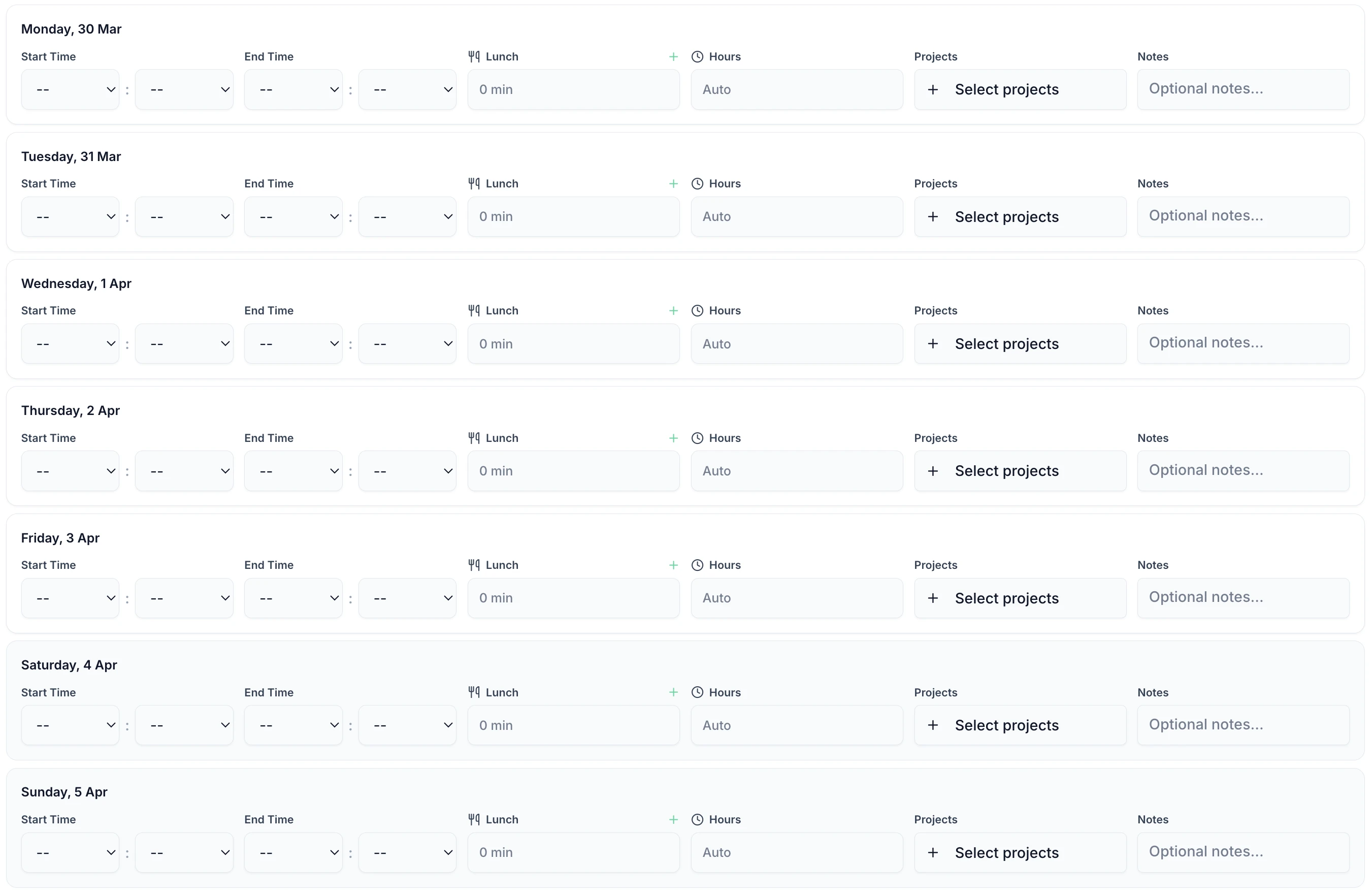
From employee time entry to Xero payroll in four steps.
Staff log their hours each week via the TimeTally app or web — takes under 60 seconds.
Managers review and approve timesheets with one click — from email or the app, no login required.
Approved timesheets are locked with a full audit trail — compliant with HMRC record-keeping requirements.
Select the pay period and click export. Approved hours land in Xero payroll — no re-entry needed.
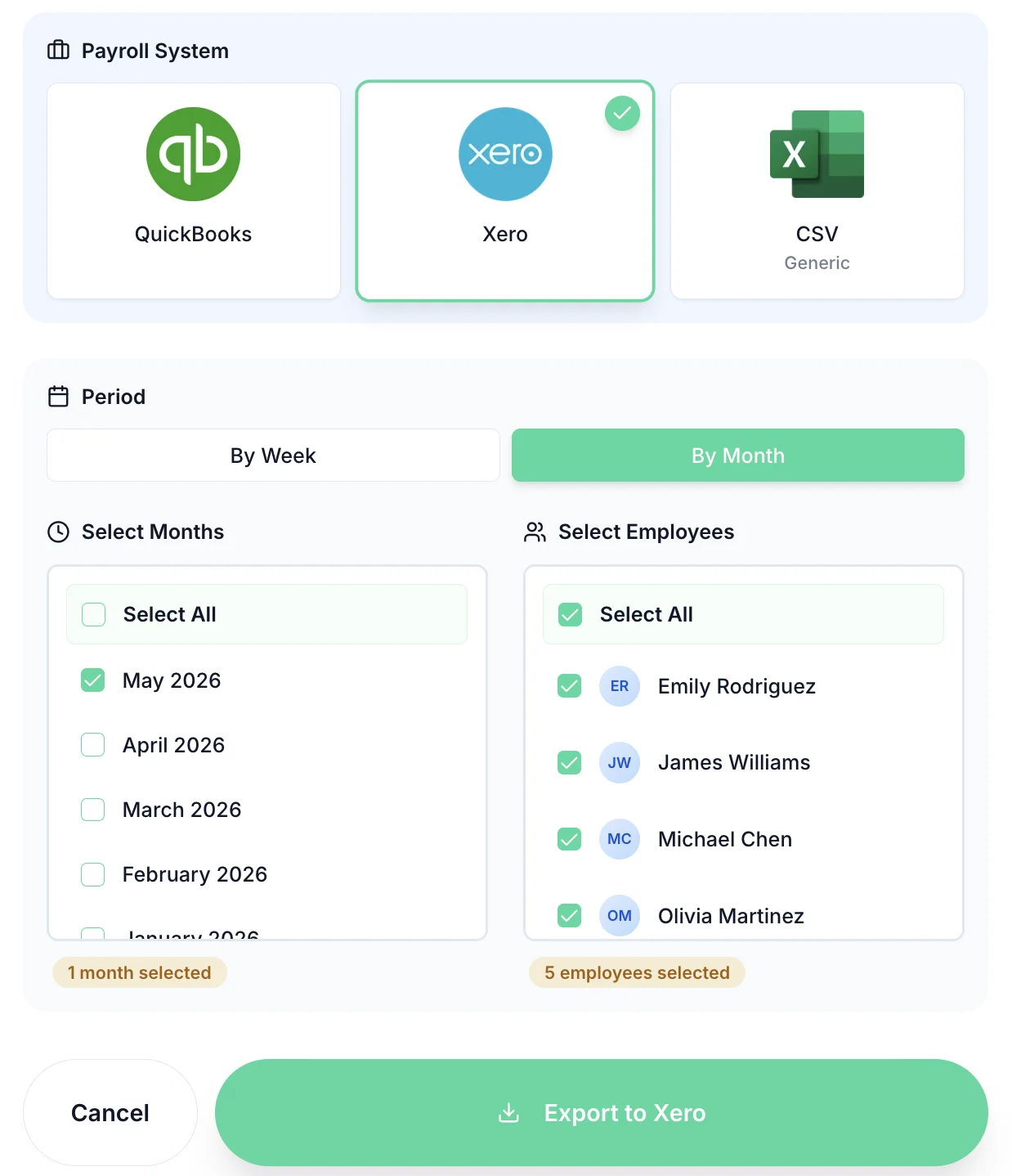
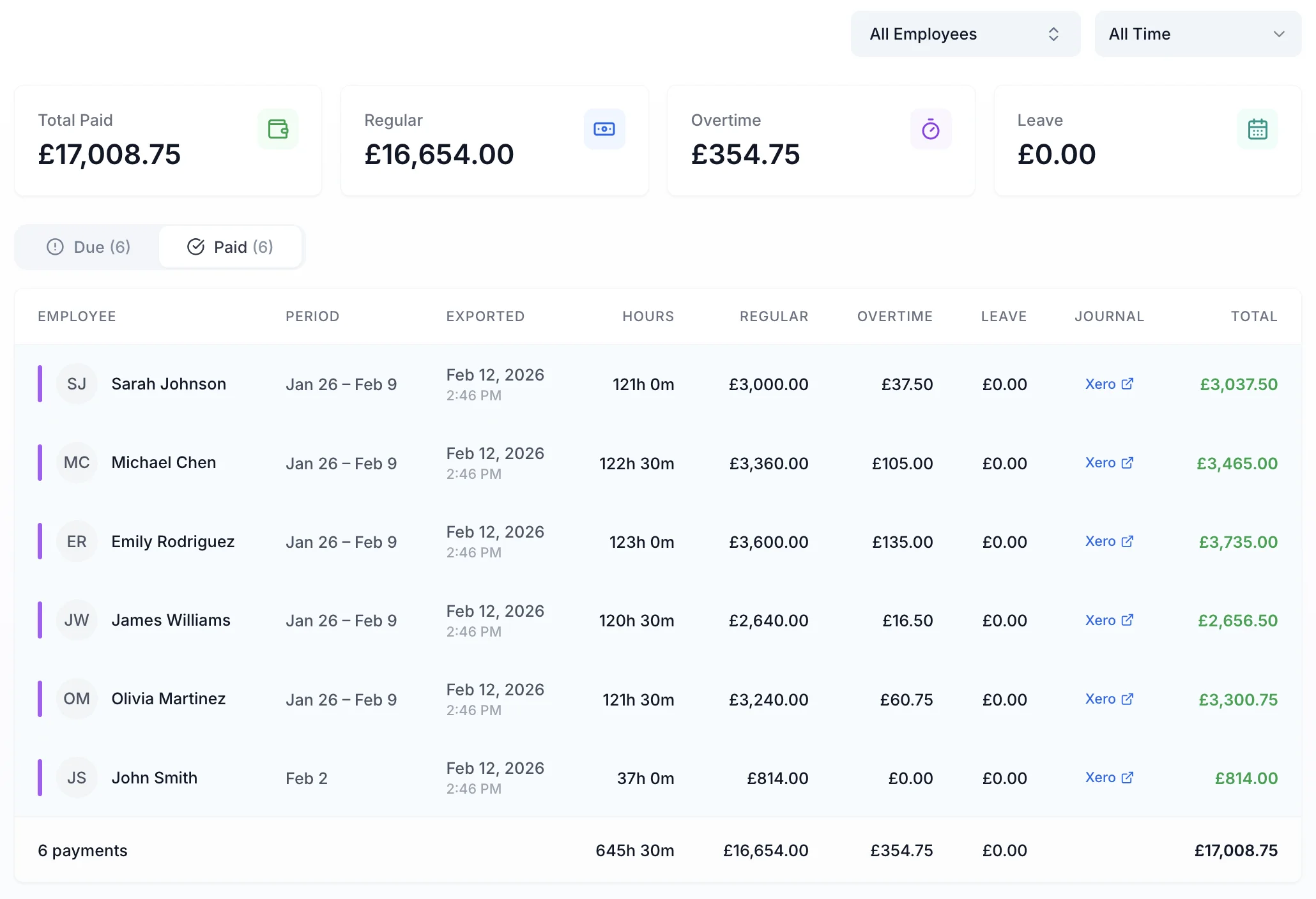
At the end of each pay period, select the period and click export. TimeTally sends only approved hours — standard and overtime split correctly — straight into Xero. Your payroll runs with the right figures, first time.
Unapproved timesheets are never included. What goes to Xero has been signed off by a manager.
Hours are categorised correctly so Xero applies the right pay rates for regular and overtime hours.
Hours flow from employee submission to Xero payroll without anyone typing numbers twice.
The Xero integration is one part of TimeTally. The rest of the platform is built for UK employment law.
Employees submit hours each week. Managers get notified and approve with one click.
Track annual leave, sick days, TOIL, and all UK leave types alongside timesheets.
Six-year audit trail with all NMW evidence records — ready if HMRC ever investigates.
See who's off at a glance. Spot clashes before approving leave requests.
Track regular and overtime hours separately. TOIL accrual handled automatically.
TimeTally chases employees who haven't submitted. No more manual chasing on Fridays.
Most time tracking software is built for US freelancers billing clients by the hour. TimeTally is built for UK employers running PAYE payroll through Xero — weekly hours, statutory leave, NMW compliance, and all.
Xero integration, holiday tracking, timesheets — all in one price.
Billed monthly, incl. VAT. Cancel anytime. No setup fee.
Yes. TimeTally connects directly to your Xero account. Once timesheets are approved in TimeTally, you can export hours to Xero payroll in one click — no manual re-entry, no CSV uploads.
Xero's time tracking is designed for billing clients by project, not for managing employee timesheets. TimeTally adds what Xero lacks: weekly employee timesheet submission, manager approval workflows, holiday management, TOIL tracking, and HMRC-compliant audit trails — all purpose-built for UK employment.
TimeTally works with all current Xero plans. The integration uses Xero's payroll API to receive approved hours. You'll need your Xero account connected once during setup — it takes about 2 minutes.
TimeTally exports approved hours per employee, broken down by standard hours and overtime. This maps directly to payroll pay items in Xero so the correct rates are applied automatically.
No. TimeTally sits alongside Xero. Xero handles payroll, invoicing, and accounts. TimeTally handles employee timesheet collection, manager approvals, and holiday management. They work together — TimeTally feeds approved hours into Xero so your payroll runs correctly.
Managers can unapprove and amend a timesheet in TimeTally at any time. Once corrected, you re-export the updated hours to Xero. For pay periods already closed in Xero, adjustments are made directly within Xero.
Yes. The Xero integration is included in TimeTally's standard price of £3 per employee per month. There are no add-ons, no premium tiers, and no setup fees.
Still have a question? See all FAQs
Still have a question? See all FAQs →
