



An open shift
When a shift has nobody on it yet
- You post it
- Everyone on that schedule can answer
- You choose from the people who can
Open shifts · part of the TimeTally rota
Someone's off sick, or Saturday is busier than planned. With the TimeTally open shifts app you put the shift in the Open shifts row at the top of the rota. Everyone on that schedule sees it in their Rota tab and says whether they can do it. You pick who gets it, and it moves onto their row. No group chat, no ringing round.
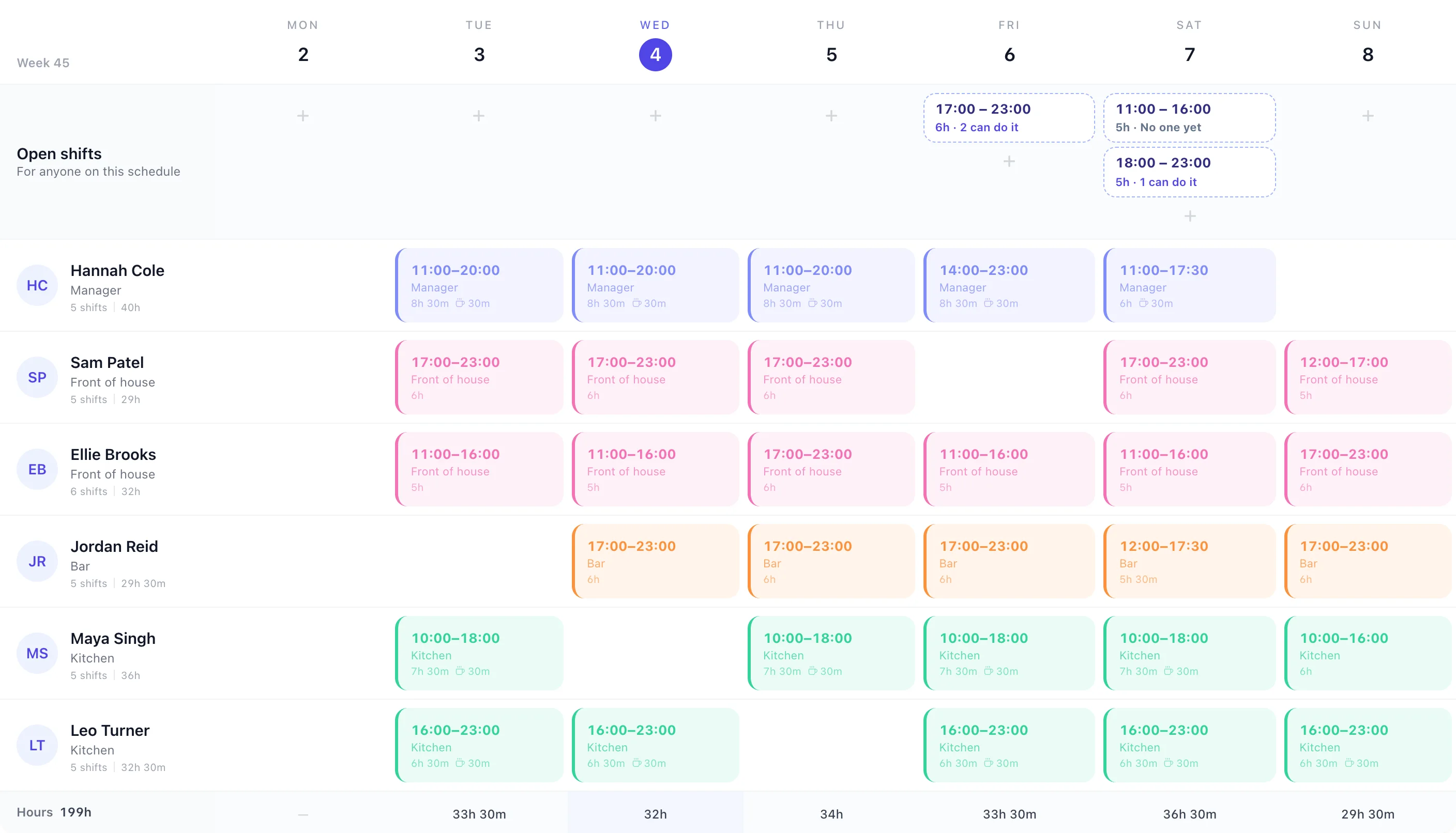
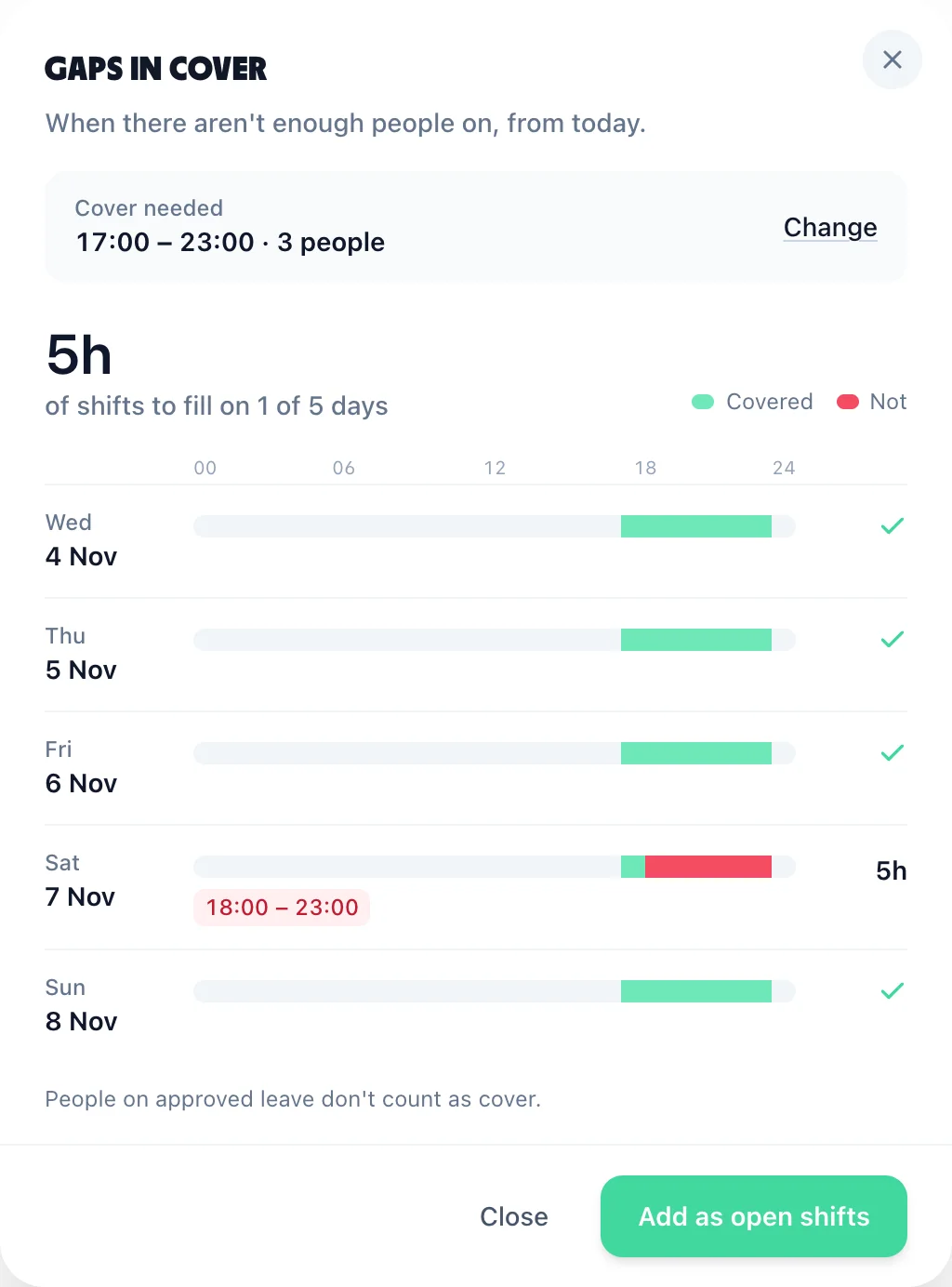
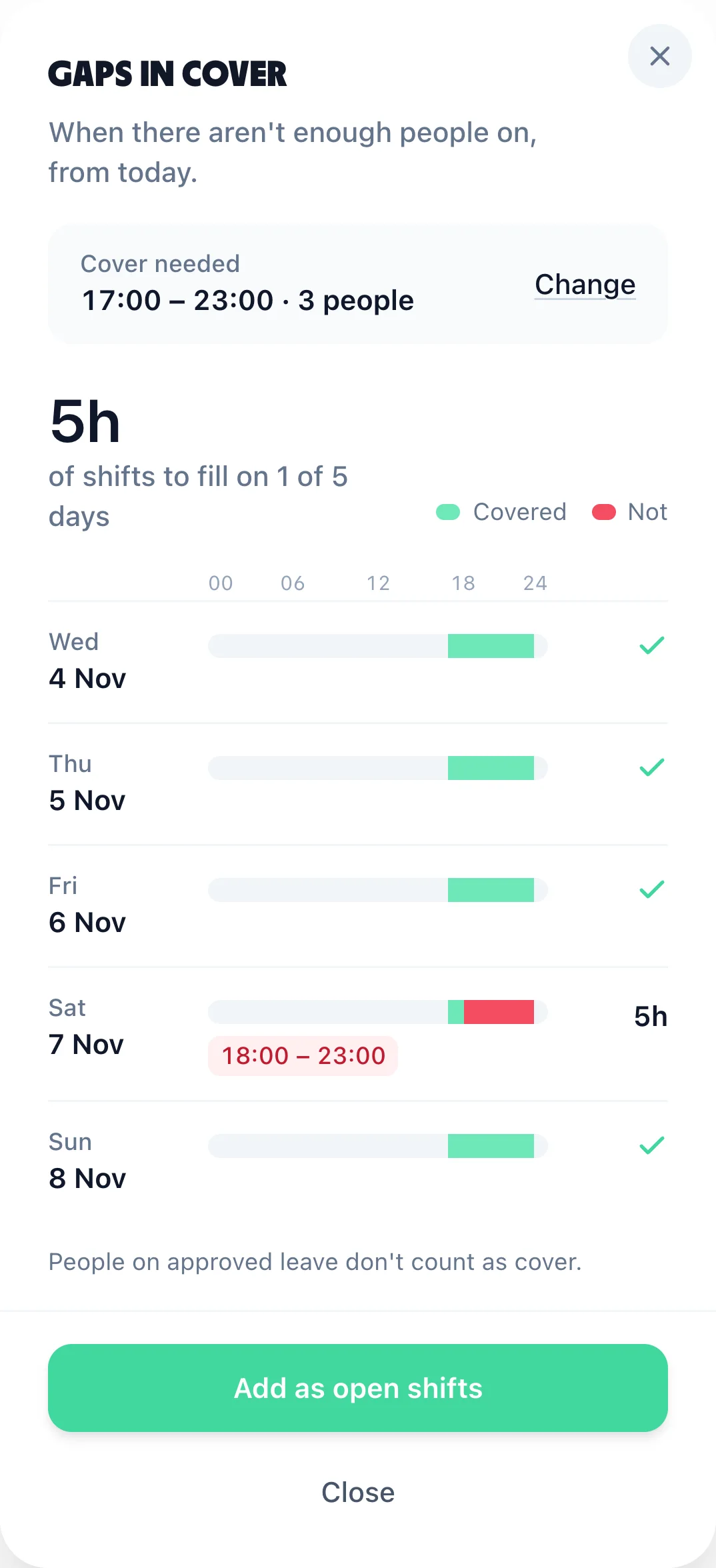
Gaps in cover, under More on the rota
Before you post anything, see where you're short. Gaps in cover shows each day from today as a bar from midnight to midnight: green where enough people are on, red where they aren't, and the times under it. This week needed three people on every evening and is one person short on Saturday from 18:00.
Tell it what cover you need: your opening hours, or Around the clock for a 24/7 rota, and up to 20 people on at once.
A shift that runs past midnight covers the small hours of the next day, and Thursday night's shift still counts on Friday morning.
Someone on approved leave for the whole day is left out, so the gap shows where they would have been.
Add as open shifts turns each gap into shifts of 12 hours or less. A whole empty day becomes two 12-hour shifts, not one of 24.
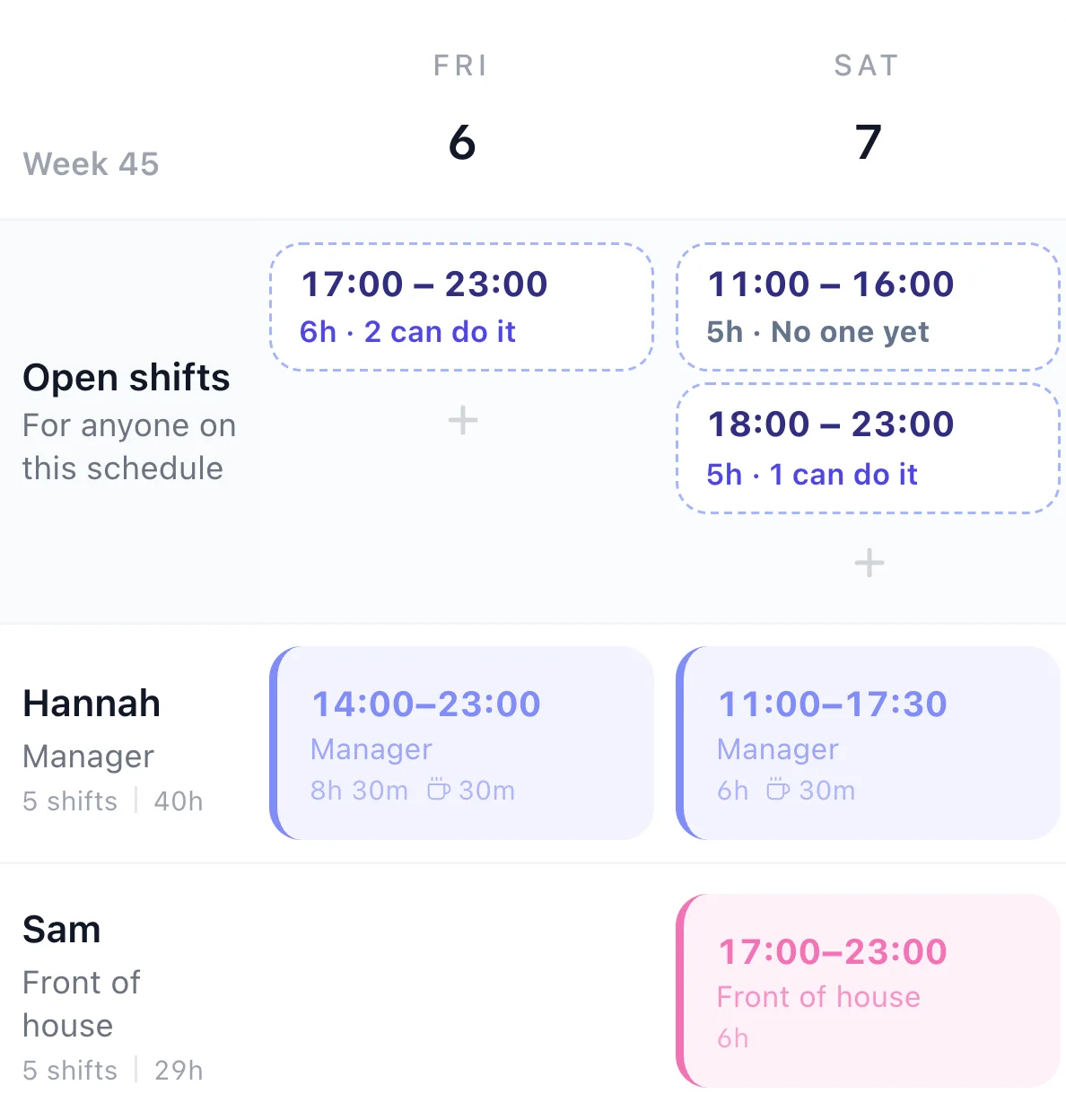
Four steps between a gap and a name on the rota. Two happen on your screen and two on theirs.
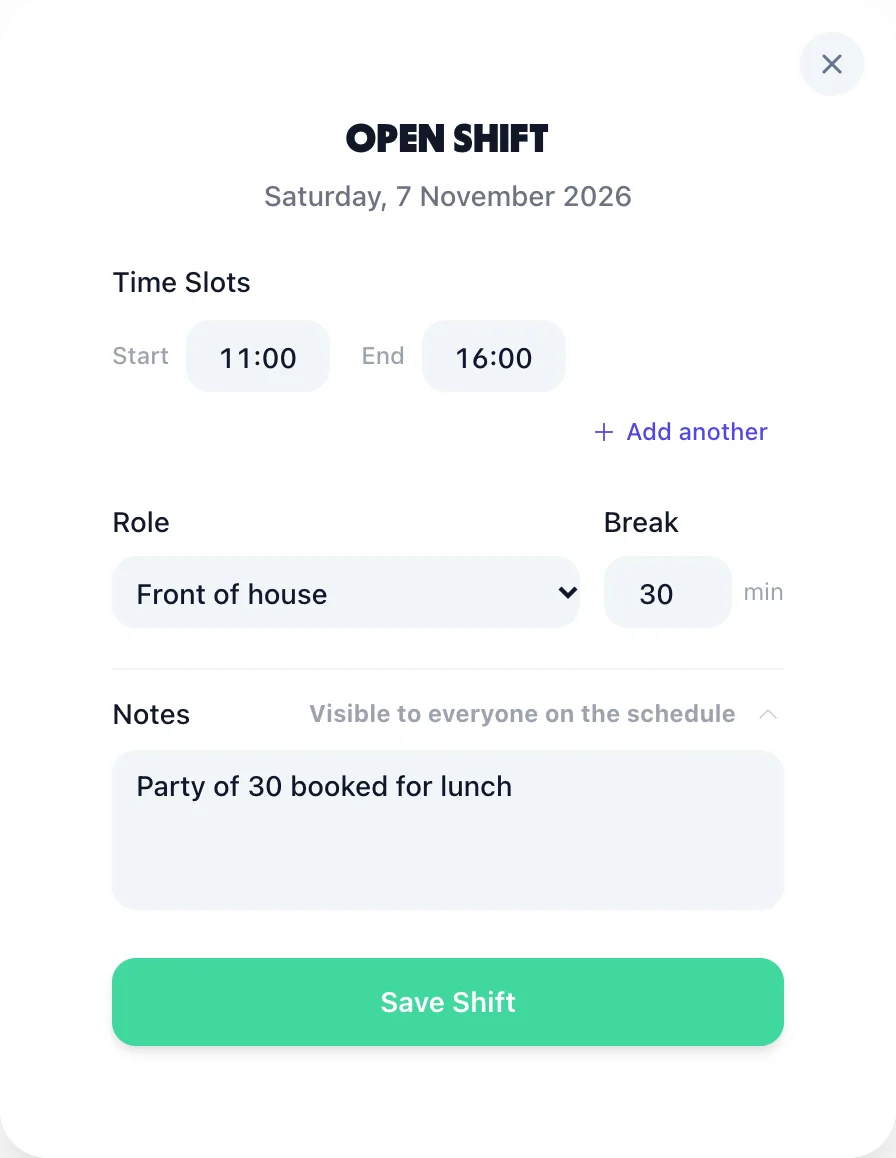
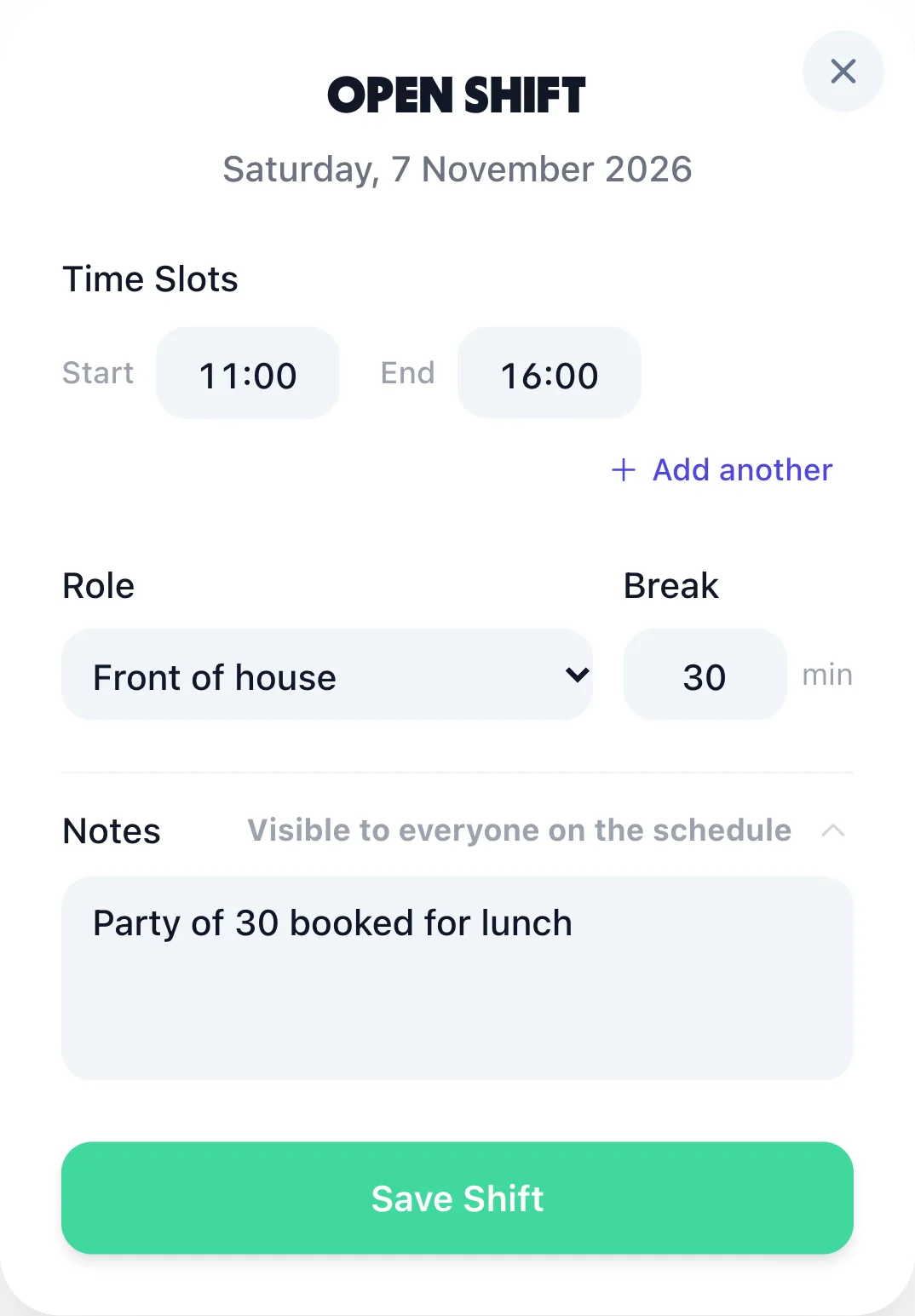
Press + on the day in the Open shifts row and the rota's own shift form opens. Type the start and finish, pick a role and its usual break comes with it, and add a note everyone on that schedule can see, such as "Party of 30 booked for lunch". It works like any other shift: a second part for a split shift, a shift past midnight, and projects too if you use them.
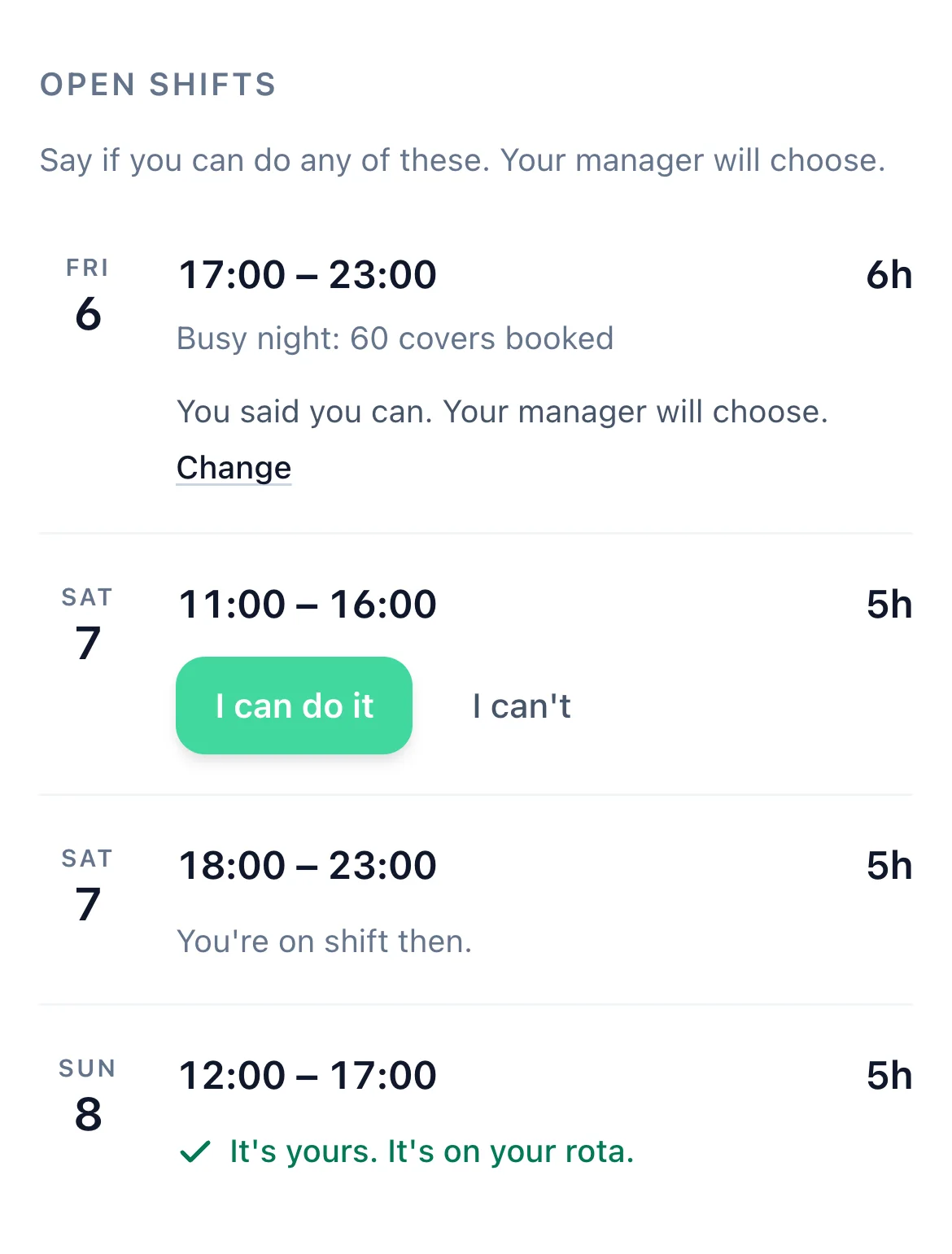
The shift appears at the bottom of everyone's Rota tab on that schedule. They press I can do it or I can't, and can change their answer until you decide. Anyone already working then sees You're on shift then instead of the buttons.
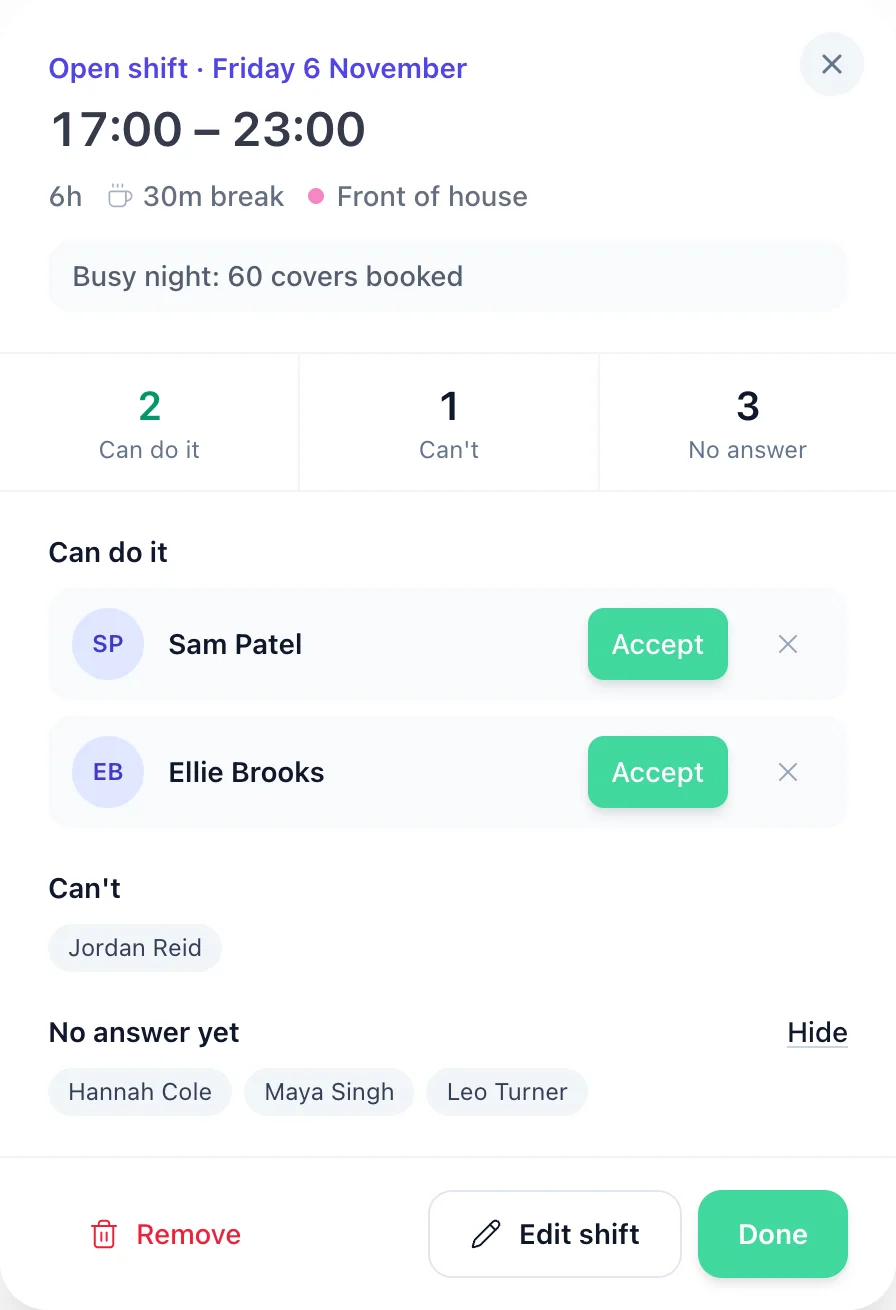
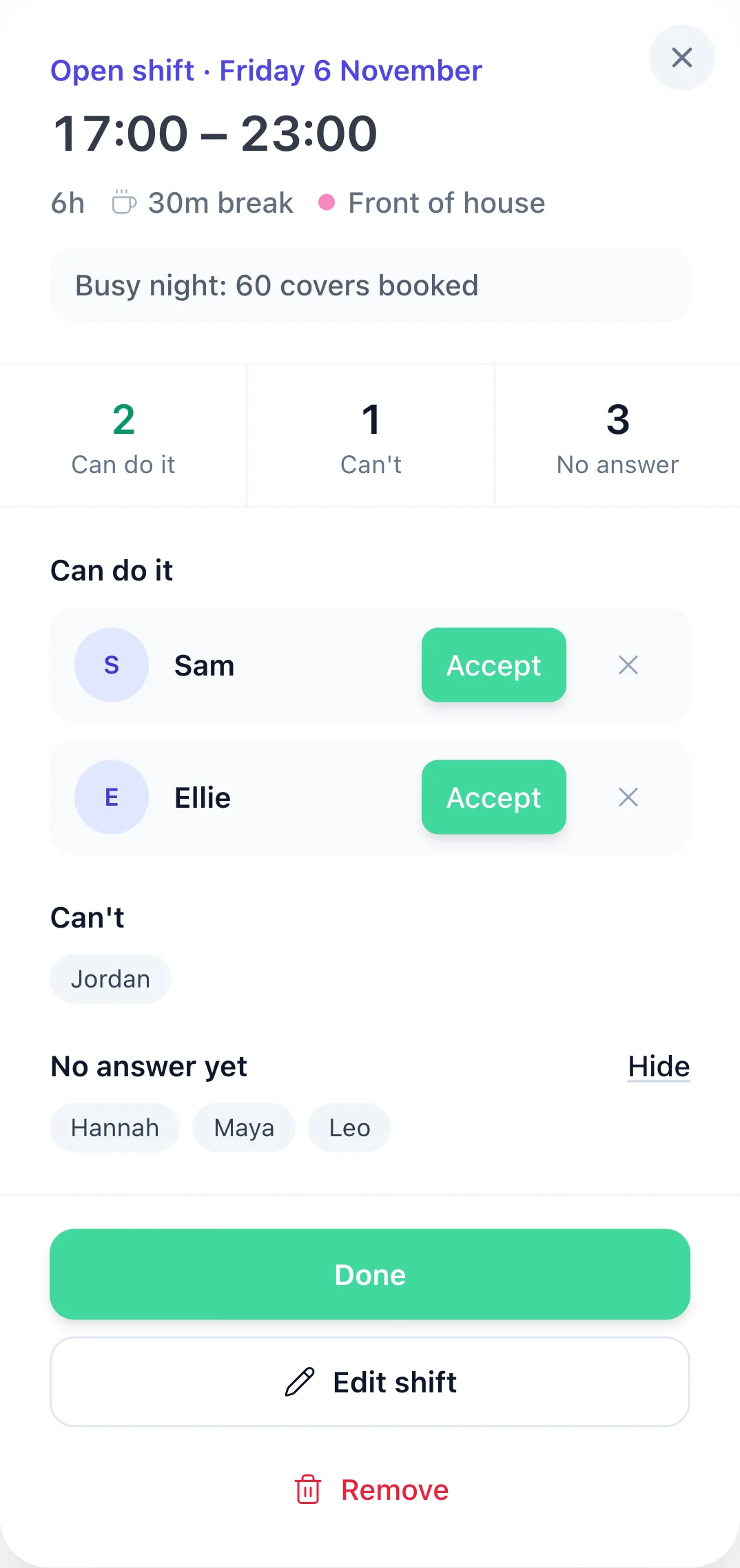
Open the shift: its times, break, role and note sit at the top, then how many can, can't and haven't answered. Press Accept beside the person you want. Anyone who has since picked up another shift at that time is marked On shift then and can't be accepted, and Edit shift opens the same shift form to change it.
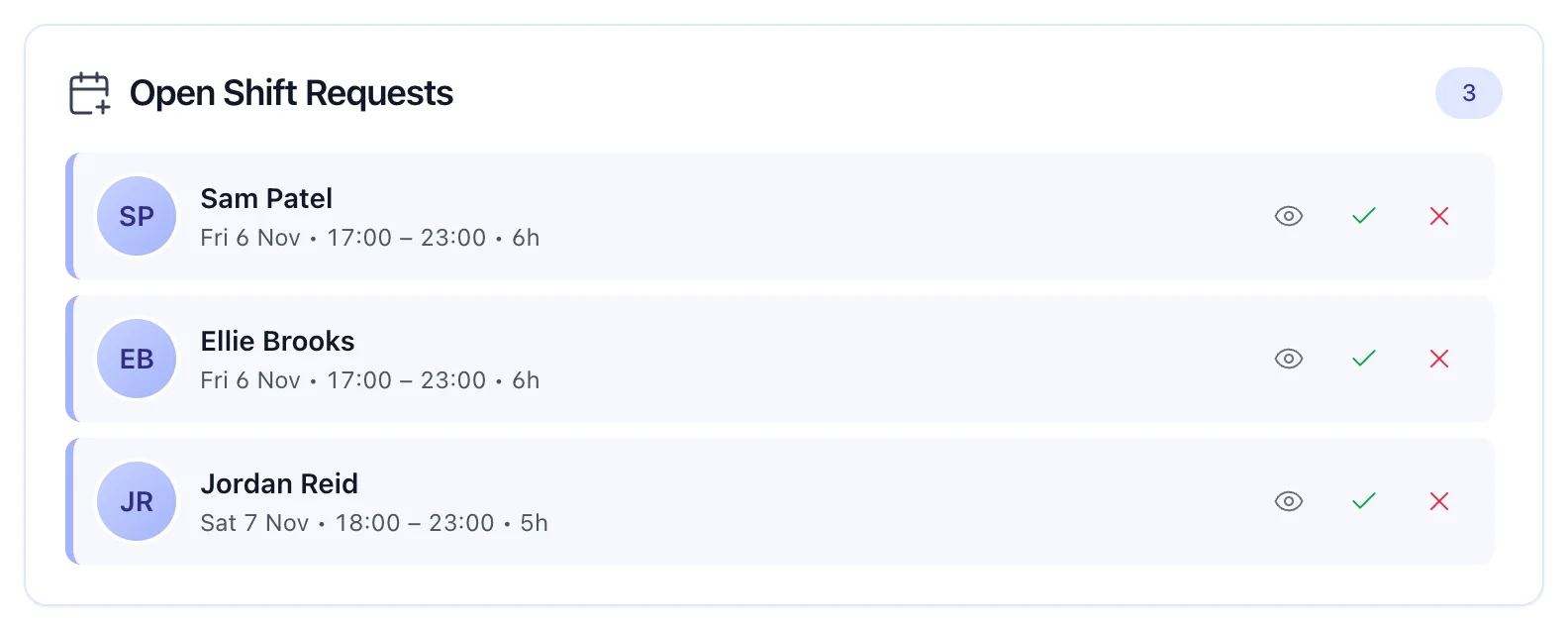
Every offer also waits under the grid in Open Shift Requests, so you can accept or decline without opening each shift.
The shift leaves the Open shifts row and lands on their row of the rota: a new shift, or a second part of the shift they already have that day. Their list then says:
It's yours. It's on your rota.
Everyone else who offered sees that you picked someone else. Nobody has to ask.
A shift cover app is only as good as its checks. These come from the rota's own rules, and the database checks them again when you accept.
An open shift belongs to one schedule. The kitchen's open shifts go to the kitchen, and nobody else is asked.
I can do it puts someone on the list. You accept the person you want, and the others are told you picked someone else.
Anyone already on shift at that time can't offer, night shifts and split shifts included, and it's checked again when you accept.
If they already work that day on this schedule, the open shift becomes a second part of that day's shift, like a split shift.
Post a lunch and an evening on the same Saturday. From Gaps in cover, one open shift can ask for several people, and it fills once enough are accepted.
A manager can accept only people they manage, the same rule as putting a shift on someone's row of the rota.
Both are on the same rota and both end with your yes. The difference is who starts it, and whether the shift already has a name on it.
When a shift has nobody on it yet
When someone can't work a shift they have
How swaps work: the shift swap app.
Real reviews from TimeTally customers
TimeTally has been excellent for our business… The system has saved us a significant amount of administration time.
 Jordan IngoeCLI Manchester
Setup was dead simple and the team just got on with it. Got everyone up and running in an afternoon with no help needed. Does everything we need for timesheets and holidays without the faff.
Has completely changed how I handle timesheets. Used to dread it every week — now it takes me minutes. Really easy to get around and my staff picked it up straight away.
Started using it just for rotas but quickly realised it does loads more. The timesheets and leave management are great, and it even handles TOIL and overtime which I wasn't expecting. Use it for everything now.
£3 per employee a month covers the rota planner, open shifts, shift swaps, clocking in, timesheets and holiday. No setup fee, no contract.
What managers ask before they stop filling shifts through the group chat.
Still have a question? See all FAQs
An open shifts app lets you post a shift that nobody is on yet and find out who on your team can take it, without a round of texts. In TimeTally you add the shift to the Open shifts row at the top of the rota. Everyone on that schedule sees it in their Rota tab and answers I can do it or I can't. You pick who gets it, and the shift moves onto their row of the rota.
No. Answering I can do it only puts someone on the list. You choose who gets the shift, so you can give it to the person with the fewest hours that week, or the one who knows the job best. Once you accept enough people, everyone else who offered is told your manager picked someone else.
No. TimeTally doesn't send push notifications and doesn't email about open shifts. They are listed at the bottom of each person's Rota tab, from today on, the next time they open the app or the website. If a shift is urgent, tell the team the way you usually would and point them to the Rota tab.
Only the people on that schedule. If you run separate rotas for the kitchen and the bar, an open shift on the kitchen rota is shown only to the kitchen team. A manager can accept only people they manage.
Someone already on shift at that time can't say they can do it: their list says You're on shift then. The check covers night shifts that cross midnight and each part of a split shift, and it runs again when you accept. If they already work that day on the same schedule, the open shift becomes a second part of that day's shift. If they work that day on another schedule, accepting is refused.
Open Gaps in cover from the rota's More menu. Tell it the hours you need covered and how many people you need on at once, and it shows each day from today with the gaps in red. Add as open shifts posts them in one go, split into shifts of 12 hours or less.
Open shifts are on the TimeTally website now, including in a phone's browser. The iPhone and Android apps show them from their next update. Organisations that joined before 3 November 2026 have open shifts switched off until an admin turns them on in Rota rules.
Open shifts are part of the TimeTally rota, not an add-on. It's £3 per employee a month for the rota, open shifts, shift swaps, timesheets, clocking in and holiday, so a team of 12 is £36 a month. There's a 14-day free trial and no card is needed.
Try TimeTally free for 14 days: build the week, find the gaps, and let your team say who can cover them.
14-day free trial · No card needed · £3 per employee a month