
A straight swap
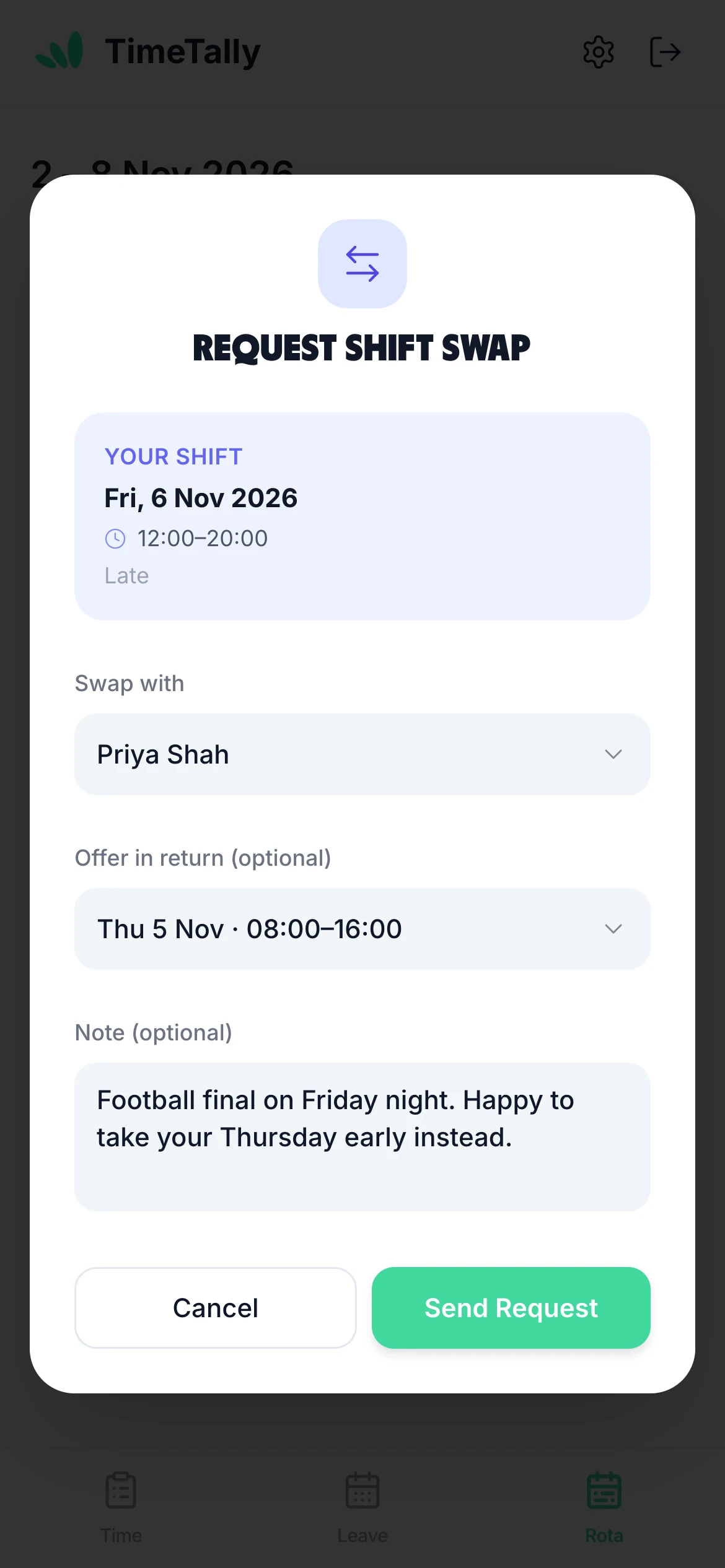
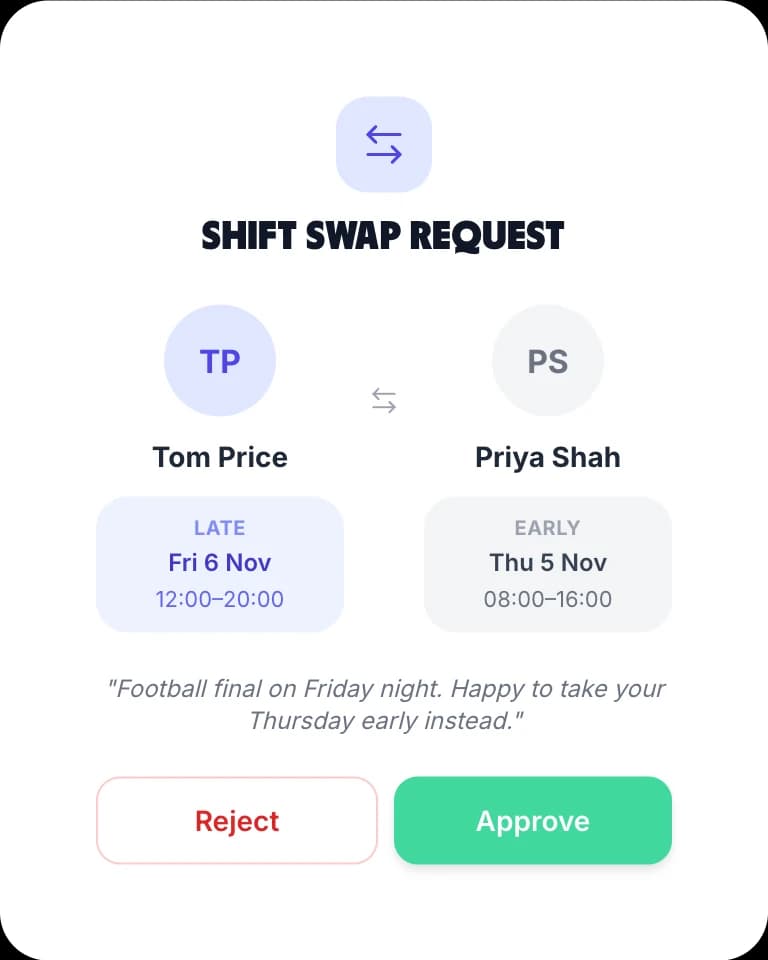
Tom offers his Friday late for Priya's Thursday early. Once approved, each takes the other's shift. The shifts on offer come from the colleague's upcoming shifts on the same rota.
Shift swaps · iPhone, Android and web
Someone can't make Friday? With the TimeTally shift swap app, they sort it out with a colleague on their phone instead of with you. The colleague says yes, you approve it, and the rota changes. Nobody ends up on two shifts in one day, and nothing moves until you say so. Shift swaps are part of the staff rota app, free on iPhone and Android.
A swap goes from the person asking, to the colleague, to you. The rota only changes at the end, so a swap you didn't agree to never reaches anyone's week.
Every shift that hasn't started has a Request swap link in the Rota tab. They choose who to swap with, pick one of that colleague's shifts to take in return or offer none, and add a note if they like.
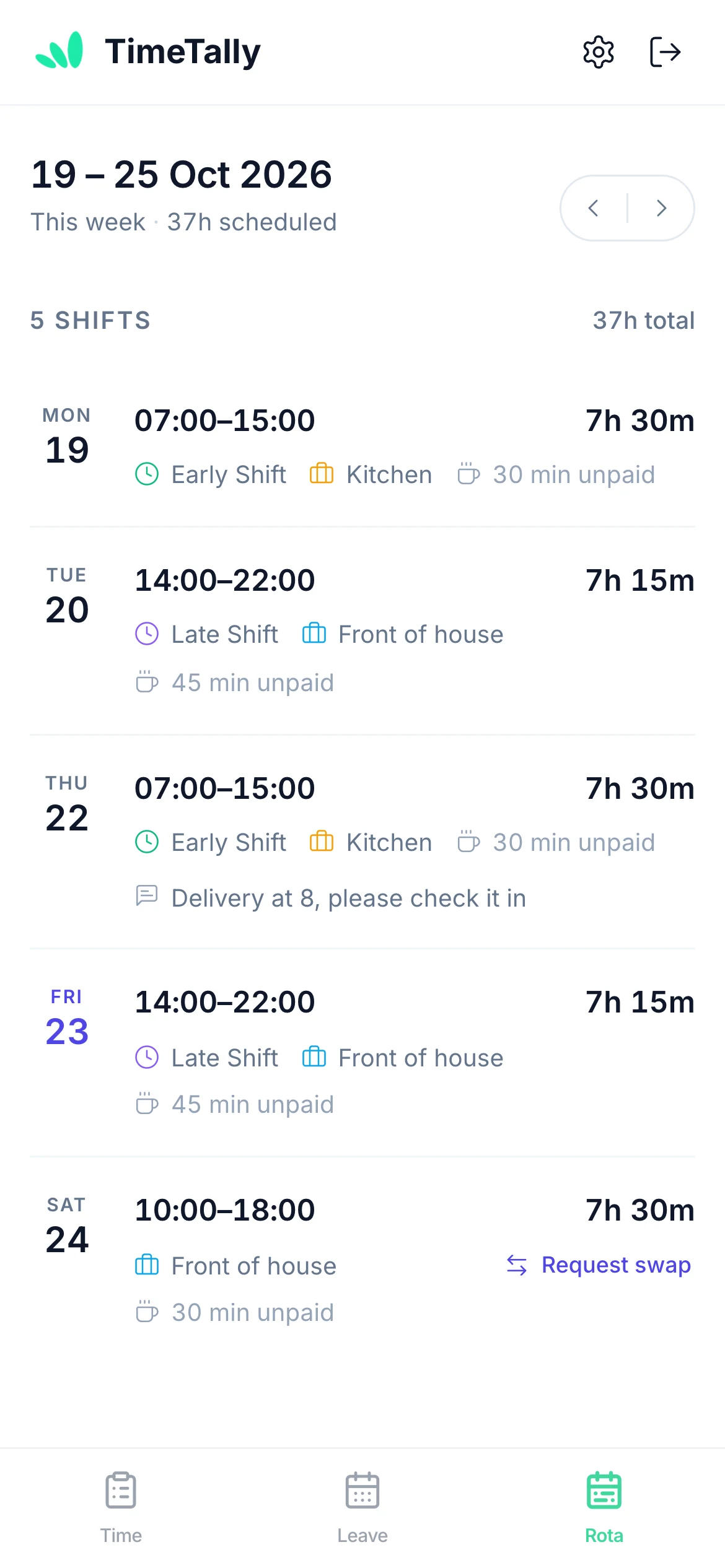
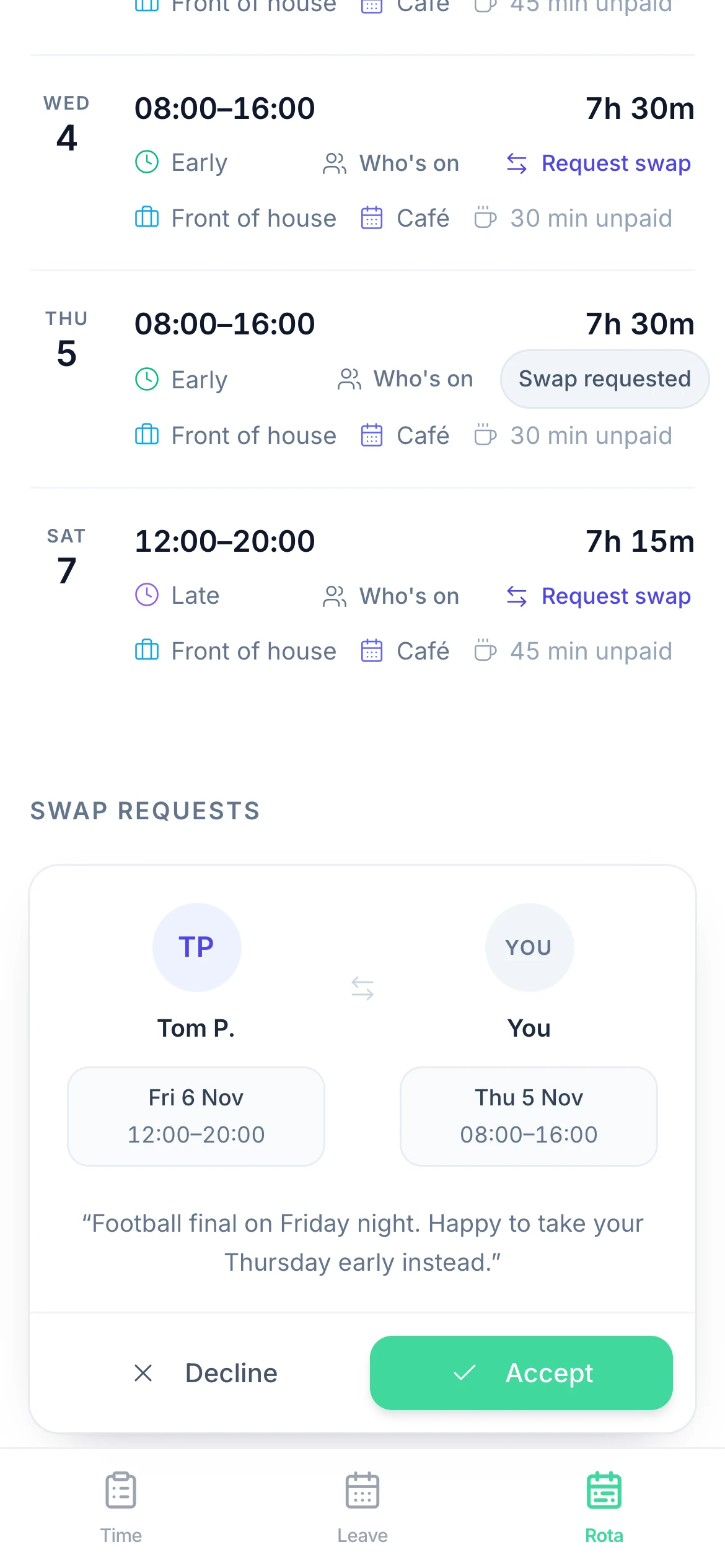
The request waits in the colleague's own Rota tab under Swap requests, with both shifts and the note. They press Accept or Decline. Until they answer, the person asking can cancel it.
Accepted swaps appear under Shift Swap Requests on your Rota page. Approve it and each shift moves to the other person. Reject it, with a reason if you want one, and they keep the shifts they had.
The app checks a swap before it is sent, and the database checks it again when you approve it. If a shift has passed, moved to someone else or been deleted by then, the approval is refused. Approving one swap turns down any other open requests for the same shifts.
This colleague is already rostered on that day.Nobody ends up on two shifts in one day.
You already have a shift on that date — you can't take this shift.The same check, for the person asking.
This shift has already started — it's too late to swap it.Only shifts still to come can move.
This shift is already part of an active swap request.One request per shift at a time.
This colleague has approved leave on that date — they may not be available.A warning: they can still send it.
Offering a shift back is optional, so the same request covers both.
Tom offers his Friday late for Priya's Thursday early. Once approved, each takes the other's shift. The shifts on offer come from the colleague's upcoming shifts on the same rota.
Tom chooses "No shift offered (give-away)". If Priya accepts and you approve, she works his Friday and he gives up nothing else. Handy when someone wants fewer hours that week.

Swaps are on for a new organisation. Change it under Settings → Rota → Shift swaps, or from Rota rules on the rota itself. With Managers only, the swap buttons disappear from staff phones and the database refuses new requests. Requests already sent are not cancelled.
You can also switch the rota off for one person, and they won't see a Rota tab at all.
The app enforces the checks, but notice periods, who can swap with whom and what happens to overtime are your policy. Our shift swap policy guide has a UK template to start from.
Real reviews from TimeTally customers
TimeTally has been excellent for our business… The system has saved us a significant amount of administration time.
 Jordan IngoeCLI Manchester
Setup was dead simple and the team just got on with it. Got everyone up and running in an afternoon with no help needed. Does everything we need for timesheets and holidays without the faff.
Has completely changed how I handle timesheets. Used to dread it every week — now it takes me minutes. Really easy to get around and my staff picked it up straight away.
Started using it just for rotas but quickly realised it does loads more. The timesheets and leave management are great, and it even handles TOIL and overtime which I wasn't expecting. Use it for everything now.
Shift swap app pricing
One price per employee covers the rota planner, shift swaps, clocking in, timesheets and leave. A team of 20 is £60 a month.
£3/employee/month
No card to start · No setup fee · Billed monthly · Cancel any time
Start your free trial

A shift swap app lets staff trade shifts with each other on their phone instead of through you. In TimeTally an employee picks one of their upcoming shifts, chooses a colleague and sends the request. The colleague accepts or declines, then a manager approves or rejects it, and only then does the rota change.
No. Every swap needs two yeses: the colleague's, then a manager's. Nothing moves on the rota until a manager approves it, and a manager can only approve swaps between people they manage. If you would rather make every change yourself, set Shift swaps to Managers only and the swap buttons disappear from staff phones.
Yes. Offering a shift in return is optional. If they choose "No shift offered (give-away)", the colleague takes the shift and gives nothing back. It still needs the colleague to accept and a manager to approve.
TimeTally refuses a swap that would put either person on two shifts on the same day, both when it is asked for and again when a manager approves it. It also refuses a shift that has already started or is already part of another swap. If either person has approved leave that day it warns them, and they can still send it.
No. TimeTally doesn't send push notifications, and no email is sent at any step of a swap. Requests and answers wait in the Rota tab: the colleague sees a Swap requests card with Accept and Decline, managers see Shift Swap Requests under the rota, and the person asking sees whether it is awaiting approval or was declined.
Open shifts, yes; availability, no. Staff can't set availability or preferred hours. For a shift nobody is on yet, you can post an open shift at the top of the rota: everyone on that schedule says whether they can do it, and you choose who gets it. Swaps are for shifts someone already has.
The app is free to download on iPhone and Android. TimeTally costs £3 per employee per month after a 14-day free trial with no card, and that one price includes the rota, shift swaps, timesheets, clocking in and leave. A team of 20 is £60 a month.
Still have a question? See all FAQs →
Book a demoEverything staff see in the Rota tab: their shifts, breaks, notes and who's on.
Learn moreBuild and publish the week the swaps happen in, from templates.
Learn moreThe rules to agree with your team, with a template to copy.
Learn moreEverything else staff do themselves: hours, holiday and TOIL.
Learn moreStaff start the shift they swapped into from the same app.
Learn moreStaff book leave on their phone, and you see it on the rota.
Learn morePublish a week in the trial, let two of your team try a swap, and approve it from your phone.
14-day free trial · No card needed · £3 per employee a month