Staff timesheet software dashboard showing employee hours
Staff Timesheet Software

Staff Timesheet Software That Manages Your Whole Team

Give managers a complete view of every employee's hours, absences, and timesheet status. Staff can log hours from any device, managers approve in bulk, and payroll is a one-click export. Built for UK employers who need accurate records, fast approvals, and legal compliance without the admin burden. From just £2 per employee per month.

No credit card required
Unlimited employees
Cancel anytime

Every Staff Request In One Manager Dashboard

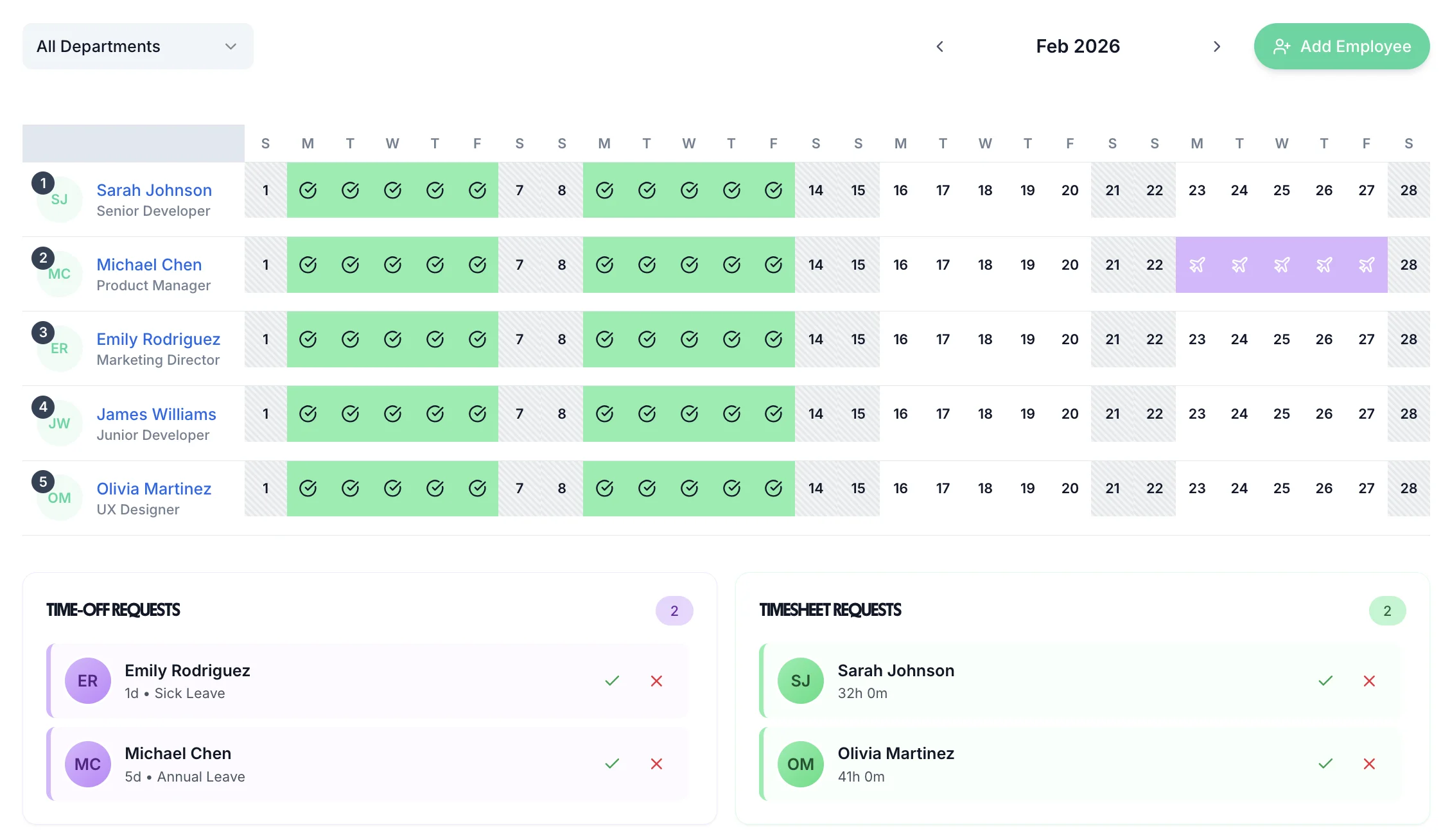
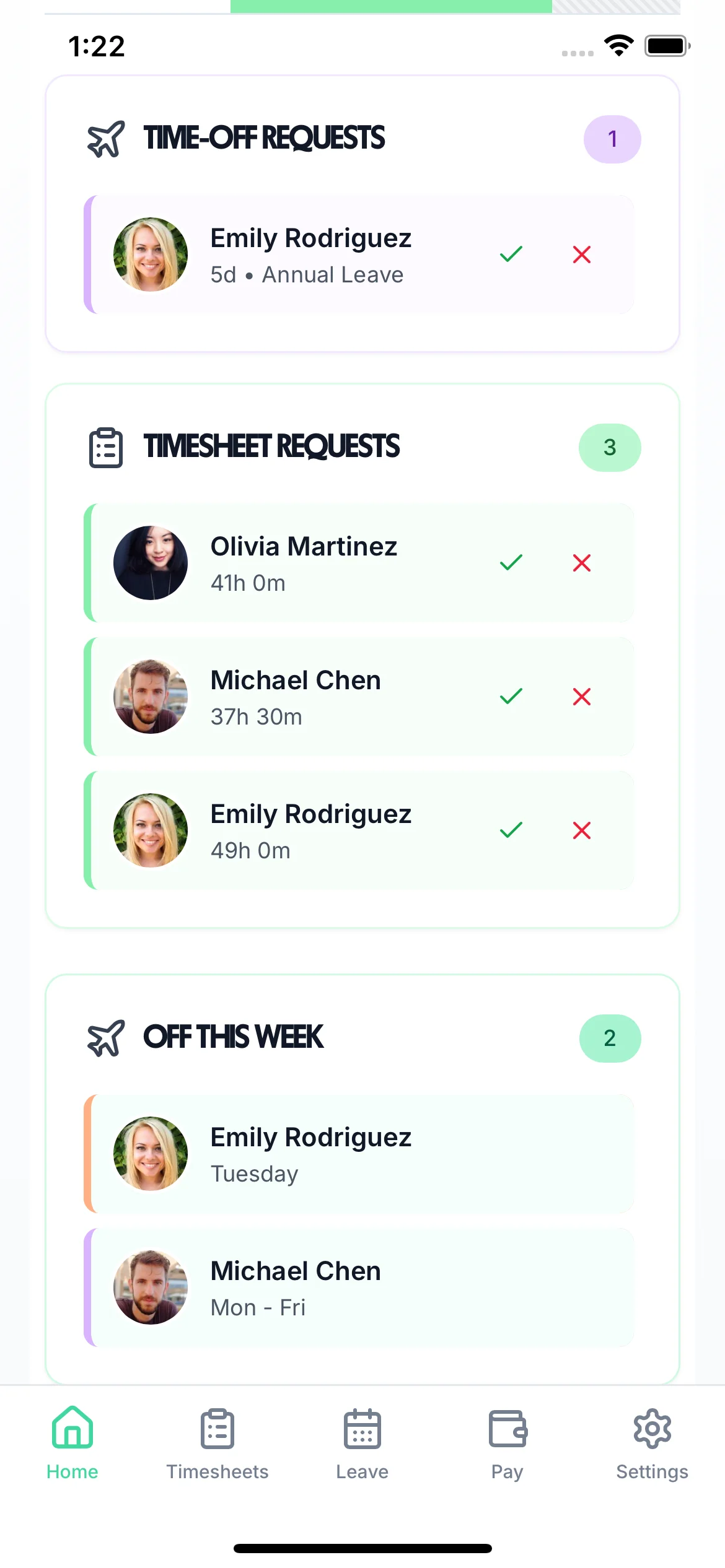
Managers don't need to juggle emails, spreadsheets, and separate systems. Staff timesheet software consolidates everything into one dashboard — pending timesheet approvals, leave requests, absence notifications, and team status updates. Whether you manage 5 staff or 500, the dashboard scales with you. Assign different managers to different teams so each manager only sees their own staff.
Unified Inbox

Timesheet submissions and leave requests in one place. Managers process everything from a single screen

Team-Based Access

Each manager sees only their own staff's timesheets. HR and admins can view the whole organisation

Instant Notifications

Managers are alerted when staff submit timesheets or request leave. Respond immediately from desktop or mobile

Manager dashboard showing all staff timesheet and leave requests

Built For UK Teams Of Any Size

From small businesses with 5 staff to growing companies with hundreds of employees — the same flat rate, the same full feature set

Any team size

Works for 2 employees or 2,000. No tiered pricing based on headcount — just £2 per employee per month

75% less approval time

Bulk approvals and streamlined workflows cut the time managers spend on staff timesheets each week

HMRC-compliant records

Every staff timesheet timestamped, approved, and stored. Meets Working Time Regulations record-keeping requirements

Staff Log Hours In Seconds

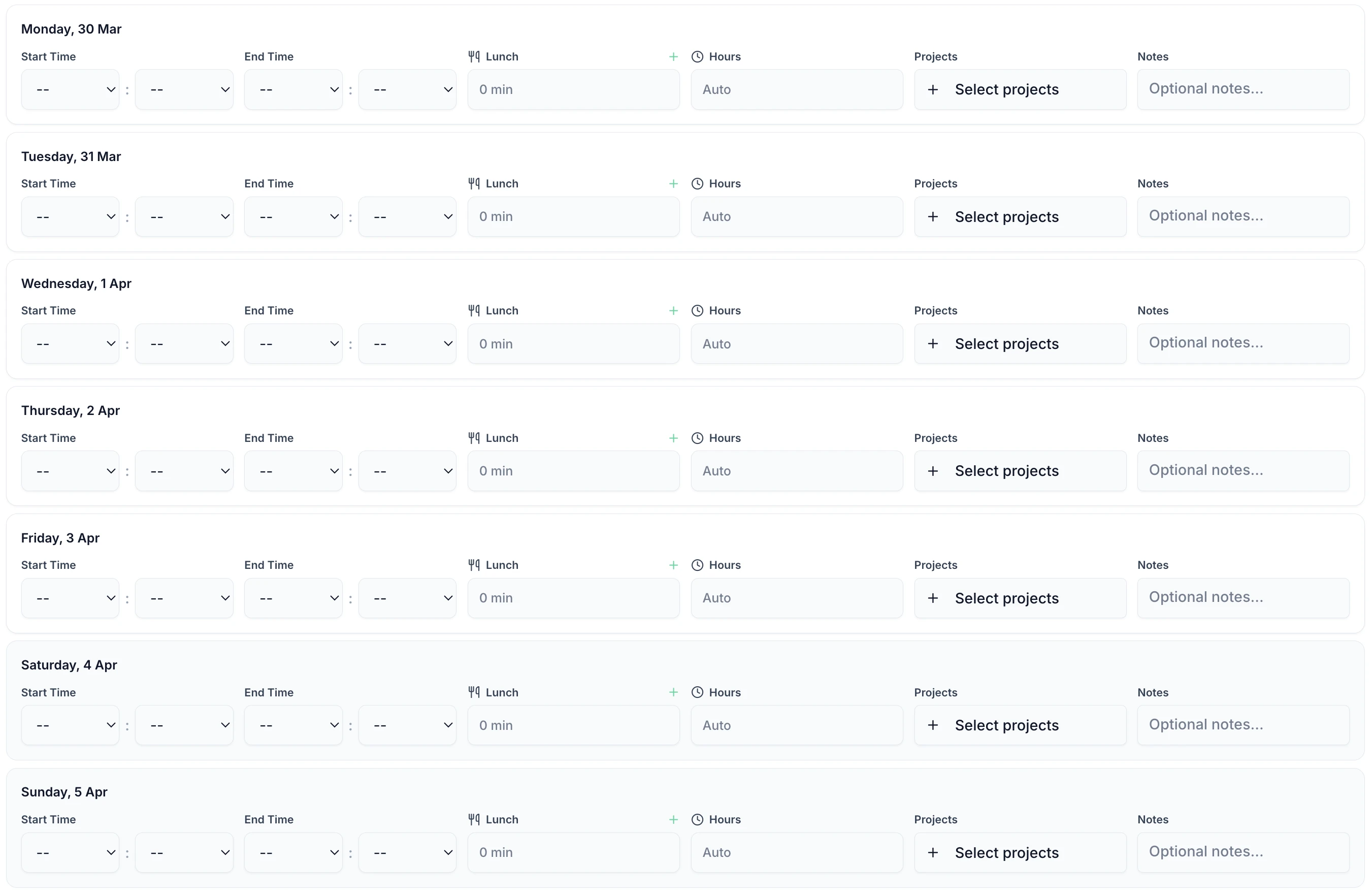
The employee timesheet interface is designed to be quick and intuitive. Staff log their hours for the day in under a minute — start time, end time, break, and a note if needed. At the end of the week, one click submits the whole timesheet to their manager. No training, no complex forms, no complaints from staff about the system being too slow. For teams who prefer auto-tracking, automatic timesheets generate from clock-in data.

Staff timesheet entry interface showing hours, start/end times, and notes

Daily Entry

Log each day's hours as you go, or fill in the whole week at once. The system works either way

Auto-Calculated Totals

Daily and weekly hour totals calculated automatically. Overtime flagged separately for clear payroll reporting

Mobile Friendly

Staff can complete their timesheet from their phone via the iOS app or mobile browser. Works anywhere

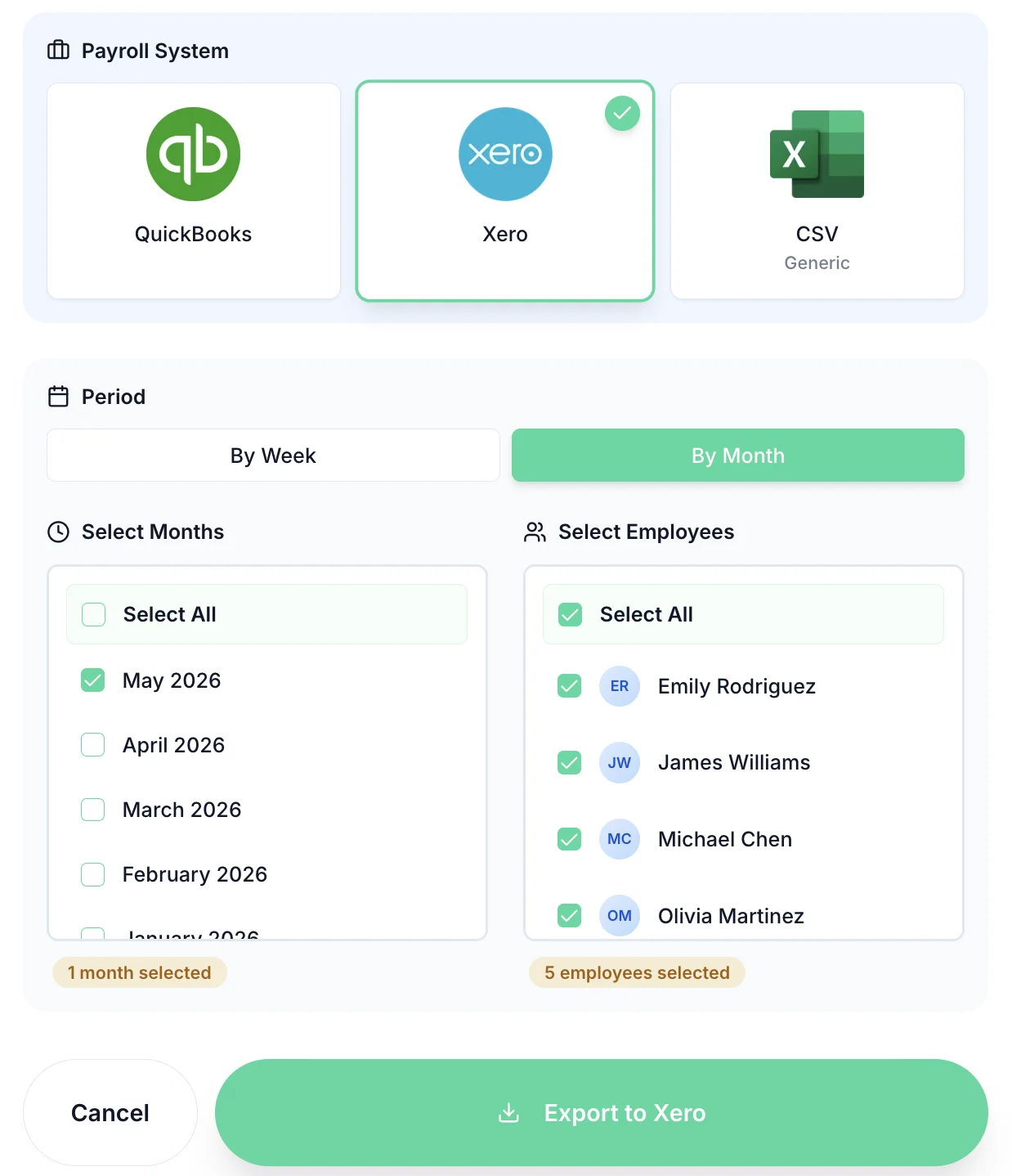
Staff timesheet export to payroll - Xero and QuickBooks integration

Export Staff Hours To Payroll In One Click

Once staff timesheets are approved, exporting to payroll is instant. Send hours directly to Xero, QuickBooks, or download as CSV for any UK payroll software. Only approved timesheets export — unapproved or disputed entries are held back automatically. No re-keying, no manual cross-checking between systems, no payroll errors from transcription mistakes.

Xero & QuickBooks Integration

Connect your payroll account and send approved hours directly. No manual import or CSV handling needed

Approved Hours Only

The export includes only manager-approved staff timesheets. Disputed or pending timesheets never reach payroll

Pay Period Filtering

Export by weekly, bi-weekly, or monthly pay periods. Filter by team, department, or individual employee

Complete Staff Timesheet Software Features

Everything HR managers and team leaders need to manage staff hours accurately

Multi-Team Management

Assign staff to teams with dedicated managers. Each manager approves their team; admins see everyone.

Automatic Reminders

Stop late timesheet submissions with automatic email reminders. No more chasing staff manually every week.

Leave Management Included

Staff holiday, sick leave, and TOIL managed in the same system. No separate leave tracker needed.

Hours & Overtime Reports

Generate staff hours reports by employee, team, or date range. Track overtime and identify patterns.

Audit Trail

Complete history of every staff timesheet — who submitted, when, who approved, and any changes. HMRC-ready.

Mobile Access For All

Staff submit timesheets from the iOS app or any browser. Managers approve from mobile too. No desk required.

Affordable Staff Timesheet Software

One price per employee. Every feature included. No contracts.

£2/employee/month

Billed monthly. Cancel anytime.

Unlimited employees and managers
Mobile and desktop timesheet access
Bulk approval tools
Staff leave and holiday tracking
Payroll export to Xero, QuickBooks, or CSV
HMRC-compliant audit trail

No credit card required

Download on the App Store

Frequently Asked Questions

What is staff timesheet software?

Staff timesheet software is a system that manages the complete lifecycle of employee timesheets — from submission and approval to payroll export. It replaces paper forms and spreadsheets with a centralised digital system. Staff log their hours online or via an app, managers review and approve, and approved hours export to payroll automatically. Good staff timesheet software also handles leave tracking, reminders, and reporting.

How many staff can TimeTally handle?

TimeTally scales from small businesses with a handful of employees to organisations with hundreds of staff. Pricing is simply £2 per employee per month regardless of team size. There are no additional charges for adding managers, admins, or different departments. Multi-team organisations can assign managers to specific teams so each manager only sees and approves their own staff's timesheets.

Can different managers manage different teams?

Yes. Each employee is assigned to a manager in TimeTally. Managers can only see and approve timesheets for their own team members. Admin users can view and manage the whole organisation. This is useful for businesses with multiple departments or sites where different line managers are responsible for different groups of staff.

How does staff timesheet software handle overtime?

TimeTally calculates regular hours and overtime automatically based on the hours logged. You set the overtime threshold (e.g., over 8 hours a day or 40 hours a week), and the system flags overtime separately in the timesheet and in the payroll export. This ensures overtime is clearly visible to managers during approval and is paid correctly through payroll.

Does staff timesheet software integrate with payroll?

Yes. TimeTally integrates directly with Xero and QuickBooks, and exports to CSV for any other UK payroll software. Only manager-approved timesheets are included in payroll exports. This creates a clear accountability chain — every hour reaching payroll has been reviewed and approved by a responsible manager, which is essential for HMRC compliance.

What happens if a staff member submits an incorrect timesheet?

Managers can reject a timesheet with a note explaining what needs correcting. The staff member receives an email notification and can resubmit the corrected version. The full audit trail records the original submission, the rejection reason, and the corrected resubmission. This process protects both the employee and the business in any payroll dispute.

Does the software include a free trial?

Yes. TimeTally offers a 14-day free trial with no credit card required. You can add your whole team, test all features, and see exactly how the software works before committing. After the trial, pricing is £2 per employee per month with no setup fees or contracts. Most teams are up and running within 10-15 minutes of signing up.

Take Control Of Your Staff Timesheets

Give your managers visibility, give your staff simplicity, and give payroll accuracy. Start your free trial today.

No credit card • Setup in 10 minutes • Works on any device