Findmyshift vs TimeTally

Findmyshift alternative, priced per person

Findmyshift is an online rota, priced in pounds per team. TimeTally is a Findmyshift alternative priced per person, £3 each, with the rota, clock-in, timesheet approval, UK holiday rules, TOIL and payroll export in the one plan. For one small team Findmyshift costs less; here is what the difference buys.

  • 14 days free, no card
  • No contract

One team of 20, paid monthly

Findmyshift Starter per team

£21 a month

Up to 20 staff and 1 manager. Time off included; payroll figures need Business (£31).

TimeTally per person

£60 a month

20 × £3. Managers are free unless they record hours. Leave with UK rules, pay with overtime and TOIL.

Findmyshift from findmyshift.co.uk/pricing, checked 2 November 2026.

Plan by plan

What each Findmyshift plan includes, and what TimeTally does

Findmyshift adds features as you move up its four plans. TimeTally has one plan, so the right-hand column is everything. Findmyshift's ticks are its own, including where it does more than us.

FeatureFindmyshift FreeFindmyshift StarterFindmyshift BusinessFindmyshift EnterpriseTimeTally
Price, paid monthlyFindmyshift per team, TimeTally per person£0£21£31£62£3 each
Paid yearly, a month—£18£28£55Billed monthly
Staffin one Findmyshift teamUp to 5Up to 20Up to 100Up to 300Everyone you add
Managers11100300Free unless they record hours
Rota, time clock, timesheets, appsYesYesYesYesYes
Time off and allowancesNoYesYesYesWith UK rules
Pay worked outfrom each person's ratesNoNoYesYesYes
Clock-in location checkNoNoNoGeofencingGPS, +£1 each
Push notificationsYesYesYesYesEmail only
Look back at past records1 week1 year5 years10 yearsNot deleted on a timer
A team of 20, one managerToo small£21£31£62£60

Findmyshift plans from its pricing page, checked 2 November 2026. Prices per team, before any charity discount. See TimeTally pricing.

One week in TimeTally

From the rota to the wages, in one app

Findmyshift has a time clock and timesheets too. This is the same week in TimeTally, from the published rota to approved hours and the wages, with nothing typed twice.

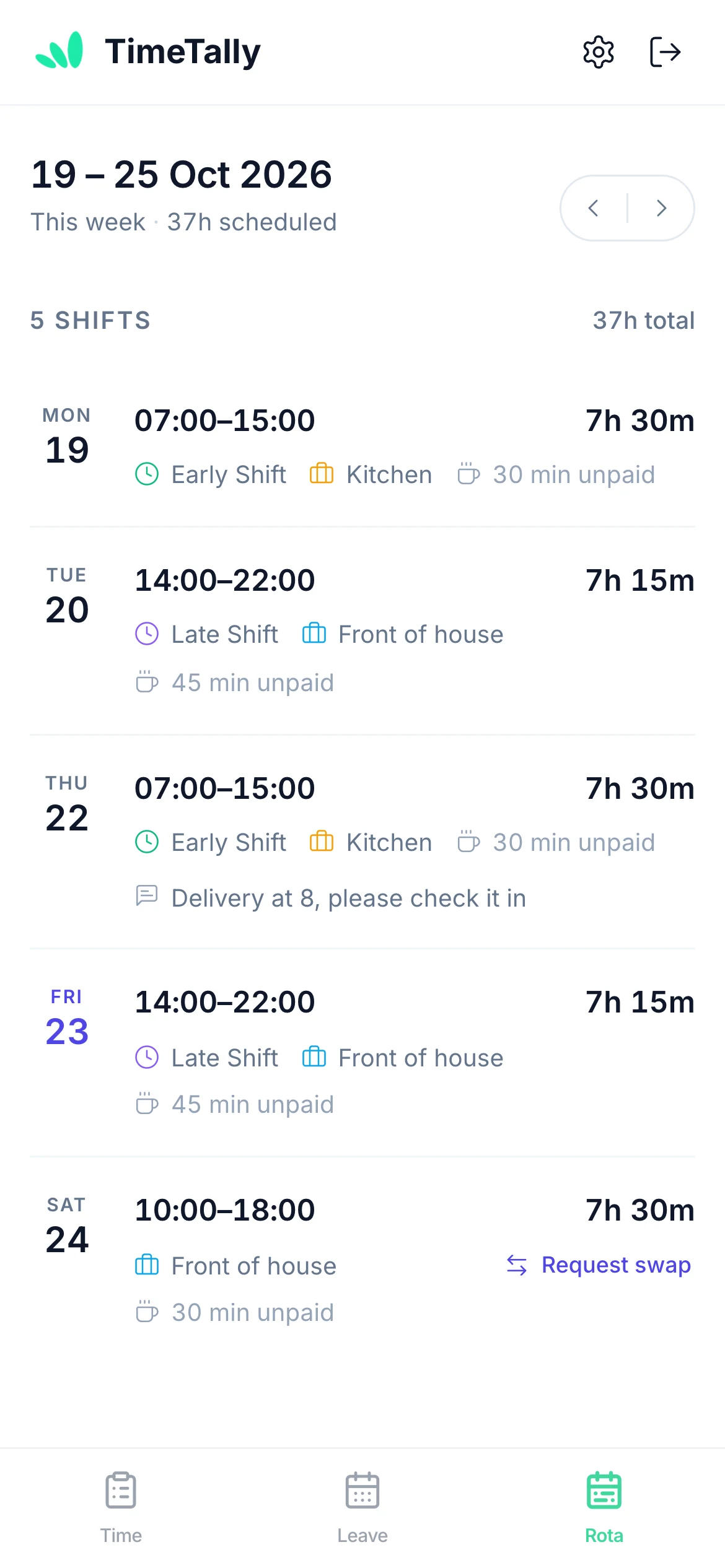
  1. TimeTally staff rota on a phone: five shifts this week with times, hours, breaks and a Request swap link

    Staff see their week

    Shifts with times, breaks and the job, published to their phone. They can ask a colleague to swap.

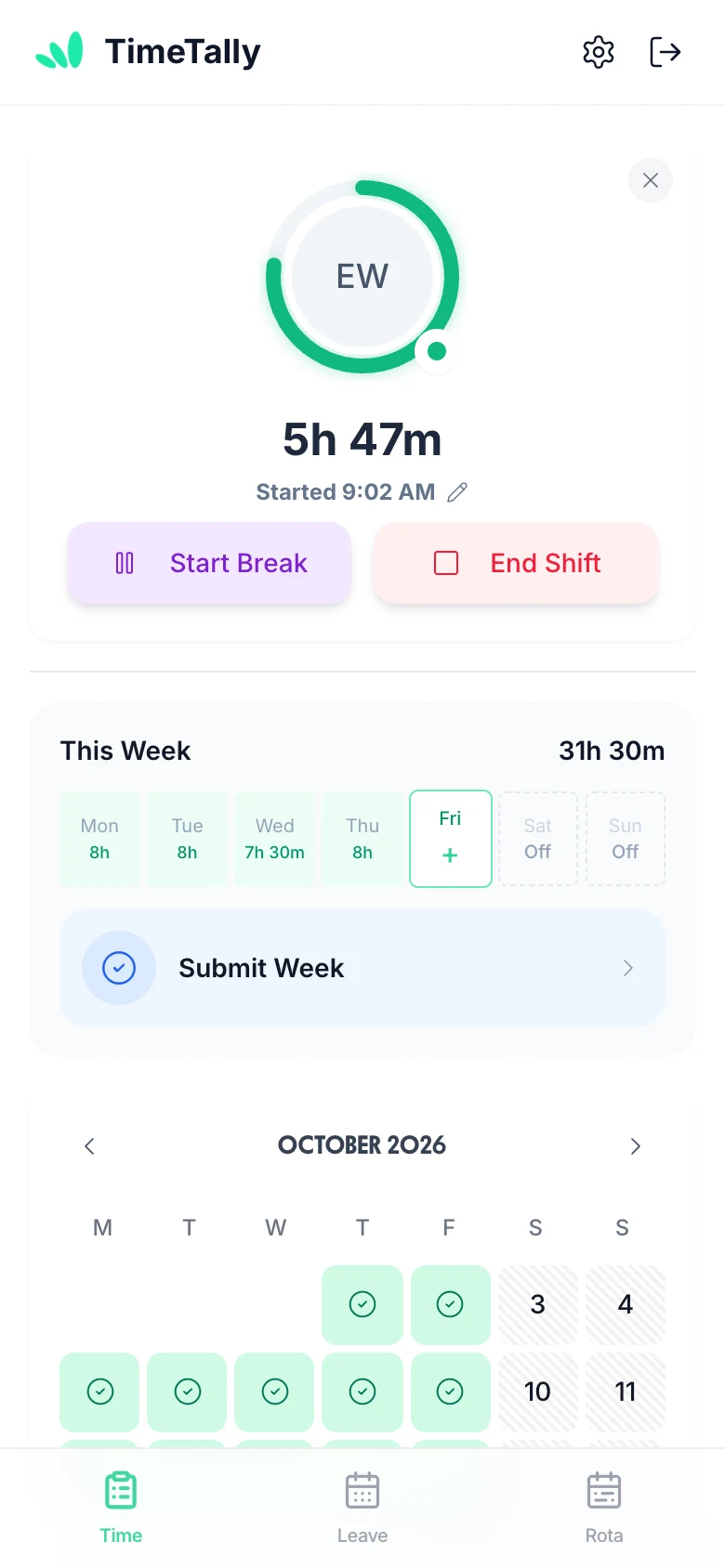
  2. TimeTally clock-in screen: the running shift timer and this week's hours by day

    They clock in

    Start Shift on their own phone. With the GPS check on, they must be at the project's location.

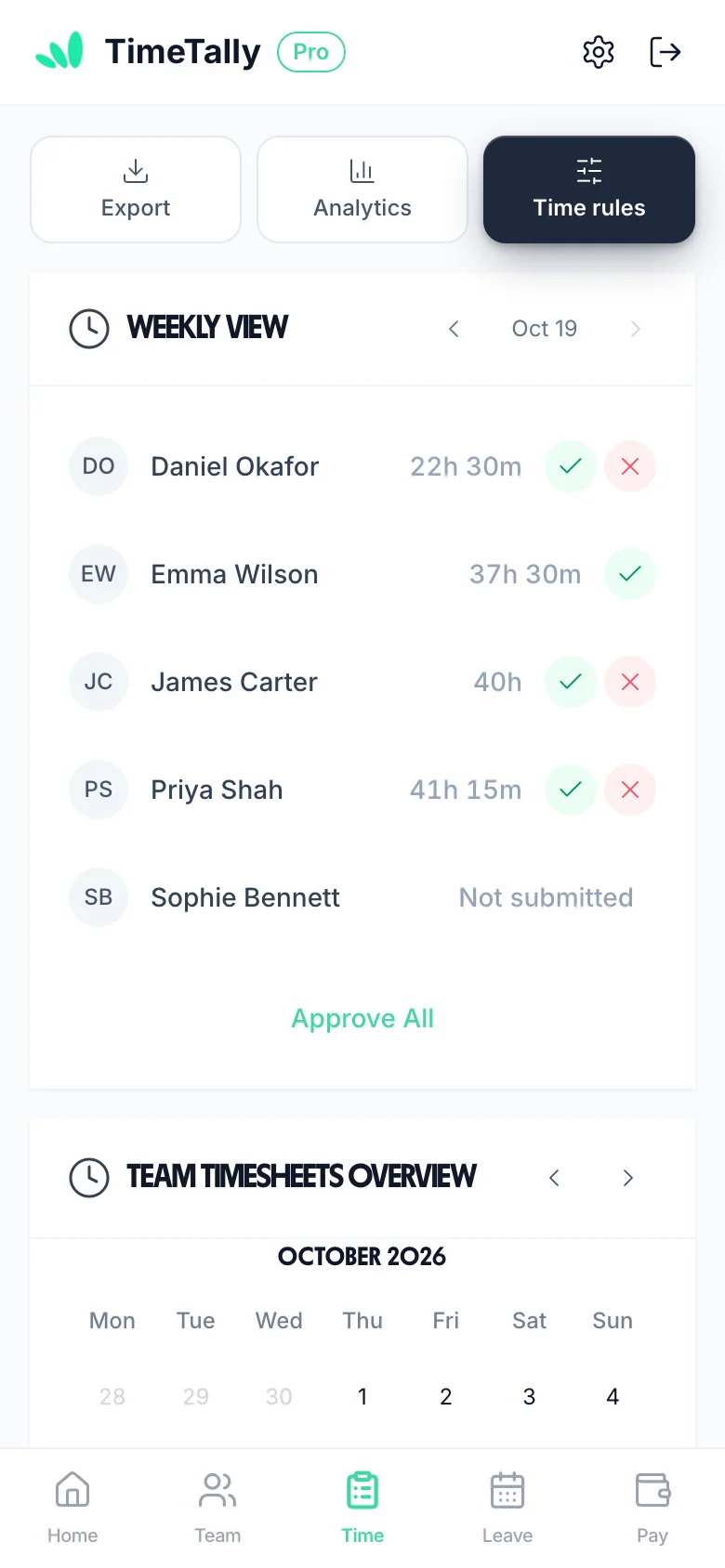
  3. The manager's timesheets on a phone: each person's hours with approve and reject, one not submitted, and Approve All

    You approve the week

    Each person's hours in hours and minutes, approve or reject, or Approve All.

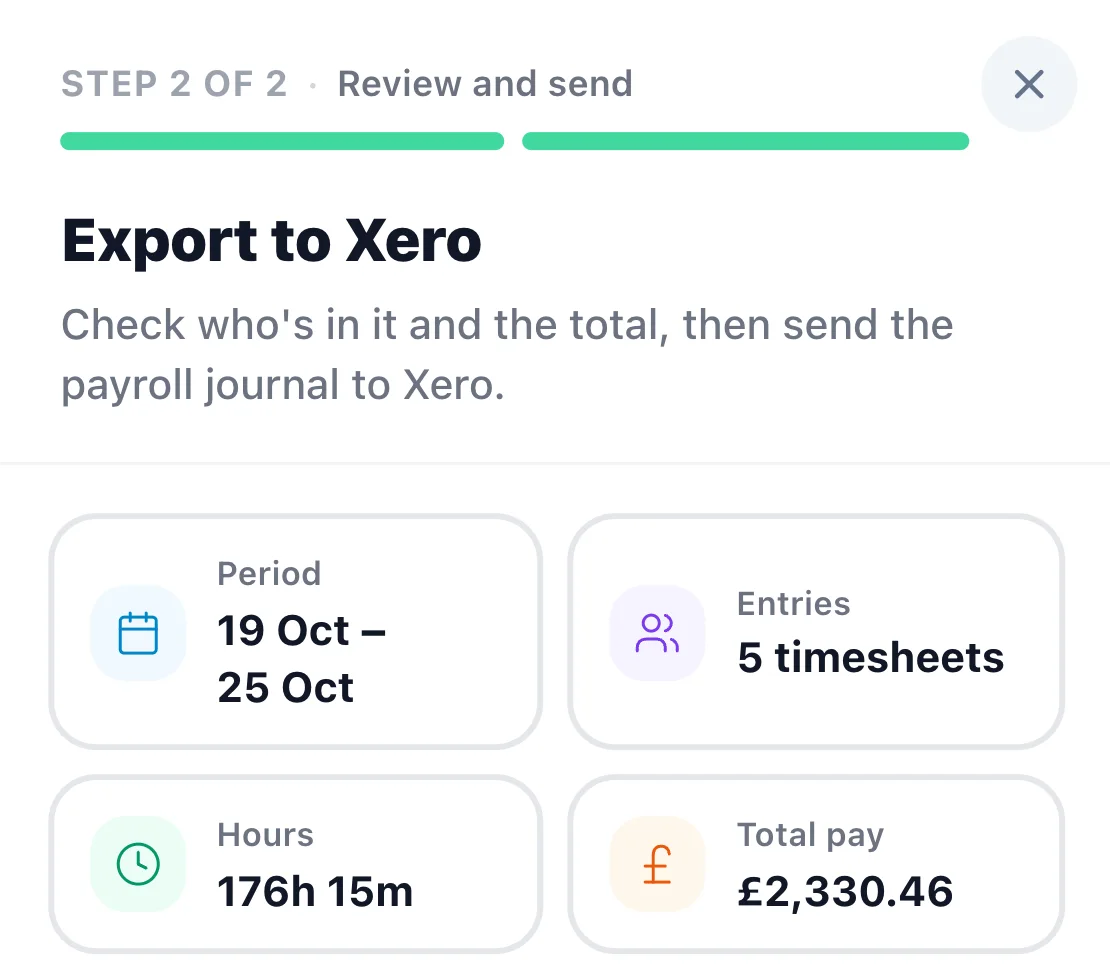
  4. Export to Xero, step 2 of 2: period 19 to 25 Oct, 5 timesheets, 176h 15m, total pay £2,330.46

    Pay goes to payroll

    Check the period, hours and total pay, then send one journal to Xero or QuickBooks, or download a CSV.

Holidays

Allowances that follow UK rules

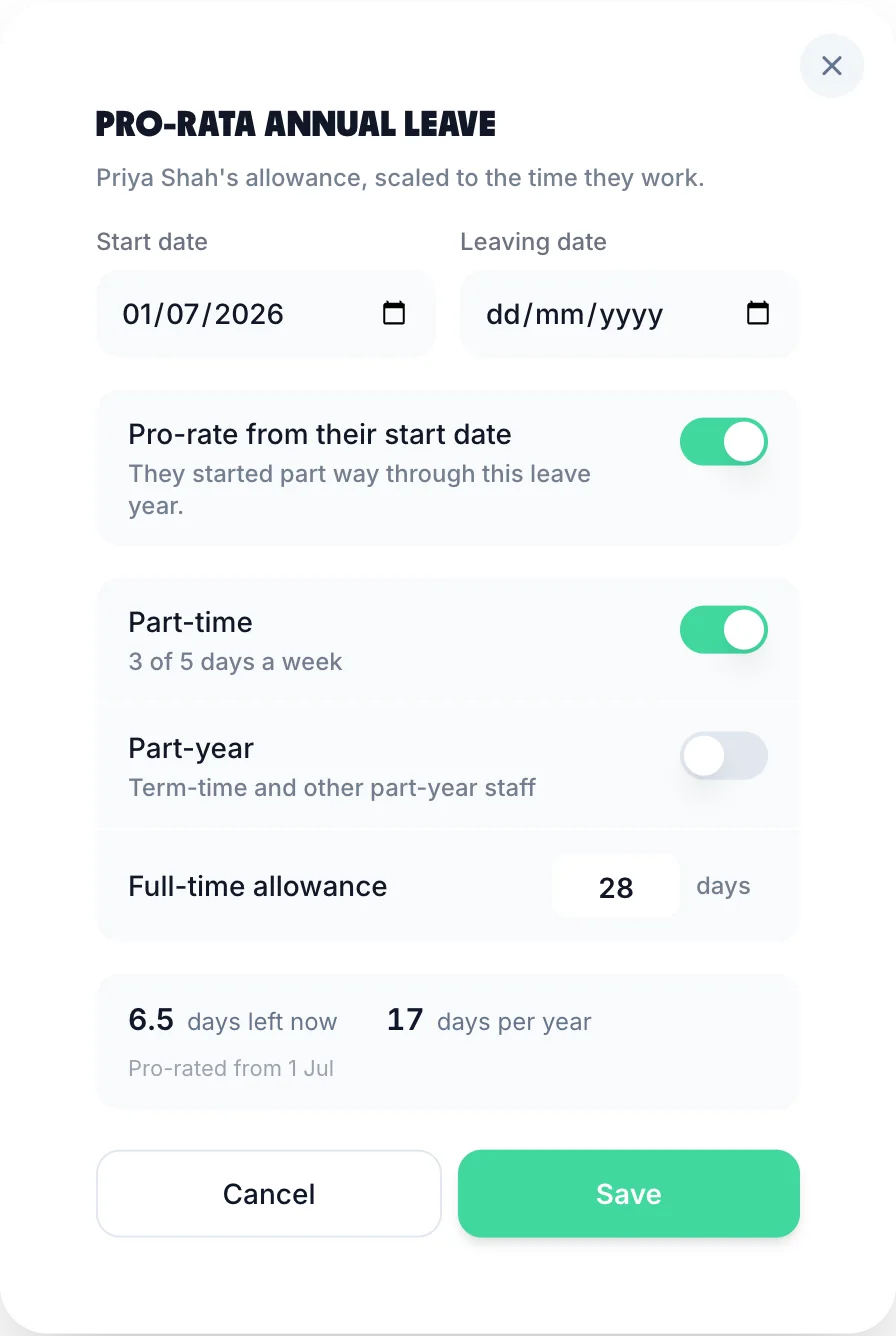
Findmyshift's Starter plan and above track time off requests and staff allowances. TimeTally works the allowance out for you: pro-rata for starters, leavers and part-timers, rounded up to the half day, with carry-over and an expiry if you want one.

Overtime can turn into time off in lieu with a limit, and staff book leave from the same app they clock in on. See leave tracking or try the pro-rata holiday calculator.

  • Bank holidays by nation

    England, Wales, Scotland or Northern Ireland for each person, paid from the allowance, on top, or unpaid.

  • Hours-based holiday

    Variable-hours staff build up 12.07% of the hours on each approved timesheet.

3 days a week: 28 days full time → 17 a year

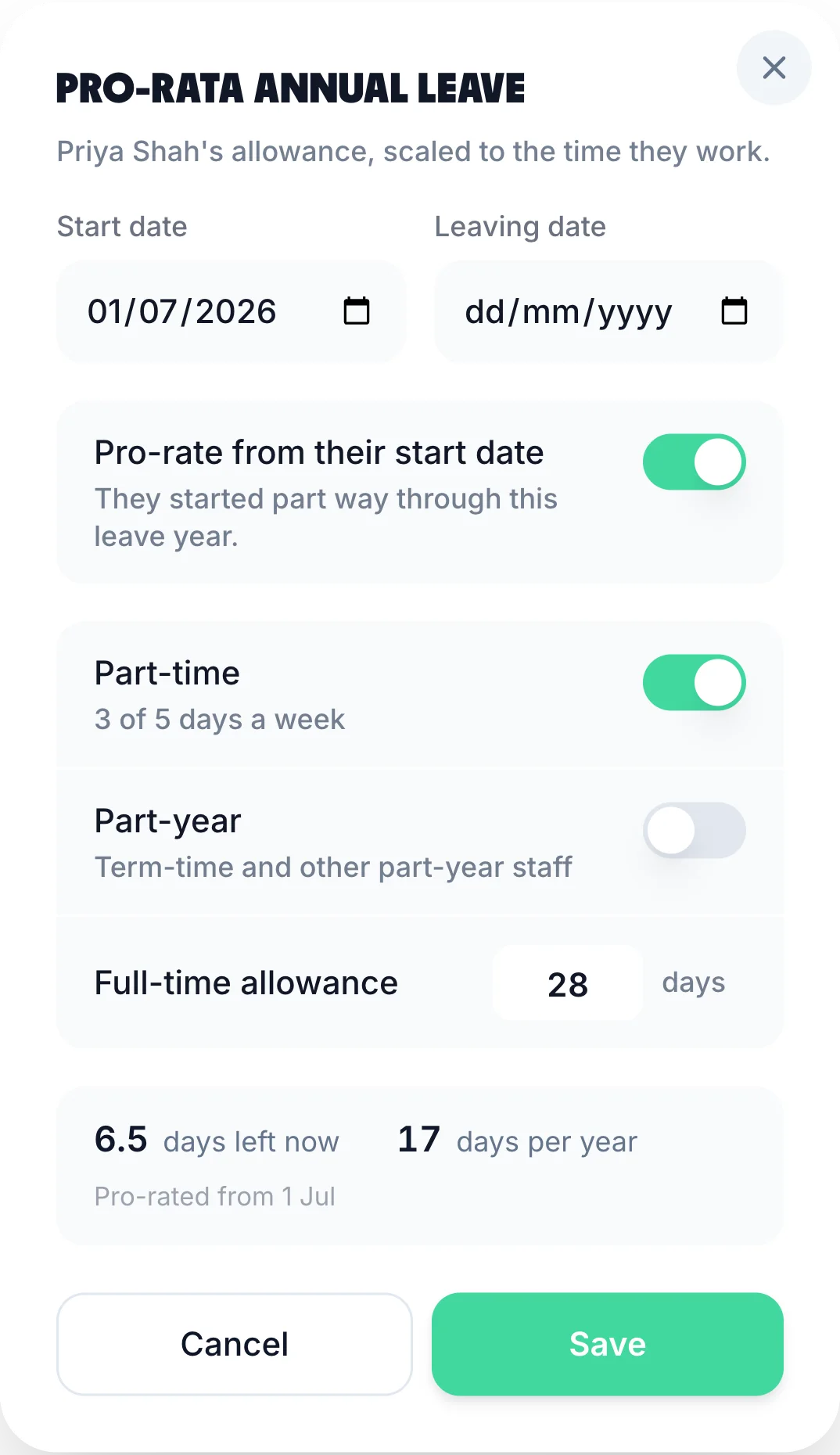
TimeTally pro-rata dialog: start date, part-time 3 of 5 days, full-time allowance 28 days, 17 days per yearTimeTally's pro-rata dialog on a phone

Which should you choose?

Both are UK-facing rota tools with apps for staff. They are priced differently and stop in different places.

Choose Findmyshift if:

  • You run one team and want the lowest monthly price
  • Five staff or fewer, and the free plan is enough
  • You want push or text reminders on staff phones
  • You'd like a 3-month trial

Choose TimeTally if:

  • You want holidays worked out by UK rules, not just tracked
  • Overtime, TOIL and pay should come out of approved hours
  • You send wages to Xero or QuickBooks
  • Several managers run their own people without paying per team

One small team, rota onlyFindmyshift

Rota, hours, UK leave and payrollTimeTally

Loved by UK small businesses

Real reviews from TimeTally customers

TimeTally has been excellent for our business… The system has saved us a significant amount of administration time.
Jordan IngoeCLI Manchester
Setup was dead simple and the team just got on with it. Got everyone up and running in an afternoon with no help needed. Does everything we need for timesheets and holidays without the faff.
S.M.
Has completely changed how I handle timesheets. Used to dread it every week — now it takes me minutes. Really easy to get around and my staff picked it up straight away.
J.T.
Started using it just for rotas but quickly realised it does loads more. The timesheets and leave management are great, and it even handles TOIL and overtime which I wasn't expecting. Use it for everything now.
R.K.

Findmyshift alternative: questions people ask

Still have a question? See all FAQs

Book a Demo
  1. Is Findmyshift cheaper than TimeTally?

    For one team, usually yes. Findmyshift charges per team, not per person: its Starter plan is £21 a month (paid monthly) for up to 20 staff and one manager, and Business is £31 for up to 100 staff and 100 managers. TimeTally is £3 per employee a month, so 20 staff cost £60. The gap narrows when you need several Findmyshift teams, payroll figures (Business) or geofenced clocking (Enterprise, £62 a team). Findmyshift prices checked on 2 November 2026.

  2. What counts as a team on Findmyshift?

    Its pricing page says a team is a group of staff managed by one or more managers, and that managers who schedule their own staff independently are best split into separate teams, each priced on its own. TimeTally has no teams to price: you pay £3 for each employee, and a manager can be given whole departments or named people.

  3. Which Findmyshift plan do I need for holidays and payroll?

    Time off with allowance tracking starts on Starter (£21 a team a month). Payroll calculation (hourly rates, rate exceptions, day rates and salaries) starts on Business (£31). Location reporting and geofencing are on Enterprise (£62). On TimeTally, leave, pay with overtime and the GPS check (£1 per employee extra) are on the one plan.

  4. Does TimeTally send push notifications like Findmyshift?

    No. Findmyshift sends email, push and Slack messages for free and texts at extra cost. TimeTally sends emails: a published rota, a leave decision, a timesheet approved or rejected, and optional reminders for late timesheets. There are no phone push notifications or texts.

  5. How long are the free trials?

    Findmyshift gives all features free for the first 3 months, with no card. TimeTally's trial is 14 days, also with no card, and then £3 per employee a month, billed monthly, with no contract.

  6. What does TimeTally do for UK leave that Findmyshift doesn't list?

    Bank holidays for England, Wales, Scotland or Northern Ireland set per person, pro-rata allowances for starters, leavers and part-timers (rounded up to the half day), holiday built up at 12.07% of hours worked for hours-based staff, carry-over with an expiry, and TOIL from overtime. Findmyshift's pricing page lists time off requests and allowance tracking, not these rules.

  7. How do I move from Findmyshift to TimeTally?

    Start the 14-day trial, upload your staff from a CSV or Excel file (choose whether to email invites now), type in each person's holiday left this year, and save your usual shifts as templates to build the first week. Run both side by side until a pay period ends, then switch.

Try TimeTally free for 14 days

Build next week's rota, approve the hours and see the holiday balances work themselves out. See time tracking.

No credit card required • £3 per employee a month • Cancel anytime