




Shifts you set up once
Save Early office, Evening office and School as shift templates with their times and role, then build the usual week and copy it forward for up to 13 weeks.
For commercial and contract cleaning companies
TimeTally is cleaning rota software for companies whose work happens when everyone else has gone home. Plan cleaners across client sites before the offices open and after they close, check they clock in at the right building, and see the hours each client used, ready to bill. Holiday and timesheets are in the same app.
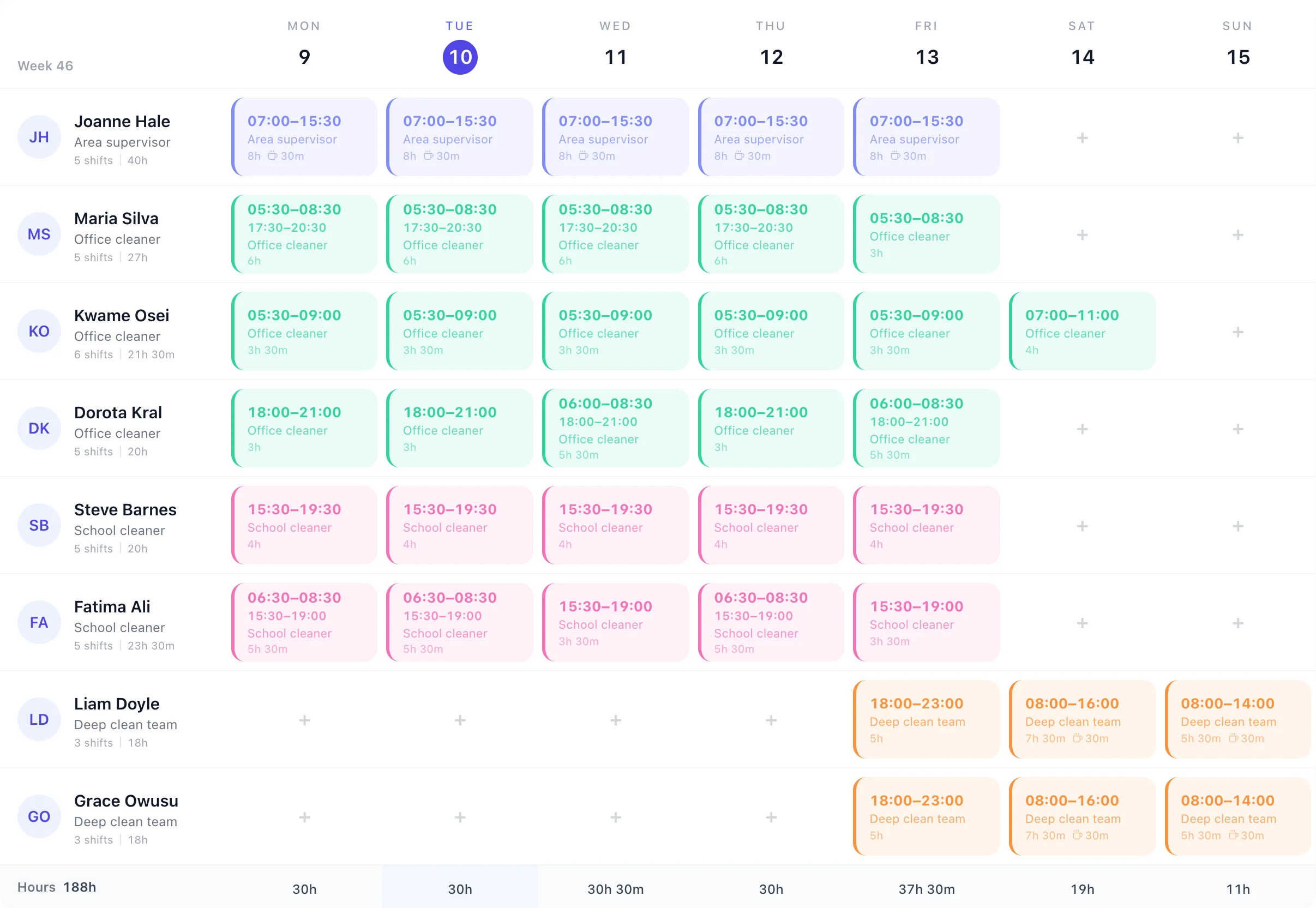
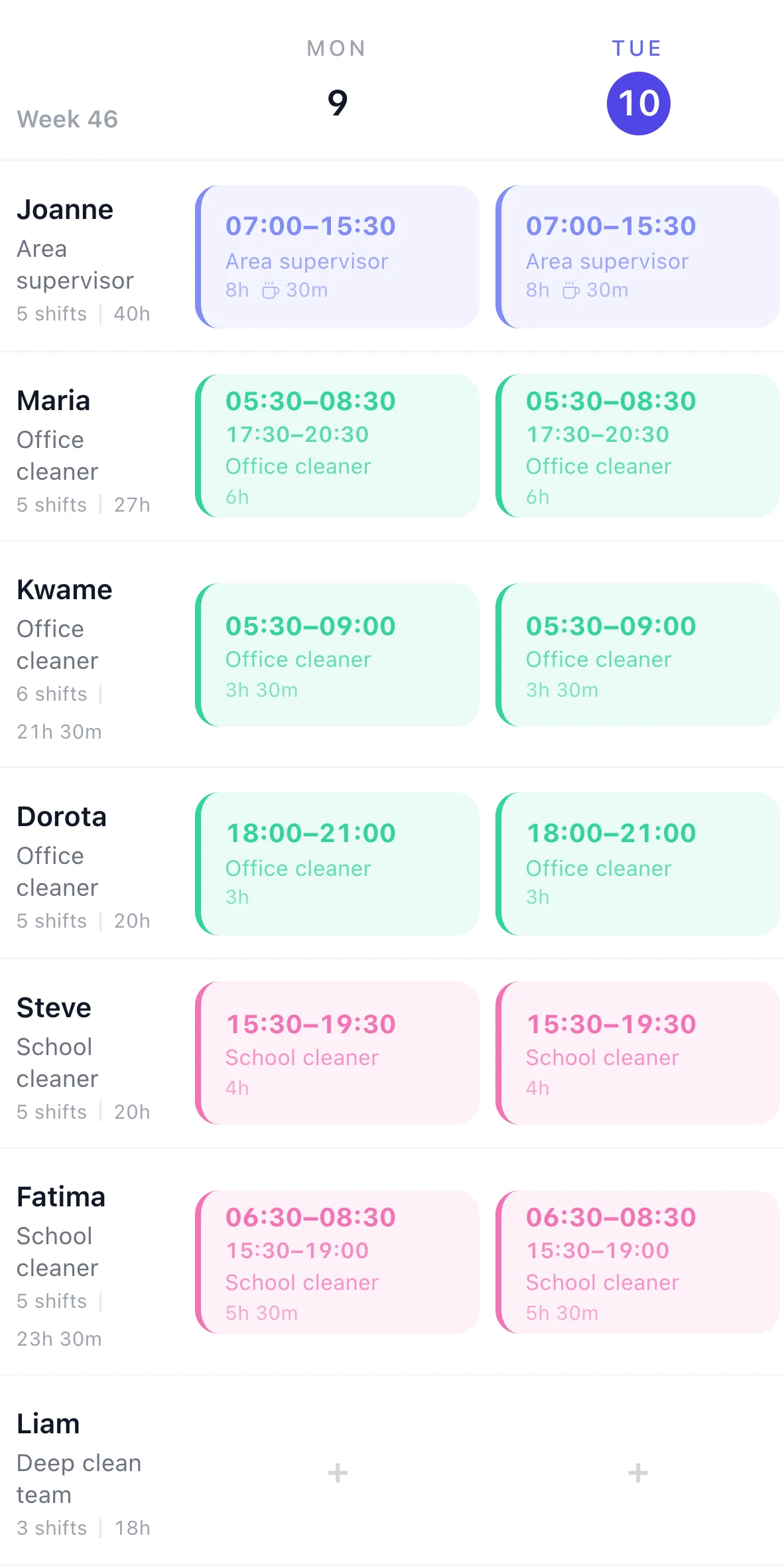
This is a cleaning company's week in TimeTally. Offices are cleaned from 05:30 before they open and from 18:00 after they close, the school after the bell, and a deep clean team works the weekend. Maria works both ends of the day, so her shift is one card with two parts and 6 hours, not one long day.
Save Early office, Evening office and School as shift templates with their times and role, then build the usual week and copy it forward for up to 13 weeks.
A cleaner's morning and evening can be one split shift, so the hours count what they work, not the gap.
Each cleaner's week total sits under their name and the Hours row adds up each day. Rota rules can warn you when someone goes over the hours you set.
Client sites
Each building you clean is a project in TimeTally, with the client, a job ID and the address. Put the site on a cleaner's shift and it shows on their phone, and the hours they clock there are counted against it.
St Mary's Primary School
06:30 and after school
Calder Property
05:30 before it opens
Calder Property
18:00 after it closes
Aire Dental
Before surgery opens
Turn on GPS clock-in and give each site a location with a radius from 25 metres to 2 kilometres. A cleaner can only clock in for that site when their phone is inside it, so you know the 05:30 clean at Northgate House started at Northgate House. It's £1 per employee a month on top of the £3.
More on location checks: the GPS clock in app.
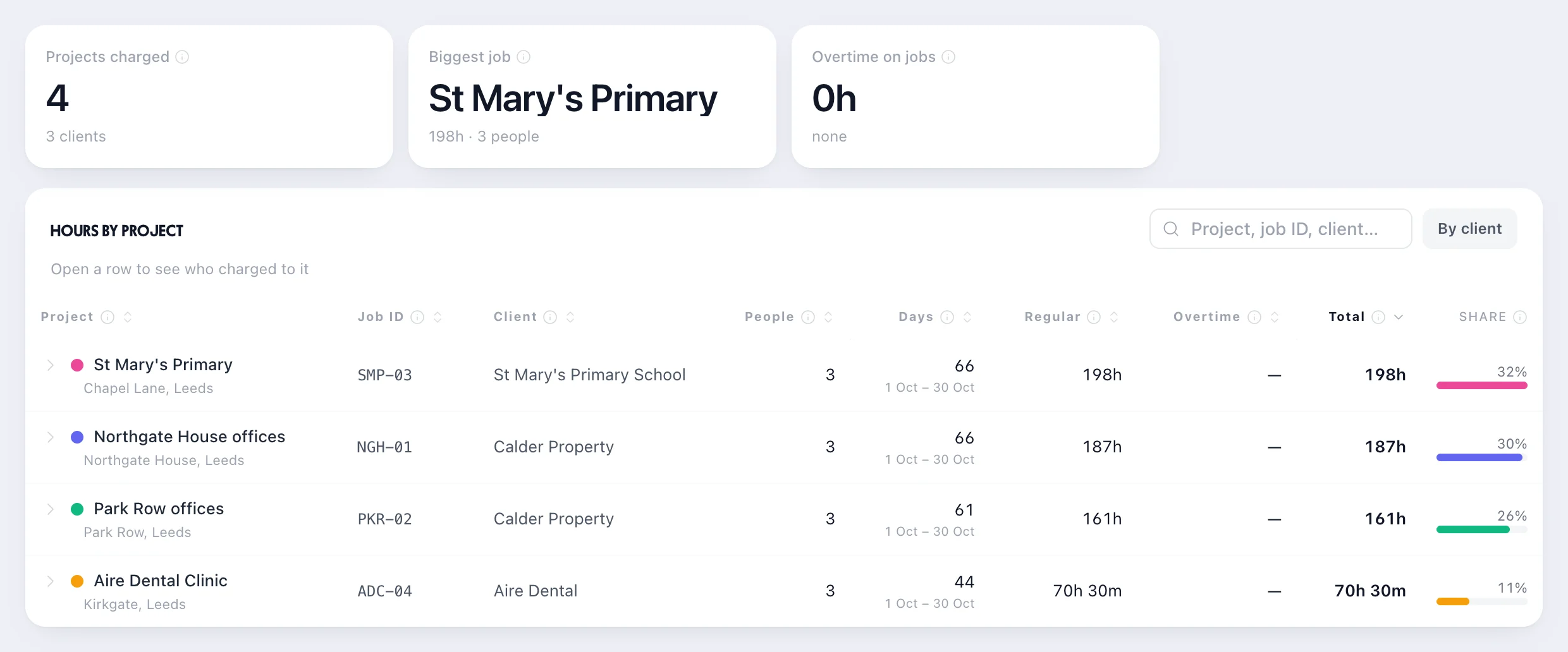
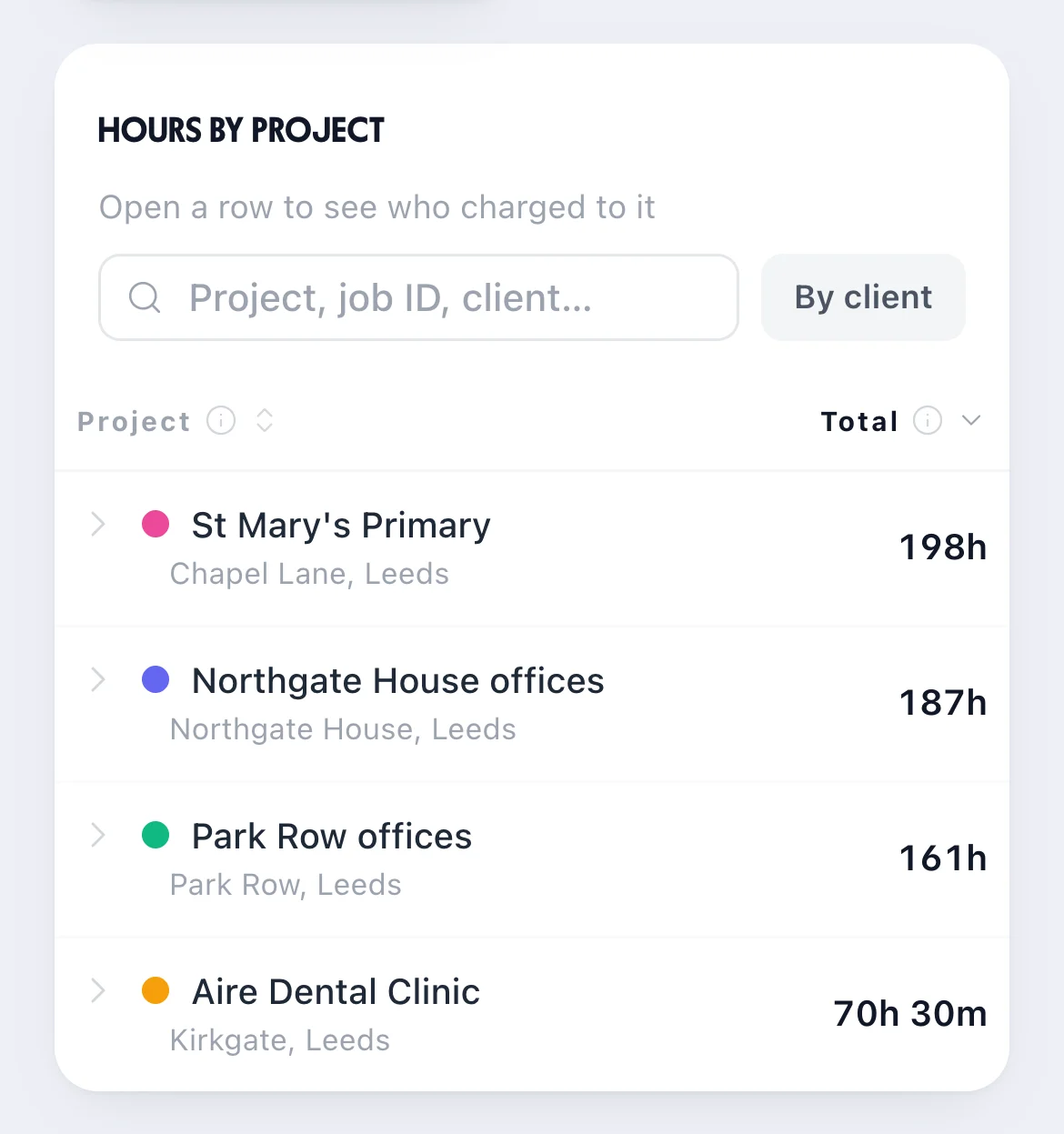
At the end of the month, Reports & Analytics shows the hours worked at every site, with the client and job ID beside it. Press By client to add up a client's buildings, or open a row to see which cleaners worked there.
TimeTally doesn't make invoices. It has no billable rates. Bill from the hours report, or export the hours as a CSV file for your accounts software.
Timesheets for cleaners, start to payroll, are on our cleaning time tracking page.
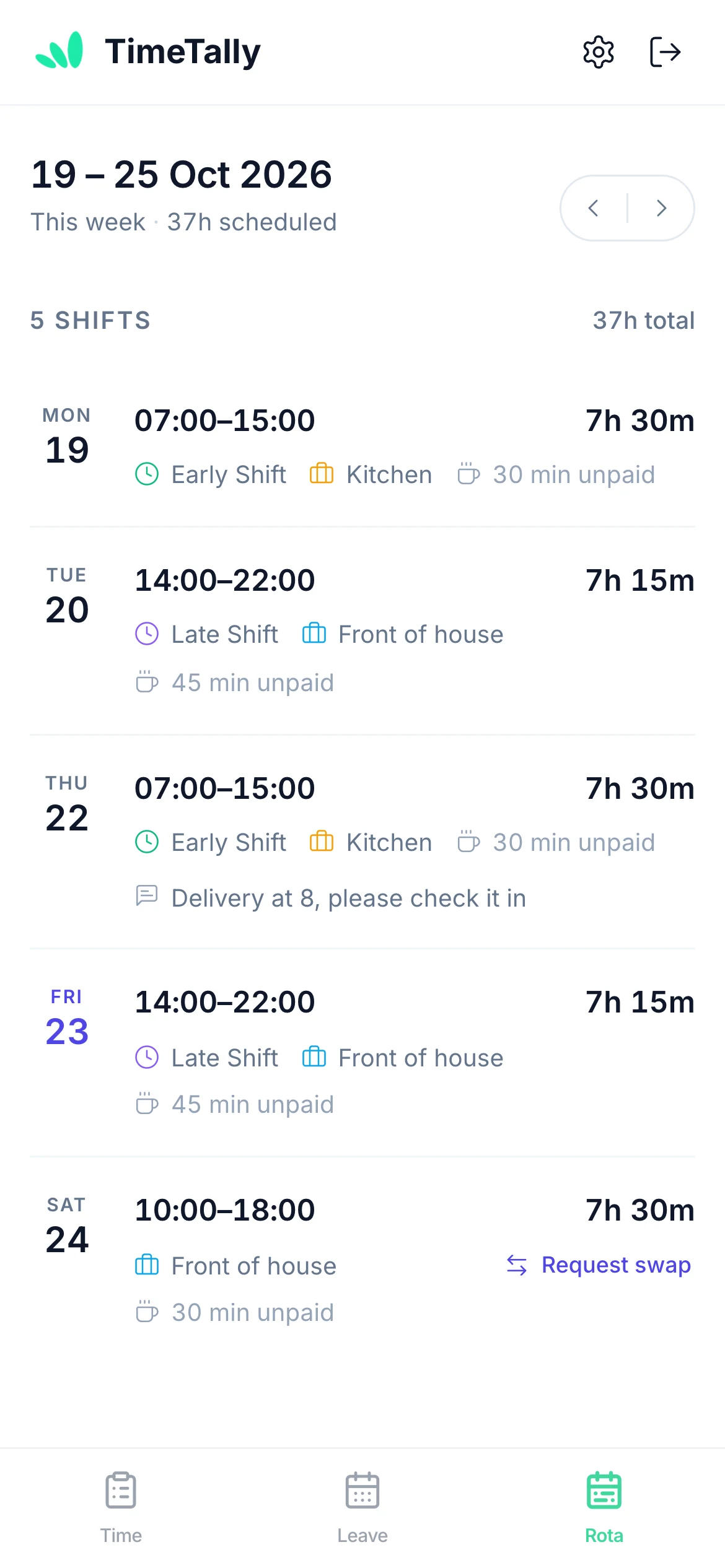
Cleaners see their published shifts in the free iPhone and Android app or a browser, with times and hours. You can email them the week; there are no push notifications.
Holiday for cleaning teams: leave management for cleaning services.
Real reviews from TimeTally customers
TimeTally has been excellent for our business… The system has saved us a significant amount of administration time.
 Jordan IngoeCLI Manchester
Setup was dead simple and the team just got on with it. Got everyone up and running in an afternoon with no help needed. Does everything we need for timesheets and holidays without the faff.
Has completely changed how I handle timesheets. Used to dread it every week — now it takes me minutes. Really easy to get around and my staff picked it up straight away.
Started using it just for rotas but quickly realised it does loads more. The timesheets and leave management are great, and it even handles TOIL and overtime which I wasn't expecting. Use it for everything now.
It's the rota, clocking in, timesheets and holiday for your cleaners. Better to know where it stops before your trial.
£3 per employee a month for the rota, clocking in, timesheets and holiday together. GPS clock-in is £1 per employee extra. No setup fee, no contract.
Your cleaning team£3 a window
8 people × £3£24 a month
With GPS clock-in, 8 × £4£32 a month
Start your free trialWhat cleaning managers ask before they move the rota off WhatsApp.
Still have a question? See all FAQs
Cleaning rota software plans which cleaner works at which client site and when, and puts it on their phones. In TimeTally you build the week on one grid: early starts before offices open, evenings after they close, school cleans after the bell and weekend deep cleans. Each client site is a project, cleaners can clock in with GPS at the site, and you can see the hours every client used. It's £3 per employee a month.
Yes. Their morning and evening can be one split shift on the rota, and a shift can be tied to the projects (sites) they'll clean. On the clock-in screen they tap to switch project when they move to the next site, and the timesheet splits their hours across the sites they worked.
Yes, with GPS clock-in (£1 per employee a month extra). Give each client site a location and a radius from 25 metres to 2 kilometres, and staff can only clock in for that site when their phone is inside it. A rota shift can be set to Clock in at: Anywhere when a cleaner needs to clock in somewhere else.
No. TimeTally doesn't make invoices and has no billable rates. Reports & Analytics shows the hours worked at each site and for each client, and you can export them as a CSV file, so you can bill from the hours report in your own accounts software.
In the free TimeTally app for iPhone and Android, or in a browser. Once you publish a week, each cleaner sees their own shifts with times and hours, and you can email them the week. They can ask a colleague to swap a shift, which you then approve, and book holiday from the same app. There are no push notifications.
Approved and waiting holiday shows on the rota on the days it falls. When you approve it, TimeTally lists the shifts it leaves empty and who is free to cover each one. You can also post a shift nobody is on as an open shift for the team to say who can do it: on the website now, and in the phone apps from their next update.
TimeTally is £3 per employee a month for the rota, clocking in, timesheets and holiday, with no setup fee and no contract. A team of eight cleaners is £24 a month, or £32 with GPS clock-in at £1 per employee extra. There's a 14-day free trial and no card is needed.
Try TimeTally free for 14 days. Put your client sites on the rota, publish the week to your cleaners' phones and see the hours each client used. It's the same rota planner hundreds of UK businesses use, at £3 per employee a month.
14-day free trial · No credit card needed · Cancel anytime