Staff rotas for UK GP practices

Rota Software for GP Surgeries

GP surgery rota software for practice managers in the UK. Plan reception cover from the 8am phones to closing, put practice nurse and HCA clinics on morning and afternoon sessions, and keep extended hours on a rota of its own. Approved and pending holiday shows on the same grid, so you see who is off before you publish. It is the same staff rota software TimeTally is built on, at £3 per employee per month for the whole practice team, holiday and timesheets included.

Week of 16 June

All departments
Publish Rota Published
Employee
Mon16
Tue17
Wed18
Thu19
Fri20
Sat21
Sun22
AR

Amelia

Kitchen

Open

Open

Evening

Close

Open

JK

James

Front of House

Close

Early

Mid

Open

Open

Early

PS

Priya

Kitchen

Leave

Mid

Close

Open

Early

MP

Maya

Front of House

Early

Close

Leave

Mid

Close

TW

Tom

Bar

Open

Open

Mid

Open

Close

Templates

Open
Close
Mid
Early
Evening

Rota Published!

Your team has been notified

Shift Templates

New Template New Template

Open

09:00–17:00

Close

12:00–20:00

Mid

10:00–18:00

Early

06:00–14:00

Evening

17:00–22:00

New

New Template

Evening

Start

17:00

End

22:00
Save Template Saved!

Shift Swap Request

Awaiting your approval

JK

James K.

Open · Thu

PS

Priya S.

Early · Sat

Approve Approved!

Shifts published!

Week of 16 Jun

Swap approved

James ↔ Priya

Evening added

Wed · 17:00–22:00

9:41

16 Jun – 22 Jun

this week · 40h

Mon

16

Tue

17

Wed

18

Thu

19

Fri

20

Sat

21

Sun

22

This week

40h total

Mon, 16 Jun

09:00–17:00

8h

Open

Tue, 17 Jun

09:00–17:00

8h

Open

Wed, 18 Jun

Today

17:00–22:00

8h

Evening

Thu, 19 Jun

12:00–20:00

8h

Close

Fri, 20 Jun

09:00–17:00

8h

Open

“The app is simple to use, reliable, and makes managing holidays, absences, and staff records straightforward. The system has saved us a significant amount of administration time.”

CLI ManchesterJordan Ingoe, CLI Manchester

See how GP practices plan their staff rota with TimeTally

Build next week's rota, staff clock in against the shifts you assigned, and approved leave feeds straight back into the plan. One system, no re-keying between them.

Free surgery staff rota template: build your practice rota online

A GP surgery staff rota template you fill in on this page. It opens with four job roles (practice nurse, healthcare assistant, receptionist and administrator) and seven rows: two nurses, an HCA, three receptionists and an administrator. Swap in your own team. Tap a day and choose Use a shift template to add Full day 08:00–18:30, Morning 08:00–13:00, Afternoon 13:00–18:30 or Extended hours 15:00–20:00. Each person's hours add up as you go, and the rota flags less than 11 hours between shifts, more than six hours without a 20-minute break, and weeks over 48 hours.

Building it is free and needs no account. Printing or downloading it needs a free account (a 14-day trial, no card), and signing up carries the rota into TimeTally.

Plan the GP practice staff rota on one week grid

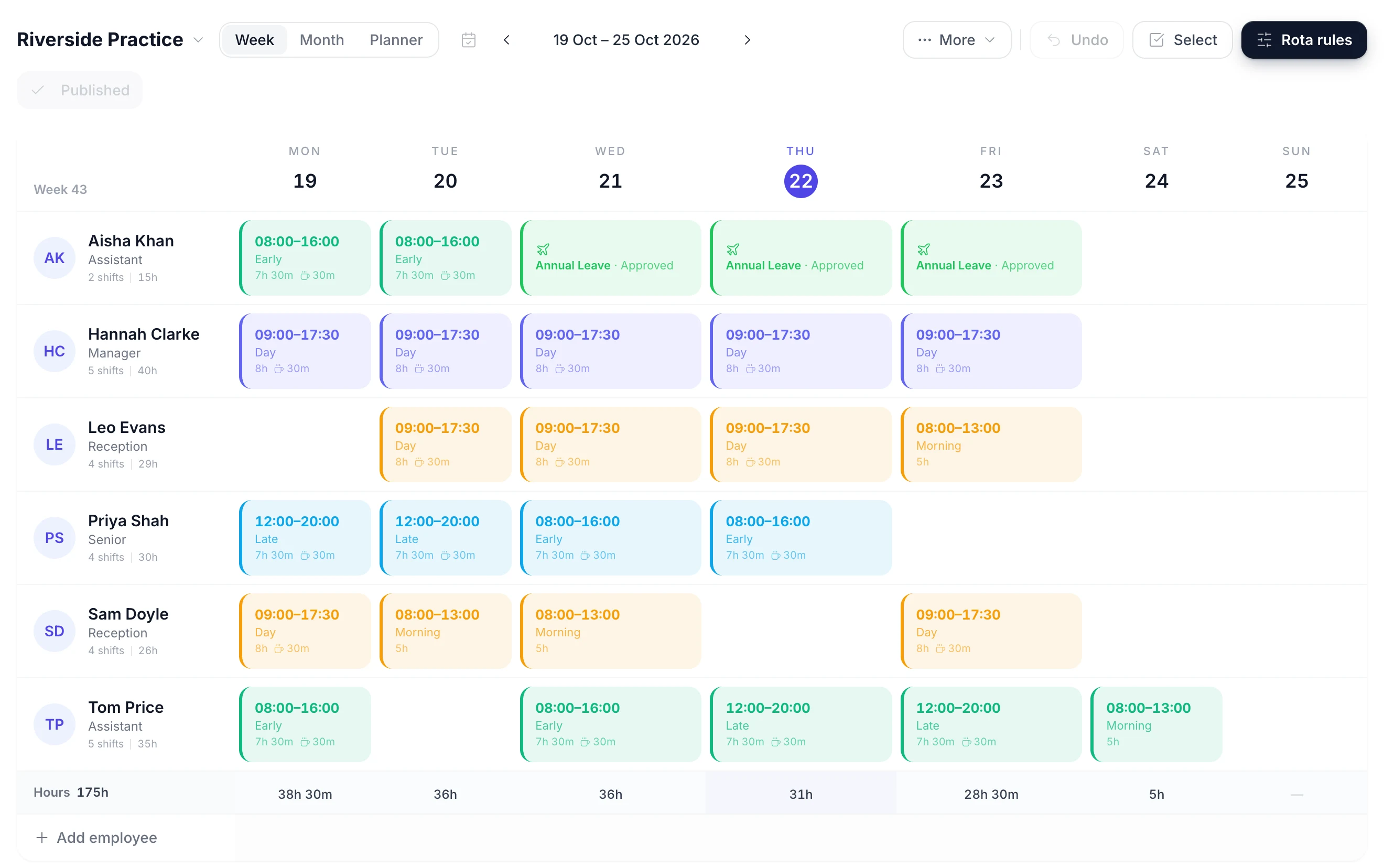
Reception, admin, practice nurses and HCAs go on one grid: a row per person and a column per day. Pick an empty cell to put a receptionist, nurse or HCA on that day. Drag a shift to another day when a nurse moves a clinic, or onto another name when a receptionist is covering. Copy last week forward and change only what is different, instead of rebuilding the practice manager's rota from scratch every Friday.

A week of the rota with a row per person, coloured shift blocks on the days they work and an hours total under each day
  • Click a cell to add a shift

    Tap an empty day to put a receptionist on the front desk, or drag a shift to another day or another person

  • Check reception on its own

    Filter the grid to receptionists, or to nurses and HCAs, and read each day's cover for that role

  • Paid hours under every day

    An Hours row totals each day and the week, with each role's unpaid lunch taken off

  • Publish when the week is ready

    Until you publish, the week is a draft only managers see. Then you choose whether to email the team

Reception and Nursing Staff See Their Shifts on Their Phones

Publish the week and every receptionist, administrator, practice nurse and HCA sees their own shifts in the TimeTally app for iPhone or Android, or in a browser: the day, the times, the role and any note. Nobody has to check the printed rota in the back office or ask the practice manager which late they are on.

  • Publishing asks whether to email the team. Staff with rota emails on get one, and when you publish a week again only the people whose shifts changed are emailed. There are no push notifications.
  • A receptionist can propose a swap with a colleague or offer a shift away. The colleague accepts, then a manager approves before the rota changes.
  • Swaps are on by default and can be turned off for the whole practice. Letting staff see who else is on with them is a separate setting, off by default.
  • Staff book holiday and fill in timesheets in the same app, so the whole practice team uses one login for all three.
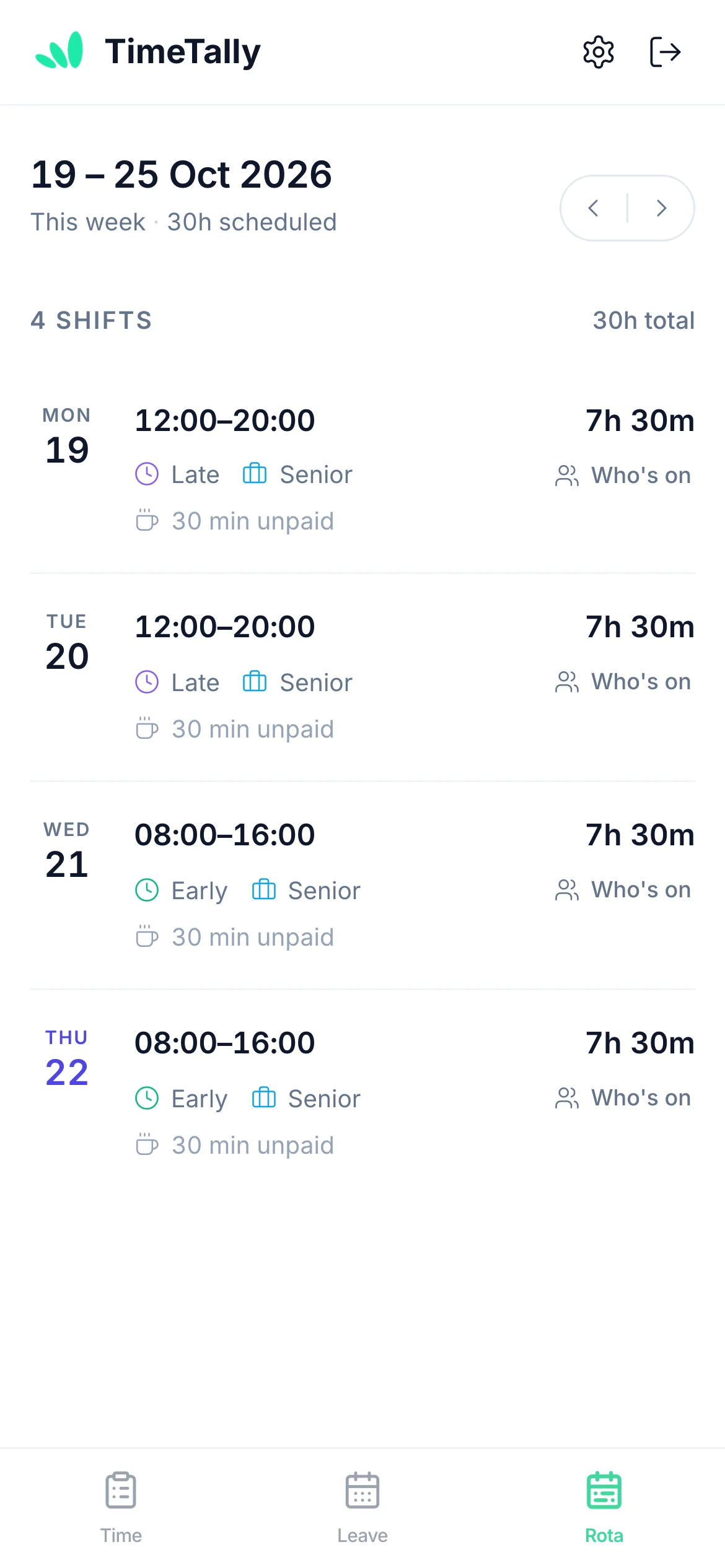
A member of staff viewing their upcoming shifts on their phone

See Who Else Is Off Before You Approve Holiday

The usual practice holiday problem is two receptionists asking for the same week in August. Holiday is booked in the same app as the rota, so the first request is already on the grid when the second one arrives.

  • Pending requests show too

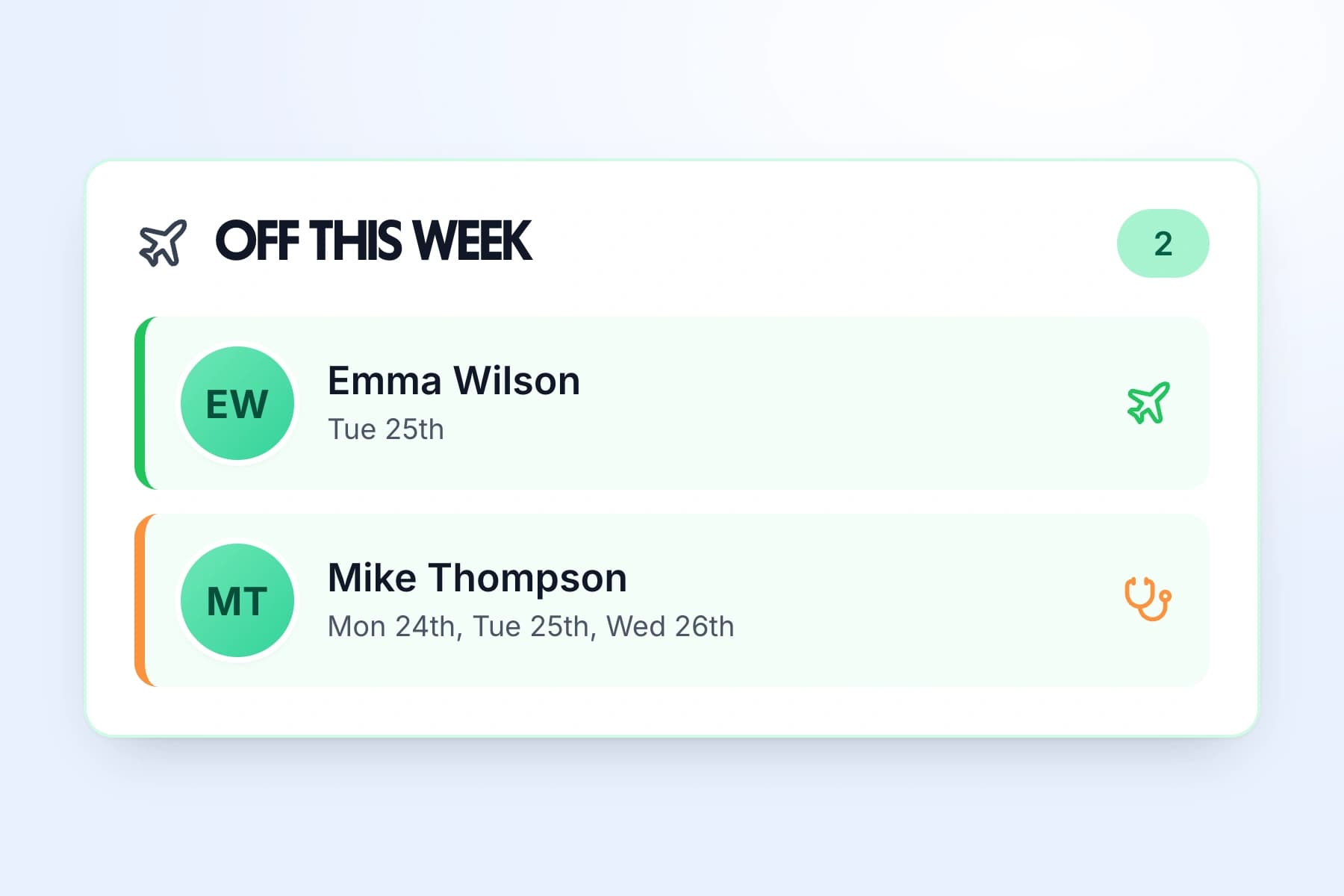
    Each day of leave on the rota shows its type and whether it is approved or still waiting, and the team calendar lists who is off each week
  • Nothing is approved for you

    Every request waits for a manager. TimeTally does not refuse a request because someone else is off; the decision stays with you
  • Cover listed on approval

    Approving leave lists the shifts it leaves open and who is free for each, with people on the same rota first and their department beside each name
  • A check before a clash

    Putting a shift on a day someone has leave asks you to confirm first, so nobody is rostered on their day off by accident
The Off this week panel listing two members of staff on leave and the days they are off

Save morning and afternoon sessions as shift templates

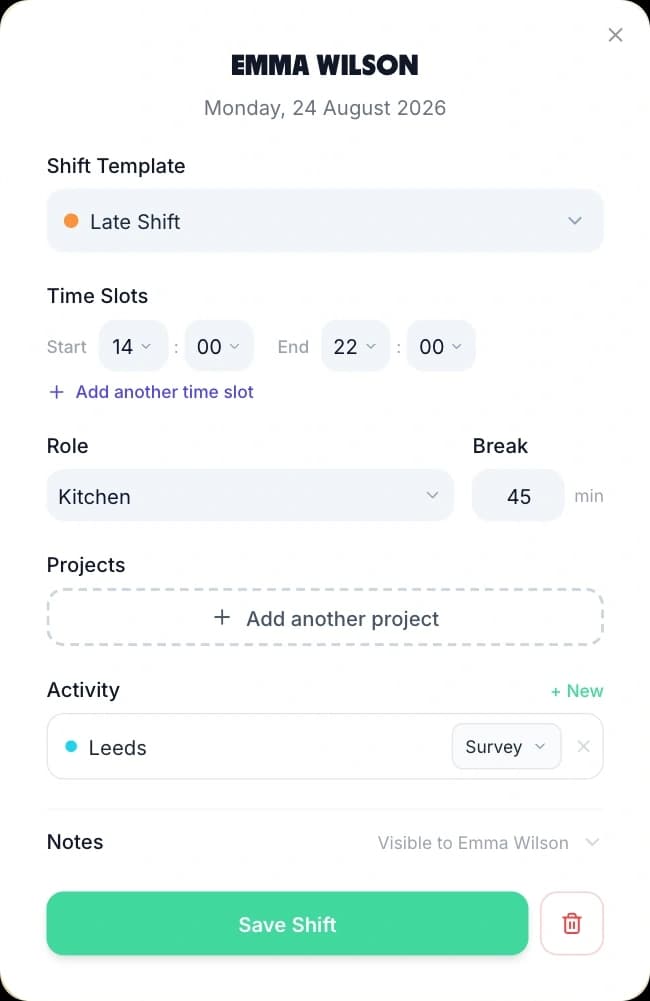
A practice runs the same few shifts every week: the morning session, the afternoon session, a full day for the front desk and an extended hours evening. Store each as a shift template, with its hours, role and any break, and choose it in two taps when you build the week. A Full day 08:00–18:30 with an hour for lunch is 9.5 paid hours every time, with nobody working it out again.

Adding a shift from a saved template: the template picker, start and end times, role, break and a Save Shift button
  • AM and PM sessions

    Morning 08:00–13:00 and Afternoon 13:00–18:30 match how nurse and HCA clinics are booked

  • Extended hours in its own colour

    An Extended hours 15:00–20:00 template stands out on the grid, so the evening cover is easy to check

  • Save a whole week

    Save a normal week as a week template, and a second one for weeks with Saturday clinics, then drop either onto a future week

  • Copy a week forward

    Copy this week onto the following weeks in one go. Days that already have a shift are left as they are

What GP practice rota software has to handle

A GP practice has a phone rush at 8am, clinics booked in sessions, evening and Saturday hours, and a team that is mostly part-time. A rota for the practice team has to handle all four. Running a hospital team instead? See rota software for hospitals and wards. For holiday rules in more detail, see leave management for healthcare teams.

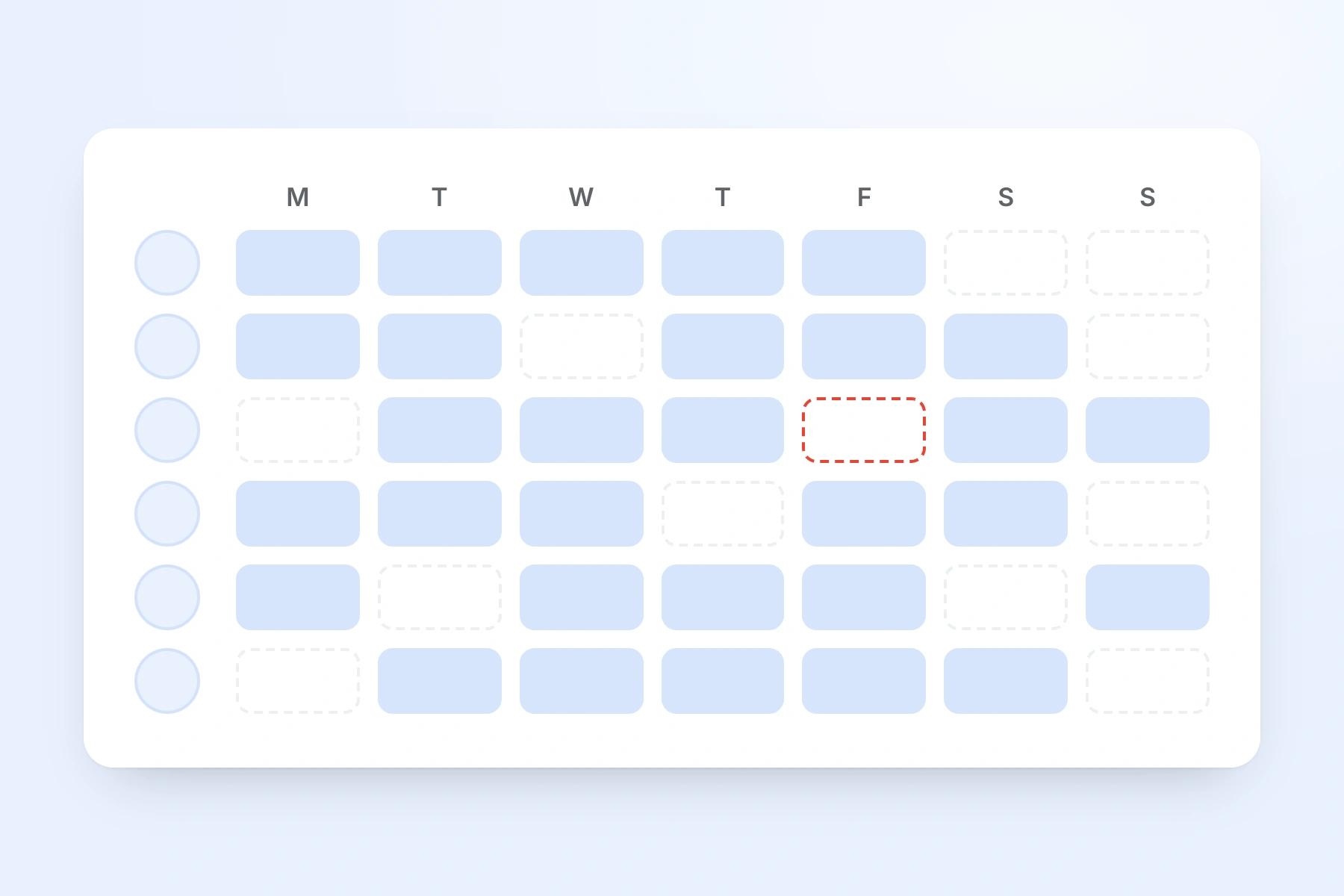
A week of shifts across the whole team, one row per person, with an unfilled shift outlined in red
Reception

The 8am phones and the front desk

Reception is the part of a GP practice rota that breaks first. The phones open at 8am, the desk is staffed until closing, and lunch still has to be covered.

  • Put receptionists in a Reception department and set an alert such as at least three on a day. A day below it shows a red line above the grid
  • The alert counts people with a shift that day, not who is on the phones at 08:00, so the start times still need reading
  • Staggered templates, such as an early and a late, are coloured blocks you can check at a glance
Sessions

Practice nurse and HCA clinics

Practice nurses and healthcare assistants usually work in morning and afternoon sessions. The practice nurse rota is easier to read when each session is its own block.

  • Save Morning 08:00–13:00 and Afternoon 13:00–18:30 as templates, with Full day for a nurse who works both
  • A person has one shift a day. A morning and an evening with a gap between them is one shift with two time blocks
  • Write the clinic in the shift note, such as "Baby clinic" or "Bloods", and the nurse sees it with the shift on their phone
Extended hours

Evenings, Saturdays and PCN shifts

Extended hours and enhanced access sessions are often staffed by a smaller group, sometimes at another site in the PCN. Keeping them on a separate rota keeps the main week readable.

  • Create a named rota such as Extended access or PCN hub, and add the people who work it
  • Someone already working on another rota that day shows that rota's name in their cell, so you cannot book them twice
  • Each rota's week is published on its own, so the evening rota can go out before the main week is finished
Part-time

Part-time practice staff

Most practice teams have more part-timers than full-timers, across reception, admin and nursing. Their holiday is worked out in the same app as the rota.

  • A yearly allowance can be worked out from the days a week someone works, rounded up to the half day
  • Bank holiday sync books a bank holiday only on the days a person actually works
  • Approved and pending holiday shows on the rota, so a part-timer's day off is visible when you plan

Two Settings Practice Managers Choose on Day One

The rota works without any setup. These two are worth a few minutes when you turn it on, because every practice wants them set its own way.

Reception headcount

Get a warning when reception has fewer people than you need.

Set a minimum number of staff on shift per day, for one rota, for every rota, or for a department such as Reception. A day below it shows as a red line above the grid, and the same warning appears when you press Publish.

It is a headcount, not a skills check. It counts the people with a shift that day, whatever their hours or role, so it cannot tell whether a nurse trained in cervical screening is in. You can still publish a short week; the warning makes sure you do it knowingly.

The same alerts can watch hours and wage cost, such as admin going over its weekly hours budget or anyone working more than 48 hours in a week.

Hours, overtime and TOIL

Record hours from timesheets, or straight from the rota.

With timesheets on, staff clock in and out on their own phone or fill in a timesheet, and a manager approves it. Extra hours can be paid as overtime, or banked as time off in lieu when TOIL is switched on. Approved hours export to Xero, QuickBooks or a CSV file for payroll.

Some practices pay salaried staff for the shifts they were rostered on. With time tracking switched off, Pay from rota shifts (Settings, then Pay) uses the published rota as the hours record instead.

How timesheets and clock-in work

GP practice rota examples

Five common shapes of practice rota, and how each is built in TimeTally. Use the structure and set your own times around your practice's hours. If you want a grid on paper, the staff rota template is a free download.

A single-site practice

Open 08:00 to 18:30 with five receptionists, two administrators, two practice nurses and an HCA. Put reception in its own department and set a staffing alert for at least three on a day. Save an early and a late for reception, Morning and Afternoon sessions for the nurses, and Full day for admin. Build one week, save it as a week template, and copy it forward. Each week, change only the holiday and the clinics that moved.

Practice nurse and HCA sessions

Give practice nurses and HCAs their own job roles and colours. Put each nurse on Morning, Afternoon or Full day, and write the clinic in the shift note, such as "Diabetes review" or "Childhood immunisations". Filter the grid to the practice nurse role to check every session has a nurse. The note is on the nurse's phone with the shift, so they know what the session is before they arrive.

Extended hours and Saturdays

Create an Extended hours rota and add only the people who work evenings and Saturdays. Save Extended hours 15:00–20:00 and a Saturday morning template. Build and publish that rota on its own. A receptionist already on the main rota that day shows the main rota's name in their cell on the evening rota, so you can see they are taken.

A main surgery and a branch surgery

Create one rota for each site and add each site's team. Staff who work at both go on both rotas. You can make the branch's lead receptionist a manager limited to the branch team: they approve that team's holiday and timesheets and can only change those people's shifts, though they can still see the main surgery's rota.

Salaried GPs on the rota

Some practices add salaried GPs so the whole team's days are on one grid and GP holiday is in the same calendar. That works: a GP is a person on the rota at the same £3 a month. TimeTally does not count sessions for GP pay or book locums, so most practices keep GP session planning where it is and use TimeTally for everyone else.

When a spreadsheet is still fine

A small practice with a fixed team and the same pattern every week can run on a spreadsheet. It usually stops working when there is a branch surgery, extended hours, a lot of part-timers or a practice manager answering messages about who is on the desk tomorrow. That is when a rota staff can check on their own phone saves more time than it takes to set up.

Sessions, patient data and limits

GP sessions, patient data and what TimeTally will not do

TimeTally is a rota, holiday and timesheet app for the practice team. It is not a clinical system and not a GP session planner. This is where the line falls.

It Does Not Book GP Sessions or Locums

TimeTally does not count GP sessions per week, work out session pay, book locums or send locum invoices. You can put salaried GPs or partners on the rota if you want their days on the same grid, but GP session planning usually stays in a specialist tool or the practice's own spreadsheet.

No Link to EMIS, SystmOne or NHS Systems

TimeTally does not connect to EMIS Web, SystmOne or any other clinical system, or to any NHS system. It does not see the appointment book and does not move appointments when someone is off. If a nurse books holiday, rebooking their clinics stays in your clinical system.

No Patient Data

TimeTally holds staff names, contact emails, job roles, departments, working weeks and pay rates if you add them, plus shifts, holiday, sickness and timesheets. There is nowhere to record a patient. Keep shift notes to the clinic or task, never a patient's name. Our GDPR and data protection page explains how staff data is handled.

Headcount, Not Skills

The staffing alert counts the people with a shift that day, for a rota or a department, and warns before you publish. It does not know who is trained for cervical screening, travel vaccines or phlebotomy, and TimeTally does not store qualifications, training records or registrations. Checking that the right skills are in each session stays with the practice manager.

Who Can See What

You can limit a manager to certain departments or named people, such as a reception lead who looks after the front desk team. They approve holiday and timesheets only for those people and can only change their shifts, but they can still see every rota. Pay details can be hidden from them, which also keeps the cost row off their screen.

What TimeTally Does Not Do

It does not build the rota for you: every shift is placed by a person. Staff cannot post their availability, and there are no open shifts to claim. Rota updates arrive by email, not push notification. There is no shared reception tablet for clocking in: everyone clocks in on their own login, on their own phone or a browser.

Simple, Transparent Pricing

One price for the whole product. GPS clock-in is £1 extra per employee. A practice with 13 staff pays £39 a month.

£3/employee/month

Billed monthly. Cancel anytime.

Reception, admin, nurses and HCAs on one grid
A separate rota for extended hours or a branch
Shift swaps and cover suggestions
Holiday tracking and timesheets included
Get Started

No credit card required

In short

What is GP surgery rota software?

GP surgery rota software plans which members of the practice team work which shifts, and shares the rota with them. TimeTally does this for UK GP practices at £3 per employee per month. You save shifts such as Morning 08:00–13:00, Afternoon 13:00–18:30 and Extended hours 15:00–20:00 as templates and place them on a week grid, one row per person. Reception, admin, practice nurses and HCAs share one grid, and extended hours or a branch surgery can have their own rota. Approved and pending holiday shows on the same grid. When you approve leave, TimeTally lists the shifts it leaves open and who is free to cover them. Staff see their published shifts on their phones and can propose swaps for a manager to approve. Holiday tracking and timesheets are included. It does not book GP sessions or locums, connect to clinical systems or hold patient data.

Price
£3 per employee a month
Team
Reception, admin, nurses, HCAs
Rotas
One per site or for extended hours
Staffing
Headcount alert only
Includes
Holiday and timesheets

Frequently Asked Questions

How do you build a GP reception rota?

Start with your opening hours and the busiest times: the 8am phone lines, the front desk until closing, and lunch cover. Decide how many receptionists you need at each point, and save the shifts that cover them as templates, for example an early from 08:00 and a late to 18:30. Put approved holiday and training on the rota first, so you build around it. Then fill each day, check the 8am start and the 18:30 finish have enough people, and stagger lunch breaks so the desk is never empty. Finally check each person's hours against their contract and publish the rota so the team can see it. The free surgery staff rota template on this page starts with three receptionists, an administrator, two practice nurses and an HCA, and with Full day, Morning, Afternoon and Extended hours shift templates.

Can TimeTally book GP sessions or locums?

No. TimeTally is a staff rota for the practice team, not a GP session or locum booking system. It does not count sessions per week for GP pay, book locums, send locum invoices or connect to a locum agency. You can put salaried GPs or partners on the rota if you want their days on the same grid as everyone else, at the same £3 a month. Most practices keep GP sessions in the tool they already use and use TimeTally for reception, admin, nurses and HCAs.

Can we run separate rotas for extended access or a branch surgery?

Yes. Create a named rota for each one, such as Main surgery, Branch surgery and Extended access, and add the people who work at each. Someone who works at both sites can be on both rotas. A day they are already working on another rota shows that rota's name in their cell, so you cannot book them twice. Each rota's week is published on its own. A person has one shift per day, so a receptionist who works the morning at the branch and the afternoon at the main surgery is one shift with two time blocks, on one rota.

Can reception staff swap shifts?

Yes. A receptionist can propose a swap with a colleague, or offer a shift away, in the app. The colleague accepts, then a manager approves it, and only then does the rota change. Swaps are on by default and can be turned off for the whole practice. Staff see their own published shifts on their phone or in a browser, and whether they can also see who else is working that day is a separate setting, off by default.

How do we stop two receptionists booking the same week off?

TimeTally does not refuse a request because a colleague is already off. Every holiday request waits for a manager to approve it, and the information you need to decide is in front of you. Approved and pending leave shows on the rota grid on the days it falls, and the team calendar lists who is off each week. So when a second receptionist asks for the same week in August, you can see the first request, even if it is still pending. If you approve it, TimeTally lists the shifts that person is rostered on and who is free to cover each one. Many practices also agree a rule in their holiday policy, such as no more than one receptionist off at a time; the decision stays with you.

Does TimeTally hold any patient data?

No. TimeTally holds staff information only: names, contact email, job role, department, working week, pay rate if you add one, and their shifts, holiday, sickness and timesheets. There is nowhere to record patients, appointments or clinical notes, and it does not connect to your clinical system. Shift notes are free text, so keep them to the clinic or task, such as "Flu clinic", and never a patient's name.

How are hours, overtime and TOIL recorded for practice staff?

Staff clock in and out on their own phone or fill in a timesheet, and a manager approves it. Extra hours can be paid as overtime, or banked as time off in lieu when TOIL is switched on, so a receptionist who stays late to cover can take the time back. Approved hours export to Xero, QuickBooks or a CSV file for payroll. If you pay contracted staff for the shifts on the rota and do not use timesheets, Pay from rota shifts uses the published rota as the hours record instead.

What does GP surgery rota software cost?

TimeTally is £3 per employee per month, with no setup fee and no minimum contract. A practice with two practice nurses, an HCA, six receptionists, two administrators, a secretary and a practice manager is 13 people, which is £39 a month. That covers the rota, holiday and sickness tracking and timesheets. GPS clock-in is an optional add-on at £1 per employee per month. There is a free 14-day trial and no card is needed to start it.

Still have a question? See all FAQs

Get next week's practice rota to your team today.

Try TimeTally free for 14 days. Build reception and clinic cover from your own shift templates, see holiday on the same grid, find cover when someone is off, and publish the rota to your team's phones, with holiday tracking and timesheets included in the same £3.

No credit card required · Free 14-day trial · Cancel anytime