Plan shifts with full visibility of leave and availability.
Build weeks ahead, publish instantly, and give every team member their schedule on their phone.
“We used to manage the rota on a spreadsheet and someone would inevitably be scheduled when they'd already booked leave. That just doesn't happen anymore.”
Sarah M.
Click any feature to learn more.

14-day free trial · No credit card needed
The moment you publish a rota, every team member gets a notification on their phone. They can view their upcoming shifts, check their schedule for the week, and request time off — all from the same app.
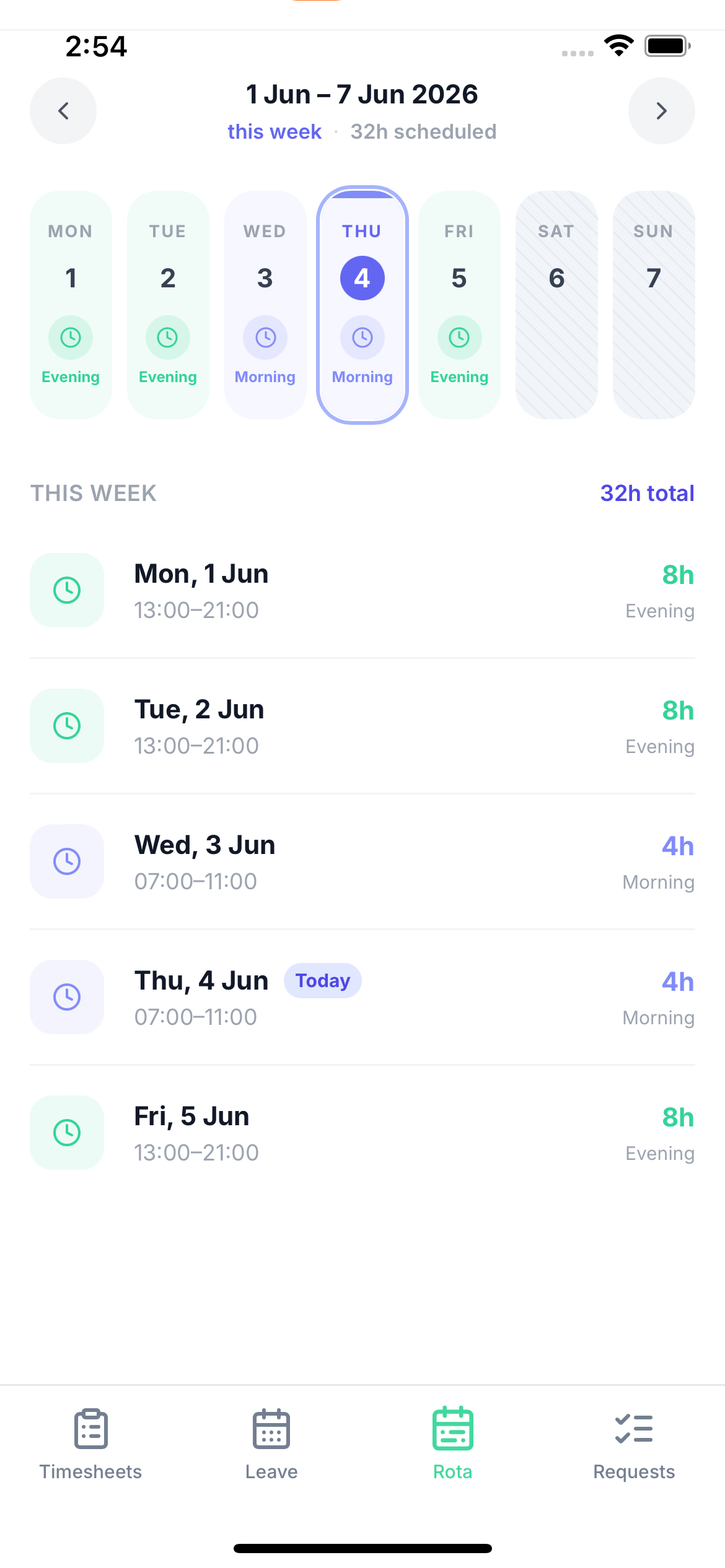
Instant shift notifications
Staff get pushed their schedule the second you publish — no more 'I didn't know' situations
View upcoming shifts anywhere
Staff can check their rota from their phone at any time, wherever they are
Leave requests in the same app
Staff request time off and managers approve it — all feeds back into the rota automatically
Build your rota while seeing confirmed leave bookings, existing shifts, and team availability in the same view. No more cross-referencing a separate leave spreadsheet — everything is integrated.
Plan weeks or months ahead
Create shifts far in advance — particularly useful for predictable rotating patterns
Copy and reuse patterns
Start from last week's rota and adjust — faster planning every time
Publish with instant notifications
Staff notified immediately when you publish — no more chasing to confirm receipt
Day Shift
09:00 – 17:00
Late Shift
14:00 – 22:00
Morning
06:00 – 14:00
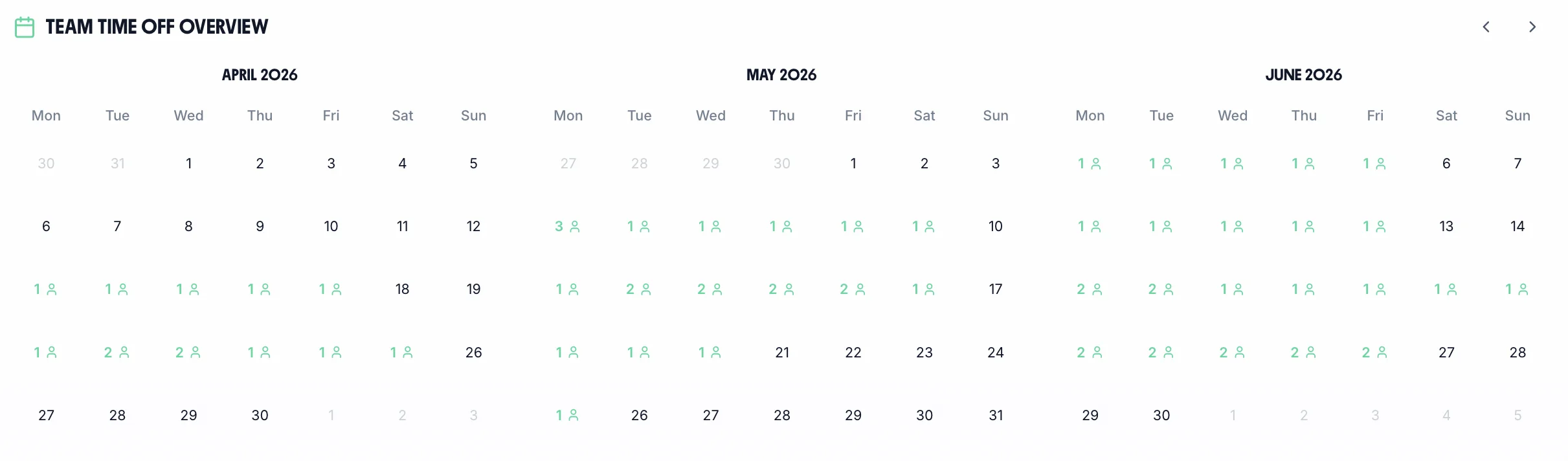
The integrated calendar shows future shifts alongside approved annual leave and sick leave. Plan with confidence — knowing exactly who is available before you assign shifts.
Confirmed leave shows up in the planning calendar — no blind spots or double-bookings
Plan based on who's actually available — not on assumptions that turn out to be wrong
Share planned rotas or export for payroll and HR reporting at any time
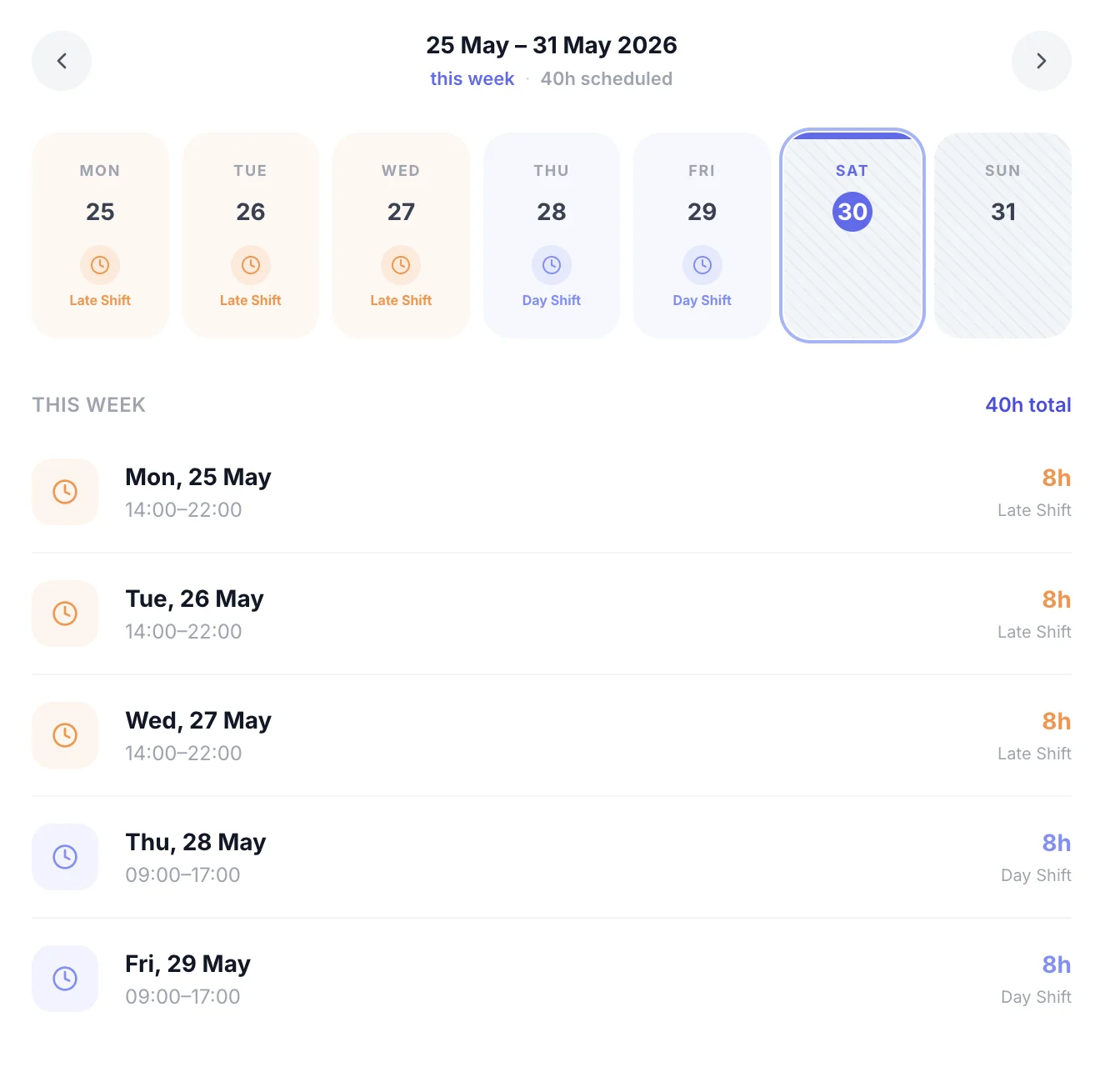
The moment shifts are published, every team member can see their upcoming week from the app. No printed schedules, no 'I didn't know I was working' — staff have instant access to their rota at any time.
Instant notifications
Staff notified the second you publish — no chasing needed
View from any phone
Check the rota from anywhere at any time on the iOS app
Request time off in-app
Leave requests submitted and approved in the same system
See your entire team's schedule at once — who's in, who's off, and any gaps that need covering. Make changes without jumping between screens. The employer rota view gives you complete control over scheduling across your whole team.
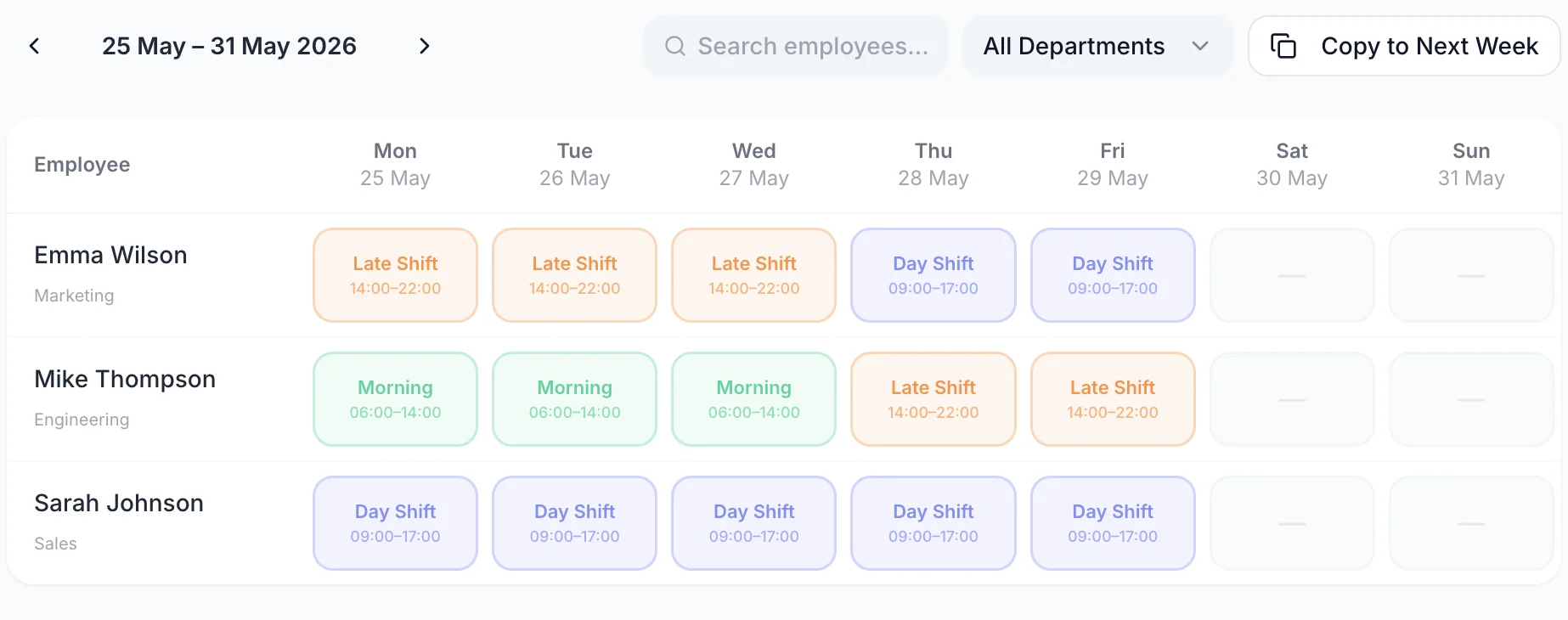
No forms, no menus. Click to create a shift, drag it to move it, drop it on someone else to reassign.
Tap any empty cell on the rota grid to create a shift — no menus or forms needed.
Grab any shift and drag it to a different day, time slot, or staff member instantly.
Duplicate the previous week's rota as your starting point and just tweak what's changed.
“We used to manage the rota on a spreadsheet and someone would inevitably be scheduled when they'd already booked leave. That just doesn't happen anymore. It's saved me probably an hour every week.”
Sarah M.
Operations Manager, hospitality
“The fact that it shows leave bookings right there while you're building the rota is the thing I didn't know I needed. Setup took about 20 minutes and we haven't looked back.”
James T.
Owner, retail
“My staff actually know their shifts now because they get a notification the second I publish. No more 'I didn't know I was working Saturday' conversations.”
Rachel K.
Manager, care sector
One price. Every feature. No surprises.
Whatever your sector, TimeTally's rota planner adapts to your shift patterns, staffing rules, and compliance requirements.
Split shifts, kitchen vs front-of-house scheduling, and weekend rushes make restaurant rotas complex. TimeTally lets you build weekly rotas in minutes, see leave at a glance, and publish shifts to staff phones instantly — so your team always knows when they're on.
Care rotas must maintain safe staffing ratios 24/7. TimeTally flags gaps in cover, tracks which carers are on leave, and gives managers a clear picture of who's available before publishing each week's rota — so CQC requirements are always met.
Retail rotas change weekly around trading hours, bank holidays, and seasonal peaks. TimeTally lets you copy last week's rota as a starting point, override for busy periods, and track part-time staff entitlements automatically.
Security rotas require precise post allocation, 12-hour shift patterns, and real-time awareness of who's on site. TimeTally handles guard rotas with overnight shifts, tracks rest period compliance, and gives supervisors instant visibility of the full duty schedule.
Hotels need rotas across front desk, housekeeping, F&B, and maintenance — all with different shift lengths and staffing levels. TimeTally manages multi-department rotas from one dashboard, with leave, availability, and shift counts all visible in one view.
Manufacturing shifts often run 24/7 across multiple lines and production areas. TimeTally's rota builder supports rotating shift patterns, tracks TOIL for overtime worked on planned shifts, and ensures handover coverage is always confirmed before a shift ends.
